Psychology of everyday things You now know many
- Slides: 39
Psychology of everyday things You now know: • many so-called human errors are actually errors in design • human factors became important in WWII due to human performance limitations being reached when handling complex machinery You will soon know these important concepts for designing everyday things • affordances • causality • visible constraints • mapping • transfer effects • population stereotypes • conceptual models • individual differences • why design is hard Saul Greenberg
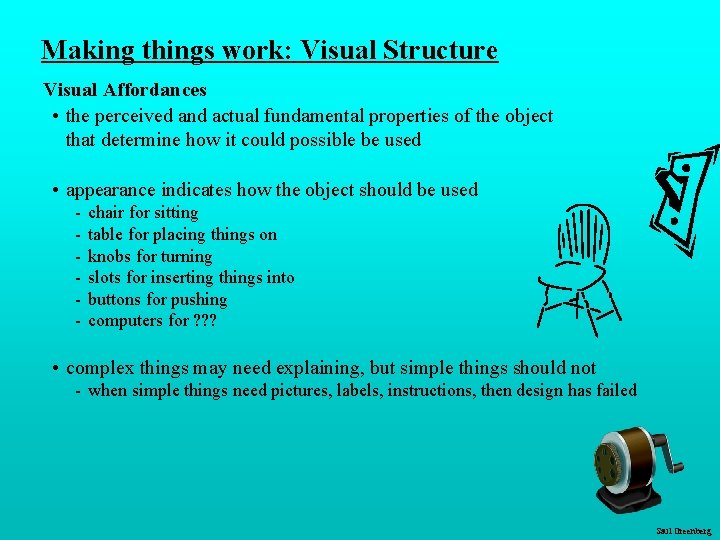
Making things work: Visual Structure Visual Affordances • the perceived and actual fundamental properties of the object that determine how it could possible be used • appearance indicates how the object should be used - chair for sitting table for placing things on knobs for turning slots for inserting things into buttons for pushing computers for ? ? ? • complex things may need explaining, but simple things should not - when simple things need pictures, labels, instructions, then design has failed Saul Greenberg
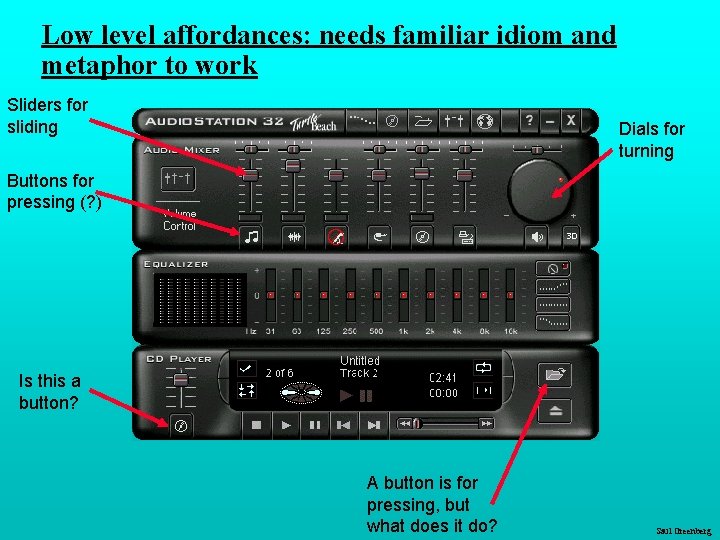
Low level affordances: needs familiar idiom and metaphor to work Sliders for sliding Dials for turning Buttons for pressing (? ) Is this a button? A button is for pressing, but what does it do? Saul Greenberg
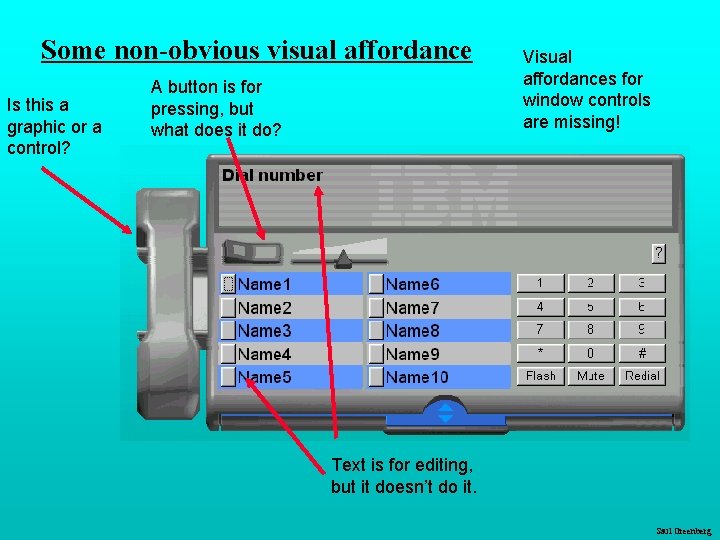
Some non-obvious visual affordance Is this a graphic or a control? A button is for pressing, but what does it do? Visual affordances for window controls are missing! Text is for editing, but it doesn’t do it. Saul Greenberg
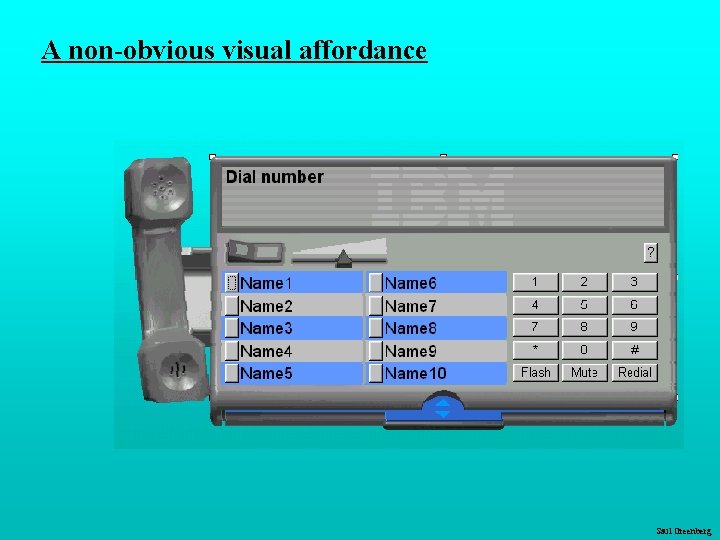
A non-obvious visual affordance Saul Greenberg
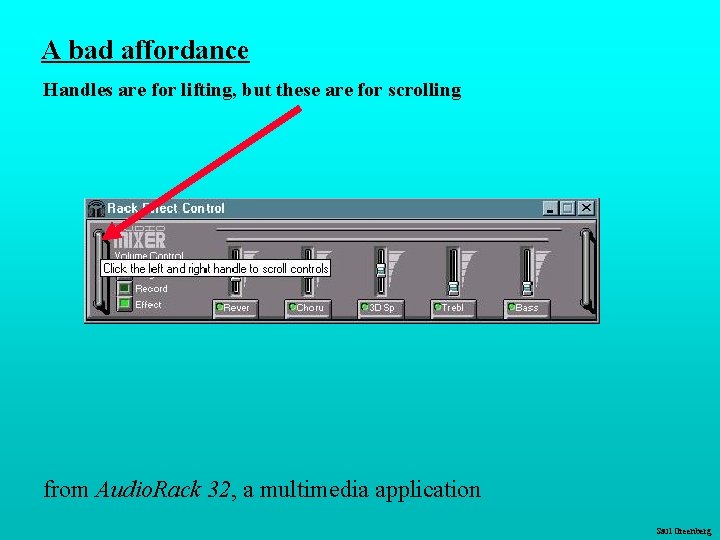
A bad affordance Handles are for lifting, but these are for scrolling from Audio. Rack 32, a multimedia application Saul Greenberg
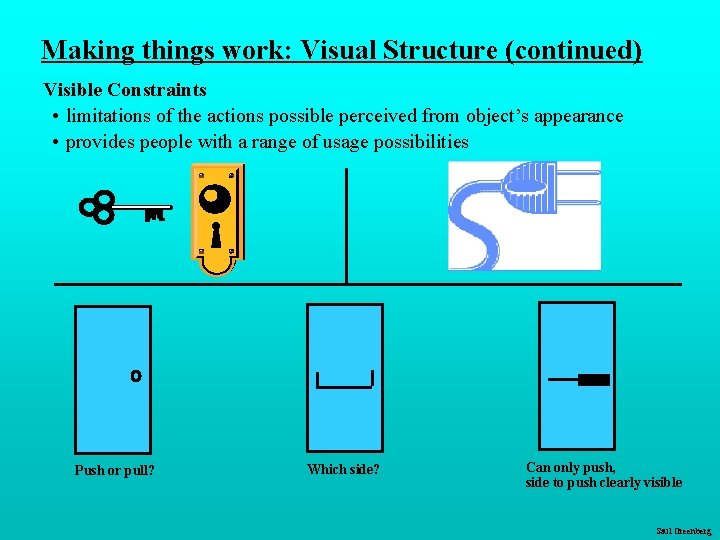
Making things work: Visual Structure (continued) Visible Constraints • limitations of the actions possible perceived from object’s appearance • provides people with a range of usage possibilities Push or pull? Which side? Can only push, side to push clearly visible Saul Greenberg
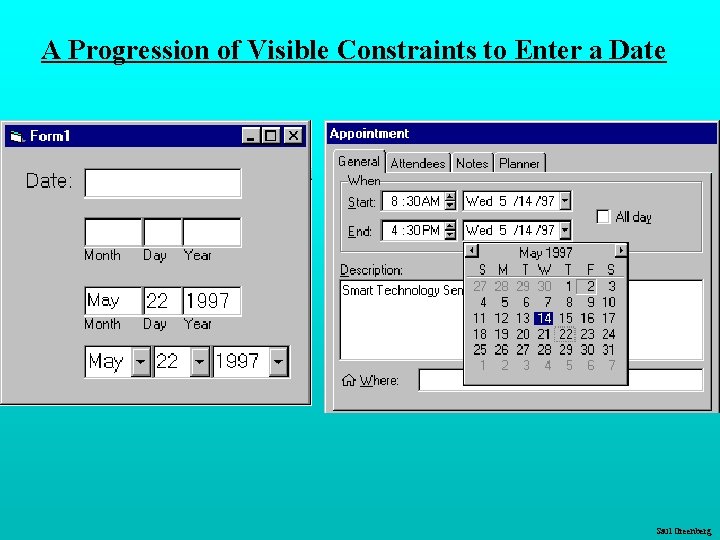
A Progression of Visible Constraints to Enter a Date Saul Greenberg
Saul Greenberg
Saul Greenberg
Saul Greenberg
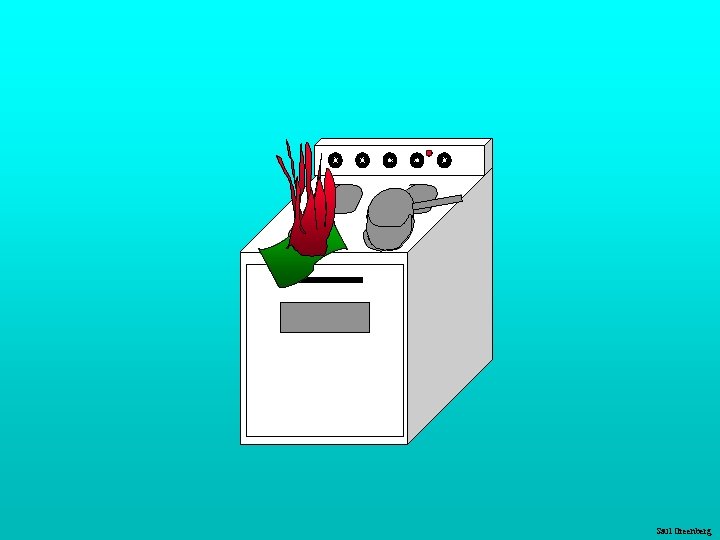
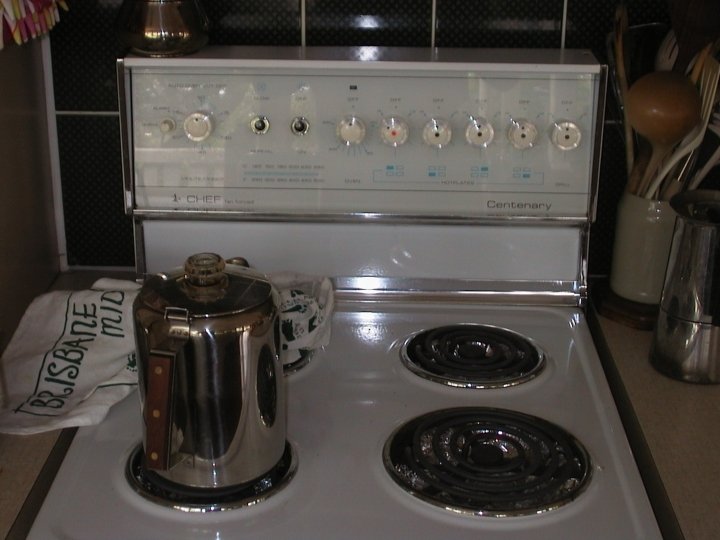
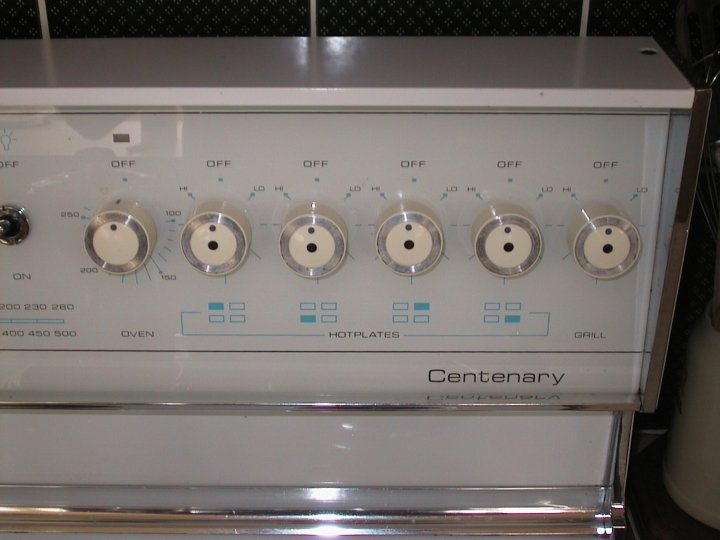
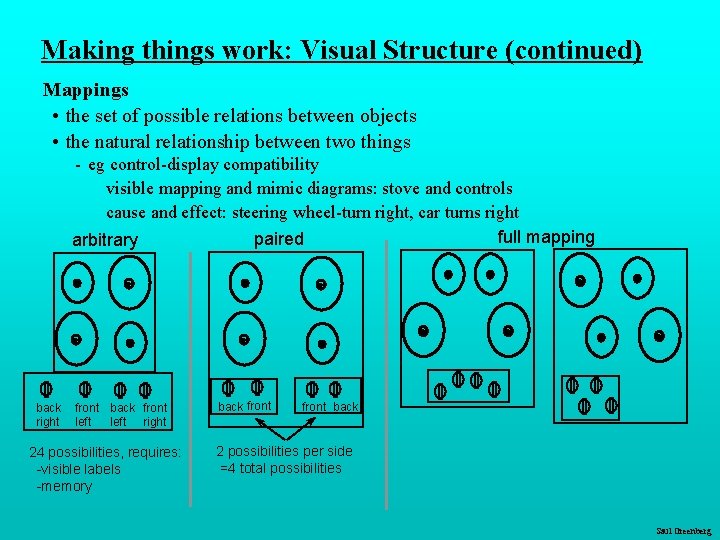
Making things work: Visual Structure (continued) Mappings • the set of possible relations between objects • the natural relationship between two things - eg control-display compatibility visible mapping and mimic diagrams: stove and controls cause and effect: steering wheel-turn right, car turns right full mapping paired arbitrary back right front back front left right 24 possibilities, requires: -visible labels -memory back front back 2 possibilities per side =4 total possibilities Saul Greenberg
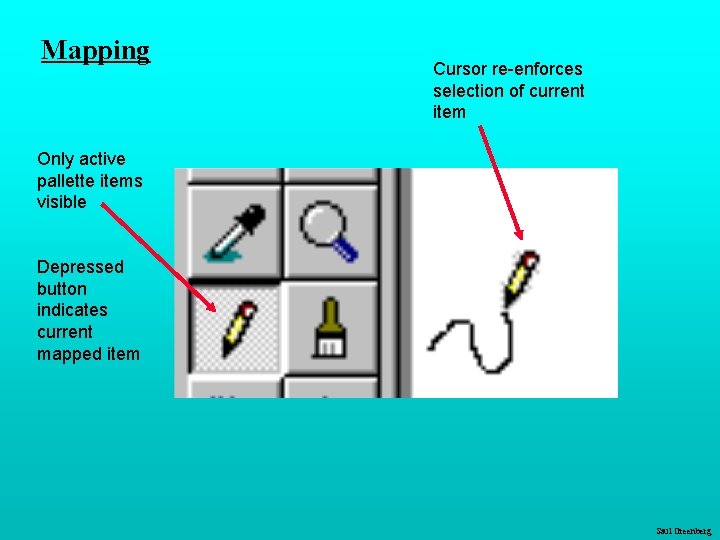
Mapping Cursor re-enforces selection of current item Only active pallette items visible Depressed button indicates current mapped item Saul Greenberg
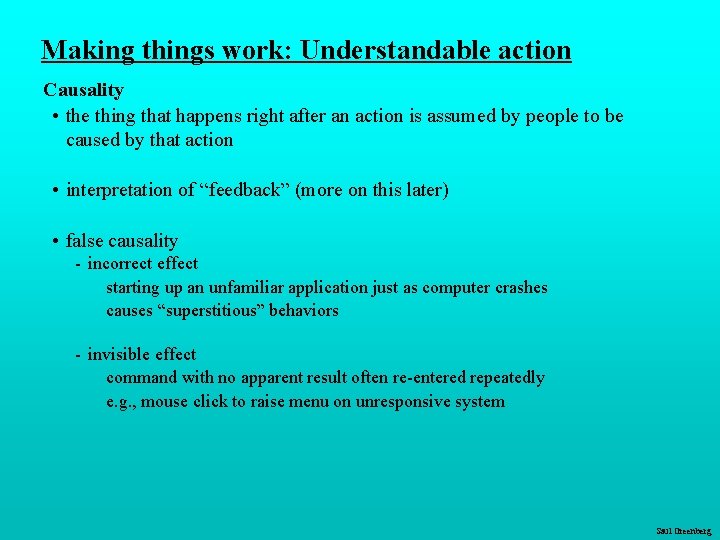
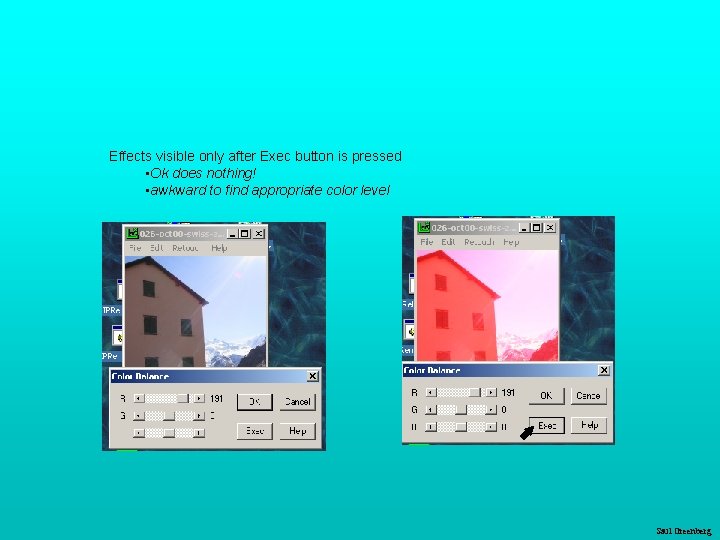
Making things work: Understandable action Causality • the thing that happens right after an action is assumed by people to be caused by that action • interpretation of “feedback” (more on this later) • false causality - incorrect effect starting up an unfamiliar application just as computer crashes causes “superstitious” behaviors - invisible effect command with no apparent result often re-entered repeatedly e. g. , mouse click to raise menu on unresponsive system Saul Greenberg
Effects visible only after Exec button is pressed • Ok does nothing! • awkward to find appropriate color level Saul Greenberg
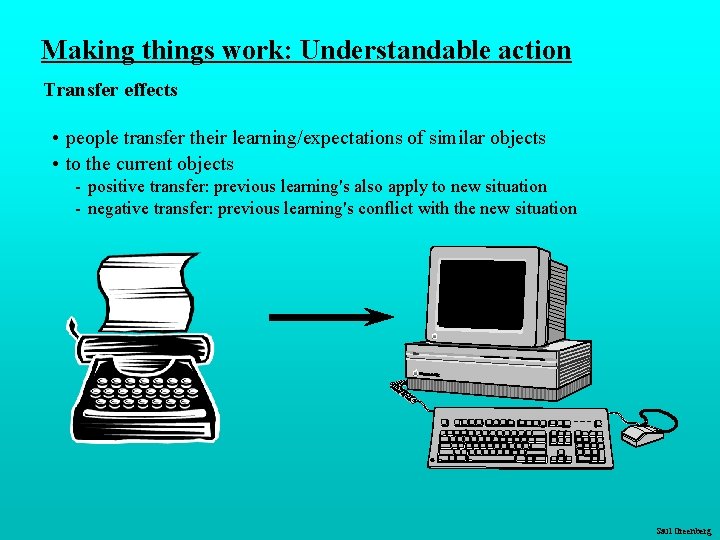
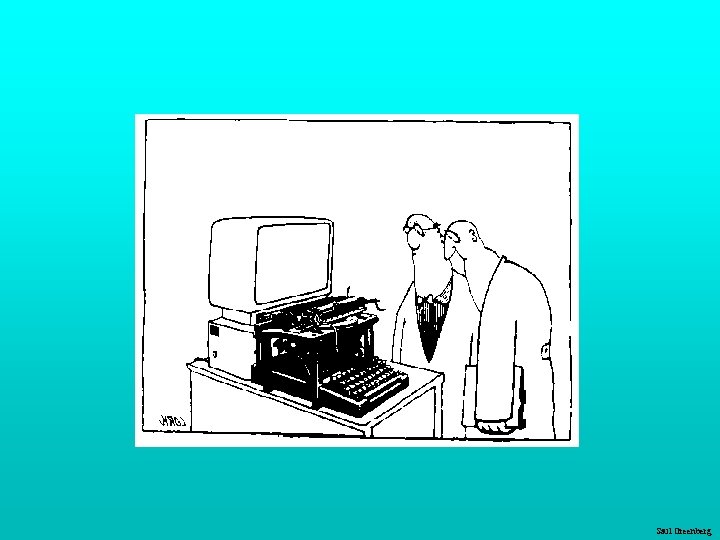
Making things work: Understandable action Transfer effects • people transfer their learning/expectations of similar objects • to the current objects - positive transfer: previous learning's also apply to new situation - negative transfer: previous learning's conflict with the new situation Saul Greenberg
Saul Greenberg
Population stereotypes Populations learn idioms that work in a certain way - red means danger - green means safe • But idioms vary in different cultures! - Light switches America: down is off Britain: down is on - Faucets America: anti-clockwise on Britain: anti-clockwise off • Ignoring/changing stereotypes? - home handyman: light switches installed upside down - calculators vs. phone number pads: which should computer keypads follow? • Difficulty of changing stereotypes - Qwerty keyboard: designed to prevent jamming of keyboard - Dvorak keyboard (’ 30 s): provably faster to use Saul Greenberg
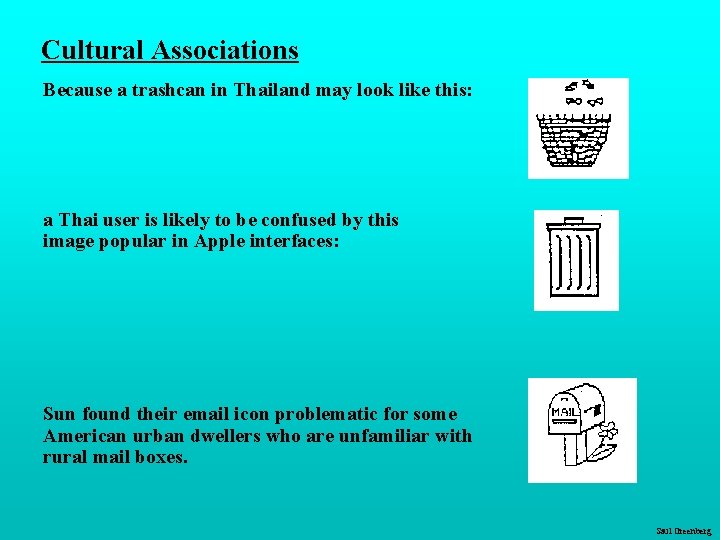
Cultural Associations Because a trashcan in Thailand may look like this: a Thai user is likely to be confused by this image popular in Apple interfaces: Sun found their email icon problematic for some American urban dwellers who are unfamiliar with rural mail boxes. Saul Greenberg
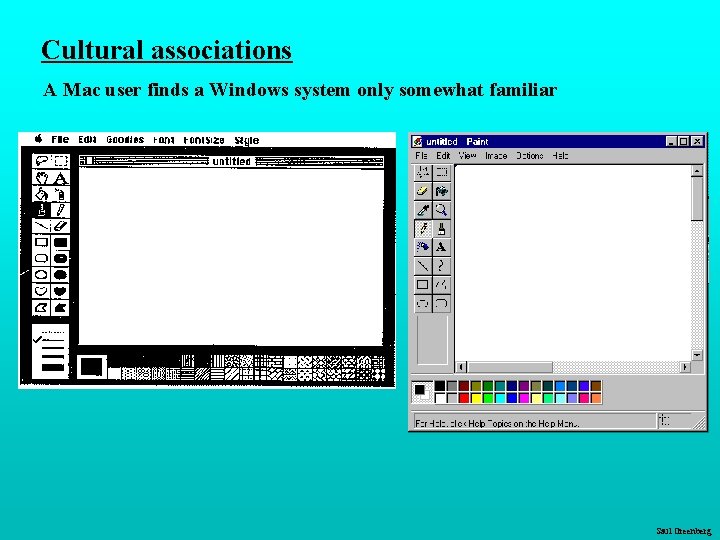
Cultural associations A Mac user finds a Windows system only somewhat familiar Saul Greenberg
Conceptual model People have “mental models” of how things work conceptual models built from: • affordances • causality • constraints • mapping • positive transfer • population stereotypes/cultural standards • instructions • interactions • familiarity with similar devices (positive transfer) models may be wrong, particularly if above attributes are misleading models allows people to mentally simulate operation of device Saul Greenberg
Saul Greenberg
Saul Greenberg
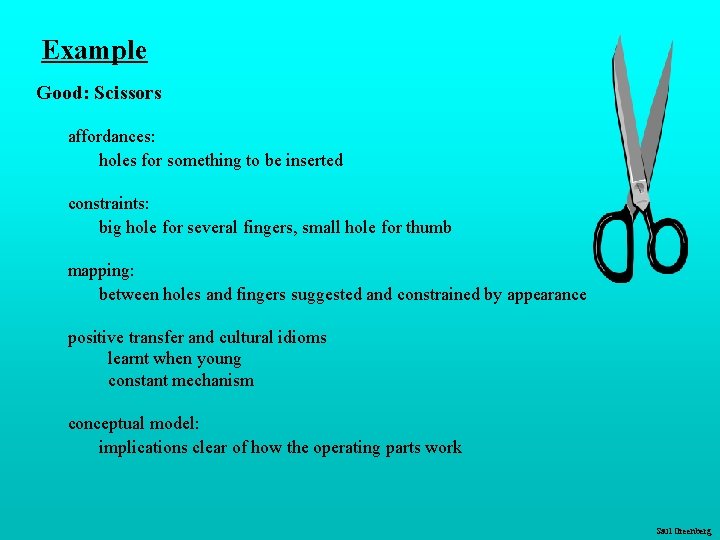
Example Good: Scissors affordances: holes for something to be inserted constraints: big hole for several fingers, small hole for thumb mapping: between holes and fingers suggested and constrained by appearance positive transfer and cultural idioms learnt when young constant mechanism conceptual model: implications clear of how the operating parts work Saul Greenberg
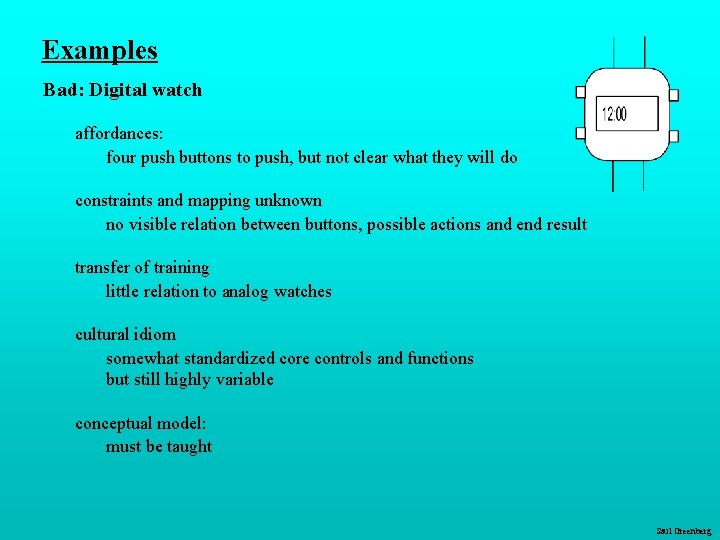
Examples Bad: Digital watch affordances: four push buttons to push, but not clear what they will do constraints and mapping unknown no visible relation between buttons, possible actions and end result transfer of training little relation to analog watches cultural idiom somewhat standardized core controls and functions but still highly variable conceptual model: must be taught Saul Greenberg
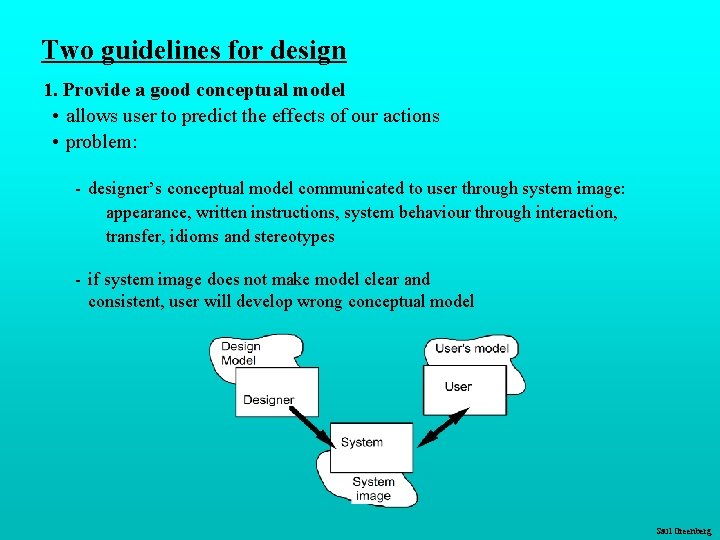
Two guidelines for design 1. Provide a good conceptual model • allows user to predict the effects of our actions • problem: - designer’s conceptual model communicated to user through system image: appearance, written instructions, system behaviour through interaction, transfer, idioms and stereotypes - if system image does not make model clear and consistent, user will develop wrong conceptual model Saul Greenberg
Two guidelines for design (continued) 2. Make things visible • relations between user’s intentions, required actions, and results are - sensible - non arbitrary - meaningful • visible affordances, mappings, and constraints • use visible cultural idioms • reminds person of what can be done and how to do it Saul Greenberg
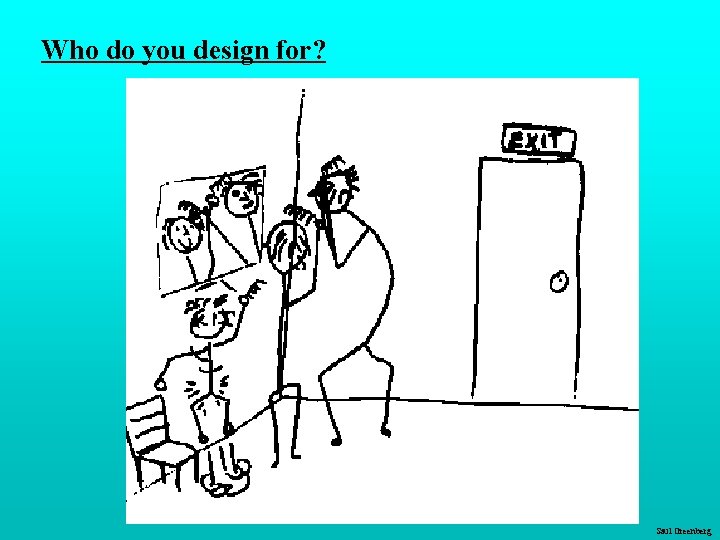
Who do you design for? Saul Greenberg
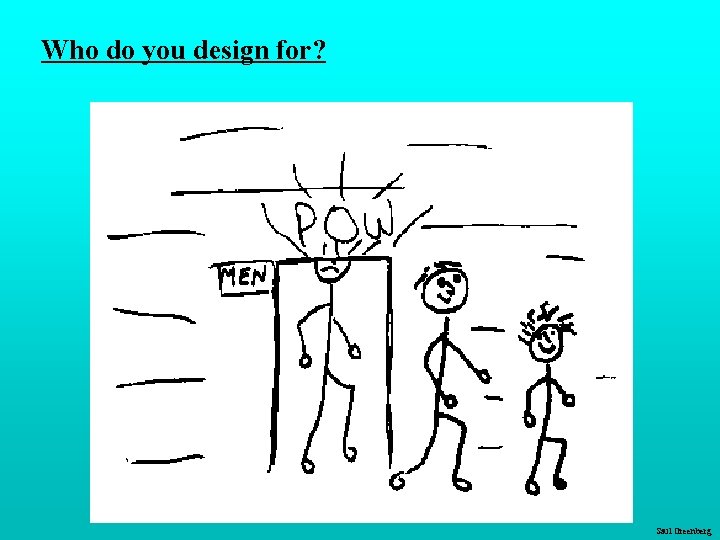
Who do you design for? Saul Greenberg
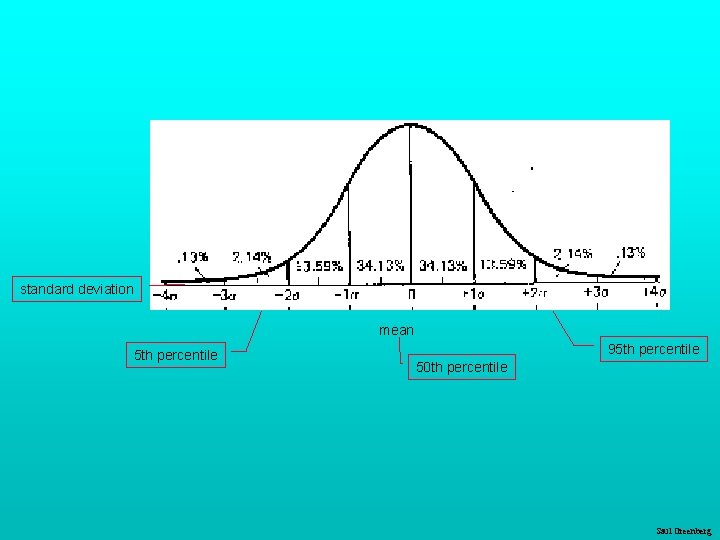
Who do you design for? People are different It is rarely possible to accommodate all people perfectly • design often a compromise - eg ceiling height: 8' but tallest man: 8' 11"! Rule of thumb: • design should cater for 95% of audience (ie for 5 th or 95 th percentile) - but means 5% of population may be (seriously!) compromised • Designing for the average a mistake - may exclude half the audience Examples: • cars and height: headroom, seat size • computers and visibility: - font size, line thickness, color for color blind people? Saul Greenberg
standard deviation mean 5 th percentile 95 th percentile 50 th percentile Saul Greenberg
Proverbs on individual differences You do NOT necessarily represent a good average user of equipment or systems you design Do not expect others to think and behave as you do, or as you might like them to. People vary in thought and behaviour just as they do physically Saul Greenberg
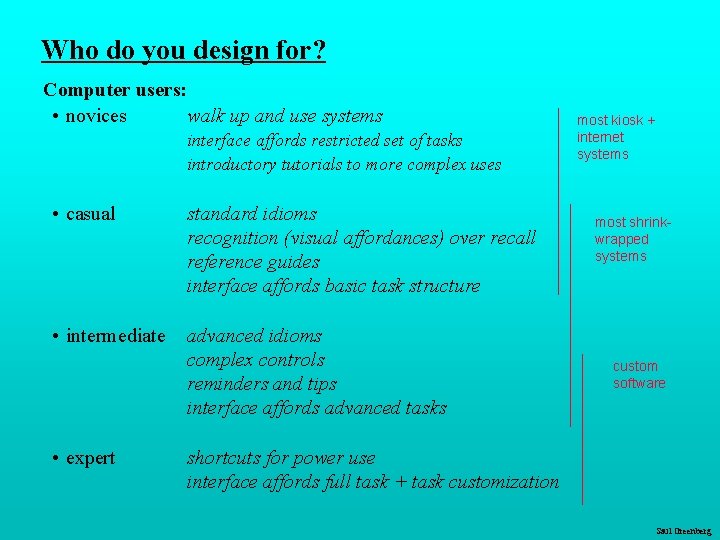
Who do you design for? Computer users: • novices walk up and use systems interface affords restricted set of tasks introductory tutorials to more complex uses • casual standard idioms recognition (visual affordances) over recall reference guides interface affords basic task structure • intermediate advanced idioms complex controls reminders and tips interface affords advanced tasks • expert most kiosk + internet systems most shrinkwrapped systems custom software shortcuts for power use interface affords full task + task customization Saul Greenberg
Why design is hard Over the last century • the number of things to control has increased dramatically - car radio: AM, FM 1, FM 2, 5 pre-sets, station selection, balance, fader, bass, treble, distance, mono/stereo, dolby, tape eject, fast forward and reverse, etc (while driving at night!) • display is increasingly artificial - red lights in car indicate problems vs flames for fire • feedback more complex, subtle, and less natural - is your digital watch alarm on and set correctly? • errors increasing serious and/or costly - airplane crashes, losing days of work. . . Saul Greenberg
Why design is hard Marketplace pressures • adding functionality (complexity) now easy and cheap - computers • adding controls/feedback expensive - physical buttons on calculator, microwave oven - widgets consume screen real estate • design usually requires several iterations before success - product pulled if not immediately successful Saul Greenberg
Why design is hard People often consider cost and appearance over human factors design • bad design not always visible • people tend to blame themselves when errors occur - “I was never very good with machines” - “I knew I should have read the manual!” - “Look at what I did! Do I feel stupid!” • eg the new wave of cheap telephones: - accidentally hangs up when button hit with chin bad audio feedback cheap pushbuttons—mis-dials common trendy designs that are uncomfortable to hold hangs up when dropped functionality that can’t be accessed (redial, mute, hold) Saul Greenberg
What you now know Human factors comes of age in WWII • human control of complex machinery could not be maintained even after high degree of training Many so-called human errors are actually errors in design • don’t blame the user! Designers help things work by providing a good conceptual model • affordances • causality • constraints • mapping • positive transfer • population stereotypes Design to accommodate individual differences • decide on the range of users Design is difficult for a variety of reasons that go beyond design Saul Greenberg
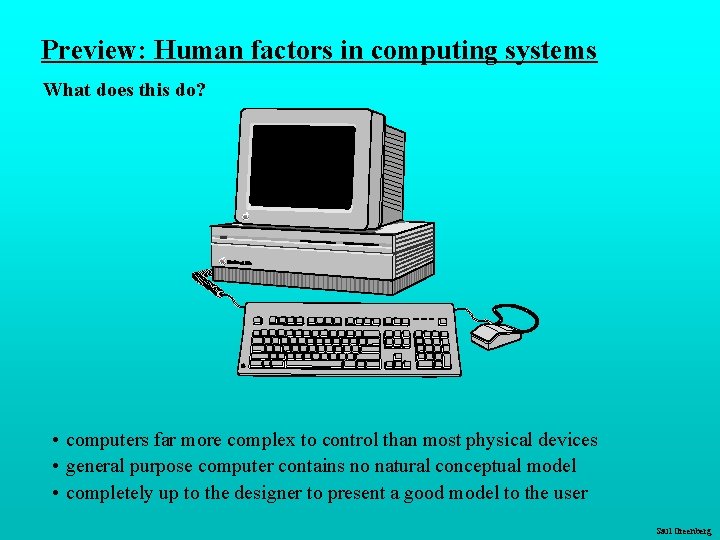
Preview: Human factors in computing systems What does this do? • computers far more complex to control than most physical devices • general purpose computer contains no natural conceptual model • completely up to the designer to present a good model to the user Saul Greenberg
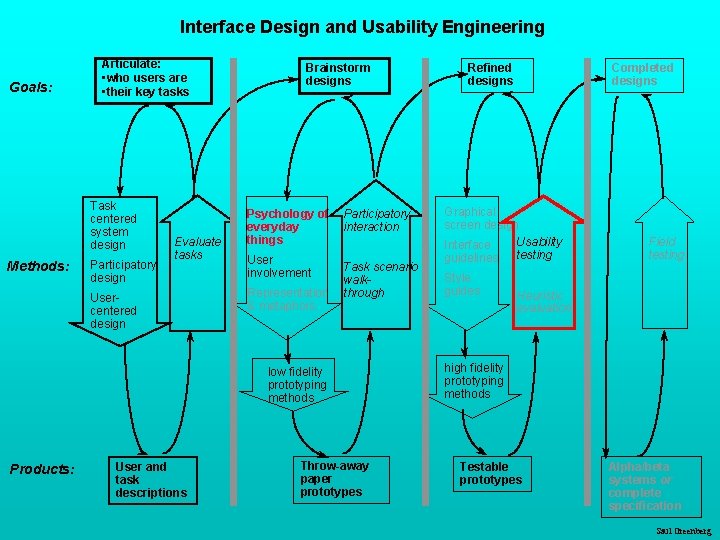
Interface Design and Usability Engineering Goals: Articulate: • who users are • their key tasks Task centered system design Methods: Participatory design Evaluate tasks Usercentered design Brainstorm designs Psychology of everyday things User involvement Representation & metaphors Participatory interaction Task scenario walkthrough low fidelity prototyping methods Products: User and task descriptions Throw-away paper prototypes Refined designs Completed designs Graphical screen design Usability Interface guidelines testing Style guides Field testing Heuristic evaluation high fidelity prototyping methods Testable prototypes Alpha/beta systems or complete specification Saul Greenberg