PHP Session 32 INST 346 Technologies Infrastructure and

- Slides: 31
PHP Session 32 INST 346 Technologies, Infrastructure and Architecture
Goals for Today • Finishing up the Web • (Starting on) PHP • Analysis Team 8
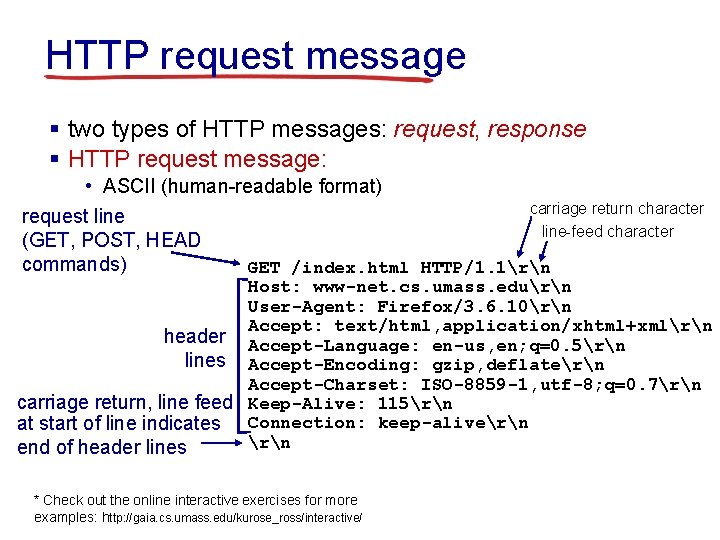
HTTP request message § two types of HTTP messages: request, response § HTTP request message: • ASCII (human-readable format) carriage return character request line-feed character (GET, POST, HEAD commands) GET /index. html HTTP/1. 1rn Host: www-net. cs. umass. edurn User-Agent: Firefox/3. 6. 10rn Accept: text/html, application/xhtml+xmlrn header Accept-Language: en-us, en; q=0. 5rn lines Accept-Encoding: gzip, deflatern Accept-Charset: ISO-8859 -1, utf-8; q=0. 7rn carriage return, line feed Keep-Alive: 115rn at start of line indicates Connection: keep-alivern end of header lines * Check out the online interactive exercises for more examples: http: //gaia. cs. umass. edu/kurose_ross/interactive/
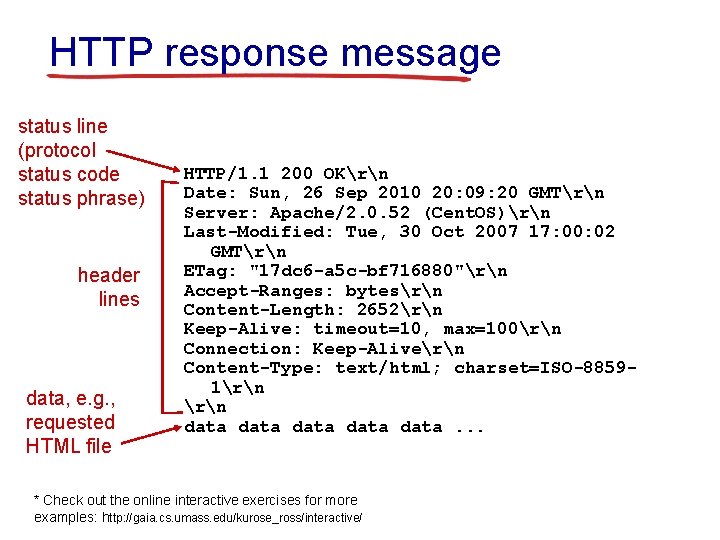
HTTP response message status line (protocol status code status phrase) header lines data, e. g. , requested HTML file HTTP/1. 1 200 OKrn Date: Sun, 26 Sep 2010 20: 09: 20 GMTrn Server: Apache/2. 0. 52 (Cent. OS)rn Last-Modified: Tue, 30 Oct 2007 17: 00: 02 GMTrn ETag: "17 dc 6 -a 5 c-bf 716880"rn Accept-Ranges: bytesrn Content-Length: 2652rn Keep-Alive: timeout=10, max=100rn Connection: Keep-Alivern Content-Type: text/html; charset=ISO-88591rn data data. . . * Check out the online interactive exercises for more examples: http: //gaia. cs. umass. edu/kurose_ross/interactive/
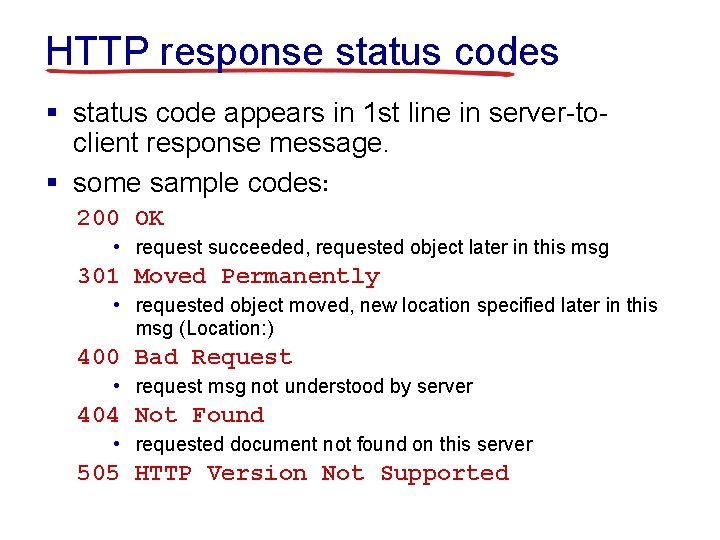
HTTP response status codes § status code appears in 1 st line in server-toclient response message. § some sample codes: 200 OK • request succeeded, requested object later in this msg 301 Moved Permanently • requested object moved, new location specified later in this msg (Location: ) 400 Bad Request • request msg not understood by server 404 Not Found • requested document not found on this server 505 HTTP Version Not Supported
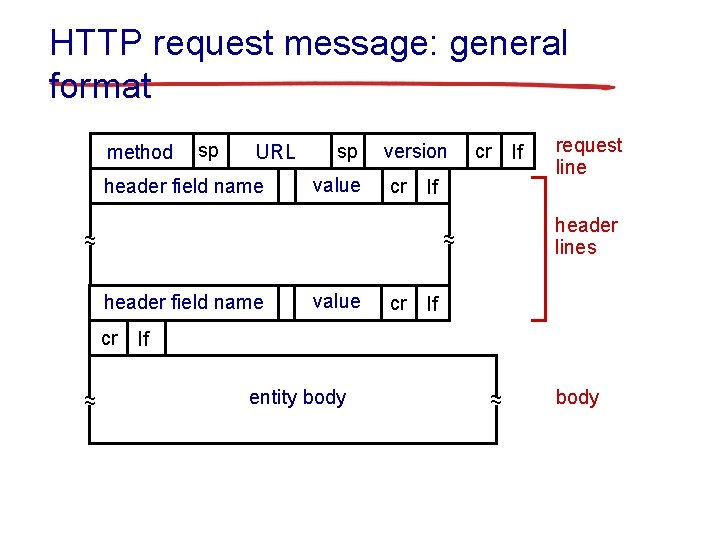
HTTP request message: general format method sp URL header field name sp value version cr lf header field name cr value cr lf request line header lines ~ ~ ~ cr lf lf entity body ~ ~ body
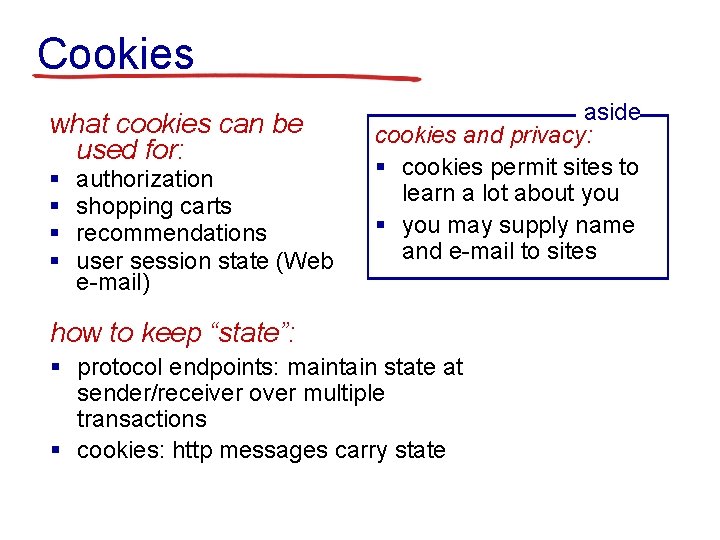
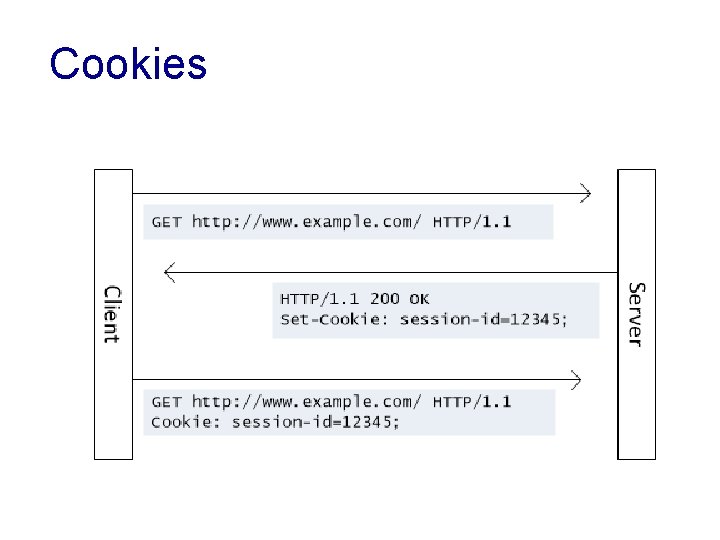
Cookies what cookies can be used for: § § authorization shopping carts recommendations user session state (Web e-mail) aside cookies and privacy: § cookies permit sites to learn a lot about you § you may supply name and e-mail to sites how to keep “state”: § protocol endpoints: maintain state at sender/receiver over multiple transactions § cookies: http messages carry state
Cookies
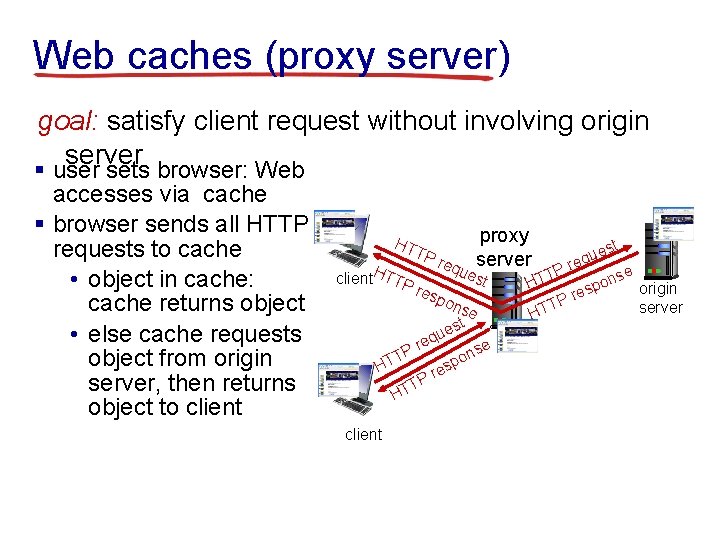
Web caches (proxy server) goal: satisfy client request without involving origin server § user sets browser: Web accesses via cache § browser sends all HTTP requests to cache • object in cache: cache returns object • else cache requests object from origin server, then returns object to client HT TP H client TTP res proxy st e u req server req ues P e T t ons HT pon eq Pr T HT client u e ns o p es r TP HT se est p res P T HT origin server
Why Web caching § reduce response time for client request § reduce traffic on an institution’s access link § Internet dense with caches enables lowbandwidth content providers to effectively deliver content
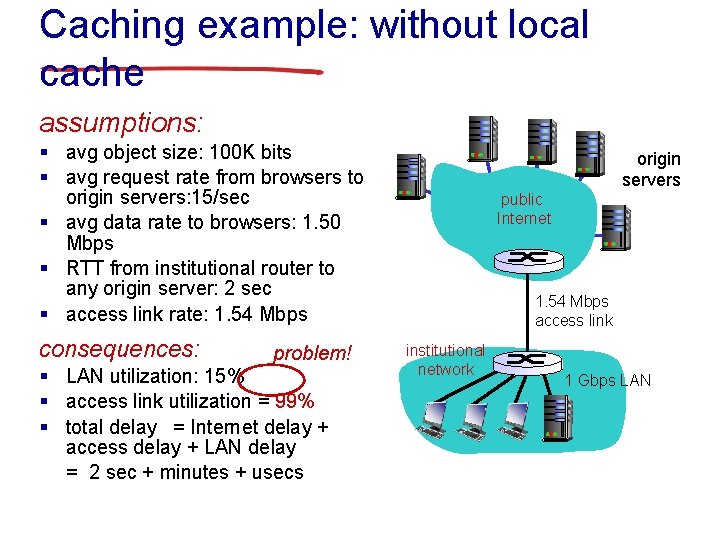
Caching example: without local cache assumptions: § avg object size: 100 K bits § avg request rate from browsers to origin servers: 15/sec § avg data rate to browsers: 1. 50 Mbps § RTT from institutional router to any origin server: 2 sec § access link rate: 1. 54 Mbps consequences: problem! § LAN utilization: 15% § access link utilization = 99% § total delay = Internet delay + access delay + LAN delay = 2 sec + minutes + usecs origin servers public Internet 1. 54 Mbps access link institutional network 1 Gbps LAN
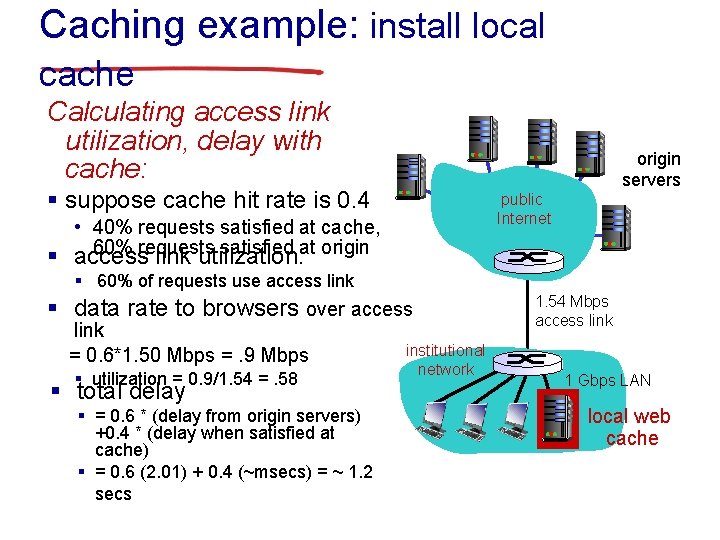
Caching example: install local cache Calculating access link utilization, delay with cache: § suppose cache hit rate is 0. 4 origin servers public Internet • 40% requests satisfied at cache, 60% requests satisfied at origin § access link utilization: § 60% of requests use access link § data rate to browsers over access link = 0. 6*1. 50 Mbps =. 9 Mbps § utilization = 0. 9/1. 54 =. 58 § total delay § = 0. 6 * (delay from origin servers) +0. 4 * (delay when satisfied at cache) § = 0. 6 (2. 01) + 0. 4 (~msecs) = ~ 1. 2 secs institutional network 1. 54 Mbps access link 1 Gbps LAN local web cache
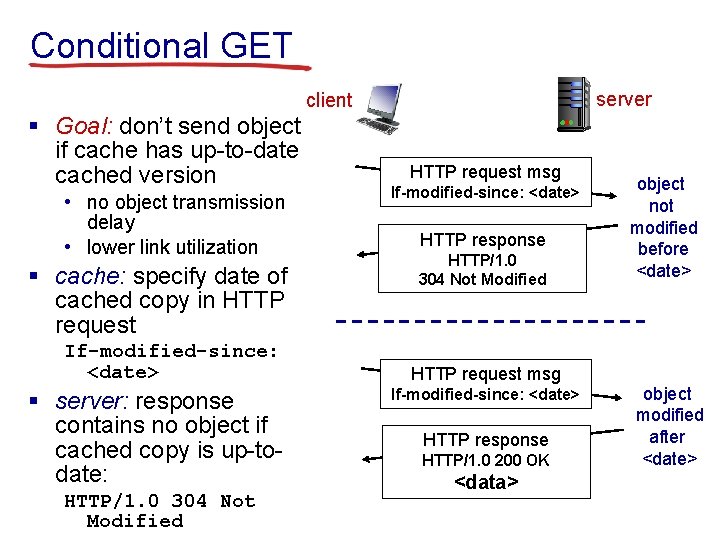
Conditional GET server client § Goal: don’t send object if cache has up-to-date cached version • no object transmission delay • lower link utilization § cache: specify date of cached copy in HTTP request If-modified-since: <date> § server: response contains no object if cached copy is up-todate: HTTP/1. 0 304 Not Modified HTTP request msg If-modified-since: <date> HTTP response HTTP/1. 0 200 OK <data> object not modified before <date> object modified after <date>
Databases Yesterday…
Databases today… Wait, but these are websites?
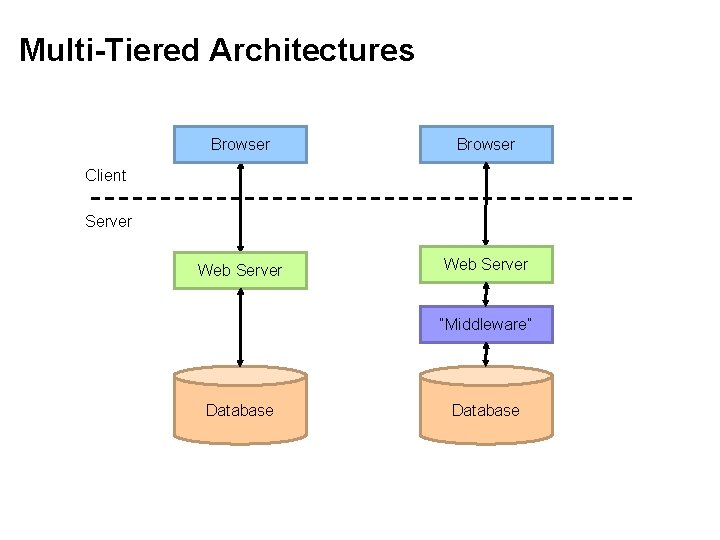
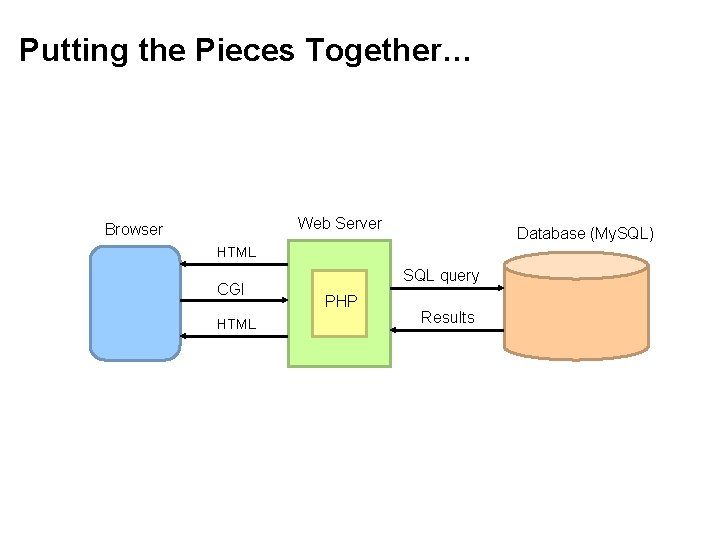
Multi-Tiered Architectures Browser Web Server Client Server “Middleware” Database
Putting the Pieces Together… Web Server Browser Database (My. SQL) HTML CGI HTML SQL query PHP Results
What is PHP? ¢ PHP is a server-side scripting language l l ¢ Typical PHP script: l l l ¢ Must run on a server (not in the browser) More specifically, runs inside the web server Fetches input from user forms Executes SQL queries Constructs an HTML page containing results Part of the “LAMP” stack l Linux, Apache, My. SQL, PHP
PHP Scripts ¢ Are just like normal HTML pages ¢ With the exception of code between <? php … ? > ¢ Variables begin with dollar signs l ¢ Use “echo” to output HTML l ¢ E. g. , $a, $b Just like document. writeln(…) in Java. Script Use “. ” to concatenate string l l E. g. , “here is”. “ some text” Just like “here is” + “ some text” in Java. Script
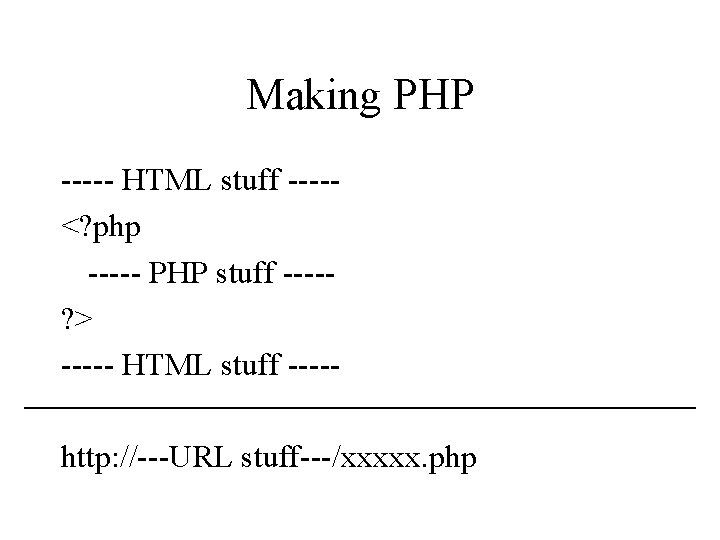
Making PHP ----- HTML stuff ----<? php ----- PHP stuff ----? > ----- HTML stuff ----http: //---URL stuff---/xxxxx. php
Sample PHP Script 1. Get input from user from 2. Connect to the database 3. Execute SQL query 4. Process results to generate HTML
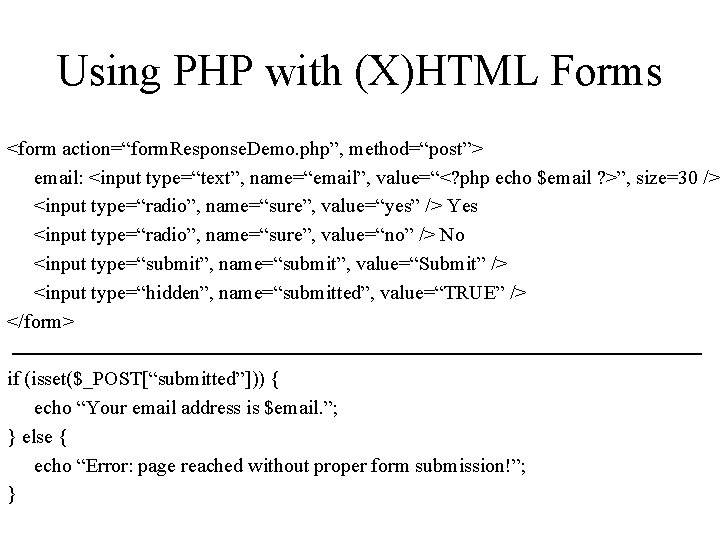
Using PHP with (X)HTML Forms <form action=“form. Response. Demo. php”, method=“post”> email: <input type=“text”, name=“email”, value=“<? php echo $email ? >”, size=30 /> <input type=“radio”, name=“sure”, value=“yes” /> Yes <input type=“radio”, name=“sure”, value=“no” /> No <input type=“submit”, name=“submit”, value=“Submit” /> <input type=“hidden”, name=“submitted”, value=“TRUE” /> </form> if (isset($_POST[“submitted”])) { echo “Your email address is $email. ”; } else { echo “Error: page reached without proper form submission!”; }
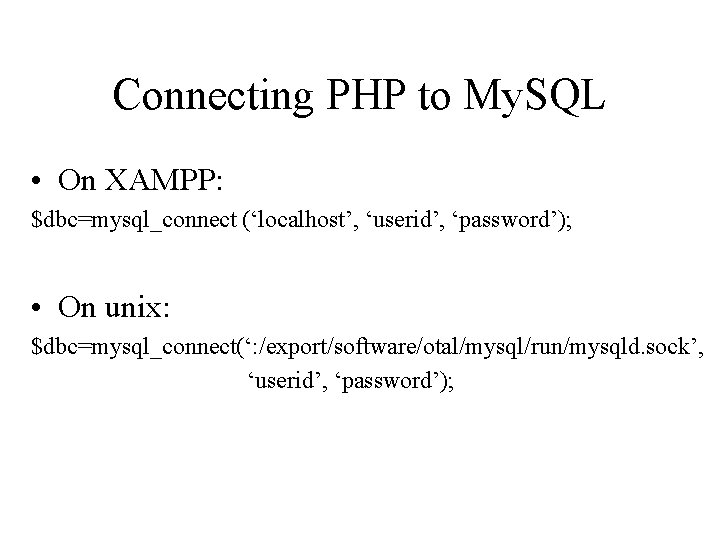
Connecting PHP to My. SQL • On XAMPP: $dbc=mysql_connect (‘localhost’, ‘userid’, ‘password’); • On unix: $dbc=mysql_connect(‘: /export/software/otal/mysql/run/mysqld. sock’, ‘userid’, ‘password’);
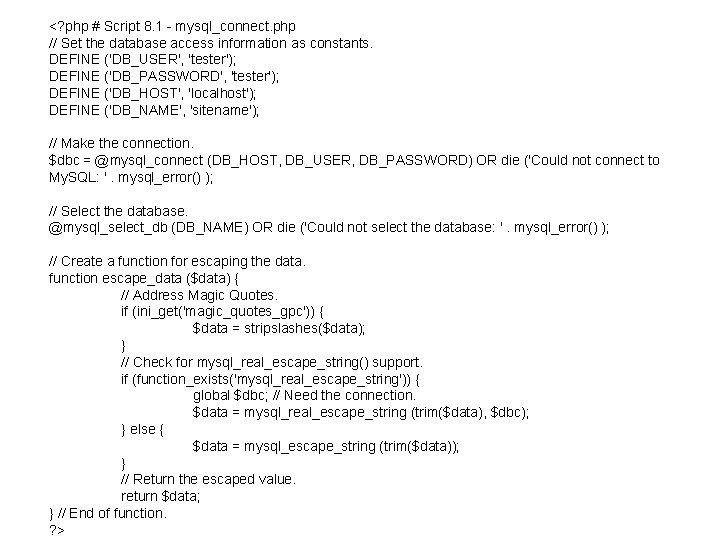
<? php # Script 8. 1 - mysql_connect. php // Set the database access information as constants. DEFINE ('DB_USER', 'tester'); DEFINE ('DB_PASSWORD', 'tester'); DEFINE ('DB_HOST', 'localhost'); DEFINE ('DB_NAME', 'sitename'); // Make the connection. $dbc = @mysql_connect (DB_HOST, DB_USER, DB_PASSWORD) OR die ('Could not connect to My. SQL: '. mysql_error() ); // Select the database. @mysql_select_db (DB_NAME) OR die ('Could not select the database: '. mysql_error() ); // Create a function for escaping the data. function escape_data ($data) { // Address Magic Quotes. if (ini_get('magic_quotes_gpc')) { $data = stripslashes($data); } // Check for mysql_real_escape_string() support. if (function_exists('mysql_real_escape_string')) { global $dbc; // Need the connection. $data = mysql_real_escape_string (trim($data), $dbc); } else { $data = mysql_escape_string (trim($data)); } // Return the escaped value. return $data; } // End of function. ? >
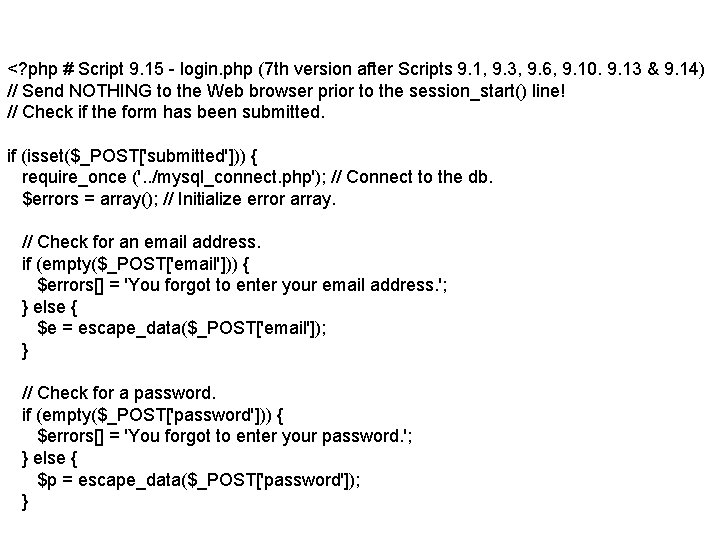
<? php # Script 9. 15 - login. php (7 th version after Scripts 9. 1, 9. 3, 9. 6, 9. 10. 9. 13 & 9. 14) // Send NOTHING to the Web browser prior to the session_start() line! // Check if the form has been submitted. if (isset($_POST['submitted'])) { require_once ('. . /mysql_connect. php'); // Connect to the db. $errors = array(); // Initialize error array. // Check for an email address. if (empty($_POST['email'])) { $errors[] = 'You forgot to enter your email address. '; } else { $e = escape_data($_POST['email']); } // Check for a password. if (empty($_POST['password'])) { $errors[] = 'You forgot to enter your password. '; } else { $p = escape_data($_POST['password']); }
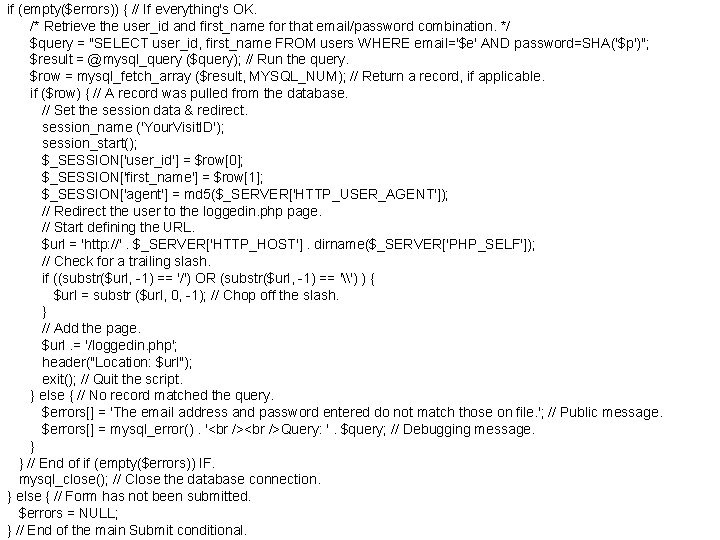
if (empty($errors)) { // If everything's OK. /* Retrieve the user_id and first_name for that email/password combination. */ $query = "SELECT user_id, first_name FROM users WHERE email='$e' AND password=SHA('$p')"; $result = @mysql_query ($query); // Run the query. $row = mysql_fetch_array ($result, MYSQL_NUM); // Return a record, if applicable. if ($row) { // A record was pulled from the database. // Set the session data & redirect. session_name ('Your. Visit. ID'); session_start(); $_SESSION['user_id'] = $row[0]; $_SESSION['first_name'] = $row[1]; $_SESSION['agent'] = md 5($_SERVER['HTTP_USER_AGENT']); // Redirect the user to the loggedin. php page. // Start defining the URL. $url = 'http: //'. $_SERVER['HTTP_HOST']. dirname($_SERVER['PHP_SELF']); // Check for a trailing slash. if ((substr($url, -1) == '/') OR (substr($url, -1) == '\') ) { $url = substr ($url, 0, -1); // Chop off the slash. } // Add the page. $url. = '/loggedin. php'; header("Location: $url"); exit(); // Quit the script. } else { // No record matched the query. $errors[] = 'The email address and password entered do not match those on file. '; // Public message. $errors[] = mysql_error(). ' Query: '. $query; // Debugging message. } } // End of if (empty($errors)) IF. mysql_close(); // Close the database connection. } else { // Form has not been submitted. $errors = NULL; } // End of the main Submit conditional.
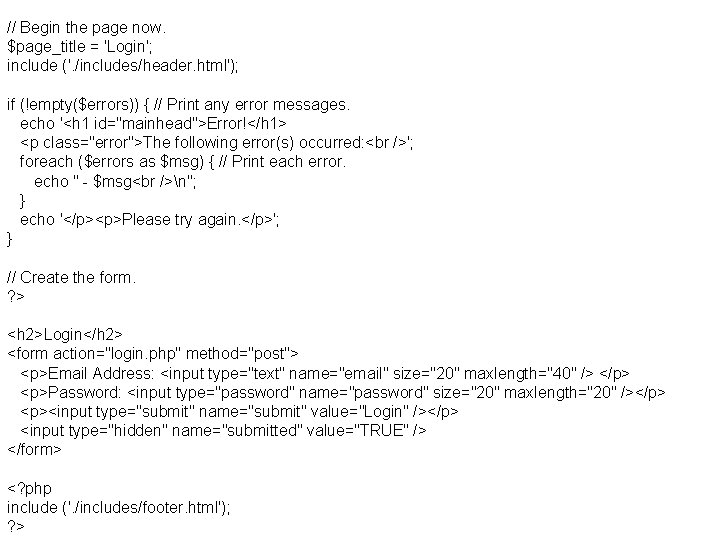
// Begin the page now. $page_title = 'Login'; include ('. /includes/header. html'); if (!empty($errors)) { // Print any error messages. echo '<h 1 id="mainhead">Error!</h 1> <p class="error">The following error(s) occurred: '; foreach ($errors as $msg) { // Print each error. echo " - $msg n"; } echo '</p><p>Please try again. </p>'; } // Create the form. ? > <h 2>Login</h 2> <form action="login. php" method="post"> <p>Email Address: <input type="text" name="email" size="20" maxlength="40" /> </p> <p>Password: <input type="password" name="password" size="20" maxlength="20" /></p> <p><input type="submit" name="submit" value="Login" /></p> <input type="hidden" name="submitted" value="TRUE" /> </form> <? php include ('. /includes/footer. html'); ? >
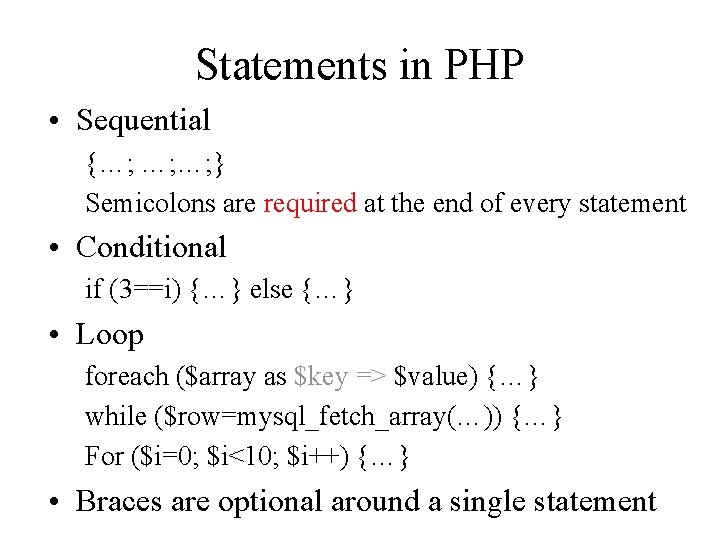
Statements in PHP • Sequential {…; …; …; } Semicolons are required at the end of every statement • Conditional if (3==i) {…} else {…} • Loop foreach ($array as $key => $value) {…} while ($row=mysql_fetch_array(…)) {…} For ($i=0; $i<10; $i++) {…} • Braces are optional around a single statement
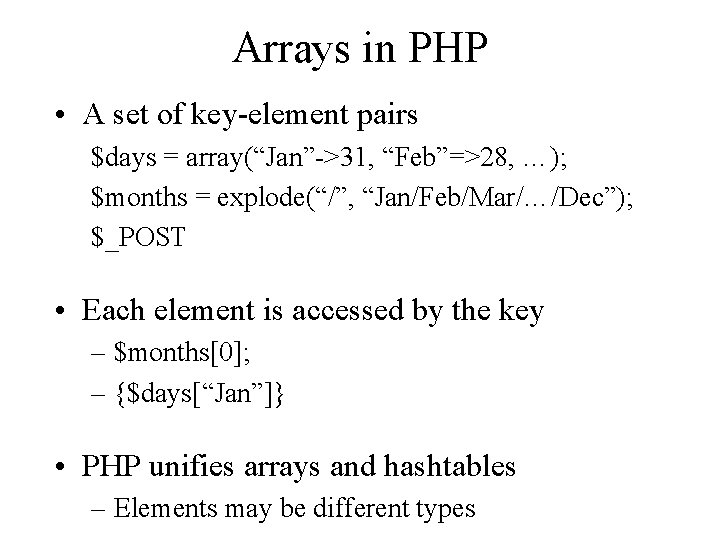
Arrays in PHP • A set of key-element pairs $days = array(“Jan”->31, “Feb”=>28, …); $months = explode(“/”, “Jan/Feb/Mar/…/Dec”); $_POST • Each element is accessed by the key – $months[0]; – {$days[“Jan”]} • PHP unifies arrays and hashtables – Elements may be different types
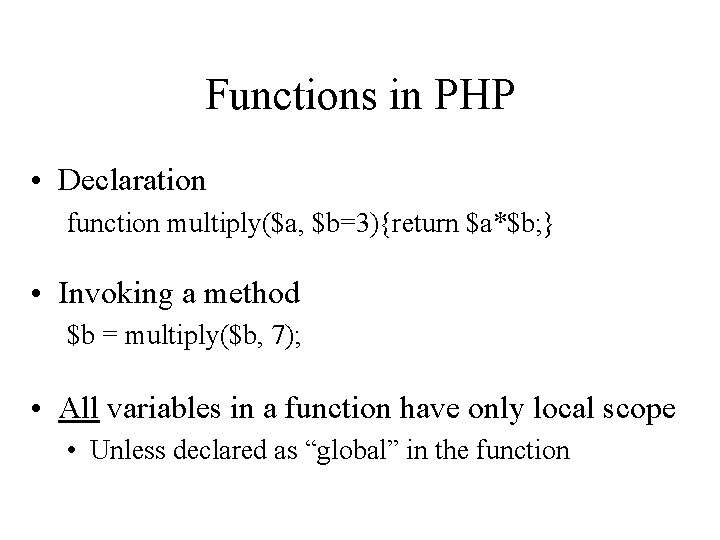
Functions in PHP • Declaration function multiply($a, $b=3){return $a*$b; } • Invoking a method $b = multiply($b, 7); • All variables in a function have only local scope • Unless declared as “global” in the function