FIXED ASSETS GREAT FEATURES TIPS AND TRICKS Presented


- Slides: 29
FIXED ASSETS: GREAT FEATURES, TIPS, AND TRICKS Presented by Andrea Melroe Tweet During today’s meeting: @GPUG, #GPUGMorton. East, #GPUGFixed. Assets @GPUG 1
AGENDA @GPUG
@GPUG
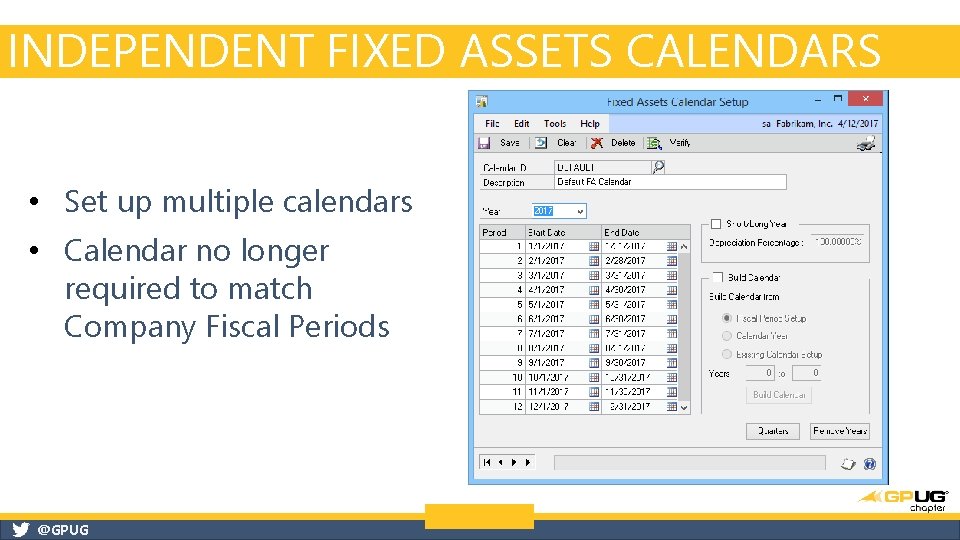
INDEPENDENT FIXED ASSETS CALENDARS • Set up multiple calendars • Calendar no longer required to match Company Fiscal Periods @GPUG
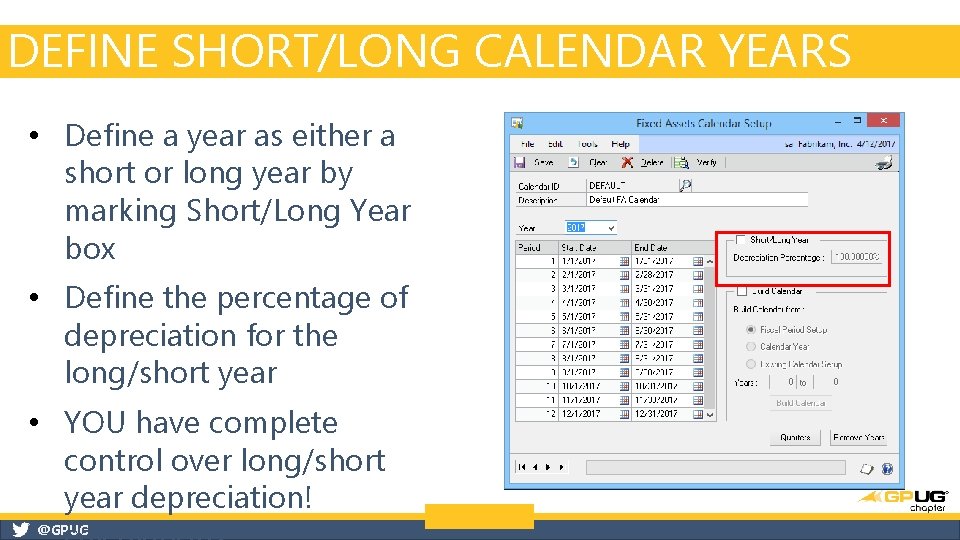
DEFINE SHORT/LONG CALENDAR YEARS • Define a year as either a short or long year by marking Short/Long Year box • Define the percentage of depreciation for the long/short year • YOU have complete control over long/short year depreciation! @GPUG
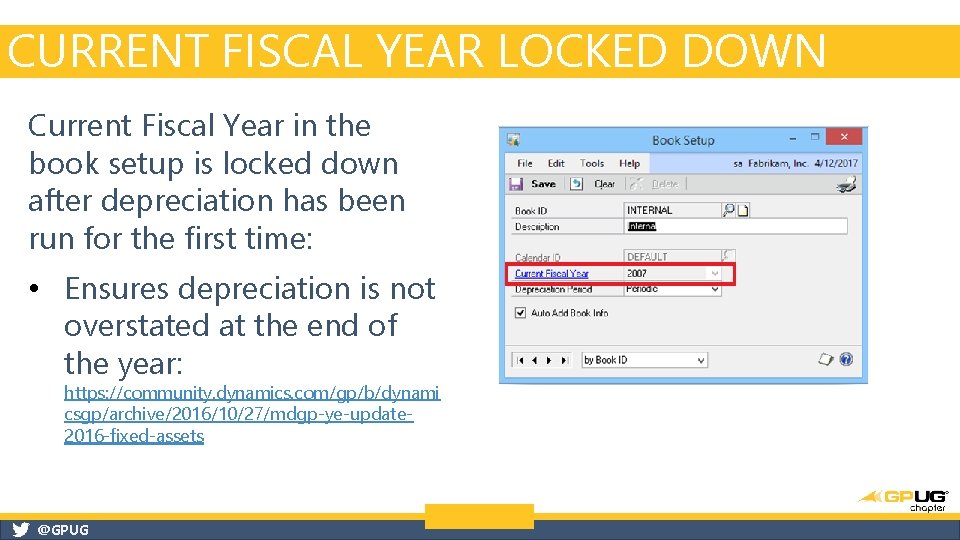
CURRENT FISCAL YEAR LOCKED DOWN Current Fiscal Year in the book setup is locked down after depreciation has been run for the first time: • Ensures depreciation is not overstated at the end of the year: https: //community. dynamics. com/gp/b/dynami csgp/archive/2016/10/27/mdgp-ye-update 2016 -fixed-assets @GPUG
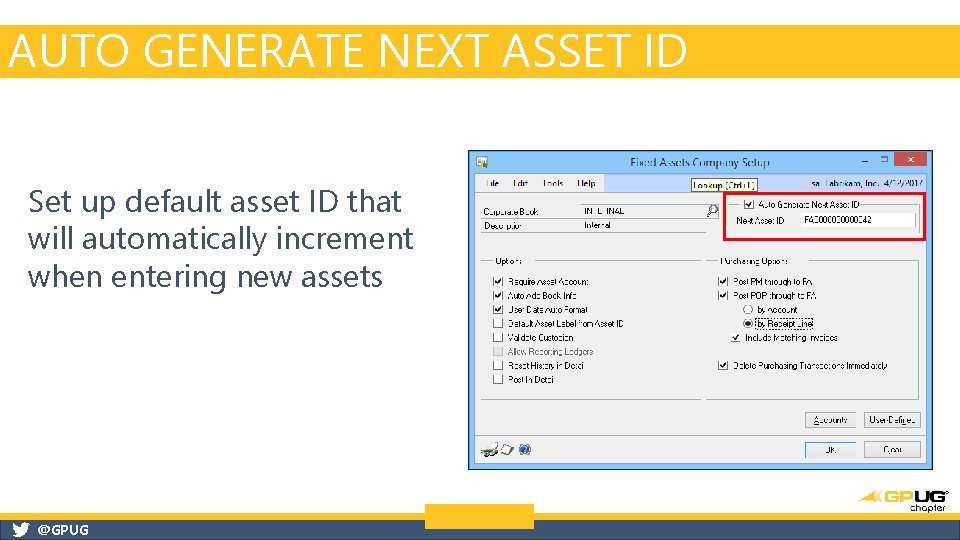
AUTO GENERATE NEXT ASSET ID Set up default asset ID that will automatically increment when entering new assets @GPUG
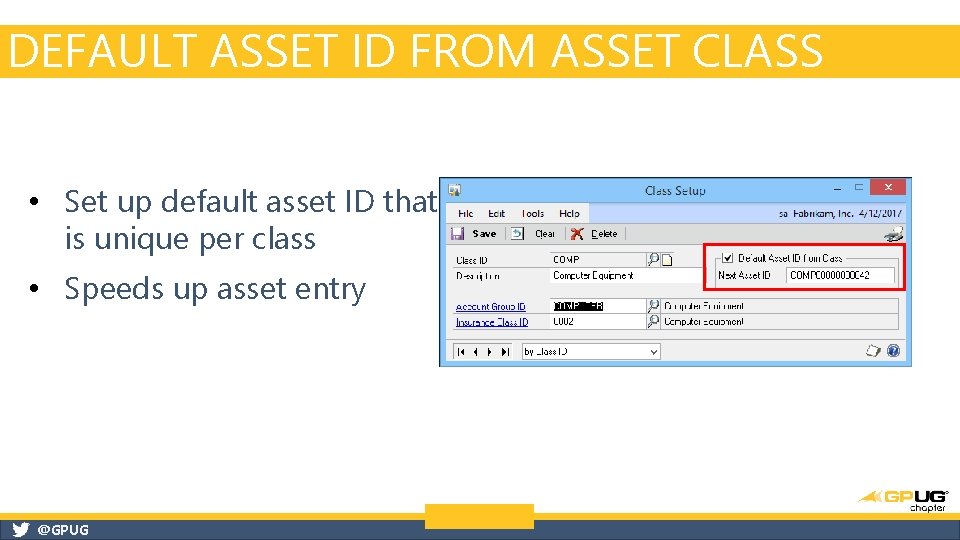
DEFAULT ASSET ID FROM ASSET CLASS • Set up default asset ID that is unique per class • Speeds up asset entry @GPUG
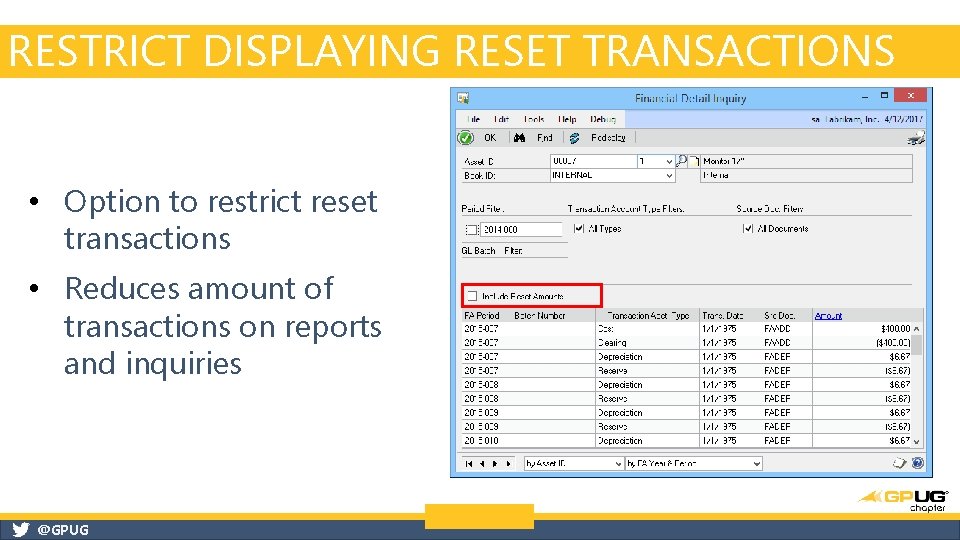
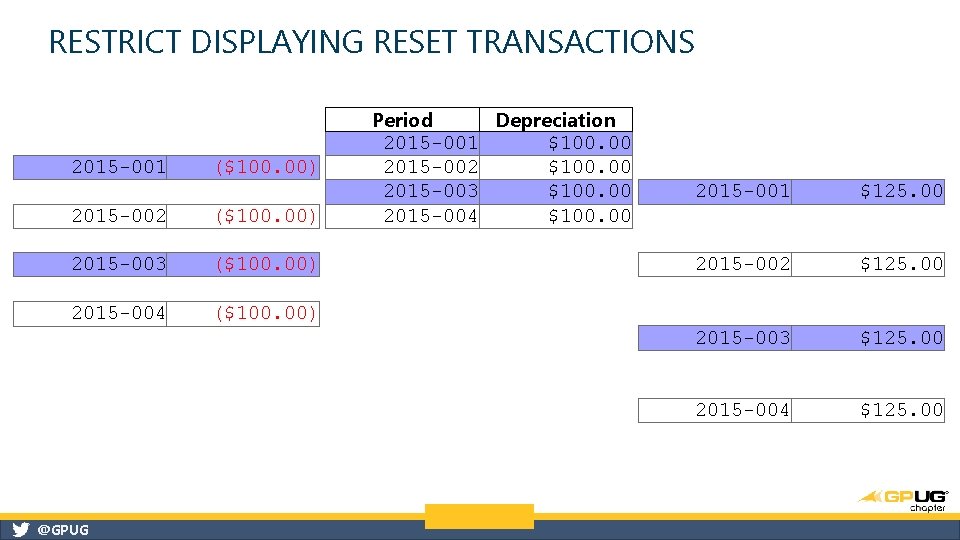
RESTRICT DISPLAYING RESET TRANSACTIONS • Option to restrict reset transactions • Reduces amount of transactions on reports and inquiries @GPUG
RESTRICT DISPLAYING RESET TRANSACTIONS 2015 -001 ($100. 00) 2015 -002 ($100. 00) 2015 -003 ($100. 00) 2015 -004 ($100. 00) @GPUG Period Depreciation $100. 00 2015 -001 2015 -002 $100. 00 2015 -003 $100. 00 2015 -004 2015 -001 $125. 00 2015 -002 $125. 00 2015 -003 $125. 00 2015 -004 $125. 00
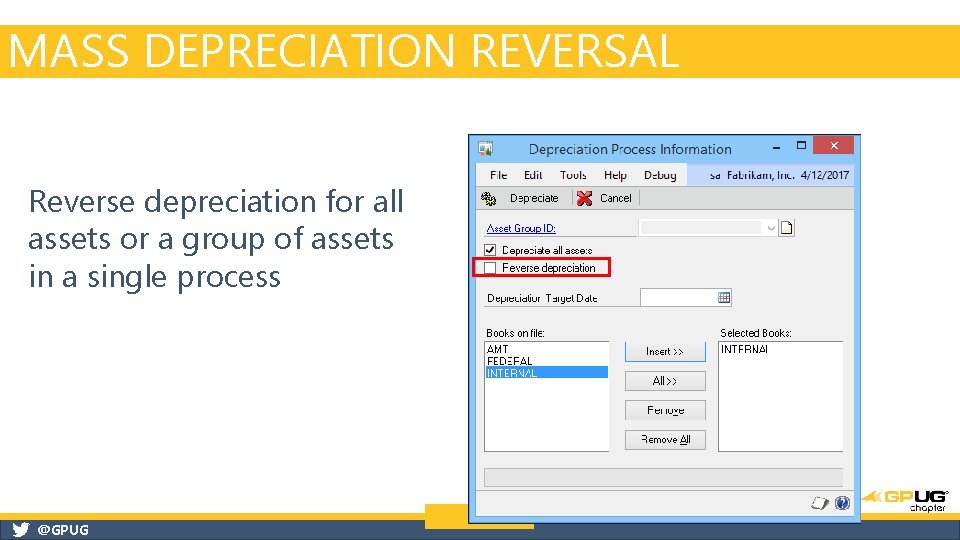
MASS DEPRECIATION REVERSAL Reverse depreciation for all assets or a group of assets in a single process @GPUG
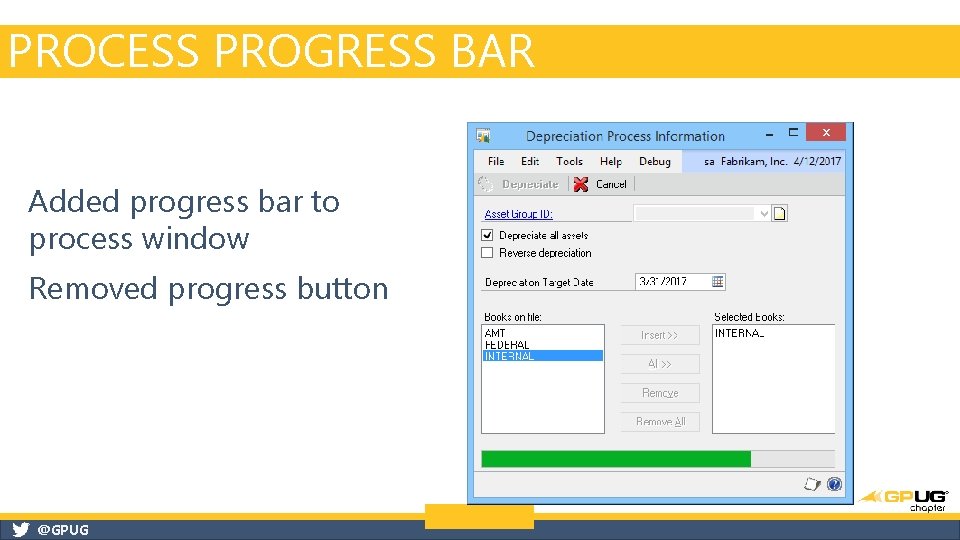
PROCESS PROGRESS BAR Added progress bar to process window Removed progress button @GPUG
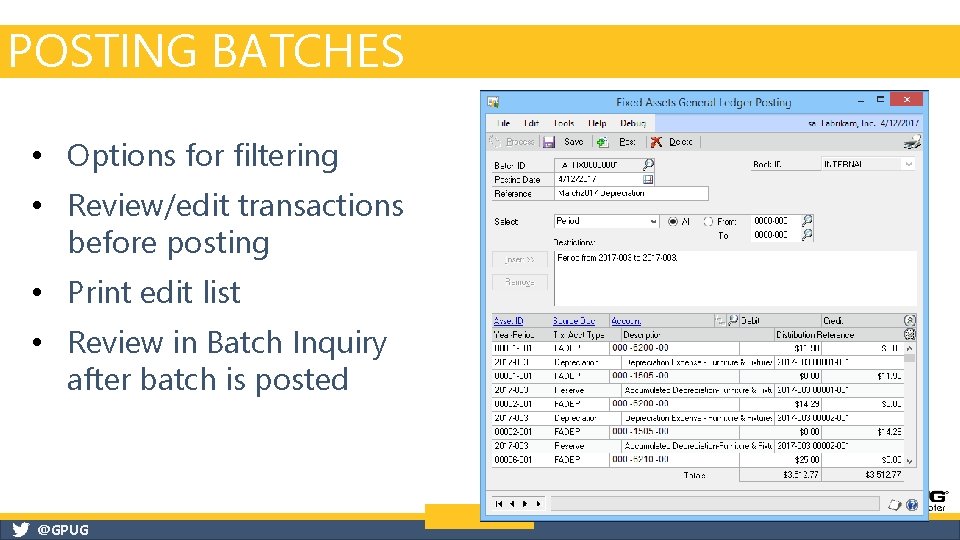
POSTING BATCHES • Options for filtering • Review/edit transactions before posting • Print edit list • Review in Batch Inquiry after batch is posted @GPUG
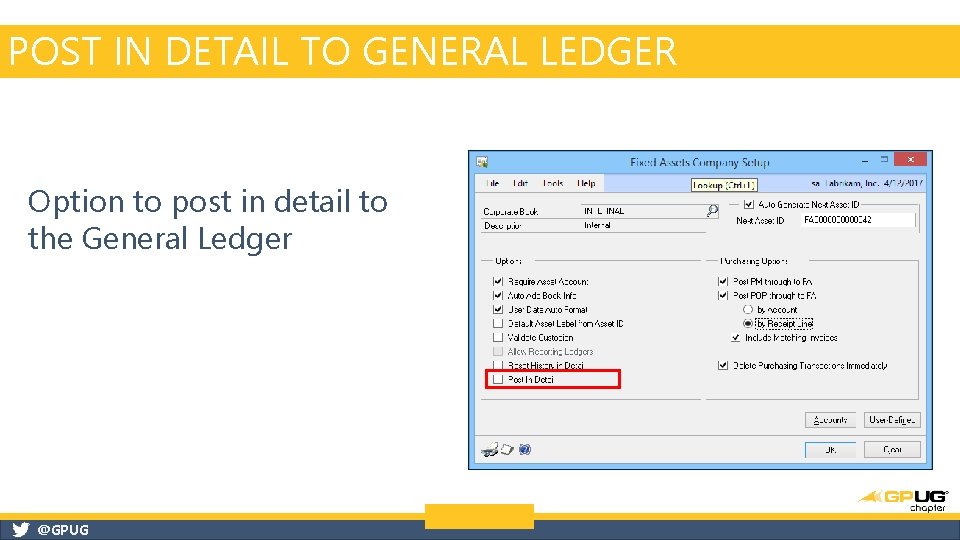
POST IN DETAIL TO GENERAL LEDGER Option to post in detail to the General Ledger @GPUG
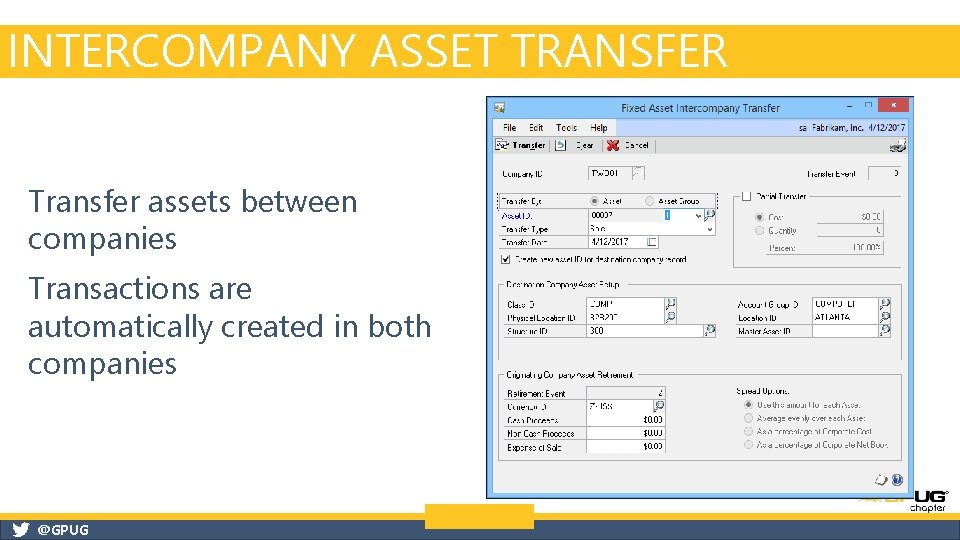
INTERCOMPANY ASSET TRANSFER Transfer assets between companies Transactions are automatically created in both companies @GPUG
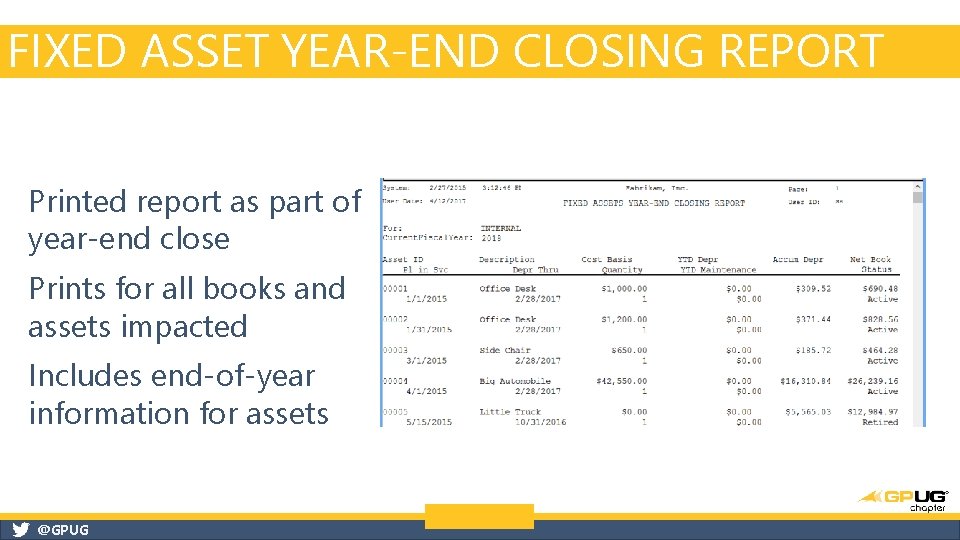
FIXED ASSET YEAR-END CLOSING REPORT Printed report as part of year-end close Prints for all books and assets impacted Includes end-of-year information for assets @GPUG
@GPUG
@GPUG
FA CALENDAR TIPS AND TRICKS § Setup FA Calendar, and verify there are no gaps/overlapping dates prior to entering assets into the system (Verify button in Fixed Assets Calendar setup window). § IF you are going to change an existing FA calendar: Do not change it historically (years/periods that are associated with a closed FA year): ‒ BLOG: https: //community. dynamics. com/gp/b/dynamicsgp/archive/2012/10/09/guidelines-for-fiscalperiod-year-changes-with-fixed-assets-in-dynamics-gp-10 -and-2010. aspx § Need to copy a Fixed Assets Calendar from one company to another? We’ve got a script for that! @GPUG
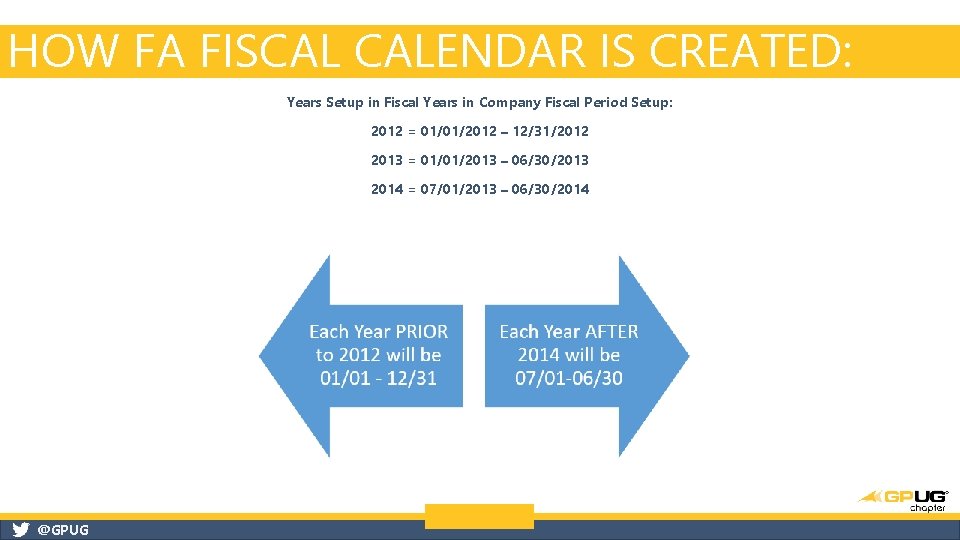
HOW FA FISCAL CALENDAR IS CREATED: Years Setup in Fiscal Years in Company Fiscal Period Setup: 2012 = 01/01/2012 – 12/31/2012 2013 = 01/01/2013 – 06/30/2013 2014 = 07/01/2013 – 06/30/2014 @GPUG
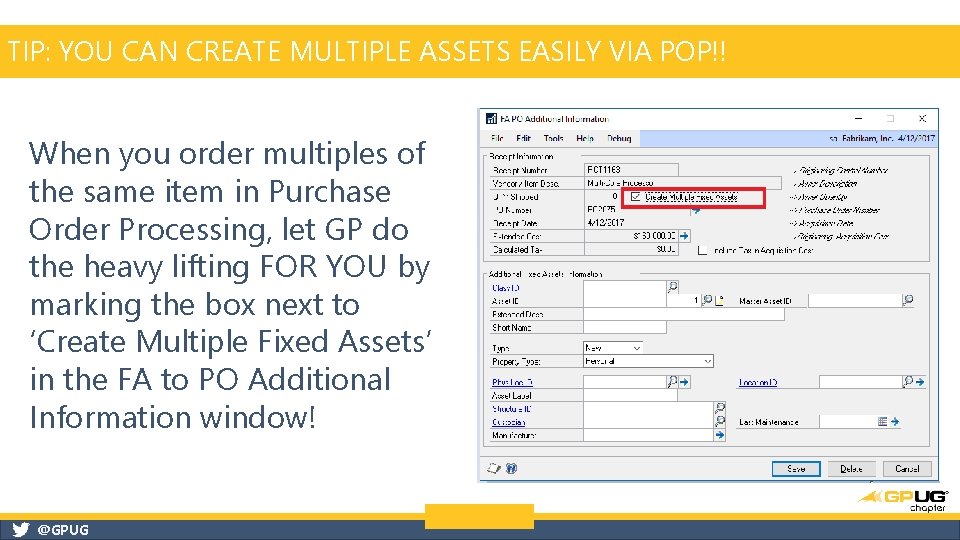
TIP: YOU CAN CREATE MULTIPLE ASSETS EASILY VIA POP!! When you order multiples of the same item in Purchase Order Processing, let GP do the heavy lifting FOR YOU by marking the box next to ‘Create Multiple Fixed Assets’ in the FA to PO Additional Information window! @GPUG
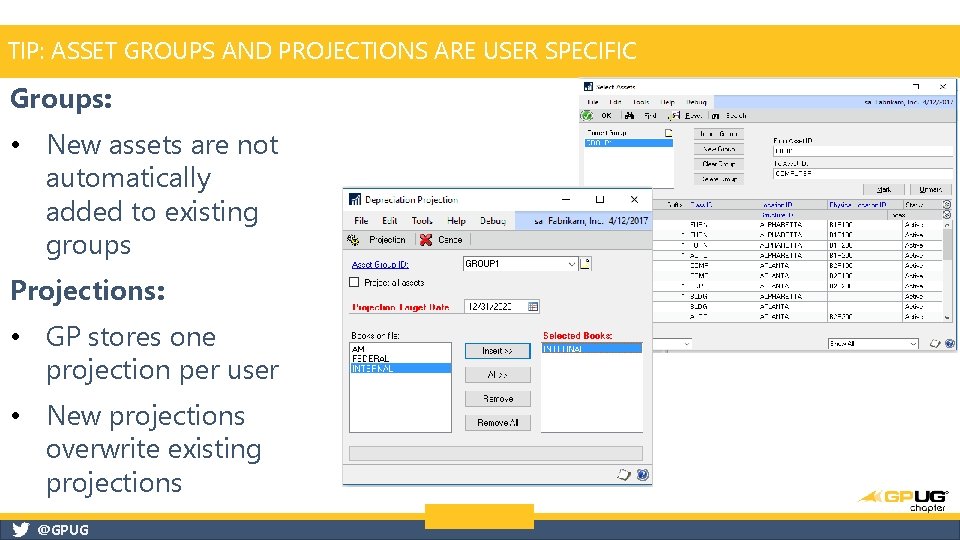
TIP: ASSET GROUPS AND PROJECTIONS ARE USER SPECIFIC Groups: • New assets are not automatically added to existing groups Projections: • GP stores one projection per user • New projections overwrite existing projections @GPUG
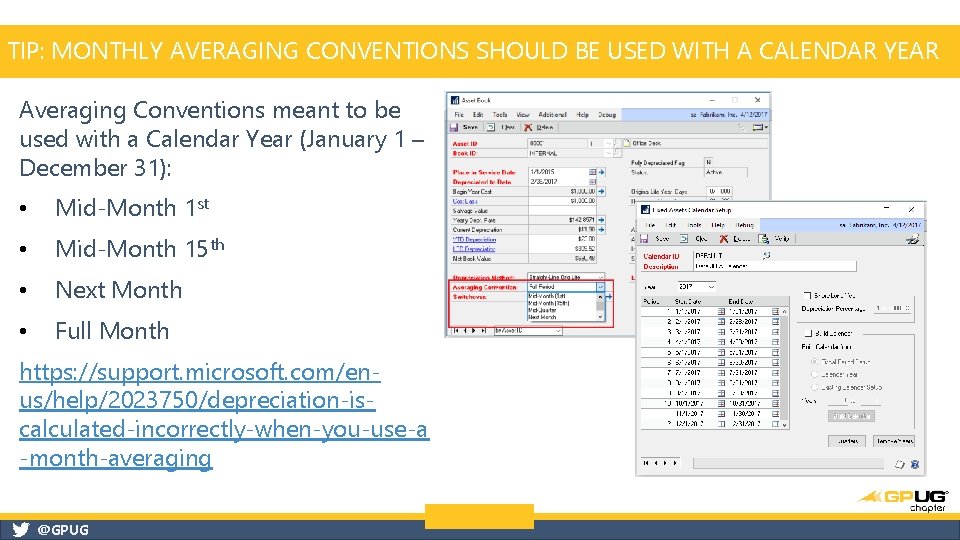
TIP: MONTHLY AVERAGING CONVENTIONS SHOULD BE USED WITH A CALENDAR YEAR Averaging Conventions meant to be used with a Calendar Year (January 1 – December 31): • Mid-Month 1 st • Mid-Month 15 th • Next Month • Full Month https: //support. microsoft. com/enus/help/2023750/depreciation-iscalculated-incorrectly-when-you-use-a -month-averaging @GPUG
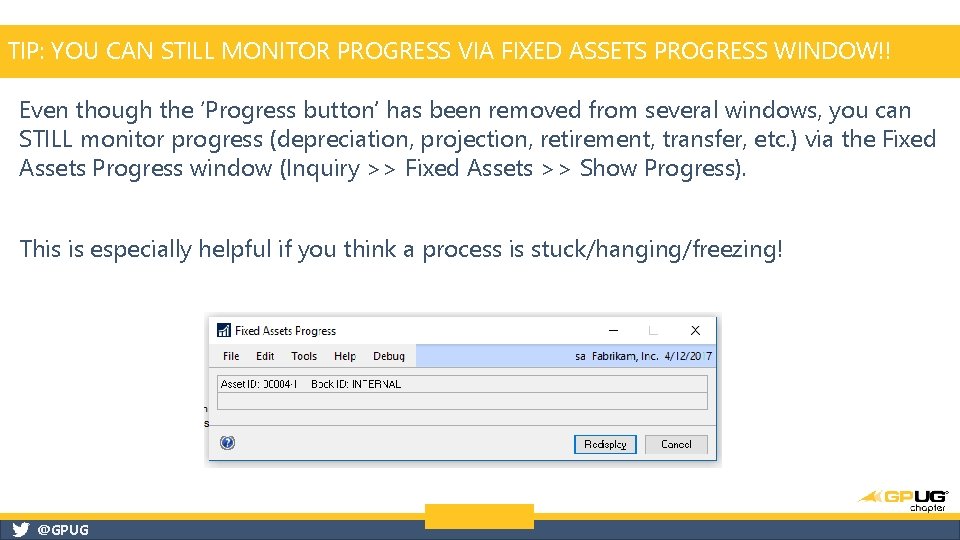
TIP: YOU CAN STILL MONITOR PROGRESS VIA FIXED ASSETS PROGRESS WINDOW!! Even though the ‘Progress button’ has been removed from several windows, you can STILL monitor progress (depreciation, projection, retirement, transfer, etc. ) via the Fixed Assets Progress window (Inquiry >> Fixed Assets >> Show Progress). This is especially helpful if you think a process is stuck/hanging/freezing! @GPUG
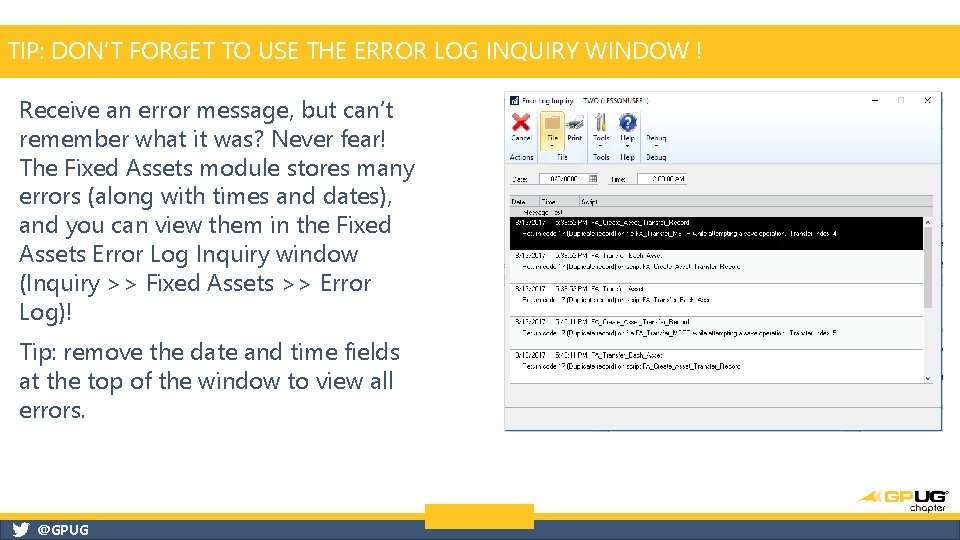
TIP: DON’T FORGET TO USE THE ERROR LOG INQUIRY WINDOW ! Receive an error message, but can’t remember what it was? Never fear! The Fixed Assets module stores many errors (along with times and dates), and you can view them in the Fixed Assets Error Log Inquiry window (Inquiry >> Fixed Assets >> Error Log)! Tip: remove the date and time fields at the top of the window to view all errors. @GPUG
@GPUG
https: //connect. microsoft. com/dynamics suggestions @GPUG
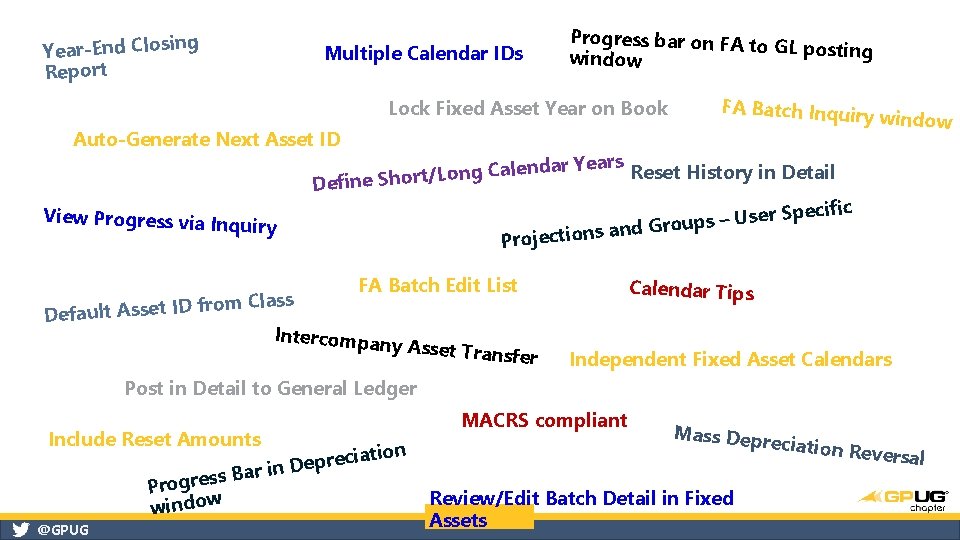
Year-End Closing Report Multiple Calendar IDs Progress bar on FA to GL posting window Lock Fixed Asset Year on Book Auto-Generate Next Asset ID FA Batch Inquiry window ears Reset History in Detail Y r a d n le a C g n fine Short/Lo De View Progress via Inq uiry Projections FA Batch Edit List m Class o r f ID t e s s A lt u a Def Intercompan y cific ser Spe U – s p u o r and G Asset Transf Calendar Tips er Independent Fixed Asset Calendars Post in Detail to General Ledger Include Reset Amounts ss Bar in Progre window @GPUG MACRS compliant ation i c e r p e D Mass Depr Review/Edit Batch Detail in Fixed Assets eciation R e versal
@GPUG