Factory Talk View Site Edition v 8 0
- Slides: 31
Factory. Talk View Site Edition v 8. 0 Release Introduction PUBLIC INFORMATION Rev 5058 -CO 900 E Copyright © 2014 Rockwell Automation, Inc. All Rights
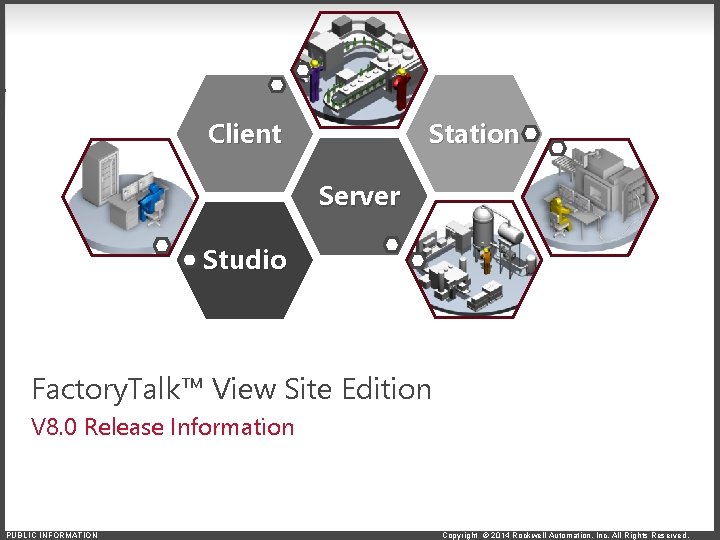
Station Client Server Studio Factory. Talk™ View Site Edition V 8. 0 Release Information PUBLIC INFORMATION Copyright © 2014 Rockwell Automation, Inc. All Rights Reserved.
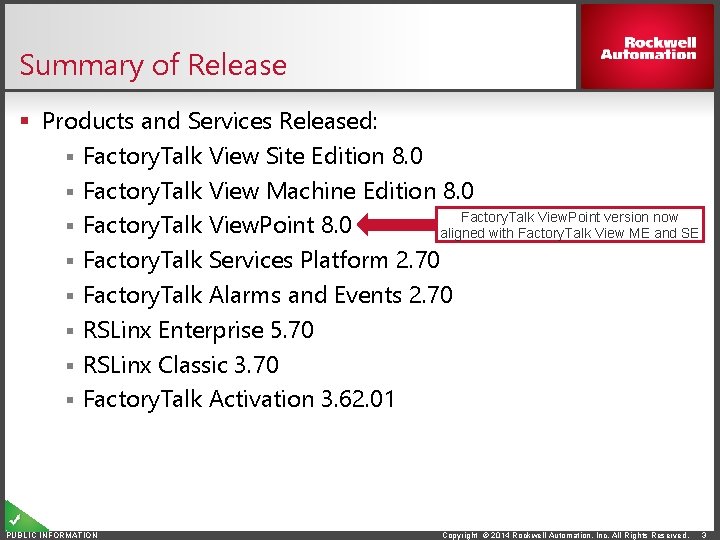
Summary of Release § Products and Services Released: § Factory. Talk View Site Edition 8. 0 § Factory. Talk View Machine Edition 8. 0 Factory. Talk View. Point version now § Factory. Talk View. Point 8. 0 aligned with Factory. Talk View ME and SE § Factory. Talk Services Platform 2. 70 § Factory. Talk Alarms and Events 2. 70 § RSLinx Enterprise 5. 70 § RSLinx Classic 3. 70 § Factory. Talk Activation 3. 62. 01 PUBLIC INFORMATION Copyright © 2014 Rockwell Automation, Inc. All Rights Reserved. 3
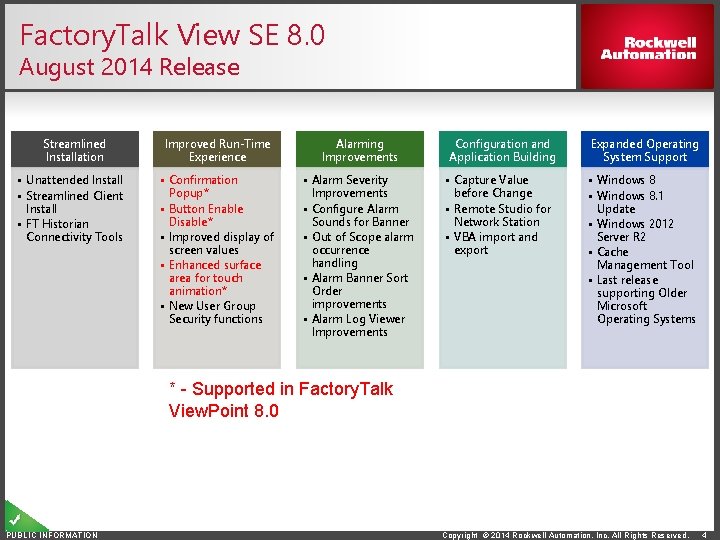
Factory. Talk View SE 8. 0 August 2014 Release Streamlined Installation • Unattended Install • Streamlined Client Install • FT Historian Connectivity Tools Improved Run-Time Experience Alarming Improvements • Confirmation Popup* • Button Enable Disable* • Improved display of screen values • Enhanced surface area for touch animation* • New User Group Security functions • Alarm Severity Improvements • Configure Alarm Sounds for Banner • Out of Scope alarm occurrence handling • Alarm Banner Sort Order improvements • Alarm Log Viewer Improvements Configuration and Application Building • Capture Value before Change • Remote Studio for Network Station • VBA import and export Expanded Operating System Support • Windows 8. 1 Update • Windows 2012 Server R 2 • Cache Management Tool • Last release supporting Older Microsoft Operating Systems * - Supported in Factory. Talk View. Point 8. 0 PUBLIC INFORMATION Copyright © 2014 Rockwell Automation, Inc. All Rights Reserved. 4
Streamlined Installation Factory. Talk View SE 8. 0 Feature Information PUBLIC INFORMATION Copyright © 2014 Rockwell Automation, Inc. All Rights Reserved.
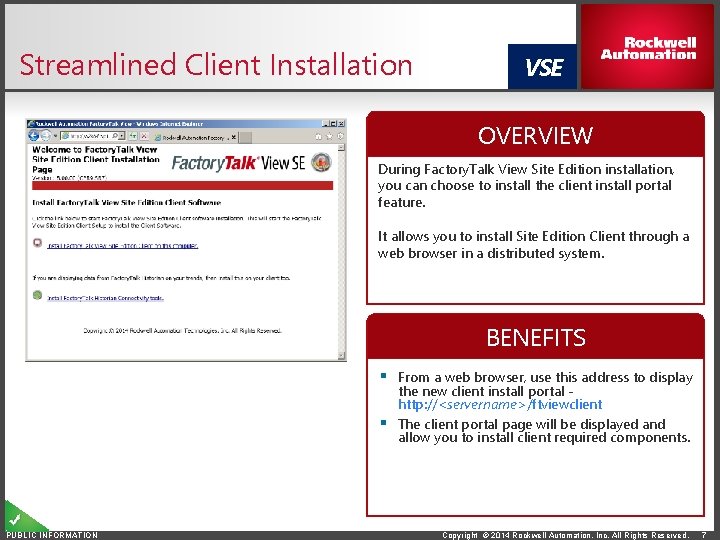
Streamlined Client Installation VSE OVERVIEW During Factory. Talk View Site Edition installation, you can choose to install the client install portal feature. It allows you to install Site Edition Client through a web browser in a distributed system. BENEFITS § From a web browser, use this address to display the new client install portal http: //<servername>/ftviewclient § The client portal page will be displayed and allow you to install client required components. PUBLIC INFORMATION Copyright © 2014 Rockwell Automation, Inc. All Rights Reserved. 7
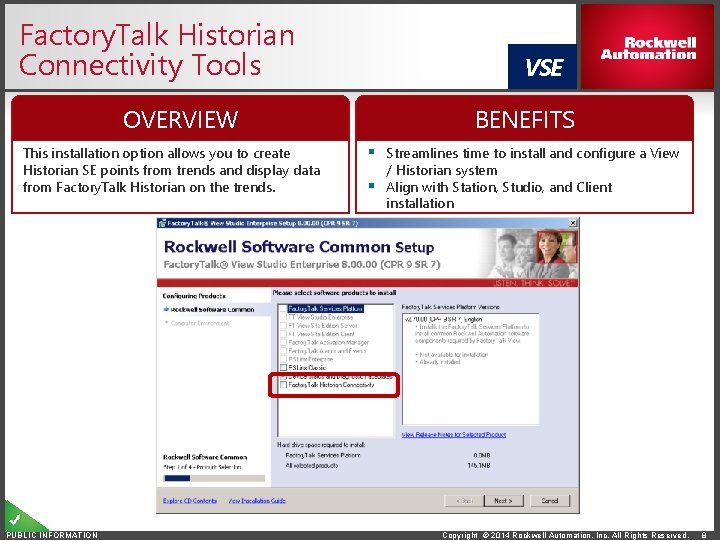
Factory. Talk Historian Connectivity Tools OVERVIEW This installation option allows you to create Historian SE points from trends and display data from Factory. Talk Historian on the trends. PUBLIC INFORMATION VSE BENEFITS § Streamlines time to install and configure a View / Historian system § Align with Station, Studio, and Client installation Copyright © 2014 Rockwell Automation, Inc. All Rights Reserved. 8
Improved Run-Time Experience Factory. Talk View SE 8. 0 Feature Information PUBLIC INFORMATION Copyright © 2014 Rockwell Automation, Inc. All Rights Reserved.
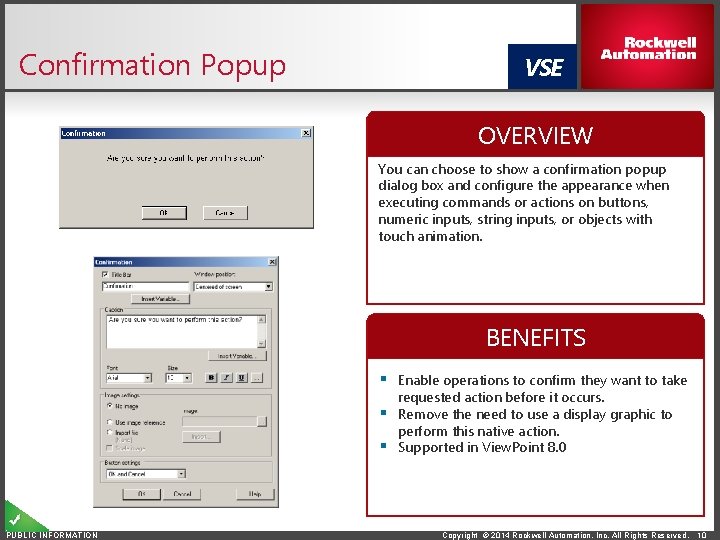
Confirmation Popup VSE OVERVIEW You can choose to show a confirmation popup dialog box and configure the appearance when executing commands or actions on buttons, numeric inputs, string inputs, or objects with touch animation. BENEFITS § Enable operations to confirm they want to take requested action before it occurs. § Remove the need to use a display graphic to perform this native action. § Supported in View. Point 8. 0 PUBLIC INFORMATION Copyright © 2014 Rockwell Automation, Inc. All Rights Reserved. 10
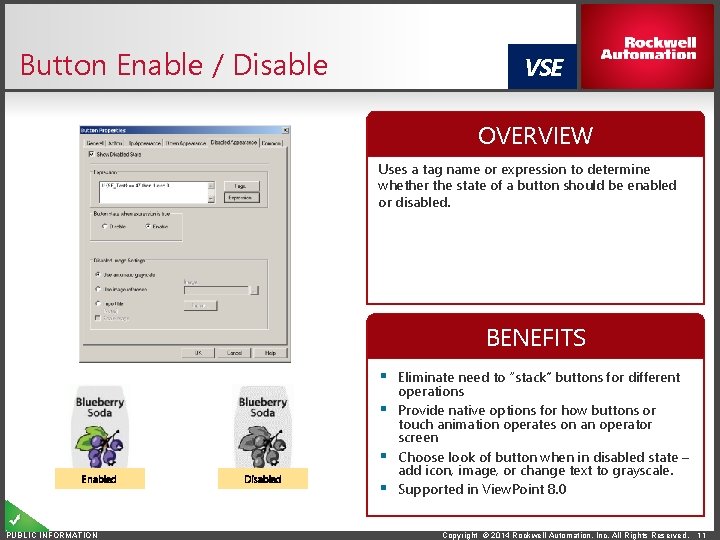
Button Enable / Disable VSE OVERVIEW Uses a tag name or expression to determine whether the state of a button should be enabled or disabled. BENEFITS § Eliminate need to “stack” buttons for different Enabled PUBLIC INFORMATION Disabled operations § Provide native options for how buttons or touch animation operates on an operator screen § Choose look of button when in disabled state – add icon, image, or change text to grayscale. § Supported in View. Point 8. 0 Copyright © 2014 Rockwell Automation, Inc. All Rights Reserved. 11
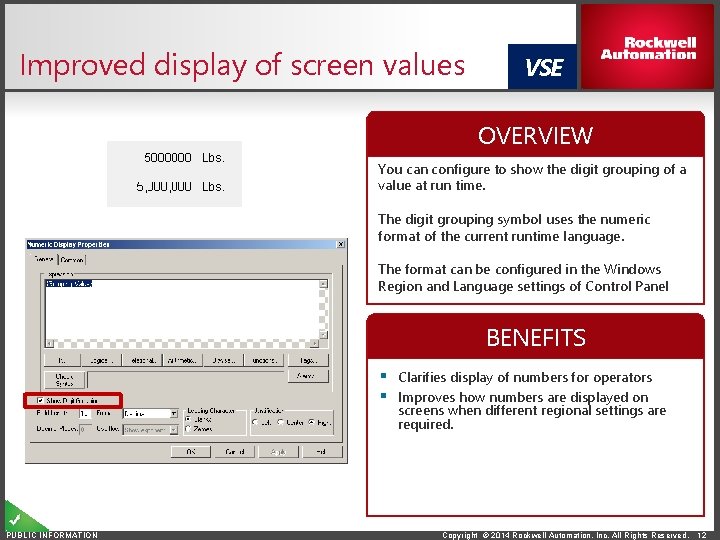
Improved display of screen values VSE OVERVIEW You can configure to show the digit grouping of a value at run time. The digit grouping symbol uses the numeric format of the current runtime language. The format can be configured in the Windows Region and Language settings of Control Panel BENEFITS § Clarifies display of numbers for operators § Improves how numbers are displayed on screens when different regional settings are required. PUBLIC INFORMATION Copyright © 2014 Rockwell Automation, Inc. All Rights Reserved. 12
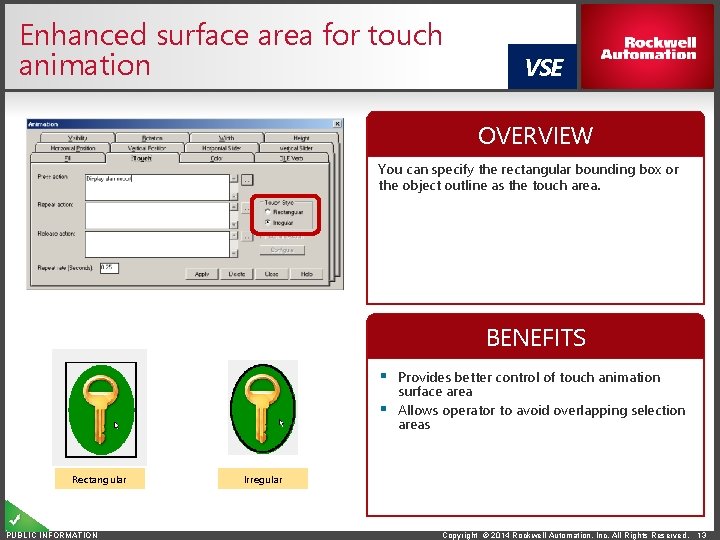
Enhanced surface area for touch animation VSE OVERVIEW You can specify the rectangular bounding box or the object outline as the touch area. BENEFITS § Provides better control of touch animation surface area § Allows operator to avoid overlapping selection areas Rectangular PUBLIC INFORMATION Irregular Copyright © 2014 Rockwell Automation, Inc. All Rights Reserved. 13
Configuration and Application Building Factory. Talk View SE 8. 0 Feature Information PUBLIC INFORMATION Copyright © 2014 Rockwell Automation, Inc. All Rights Reserved.
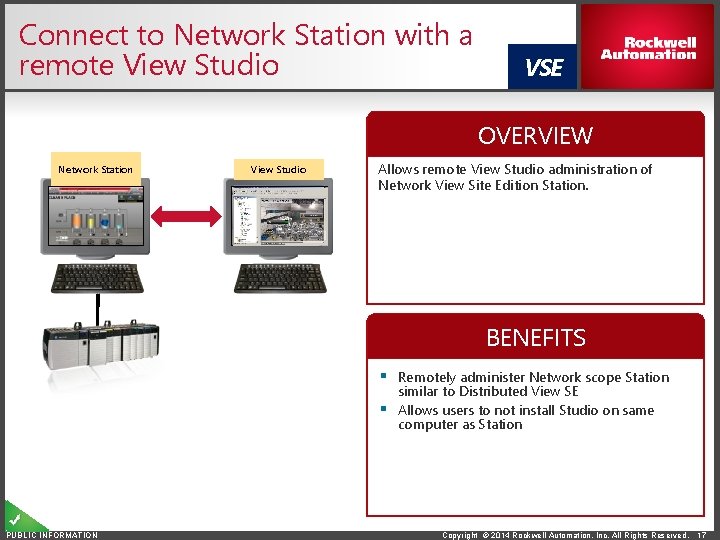
Connect to Network Station with a remote View Studio VSE OVERVIEW Network Station View Studio Allows remote View Studio administration of Network View Site Edition Station. BENEFITS § Remotely administer Network scope Station similar to Distributed View SE § Allows users to not install Studio on same computer as Station PUBLIC INFORMATION Copyright © 2014 Rockwell Automation, Inc. All Rights Reserved. 17
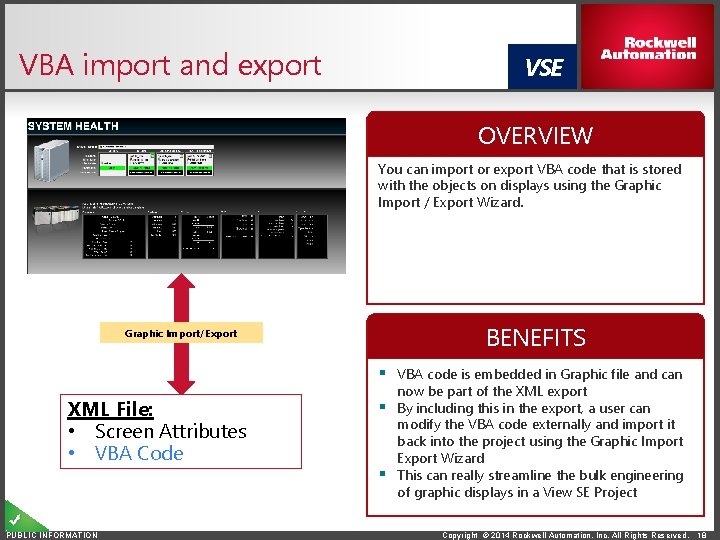
VBA import and export VSE OVERVIEW You can import or export VBA code that is stored with the objects on displays using the Graphic Import / Export Wizard. Graphic Import/Export BENEFITS § VBA code is embedded in Graphic file and can XML File: • Screen Attributes • VBA Code PUBLIC INFORMATION now be part of the XML export § By including this in the export, a user can modify the VBA code externally and import it back into the project using the Graphic Import Export Wizard § This can really streamline the bulk engineering of graphic displays in a View SE Project Copyright © 2014 Rockwell Automation, Inc. All Rights Reserved. 18
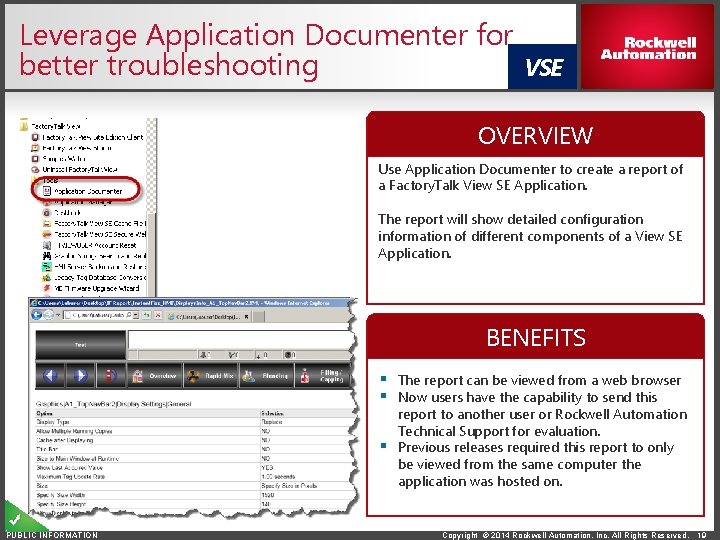
Leverage Application Documenter for better troubleshooting VSE OVERVIEW Use Application Documenter to create a report of a Factory. Talk View SE Application. The report will show detailed configuration information of different components of a View SE Application. BENEFITS § The report can be viewed from a web browser § Now users have the capability to send this report to another user or Rockwell Automation Technical Support for evaluation. § Previous releases required this report to only be viewed from the same computer the application was hosted on. PUBLIC INFORMATION Copyright © 2014 Rockwell Automation, Inc. All Rights Reserved. 19
Alarming Improvements Factory. Talk Alarms and Events 2. 70 Feature Information PUBLIC INFORMATION Copyright © 2014 Rockwell Automation, Inc. All Rights Reserved.
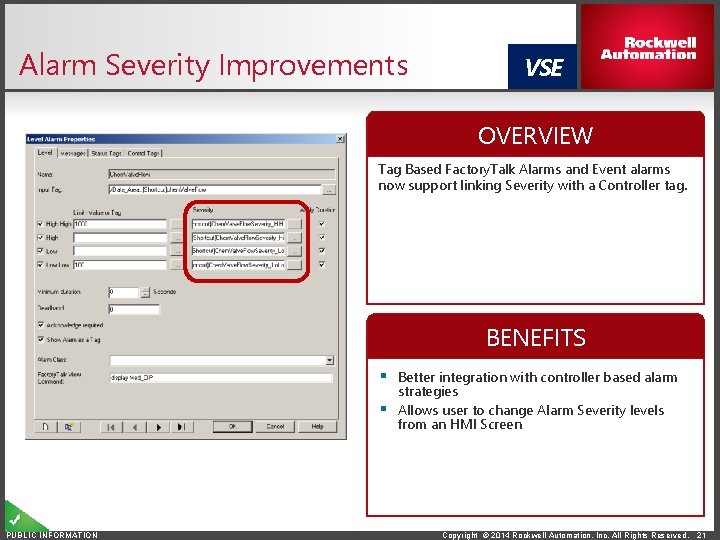
Alarm Severity Improvements VSE OVERVIEW Tag Based Factory. Talk Alarms and Event alarms now support linking Severity with a Controller tag. BENEFITS § Better integration with controller based alarm strategies § Allows user to change Alarm Severity levels from an HMI Screen PUBLIC INFORMATION Copyright © 2014 Rockwell Automation, Inc. All Rights Reserved. 21
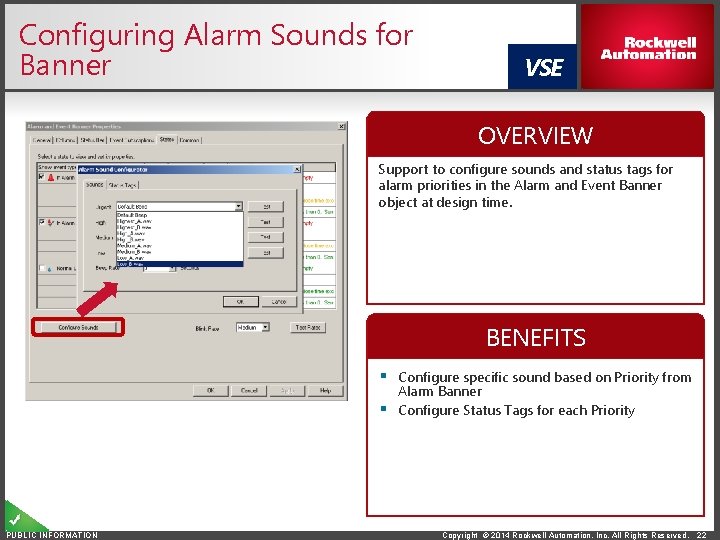
Configuring Alarm Sounds for Banner VSE OVERVIEW Support to configure sounds and status tags for alarm priorities in the Alarm and Event Banner object at design time. BENEFITS § Configure specific sound based on Priority from Alarm Banner § Configure Status Tags for each Priority PUBLIC INFORMATION Copyright © 2014 Rockwell Automation, Inc. All Rights Reserved. 22
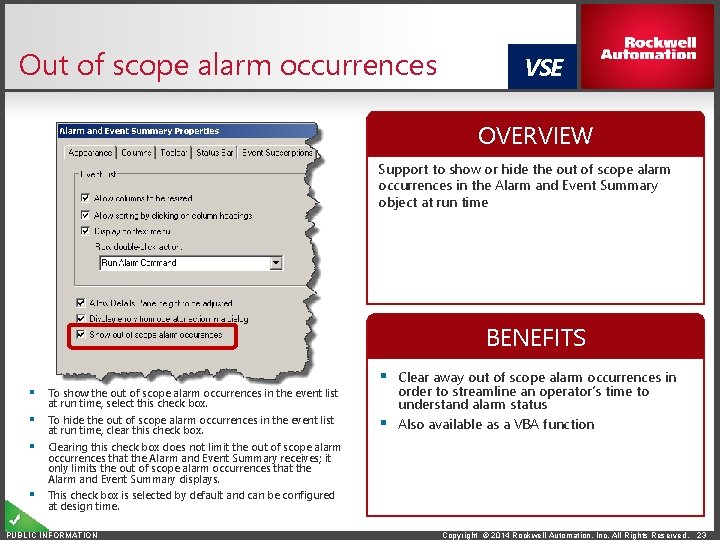
Out of scope alarm occurrences VSE OVERVIEW Support to show or hide the out of scope alarm occurrences in the Alarm and Event Summary object at run time BENEFITS § To show the out of scope alarm occurrences in the event list at run time, select this check box. § To hide the out of scope alarm occurrences in the event list at run time, clear this check box. § Clear away out of scope alarm occurrences in order to streamline an operator’s time to understand alarm status § Also available as a VBA function § Clearing this check box does not limit the out of scope alarm occurrences that the Alarm and Event Summary receives; it only limits the out of scope alarm occurrences that the Alarm and Event Summary displays. § This check box is selected by default and can be configured at design time. PUBLIC INFORMATION Copyright © 2014 Rockwell Automation, Inc. All Rights Reserved. 23
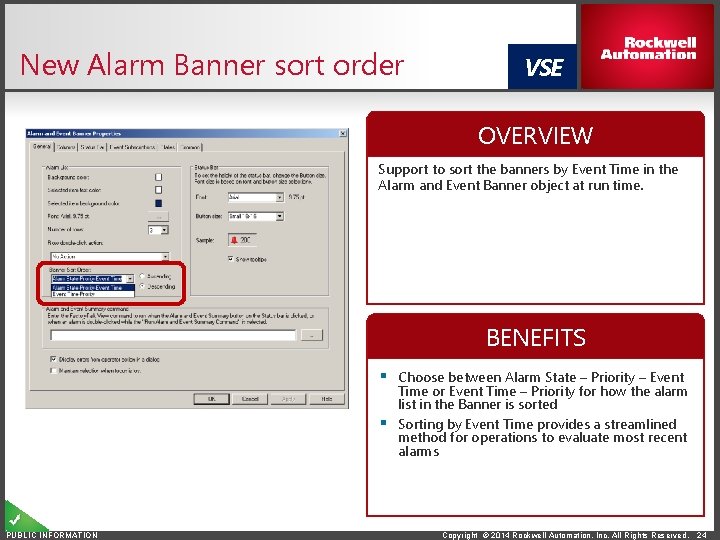
New Alarm Banner sort order VSE OVERVIEW Support to sort the banners by Event Time in the Alarm and Event Banner object at run time. BENEFITS § Choose between Alarm State – Priority – Event Time or Event Time – Priority for how the alarm list in the Banner is sorted § Sorting by Event Time provides a streamlined method for operations to evaluate most recent alarms PUBLIC INFORMATION Copyright © 2014 Rockwell Automation, Inc. All Rights Reserved. 24
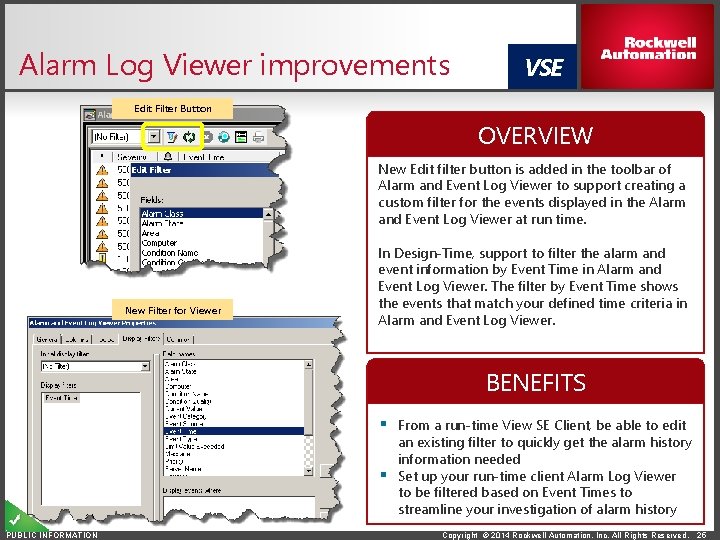
Alarm Log Viewer improvements VSE Edit Filter Button OVERVIEW New Edit filter button is added in the toolbar of Alarm and Event Log Viewer to support creating a custom filter for the events displayed in the Alarm and Event Log Viewer at run time. New Filter for Viewer In Design-Time, support to filter the alarm and event information by Event Time in Alarm and Event Log Viewer. The filter by Event Time shows the events that match your defined time criteria in Alarm and Event Log Viewer. BENEFITS § From a run-time View SE Client, be able to edit an existing filter to quickly get the alarm history information needed § Set up your run-time client Alarm Log Viewer to be filtered based on Event Times to streamline your investigation of alarm history PUBLIC INFORMATION Copyright © 2014 Rockwell Automation, Inc. All Rights Reserved. 25
Expanded Operating System Support Factory. Talk View SE 8. 0 Feature Information PUBLIC INFORMATION Copyright © 2014 Rockwell Automation, Inc. All Rights Reserved.
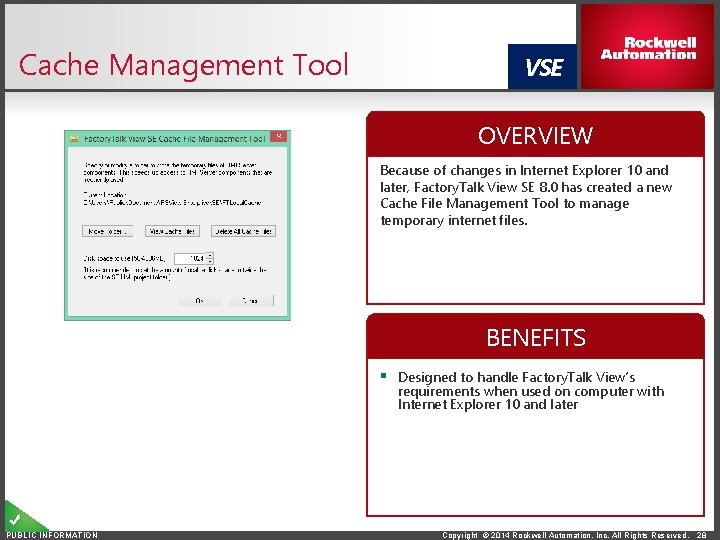
Cache Management Tool VSE OVERVIEW Because of changes in Internet Explorer 10 and later, Factory. Talk View SE 8. 0 has created a new Cache File Management Tool to manage temporary internet files. BENEFITS § Designed to handle Factory. Talk View’s requirements when used on computer with Internet Explorer 10 and later PUBLIC INFORMATION Copyright © 2014 Rockwell Automation, Inc. All Rights Reserved. 28
End of Support for Operating Systems VME VSE § The Factory. Talk View 8. 0 CPR 9 SR 7 release will be the last View release that will support any version of Windows XP, Vista, and Windows 2003 Server. PUBLIC INFORMATION Copyright © 2014 Rockwell Automation, Inc. All Rights Reserved. 29
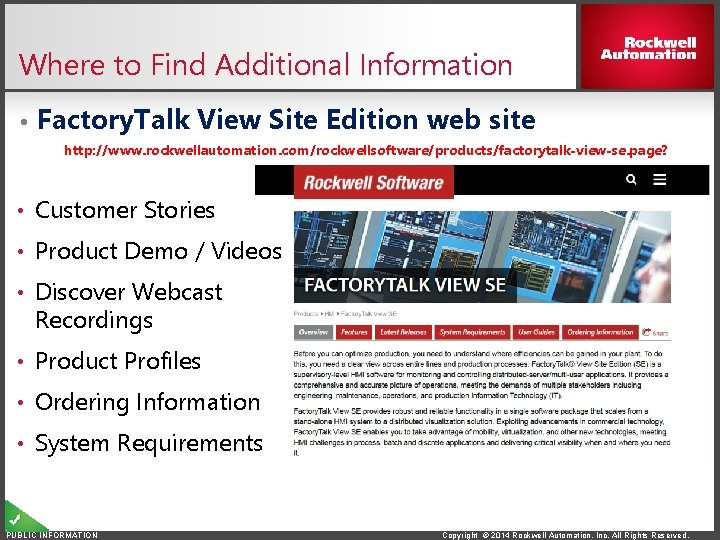
Where to Find Additional Information • Factory. Talk View Site Edition web site http: //www. rockwellautomation. com/rockwellsoftware/products/factorytalk-view-se. page? • Customer Stories • Product Demo / Videos • Discover Webcast Recordings • Product Profiles • Ordering Information • System Requirements PUBLIC INFORMATION Copyright © 2014 Rockwell Automation, Inc. All Rights Reserved.
Thank You PUBLIC INFORMATION Follow ROKAutomation on Facebook & Twitter. Connect with us on Linked. In. www. rockwellautomation. com Rev 5058 -CO 900 F Copyright © 2014 Rockwell Automation, Inc. All Rights Reserved.
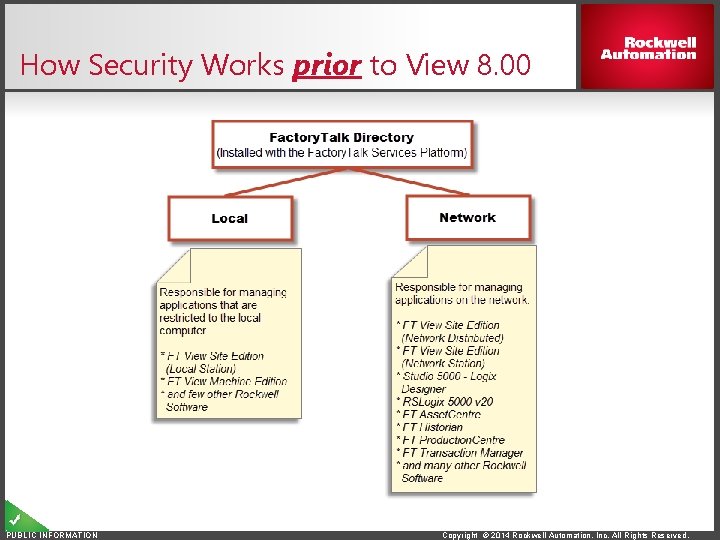
How Security Works prior to View 8. 00 PUBLIC INFORMATION Copyright © 2014 Rockwell Automation, Inc. All Rights Reserved.
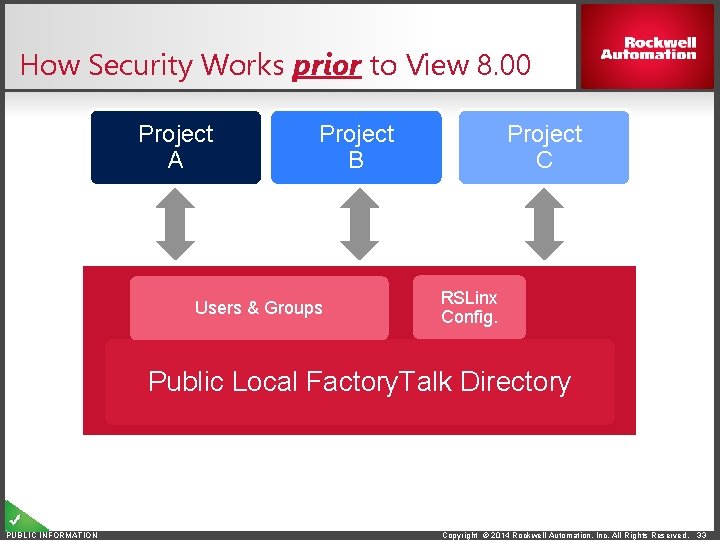
How Security Works prior to View 8. 00 Project A Project B Users & Groups Project C RSLinx Config. Public Local Factory. Talk Directory PUBLIC INFORMATION Copyright © 2014 Rockwell Automation, Inc. All Rights Reserved. 33
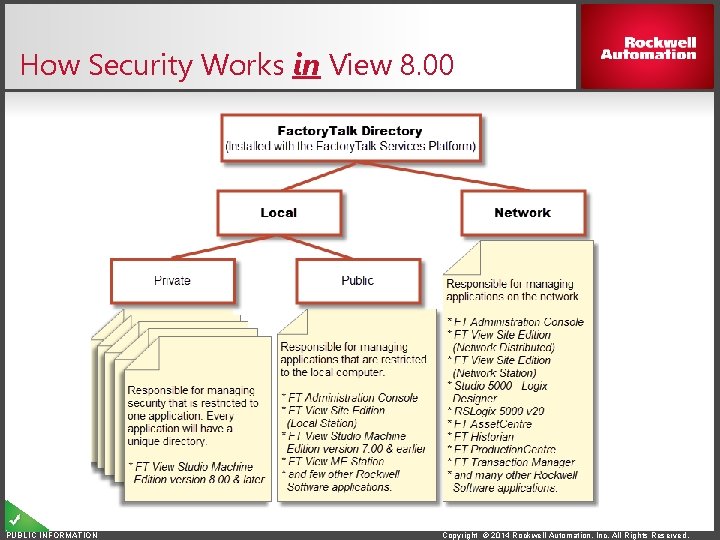
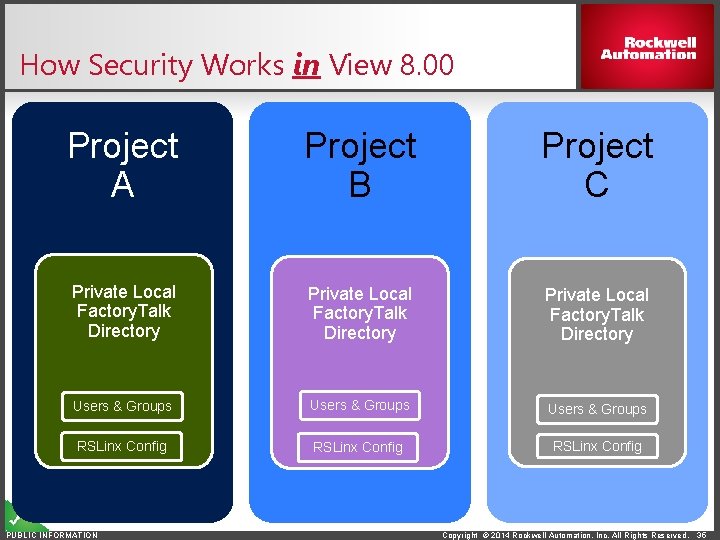
How Security Works in View 8. 00 PUBLIC INFORMATION Copyright © 2014 Rockwell Automation, Inc. All Rights Reserved.
How Security Works in View 8. 00 Project A Project B Project C Private Local Factory. Talk Directory Users & Groups RSLinx Config PUBLIC INFORMATION Copyright © 2014 Rockwell Automation, Inc. All Rights Reserved. 35