Extending Rocks Clusters into Amazon EC 2 Using
- Slides: 22
Extending Rocks Clusters into Amazon EC 2 Using Condor Philip Papadopoulos, Ph. D University of California, San Diego Supercomputer Center California Institute for Telecommunications and Information Technology (Calit 2) © UC Regents 2010
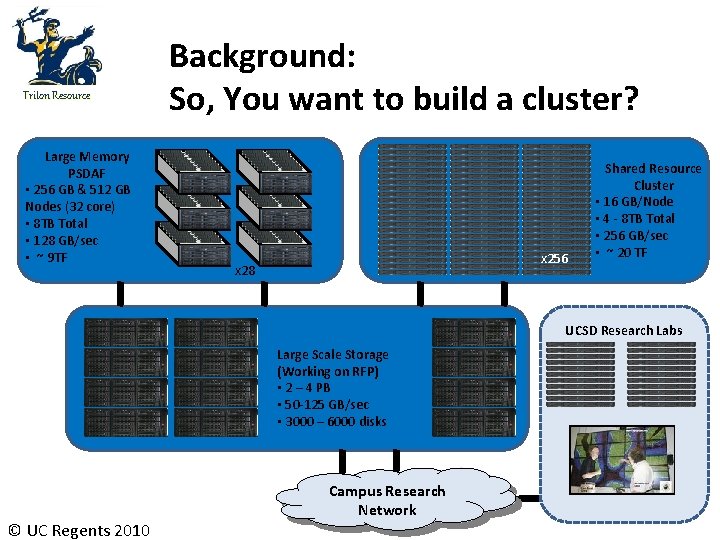
Triton Resource Large Memory PSDAF • 256 GB & 512 GB Nodes (32 core) • 8 TB Total • 128 GB/sec • ~ 9 TF Background: So, You want to build a cluster? x 256 x 28 Shared Resource Cluster • 16 GB/Node • 4 - 8 TB Total • 256 GB/sec • ~ 20 TF UCSD Research Labs Large Scale Storage (Working on RFP) • 2 – 4 PB • 50 -125 GB/sec • 3000 – 6000 disks © UC Regents 2010 Campus Research Network
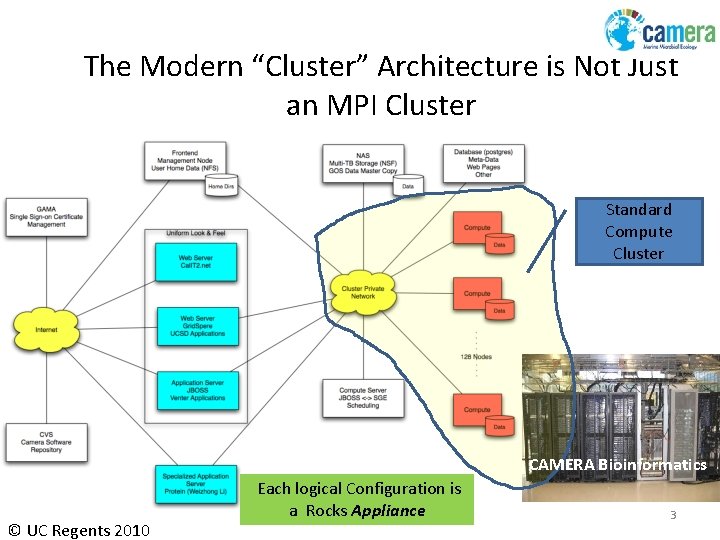
The Modern “Cluster” Architecture is Not Just an MPI Cluster Standard Compute Cluster CAMERA Bioinformatics © UC Regents 2010 Each logical Configuration is a Rocks © 2009 Appliance UC Regents 3
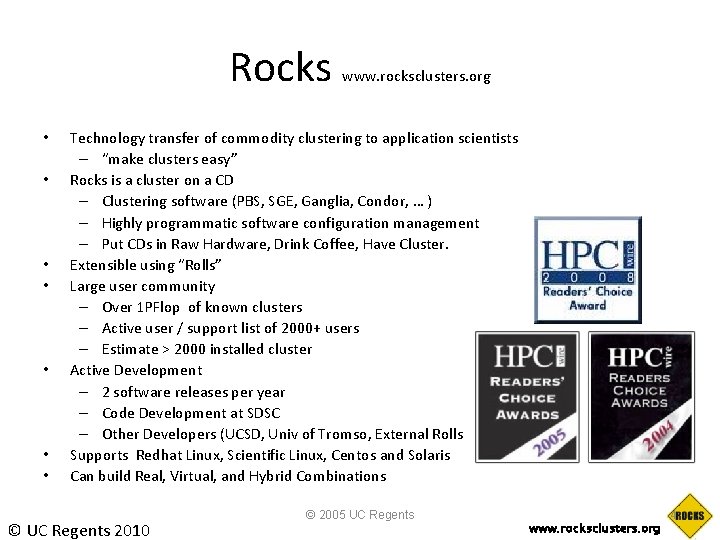
Rocks • • www. rocksclusters. org Technology transfer of commodity clustering to application scientists – “make clusters easy” Rocks is a cluster on a CD – Clustering software (PBS, SGE, Ganglia, Condor, … ) – Highly programmatic software configuration management – Put CDs in Raw Hardware, Drink Coffee, Have Cluster. Extensible using “Rolls” Large user community – Over 1 PFlop of known clusters – Active user / support list of 2000+ users – Estimate > 2000 installed cluster Active Development – 2 software releases per year – Code Development at SDSC – Other Developers (UCSD, Univ of Tromso, External Rolls Supports Redhat Linux, Scientific Linux, Centos and Solaris Can build Real, Virtual, and Hybrid Combinations © UC Regents 2010 © 2005 UC Regents www. rocksclusters. org 4
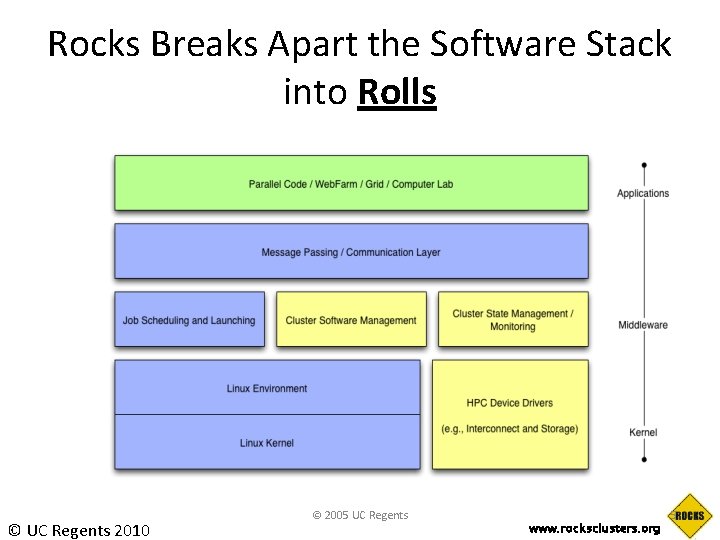
Rocks Breaks Apart the Software Stack into Rolls © UC Regents 2010 © 2005 UC Regents www. rocksclusters. org 5
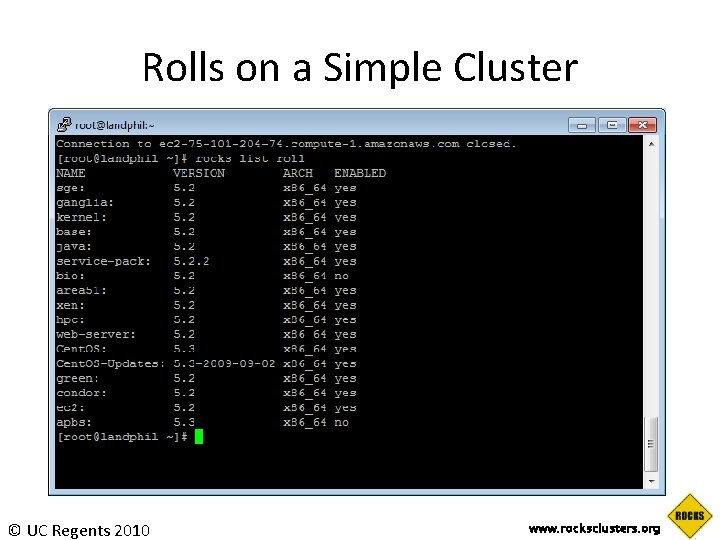
Rolls on a Simple Cluster © UC Regents 2010 www. rocksclusters. org
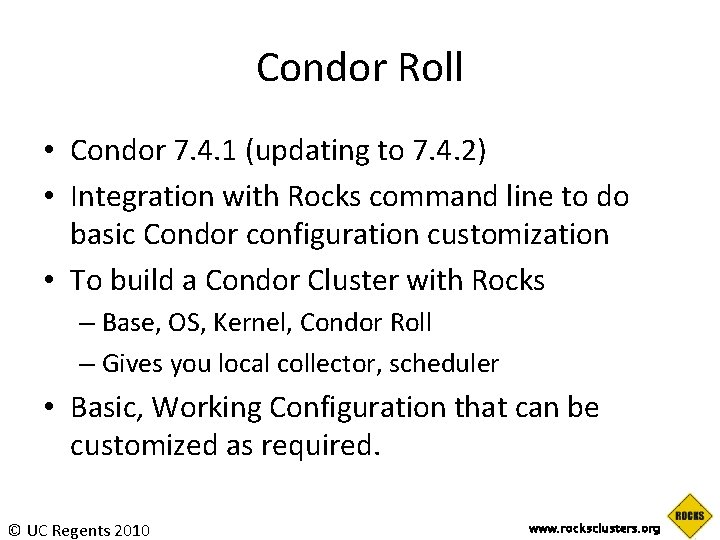
Condor Roll • Condor 7. 4. 1 (updating to 7. 4. 2) • Integration with Rocks command line to do basic Condor configuration customization • To build a Condor Cluster with Rocks – Base, OS, Kernel, Condor Roll – Gives you local collector, scheduler • Basic, Working Configuration that can be customized as required. © UC Regents 2010 www. rocksclusters. org
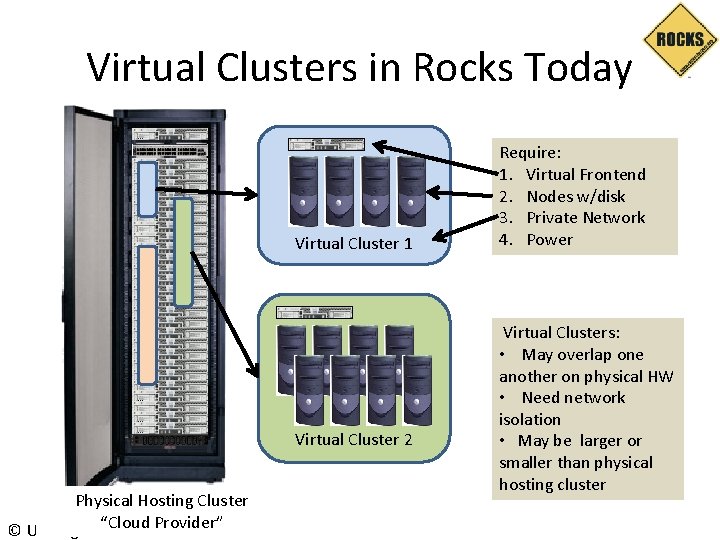
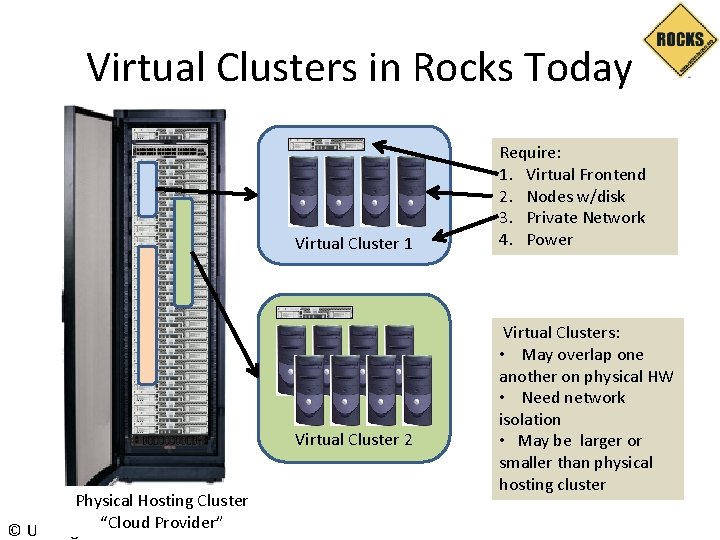
Virtual Clusters in Rocks Today Virtual Cluster 1 Virtual Cluster 2 Physical Hosting Cluster “Cloud © UC Regents 2010 Provider” Require: 1. Virtual Frontend 2. Nodes w/disk 3. Private Network 4. Power Virtual Clusters: • May overlap one another on physical HW • Need network isolation • May be larger or smaller than physical hosting cluster
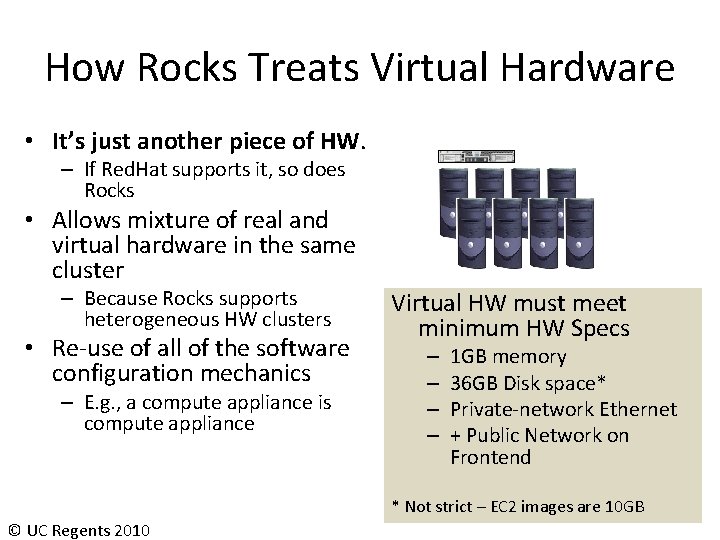
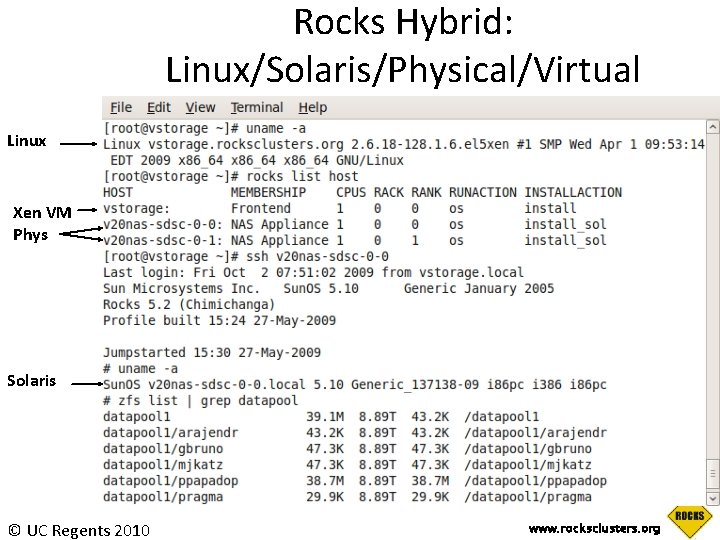
How Rocks Treats Virtual Hardware • It’s just another piece of HW. – If Red. Hat supports it, so does Rocks • Allows mixture of real and virtual hardware in the same cluster – Because Rocks supports heterogeneous HW clusters • Re-use of all of the software configuration mechanics – E. g. , a compute appliance is compute appliance Virtual HW must meet minimum HW Specs – – 1 GB memory 36 GB Disk space* Private-network Ethernet + Public Network on Frontend * Not strict – EC 2 images are 10 GB © UC Regents 2010
Rocks Hybrid: Linux/Solaris/Physical/Virtual Linux Xen VM Phys Solaris © UC Regents 2010 www. rocksclusters. org
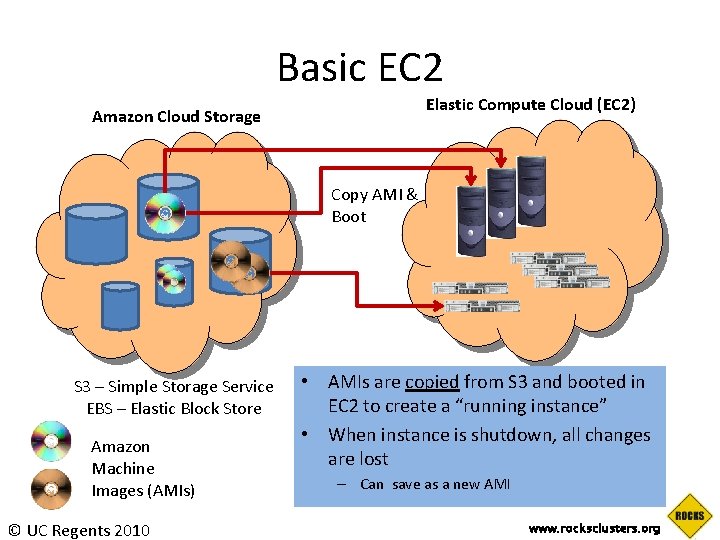
Basic EC 2 Elastic Compute Cloud (EC 2) Amazon Cloud Storage Copy AMI & Boot S 3 – Simple Storage Service EBS – Elastic Block Store Amazon Machine Images (AMIs) © UC Regents 2010 • AMIs are copied from S 3 and booted in EC 2 to create a “running instance” • When instance is shutdown, all changes are lost – Can save as a new AMI www. rocksclusters. org
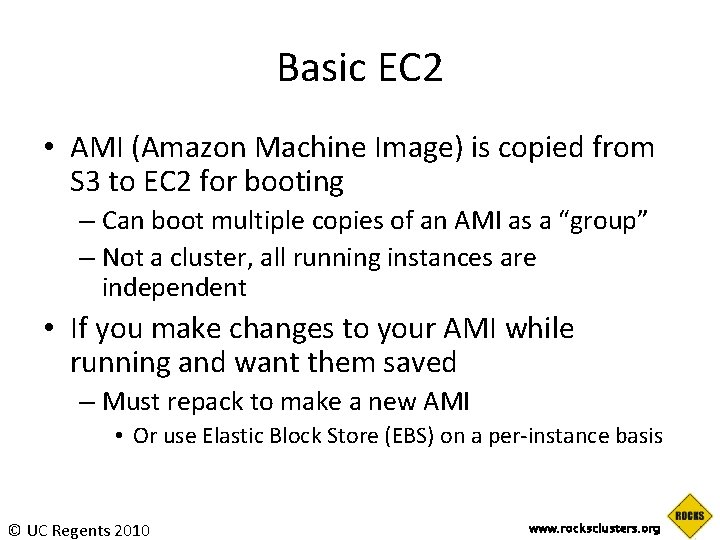
Basic EC 2 • AMI (Amazon Machine Image) is copied from S 3 to EC 2 for booting – Can boot multiple copies of an AMI as a “group” – Not a cluster, all running instances are independent • If you make changes to your AMI while running and want them saved – Must repack to make a new AMI • Or use Elastic Block Store (EBS) on a per-instance basis © UC Regents 2010 www. rocksclusters. org
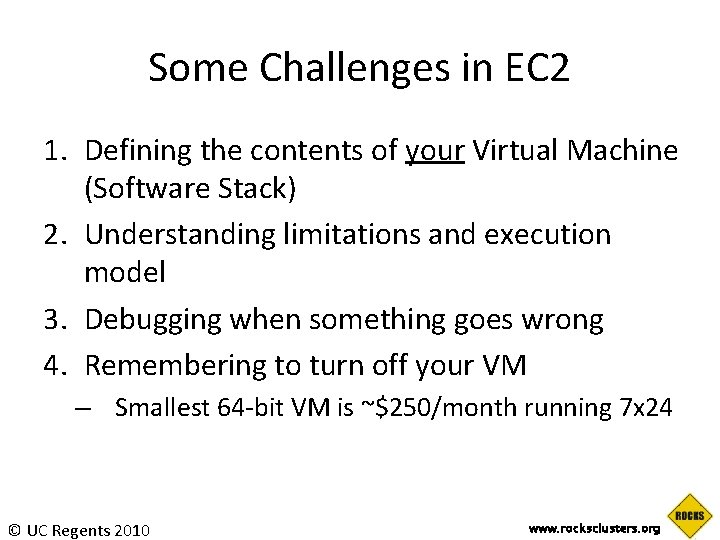
Some Challenges in EC 2 1. Defining the contents of your Virtual Machine (Software Stack) 2. Understanding limitations and execution model 3. Debugging when something goes wrong 4. Remembering to turn off your VM – Smallest 64 -bit VM is ~$250/month running 7 x 24 © UC Regents 2010 www. rocksclusters. org
What’s in the AMI? • Tar file of a / file system – Cryptographically signed so that Amazon can open it, but other users cannot – Split into 10 MB chunks, stored in S 3 • Amazon boasts more than 2000 public machine images – What’s in a particular image? – How much work is it to get your software part of an existing image? • There are tools for booting and monitoring instances. • Defining the software contents is “an exercise left to the reader” © UC Regents 2010 www. rocksclusters. org
The EC 2 Roll • Take a Rocks appliance and make it compatible with EC 2: – – 10 GB disk partition (single) DHCP for network ssh key management Other small adjustments • Create an AMI bundle on local cluster – rocks create ec 2 bundle • Upload a bundled image into EC 2 – rocks upload ec 2 bundle • Mini-tutorial on getting started with EC 2 and Rocks © UC Regents 2010 www. rocksclusters. org
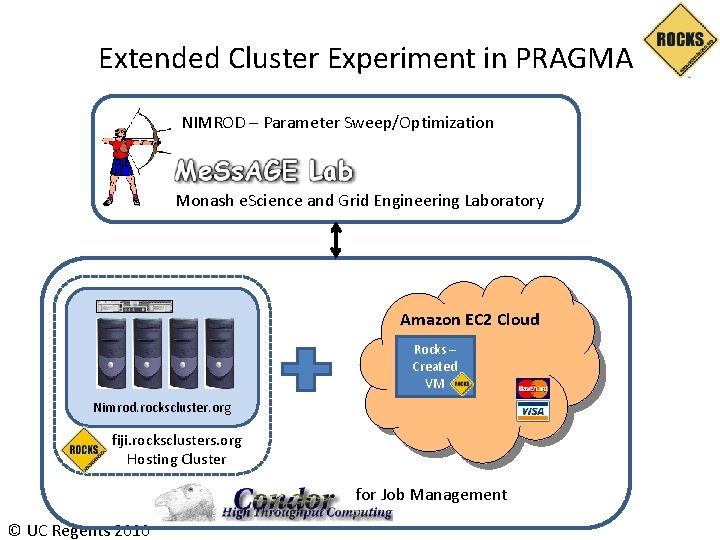
Putting all together: Virtual Cluster Experiment Nimrod – Monash University Rocks® – UC San Diego Condor – U. Wisconsin Amazon EC 2 – Brought to you by Visa® © UC Regents 2010
Virtual Clusters in Rocks Today Virtual Cluster 1 Virtual Cluster 2 Physical Hosting Cluster “Cloud © UC Regents 2010 Provider” Require: 1. Virtual Frontend 2. Nodes w/disk 3. Private Network 4. Power Virtual Clusters: • May overlap one another on physical HW • Need network isolation • May be larger or smaller than physical hosting cluster
Extended Cluster Experiment in PRAGMA NIMROD – Parameter Sweep/Optimization Monash e. Science and Grid Engineering Laboratory Amazon EC 2 Cloud Rocks – Created VM Nimrod. rockscluster. org fiji. rocksclusters. org Hosting Cluster for Job Management © UC Regents 2010
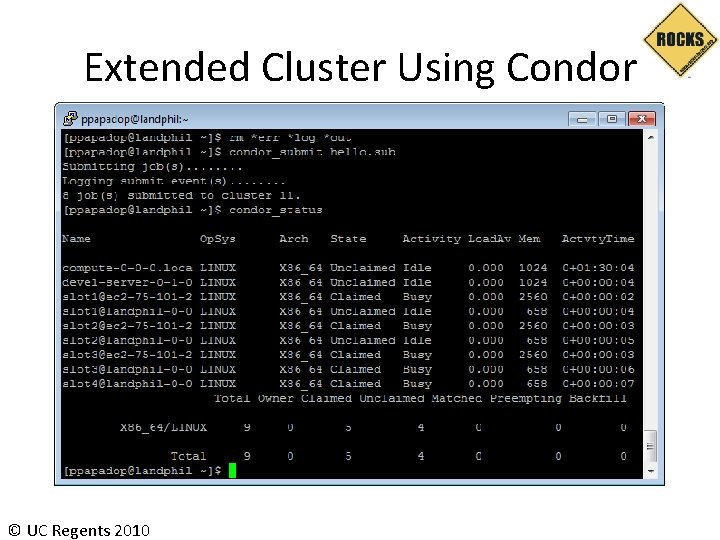
Extended Cluster Using Condor © UC Regents 2010
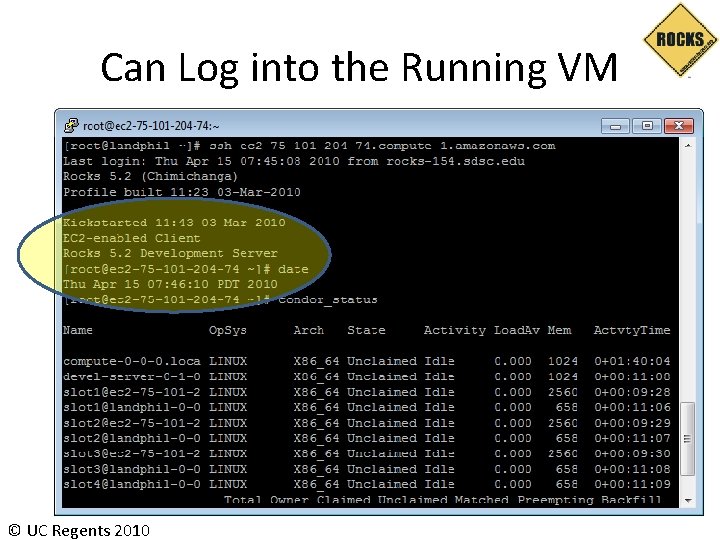
Can Log into the Running VM © UC Regents 2010
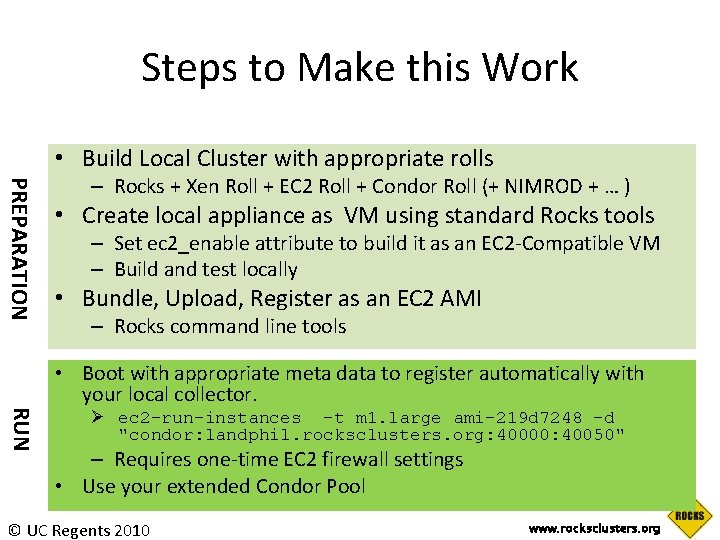
Steps to Make this Work • Build Local Cluster with appropriate rolls PREPARATION – Rocks + Xen Roll + EC 2 Roll + Condor Roll (+ NIMROD + … ) • Create local appliance as VM using standard Rocks tools – Set ec 2_enable attribute to build it as an EC 2 -Compatible VM – Build and test locally • Bundle, Upload, Register as an EC 2 AMI – Rocks command line tools RUN • Boot with appropriate meta data to register automatically with your local collector. Ø ec 2 -run-instances -t m 1. large ami-219 d 7248 -d "condor: landphil. rocksclusters. org: 40000: 40050" – Requires one-time EC 2 firewall settings • Use your extended Condor Pool © UC Regents 2010 www. rocksclusters. org
Summary • Easily Extend your Condor pool into EC 2 – Others can do this as well – Condor supports the public/private network duality of EC 2 • Have your software on both local cluster and remote VM in EC 2 • Mix and match – Local Physical, Local Virtual, Remote Virtual • If you use Rocks, does not take extra effort © UC Regents 2010 www. rocksclusters. org