Discussion today Photonic circuit simulation Today we will
- Slides: 23
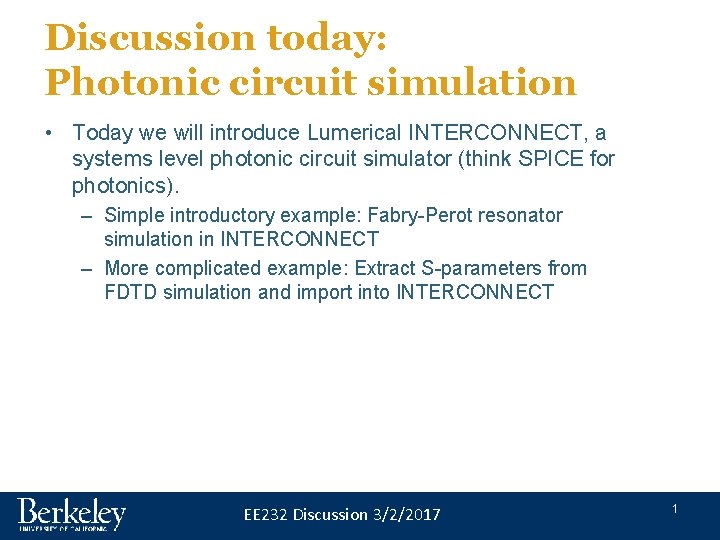
Discussion today: Photonic circuit simulation • Today we will introduce Lumerical INTERCONNECT, a systems level photonic circuit simulator (think SPICE for photonics). – Simple introductory example: Fabry-Perot resonator simulation in INTERCONNECT – More complicated example: Extract S-parameters from FDTD simulation and import into INTERCONNECT EE 232 Discussion 3/2/2017 1
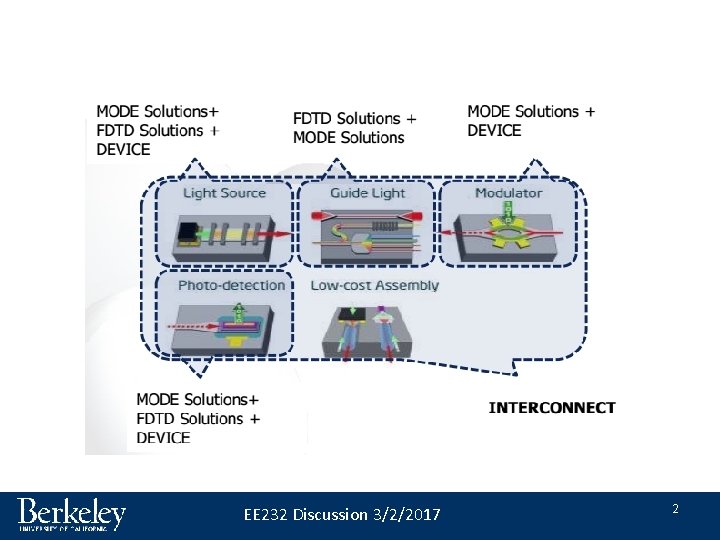
EE 232 Discussion 3/2/2017 2
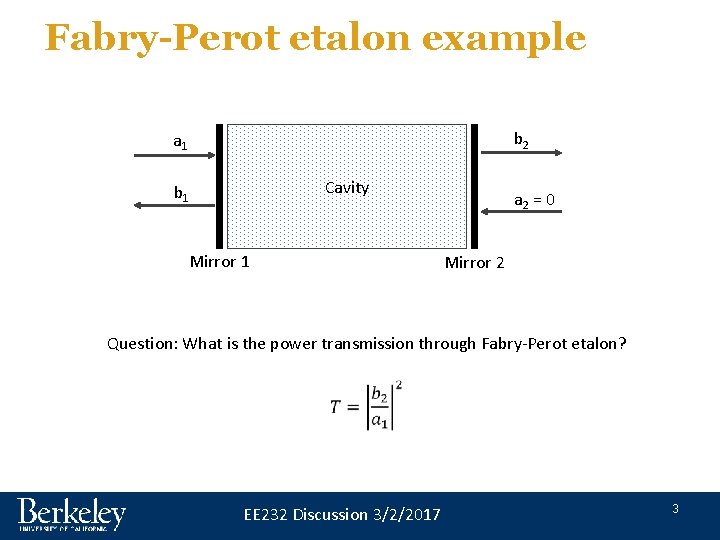
Fabry-Perot etalon example b 2 a 1 Cavity b 1 Mirror 1 a 2 = 0 Mirror 2 Question: What is the power transmission through Fabry-Perot etalon? EE 232 Discussion 3/2/2017 3
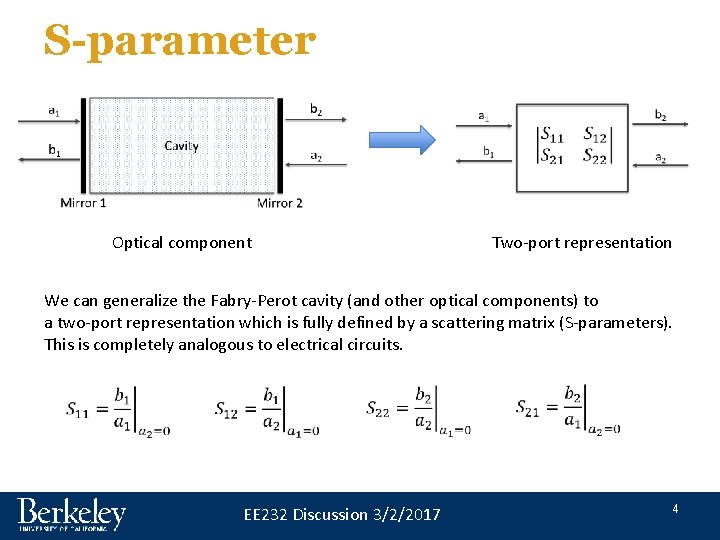
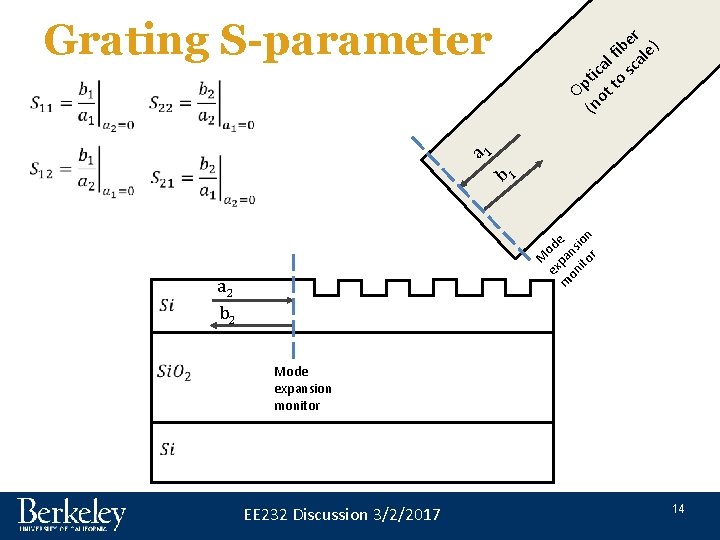
S-parameter Optical component Two-port representation We can generalize the Fabry-Perot cavity (and other optical components) to a two-port representation which is fully defined by a scattering matrix (S-parameters). This is completely analogous to electrical circuits. EE 232 Discussion 3/2/2017 4
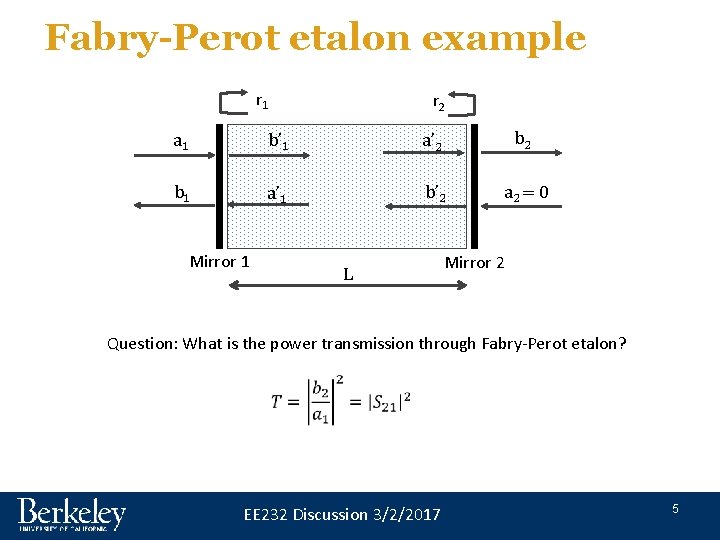
Fabry-Perot etalon example r 1 r 2 a 1 b’ 1 a’ 2 b 1 a’ 1 b’ 2 a 2 = 0 Mirror 1 L Mirror 2 Question: What is the power transmission through Fabry-Perot etalon? EE 232 Discussion 3/2/2017 5
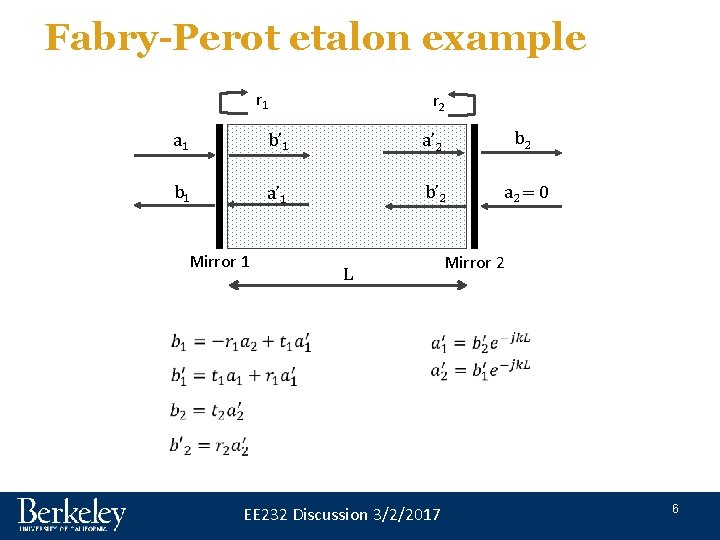
Fabry-Perot etalon example r 1 r 2 a 1 b’ 1 a’ 2 b 1 a’ 1 b’ 2 a 2 = 0 Mirror 1 Mirror 2 L EE 232 Discussion 3/2/2017 6
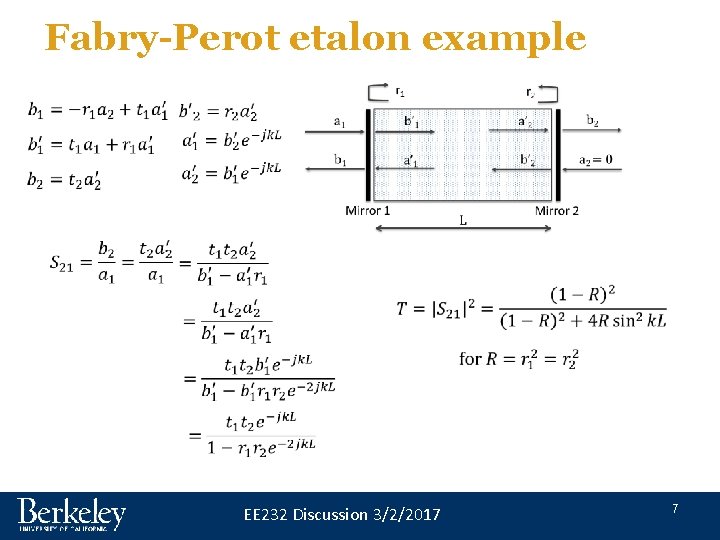
Fabry-Perot etalon example EE 232 Discussion 3/2/2017 7
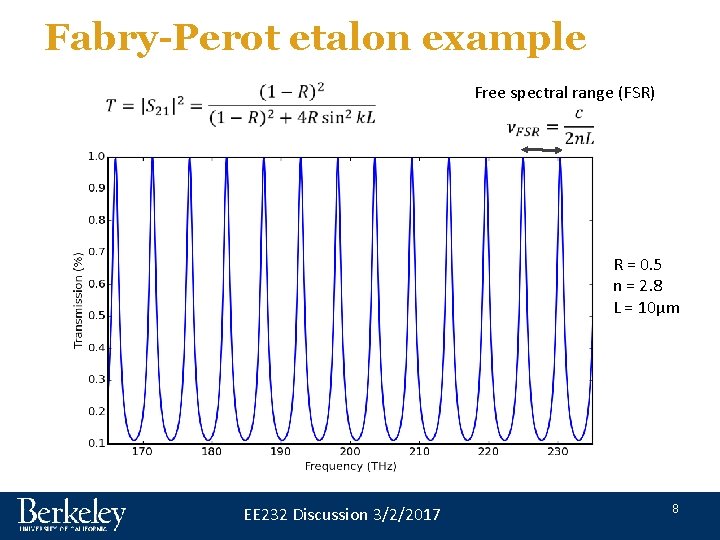
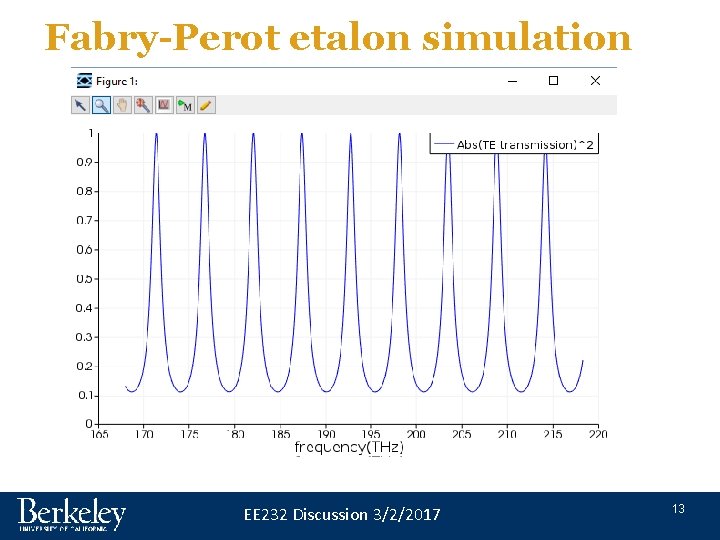
Fabry-Perot etalon example Free spectral range (FSR) R = 0. 5 n = 2. 8 L = 10µm EE 232 Discussion 3/2/2017 8
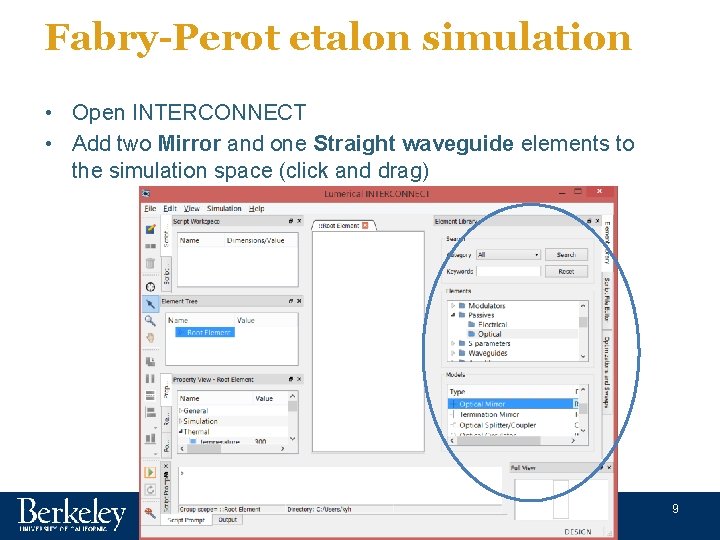
Fabry-Perot etalon simulation • Open INTERCONNECT • Add two Mirror and one Straight waveguide elements to the simulation space (click and drag) EE 232 Discussion 3/2/2017 9
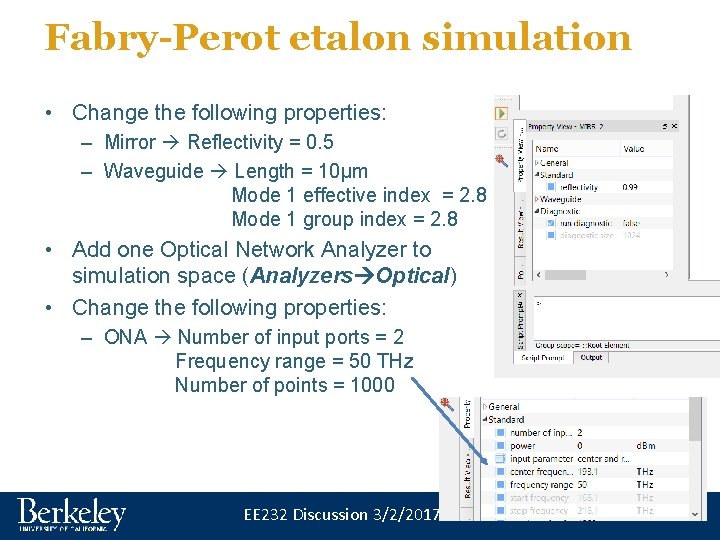
Fabry-Perot etalon simulation • Change the following properties: – Mirror Reflectivity = 0. 5 – Waveguide Length = 10μm Mode 1 effective index = 2. 8 Mode 1 group index = 2. 8 • Add one Optical Network Analyzer to simulation space (Analyzers Optical) • Change the following properties: – ONA Number of input ports = 2 Frequency range = 50 THz Number of points = 1000 EE 232 Discussion 3/2/2017 10
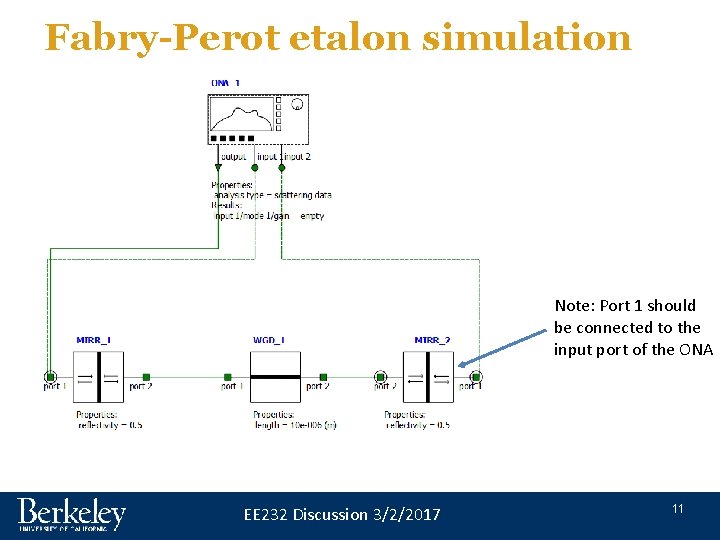
Fabry-Perot etalon simulation Note: Port 1 should be connected to the input port of the ONA EE 232 Discussion 3/2/2017 11
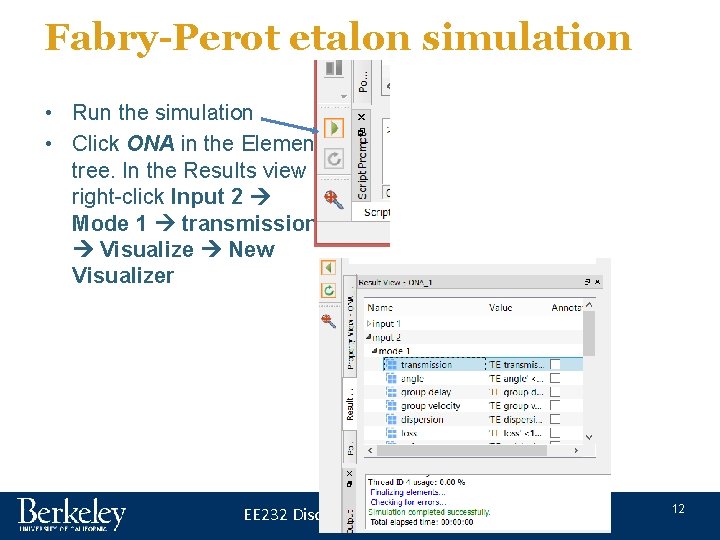
Fabry-Perot etalon simulation • Run the simulation • Click ONA in the Element tree. In the Results view right-click Input 2 Mode 1 transmission Visualize New Visualizer EE 232 Discussion 3/2/2017 12
Fabry-Perot etalon simulation EE 232 Discussion 3/2/2017 13
Grating S-parameter a 1 b 1 M ex ode m pa on ns ito ion r r e ib le) f l a it ca o sc Op ot t (n a 2 b 2 Mode expansion monitor EE 232 Discussion 3/2/2017 14
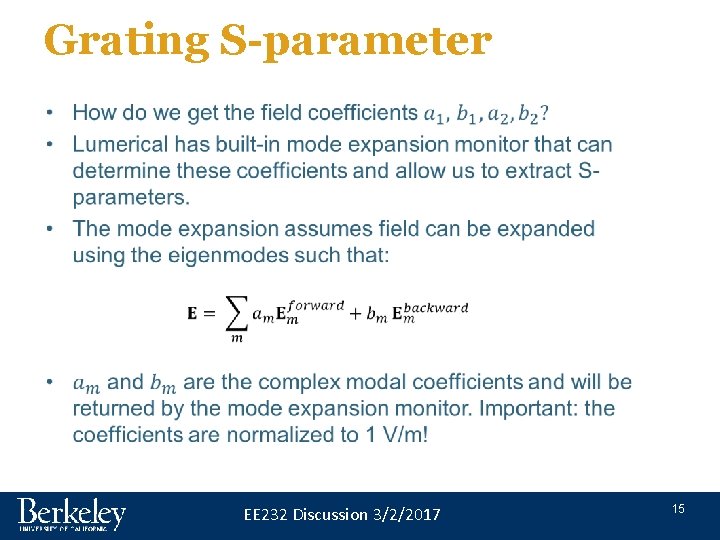
Grating S-parameter • EE 232 Discussion 3/2/2017 15
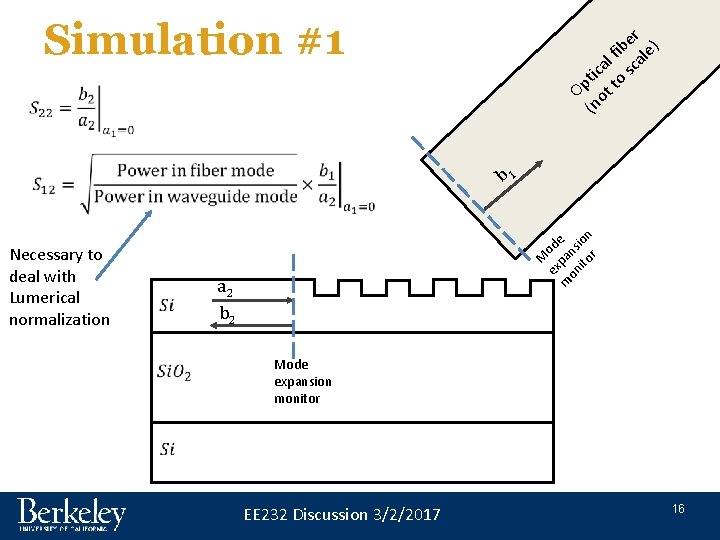
Simulation #1 r e ib le) f l a it ca o sc Op ot t (n M ex ode m pa on ns ito ion r Necessary to deal with Lumerical normalization b 1 a 2 b 2 Mode expansion monitor EE 232 Discussion 3/2/2017 16
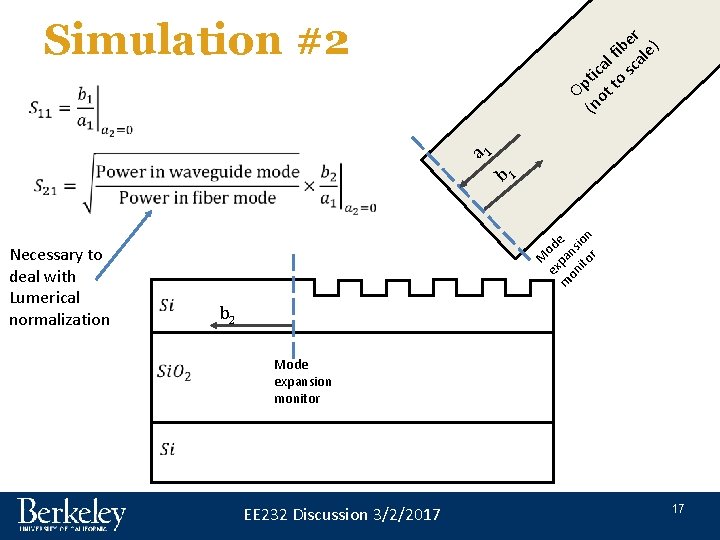
Simulation #2 r e ib le) f l a it ca o sc Op ot t (n a 1 M ex ode m pa on ns ito ion r Necessary to deal with Lumerical normalization b 1 b 2 Mode expansion monitor EE 232 Discussion 3/2/2017 17
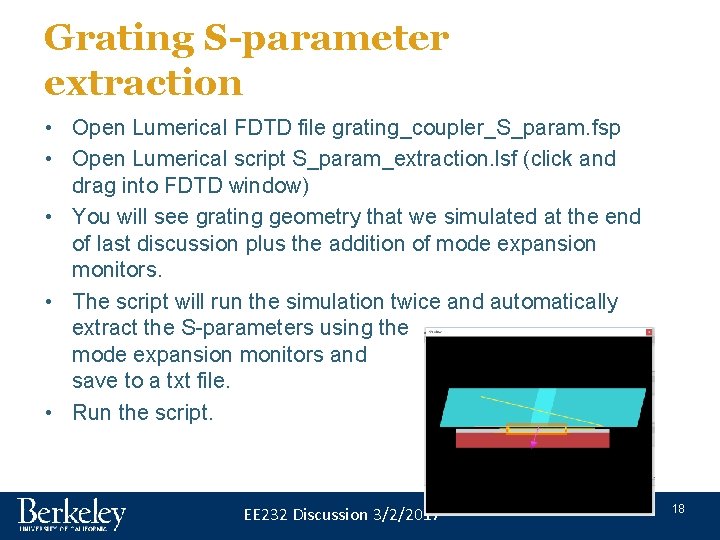
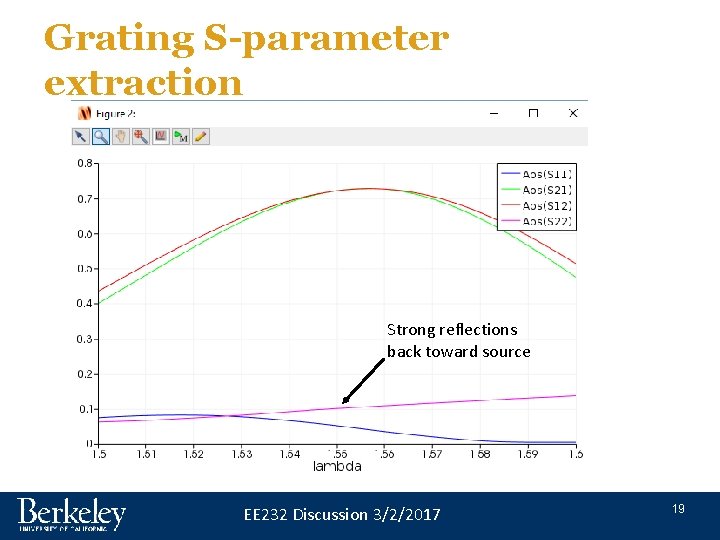
Grating S-parameter extraction • Open Lumerical FDTD file grating_coupler_S_param. fsp • Open Lumerical script S_param_extraction. lsf (click and drag into FDTD window) • You will see grating geometry that we simulated at the end of last discussion plus the addition of mode expansion monitors. • The script will run the simulation twice and automatically extract the S-parameters using the mode expansion monitors and save to a txt file. • Run the script. EE 232 Discussion 3/2/2017 18
Grating S-parameter extraction Strong reflections back toward source EE 232 Discussion 3/2/2017 19
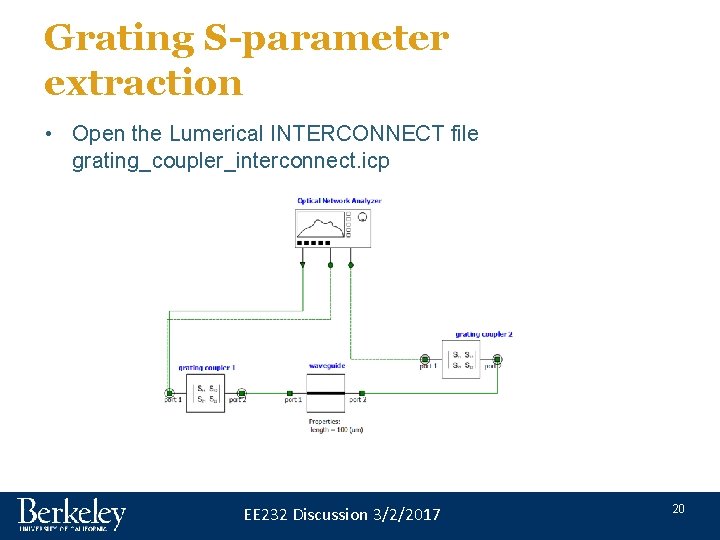
Grating S-parameter extraction • Open the Lumerical INTERCONNECT file grating_coupler_interconnect. icp EE 232 Discussion 3/2/2017 20
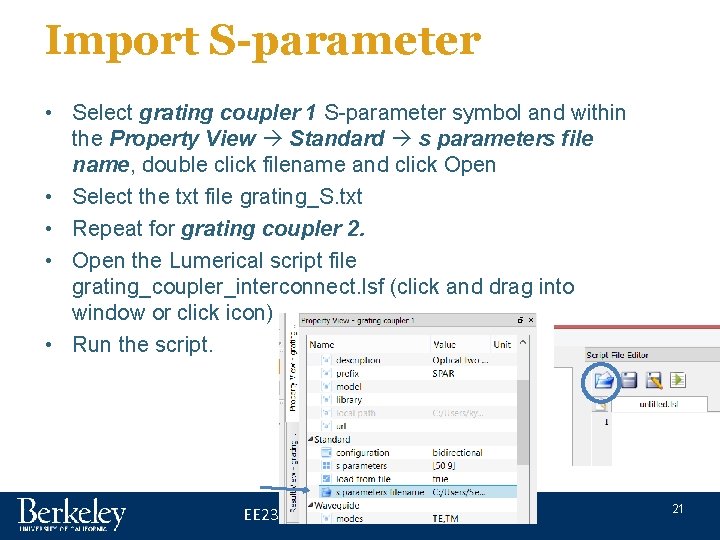
Import S-parameter • Select grating coupler 1 S-parameter symbol and within the Property View Standard s parameters file name, double click filename and click Open • Select the txt file grating_S. txt • Repeat for grating coupler 2. • Open the Lumerical script file grating_coupler_interconnect. lsf (click and drag into window or click icon) • Run the script. EE 232 Discussion 3/2/2017 21
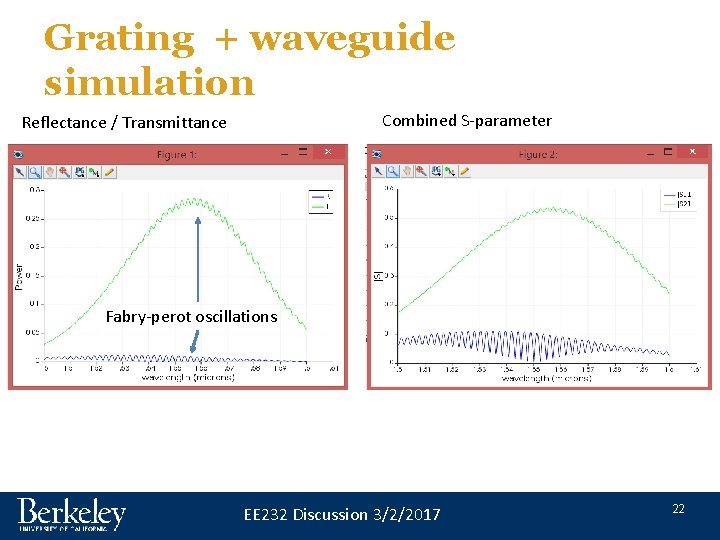
Grating + waveguide simulation Combined S-parameter Reflectance / Transmittance Fabry-perot oscillations EE 232 Discussion 3/2/2017 22
Summary • This approach of extracting S-parameters and using INTERCONNECT to run a system level circuit simulation has two primary benefits: – Break large simulation up into smaller simulations to reduce memory requirement (may be useful for final project). – Import empirically extracted S-parameters to build physically based model of a full system. EE 232 Discussion 3/2/2017 23