customer university logo Reaxys Make the most of


- Slides: 18
customer / university logo Reaxys Make the most of your access to Reaxys
Reaxys Training Deck Everything you need to find chemistry information The best way to learn how to use Reaxys is to start searching. It is designed to deliver relevant chemistry information to everyone who uses it, no matter what their experience, discipline or expertise. It’s easy to get started, to navigate through results, and to develop more sophisticated research skills. 1. Sign into Reaxys 2. Perform a Quick Search 3. Use the Query Builder 4. Explore document records 5. Explore substance records 6. Explore reaction records 7. Export data Reaxys Elsevier’s leading research solution for intuitive retrieval of chemistry information 2
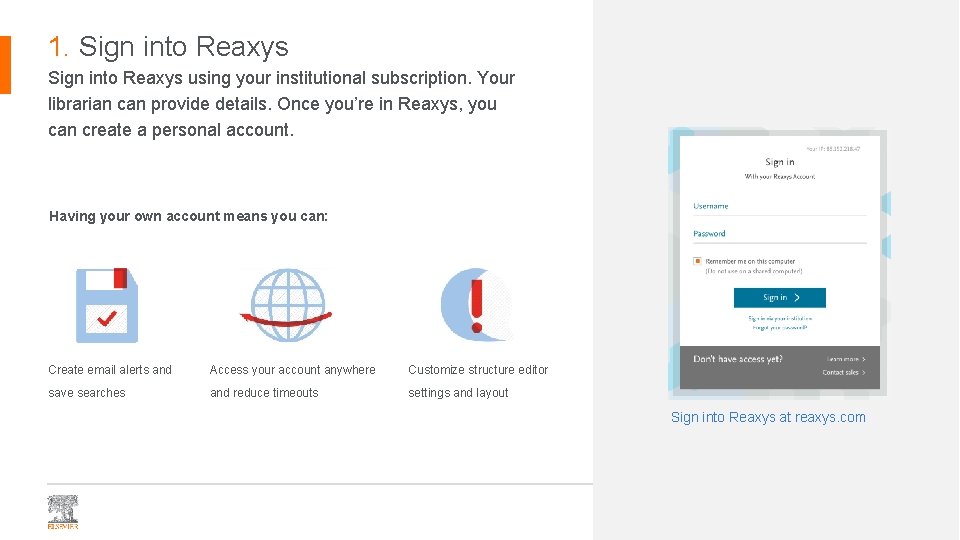
1. Sign into Reaxys using your institutional subscription. Your librarian can provide details. Once you’re in Reaxys, you can create a personal account. Having your own account means you can: Create email alerts and Access your account anywhere Customize structure editor save searches and reduce timeouts settings and layout Sign into Reaxys at reaxys. com 3
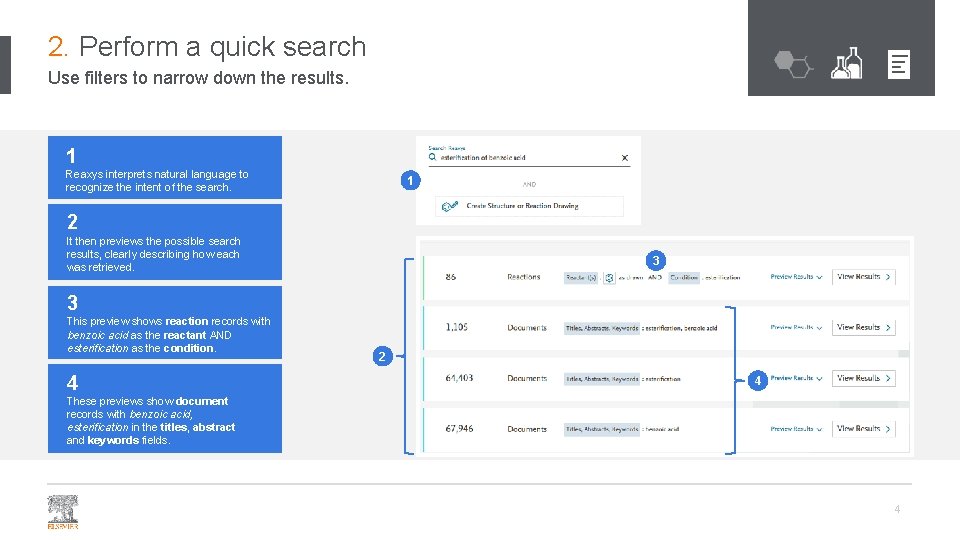
2. Perform a quick search Use filters to narrow down the results. 1 Reaxys interprets natural language to recognize the intent of the search. 1 2 It then previews the possible search results, clearly describing how each was retrieved. 3 3 This preview shows reaction records with benzoic acid as the reactant AND esterification as the condition. 4 2 4 These previews show document records with benzoic acid, esterification in the titles, abstract and keywords fields. 4
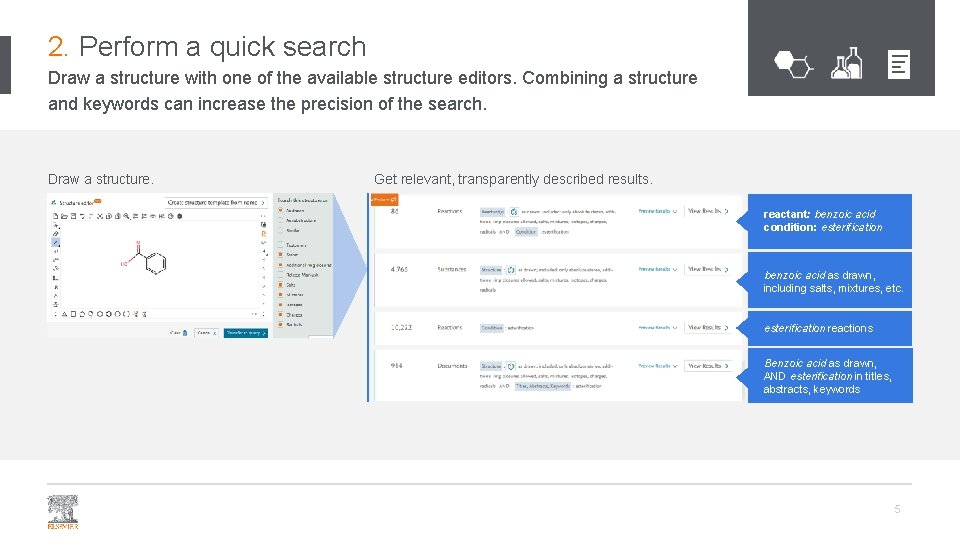
2. Perform a quick search Draw a structure with one of the available structure editors. Combining a structure and keywords can increase the precision of the search. Draw a structure. Get relevant, transparently described results. reactant: benzoic acid condition: esterification benzoic acid as drawn, including salts, mixtures, etc. esterification reactions Benzoic acid as drawn, AND esterification in titles, abstracts, keywords 5
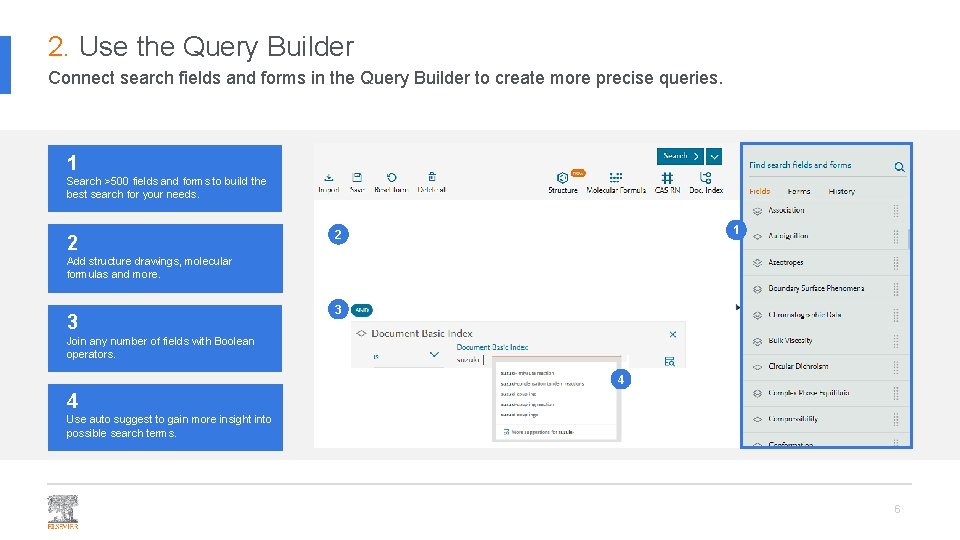
2. Use the Query Builder Connect search fields and forms in the Query Builder to create more precise queries. 1 Search >500 fields and forms to build the best search for your needs. 2 1 2 Add structure drawings, molecular formulas and more. 3 3 Join any number of fields with Boolean operators. 4 4 Use auto suggest to gain more insight into possible search terms. 6
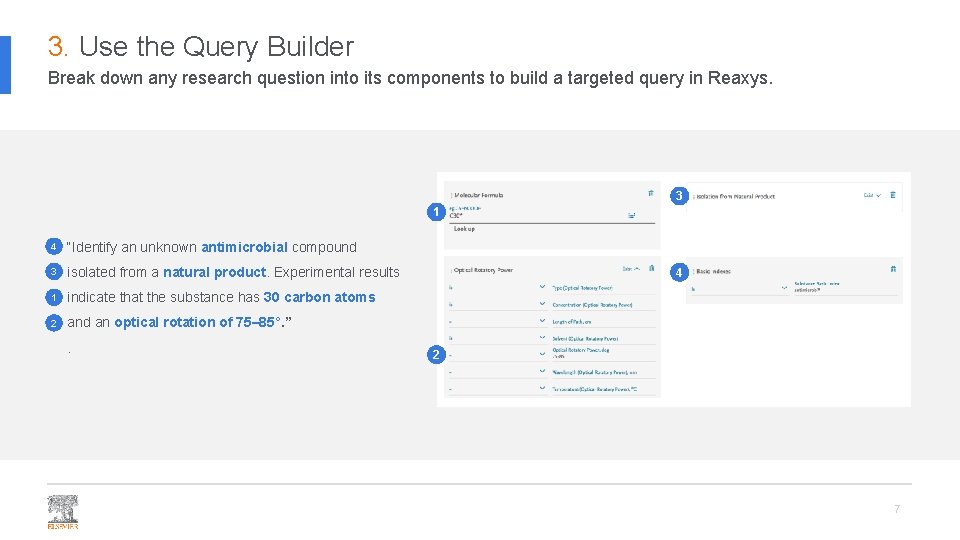
3. Use the Query Builder Break down any research question into its components to build a targeted query in Reaxys. 3 1 4 “Identify an unknown antimicrobial compound 3 isolated from a natural product. Experimental results 1 indicate that the substance has 30 carbon atoms 2 and an optical rotation of 75– 85°. ”. 4 2 7
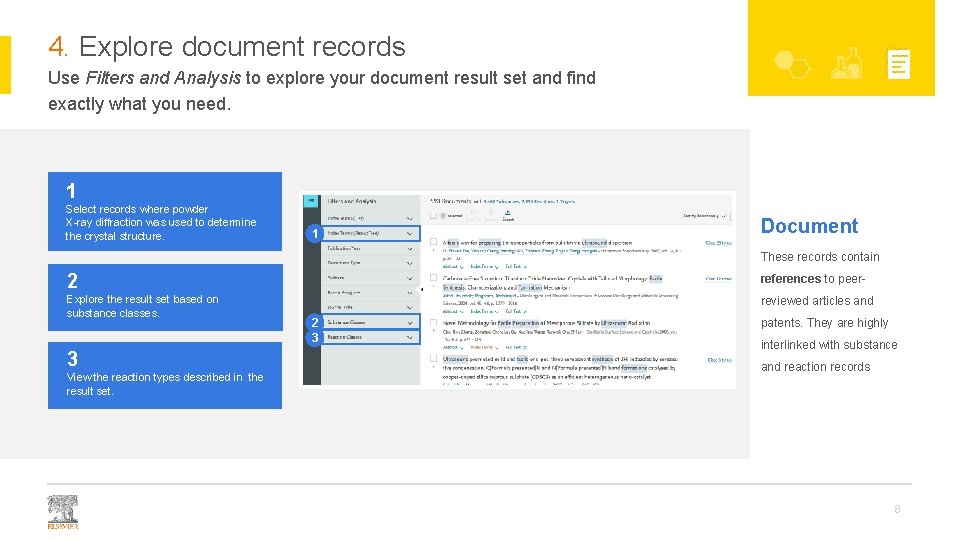
4. Explore document records Use Filters and Analysis to explore your document result set and find exactly what you need. 1 Select records where powder X-ray diffraction was used to determine the crystal structure. 1 Document These records contain 2 references to peer- Explore the result set based on substance classes. reviewed articles and 3 View the reaction types described in the result set. 2 3 patents. They are highly interlinked with substance and reaction records 8
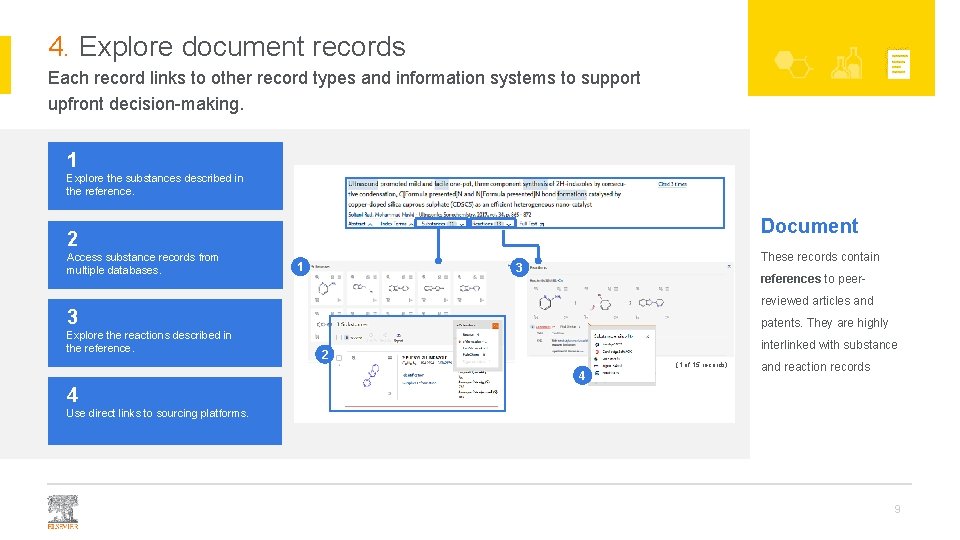
4. Explore document records Each record links to other record types and information systems to support upfront decision-making. 1 Explore the substances described in the reference. Document 2 Access substance records from multiple databases. 1 These records contain 3 references to peerreviewed articles and 3 Explore the reactions described in the reference. patents. They are highly interlinked with substance 2 (1 of 15 records) 4 and reaction records 4 Use direct links to sourcing platforms. 9
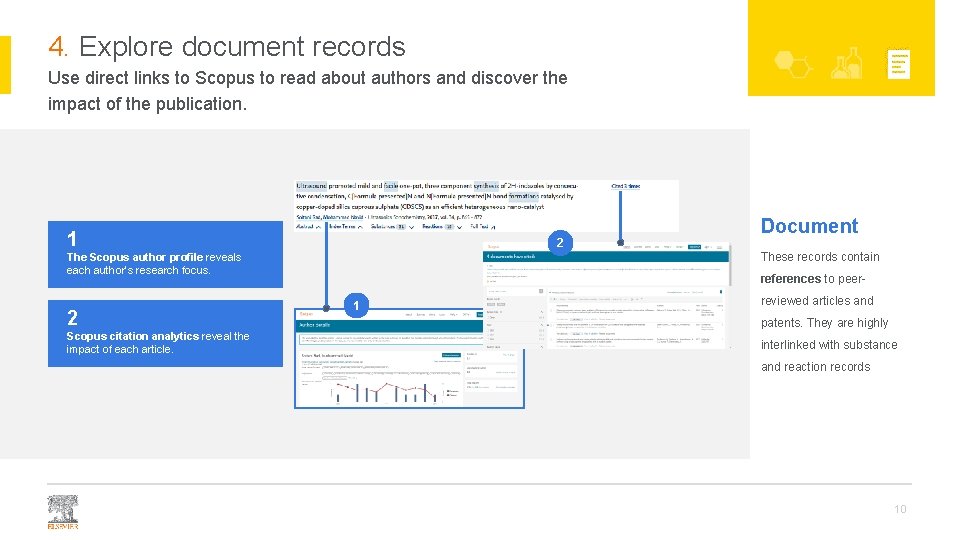
4. Explore document records Use direct links to Scopus to read about authors and discover the impact of the publication. 1 2 These records contain The Scopus author profile reveals each author’s research focus. 2 Scopus citation analytics reveal the impact of each article. Document references to peer- 1 reviewed articles and patents. They are highly interlinked with substance and reaction records 10
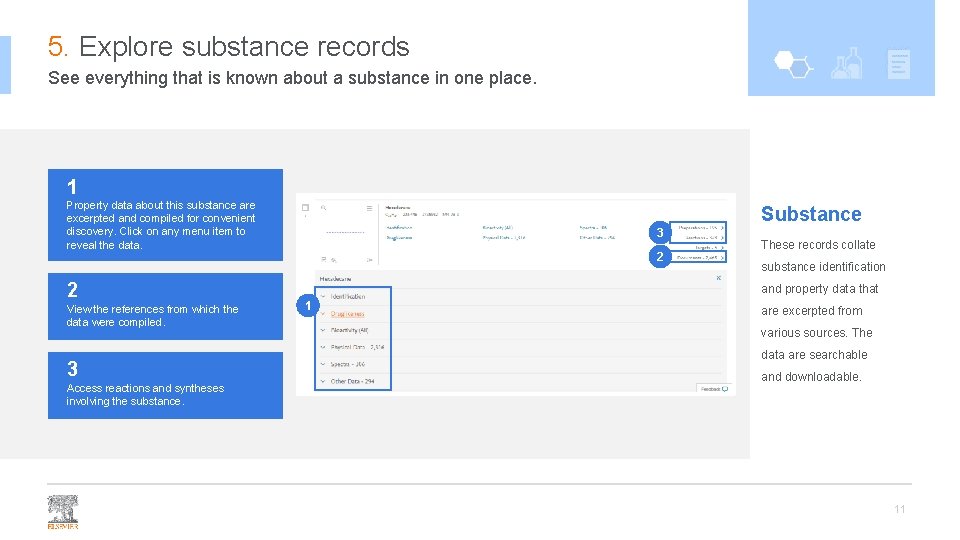
5. Explore substance records See everything that is known about a substance in one place. 1 Property data about this substance are excerpted and compiled for convenient discovery. Click on any menu item to reveal the data. 2 View the references from which the data were compiled. 3 Access reactions and syntheses involving the substance. Substance 3 2 These records collate substance identification and property data that 1 are excerpted from various sources. The data are searchable and downloadable. 11
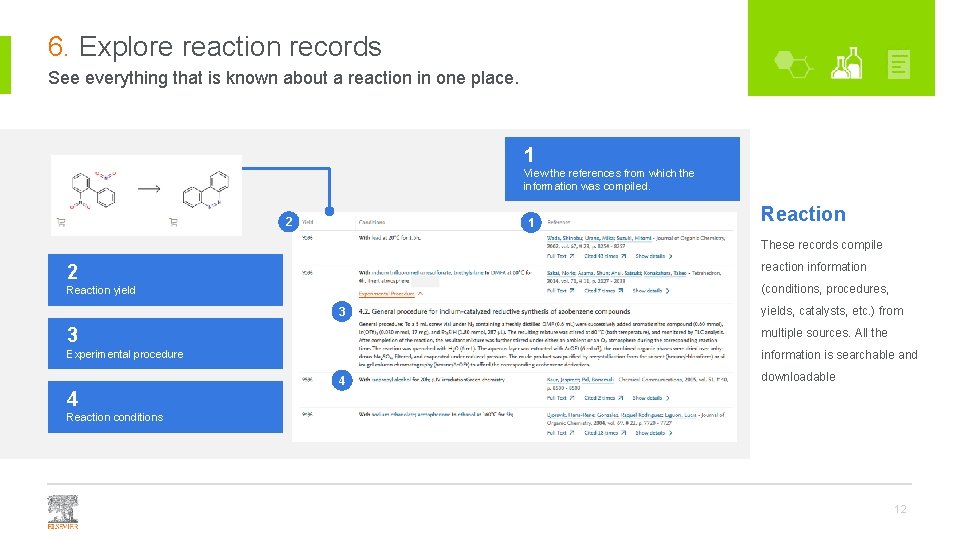
6. Explore reaction records See everything that is known about a reaction in one place. 1 View the references from which the information was compiled. 2 1 Reaction These records compile reaction information 2 (conditions, procedures, Reaction yield 3 yields, catalysts, etc. ) from 3 multiple sources. All the Experimental procedure information is searchable and 4 downloadable 4 Reaction conditions 12
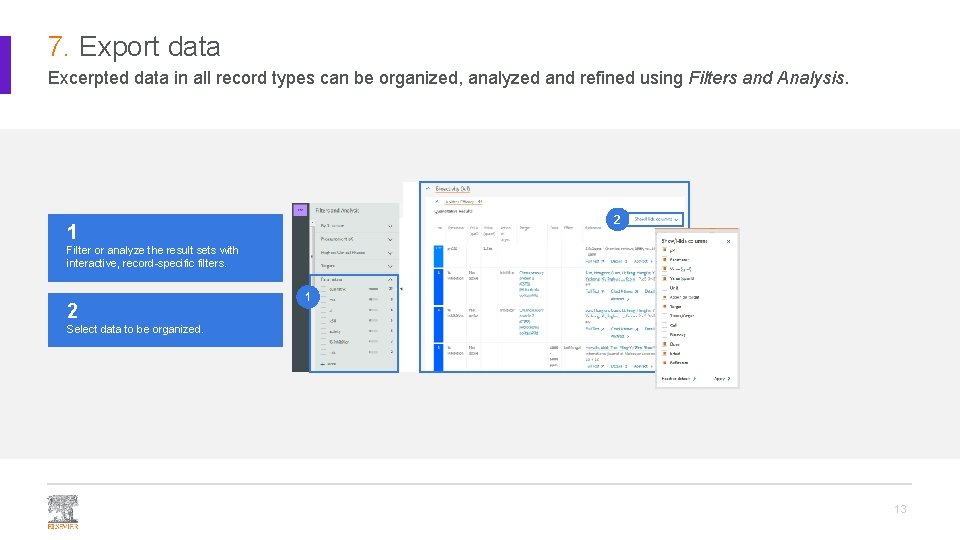
7. Export data Excerpted data in all record types can be organized, analyzed and refined using Filters and Analysis. 2 1 Filter or analyze the result sets with interactive, record-specific filters. 2 1 Select data to be organized. 13
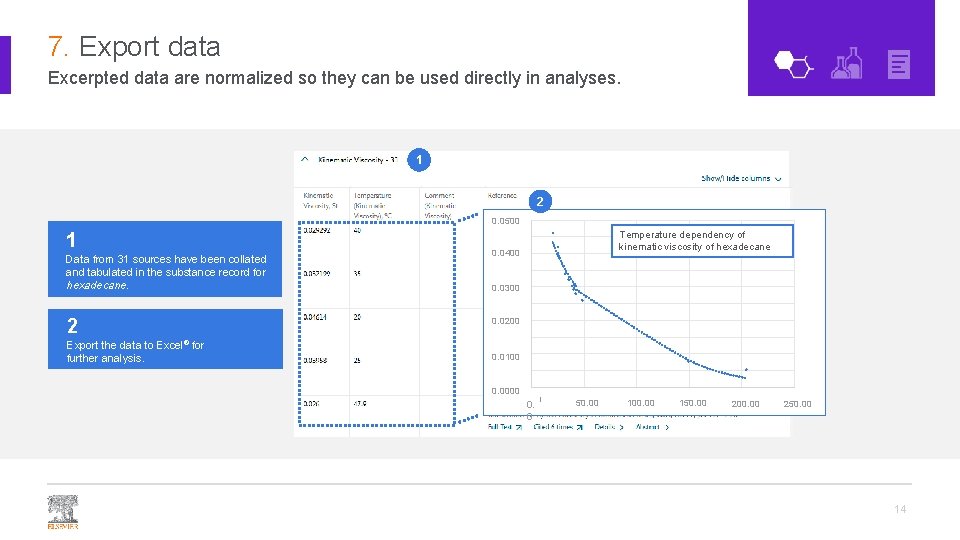
7. Export data Excerpted data are normalized so they can be used directly in analyses. 1 2 0. 0500 1 Data from 31 sources have been collated and tabulated in the substance record for hexadecane. Temperature dependency of kinematic viscosity of hexadecane 0. 0450 0. 0400 0. 0350 0. 0300 0. 0250 2 Export the data to Excel® for further analysis. 0. 0200 0. 0150 0. 0100 0. 0050 0. 0000 0. 0 50. 00 100. 00 150. 00 200. 00 250. 00 14
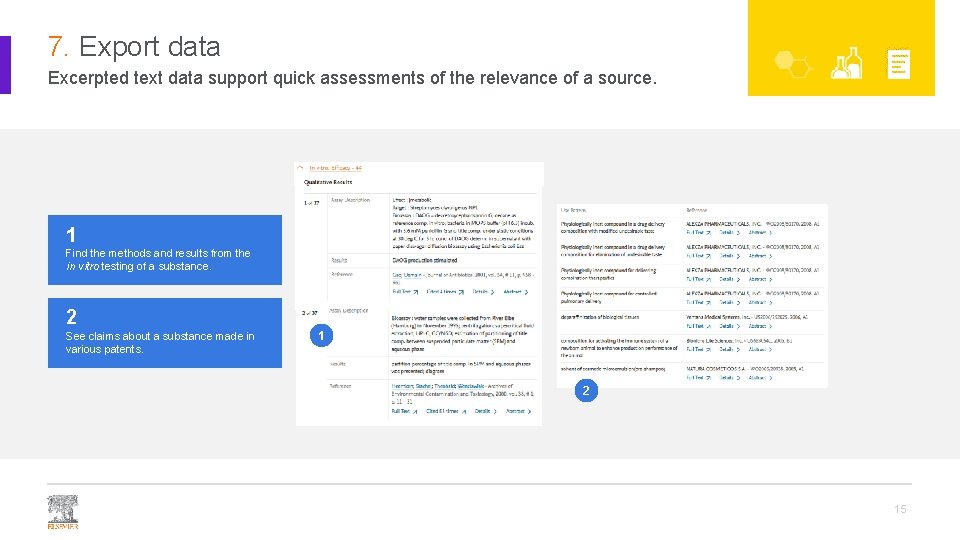
7. Export data Excerpted text data support quick assessments of the relevance of a source. 1 Find the methods and results from the in vitro testing of a substance. 2 See claims about a substance made in various patents. 1 2 15
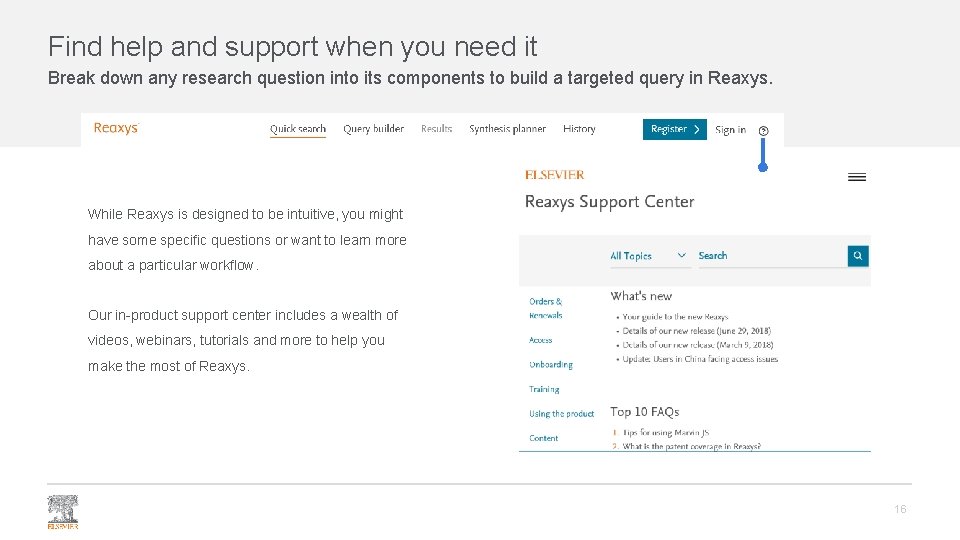
Find help and support when you need it Break down any research question into its components to build a targeted query in Reaxys. While Reaxys is designed to be intuitive, you might have some specific questions or want to learn more about a particular workflow. Our in-product support center includes a wealth of videos, webinars, tutorials and more to help you make the most of Reaxys. 16
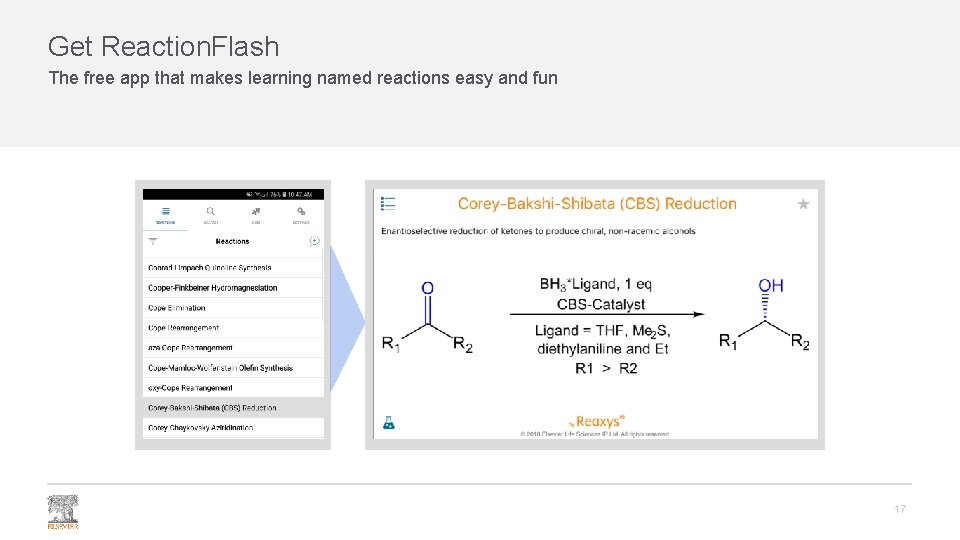
Get Reaction. Flash The free app that makes learning named reactions easy and fun 17
Thank you Facebook /elsevier. reaxys Twitter @Reaxys is a trademark of Elsevier Life Sciences IP Limited, used under license. Copyright © 2019, Elsevier B. V January 2019