Custom Output Reports in CAESAR II Nigel Marsh



- Slides: 37
Custom Output Reports in CAESAR II Nigel Marsh Chief Pipe Stress Analysis Engineer Worley Parsons Australia © Intergraph 2014
Custom Output Reports in CAESAR II Content ¢ ¢ ¢ CAESAR II Output Module Building Custom Reports Sharing Custom Reports Typical Custom Reports Other Output Module Features © Intergraph 2014
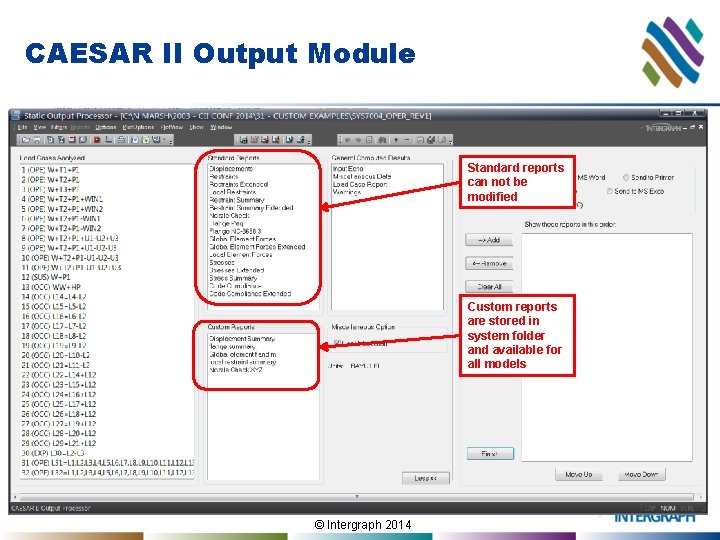
CAESAR II Output Module Standard reports can not be modified Custom reports are stored in system folder and available for all models © Intergraph 2014
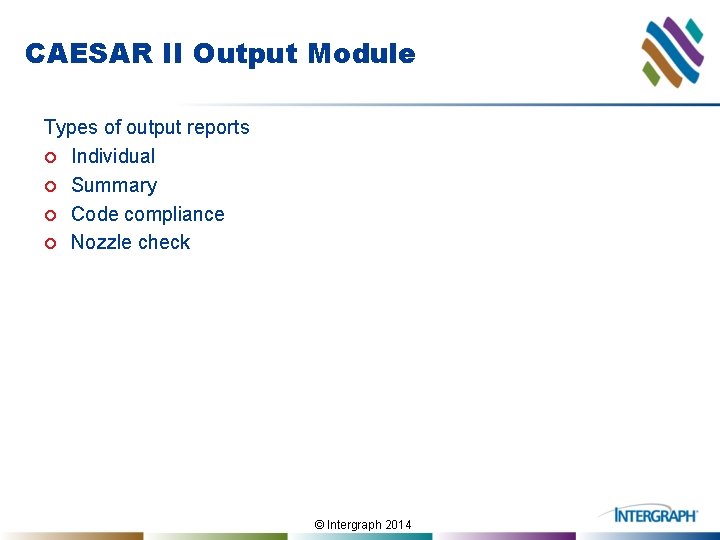
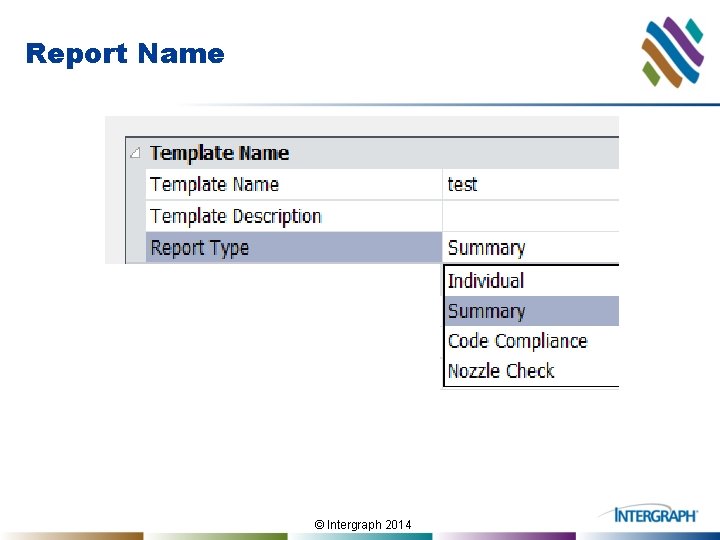
CAESAR II Output Module Types of output reports ¢ Individual ¢ Summary ¢ Code compliance ¢ Nozzle check © Intergraph 2014
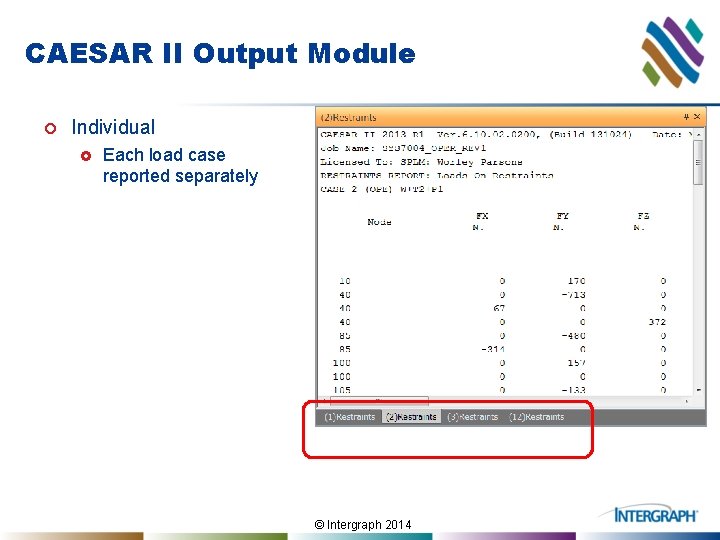
CAESAR II Output Module ¢ Individual £ Each load case reported separately © Intergraph 2014
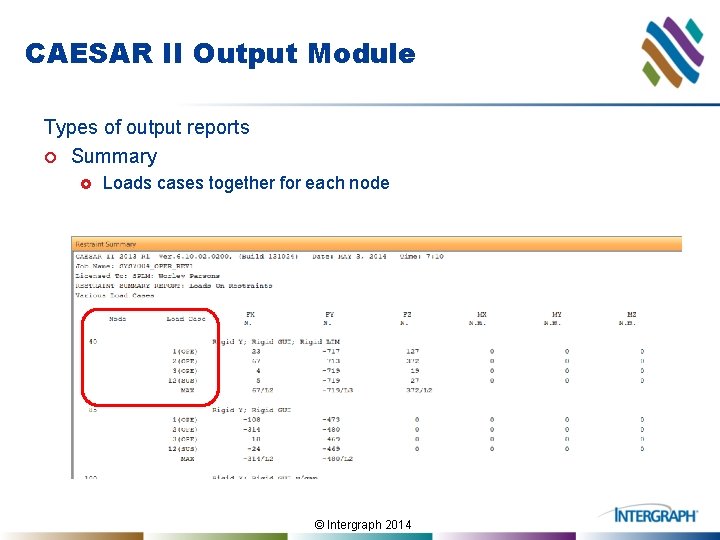
CAESAR II Output Module Types of output reports ¢ Summary £ Loads cases together for each node © Intergraph 2014
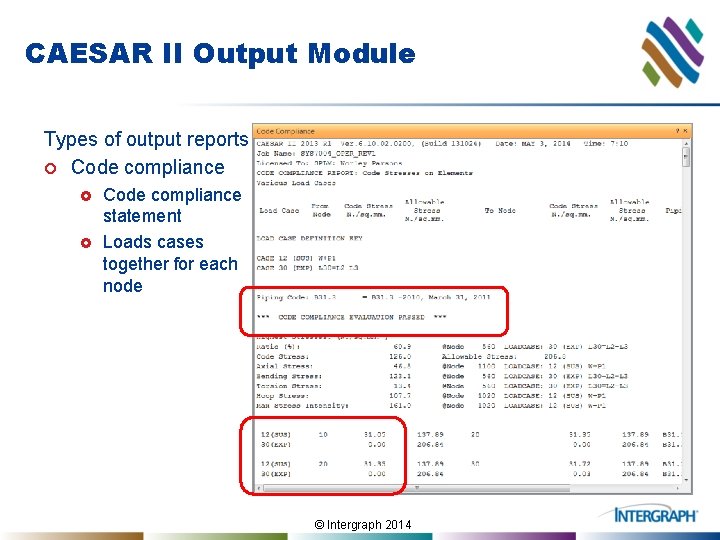
CAESAR II Output Module Types of output reports ¢ Code compliance £ £ Code compliance statement Loads cases together for each node © Intergraph 2014
CAESAR II Output Module Types of output reports ¢ Nozzle check © Intergraph 2014
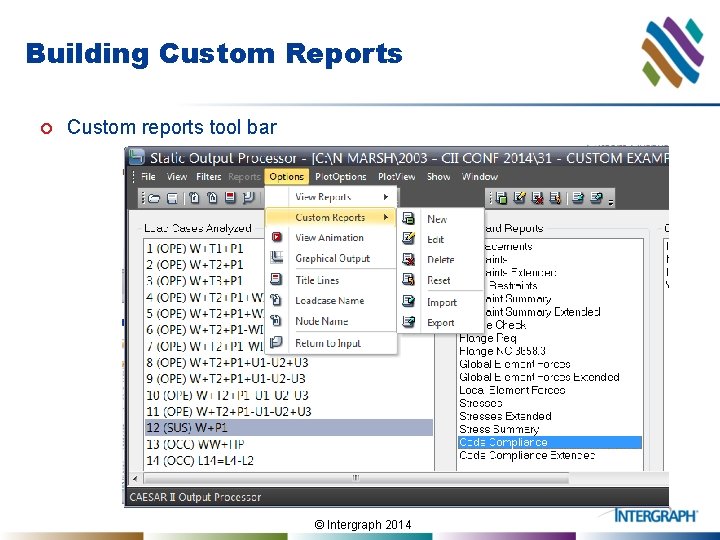
Building Custom Reports ¢ Custom reports tool bar © Intergraph 2014
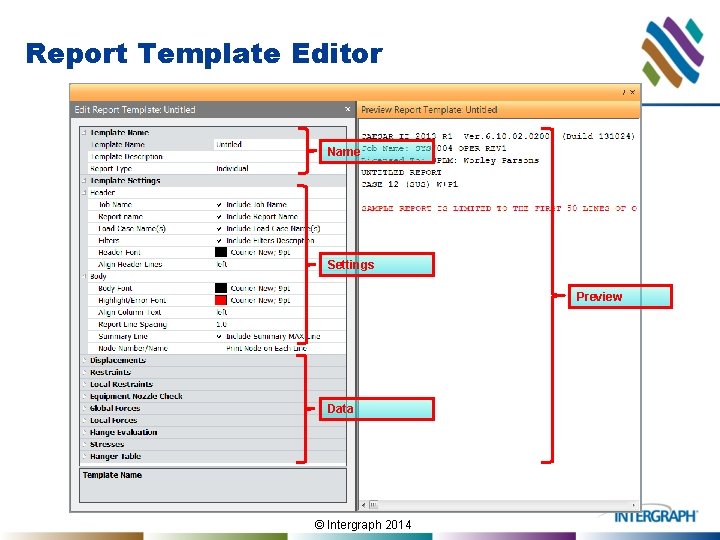
Report Template Editor Name Settings Preview Data © Intergraph 2014
Report Name © Intergraph 2014
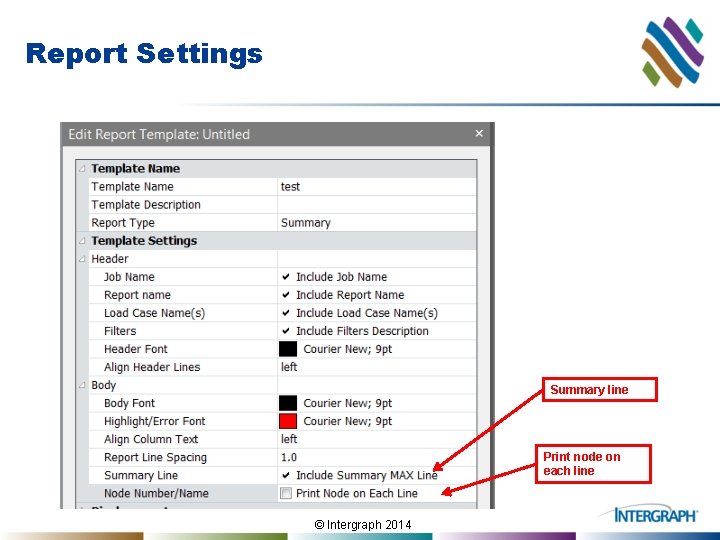
Report Settings Summary line Print node on each line © Intergraph 2014
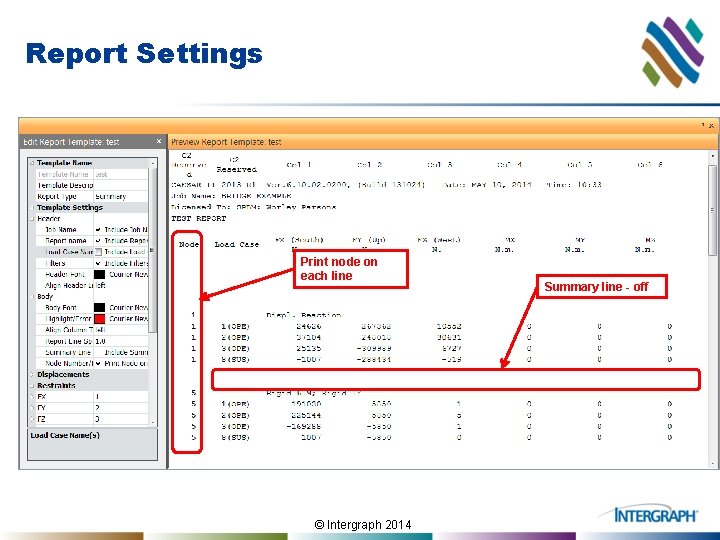
Report Settings Print node on each line © Intergraph 2014 Summary line - off
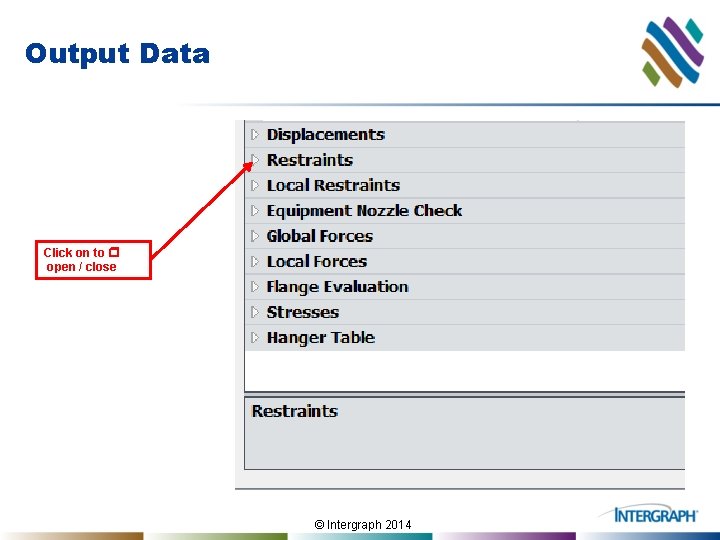
Output Data Click on to r open / close © Intergraph 2014
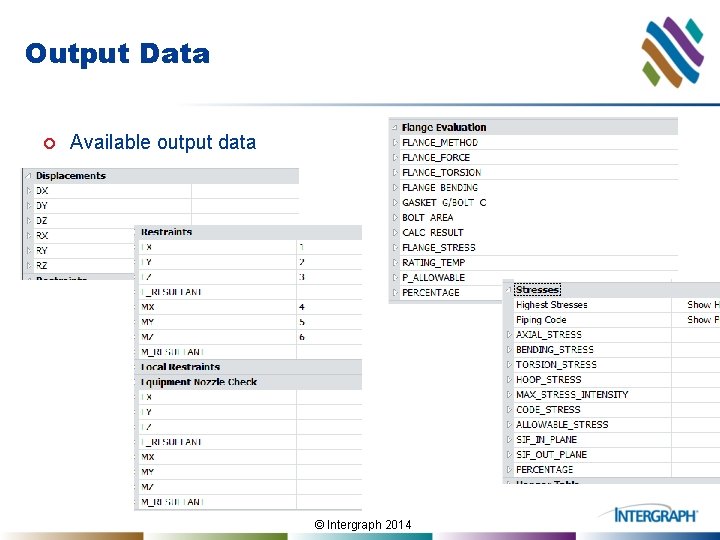
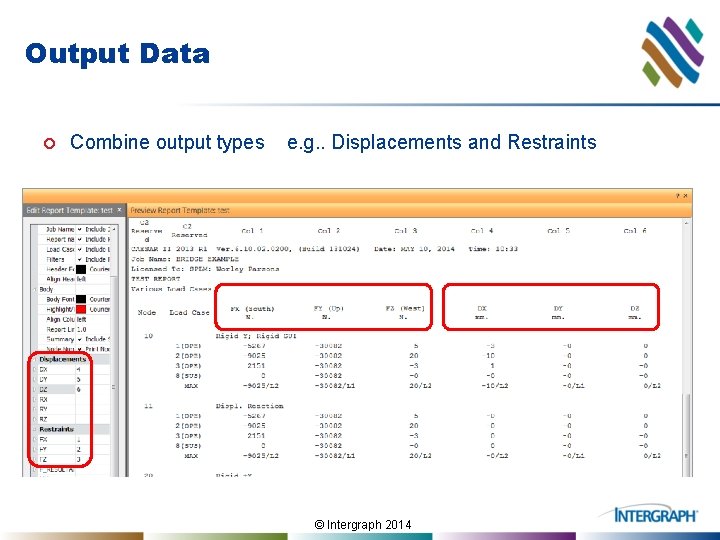
Output Data ¢ Available output data © Intergraph 2014
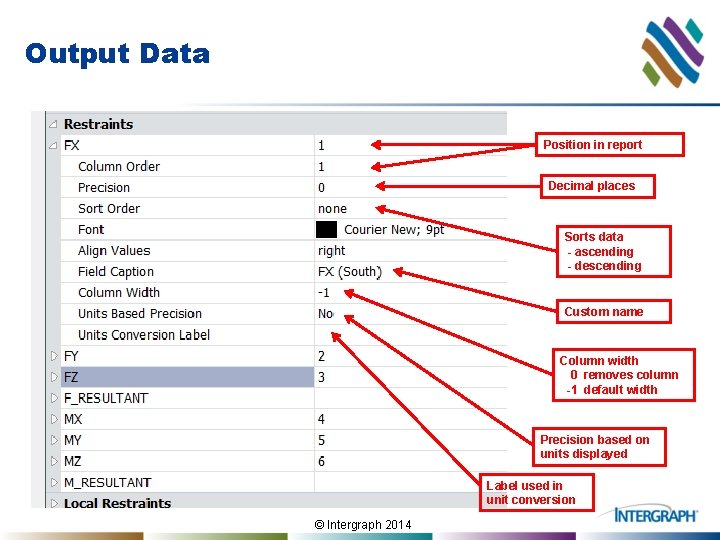
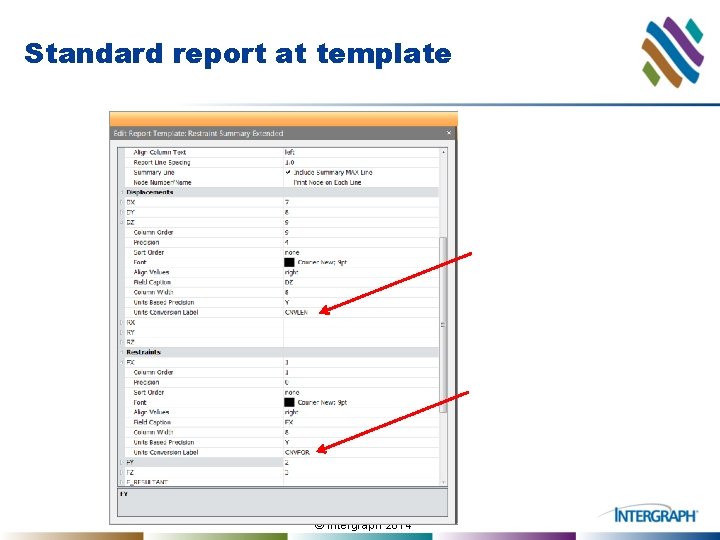
Output Data Position in report Decimal places Sorts data - ascending - descending Custom name Column width 0 removes column -1 default width Precision based on units displayed Label used in unit conversion © Intergraph 2014
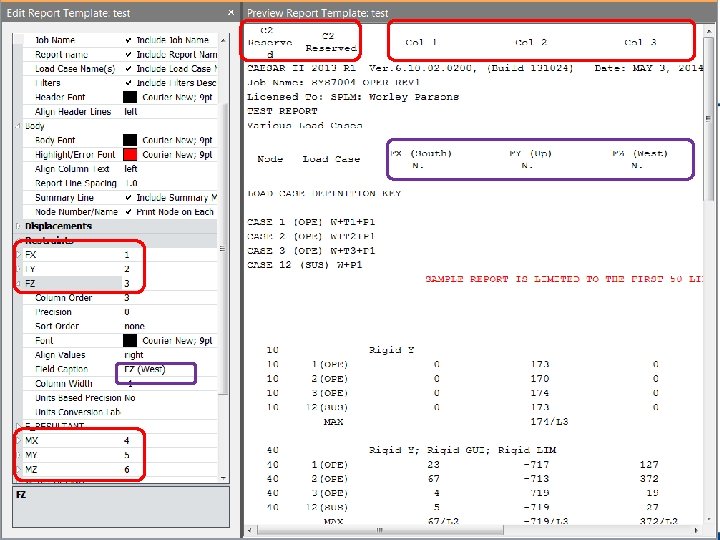
© Intergraph 2014
Output Data ¢ Combine output types e. g. . Displacements and Restraints © Intergraph 2014
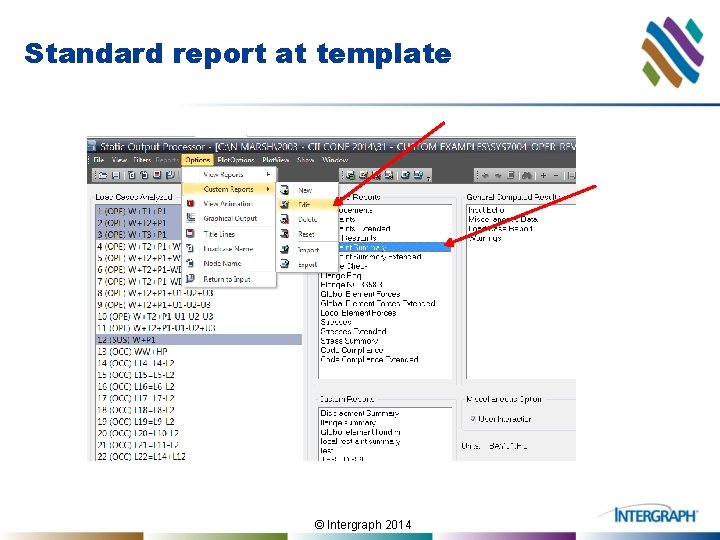
Standard report at template © Intergraph 2014
Standard report at template © Intergraph 2014
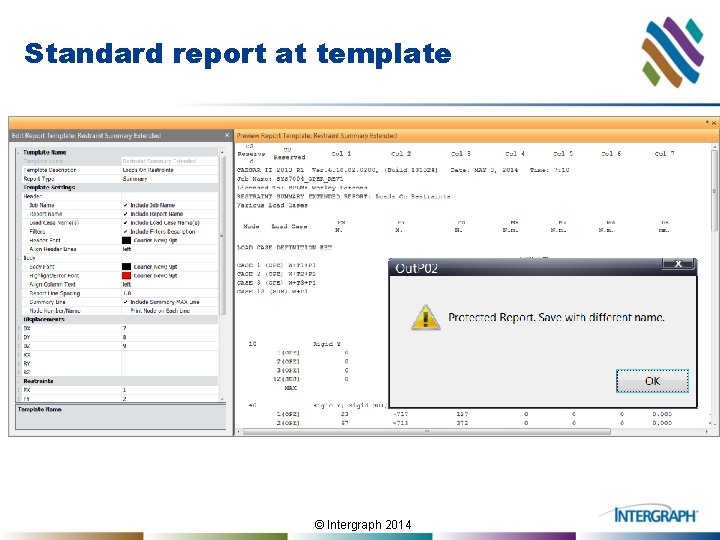
Standard report at template © Intergraph 2014
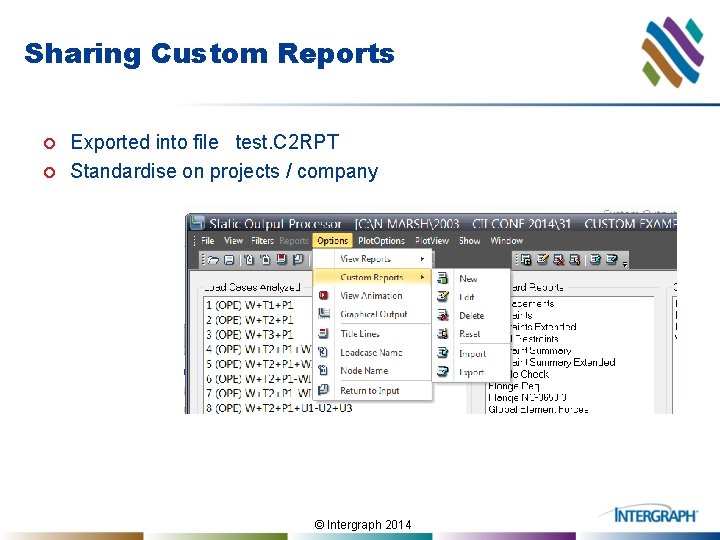
Sharing Custom Reports ¢ ¢ Exported into file test. C 2 RPT Standardise on projects / company © Intergraph 2014
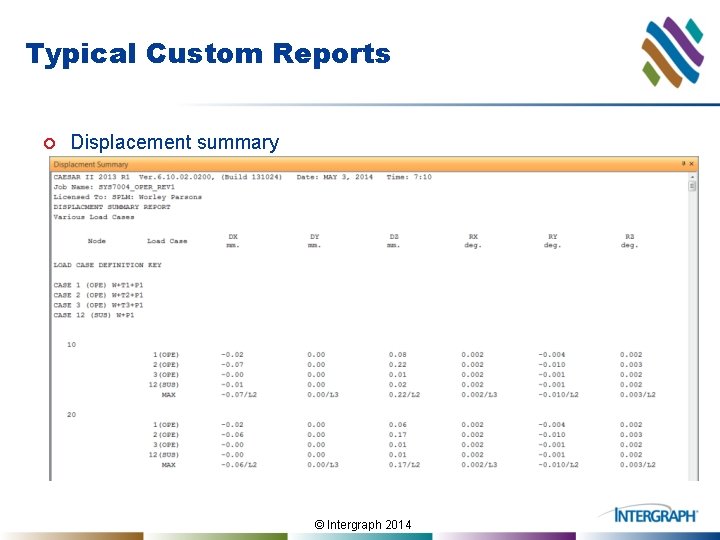
Typical Custom Reports ¢ Displacement summary © Intergraph 2014
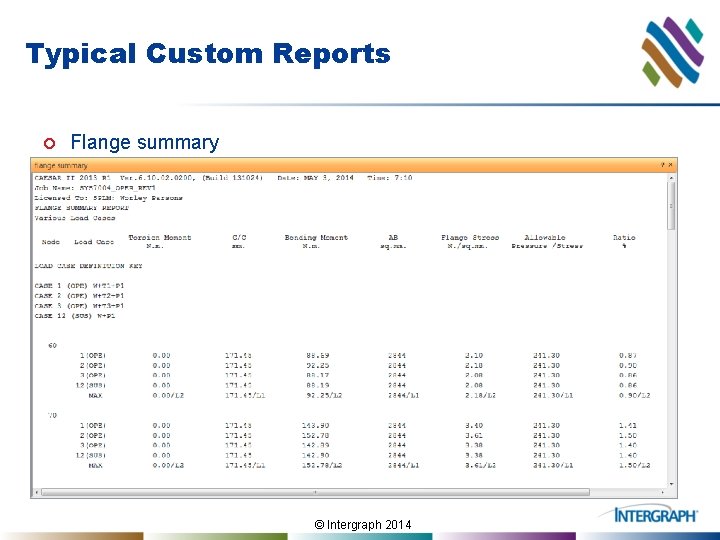
Typical Custom Reports ¢ Flange summary © Intergraph 2014
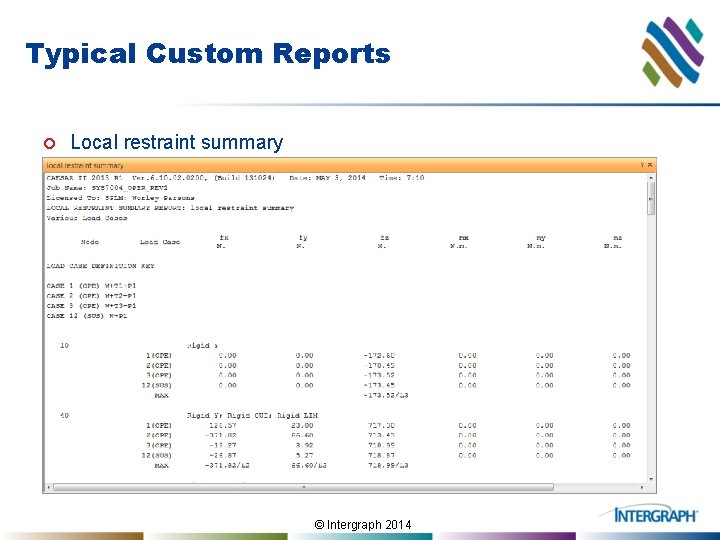
Typical Custom Reports ¢ Local restraint summary © Intergraph 2014
Custom Reports ¢ Questions? © Intergraph 2014
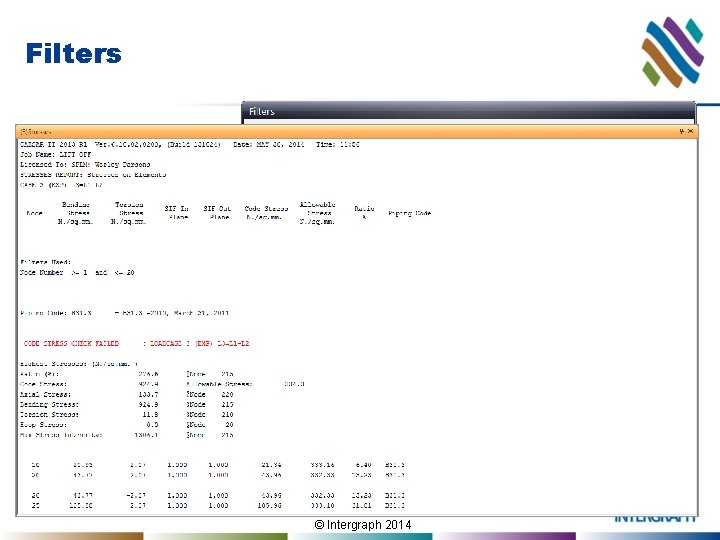
Filters ¢ ¢ Filter on Node number Node filter not applied to stress summary © Intergraph 2014
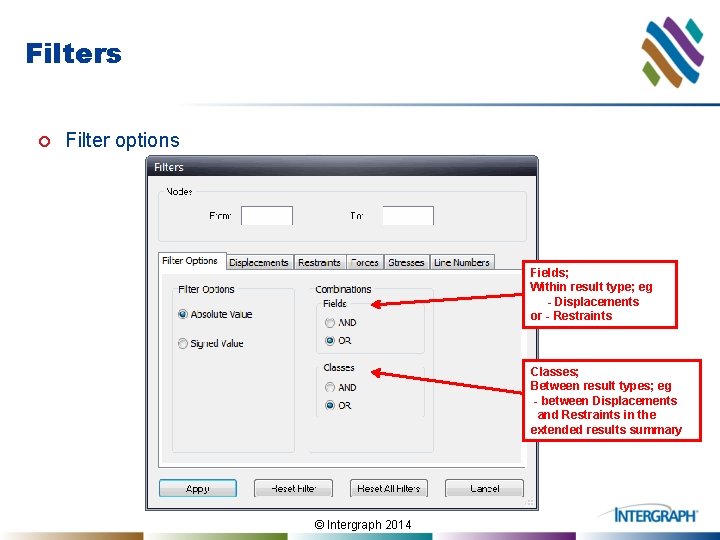
Filters ¢ Filter options Fields; Within result type; eg - Displacements or - Restraints Classes; Between result types; eg - between Displacements and Restraints in the extended results summary © Intergraph 2014
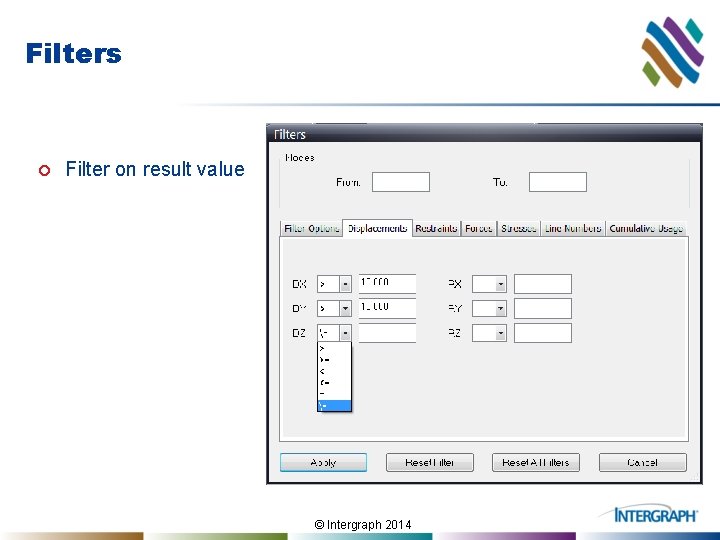
Filters ¢ Filter on result value © Intergraph 2014
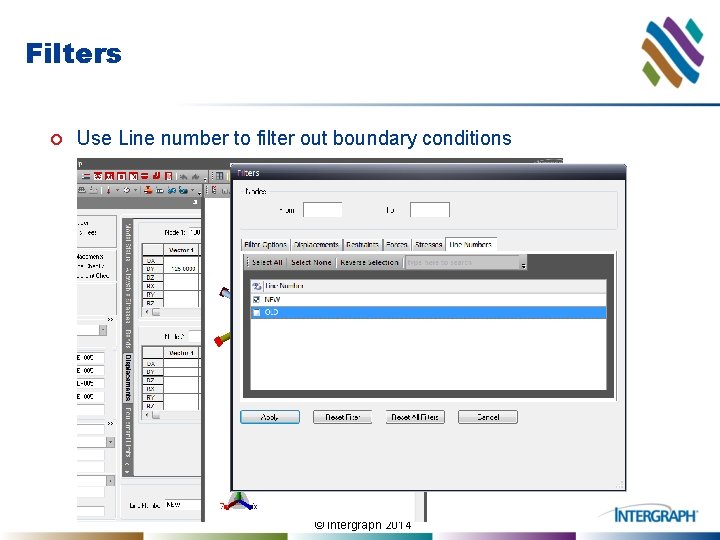
Filters ¢ Use Line number to filter out boundary conditions © Intergraph 2014
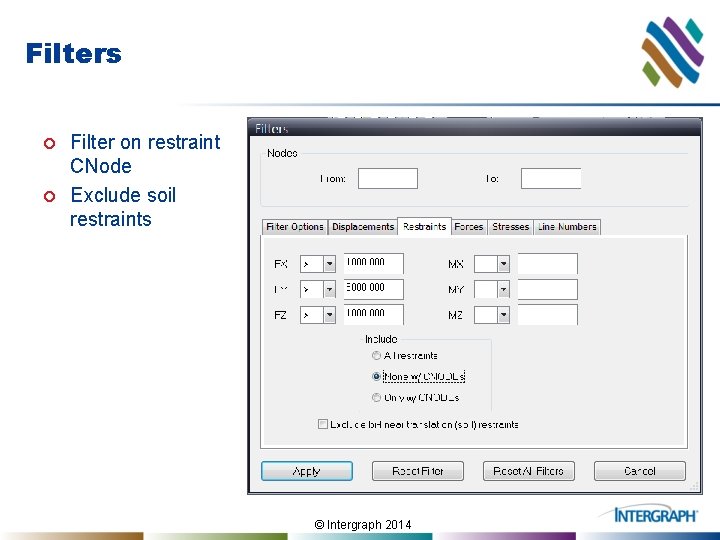
Filters ¢ ¢ Filter on restraint CNode Exclude soil restraints © Intergraph 2014
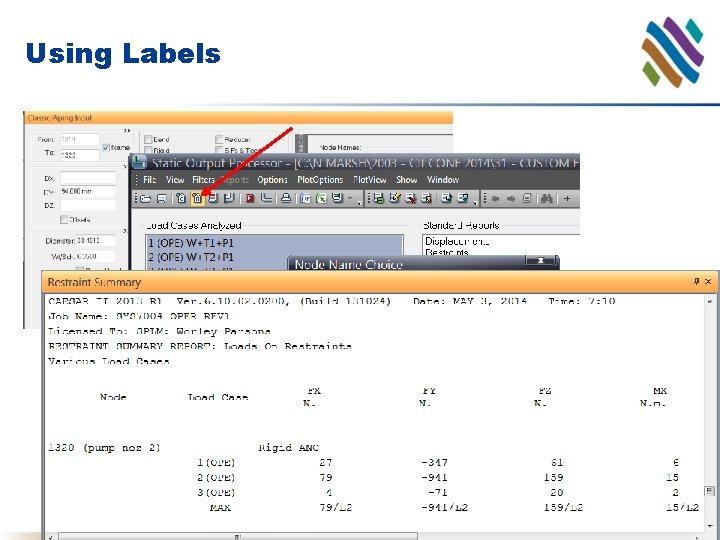
Using Labels © Intergraph 2014
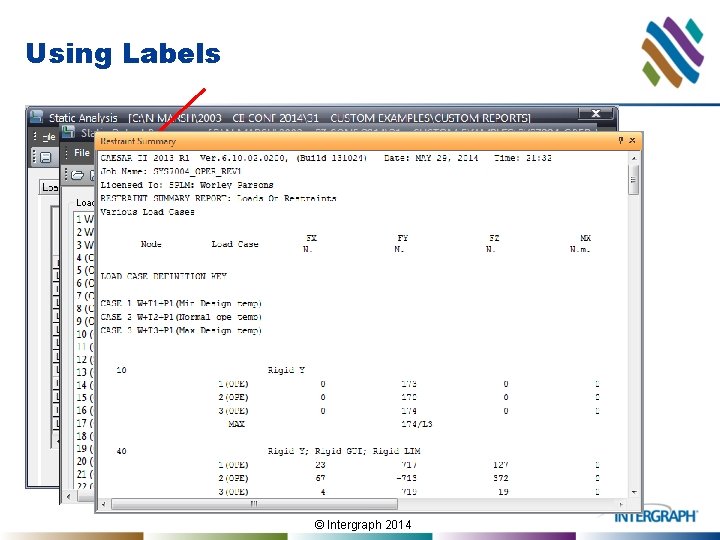
Using Labels © Intergraph 2014
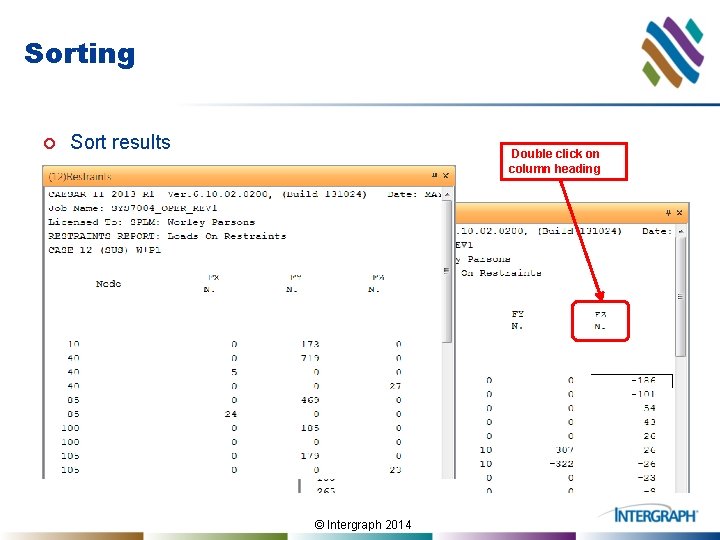
Sorting ¢ Sort results Double click on column heading © Intergraph 2014
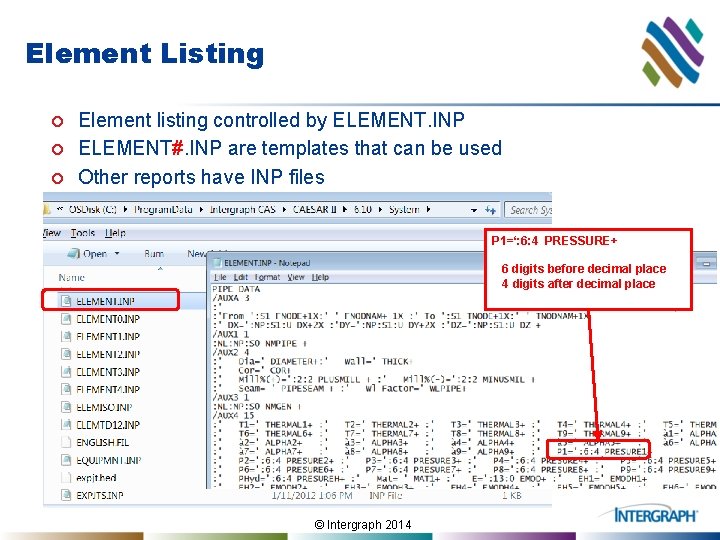
Element Listing ¢ ¢ ¢ Element listing controlled by ELEMENT. INP ELEMENT#. INP are templates that can be used Other reports have INP files P 1=‘: 6: 4 PRESSURE+ 6 digits before decimal place 4 digits after decimal place © Intergraph 2014
Summary ¢ ¢ Custom reports saves time Custom reports improves accuracy Share custom reports Other Output Features © Intergraph 2014
Custom Output Reports in CAESAR II Thank You Nigel Marsh Chief Pipe Stress Analysis Engineer Worley Parsons Australia © Intergraph 2014