CS 640 Introduction to Computer Networks Aditya Akella


- Slides: 39
CS 640: Introduction to Computer Networks Aditya Akella Lecture 4 Design Philosophy, Application Protocols and Performance
The Road Ahead • Design Philosophy • Application protocol examples – ftp – http • Performance – Delay – Bandwidth-delay product – Effective Throughput
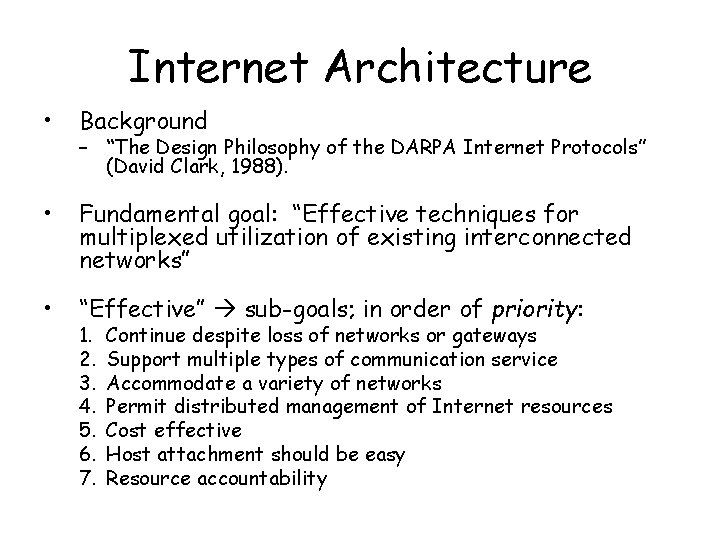
Internet Architecture • Background • Fundamental goal: “Effective techniques for multiplexed utilization of existing interconnected networks” • “Effective” sub-goals; in order of priority: – “The Design Philosophy of the DARPA Internet Protocols” (David Clark, 1988). 1. 2. 3. 4. 5. 6. 7. Continue despite loss of networks or gateways Support multiple types of communication service Accommodate a variety of networks Permit distributed management of Internet resources Cost effective Host attachment should be easy Resource accountability
Priorities: How Important Can they Be? • The effects of the order of items in that list are still felt today – E. g. , resource accounting is a hard, current research topic! • Let’s look at them in detail
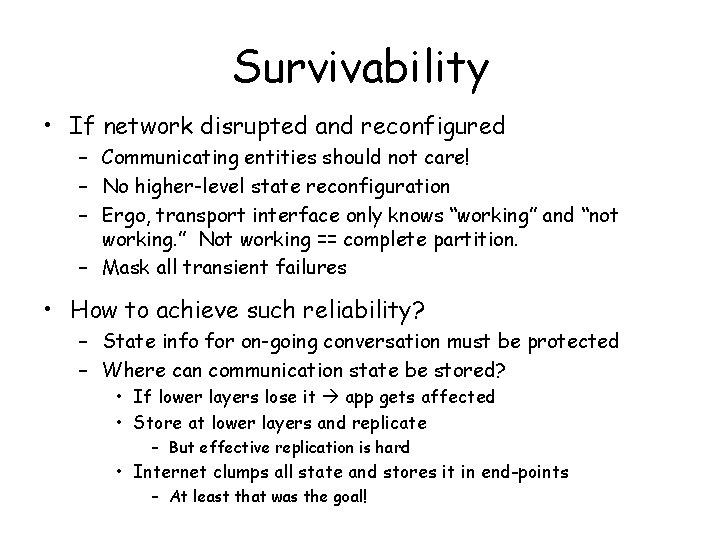
Survivability • If network disrupted and reconfigured – Communicating entities should not care! – No higher-level state reconfiguration – Ergo, transport interface only knows “working” and “not working. ” Not working == complete partition. – Mask all transient failures • How to achieve such reliability? – State info for on-going conversation must be protected – Where can communication state be stored? • If lower layers lose it app gets affected • Store at lower layers and replicate – But effective replication is hard • Internet clumps all state and stores it in end-points – At least that was the goal!
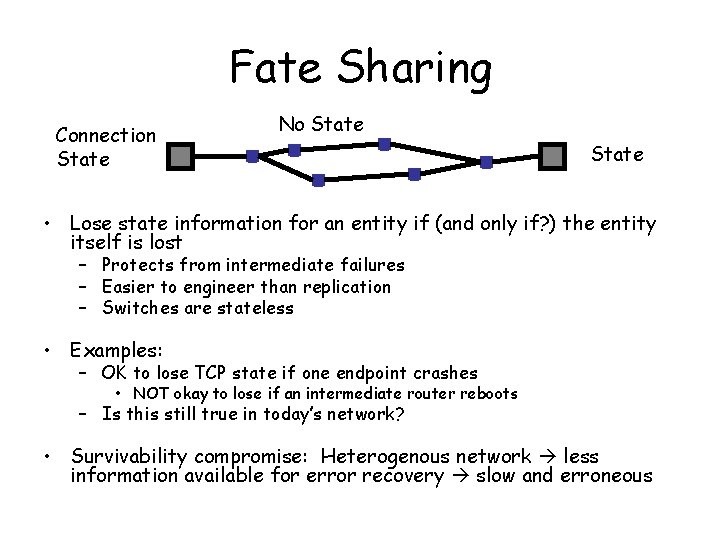
Fate Sharing Connection State No State • Lose state information for an entity if (and only if? ) the entity itself is lost – Protects from intermediate failures – Easier to engineer than replication – Switches are stateless • Examples: – OK to lose TCP state if one endpoint crashes • NOT okay to lose if an intermediate router reboots – Is this still true in today’s network? • Survivability compromise: Heterogenous network less information available for error recovery slow and erroneous
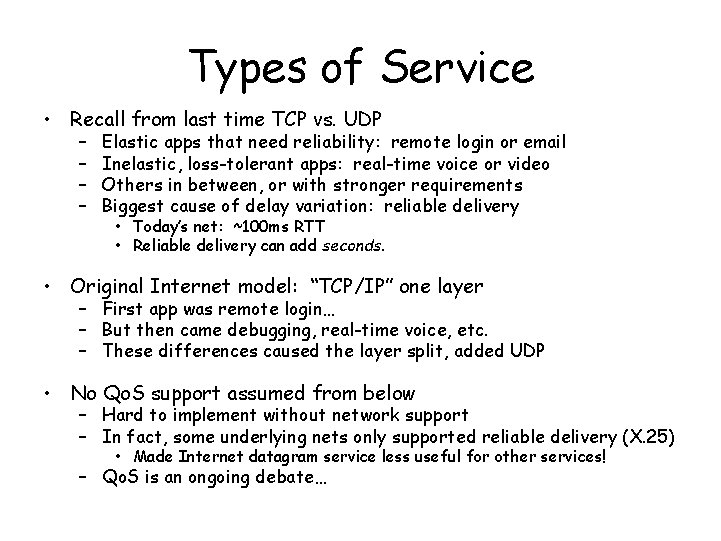
Types of Service • Recall from last time TCP vs. UDP – – Elastic apps that need reliability: remote login or email Inelastic, loss-tolerant apps: real-time voice or video Others in between, or with stronger requirements Biggest cause of delay variation: reliable delivery • Today’s net: ~100 ms RTT • Reliable delivery can add seconds. • Original Internet model: “TCP/IP” one layer – First app was remote login… – But then came debugging, real-time voice, etc. – These differences caused the layer split, added UDP • No Qo. S support assumed from below – Hard to implement without network support – In fact, some underlying nets only supported reliable delivery (X. 25) • Made Internet datagram service less useful for other services! – Qo. S is an ongoing debate…
Varieties of Networks • A lot of different types of networks… – Interconnect the ARPANET, X. 25 networks, LANs, satellite networks, packet networks, serial links… • Mininum set of assumptions for underlying net – – Network can support a packet or a datagram Minimum packet size Reasonable delivery odds, but not 100% Some form of addressing unless point to point • Important non-assumptions: – – Perfect reliability Broadcast, multicast Priority handling of traffic Internal knowledge of delays, speeds, failures, etc.
The “Other” goals • Management – Today’s Internet is decentralized – BGP management is decentralized and hard – Very coarse tools. Still in the “assembly language” stage • Cost effectiveness and efficiency – – E. g. headers fairly long for small packets But economies of scale won out Packet overhead less important by the year Also, Internet cheaper than most dedicated networks • Attaching a host – Not awful; DHCP and related autoconfiguration technologies helping.
Accountability • Huge problem. – Not an initial focus of the military network • Accounting – Billing? (mostly flat-rate. But phones are moving that way too - people like it!) – Inter-provider payments • Hornet’s nest. Complicated. Political. Hard… • Accountability and security – Big issue – Worms, viruses, etc. • Partly a host problem. But hosts very trusted. – Authentication • Purely optional. Many philosophical issues of privacy vs. security. • Still an on-going debate
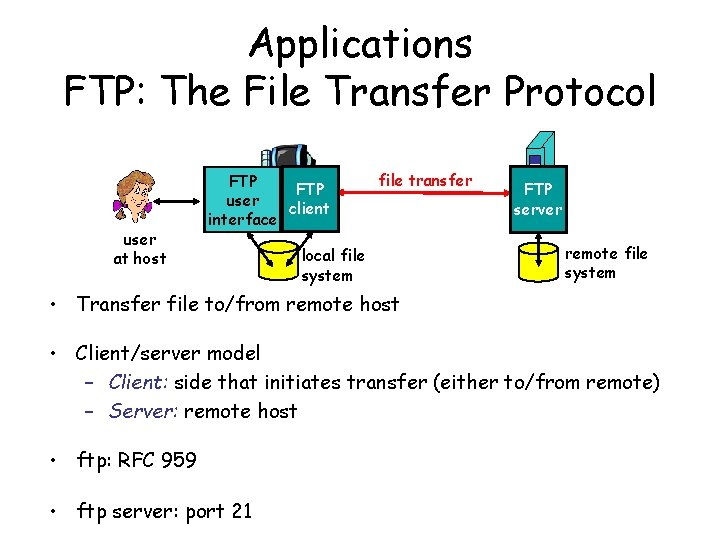
Applications FTP: The File Transfer Protocol user at host FTP user client interface file transfer local file system FTP server remote file system • Transfer file to/from remote host • Client/server model – Client: side that initiates transfer (either to/from remote) – Server: remote host • ftp: RFC 959 • ftp server: port 21
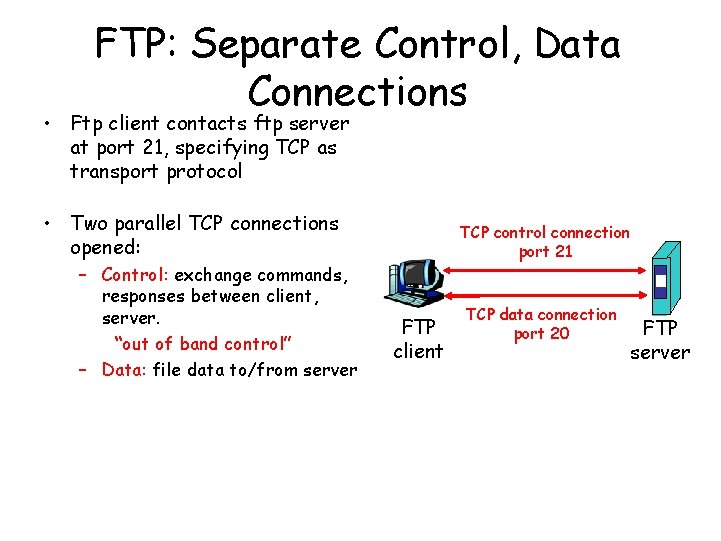
FTP: Separate Control, Data Connections • Ftp client contacts ftp server at port 21, specifying TCP as transport protocol • Two parallel TCP connections opened: – Control: exchange commands, responses between client, server. “out of band control” – Data: file data to/from server TCP control connection port 21 FTP client TCP data connection port 20 FTP server
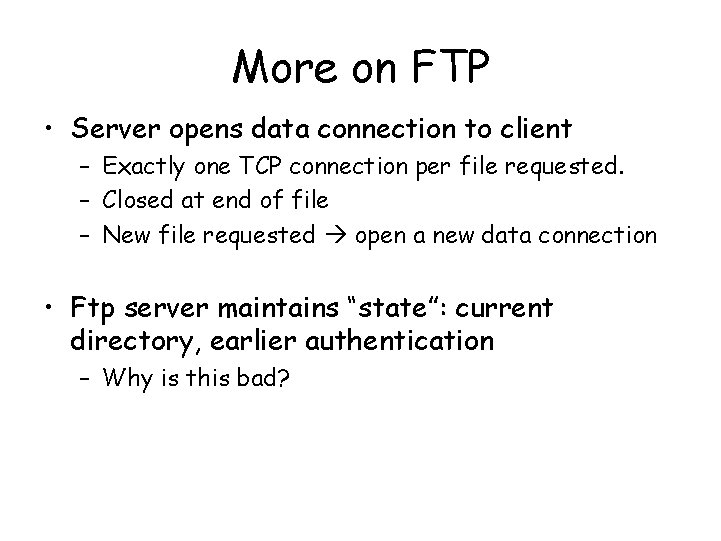
More on FTP • Server opens data connection to client – Exactly one TCP connection per file requested. – Closed at end of file – New file requested open a new data connection • Ftp server maintains “state”: current directory, earlier authentication – Why is this bad?
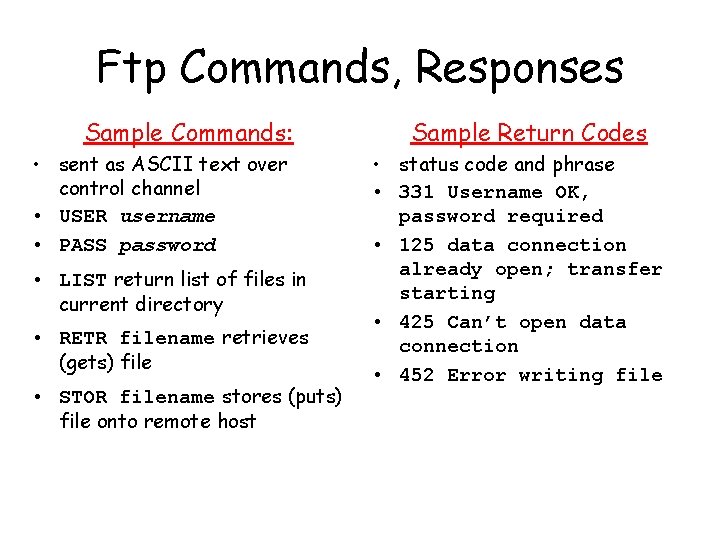
Ftp Commands, Responses Sample Commands: • sent as ASCII text over control channel • USER username • PASS password • LIST return list of files in current directory • RETR filename retrieves (gets) file • STOR filename stores (puts) file onto remote host Sample Return Codes • status code and phrase • 331 Username OK, password required • 125 data connection already open; transfer starting • 425 Can’t open data connection • 452 Error writing file
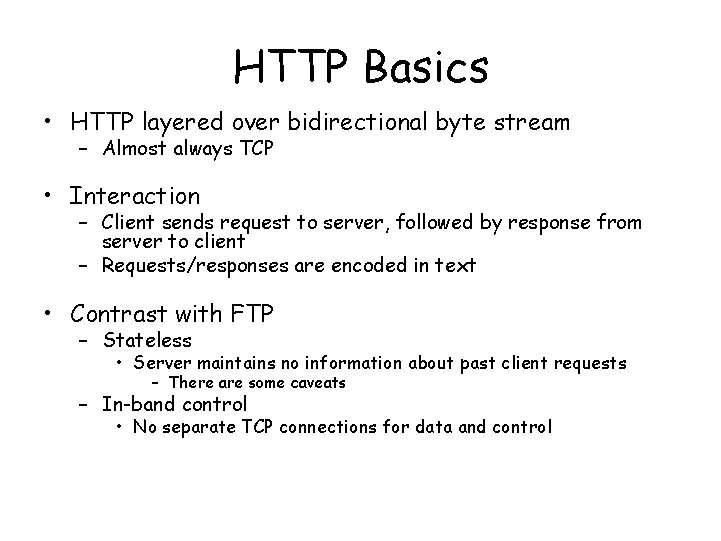
HTTP Basics • HTTP layered over bidirectional byte stream – Almost always TCP • Interaction – Client sends request to server, followed by response from server to client – Requests/responses are encoded in text • Contrast with FTP – Stateless • Server maintains no information about past client requests – There are some caveats – In-band control • No separate TCP connections for data and control
Typical HTTP Workload (Web Pages) • Multiple (typically small) objects per page – Each object a separate HTTP session/TCP connection • File sizes – Why different than request sizes? – Heavy-tailed (both request and file sizes) • “Pareto” distribution for tail • “Lognormal” for body of distribution
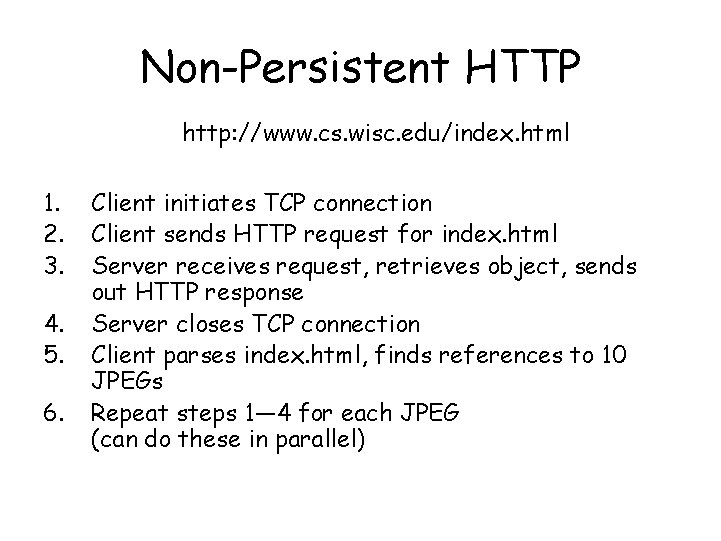
Non-Persistent HTTP http: //www. cs. wisc. edu/index. html 1. 2. 3. 4. 5. 6. Client initiates TCP connection Client sends HTTP request for index. html Server receives request, retrieves object, sends out HTTP response Server closes TCP connection Client parses index. html, finds references to 10 JPEGs Repeat steps 1— 4 for each JPEG (can do these in parallel)
Issues with Non-Persistent HTTP • Two “round-trip times” per object – RTT will be defined soon • Server and client must maintain state per connection – Bad for server – Brand new TCP connection per object • TCP has issues starting up (“slow start”) – Each object face to face these performance issues • HTTP/1. 0
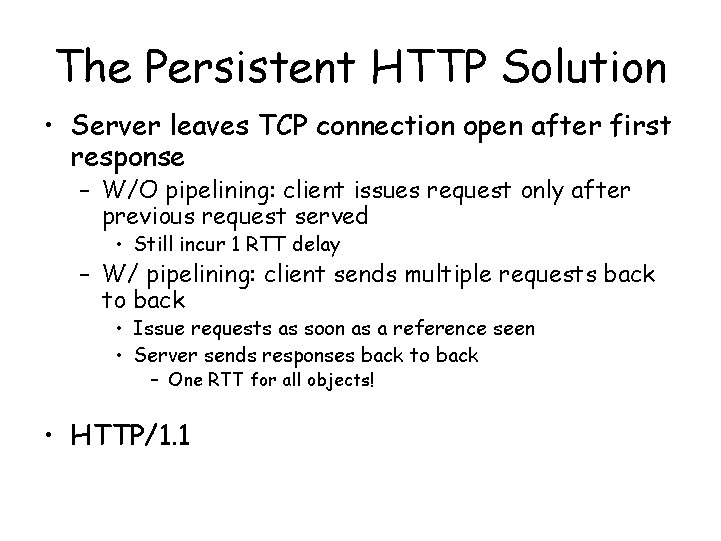
The Persistent HTTP Solution • Server leaves TCP connection open after first response – W/O pipelining: client issues request only after previous request served • Still incur 1 RTT delay – W/ pipelining: client sends multiple requests back to back • Issue requests as soon as a reference seen • Server sends responses back to back – One RTT for all objects! • HTTP/1. 1
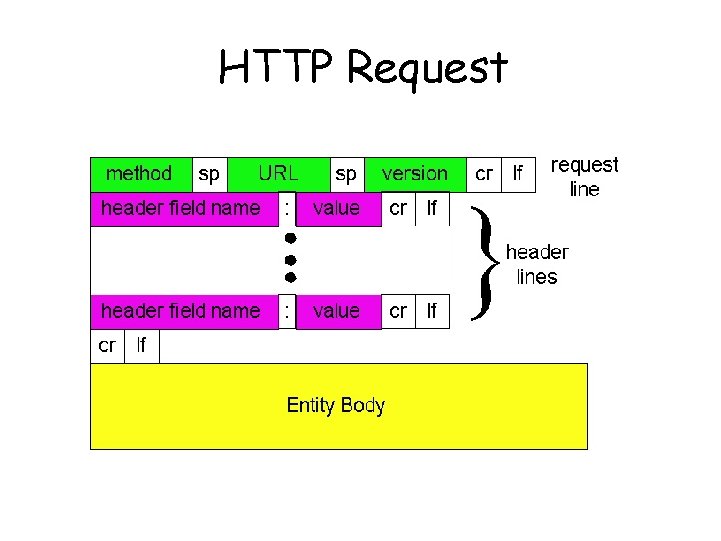
HTTP Request
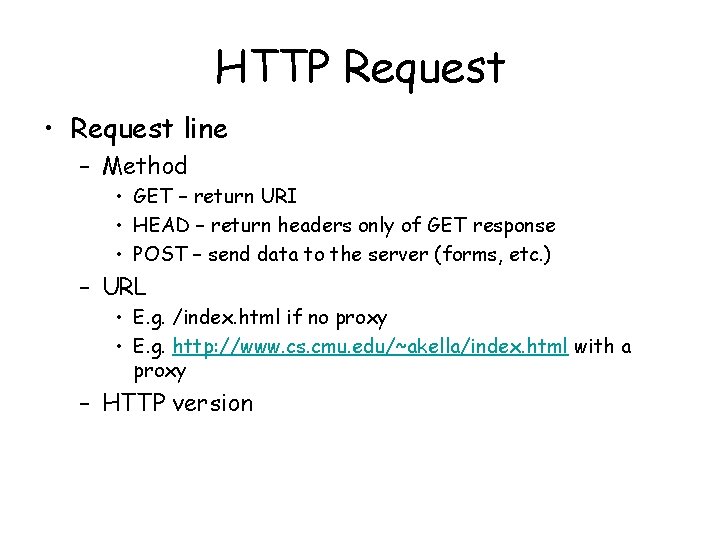
HTTP Request • Request line – Method • GET – return URI • HEAD – return headers only of GET response • POST – send data to the server (forms, etc. ) – URL • E. g. /index. html if no proxy • E. g. http: //www. cs. cmu. edu/~akella/index. html with a proxy – HTTP version
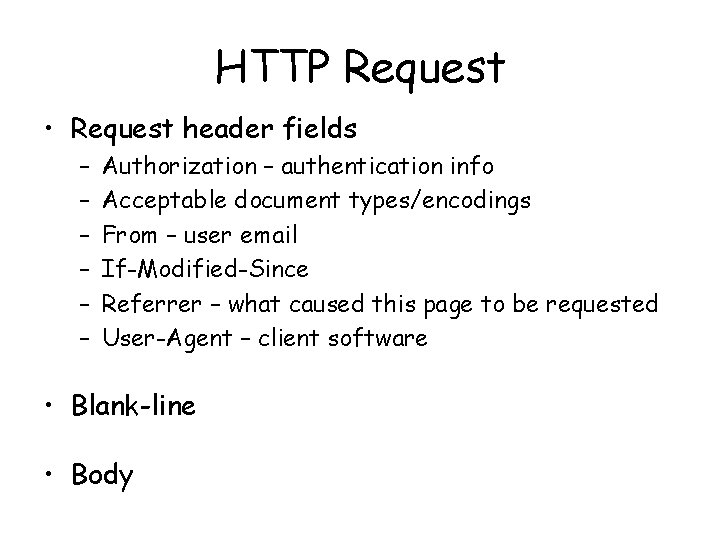
HTTP Request • Request header fields – – – Authorization – authentication info Acceptable document types/encodings From – user email If-Modified-Since Referrer – what caused this page to be requested User-Agent – client software • Blank-line • Body
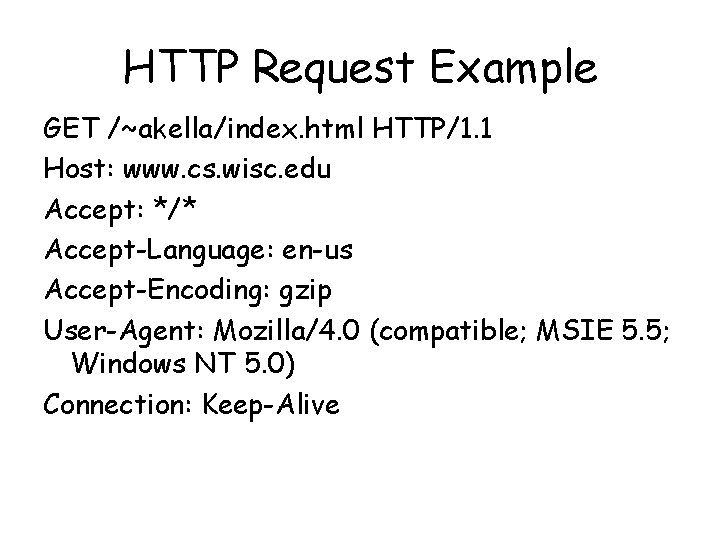
HTTP Request Example GET /~akella/index. html HTTP/1. 1 Host: www. cs. wisc. edu Accept: */* Accept-Language: en-us Accept-Encoding: gzip User-Agent: Mozilla/4. 0 (compatible; MSIE 5. 5; Windows NT 5. 0) Connection: Keep-Alive
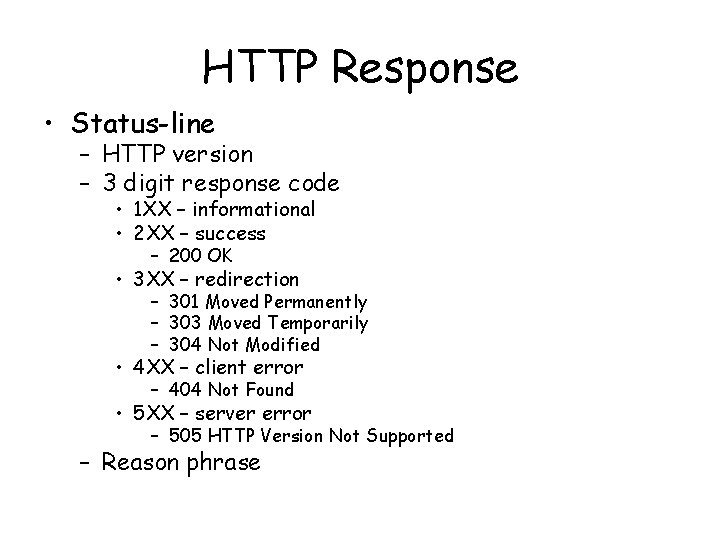
HTTP Response • Status-line – HTTP version – 3 digit response code • 1 XX – informational • 2 XX – success – 200 OK • 3 XX – redirection – 301 Moved Permanently – 303 Moved Temporarily – 304 Not Modified • 4 XX – client error – 404 Not Found • 5 XX – server error – 505 HTTP Version Not Supported – Reason phrase
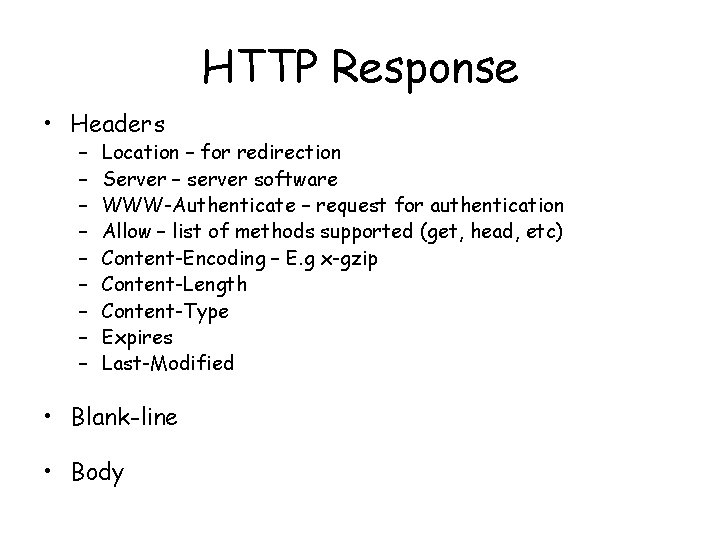
HTTP Response • Headers – – – – – Location – for redirection Server – server software WWW-Authenticate – request for authentication Allow – list of methods supported (get, head, etc) Content-Encoding – E. g x-gzip Content-Length Content-Type Expires Last-Modified • Blank-line • Body
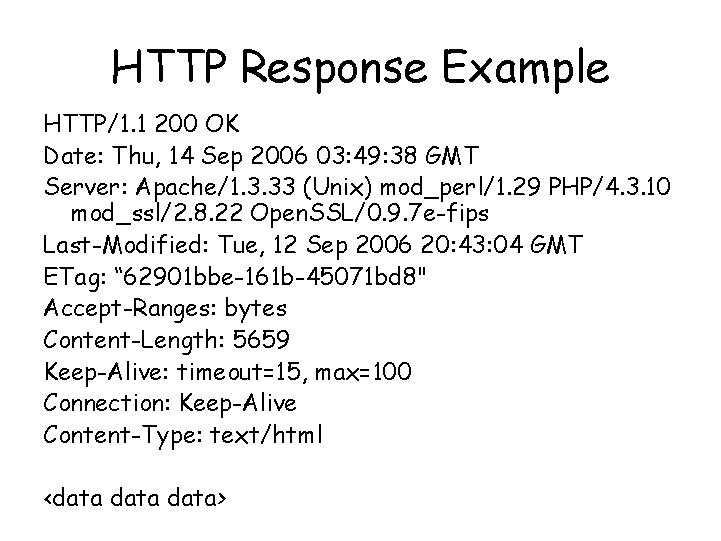
HTTP Response Example HTTP/1. 1 200 OK Date: Thu, 14 Sep 2006 03: 49: 38 GMT Server: Apache/1. 3. 33 (Unix) mod_perl/1. 29 PHP/4. 3. 10 mod_ssl/2. 8. 22 Open. SSL/0. 9. 7 e-fips Last-Modified: Tue, 12 Sep 2006 20: 43: 04 GMT ETag: “ 62901 bbe-161 b-45071 bd 8" Accept-Ranges: bytes Content-Length: 5659 Keep-Alive: timeout=15, max=100 Connection: Keep-Alive Content-Type: text/html <data>
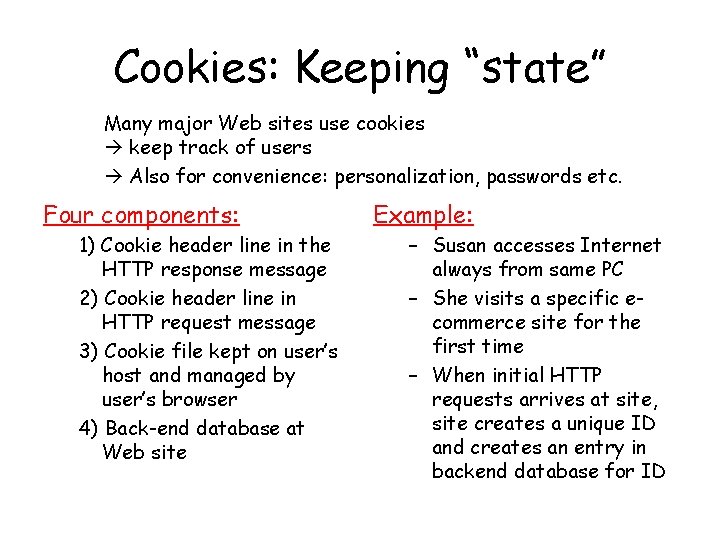
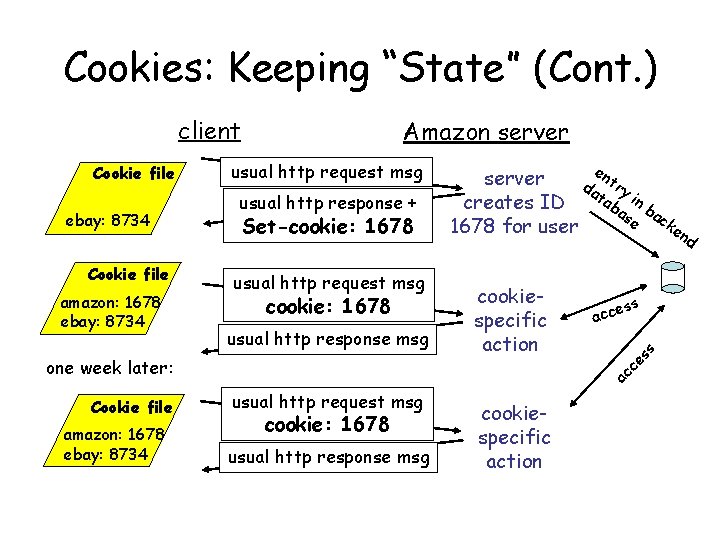
Cookies: Keeping “state” Many major Web sites use cookies keep track of users Also for convenience: personalization, passwords etc. Four components: 1) Cookie header line in the HTTP response message 2) Cookie header line in HTTP request message 3) Cookie file kept on user’s host and managed by user’s browser 4) Back-end database at Web site Example: – Susan accesses Internet always from same PC – She visits a specific ecommerce site for the first time – When initial HTTP requests arrives at site, site creates a unique ID and creates an entry in backend database for ID
Cookies: Keeping “State” (Cont. ) client ebay: 8734 Cookie file amazon: 1678 ebay: 8734 usual http request msg usual http response + Set-cookie: 1678 usual http request msg cookie: 1678 usual http response msg Cookie file amazon: 1678 ebay: 8734 d cookiespecific action ess acc ac ce one week later: e n server da try ta in creates ID ba b se ack 1678 for user en ss Cookie file Amazon server usual http request msg cookie: 1678 usual http response msg cookiespecific action
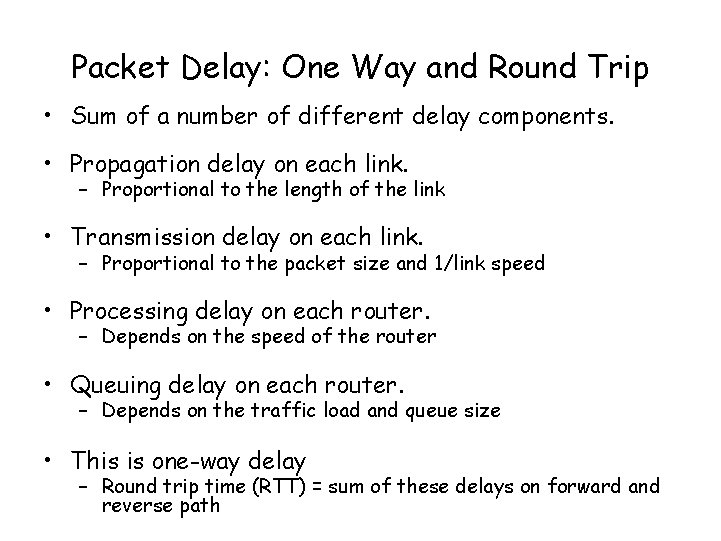
Packet Delay: One Way and Round Trip • Sum of a number of different delay components. • Propagation delay on each link. – Proportional to the length of the link • Transmission delay on each link. – Proportional to the packet size and 1/link speed • Processing delay on each router. – Depends on the speed of the router • Queuing delay on each router. – Depends on the traffic load and queue size • This is one-way delay – Round trip time (RTT) = sum of these delays on forward and reverse path
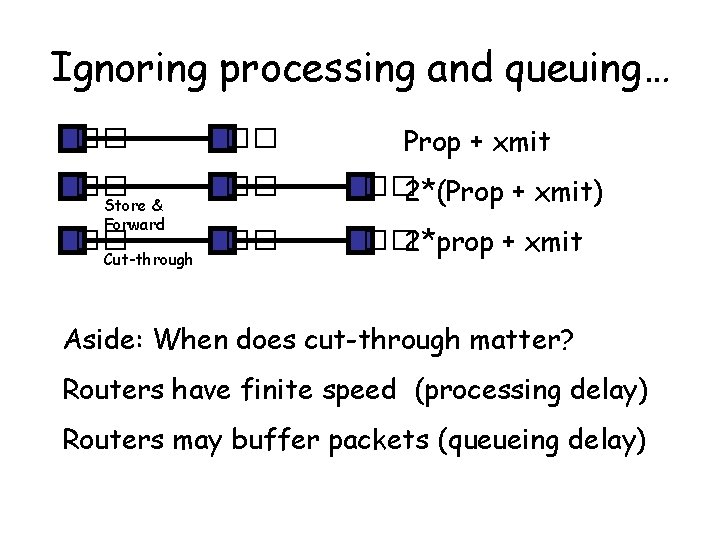
Ignoring processing and queuing… �� �� Prop + xmit �� �� �� 2*(Prop + xmit) �� �� �� 2*prop + xmit Store & Forward Cut-through Aside: When does cut-through matter? Routers have finite speed (processing delay) Routers may buffer packets (queueing delay)
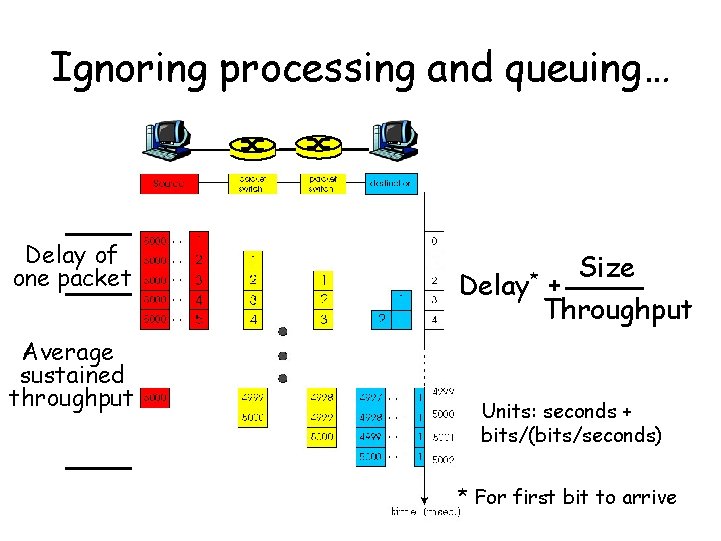
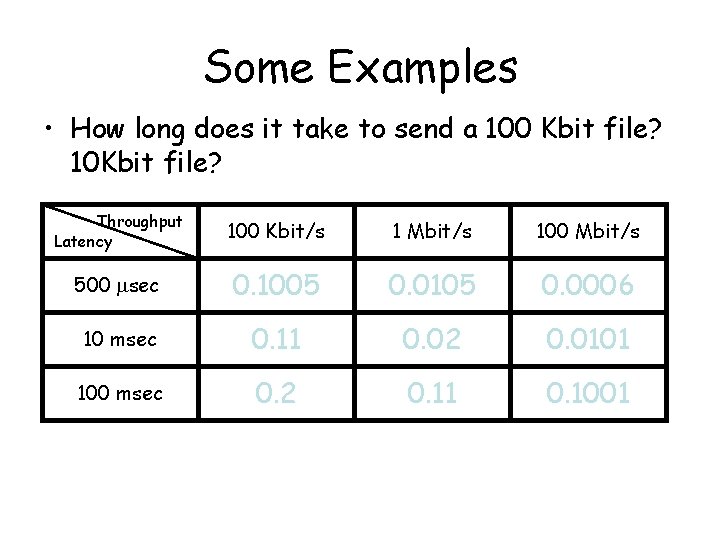
Ignoring processing and queuing… Delay of one packet Average sustained throughput Delay* Size + Throughput Units: seconds + bits/(bits/seconds) * For first bit to arrive
Some Examples • How long does it take to send a 100 Kbit file? 10 Kbit file? Throughput Latency 100 Kbit/s 1 Mbit/s 100 Mbit/s 500 msec 1. 0005 0. 1005 0. 0105 0. 0006 0. 0015 10 msec 1. 01 0. 11 0. 02 0. 11 0. 0101 0. 011 100 msec 0. 2 1. 1 0. 11 0. 2 0. 1001 0. 101
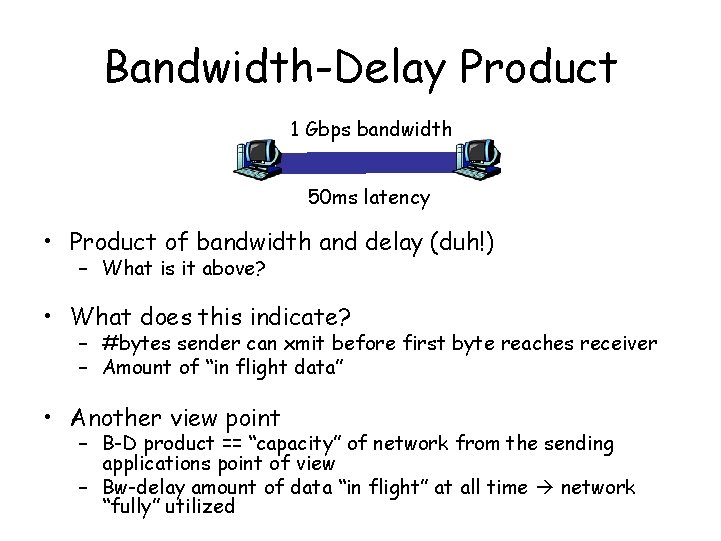
Bandwidth-Delay Product 1 Gbps bandwidth 50 ms latency • Product of bandwidth and delay (duh!) – What is it above? • What does this indicate? – #bytes sender can xmit before first byte reaches receiver – Amount of “in flight data” • Another view point – B-D product == “capacity” of network from the sending applications point of view – Bw-delay amount of data “in flight” at all time network “fully” utilized
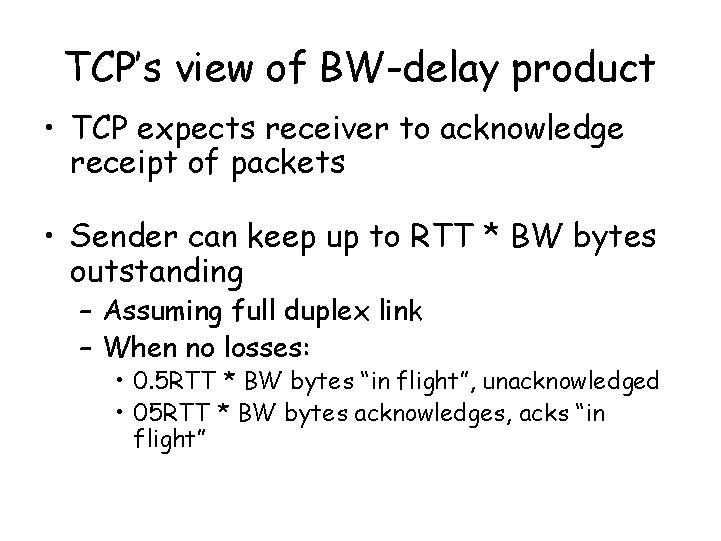
TCP’s view of BW-delay product • TCP expects receiver to acknowledge receipt of packets • Sender can keep up to RTT * BW bytes outstanding – Assuming full duplex link – When no losses: • 0. 5 RTT * BW bytes “in flight”, unacknowledged • 05 RTT * BW bytes acknowledges, acks “in flight”
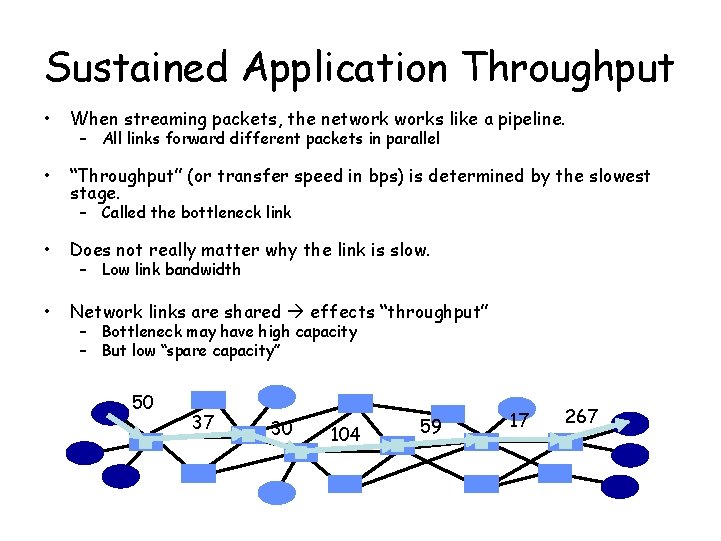
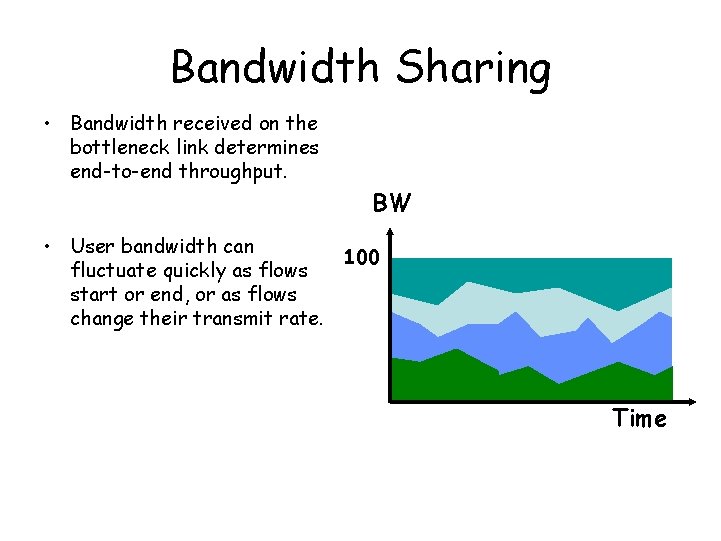
Sustained Application Throughput • When streaming packets, the networks like a pipeline. • “Throughput” (or transfer speed in bps) is determined by the slowest stage. – All links forward different packets in parallel – Called the bottleneck link • Does not really matter why the link is slow. • Network links are shared effects “throughput” – Low link bandwidth – Bottleneck may have high capacity – But low “spare capacity” 50 37 30 104 59 17 267
Bandwidth Sharing • Bandwidth received on the bottleneck link determines end-to-end throughput. BW • User bandwidth can 100 fluctuate quickly as flows start or end, or as flows change their transmit rate. Time
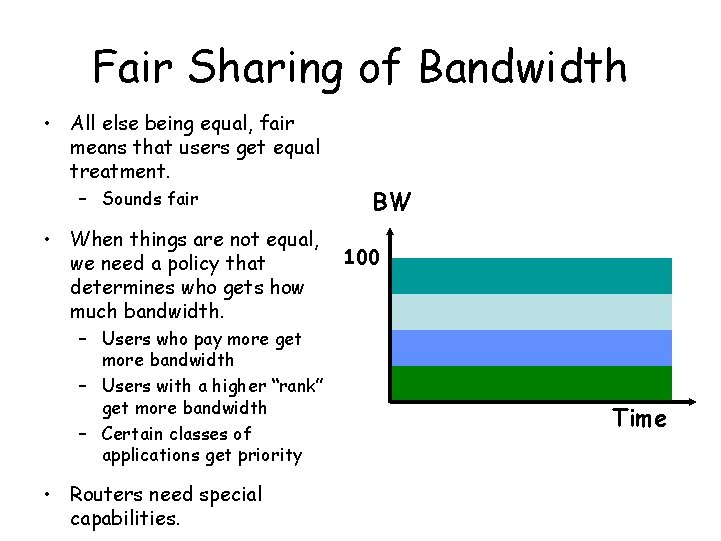
Fair Sharing of Bandwidth • All else being equal, fair means that users get equal treatment. – Sounds fair • When things are not equal, we need a policy that determines who gets how much bandwidth. – Users who pay more get more bandwidth – Users with a higher “rank” get more bandwidth – Certain classes of applications get priority • Routers need special capabilities. BW 100 Time
Summary and Key Concepts • Design Philosophy of the Internet – Several principles, some more important than the others – Relative important gave rise to current network – Fate Sharing • How some common applications works – FTP, HTTP, request/response formats – Persistent connections – Cookies • Application performance metrics – – Delay Bandwidth Product Fair share
Next Class • Gory details start • Physical layer • Link layer basics