Converting DTI data into Nrrd file format Sonia
- Slides: 45
Converting DTI data into Nrrd file format Sonia Pujol, Ph. D. Gordon Kindlmann, Ph. D. Randy Gollub, M. D, Ph. D. Surgical Planning Laboratory -1 - http: //www. slicer. org Brigham and Women’s Hospital
Acknowledgments National Alliance for Medical Image Computing NIH U 54 EB 005149 Neuroimage Analysis Center NIH P 41 RR 013218 Section on Tissue Biophysics and Biomimetics National Institutes of Health Thanks to Dr. Carlo Pierpaoli Surgical Planning Laboratory -2 - http: //www. slicer. org Brigham and Women’s Hospital
Disclaimer It is the responsibility of the user of 3 DSlicer to comply with both the terms of the license and with the applicable laws, regulations and rules. Surgical Planning Laboratory -3 - http: //www. slicer. org Brigham and Women’s Hospital
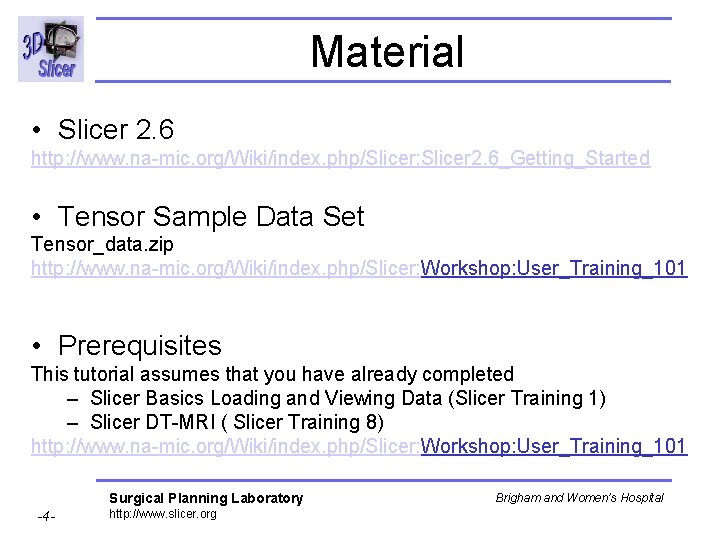
Material • Slicer 2. 6 http: //www. na-mic. org/Wiki/index. php/Slicer: Slicer 2. 6_Getting_Started • Tensor Sample Data Set Tensor_data. zip http: //www. na-mic. org/Wiki/index. php/Slicer: Workshop: User_Training_101 • Prerequisites This tutorial assumes that you have already completed – Slicer Basics Loading and Viewing Data (Slicer Training 1) – Slicer DT-MRI ( Slicer Training 8) http: //www. na-mic. org/Wiki/index. php/Slicer: Workshop: User_Training_101 Surgical Planning Laboratory -4 - http: //www. slicer. org Brigham and Women’s Hospital
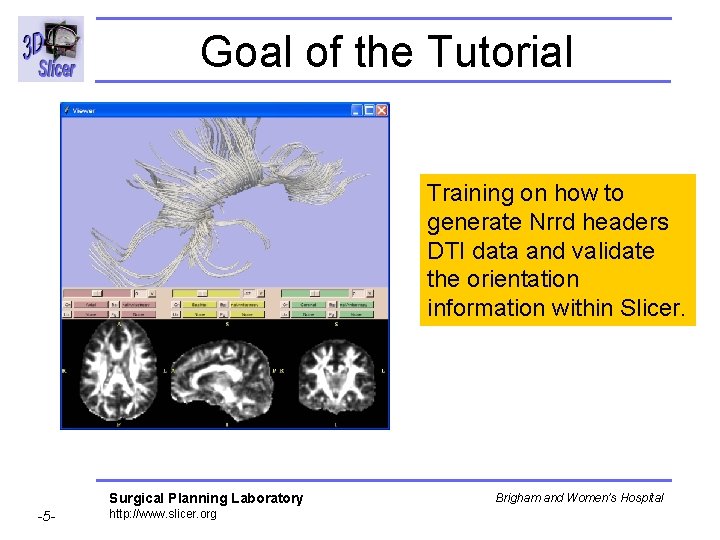
Goal of the Tutorial Training on how to generate Nrrd headers DTI data and validate the orientation information within Slicer. Surgical Planning Laboratory -5 - http: //www. slicer. org Brigham and Women’s Hospital
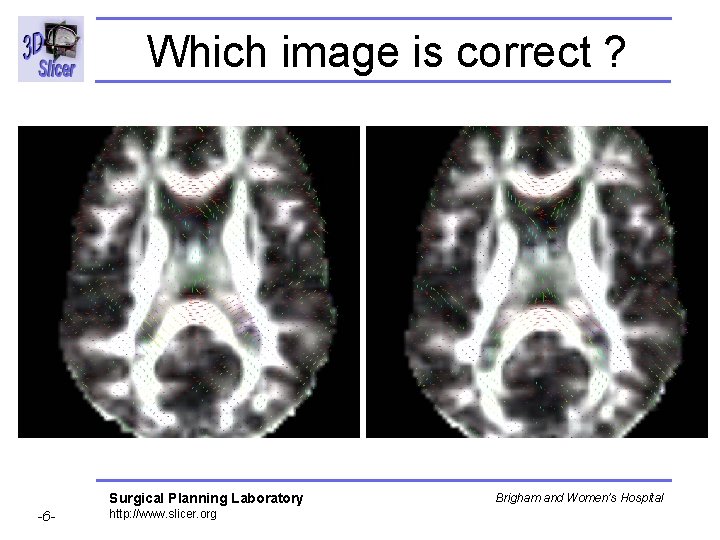
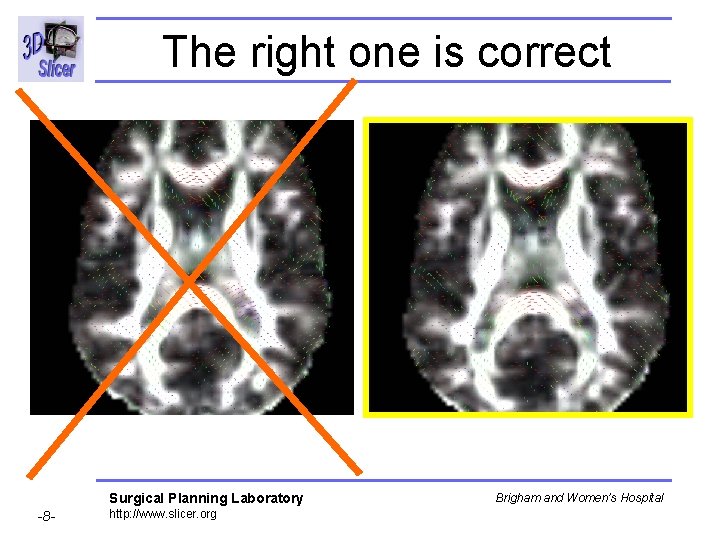
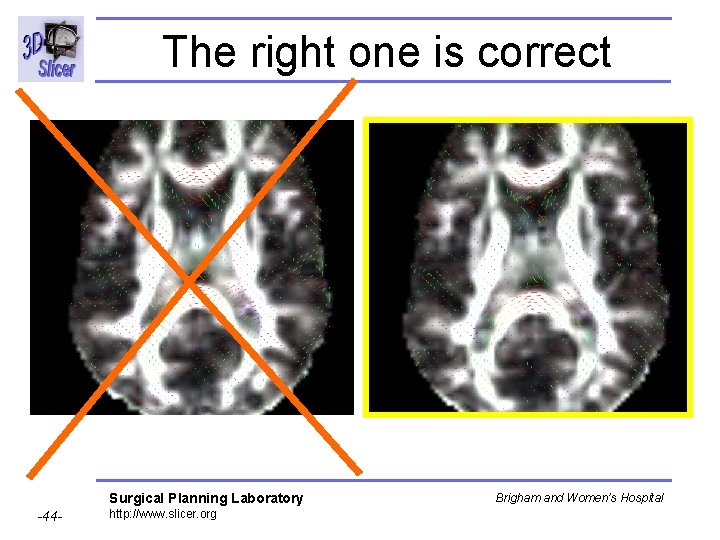
Which image is correct ? Surgical Planning Laboratory -6 - http: //www. slicer. org Brigham and Women’s Hospital
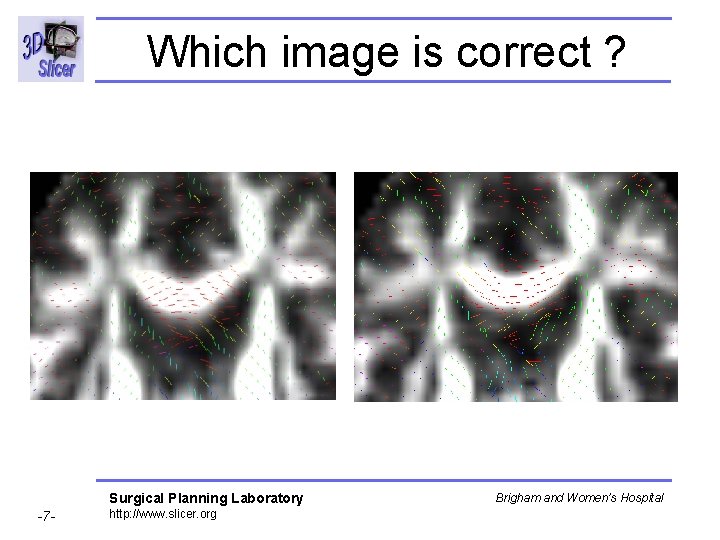
Which image is correct ? Surgical Planning Laboratory -7 - http: //www. slicer. org Brigham and Women’s Hospital
The right one is correct Surgical Planning Laboratory -8 - http: //www. slicer. org Brigham and Women’s Hospital
Overview • • • Part 1: Nrrd description Part 2: Nrrd requirements Part 3: Generating Nrrd Files Part 4: Nrrd training data Part 5: Orientation validation within Slicer Surgical Planning Laboratory -9 - http: //www. slicer. org Brigham and Women’s Hospital
Background • Challenge: Concise and standardized description of the information contained in DWI and DTI data. • Current situation: – DICOM (Supplement 49) contains information on how to represent b-values and gradient directions of DWI – However no-one uses it: every vendor has their own unique way of archiving the relevant image acquisition parameters – The definition of the coordinate frame of the diffusion gradients (or the resulting estimated tensor) is not explicitly recorded in the header. – DICOM has no standard for tensors • Proposed Solution: Nrrd format Surgical Planning Laboratory -10 - http: //www. slicer. org Brigham and Women’s Hospital
Nearly Raw Raster Data (Nrrd) • The flexible Nrrd format includes a single header file and image file(s) that can be separate or combined. • A Nrrd header accurately represents N-dimensional raster information for scientific visualization and medical image processing. • NA-MIC has developed a way of using the Nrrd format to represent Diffusion Weighted Images (DWI) volumes and Diffusion Tensor Images (DTI). • Nrrd DWI and Nrrd DTI data can be read into 3 D Slicer, to visually confirm that the orientation of the tensors is consistent with expected neuroanatomy Surgical Planning Laboratory -11 - http: //www. slicer. org Brigham and Women’s Hospital
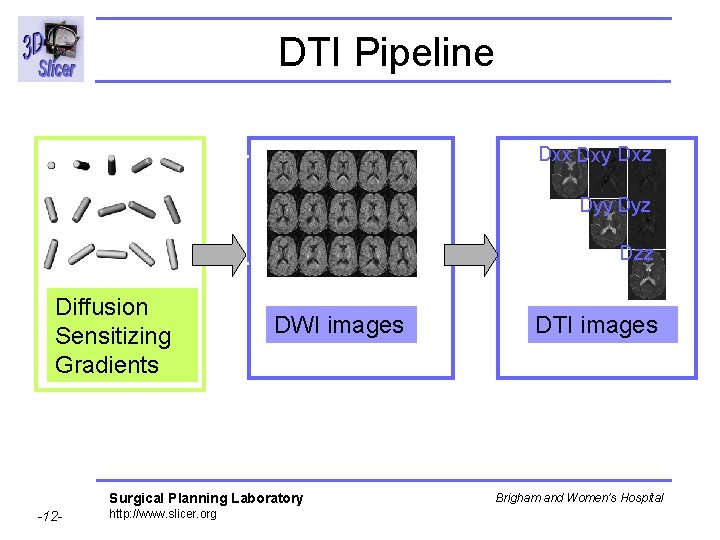
DTI Pipeline Dxx Dxy Dxz Dyy Dyz Dzz Diffusion Sensitizing Gradients DWI images Surgical Planning Laboratory -12 - http: //www. slicer. org DTI images Brigham and Women’s Hospital
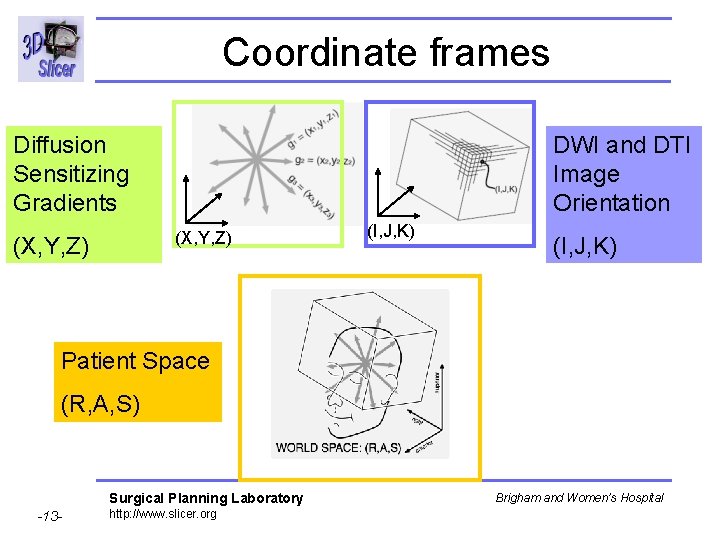
Coordinate frames Diffusion Sensitizing Gradients DWI and DTI Image Orientation (X, Y, Z) (I, J, K) Patient Space (R, A, S) Surgical Planning Laboratory -13 - http: //www. slicer. org Brigham and Women’s Hospital
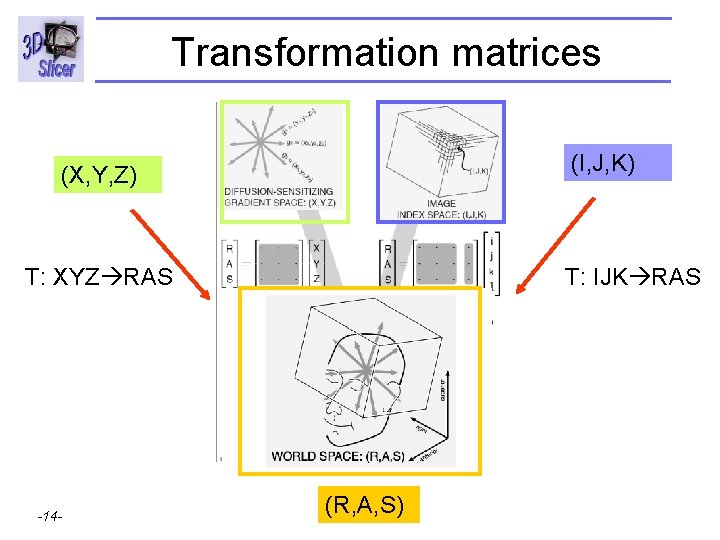
Transformation matrices (I, J, K) (X, Y, Z) T: XYZ RAS Surgical Planning Laboratory -14 - http: //www. slicer. org T: IJK RAS (R, A, S) Brigham and Women’s Hospital
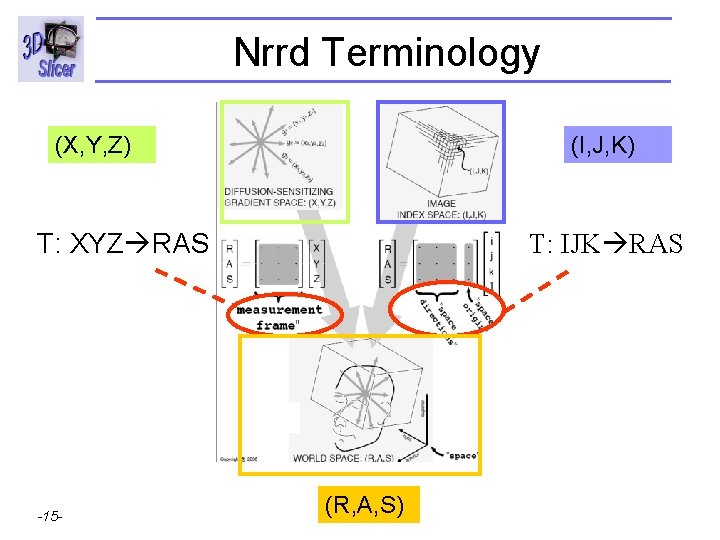
Nrrd Terminology (X, Y, Z) (I, J, K) T: XYZ RAS Surgical Planning Laboratory -15 - http: //www. slicer. org T: IJK RAS (R, A, S) Brigham and Women’s Hospital
Overview • • • Part 1: Nrrd description Part 2: Nrrd requirements Part 3: Generating Nrrd Files Part 4: Nrrd training data Part 5: Orientation validation within Slicer Surgical Planning Laboratory -16 - http: //www. slicer. org Brigham and Women’s Hospital
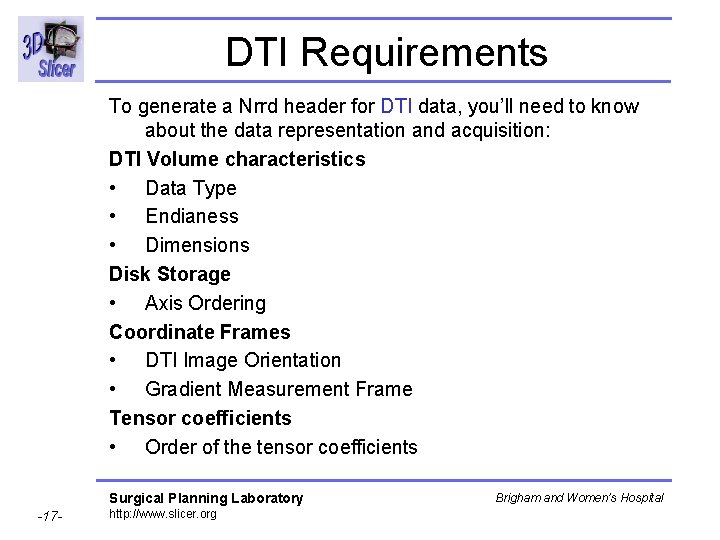
DTI Requirements To generate a Nrrd header for DTI data, you’ll need to know about the data representation and acquisition: DTI Volume characteristics • Data Type • Endianess • Dimensions Disk Storage • Axis Ordering Coordinate Frames • DTI Image Orientation • Gradient Measurement Frame Tensor coefficients • Order of the tensor coefficients Surgical Planning Laboratory -17 - http: //www. slicer. org Brigham and Women’s Hospital
Overview • • • Part 1: Nrrd description Part 2: Nrrd requirements Part 3: Generating Nrrd Files Part 4: Nrrd training data Part 5: Orientation validation within Slicer Surgical Planning Laboratory -18 - http: //www. slicer. org Brigham and Women’s Hospital
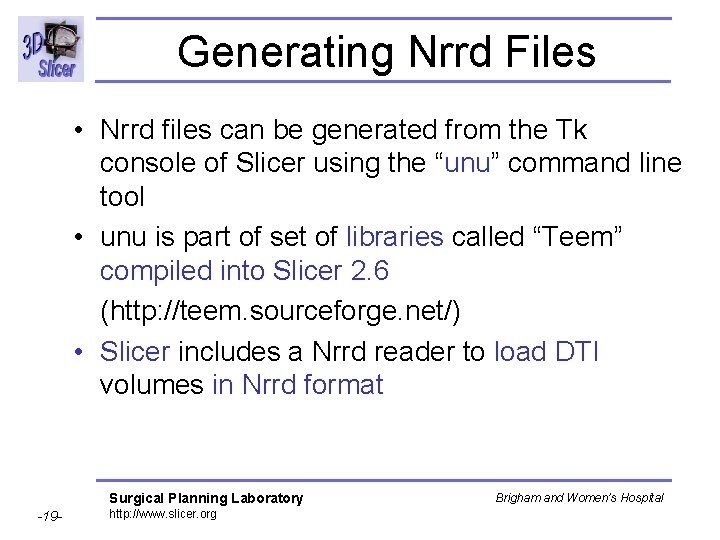
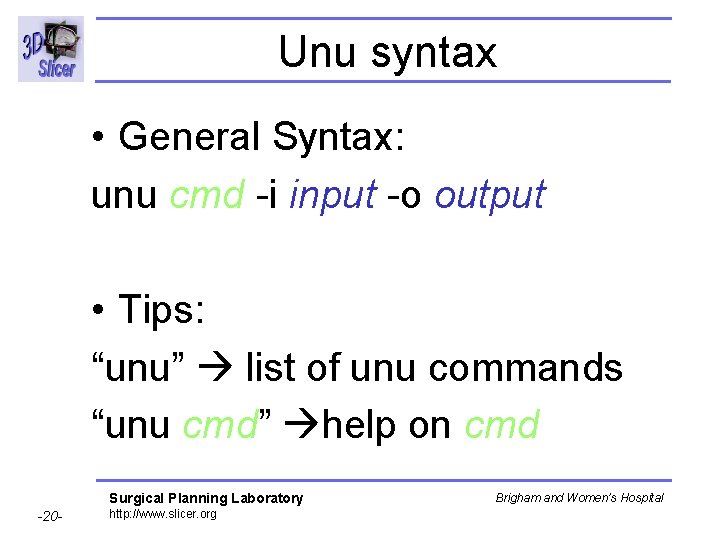
Generating Nrrd Files • Nrrd files can be generated from the Tk console of Slicer using the “unu” command line tool • unu is part of set of libraries called “Teem” compiled into Slicer 2. 6 (http: //teem. sourceforge. net/) • Slicer includes a Nrrd reader to load DTI volumes in Nrrd format Surgical Planning Laboratory -19 - http: //www. slicer. org Brigham and Women’s Hospital
Unu syntax • General Syntax: unu cmd -i input -o output • Tips: “unu” list of unu commands “unu cmd” help on cmd Surgical Planning Laboratory -20 - http: //www. slicer. org Brigham and Women’s Hospital
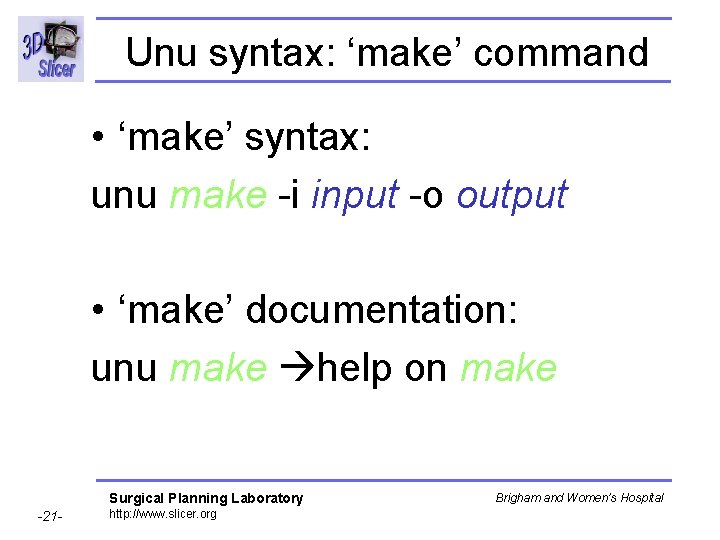
Unu syntax: ‘make’ command • ‘make’ syntax: unu make -i input -o output • ‘make’ documentation: unu make help on make Surgical Planning Laboratory -21 - http: //www. slicer. org Brigham and Women’s Hospital
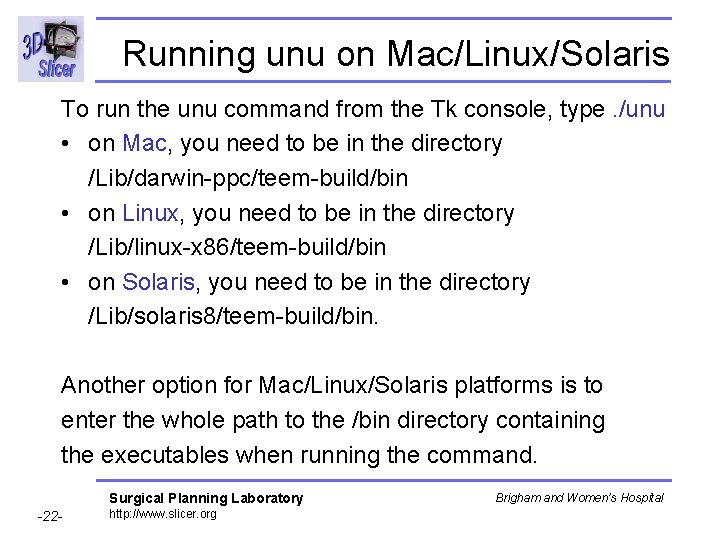
Running unu on Mac/Linux/Solaris To run the unu command from the Tk console, type. /unu • on Mac, you need to be in the directory /Lib/darwin-ppc/teem-build/bin • on Linux, you need to be in the directory /Lib/linux-x 86/teem-build/bin • on Solaris, you need to be in the directory /Lib/solaris 8/teem-build/bin. Another option for Mac/Linux/Solaris platforms is to enter the whole path to the /bin directory containing the executables when running the command. Surgical Planning Laboratory -22 - http: //www. slicer. org Brigham and Women’s Hospital
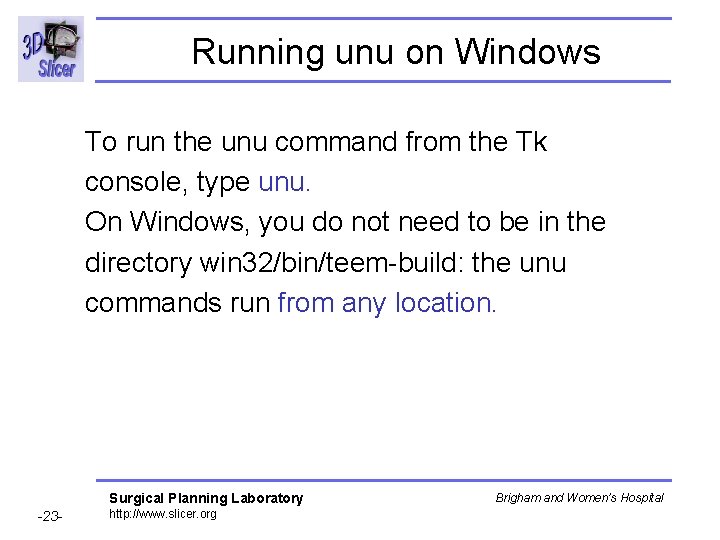
Running unu on Windows To run the unu command from the Tk console, type unu. On Windows, you do not need to be in the directory win 32/bin/teem-build: the unu commands run from any location. Surgical Planning Laboratory -23 - http: //www. slicer. org Brigham and Women’s Hospital
Overview • • • Part 1: Nrrd description Part 2: Nrrd requirements Part 3: Generating Nrrd Files Part 4: Nrrd DTI training data Part 5: Orientation validation within Slicer Surgical Planning Laboratory -24 - http: //www. slicer. org Brigham and Women’s Hospital
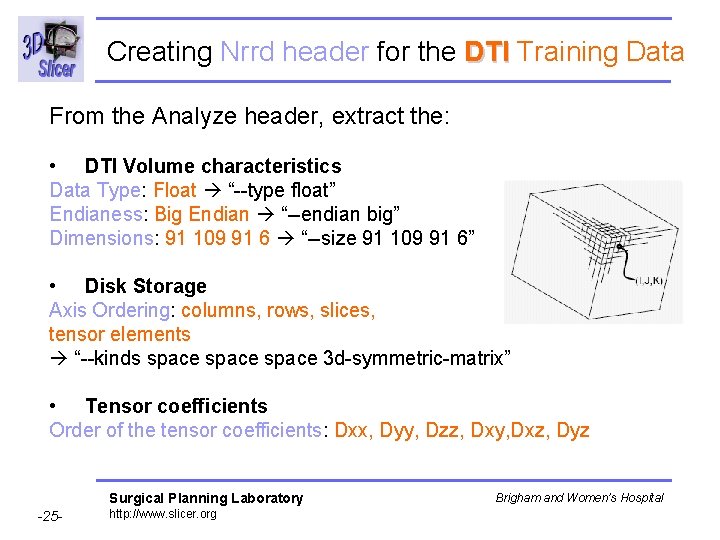
Creating Nrrd header for the DTI Training Data From the Analyze header, extract the: • DTI Volume characteristics Data Type: Float “--type float” Endianess: Big Endian “--endian big” Dimensions: 91 109 91 6 “--size 91 109 91 6” • Disk Storage Axis Ordering: columns, rows, slices, tensor elements “--kinds space 3 d-symmetric-matrix” • Tensor coefficients Order of the tensor coefficients: Dxx, Dyy, Dzz, Dxy, Dxz, Dyz Surgical Planning Laboratory -25 - http: //www. slicer. org Brigham and Women’s Hospital
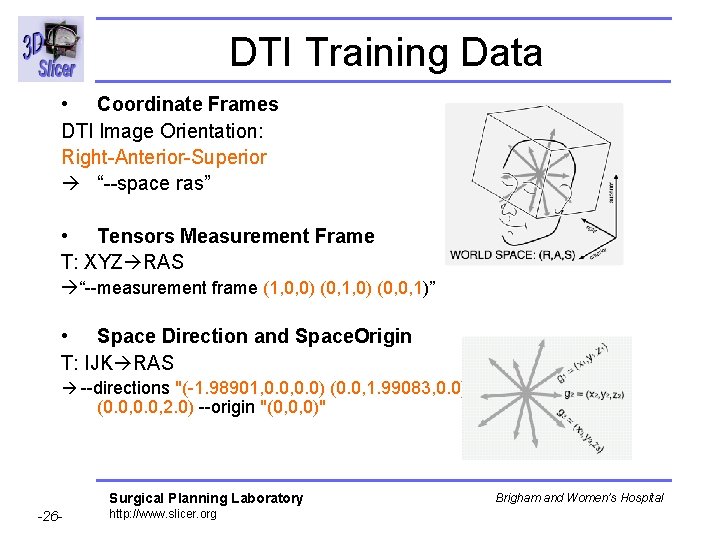
DTI Training Data • Coordinate Frames DTI Image Orientation: Right-Anterior-Superior “--space ras” • Tensors Measurement Frame T: XYZ RAS “--measurement frame (1, 0, 0) (0, 1, 0) (0, 0, 1)” • Space Direction and Space. Origin T: IJK RAS --directions "(-1. 98901, 0. 0) (0. 0, 1. 99083, 0. 0) (0. 0, 2. 0) --origin "(0, 0, 0)" Surgical Planning Laboratory -26 - http: //www. slicer. org Brigham and Women’s Hospital
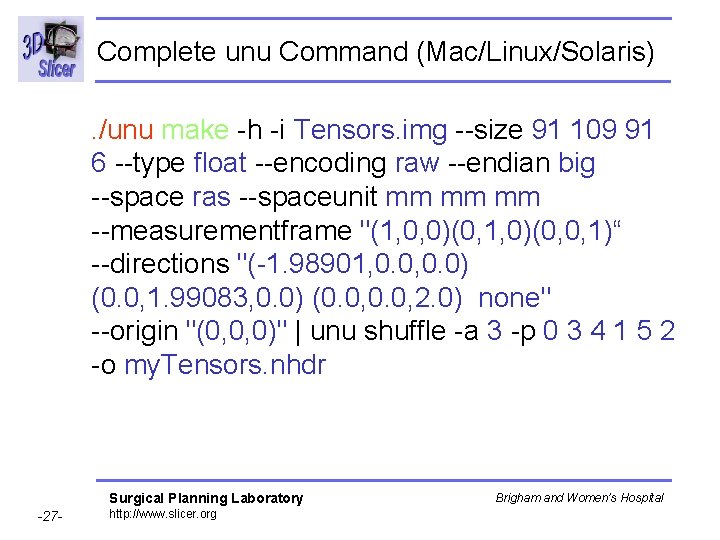
Complete unu Command (Mac/Linux/Solaris). /unu make -h -i Tensors. img --size 91 109 91 6 --type float --encoding raw --endian big --space ras --spaceunit mm mm mm --measurementframe "(1, 0, 0)(0, 1, 0)(0, 0, 1)“ --directions "(-1. 98901, 0. 0) (0. 0, 1. 99083, 0. 0) (0. 0, 2. 0) none" --origin "(0, 0, 0)" | unu shuffle -a 3 -p 0 3 4 1 5 2 -o my. Tensors. nhdr Surgical Planning Laboratory -27 - http: //www. slicer. org Brigham and Women’s Hospital
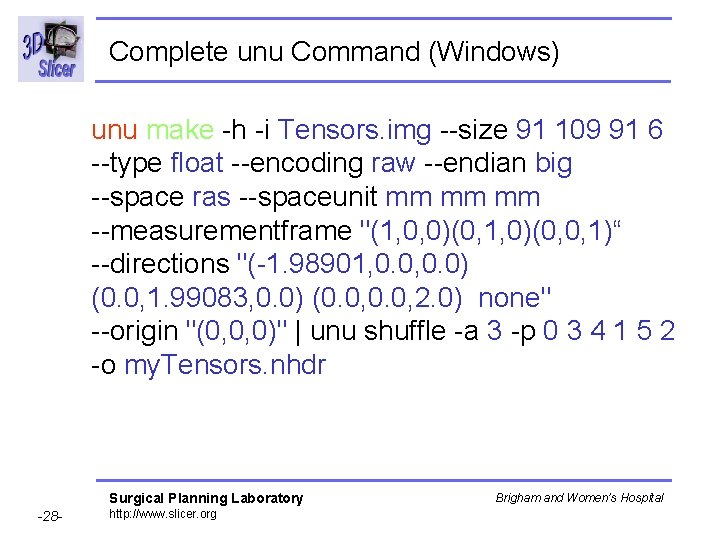
Complete unu Command (Windows) unu make -h -i Tensors. img --size 91 109 91 6 --type float --encoding raw --endian big --space ras --spaceunit mm mm mm --measurementframe "(1, 0, 0)(0, 1, 0)(0, 0, 1)“ --directions "(-1. 98901, 0. 0) (0. 0, 1. 99083, 0. 0) (0. 0, 2. 0) none" --origin "(0, 0, 0)" | unu shuffle -a 3 -p 0 3 4 1 5 2 -o my. Tensors. nhdr Surgical Planning Laboratory -28 - http: //www. slicer. org Brigham and Women’s Hospital
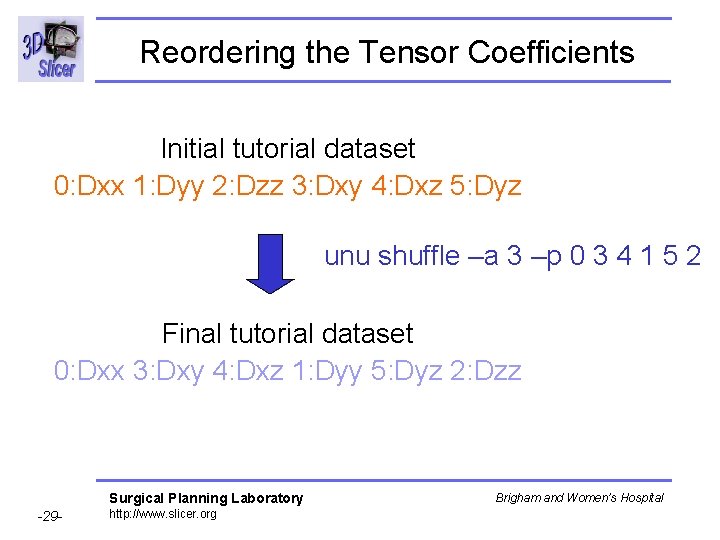
Reordering the Tensor Coefficients Initial tutorial dataset 0: Dxx 1: Dyy 2: Dzz 3: Dxy 4: Dxz 5: Dyz unu shuffle –a 3 –p 0 3 4 1 5 2 Final tutorial dataset 0: Dxx 3: Dxy 4: Dxz 1: Dyy 5: Dyz 2: Dzz Surgical Planning Laboratory -29 - http: //www. slicer. org Brigham and Women’s Hospital
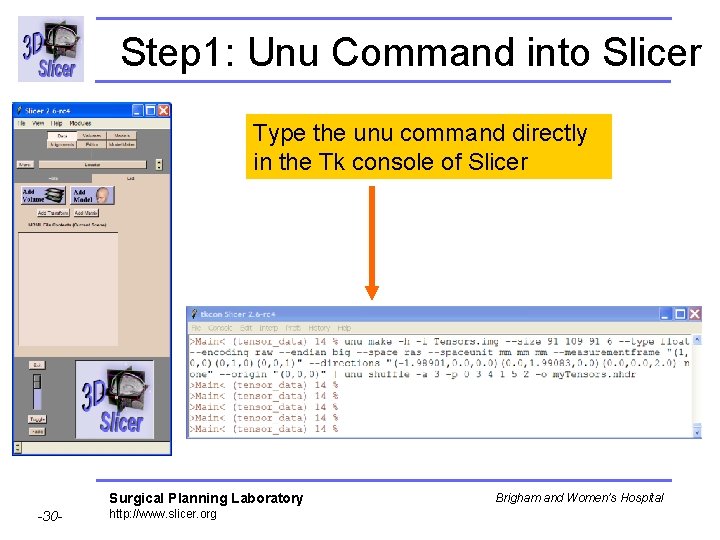
Step 1: Unu Command into Slicer Type the unu command directly in the Tk console of Slicer Surgical Planning Laboratory -30 - http: //www. slicer. org Brigham and Women’s Hospital
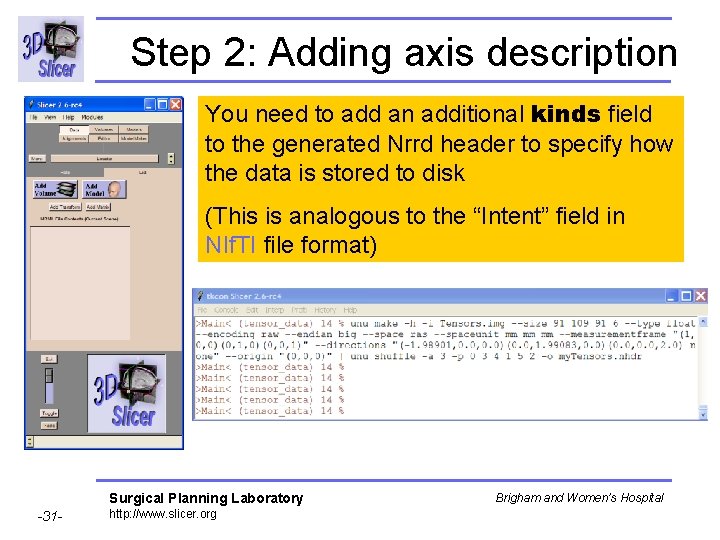
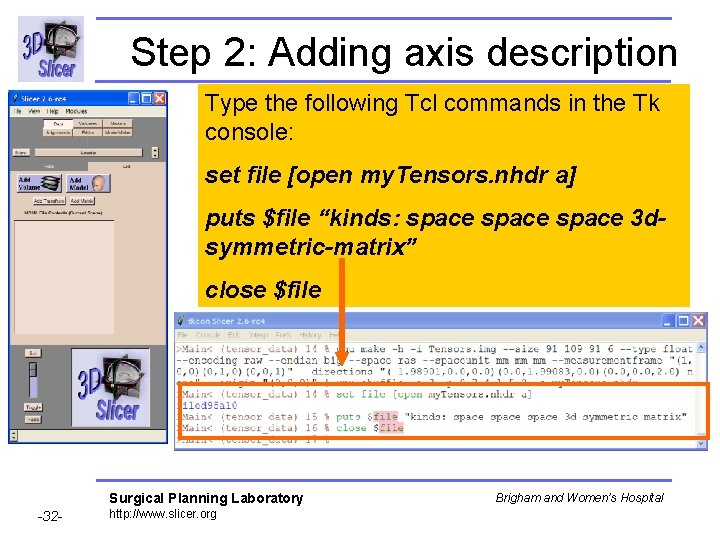
Step 2: Adding axis description You need to add an additional kinds field to the generated Nrrd header to specify how the data is stored to disk (This is analogous to the “Intent” field in NIf. TI file format) Surgical Planning Laboratory -31 - http: //www. slicer. org Brigham and Women’s Hospital
Step 2: Adding axis description Type the following Tcl commands in the Tk console: set file [open my. Tensors. nhdr a] puts $file “kinds: space 3 dsymmetric-matrix” close $file Surgical Planning Laboratory -32 - http: //www. slicer. org Brigham and Women’s Hospital
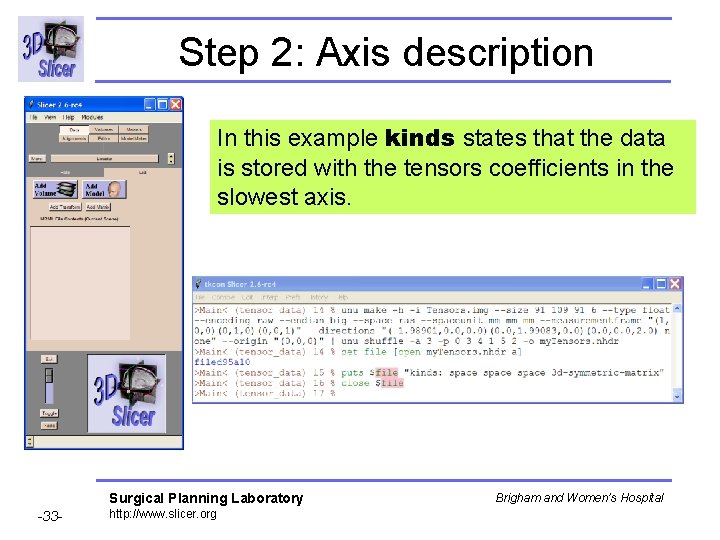
Step 2: Axis description In this example kinds states that the data is stored with the tensors coefficients in the slowest axis. Surgical Planning Laboratory -33 - http: //www. slicer. org Brigham and Women’s Hospital
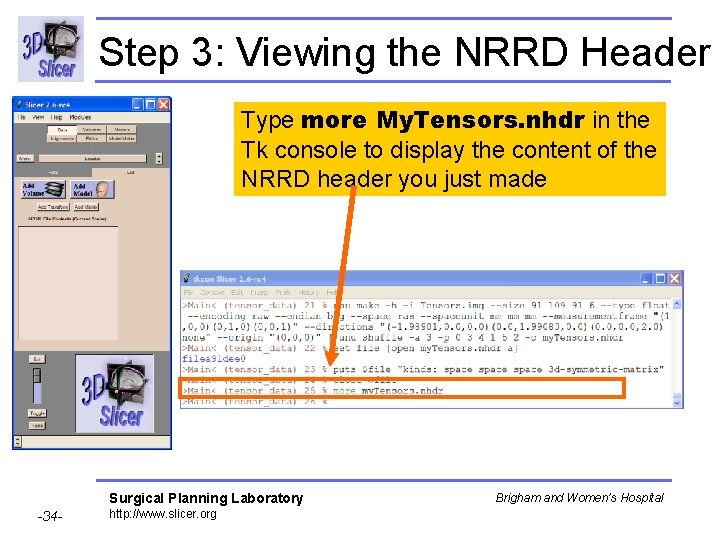
Step 3: Viewing the NRRD Header Type more My. Tensors. nhdr in the Tk console to display the content of the NRRD header you just made Surgical Planning Laboratory -34 - http: //www. slicer. org Brigham and Women’s Hospital
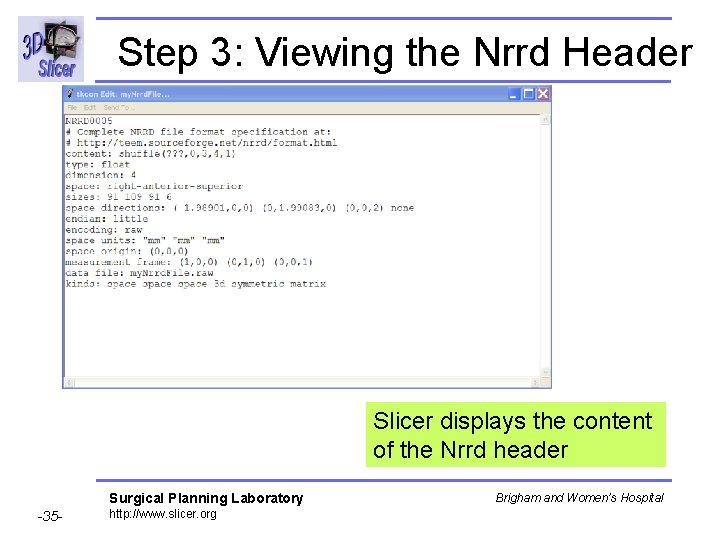
Step 3: Viewing the Nrrd Header Slicer displays the content of the Nrrd header Surgical Planning Laboratory -35 - http: //www. slicer. org Brigham and Women’s Hospital
Overview • • • Part 1: Nrrd description Part 2: Nrrd requirements Part 3: Generating Nrrd Files Part 4: Nrrd training data Part 5: Orientation validation within Slicer Surgical Planning Laboratory -36 - http: //www. slicer. org Brigham and Women’s Hospital
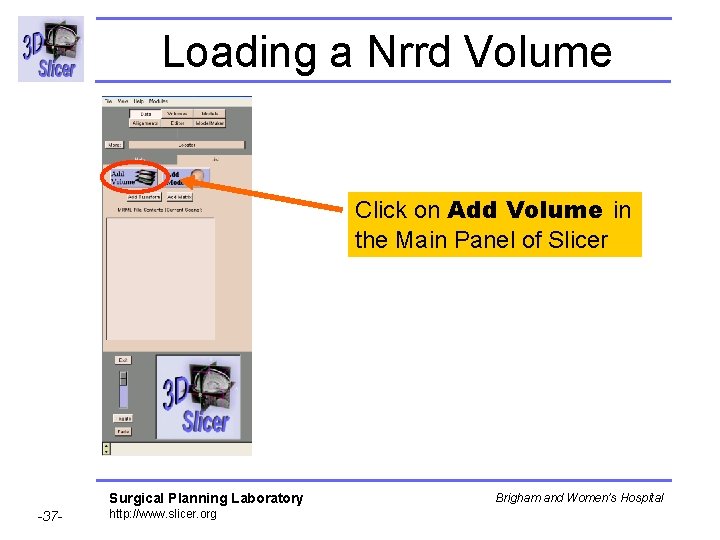
Loading a Nrrd Volume Click on Add Volume in the Main Panel of Slicer Surgical Planning Laboratory -37 - http: //www. slicer. org Brigham and Women’s Hospital
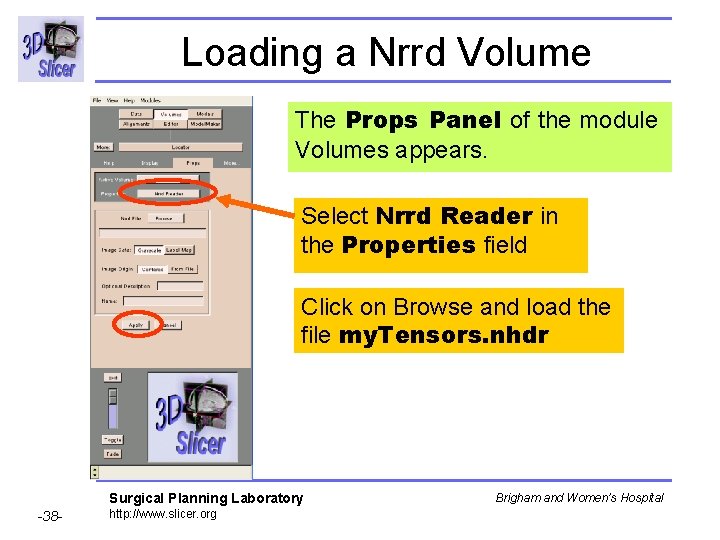
Loading a Nrrd Volume The Props Panel of the module Volumes appears. Select Nrrd Reader in the Properties field Click on Browse and load the file my. Tensors. nhdr Surgical Planning Laboratory -38 - http: //www. slicer. org Brigham and Women’s Hospital
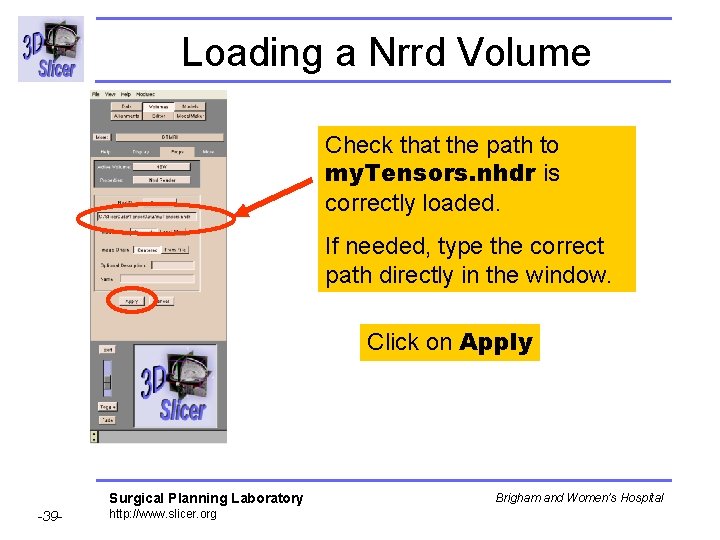
Loading a Nrrd Volume Check that the path to my. Tensors. nhdr is correctly loaded. If needed, type the correct path directly in the window. Click on Apply Surgical Planning Laboratory -39 - http: //www. slicer. org Brigham and Women’s Hospital
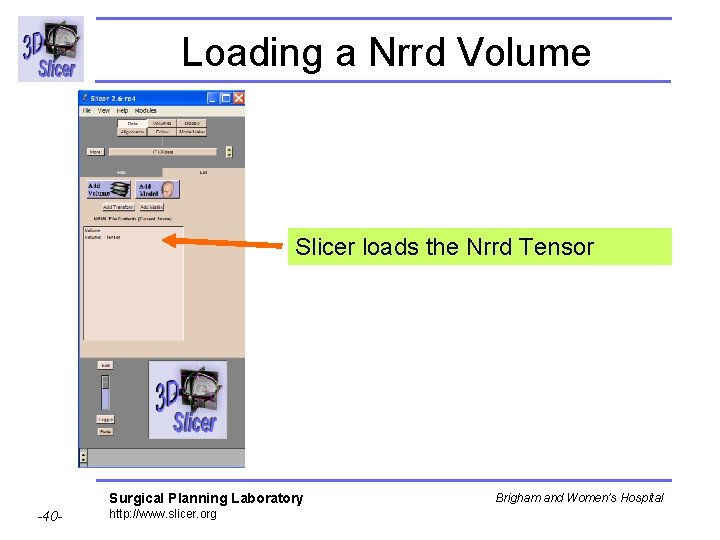
Loading a Nrrd Volume Slicer loads the Nrrd Tensor Surgical Planning Laboratory -40 - http: //www. slicer. org Brigham and Women’s Hospital
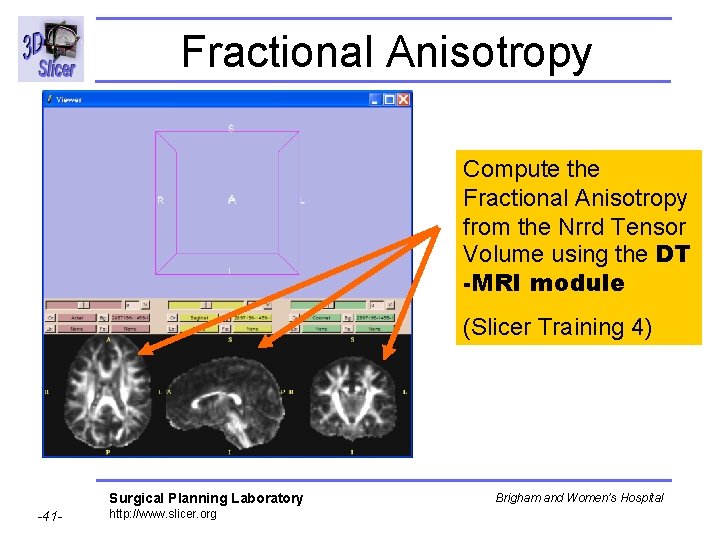
Fractional Anisotropy Compute the Fractional Anisotropy from the Nrrd Tensor Volume using the DT -MRI module (Slicer Training 4) Surgical Planning Laboratory -41 - http: //www. slicer. org Brigham and Women’s Hospital
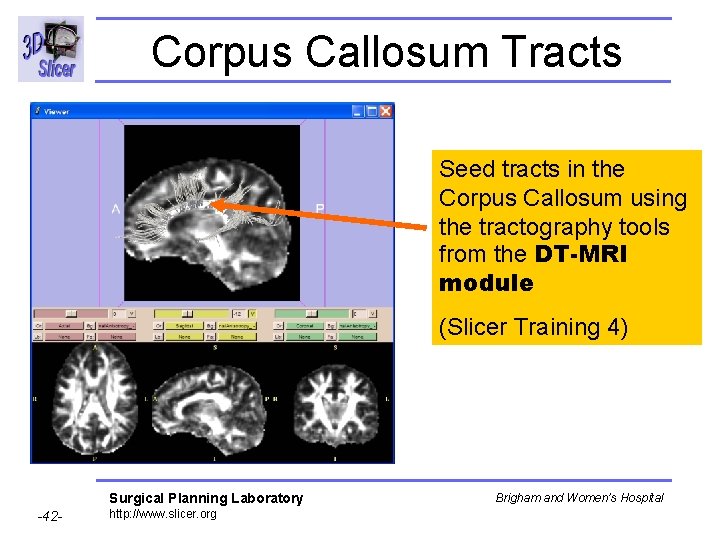
Corpus Callosum Tracts Seed tracts in the Corpus Callosum using the tractography tools from the DT-MRI module (Slicer Training 4) Surgical Planning Laboratory -42 - http: //www. slicer. org Brigham and Women’s Hospital
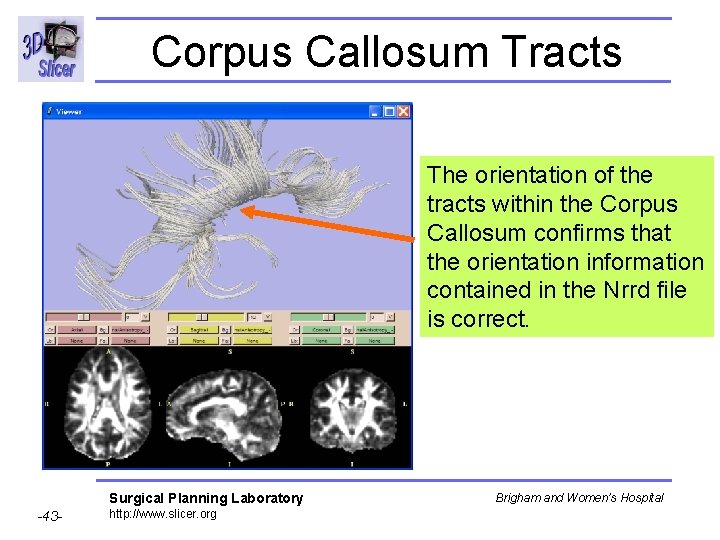
Corpus Callosum Tracts The orientation of the tracts within the Corpus Callosum confirms that the orientation information contained in the Nrrd file is correct. Surgical Planning Laboratory -43 - http: //www. slicer. org Brigham and Women’s Hospital
The right one is correct Surgical Planning Laboratory -44 - http: //www. slicer. org Brigham and Women’s Hospital
Conclusion • Standardized description of the information contained in DTI data. • Rapid, intuitive visual assessment of orientation results within Slicer • Open-Source: http: //teem. sourceforge. net/nrrd/ Surgical Planning Laboratory -45 - http: //www. slicer. org Brigham and Women’s Hospital