
AVI File Format By Jacob Bab and Conor
AVI File Format By : Jacob, Bab and Conor
Basic operation Presented By: Conor
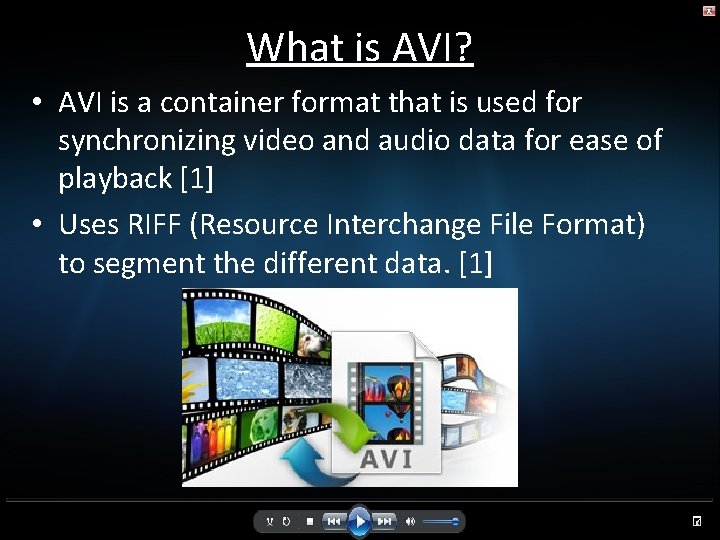
What is AVI? • AVI is a container format that is used for synchronizing video and audio data for ease of playback [1] • Uses RIFF (Resource Interchange File Format) to segment the different data. [1]
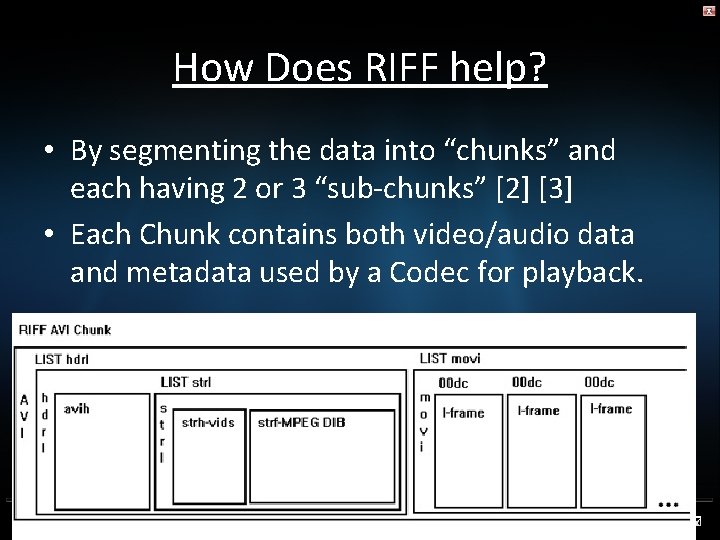
How Does RIFF help? • By segmenting the data into “chunks” and each having 2 or 3 “sub-chunks” [2] [3] • Each Chunk contains both video/audio data and metadata used by a Codec for playback.
So what Data can AVI contain? • AVI Format files can hold full-frame, MPEG-4, indeo, and many more. [1] • The header chunk contains all the info needed for media Codecs to read and use the content segmented and synchronized by AVI. • Unless the audio/video data is uncompressed before encapsulation, playback will be lossy. [3]
Quality vs Bit rate Presented by : Jacob
![Three Main factors that determine Bit Rate of an AVI video are [3] :](http://slidetodoc.com/presentation_image/f8eaff2d2253b5bdd59573912479ff8f/image-7.jpg "Three Main factors that determine Bit Rate of an AVI video are [3] :")
Three Main factors that determine Bit Rate of an AVI video are [3] : • Resolution • Frame rate • Variable bit rate vs Constant Bit Rate
![Resolution • Resolution effects the pixel density of an image [4] • lower resolution](http://slidetodoc.com/presentation_image/f8eaff2d2253b5bdd59573912479ff8f/image-8.jpg "Resolution • Resolution effects the pixel density of an image [4] • lower resolution")
Resolution • Resolution effects the pixel density of an image [4] • lower resolution = lower quality images + lower bit rate • Higher resolution = higher quality images + higher bit rate 50 x 58 5548 x 6372
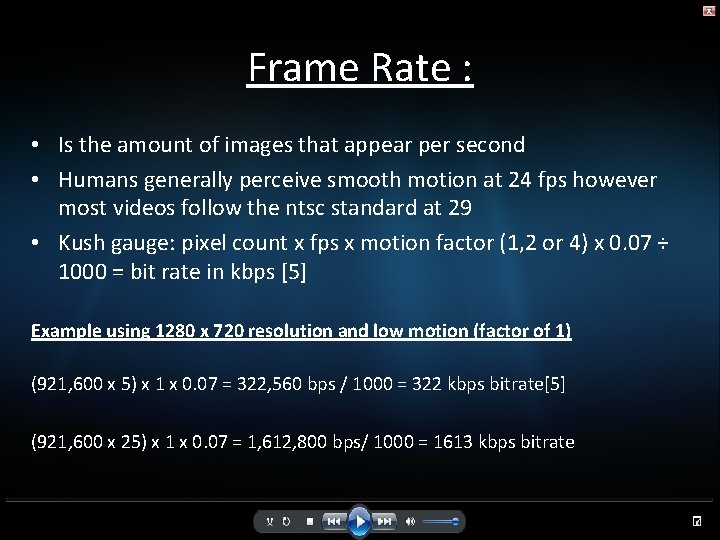
Frame Rate : • Is the amount of images that appear per second • Humans generally perceive smooth motion at 24 fps however most videos follow the ntsc standard at 29 • Kush gauge: pixel count x fps x motion factor (1, 2 or 4) x 0. 07 ÷ 1000 = bit rate in kbps [5] Example using 1280 x 720 resolution and low motion (factor of 1) (921, 600 x 5) x 1 x 0. 07 = 322, 560 bps / 1000 = 322 kbps bitrate[5] (921, 600 x 25) x 1 x 0. 07 = 1, 612, 800 bps/ 1000 = 1613 kbps bitrate
VBR Vs CBR • Variable bit rate is when a file switches from a minimum to maximum bit rate [3]. Also usually reduces bit rate by 25% [4] • Constant bit rate only has one set rate but provides smoother playback and less stress to the video player. [3]
Advantages and Disadvantages Presented by : Bab
Advantages of AVI • High compatibility with Virtual. Dub and Windows Media Player. • Advanced DV-AVI standard is compressed to conform with DV standard. • Plays in mainstream media players such as Windows Media Player. [1]
Continue • Can be used as a starting point to create playable DVDs. • Does not require any special hardware or software. • Widely used in business such as advertisement and promo videos. [6]
Disadvantages • AVI does not provide a standardized way to encode aspect ratio information, with the result that players cannot select the right one automatically. • Can not hold VBR data such as mp 3 below 32 khz sample rate. • Its ability to enhance sound is bad • It has limited picture resolution, and it is unable to do full screen and full motion video. [7]
Current and Future Applications Presented by : Jacob
![Current Applications • Since being created in 1992 [8] avi has is still the](http://slidetodoc.com/presentation_image/f8eaff2d2253b5bdd59573912479ff8f/image-16.jpg "Current Applications • Since being created in 1992 [8] avi has is still the")
Current Applications • Since being created in 1992 [8] avi has is still the digital standard for recording and editing videos • Avi has influenced other derivatives like xvid (compressed avi) and dv – avi (lossless avi)[9] • DV- Avi is used in current video cameras.
Future Applications • Slowly being replaced by wmv (very slowly) because of having no ability to maintain aspect ratio information[10] • Other formats like mpeg 4 and ogg solve this problem. [11] • Formats like xvid and divx are updated versions of avi and will continue to be used for pc playback.
End of presentation
![References • [1] Various, "Audio Video Interleave, " Wikipedia, 14 March 2014. [Online]. Available:](http://slidetodoc.com/presentation_image/f8eaff2d2253b5bdd59573912479ff8f/image-19.jpg "References • [1] Various, \"Audio Video Interleave, \" Wikipedia, 14 March 2014. [Online]. Available:")
References • [1] Various, "Audio Video Interleave, " Wikipedia, 14 March 2014. [Online]. Available: http: //en. wikipedia. org/wiki/Audio_Video_Interleave. [Accessed 18 March 2014]. • [2] Various, "Four. CC, " Wikipedia, 15 June 2013. [Online]. Available: http: //en. wikipedia. org/wiki/Four. CC. [Accessed 18 March 2014]. • [3] Various, "Video Codec, " Wikipedia, 7 February 2013. [Online]. Available: http: //en. wikipedia. org/wiki/Video_codec#Lossless_codecs. [Accessed 18 March 2014].
![Continue • [3] Desk. Share, " Desk. Share Incorporated, [Online]. Available: http: //www. deskshare.](http://slidetodoc.com/presentation_image/f8eaff2d2253b5bdd59573912479ff8f/image-20.jpg "Continue • [3] Desk. Share, \" Desk. Share Incorporated, [Online]. Available: http: //www. deskshare.")
Continue • [3] Desk. Share, " Desk. Share Incorporated, [Online]. Available: http: //www. deskshare. com/resources/articles/dmc_compression_ avi. aspx. [Accessed 01 april 2014]. • • [ 4] D. Stanley, "EZS 3, " Digital Marketing Ltd. , 2014. [Online]. Available: http: //www. ezs 3. com/public/What_bitrate_should_I_use_when_e ncoding_my_video_How_do_I_optimize_my_video_for_the_web. c fm. [Accessed 1 04 2014]. • [5] "Paromita poddar, " 2010. [Online]. Available: http: //www. paromitapoddar. com/Video. Compression/kush. html. [Accessed 02 April 2014].
![Continue • [6 ] K. Zeng, "Articlesbase, " 27 October 2010. [Online]. Available: http:](http://slidetodoc.com/presentation_image/f8eaff2d2253b5bdd59573912479ff8f/image-21.jpg "Continue • [6 ] K. Zeng, \"Articlesbase, \" 27 October 2010. [Online]. Available: http:")
Continue • [6 ] K. Zeng, "Articlesbase, " 27 October 2010. [Online]. Available: http: //www. articlesbase. com/software-articles/the -advantages-of-avi-format-3553577. html. [Accessed 18 March 2014]. • [7] Digiarty Software, "What is AVI - Audio Video Interleave - Video Format, " January 2014. [Online]. Available: http: //www. winxdvd. com/resource/avi. htm. [Accessed 20 March 2014].
![Continue [8] E. Team, "Encoding, " 2013. [Online]. Available: http: //www. encoding. com/avi-encoding. [Accessed](http://slidetodoc.com/presentation_image/f8eaff2d2253b5bdd59573912479ff8f/image-22.jpg "Continue [8] E. Team, \"Encoding, \" 2013. [Online]. Available: http: //www. encoding. com/avi-encoding. [Accessed")
Continue [8] E. Team, "Encoding, " 2013. [Online]. Available: http: //www. encoding. com/avi-encoding. [Accessed 24 march 2014]. [9] "Microsoft development center, " [Online]. Available: http: //msdn. microsoft. com/enus/library/windows/desktop/dd 407250%28 v=vs. 85%29. aspx. [Accessed 21 March 2014]. [10] R. Team, "Real, " 22 april 2012. [Online]. Available: http: //www. real. com/resources/digital-video-file-formats/. [Accessed 1 April 2014]. [11] Digiarty Software, "What is AVI - Audio Video Interleave - Video Format, " January 2014. [Online]. Available: http: //www. winxdvd. com/resource/avi. htm. [Accessed 20 March 2014].
- Slides: 22