Complete Spectral Analysis PERCH Solutions Ltd Version 2011
- Slides: 35
Complete Spectral Analysis PERCH Solutions Ltd. - Version 2011. 1 Note: This in an interactive Power. Point Show! Click the Links to jump between Topics. © © 2001 -2011 PERCH Solutions Ltd.
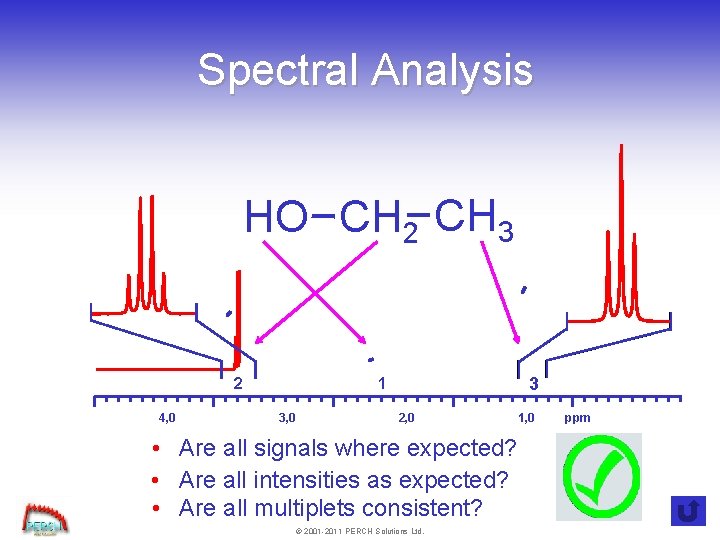
Spectral Analysis HO CH 2 CH 3 4, 0 3 1 2 3, 0 2, 0 • Are all signals where expected? • Are all intensities as expected? • Are all multiplets consistent? © 2001 -2011 PERCH Solutions Ltd. 1, 0 ppm
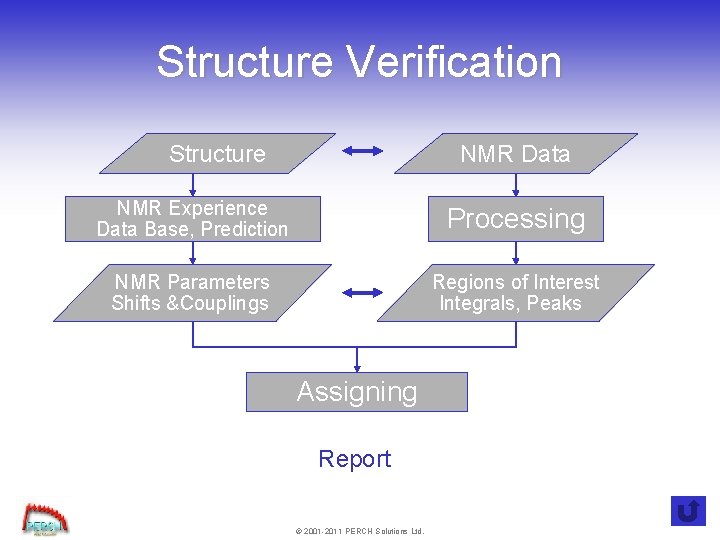
Structure Verification Structure NMR Data NMR Experience Data Base, Prediction Processing NMR Parameters Shifts &Couplings Regions of Interest Integrals, Peaks Assigning Report © 2001 -2011 PERCH Solutions Ltd.
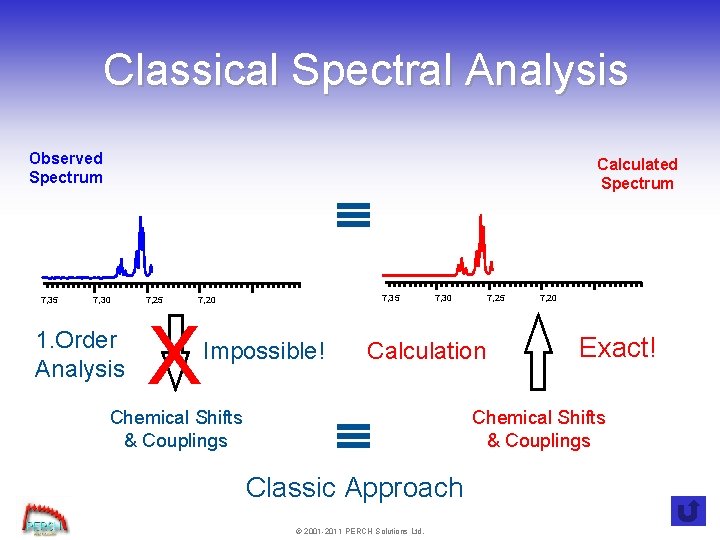
Classical Spectral Analysis Observed Spectrum 7, 35 Calculated Spectrum 7, 30 1. Order Analysis 7, 25 7, 35 7, 20 X Impossible! Chemical Shifts & Couplings 7, 30 7, 25 Calculation Classic Approach © 2001 -2011 PERCH Solutions Ltd. 7, 20 Exact! Chemical Shifts & Couplings
Automated Structure Verification Automated Consistency Analysis • Fully Automated Workflow • Embedded in Bruker Hard- & Software • Providing “Safe” Assessments • Enhancing Efficiency • Taking care of the “simple & tedious stuff” © 2001 -2011 PERCH Solutions Ltd.
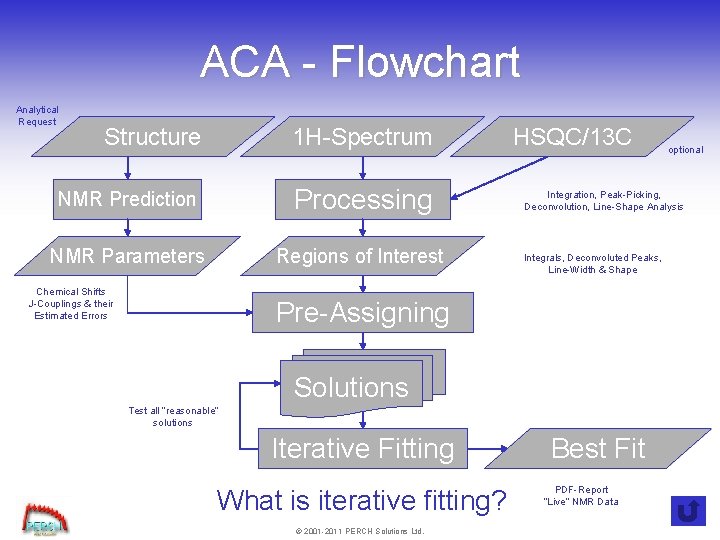
ACA - Flowchart Analytical Request Structure 1 H-Spectrum NMR Prediction Processing NMR Parameters Regions of Interest Chemical Shifts J-Couplings & their Estimated Errors HSQC/13 C Integration, Peak-Picking, Deconvolution, Line-Shape Analysis Integrals, Deconvoluted Peaks, Line-Width & Shape Pre-Assigning Solutions Test all “reasonable” solutions Iterative Fitting What is iterative fitting? © 2001 -2011 PERCH Solutions Ltd. optional Best Fit PDF-Report “Live” NMR Data
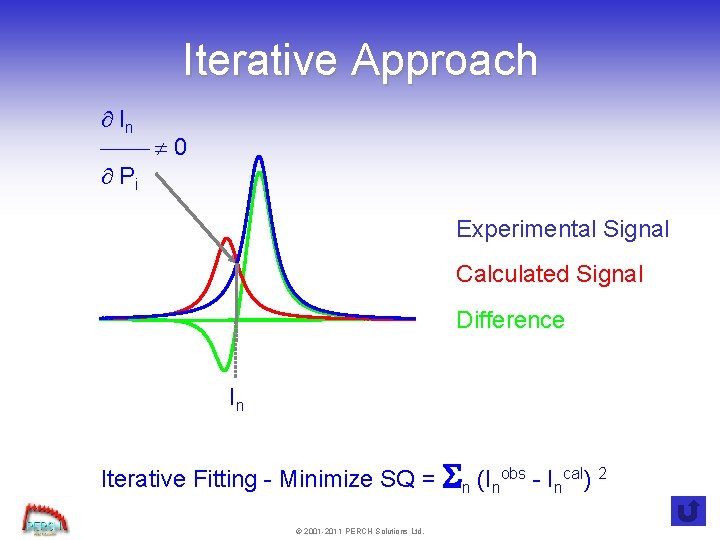
Iterative Approach ¶ In ¾¾ ¹ 0 ¶ Pi Experimental Signal Calculated Signal Difference In Iterative Fitting - Minimize SQ = Sn (Inobs - Incal) 2 © 2001 -2011 PERCH Solutions Ltd.
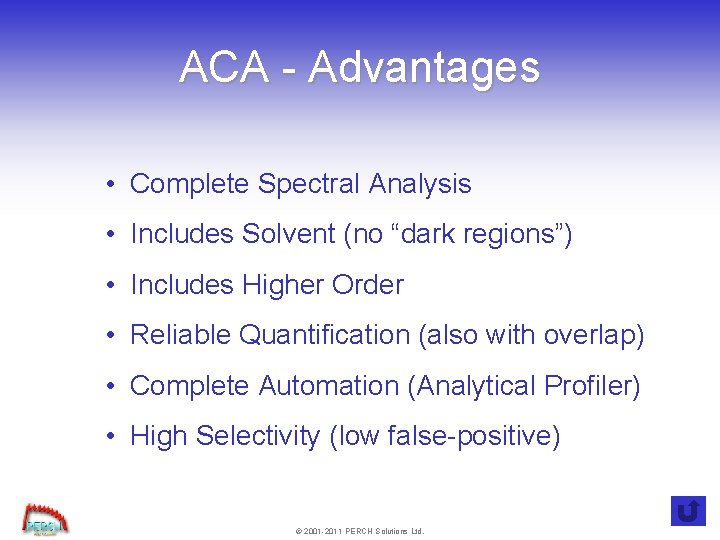
ACA - Advantages • Complete Spectral Analysis • Includes Solvent (no “dark regions”) • Includes Higher Order • Reliable Quantification (also with overlap) • Complete Automation (Analytical Profiler) • High Selectivity (low false-positive) © 2001 -2011 PERCH Solutions Ltd.
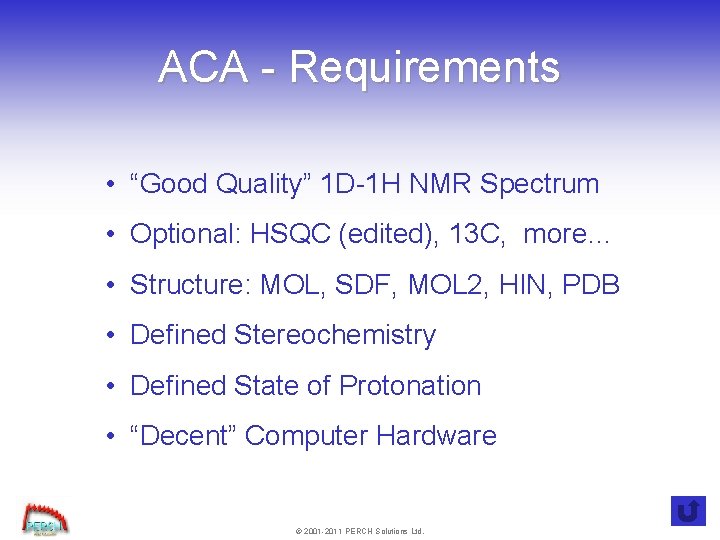
ACA - Requirements • “Good Quality” 1 D-1 H NMR Spectrum • Optional: HSQC (edited), 13 C, more… • Structure: MOL, SDF, MOL 2, HIN, PDB • Defined Stereochemistry • Defined State of Protonation • “Decent” Computer Hardware © 2001 -2011 PERCH Solutions Ltd.
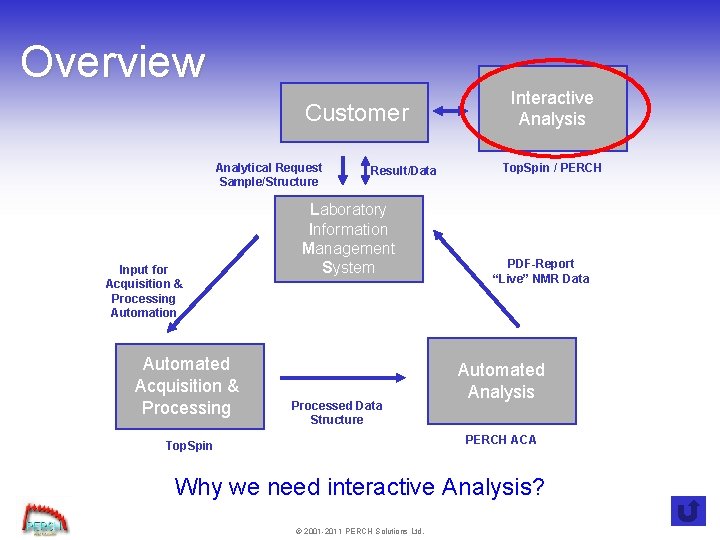
Overview Customer Analytical Request Sample/Structure Input for Acquisition & Processing Automation Automated Acquisition & Processing Result/Data Laboratory Information Management System Processed Data Structure Interactive Analysis Top. Spin / PERCH PDF-Report “Live” NMR Data Automated Analysis PERCH ACA Top. Spin Why we need interactive Analysis? © 2001 -2011 PERCH Solutions Ltd.
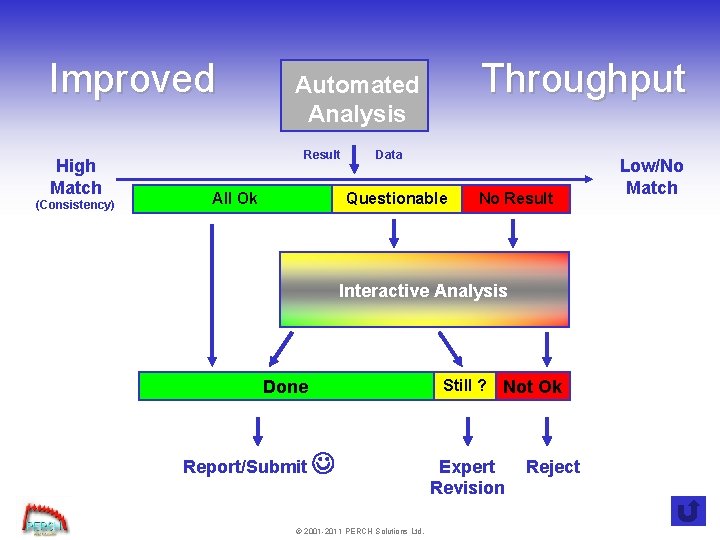
Improved High Match (Consistency) Throughput Automated Analysis Result All Ok Data Questionable No Result Interactive Analysis Done Report/Submit © 2001 -2011 PERCH Solutions Ltd. Still ? Not Ok Expert Revision Reject Low/No Match
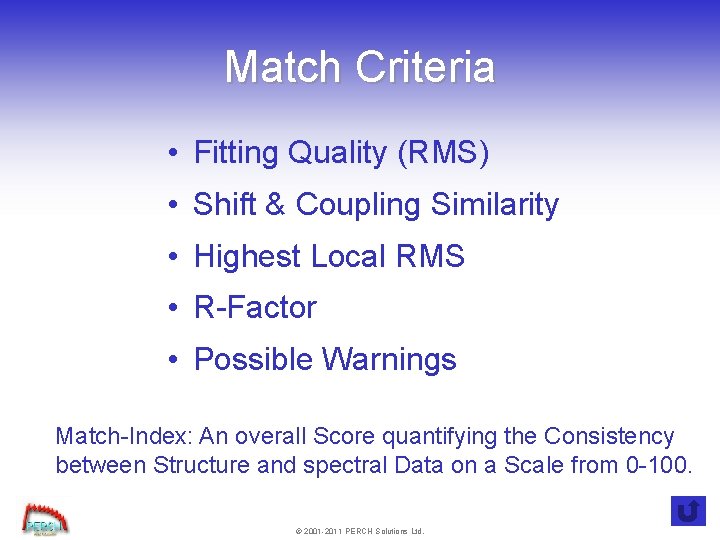
Match Criteria • Fitting Quality (RMS) • Shift & Coupling Similarity • Highest Local RMS • R-Factor • Possible Warnings Match-Index: An overall Score quantifying the Consistency between Structure and spectral Data on a Scale from 0 -100. © 2001 -2011 PERCH Solutions Ltd.
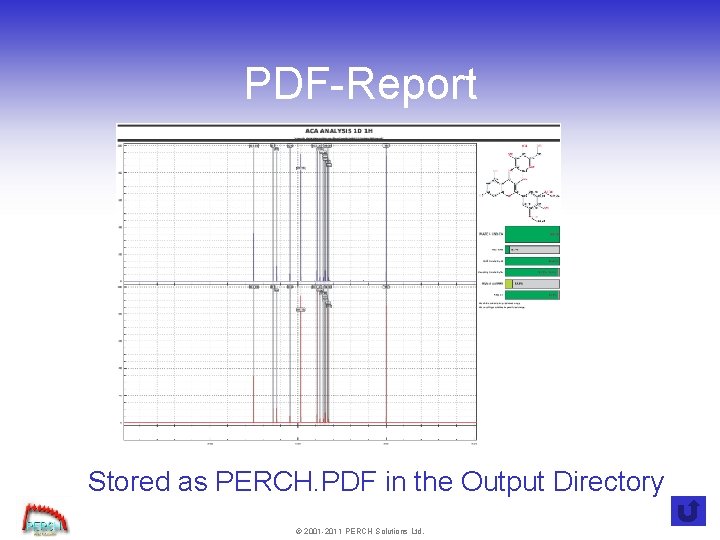
PDF-Report Stored as PERCH. PDF in the Output Directory © 2001 -2011 PERCH Solutions Ltd.
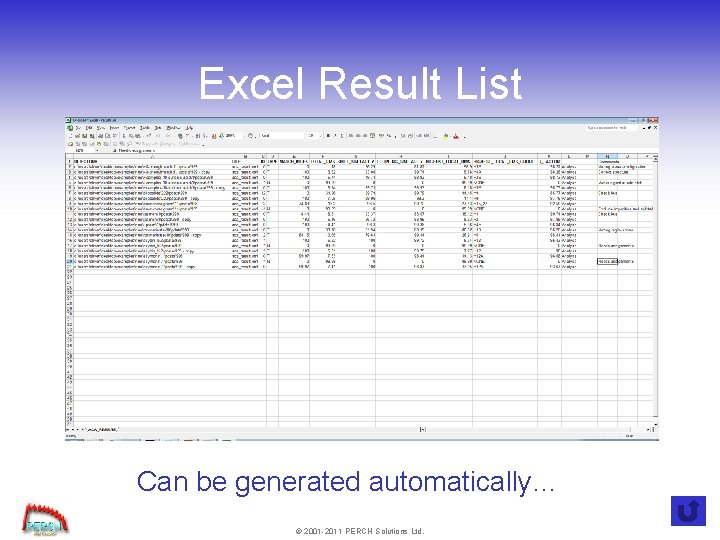
Excel Result List Can be generated automatically… © 2001 -2011 PERCH Solutions Ltd.
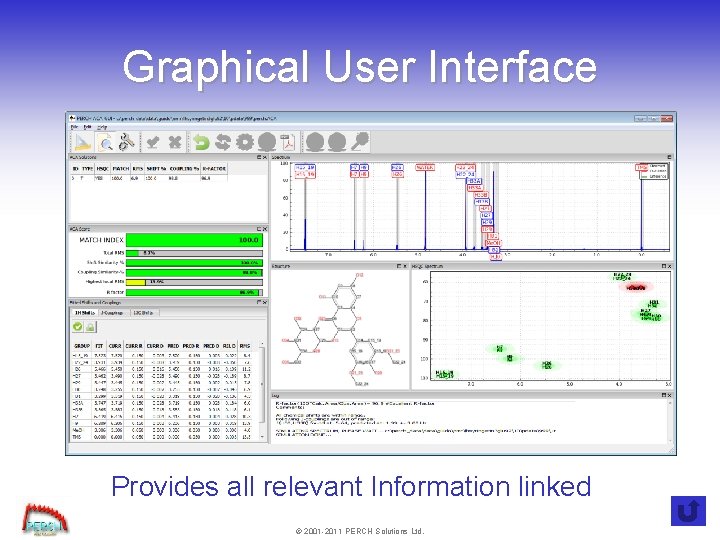
Graphical User Interface Provides all relevant Information linked © 2001 -2011 PERCH Solutions Ltd.
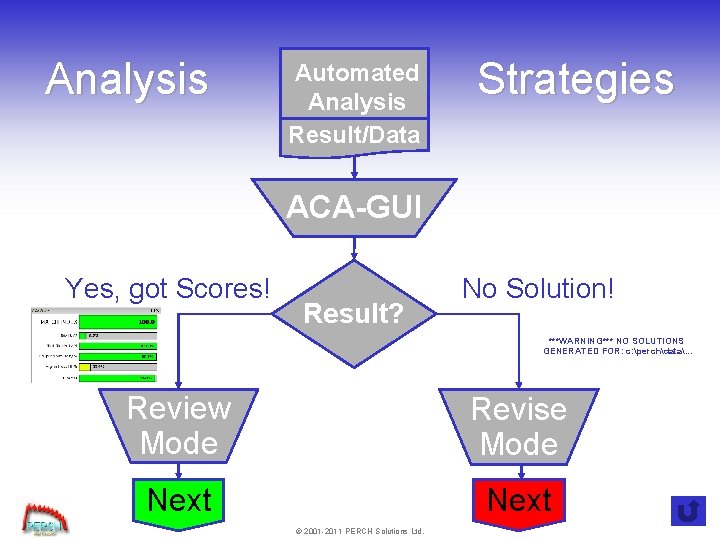
Analysis Automated Analysis Result/Data Strategies ACA-GUI Yes, got Scores! Result? No Solution! ***WARNING*** NO SOLUTIONS GENERATED FOR: c: perchdata. . . Review Mode Revise Mode Next © 2001 -2011 PERCH Solutions Ltd.
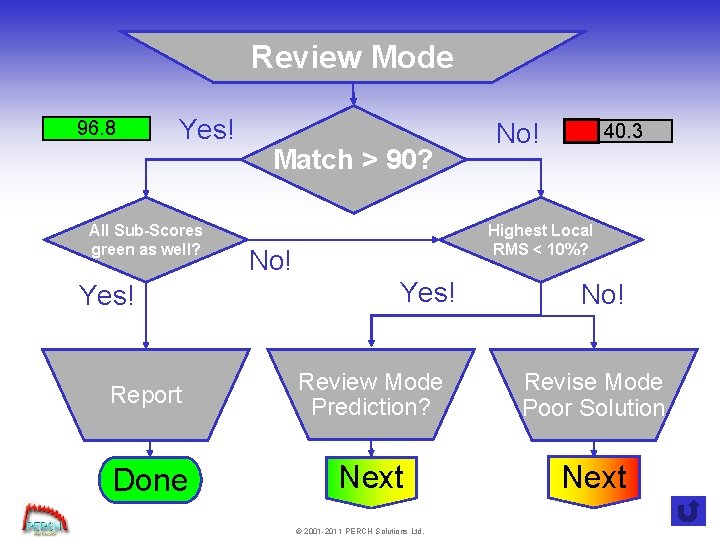
Review Mode 96. 8 Yes! All Sub-Scores green as well? Yes! Match > 90? No! 40. 3 Highest Local RMS < 10%? No! Yes! No! Report Review Mode Prediction? Revise Mode Poor Solution Done Next © 2001 -2011 PERCH Solutions Ltd.
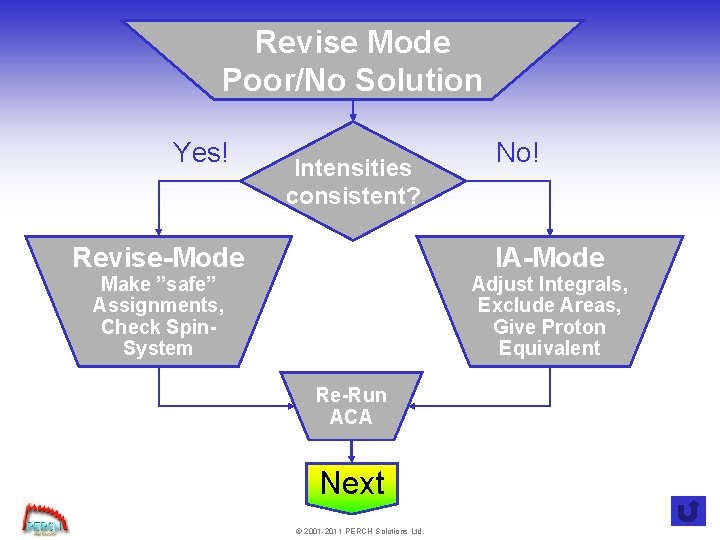
Revise Mode Poor/No Solution Yes! Intensities consistent? Revise-Mode No! IA-Mode Make ”safe” Assignments, Check Spin. System Adjust Integrals, Exclude Areas, Give Proton Equivalent Re-Run ACA Next © 2001 -2011 PERCH Solutions Ltd.
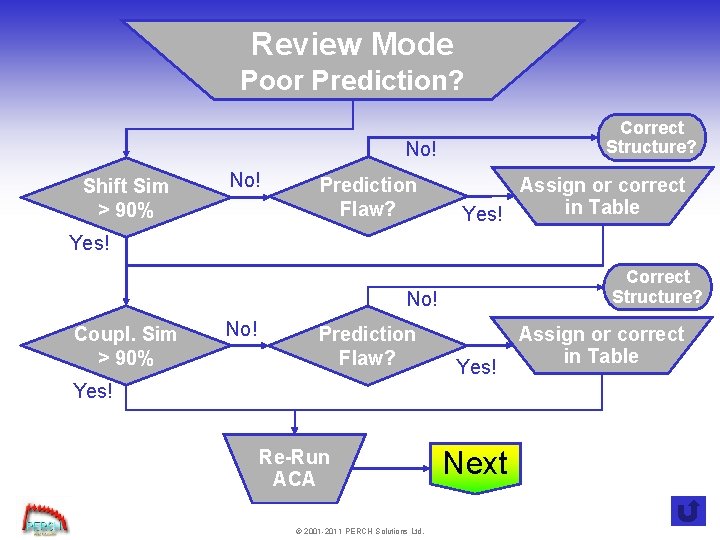
Review Mode Poor Prediction? Correct Structure? No! Shift Sim > 90% No! Prediction Flaw? Assign or correct in Table Yes! Correct Structure? No! Coupl. Sim > 90% No! Prediction Flaw? Yes! Re-Run ACA © 2001 -2011 PERCH Solutions Ltd. Next Assign or correct in Table
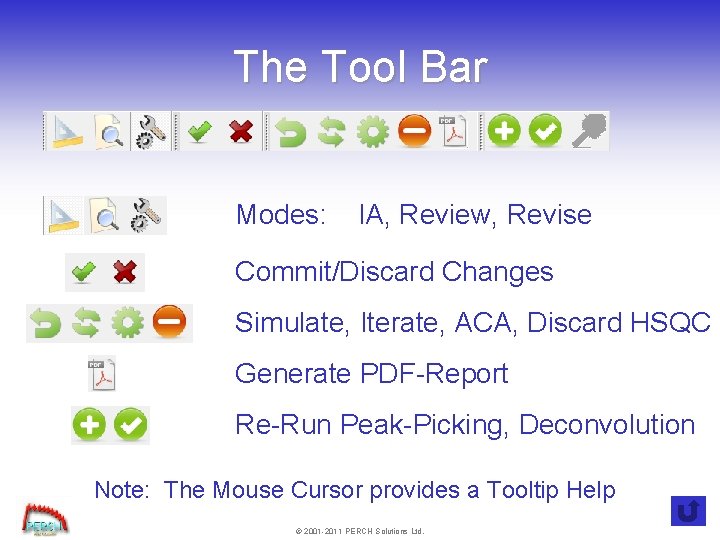
The Tool Bar Modes: IA, Review, Revise Commit/Discard Changes Simulate, Iterate, ACA, Discard HSQC Generate PDF-Report Re-Run Peak-Picking, Deconvolution Note: The Mouse Cursor provides a Tooltip Help © 2001 -2011 PERCH Solutions Ltd.
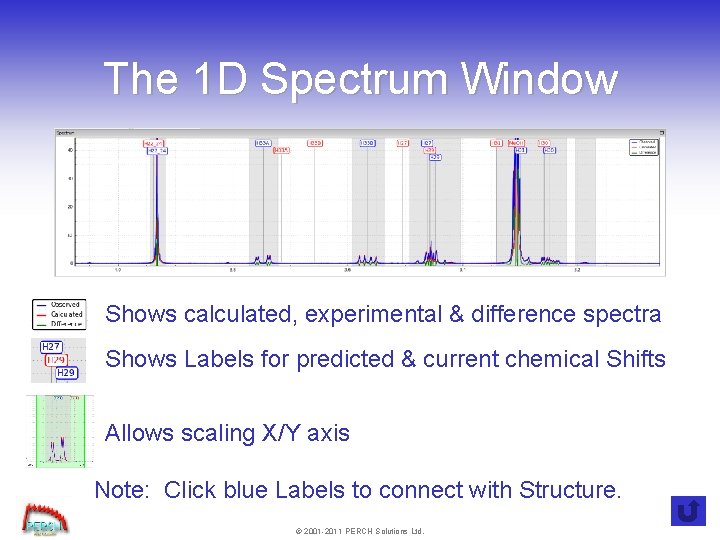
The 1 D Spectrum Window Shows calculated, experimental & difference spectra Shows Labels for predicted & current chemical Shifts Allows scaling X/Y axis Note: Click blue Labels to connect with Structure. © 2001 -2011 PERCH Solutions Ltd.
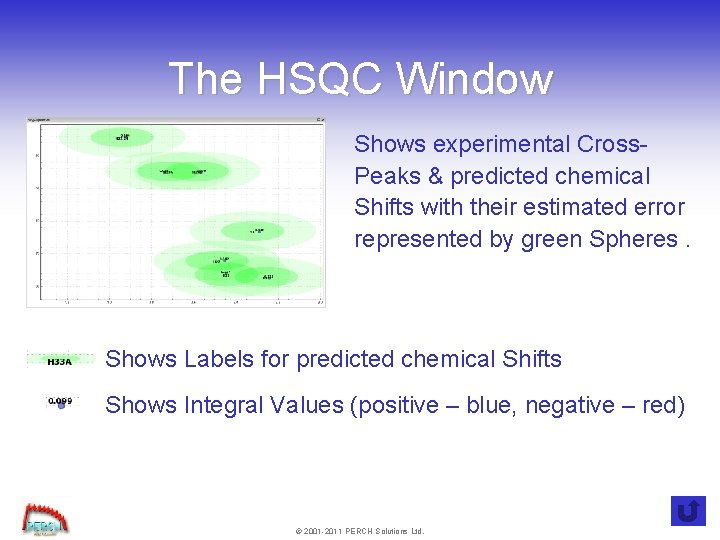
The HSQC Window Shows experimental Cross. Peaks & predicted chemical Shifts with their estimated error represented by green Spheres. Shows Labels for predicted chemical Shifts Shows Integral Values (positive – blue, negative – red) © 2001 -2011 PERCH Solutions Ltd.
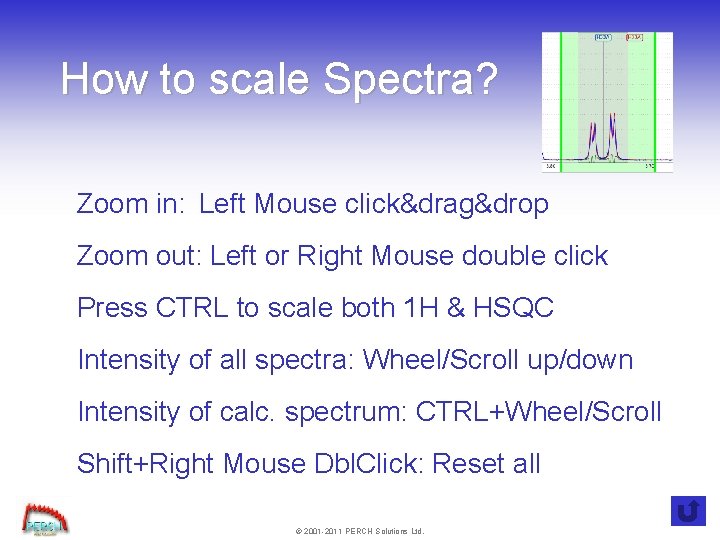
How to scale Spectra? Zoom in: Left Mouse click&drag&drop Zoom out: Left or Right Mouse double click Press CTRL to scale both 1 H & HSQC Intensity of all spectra: Wheel/Scroll up/down Intensity of calc. spectrum: CTRL+Wheel/Scroll Shift+Right Mouse Dbl. Click: Reset all © 2001 -2011 PERCH Solutions Ltd.
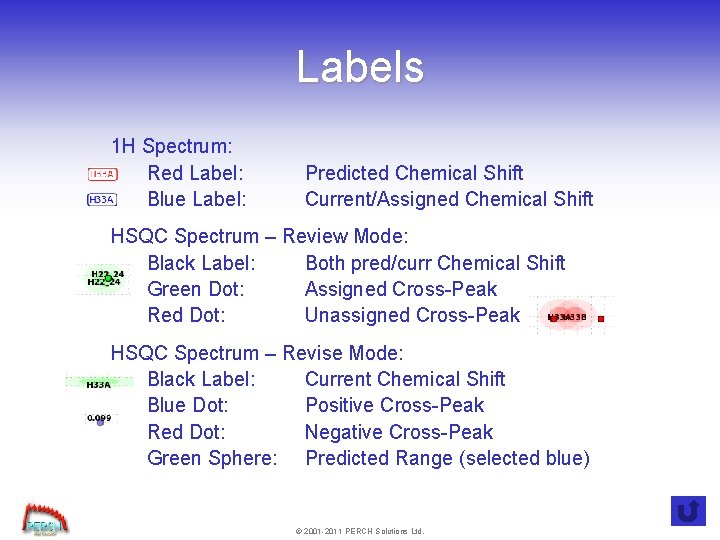
Labels 1 H Spectrum: Red Label: Blue Label: Predicted Chemical Shift Current/Assigned Chemical Shift HSQC Spectrum – Review Mode: Black Label: Both pred/curr Chemical Shift Green Dot: Assigned Cross-Peak Red Dot: Unassigned Cross-Peak HSQC Spectrum – Revise Mode: Black Label: Current Chemical Shift Blue Dot: Positive Cross-Peak Red Dot: Negative Cross-Peak Green Sphere: Predicted Range (selected blue) © 2001 -2011 PERCH Solutions Ltd.
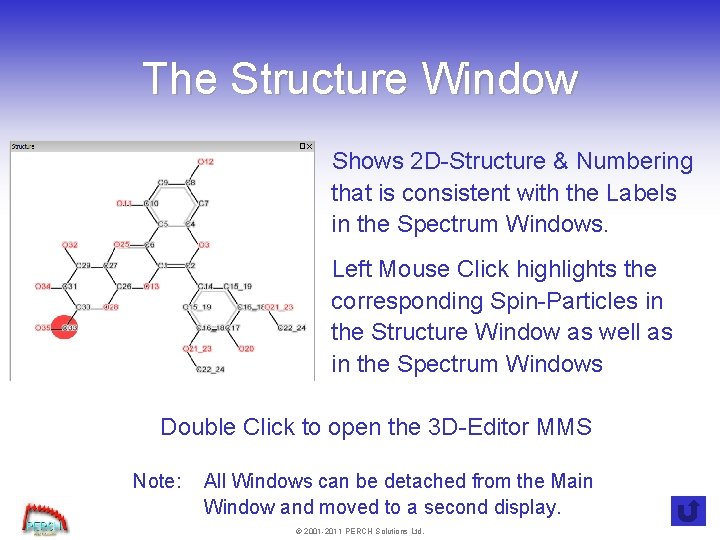
The Structure Window Shows 2 D-Structure & Numbering that is consistent with the Labels in the Spectrum Windows. Left Mouse Click highlights the corresponding Spin-Particles in the Structure Window as well as in the Spectrum Windows Double Click to open the 3 D-Editor MMS Note: All Windows can be detached from the Main Window and moved to a second display. © 2001 -2011 PERCH Solutions Ltd.
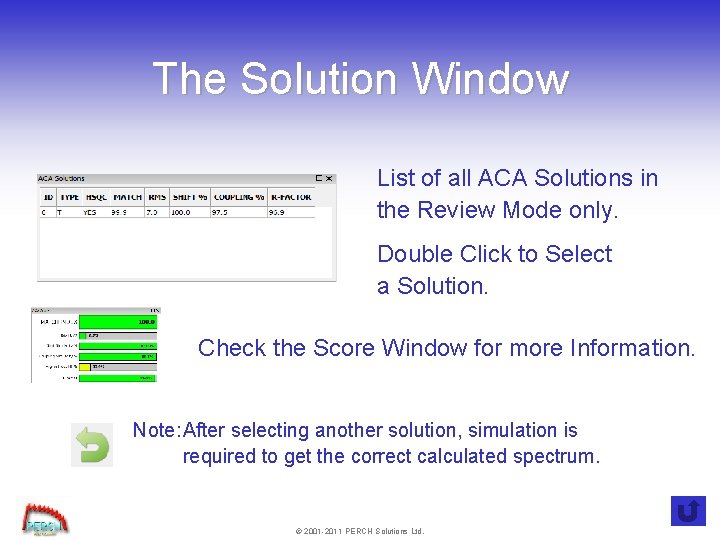
The Solution Window List of all ACA Solutions in the Review Mode only. Double Click to Select a Solution. Check the Score Window for more Information. Note: After selecting another solution, simulation is required to get the correct calculated spectrum. © 2001 -2011 PERCH Solutions Ltd.
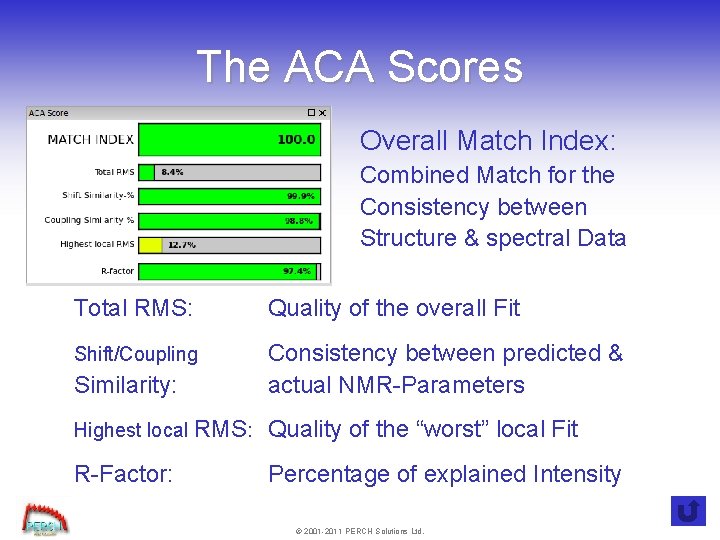
The ACA Scores Overall Match Index: Combined Match for the Consistency between Structure & spectral Data Total RMS: Quality of the overall Fit Shift/Coupling Similarity: Consistency between predicted & actual NMR-Parameters Highest local RMS: Quality of the “worst” local Fit R-Factor: Percentage of explained Intensity © 2001 -2011 PERCH Solutions Ltd.
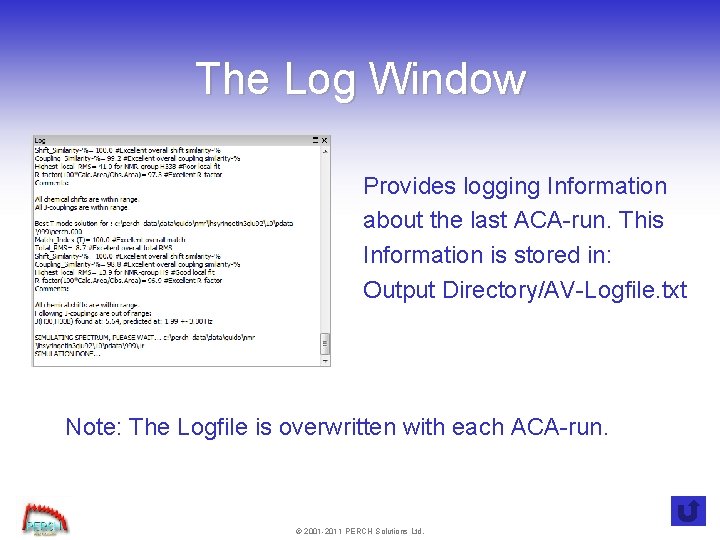
The Log Window Provides logging Information about the last ACA-run. This Information is stored in: Output Directory/AV-Logfile. txt Note: The Logfile is overwritten with each ACA-run. © 2001 -2011 PERCH Solutions Ltd.
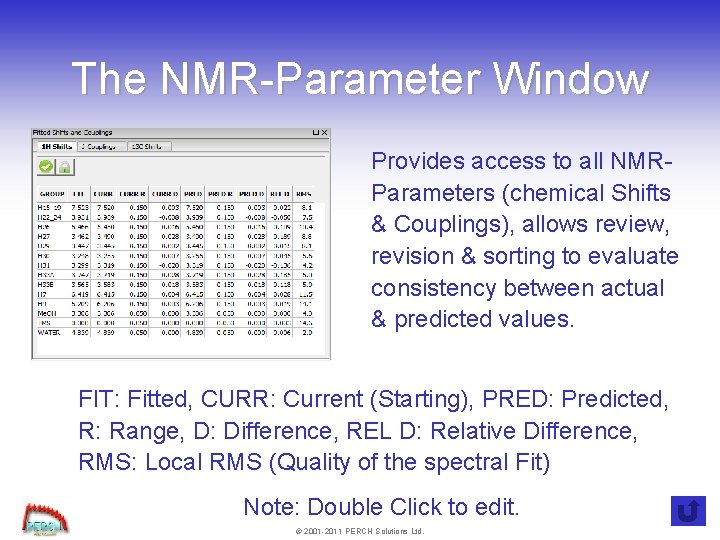
The NMR-Parameter Window Provides access to all NMRParameters (chemical Shifts & Couplings), allows review, revision & sorting to evaluate consistency between actual & predicted values. FIT: Fitted, CURR: Current (Starting), PRED: Predicted, R: Range, D: Difference, REL D: Relative Difference, RMS: Local RMS (Quality of the spectral Fit) Note: Double Click to edit. © 2001 -2011 PERCH Solutions Ltd.
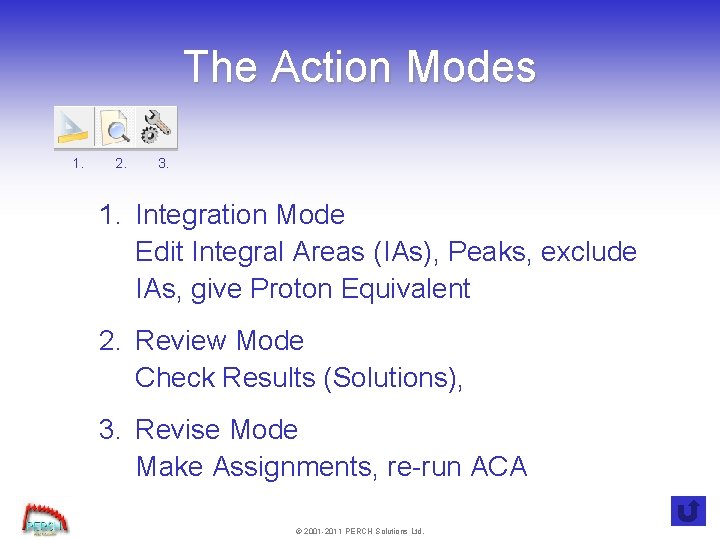
The Action Modes 1. 2. 3. 1. Integration Mode Edit Integral Areas (IAs), Peaks, exclude IAs, give Proton Equivalent 2. Review Mode Check Results (Solutions), 3. Revise Mode Make Assignments, re-run ACA © 2001 -2011 PERCH Solutions Ltd.
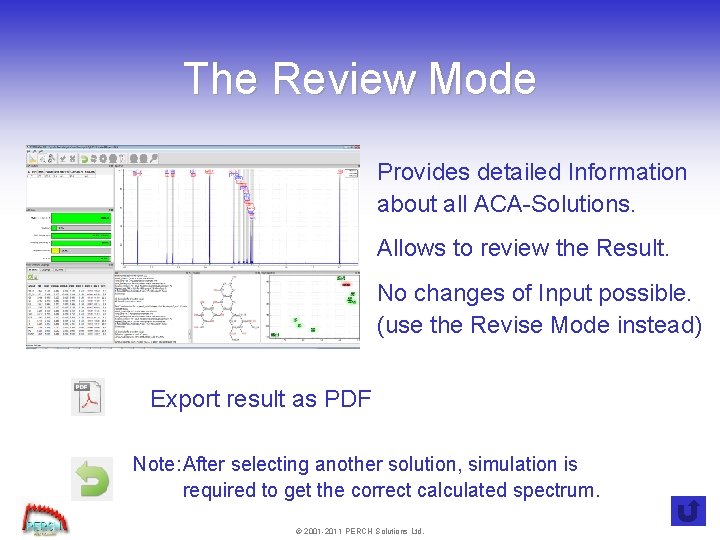
The Review Mode Provides detailed Information about all ACA-Solutions. Allows to review the Result. No changes of Input possible. (use the Revise Mode instead) Export result as PDF Note: After selecting another solution, simulation is required to get the correct calculated spectrum. © 2001 -2011 PERCH Solutions Ltd.
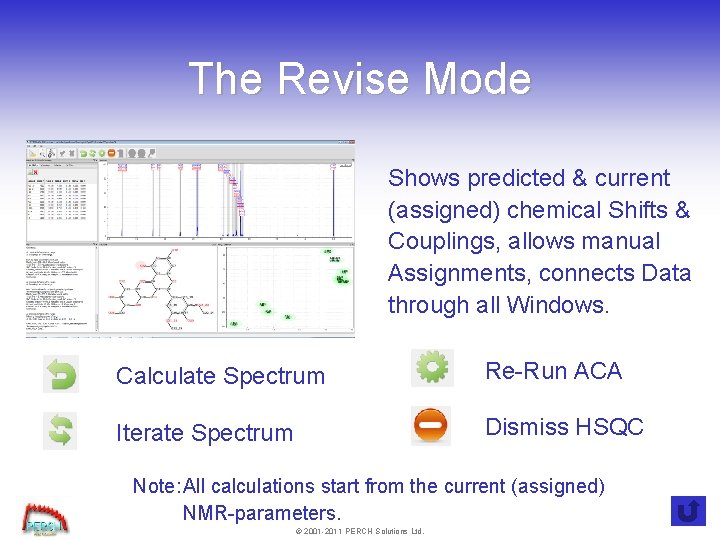
The Revise Mode Shows predicted & current (assigned) chemical Shifts & Couplings, allows manual Assignments, connects Data through all Windows. Calculate Spectrum Re-Run ACA Iterate Spectrum Dismiss HSQC Note: All calculations start from the current (assigned) NMR-parameters. © 2001 -2011 PERCH Solutions Ltd.
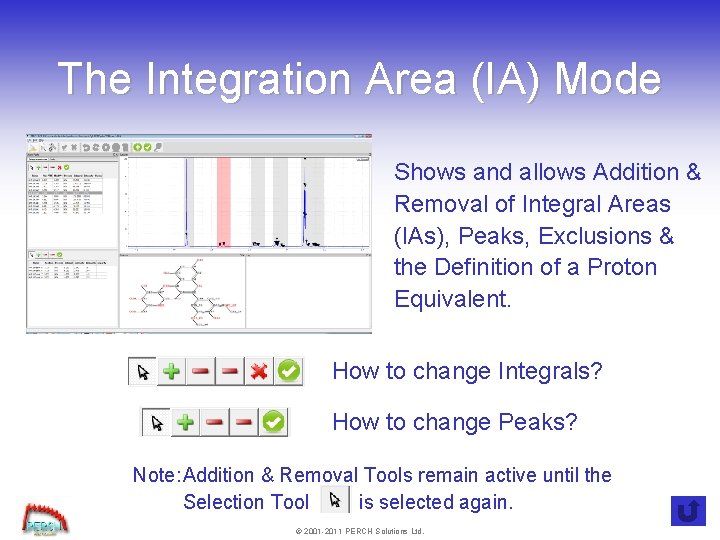
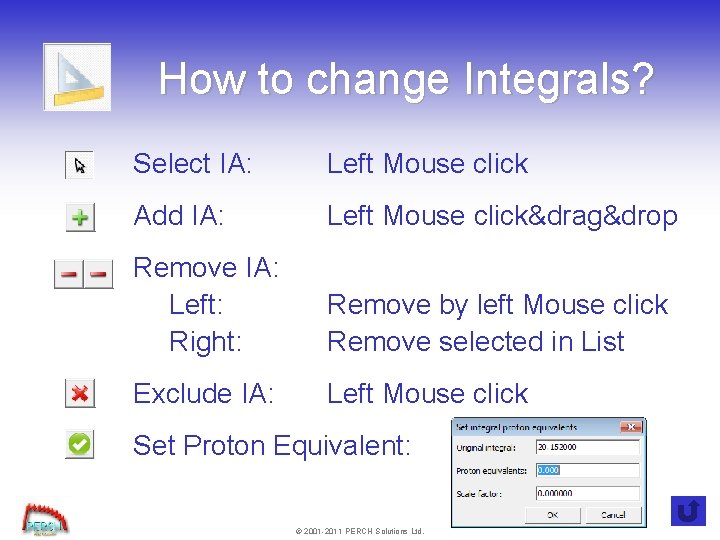
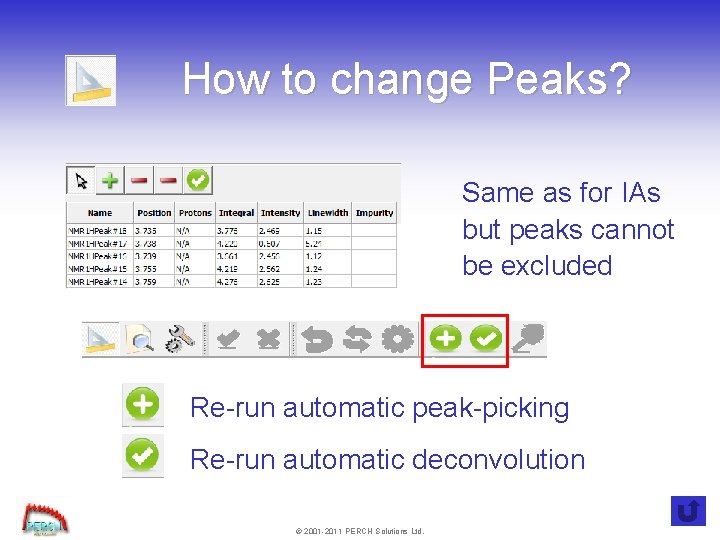
The Integration Area (IA) Mode Shows and allows Addition & Removal of Integral Areas (IAs), Peaks, Exclusions & the Definition of a Proton Equivalent. How to change Integrals? How to change Peaks? Note: Addition & Removal Tools remain active until the Selection Tool is selected again. © 2001 -2011 PERCH Solutions Ltd.
How to change Integrals? Select IA: Left Mouse click Add IA: Left Mouse click&drag&drop Remove IA: Left: Right: Remove by left Mouse click Remove selected in List Exclude IA: Left Mouse click Set Proton Equivalent: © 2001 -2011 PERCH Solutions Ltd.
How to change Peaks? Same as for IAs but peaks cannot be excluded Re-run automatic peak-picking Re-run automatic deconvolution © 2001 -2011 PERCH Solutions Ltd.