Communicating Designs Fall 2020 STEM Coordinator Angela Parsley
- Slides: 26
Communicating Designs Fall 2020 STEM Coordinator – Angela Parsley angela. parsley@vdot. virginia. gov
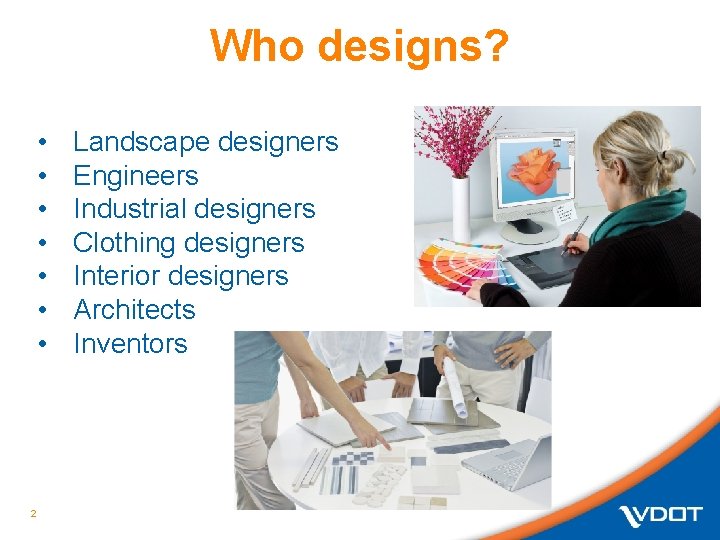
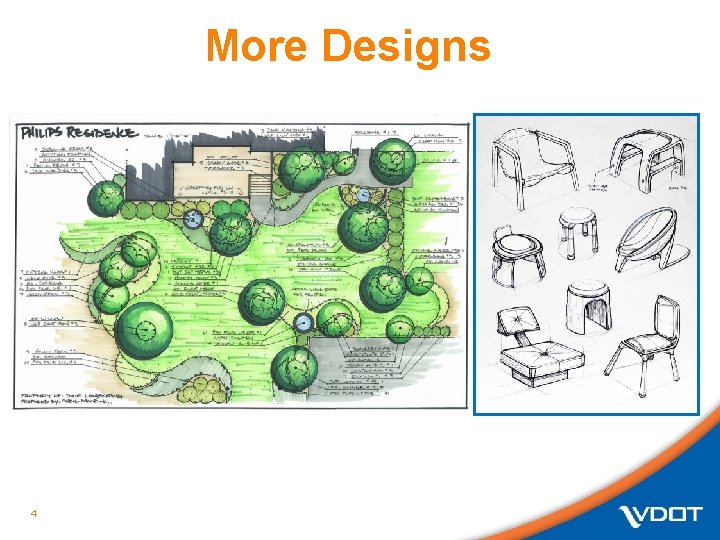
Who designs? • • 2 Landscape designers Engineers Industrial designers Clothing designers Interior designers Architects Inventors
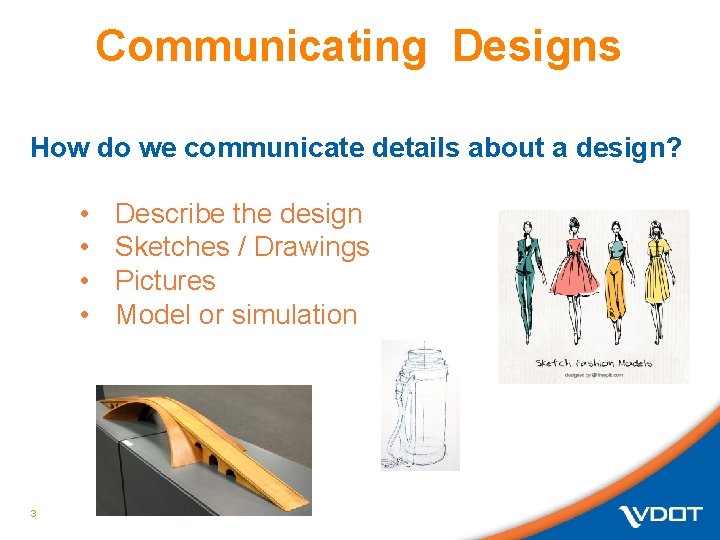
Communicating Designs How do we communicate details about a design? • • 3 Describe the design Sketches / Drawings Pictures Model or simulation
More Designs 4
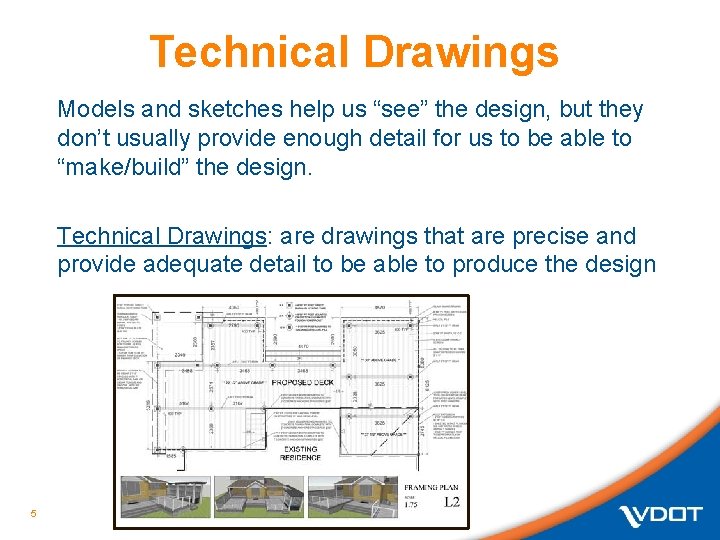
Technical Drawings Models and sketches help us “see” the design, but they don’t usually provide enough detail for us to be able to “make/build” the design. Technical Drawings: are drawings that are precise and provide adequate detail to be able to produce the design 5
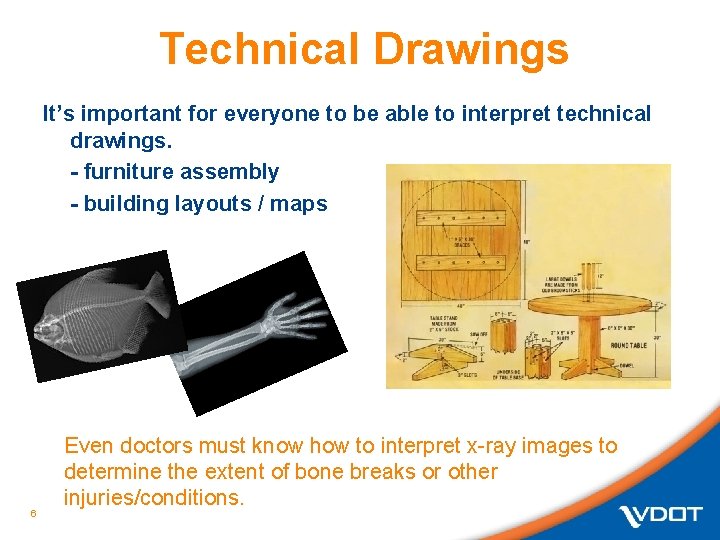
Technical Drawings It’s important for everyone to be able to interpret technical drawings. - furniture assembly - building layouts / maps 6 Even doctors must know how to interpret x-ray images to determine the extent of bone breaks or other injuries/conditions.
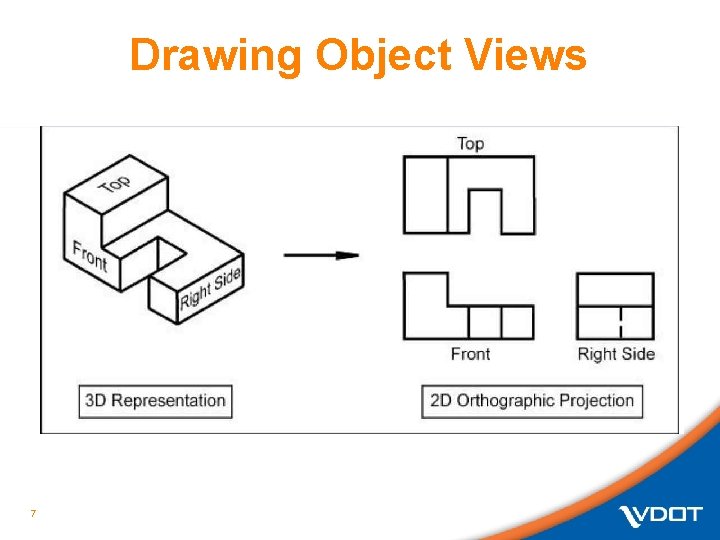
Drawing Object Views • New Roadways, Bridges, & Interchanges • Bridge Demo & Reconstruction • Paving 7
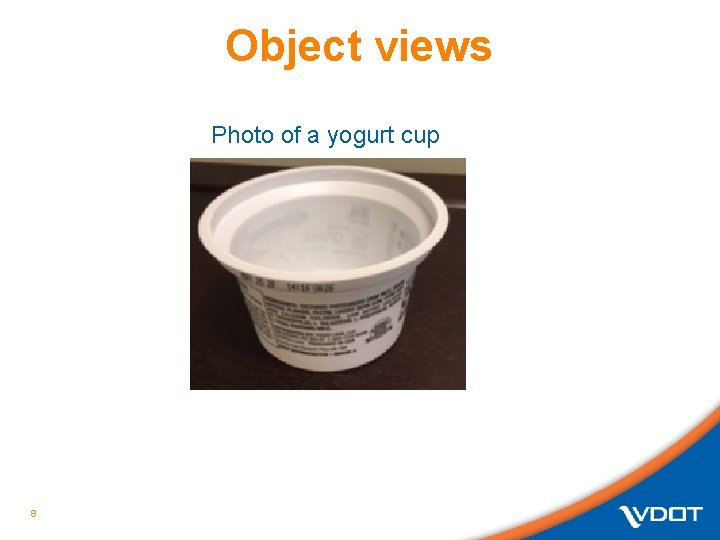
Object views Photo of a yogurt cup 8
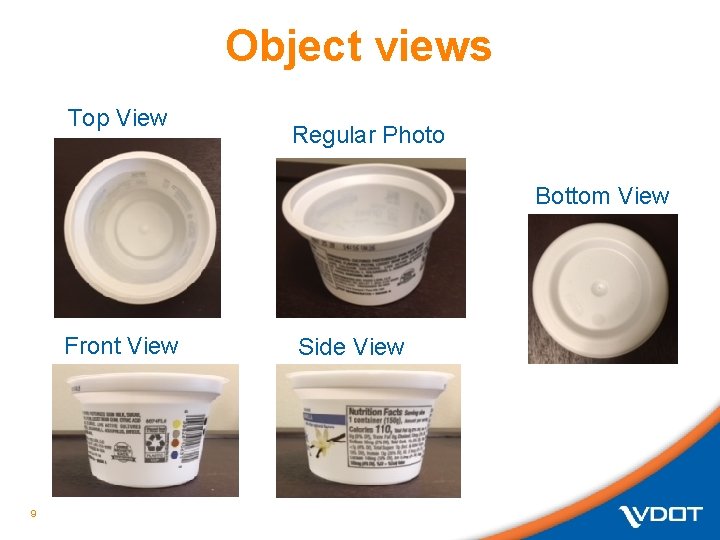
Object views Top View Regular Photo Bottom View Front View 9 Side View
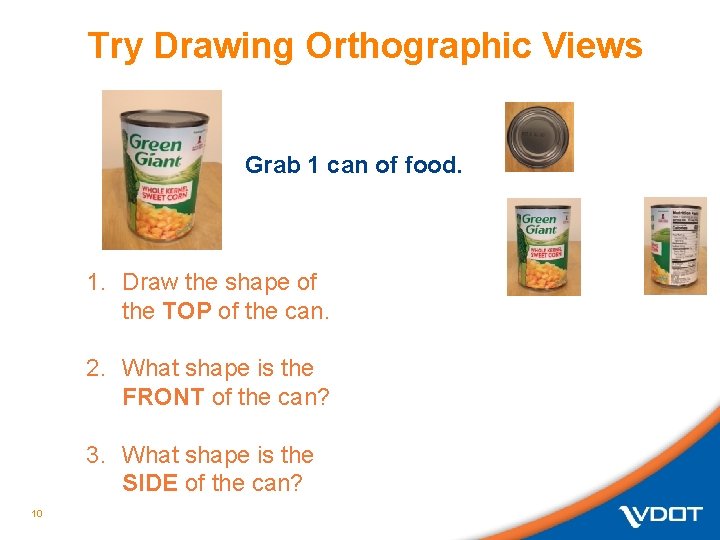
Try Drawing Orthographic Views Grab 1 can of food. 1. Draw the shape of the TOP of the can. 2. What shape is the FRONT of the can? 3. What shape is the SIDE of the can? 10
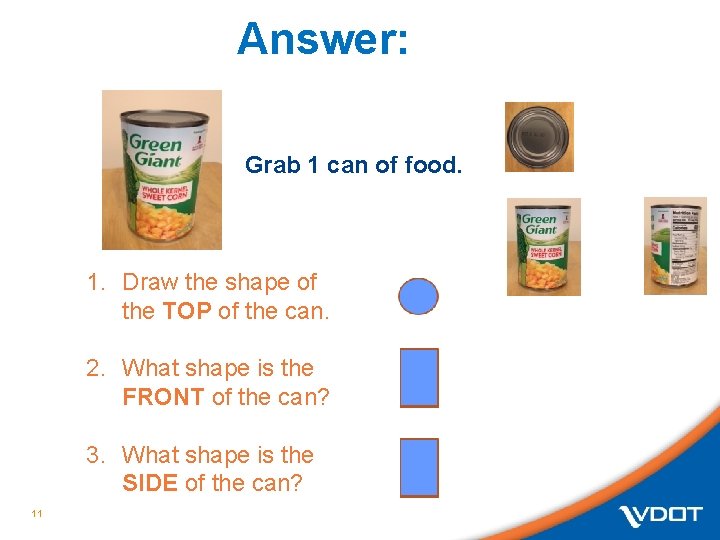
Answer: Grab 1 can of food. 1. Draw the shape of the TOP of the can. 2. What shape is the FRONT of the can? 3. What shape is the SIDE of the can? 11
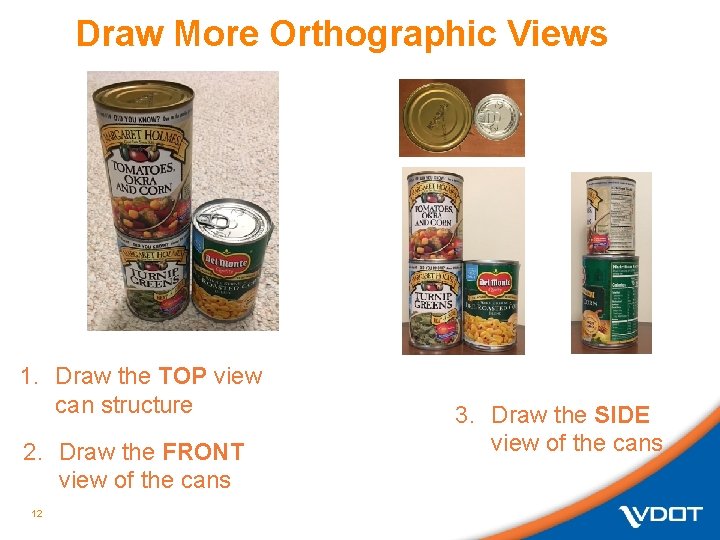
Draw More Orthographic Views 1. Draw the TOP view can structure 2. Draw the FRONT view of the cans 12 3. Draw the SIDE view of the cans
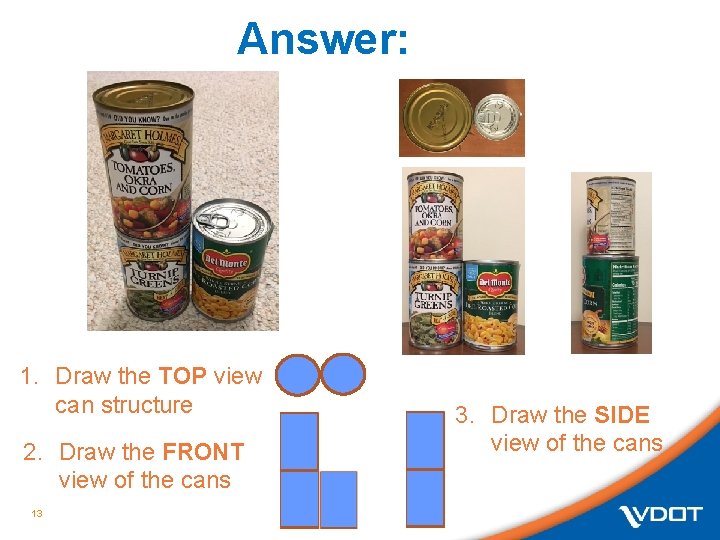
Answer: 1. Draw the TOP view can structure 2. Draw the FRONT view of the cans 13 3. Draw the SIDE view of the cans
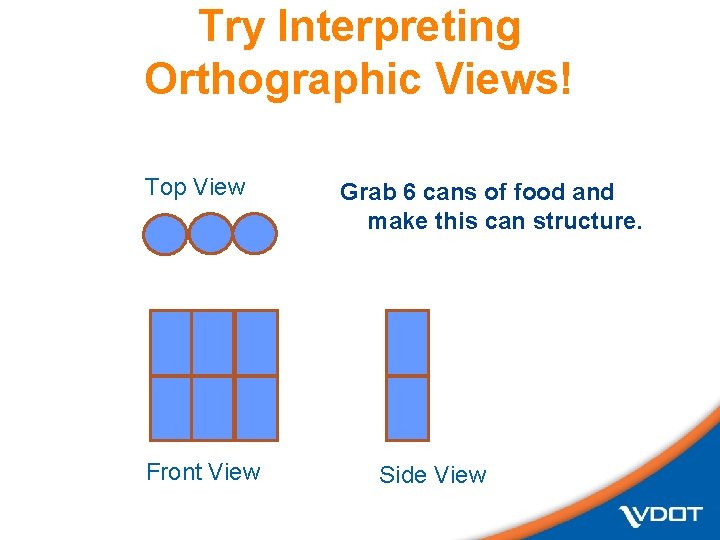
Try Interpreting Orthographic Views! Top View Front View Grab 6 cans of food and make this can structure. Side View
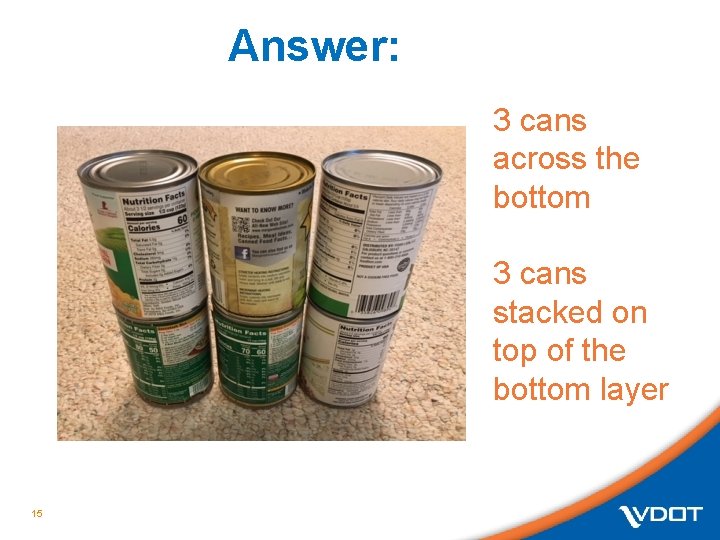
Answer: 3 cans across the bottom 3 cans stacked on top of the bottom layer 15
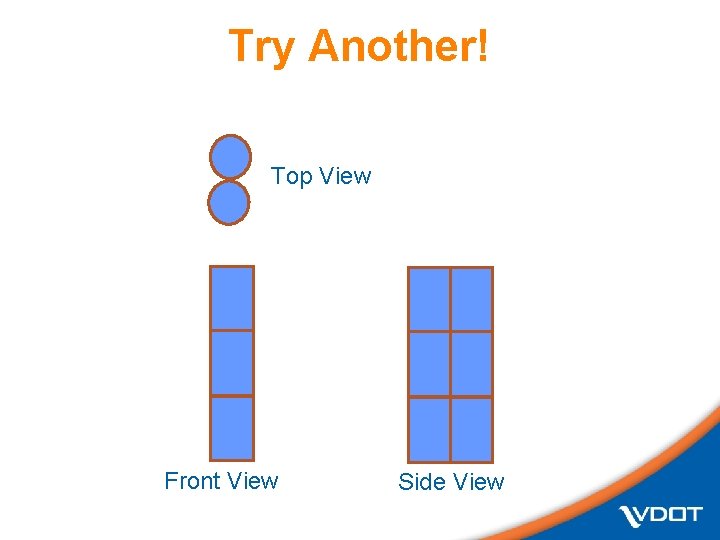
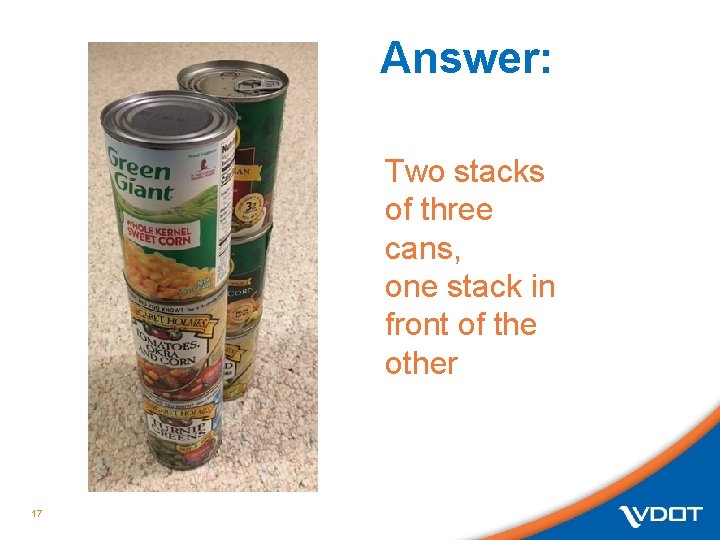
Try Another! Top View Front View Side View
Answer: Two stacks of three cans, one stack in front of the other 17
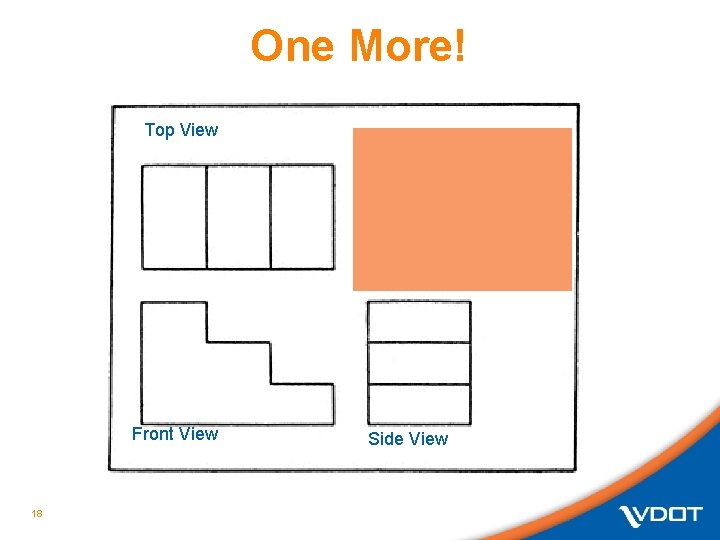
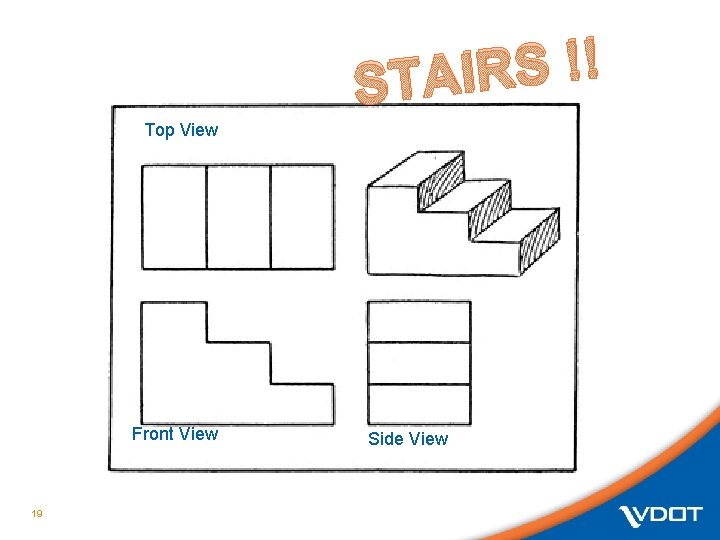
One More! Top View Front View 18 Side View
! ! S R I STA Top View Front View 19 Side View
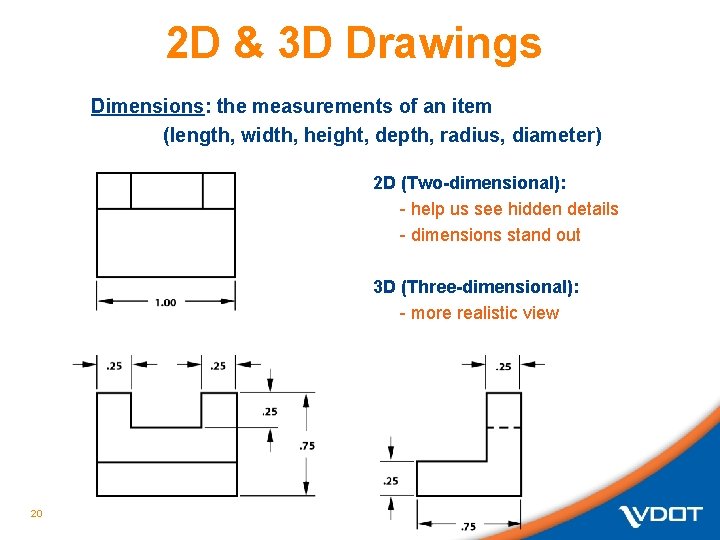
2 D & 3 D Drawings Dimensions: the measurements of an item (length, width, height, depth, radius, diameter) 2 D (Two-dimensional): - help us see hidden details - dimensions stand out 3 D (Three-dimensional): - more realistic view 20
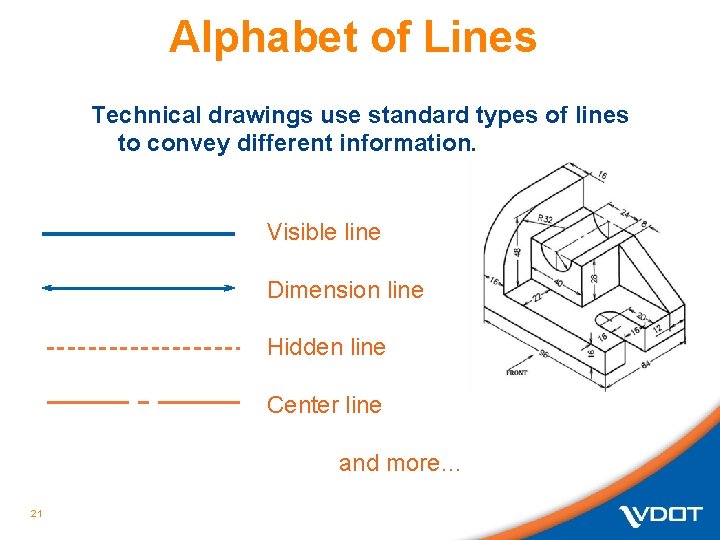
Alphabet of Lines Technical drawings use standard types of lines to convey different information. Visible line Dimension line Hidden line Center line and more… 21
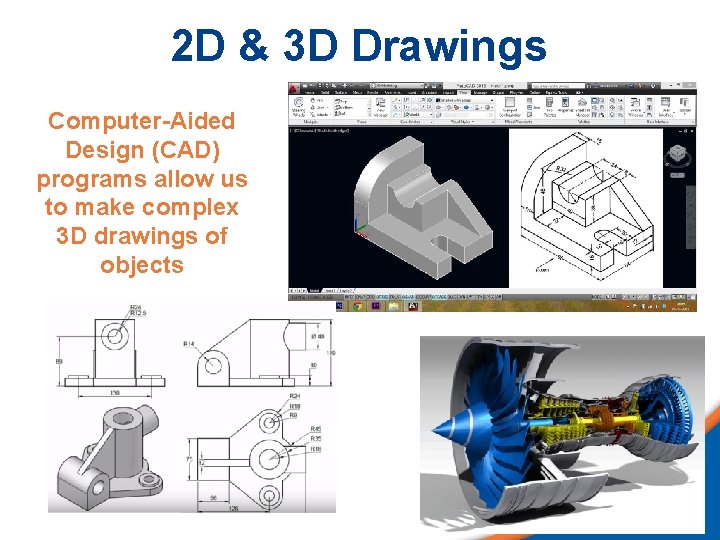
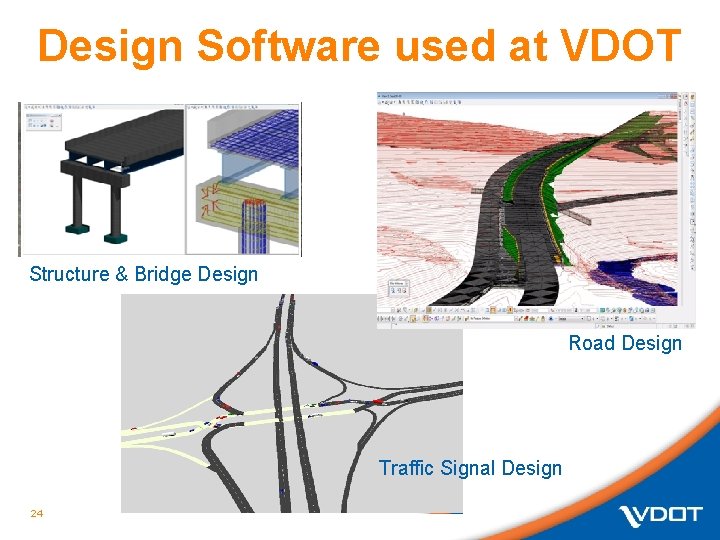
2 D & 3 D Drawings Computer-Aided Design (CAD) programs allow us to make complex 3 D drawings of objects
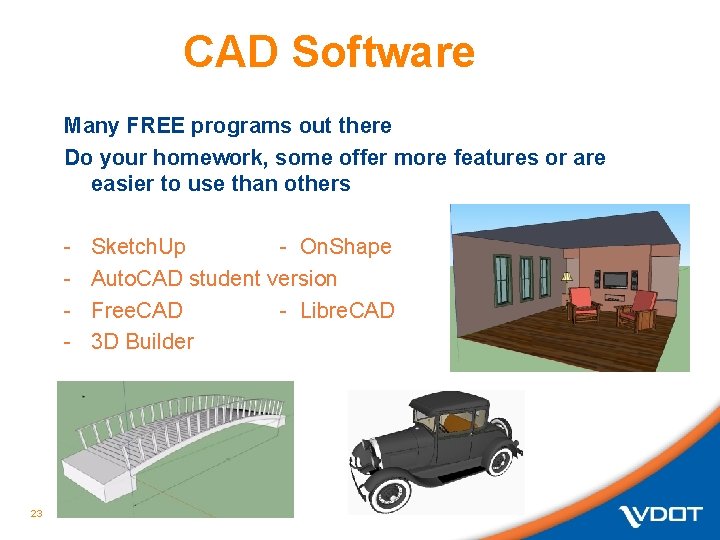
CAD Software Many FREE programs out there Do your homework, some offer more features or are easier to use than others - 23 Sketch. Up - On. Shape Auto. CAD student version Free. CAD - Libre. CAD 3 D Builder
Design Software used at VDOT Structure & Bridge Design Road Design Traffic Signal Design 24
Questions 25
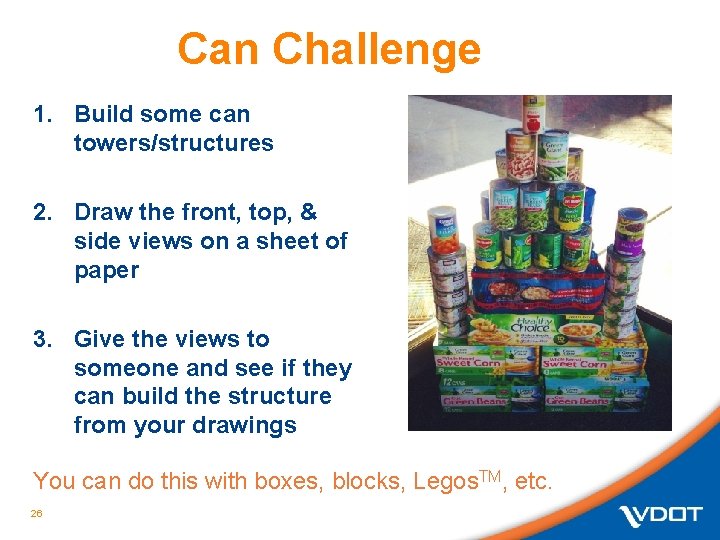
Can Challenge 1. Build some can towers/structures 2. Draw the front, top, & side views on a sheet of paper 3. Give the views to someone and see if they can build the structure from your drawings You can do this with boxes, blocks, Legos. TM, etc. 26