Commercial Taxes Department Government Of Jharkhand JPT 203

- Slides: 12
Commercial Taxes Department Government Of Jharkhand JPT 203 ANNUAL RETURN 1
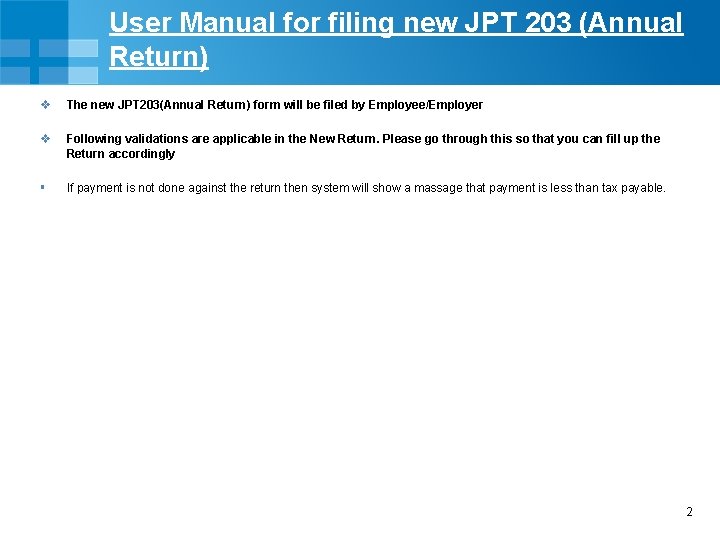
User Manual for filing new JPT 203 (Annual Return) v v The new JPT 203(Annual Return) form will be filed by Employee/Employer § If payment is not done against the return then system will show a massage that payment is less than tax payable. Following validations are applicable in the New Return. Please go through this so that you can fill up the Return accordingly 2
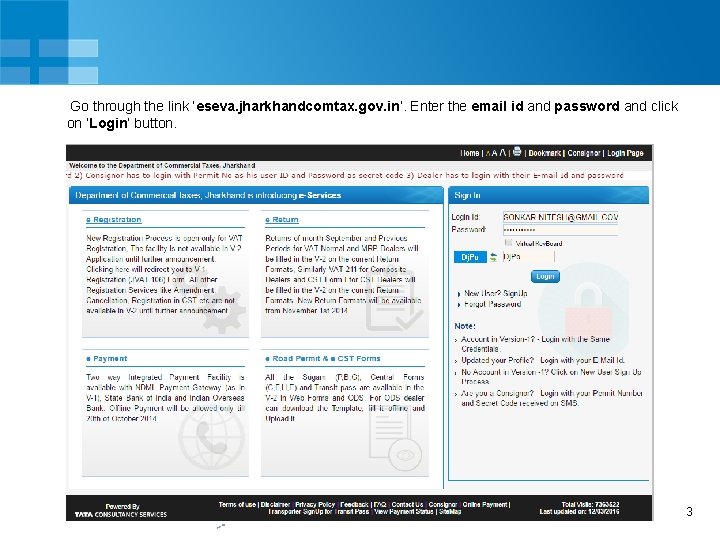
Go through the link ‘eseva. jharkhandcomtax. gov. in’. Enter the email id and password and click on ‘Login’ button. 3
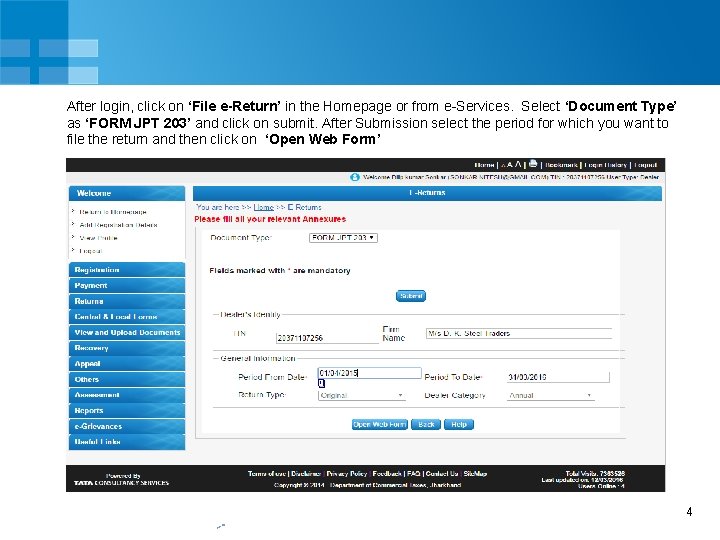
After login, click on ‘File e-Return’ in the Homepage or from e-Services. Select ‘Document Type’ as ‘FORM JPT 203’ and click on submit. After Submission select the period for which you want to file the return and then click on ‘Open Web Form’ 4
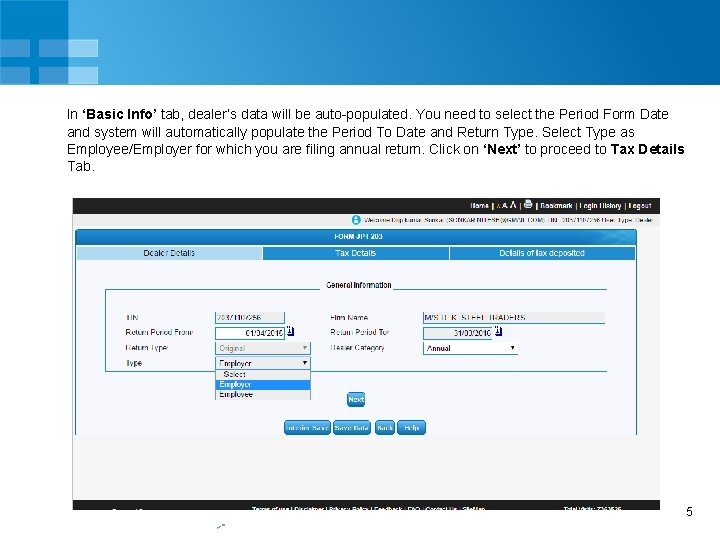
In ‘Basic Info’ tab, dealer’s data will be auto-populated. You need to select the Period Form Date and system will automatically populate the Period To Date and Return Type. Select Type as Employee/Employer for which you are filing annual return. Click on ‘Next’ to proceed to Tax Details Tab. 5
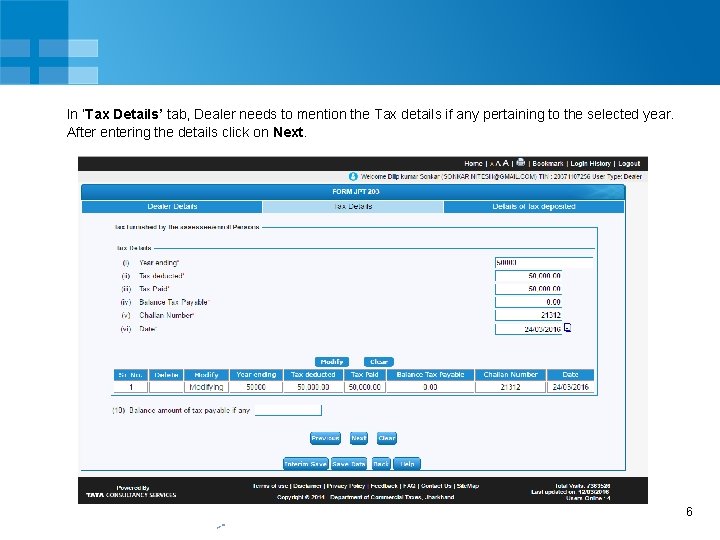
In ‘Tax Details’ tab, Dealer needs to mention the Tax details if any pertaining to the selected year. After entering the details click on Next. 6
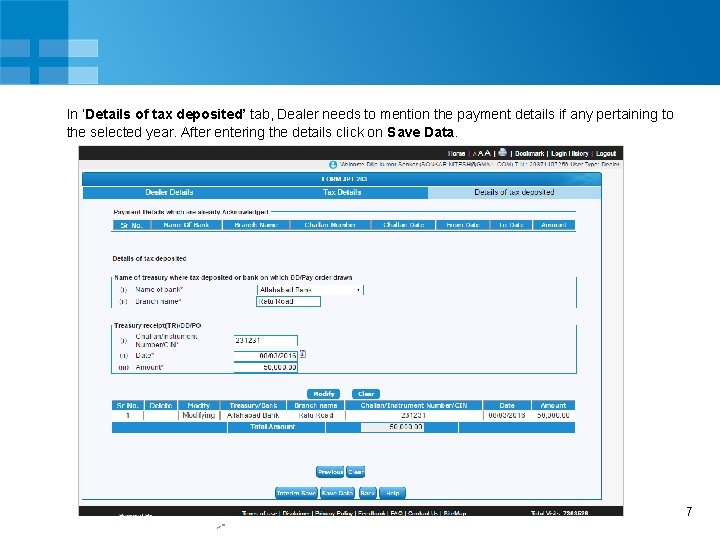
In ‘Details of tax deposited’ tab, Dealer needs to mention the payment details if any pertaining to the selected year. After entering the details click on Save Data. 7
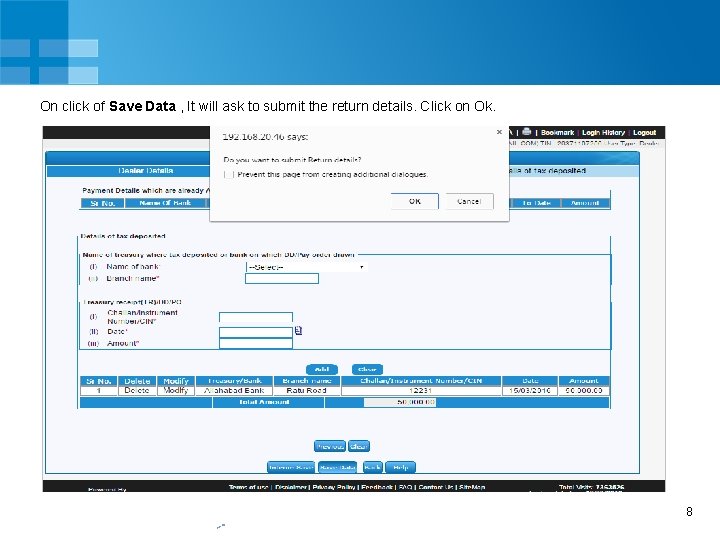
On click of Save Data , It will ask to submit the return details. Click on Ok. 8
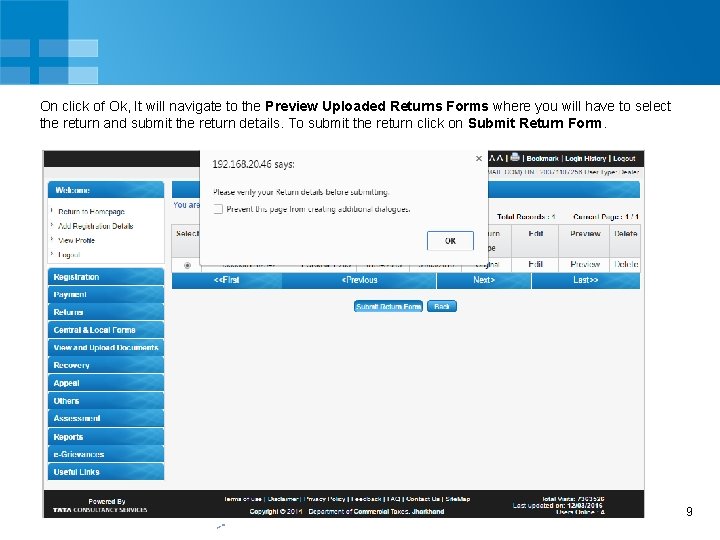
On click of Ok, It will navigate to the Preview Uploaded Returns Forms where you will have to select the return and submit the return details. To submit the return click on Submit Return Form. 9
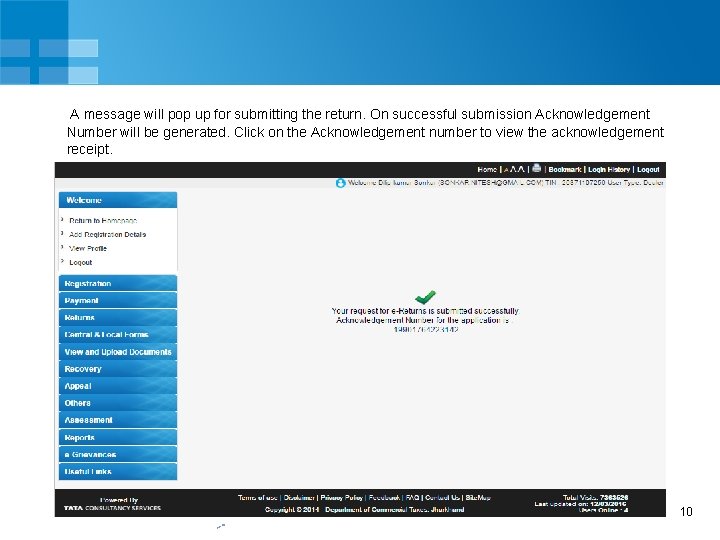
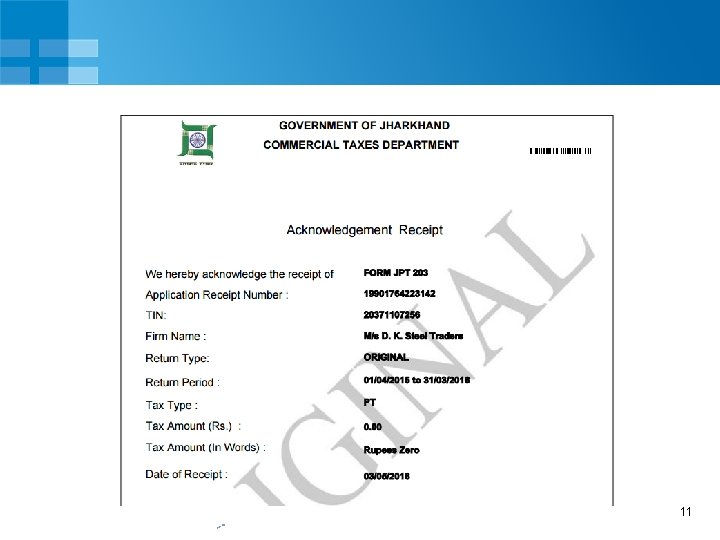
A message will pop up for submitting the return. On successful submission Acknowledgement Number will be generated. Click on the Acknowledgement number to view the acknowledgement receipt. 10
11
THANK YOU 12