Chapter 4 Printing production PART 2 Type of
- Slides: 25
Chapter 4 - Printing production (PART 2)
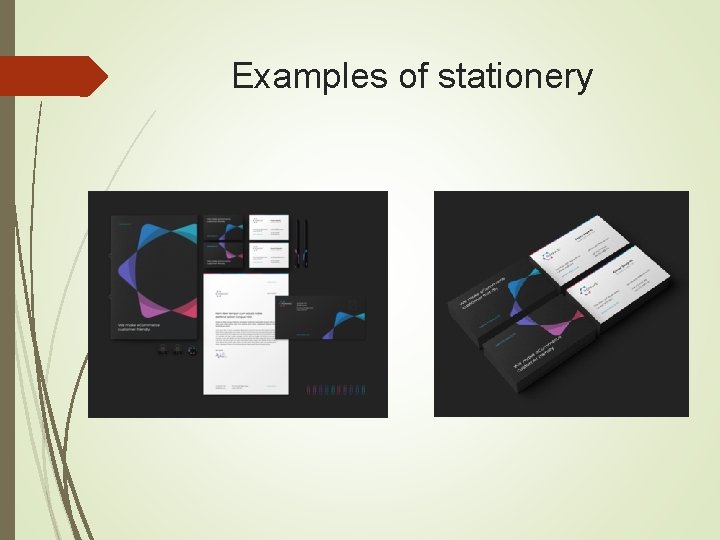
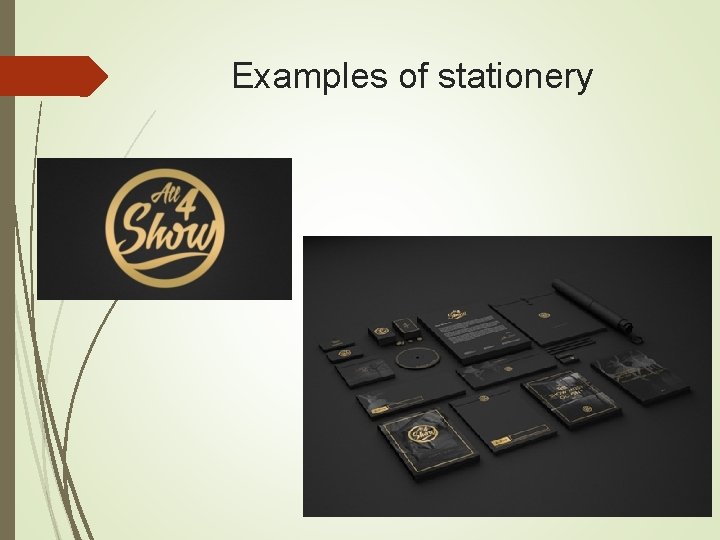
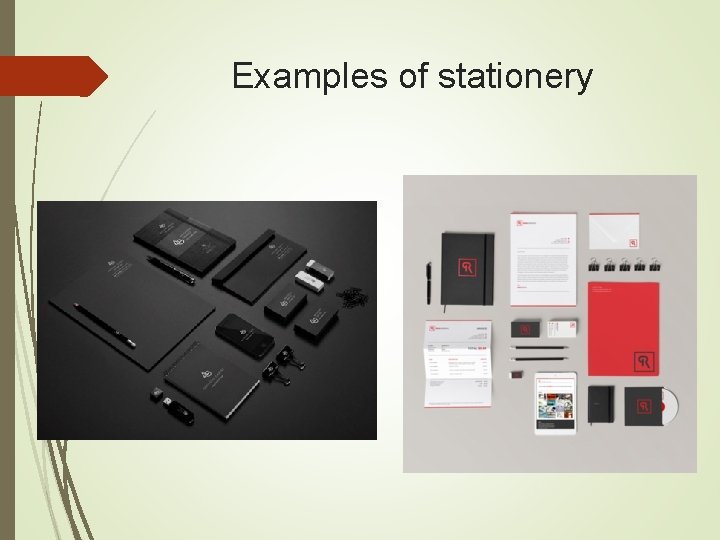
Type of Stationery Personalised stationery design usually includes business card design and letterhead design, but can also include stickers, compliment slips, pads, and envelopes Once you have branding established, branded stationery can help you to effectively promote your business to get you noticed. This will help to establish brand recognition and spread the word about your business, including its existence, its values, and its services. Branding your stationery professionally makes you and your business look organised and professional too.
Type of Stationery Types of stationery are: business card design letterhead design compliment slip design pad design sticker design envelope design Stationery design can be quick and painless once the logo and branding is established.
Examples of stationery
Examples of stationery
Examples of stationery
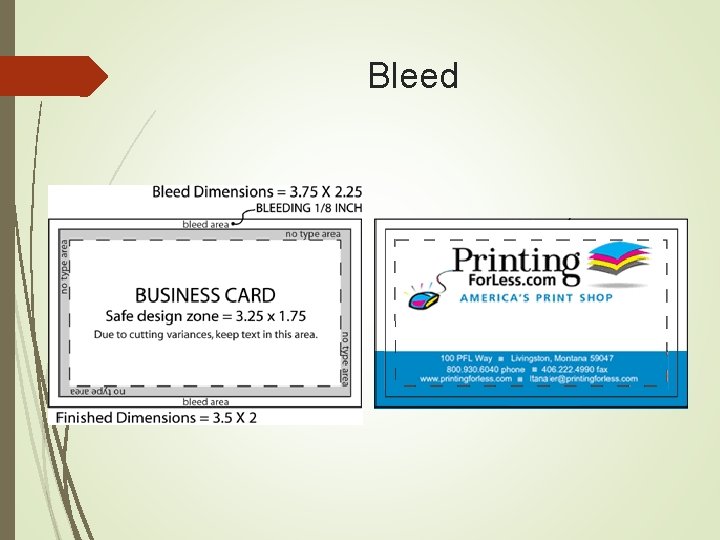
Bleed is the amount of printed information which extends beyond the finished size of your piece. Bleed allows to print a piece slightly oversized and cut it down to its exact size. This gives a final seamless appearance of the image "bleeding" off the edges. Recommended that you build your file with bleed dimensions of an extra 1/8 inch (. 125") on each side. For example, a 3. 5 x 2" business card is designed as a 3. 75 x 2. 25" file.
Bleed
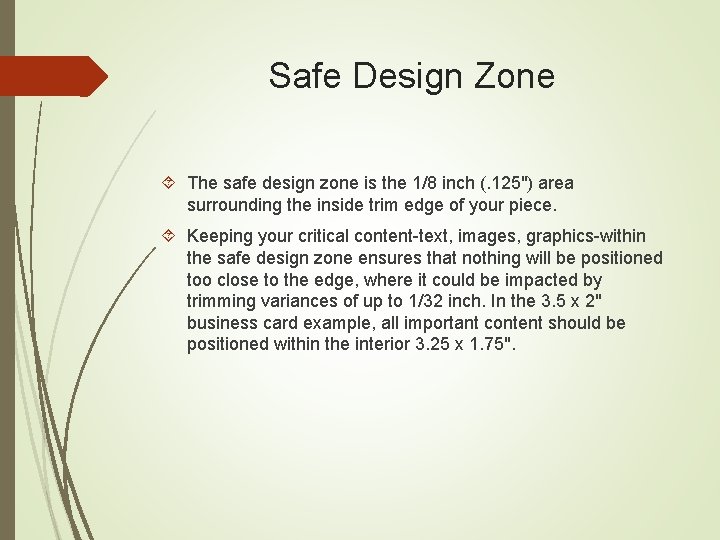
Safe Design Zone The safe design zone is the 1/8 inch (. 125") area surrounding the inside trim edge of your piece. Keeping your critical content-text, images, graphics-within the safe design zone ensures that nothing will be positioned too close to the edge, where it could be impacted by trimming variances of up to 1/32 inch. In the 3. 5 x 2" business card example, all important content should be positioned within the interior 3. 25 x 1. 75".
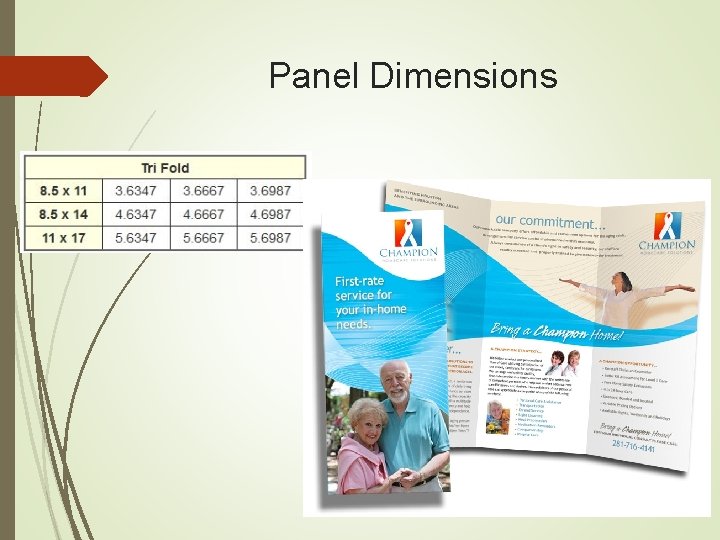
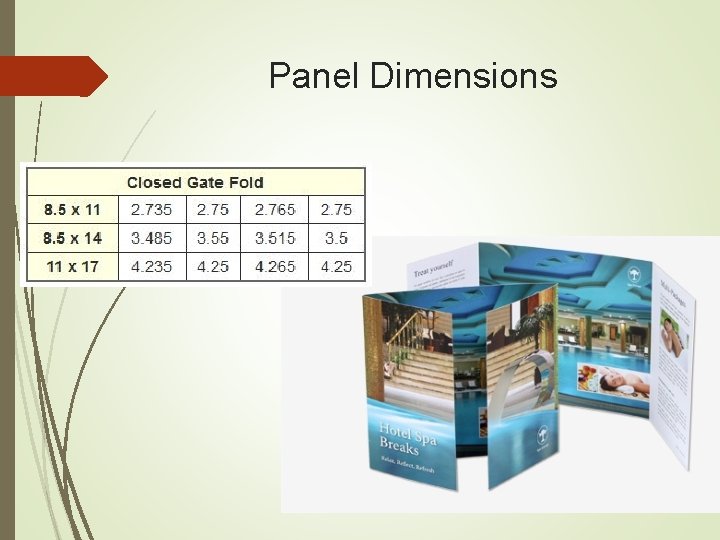
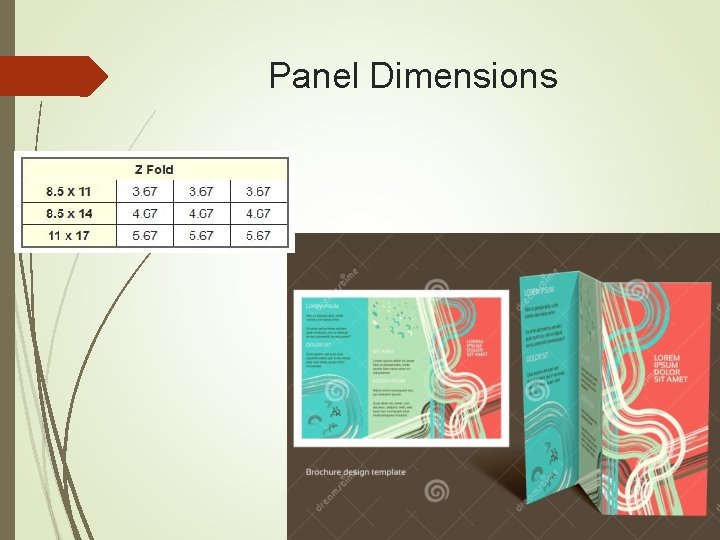
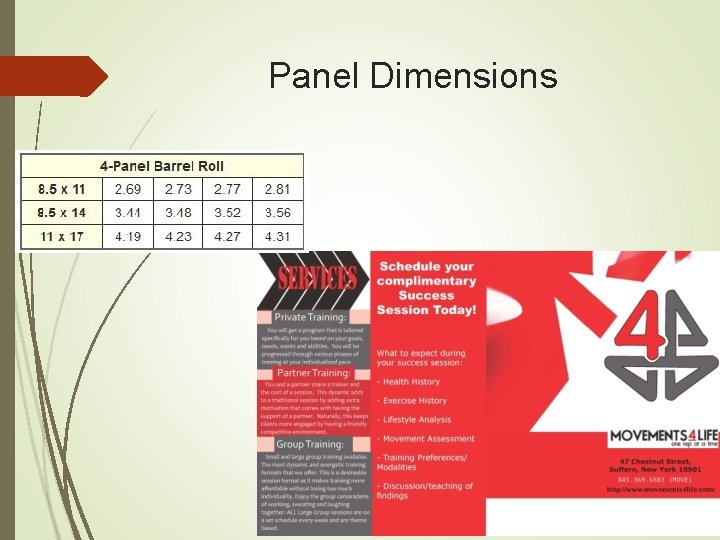
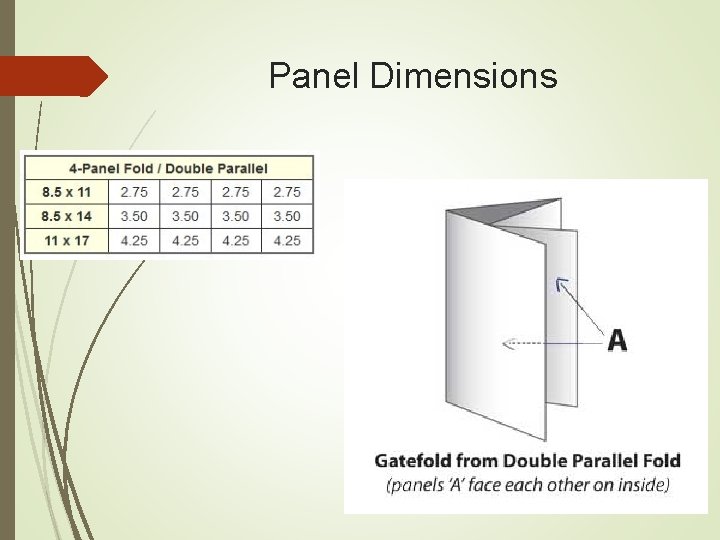
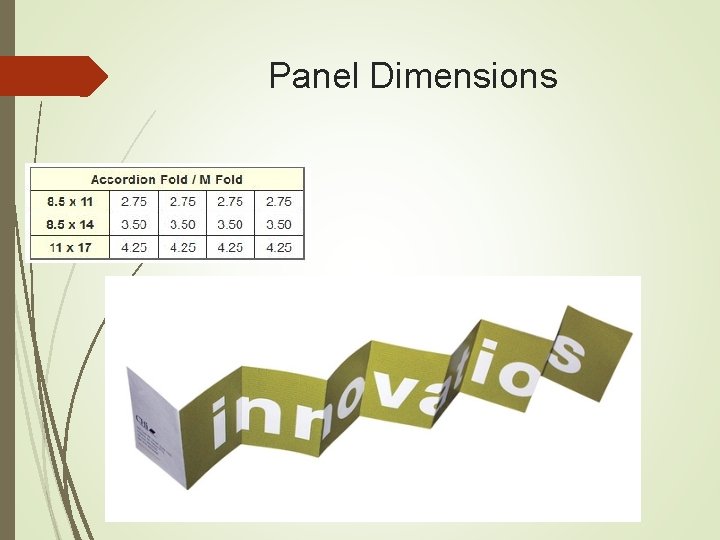
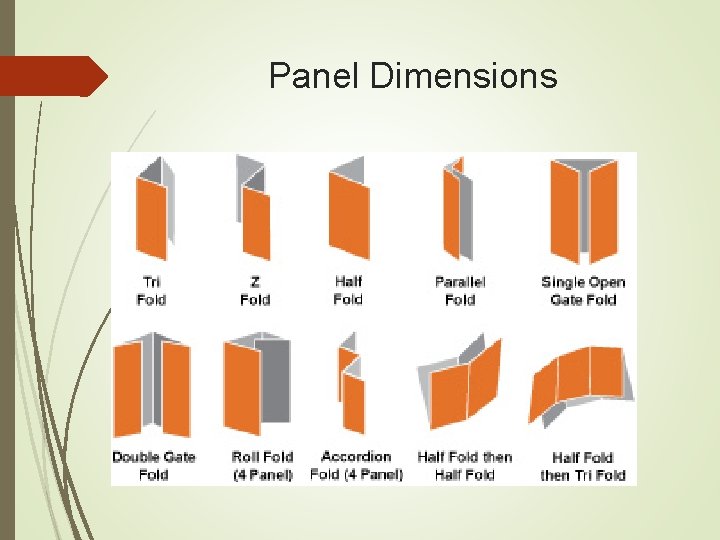
Panel Dimensions The best way to understand panel dimensions is to make a quick mock-up of your folded piece. The panel dimensions are listed from narrowest to widest. Once you have a folded mock-up, write the dimensions on the appropriate panels, both front and back. Then translate your page and panel information into your design layout.
Panel Dimensions
Panel Dimensions
Panel Dimensions
Panel Dimensions
Panel Dimensions
Panel Dimensions
Panel Dimensions
Size Specifications and Layout Information Business Card Size Specification The standard dimensions for a printed business card are 3. 5 x 2 inches. That's the finished card size. Many printed designs include bleed. The "bleed area" is an extra 1/8 inch of space for design elements or backgrounds that extend beyond the finished size of your piece. A business card design with bleed is printed slightly oversized and then cut down to size, giving the appearance that the printing "bleeds" off the edge of the card, rather than having white borders.
Size Specifications and Layout Information Business Card Size Specification When creating your business card design file, use these tips: Make the document page size equal to the card size plus the bleed area, or 3. 75" wide x 2. 25" high, to be trimmed down to the finished size after printing. If you aren't planning to include bleeds, the bleed area isn't necessary, so set the document size to the finished size, 3. 5 x 2 inches. If you're designing a vertical card with the long size up, simply switch the page width and height so you won't have to rotate the card to see the design the way you intend it.
Size Specifications and Layout Information Business Card Size Specification Play it Safe near the Borders Because cutting may vary ever so slightly, it's a good idea to keep all of your valuable text and logo information within the design safe zone. This zone is the 1/8 inch around the margin of your card. Make sure your text is within the 3. 25 x 1. 75 inch area of your card. You wouldn't want to have the last digit of your phone number trimmed off! Designing with borders can be tricky. Thin borders outside the safe zone that are less than 1/8 th inch thick may not trim evenly. To avoid an "off-center" look, keep border lines or other thin lines away from the edge of your business card, within the safe zone.
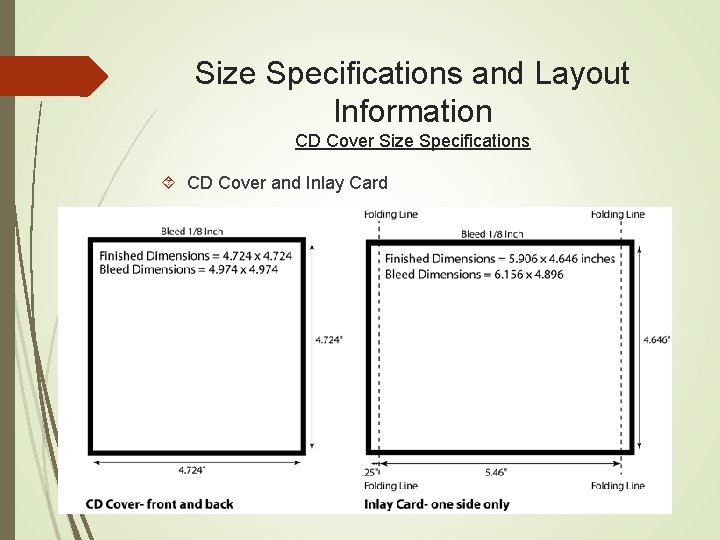
Size Specifications and Layout Information CD Cover Size Specifications for Printing The finished dimensions for the outside of printed CD covers are 4. 724 inches square. Many printed designs include bleed. The "bleed area" is an extra 1/8" of space for design elements or backgrounds to extend beyond the finished size of your piece. A CD cover with bleeds is printed slightly oversized (4. 974 inches square) and then cut down to size, giving the appearance that the printing "bleeds" off the edge of the cover rather than having a white border. The finished dimensions for the inlay card are not square to accommodate the fold needed to make the spine.
Size Specifications and Layout Information CD Cover Size Specifications CD Cover and Inlay Card
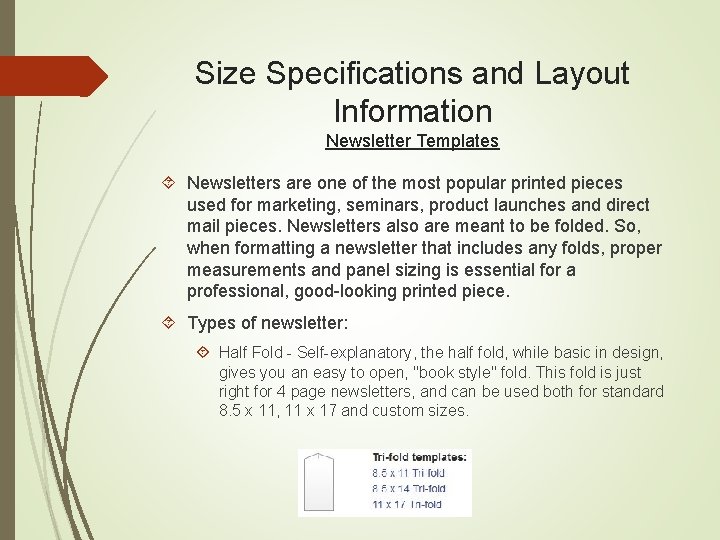
Size Specifications and Layout Information Newsletter Templates Newsletters are one of the most popular printed pieces used for marketing, seminars, product launches and direct mail pieces. Newsletters also are meant to be folded. So, when formatting a newsletter that includes any folds, proper measurements and panel sizing is essential for a professional, good-looking printed piece. Types of newsletter: Half Fold - Self-explanatory, the half fold, while basic in design, gives you an easy to open, "book style" fold. This fold is just right for 4 page newsletters, and can be used both for standard 8. 5 x 11, 11 x 17 and custom sizes.
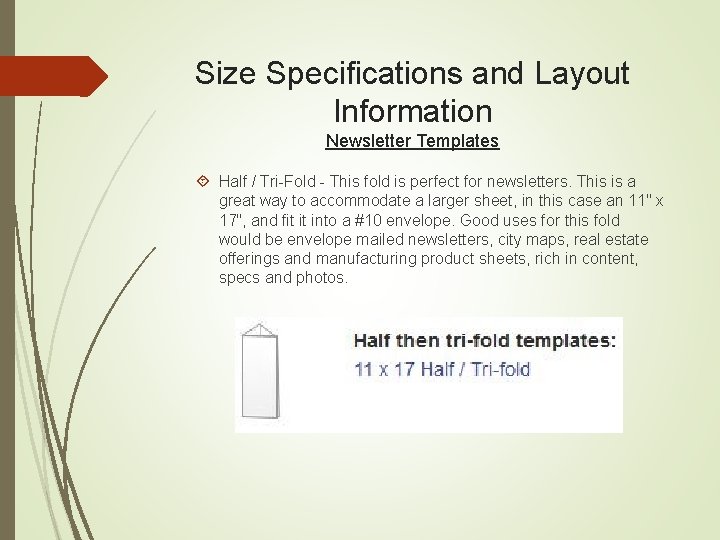
Size Specifications and Layout Information Newsletter Templates Half / Tri-Fold - This fold is perfect for newsletters. This is a great way to accommodate a larger sheet, in this case an 11" x 17", and fit it into a #10 envelope. Good uses for this fold would be envelope mailed newsletters, city maps, real estate offerings and manufacturing product sheets, rich in content, specs and photos.
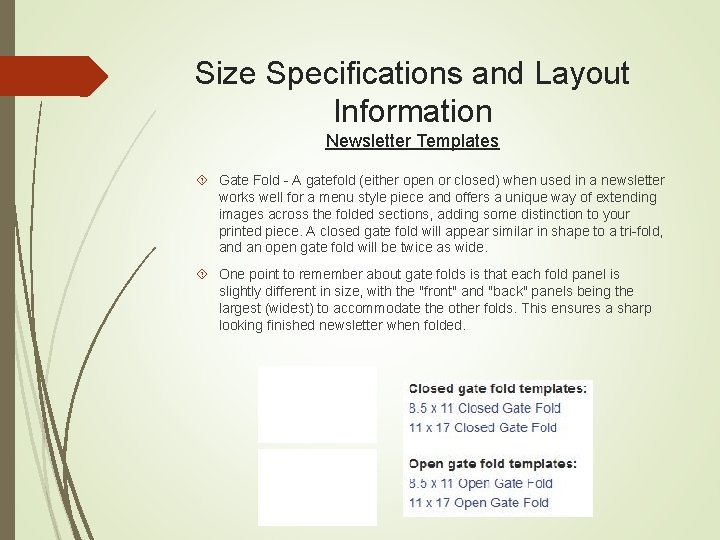
Size Specifications and Layout Information Newsletter Templates Gate Fold - A gatefold (either open or closed) when used in a newsletter works well for a menu style piece and offers a unique way of extending images across the folded sections, adding some distinction to your printed piece. A closed gate fold will appear similar in shape to a tri-fold, and an open gate fold will be twice as wide. One point to remember about gate folds is that each fold panel is slightly different in size, with the "front" and "back" panels being the largest (widest) to accommodate the other folds. This ensures a sharp looking finished newsletter when folded.