Yegor Maksymchuk Soft Serve Ukraine Testing inside of




- Slides: 29
Yegor Maksymchuk, Soft Serve, Ukraine Testing inside of Kubernetes and Openshift
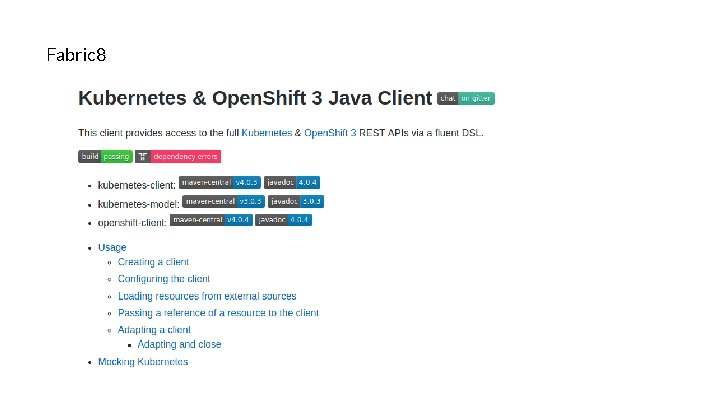
Agenda • • Radanalytics. io Benefits of Openshift Automation of deployment in Openshift Fabric 8 -kubernetes-client, XTF, radanalytics-utils as libraries for Java
whoami Yegor Maksymchuk Senior AQC engineer, Soft Serve Ukraine Telegram: @QAStudy. online Git. Hub: Yegor. Maksymchuk Linked. In: ymaksymchuk
Data Science in the Cloud
Why ? Integration with Apache Spark in the Openshift. Usability on UI and API level, it should be easy to use. OSHINKO
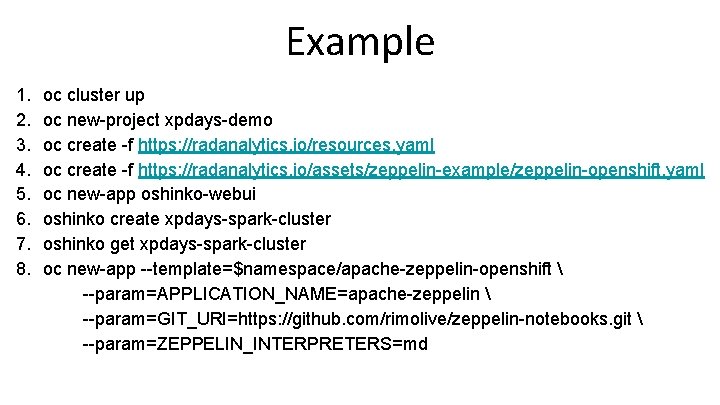
Example 1. 2. 3. 4. 5. 6. 7. 8. oc cluster up oc new-project xpdays-demo oc create -f https: //radanalytics. io/resources. yaml oc create -f https: //radanalytics. io/assets/zeppelin-example/zeppelin-openshift. yaml oc new-app oshinko-webui oshinko create xpdays-spark-cluster oshinko get xpdays-spark-cluster oc new-app --template=$namespace/apache-zeppelin-openshift --param=APPLICATION_NAME=apache-zeppelin --param=GIT_URI=https: //github. com/rimolive/zeppelin-notebooks. git --param=ZEPPELIN_INTERPRETERS=md
Problems 1. More than 10 application under test. 2. Tests should not be run, in case bad deployment. 3. All application works in Openshift.
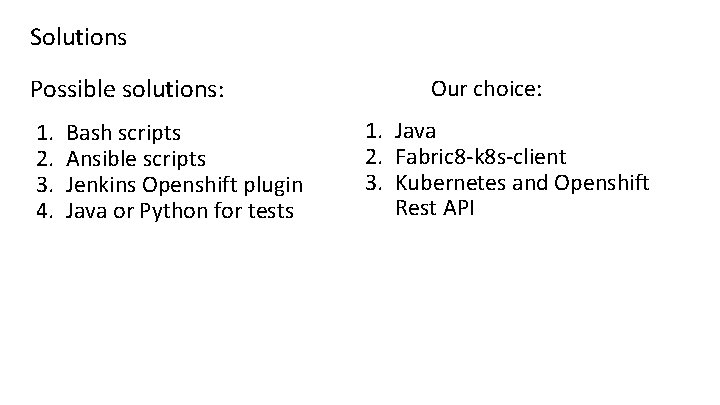
Solutions Possible solutions: 1. 2. 3. 4. Bash scripts Ansible scripts Jenkins Openshift plugin Java or Python for tests Our choice: 1. Java 2. Fabric 8 -k 8 s-client 3. Kubernetes and Openshift Rest API
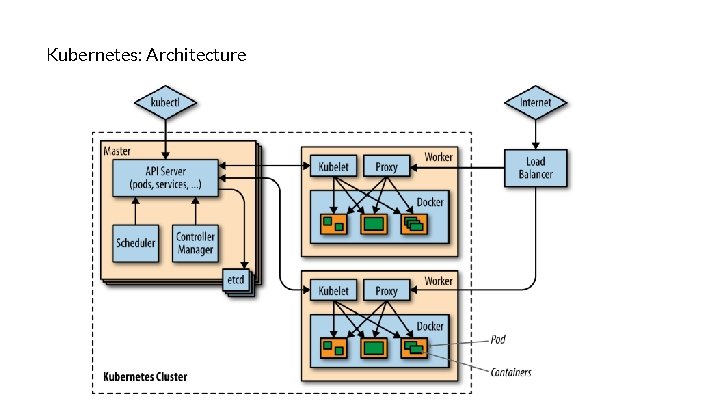
Kubernetes: Architecture
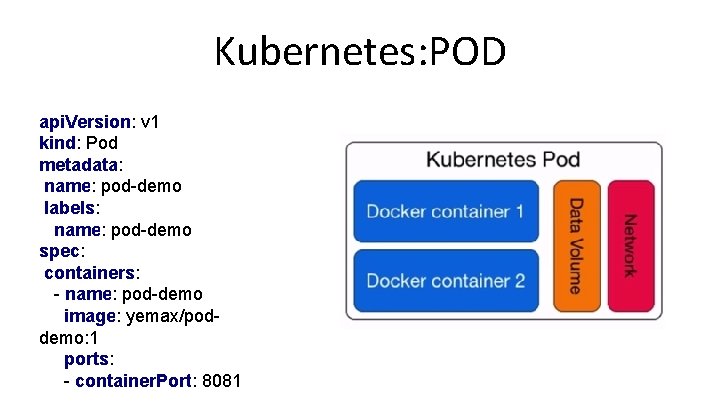
Kubernetes: POD api. Version: v 1 kind: Pod metadata: name: pod-demo labels: name: pod-demo spec: containers: - name: pod-demo image: yemax/poddemo: 1 ports: - container. Port: 8081
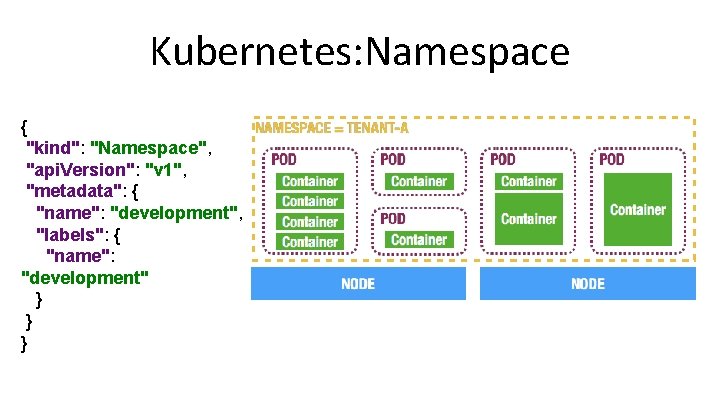
Kubernetes: Namespace { "kind": "Namespace", "api. Version": "v 1", "metadata": { "name": "development", "labels": { "name": "development" } } }
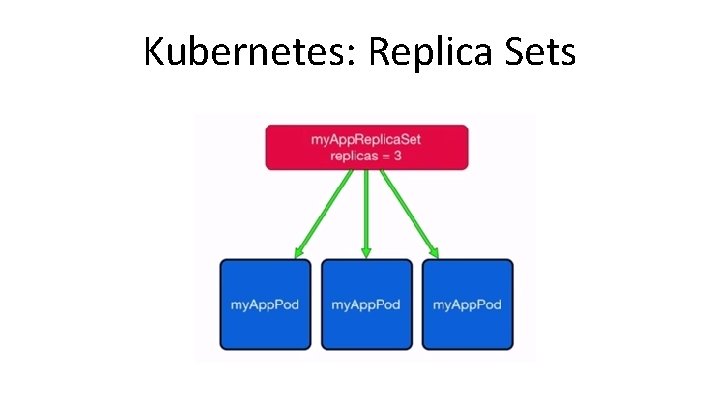
Kubernetes: Replica Sets
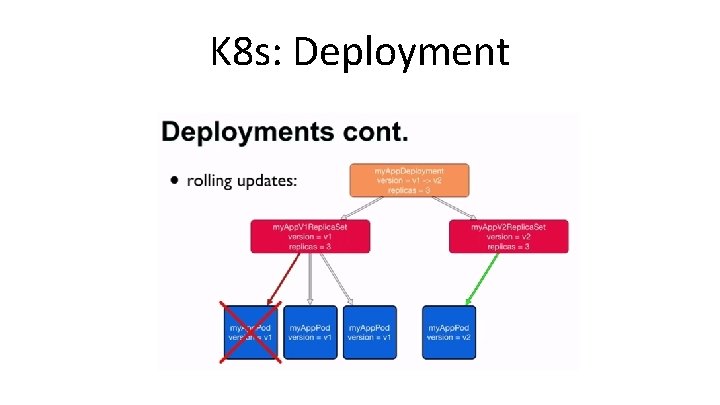
K 8 s: Deployment
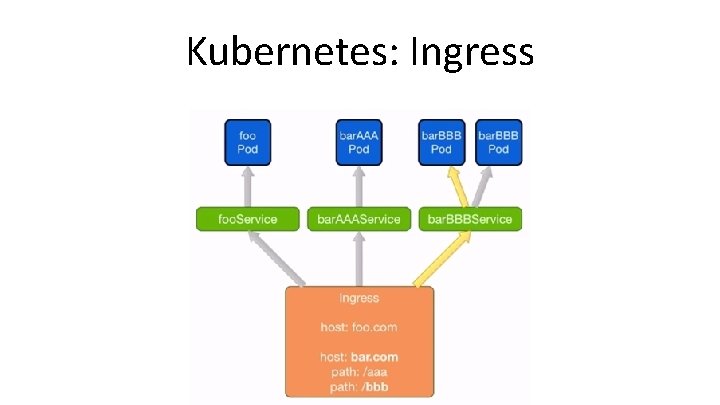
Kubernetes: Ingress
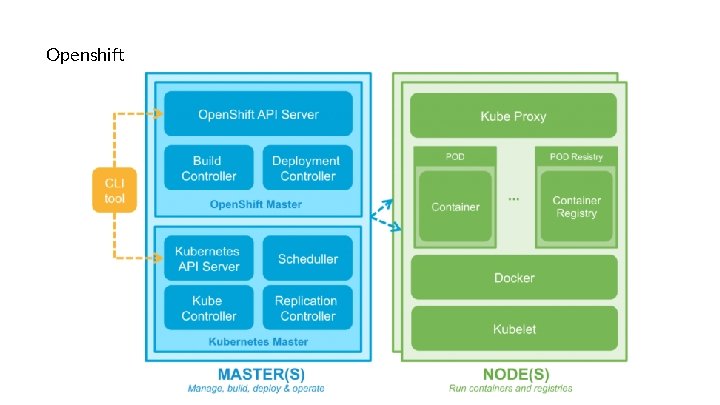
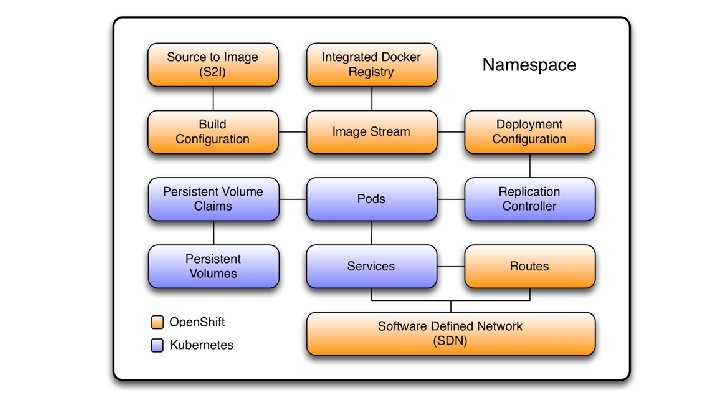
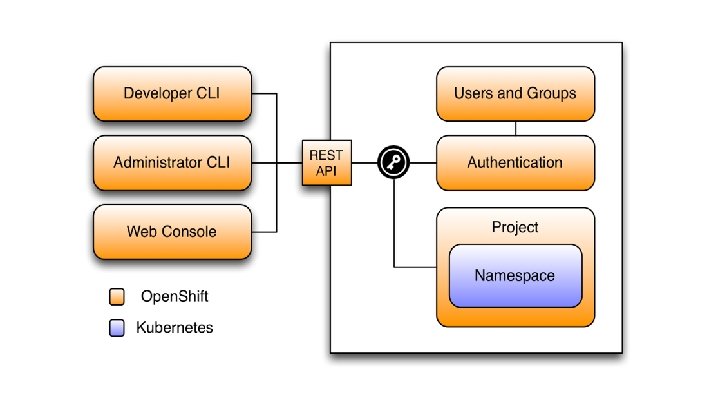
Openshift
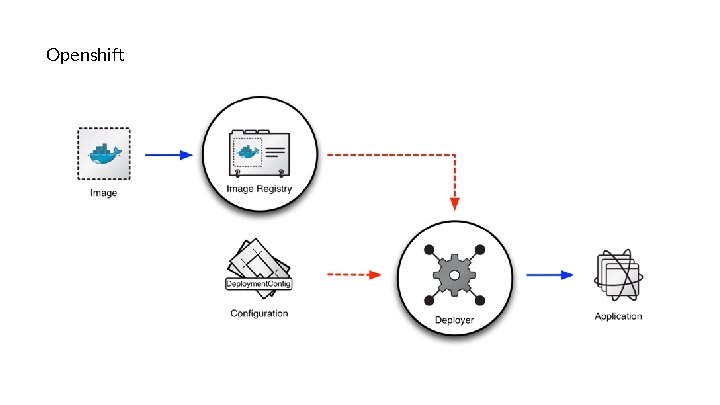
Openshift
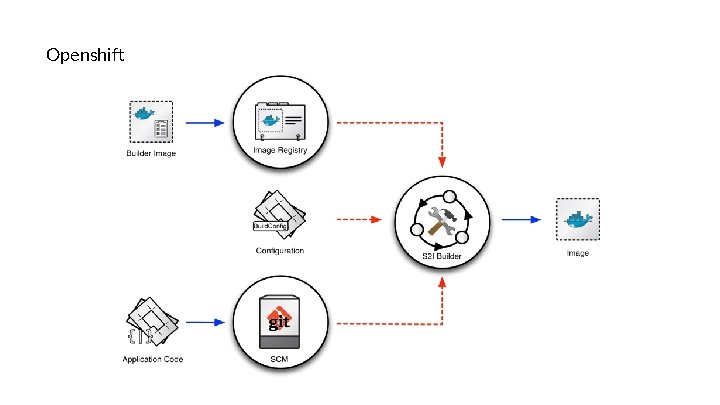
Openshift
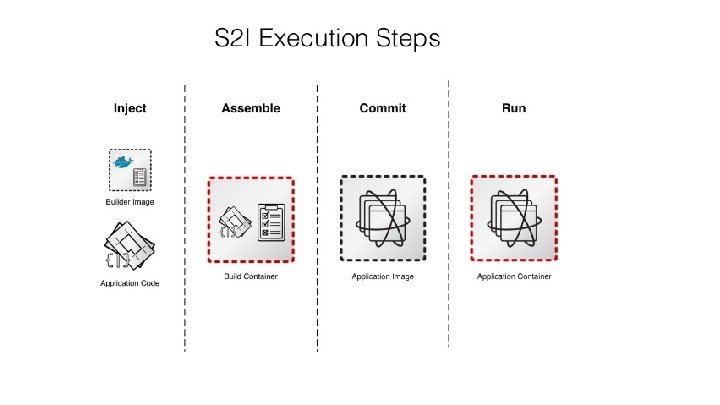
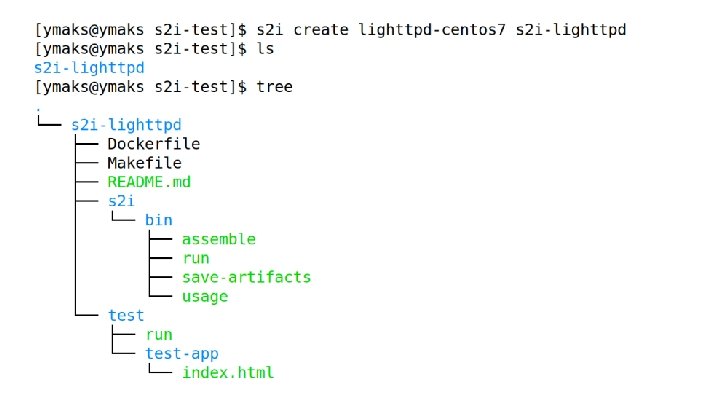
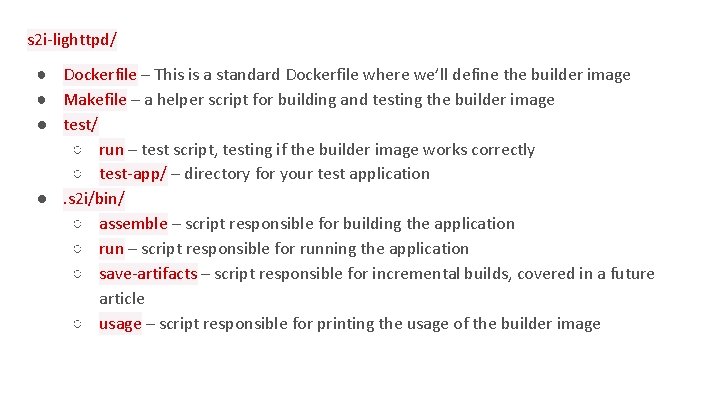
s 2 i-lighttpd/ ● Dockerfile – This is a standard Dockerfile where we’ll define the builder image ● Makefile – a helper script for building and testing the builder image ● test/ ○ run – test script, testing if the builder image works correctly ○ test-app/ – directory for your test application ●. s 2 i/bin/ ○ assemble – script responsible for building the application ○ run – script responsible for running the application ○ save-artifacts – script responsible for incremental builds, covered in a future article ○ usage – script responsible for printing the usage of the builder image
Fabric 8
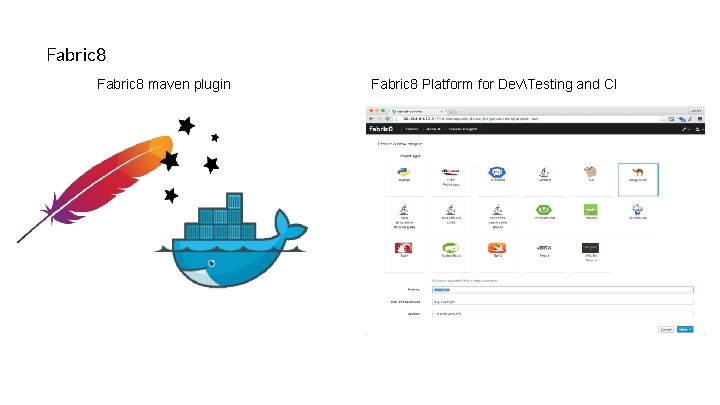
Fabric 8 maven plugin Fabric 8 Platform for DevTesting and CI
Fabric 8
Fabric 8
Useful materials: