VIRTUALIZATION CLOUD COMPUTING Lecture 20 21 CSE 423



- Slides: 15
VIRTUALIZATION & CLOUD COMPUTING Lecture # 20 -21 CSE 423 Defining Cloud computing Cloud Types
Cloud Computing • Cloud computing refers to applications and services that run on a distributed network using virtualized resources and accessed by common Internet protocols and networking standards. • It is distinguished by the notion that resources are virtual and limitless and that details of the physical systems on which software runs are abstracted from the user.
• Abstraction: – Cloud computing abstracts the details of system implementation from users and developers. – Applications run on physical systems that aren't specified, – data is stored in locations that are unknown, – administration of systems is outsourced to others, and access by users is ubiquitous.
• Virtualization: – Cloud computing virtualizes systems by pooling and sharing resources. – Systems and storage can be provisioned as needed from a centralized infrastructure, – costs are assessed on a metered basis, – multi-tenancy is enabled, – and resources are scalable with agility.
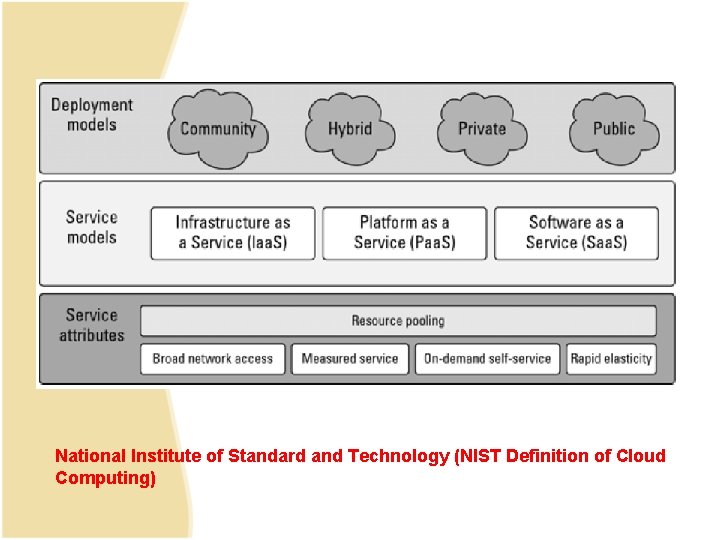
Cloud Types • Deployment Model: • Refers to location and management of the cloud’s infrastructure • Service Model • Consists of particular types of services that can be accessed on cloud computing platform • Some widely used model • NIST Model • The Cloud Cube Model
National Institute of Standard and Technology (NIST Definition of Cloud Computing)
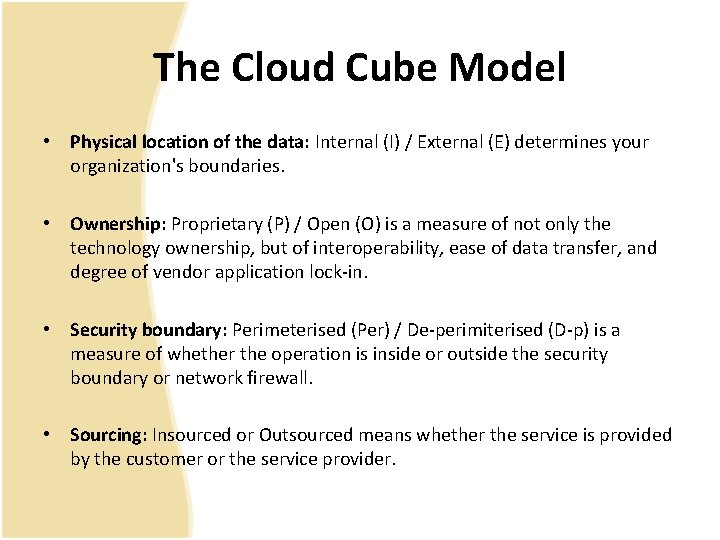
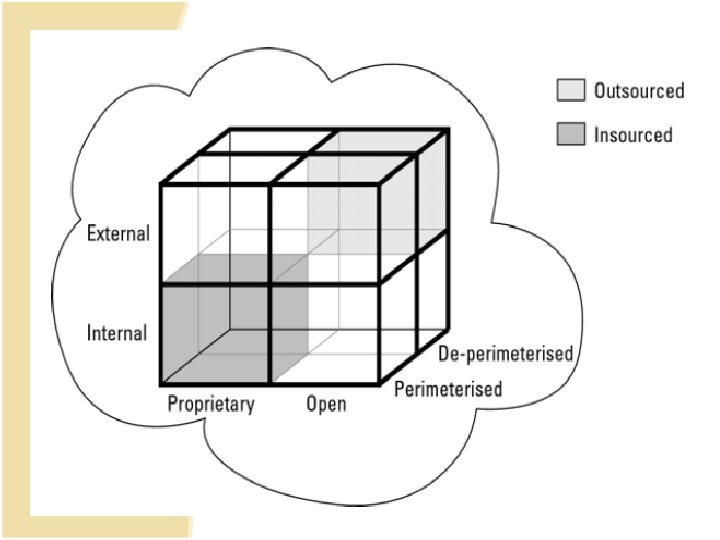
The Cloud Cube Model • Physical location of the data: Internal (I) / External (E) determines your organization's boundaries. • Ownership: Proprietary (P) / Open (O) is a measure of not only the technology ownership, but of interoperability, ease of data transfer, and degree of vendor application lock-in. • Security boundary: Perimeterised (Per) / De-perimiterised (D-p) is a measure of whether the operation is inside or outside the security boundary or network firewall. • Sourcing: Insourced or Outsourced means whether the service is provided by the customer or the service provider.
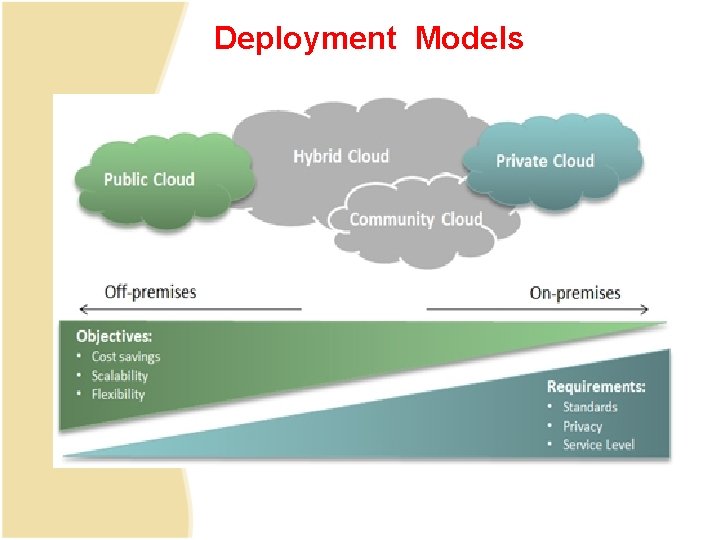
Deployment Models
• Public Cloud – Hosted , operated and managed by a third party system owned by organization selling cloud services • Private Cloud – The private cloud infrastructure is operated for the exclusive use of an organization. The cloud may be managed by that organization or a third party. Private clouds may be either on- or off-premises. • Hybrid Cloud – A hybrid cloud combines multiple clouds (private, community of public) where those clouds retain their unique identities, but are bound together as a unit. • Community Cloud – A community cloud is one where the cloud has been organized to serve a common function or purpose. – It may be for one organization or for several organizations, but they share common concerns such as their mission, policies, security, regulatory compliance needs, and so on
Service Models
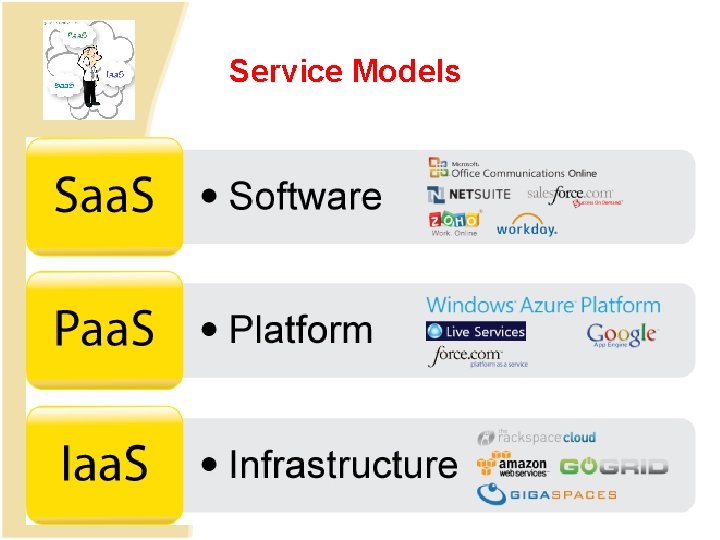
• Infrastructure as a Service(Iaa. S) – Deliver Infrastructure on Demand in the form of virtual Hardware, Storage and Networking. Virtual Hardware is utilised to provide compute on demand in the form of virtual machine instances – Eg. Amazon EC 2, S 3, Eucalyptus, Go. Grid, Rightspace Cloud • Platform as a Service (Paa. S) – Deliver scalable and elastic runtime environments on demand that host the execution of applications. – Backed by core middleware platform for creating abstract environment to deploy and execute application • Software as a service (Saa. S) – Provide application and services on demand eg office automation, Photo Editing software, facebook. , Twitter accessible through browser on demand
Cloud Companies/Service Providers
Benefits of Cloud Computing • • • Lower Computational Costs Improved Performance Reduced Software Costs Instant Software updates Unlimited storage capacity Increased Data Reliability Universal Document Access Latest version availability Easier Group Collaboration/ Sharing Device Independence
Disadvantages of Cloud Computing • • • Requires constant Internet Connection Does not work well with low speed connection Stored data might not be Secured Stored data can be lost Features might be limited