UMLSec IS 2935 Developing Secure Systems Lecture 2
![State Transition Diagram Add student[ count < 10 ] Add Student / Set count](https://slidetodoc.com/presentation_image_h/e93848ae32d4c074c89ffd4aad9e5895/image-31.jpg "State Transition Diagram Add student[ count < 10 ] Add Student / Set count")
![State Transition Diagram Add student[ count < 10 ] Add Student / Set count](https://slidetodoc.com/presentation_image_h/e93848ae32d4c074c89ffd4aad9e5895/image-32.jpg "State Transition Diagram Add student[ count < 10 ] Add Student / Set count")
- Slides: 50
UMLSec IS 2935: Developing Secure Systems Lecture 2 Jan 23, 2006
What is UML? • The Unified Modelling Language is a standard notation to model [object oriented] systems. – – – – Syntax and semantics Model systems Visual documentations Collections of best practices Used to produce a set of artifacts that can be delivered Wide support Independent of programming languages Support high level concepts
• UML: unprecedented opportunity for high-quality critical systems development feasible in industrial context: • De-facto standard in industrial modeling: large number of developers trained in UML. • Relatively precisely defined. • Many tools in development.
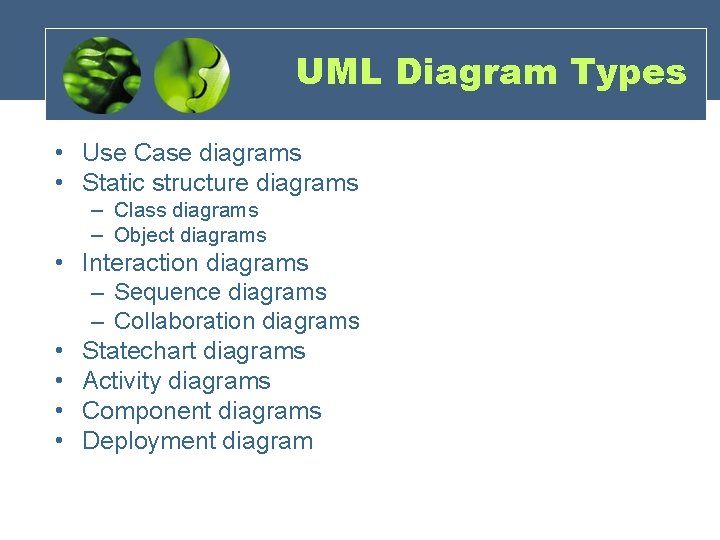
UML Diagram Types • Use Case diagrams • Static structure diagrams – Class diagrams – Object diagrams • Interaction diagrams – Sequence diagrams – Collaboration diagrams • Statechart diagrams • Activity diagrams • Component diagrams • Deployment diagram
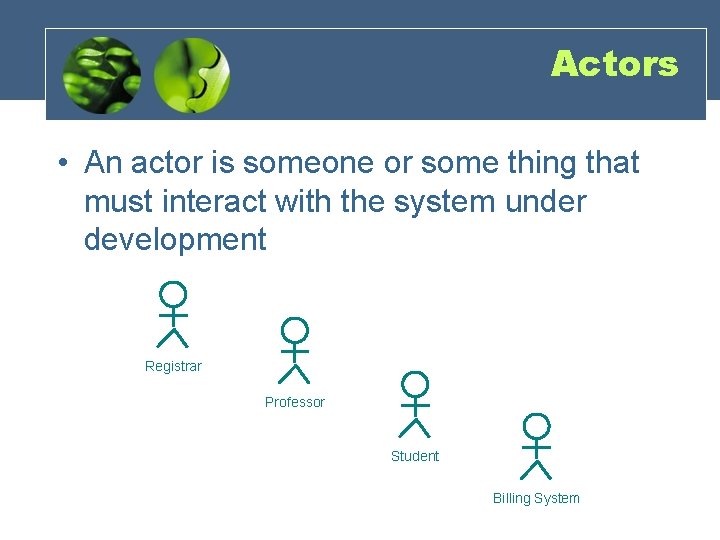
Actors • An actor is someone or some thing that must interact with the system under development Registrar Professor Student Copyright © 1997 by Rational Software Corporation Billing System
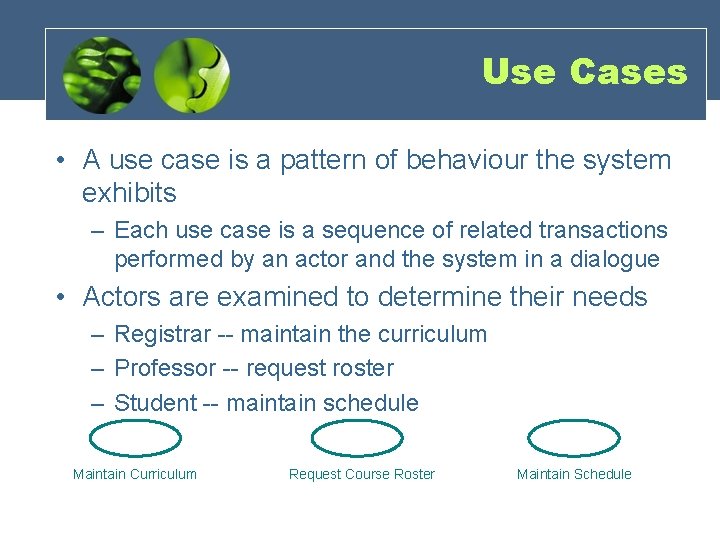
Use Cases • A use case is a pattern of behaviour the system exhibits – Each use case is a sequence of related transactions performed by an actor and the system in a dialogue • Actors are examined to determine their needs – Registrar -- maintain the curriculum – Professor -- request roster – Student -- maintain schedule Maintain Curriculum Request Course Roster Maintain Schedule
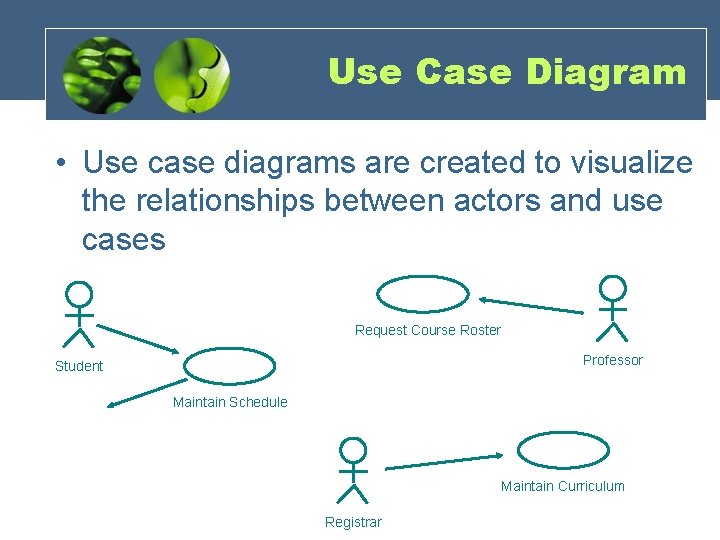
Use Case Diagram • Use case diagrams are created to visualize the relationships between actors and use cases Request Course Roster Professor Student Maintain Schedule Maintain Curriculum Registrar
Use Case Realizations • The use case diagram presents an outside view of the system • Interaction diagrams describe how use cases are realized as interactions among societies of objects • Two types of interaction diagrams – Sequence diagrams – Collaboration diagrams
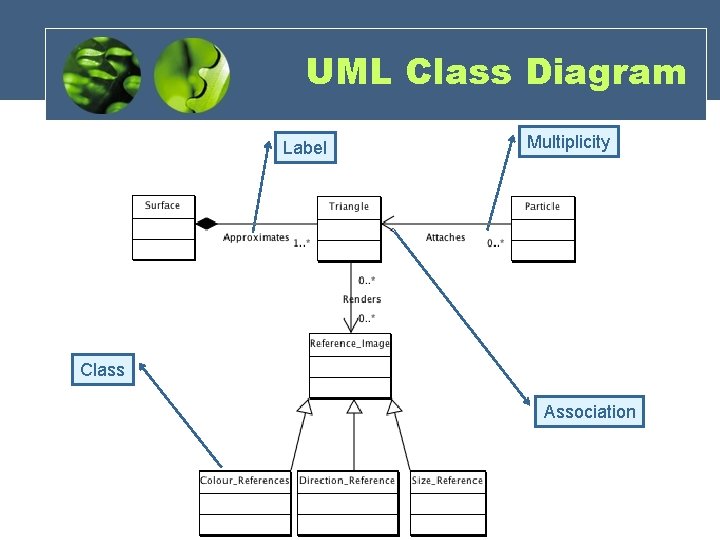
Class Diagram • Class diagrams are the most commonly used diagrams in UML. • Class diagrams are for visualizing, specifying and documenting the system from a static perspective. • Class diagrams indicate which classes know about other classes and, if they do, what type of relationship exists. • Class diagrams will have different levels of detail (abstraction) depending on where we are in the software development process.
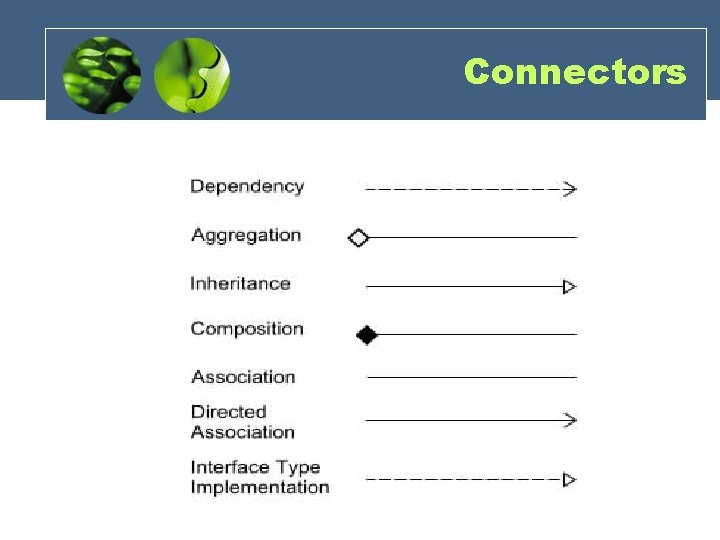
Class Diagrams • Class diagrams describe types of objects in a system and their relationships. • There are three types of relationships between classes: • Dependency (“uses”) • Aggregation (“has”) • Inheritance (“is”) • Class diagrams also show the attributes and operations of a class.
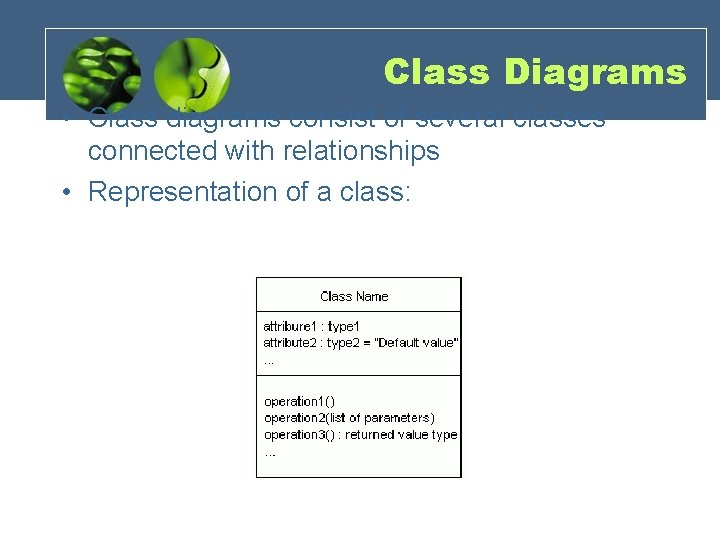
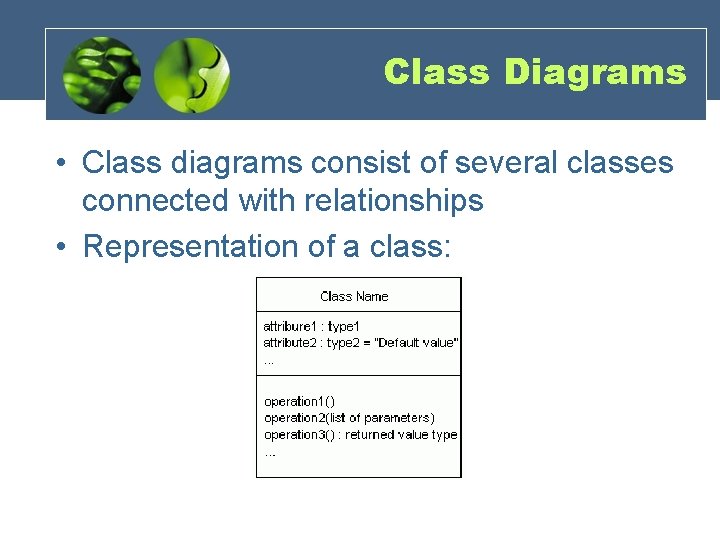
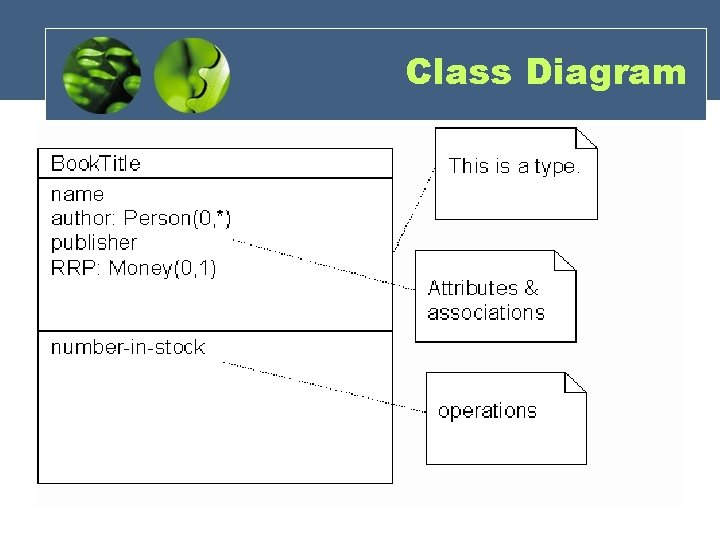
Class Diagrams • Class diagrams consist of several classes connected with relationships • Representation of a class:
Class Diagrams • Class diagrams consist of several classes connected with relationships • Representation of a class:
Class Diagram
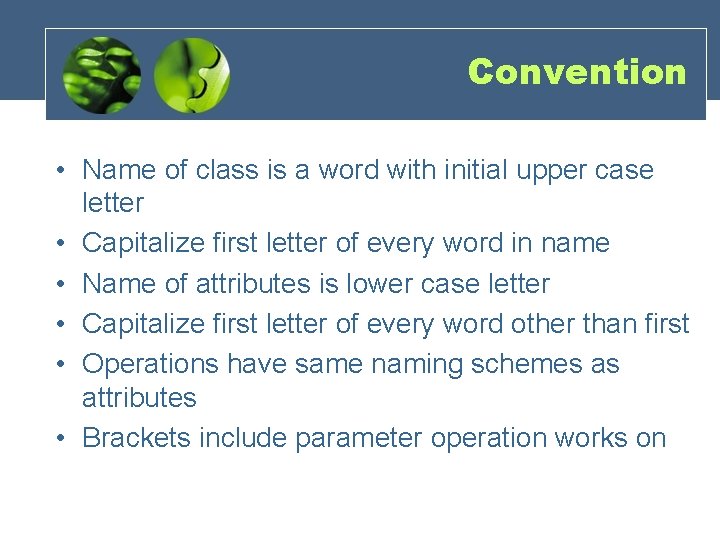
Convention • Name of class is a word with initial upper case letter • Capitalize first letter of every word in name • Name of attributes is lower case letter • Capitalize first letter of every word other than first • Operations have same naming schemes as attributes • Brackets include parameter operation works on
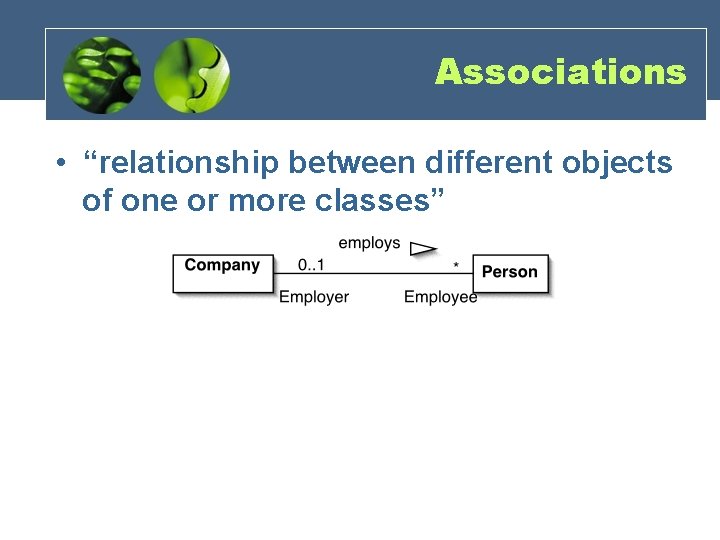
Associations • “relationship between different objects of one or more classes”
Connectors
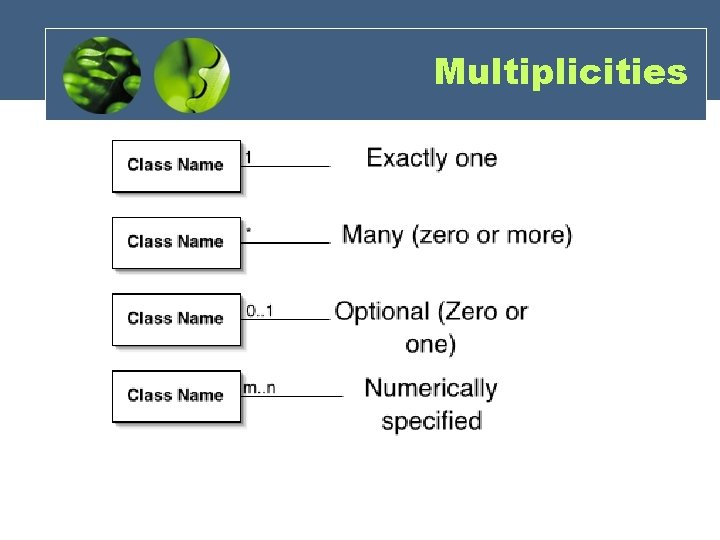
Multiplicities
UML Class Diagram Label Multiplicity Class Association
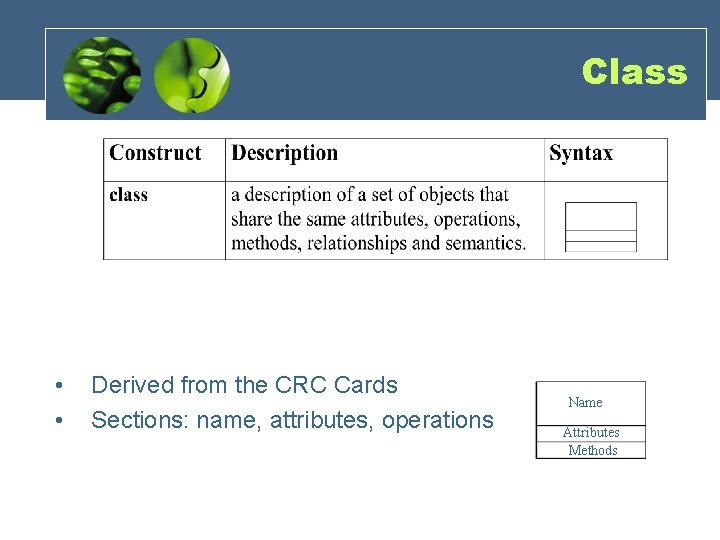
Class • • Derived from the CRC Cards Sections: name, attributes, operations Name Attributes Methods
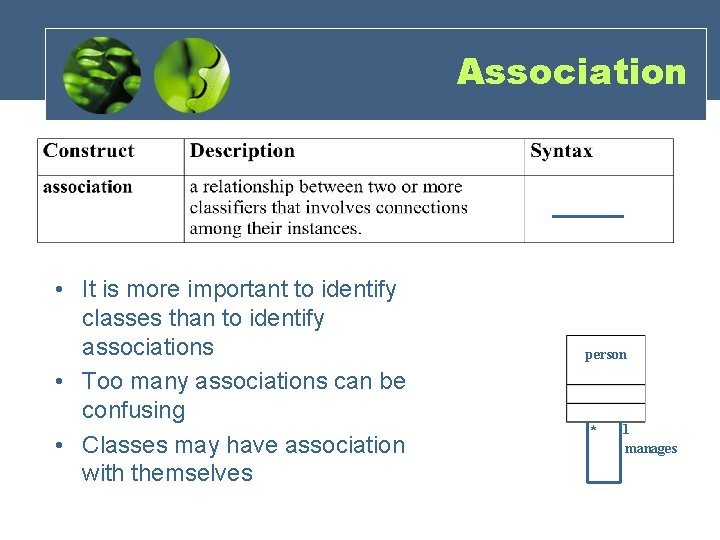
Association • It is more important to identify classes than to identify associations • Too many associations can be confusing • Classes may have association with themselves person * 1 manages
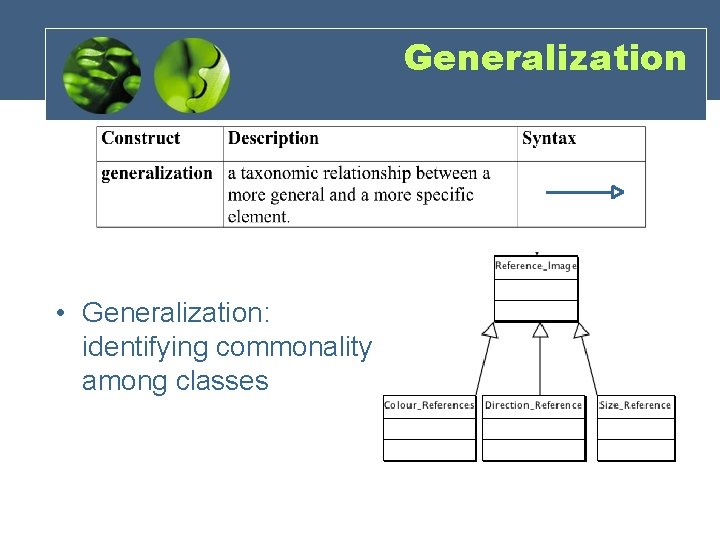
Generalization • Generalization: identifying commonality among classes
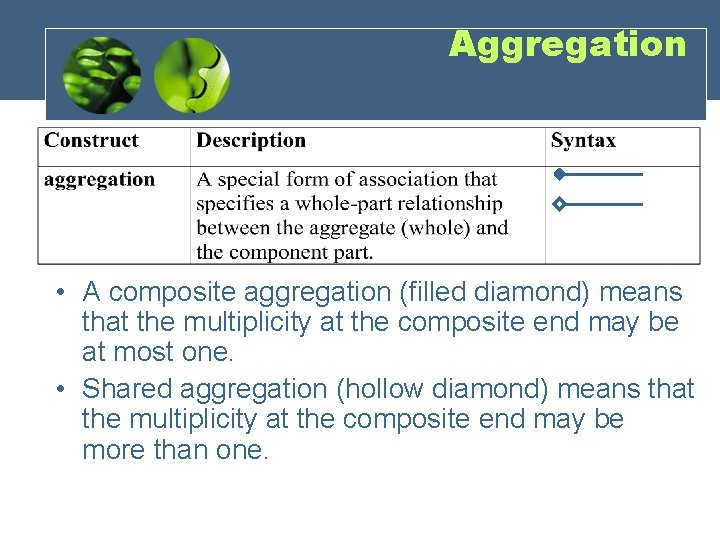
Aggregation • A composite aggregation (filled diamond) means that the multiplicity at the composite end may be at most one. • Shared aggregation (hollow diamond) means that the multiplicity at the composite end may be more than one.
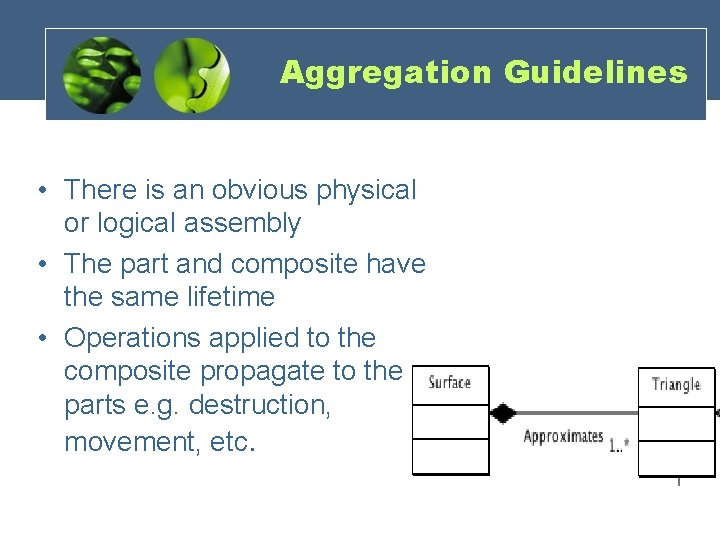
Aggregation Guidelines • There is an obvious physical or logical assembly • The part and composite have the same lifetime • Operations applied to the composite propagate to the parts e. g. destruction, movement, etc.
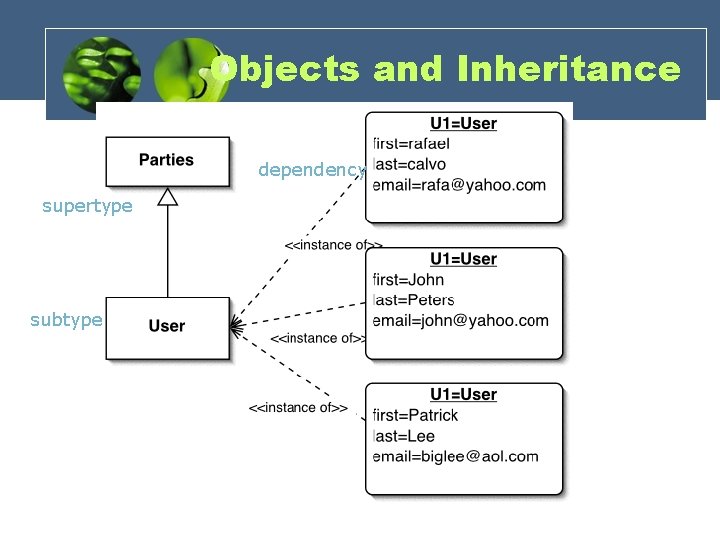
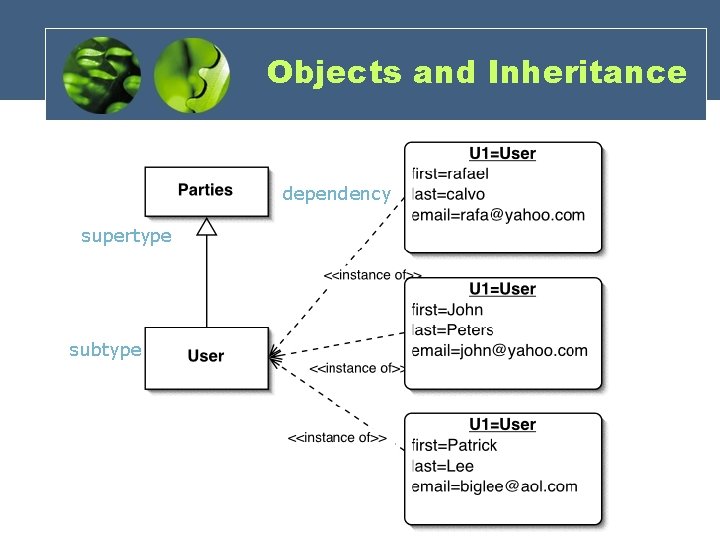
Objects and Inheritance dependency supertype subtype
Objects and Inheritance dependency supertype subtype
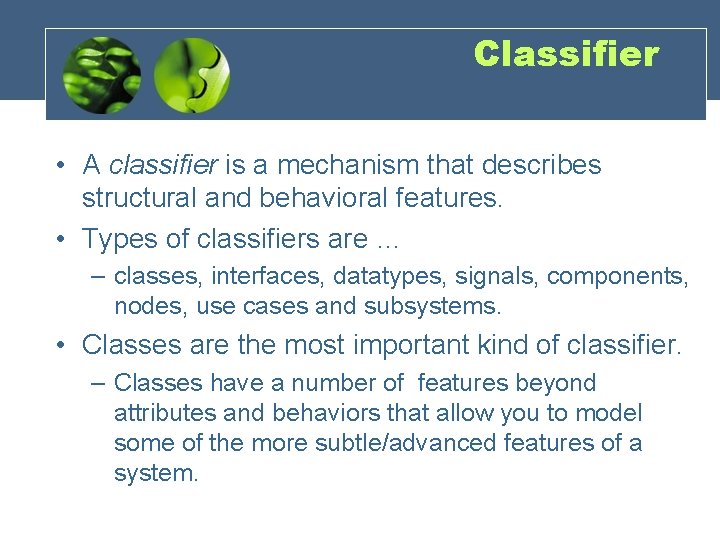
Classifier • A classifier is a mechanism that describes structural and behavioral features. • Types of classifiers are … – classes, interfaces, datatypes, signals, components, nodes, use cases and subsystems. • Classes are the most important kind of classifier. – Classes have a number of features beyond attributes and behaviors that allow you to model some of the more subtle/advanced features of a system.
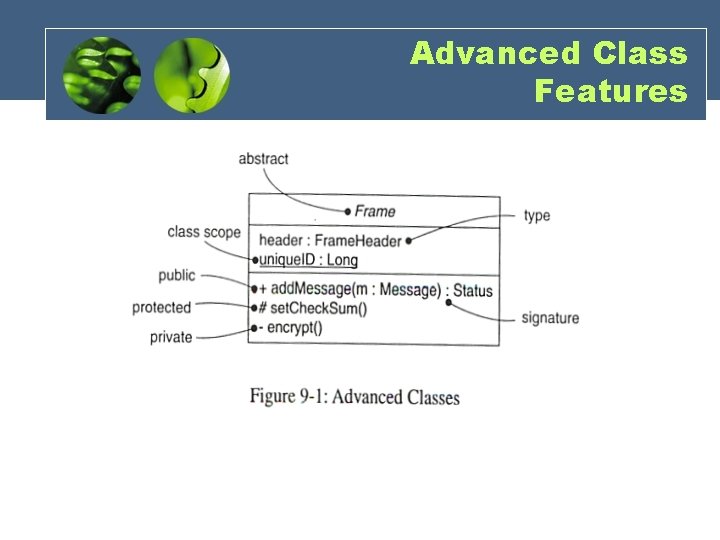
Advanced Class Features
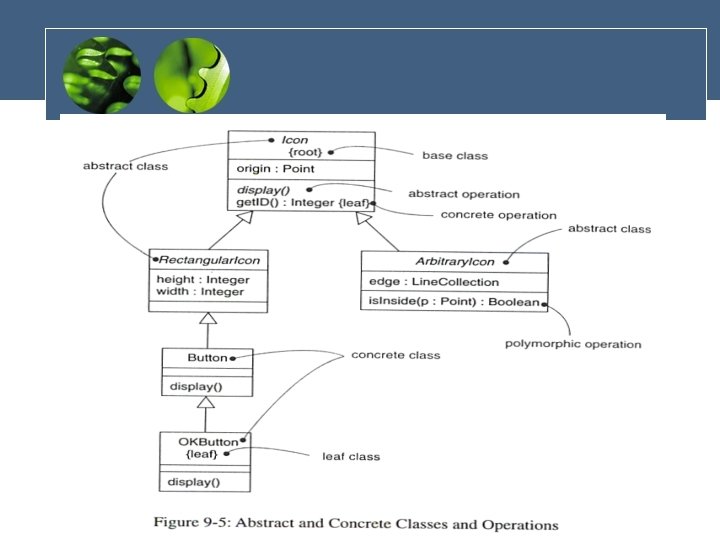
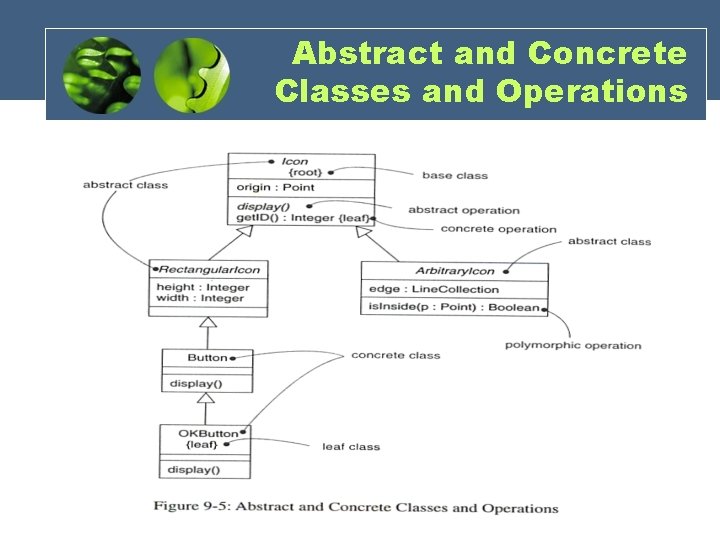
Abstract and Concrete Classes and Operations
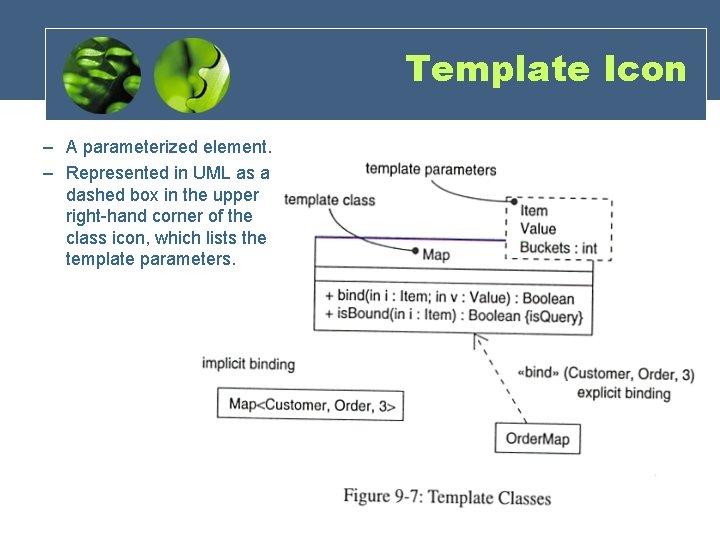
Template Icon – A parameterized element. – Represented in UML as a dashed box in the upper right-hand corner of the class icon, which lists the template parameters.
State Transition Diagram Add student[ count < 10 ] Add Student / Set count = 0 Initialization do: Initialize course Open entry: Register student exit: Increment count Cancel [ count = 10 ] Canceled do: Notify registered students Cancel Closed do: Finalize course
State Transition Diagram Add student[ count < 10 ] Add Student / Set count = 0 Initialization do: Initialize course Open entry: Register student exit: Increment count Cancel [ count = 10 ] Canceled do: Notify registered students Cancel Closed do: Finalize course
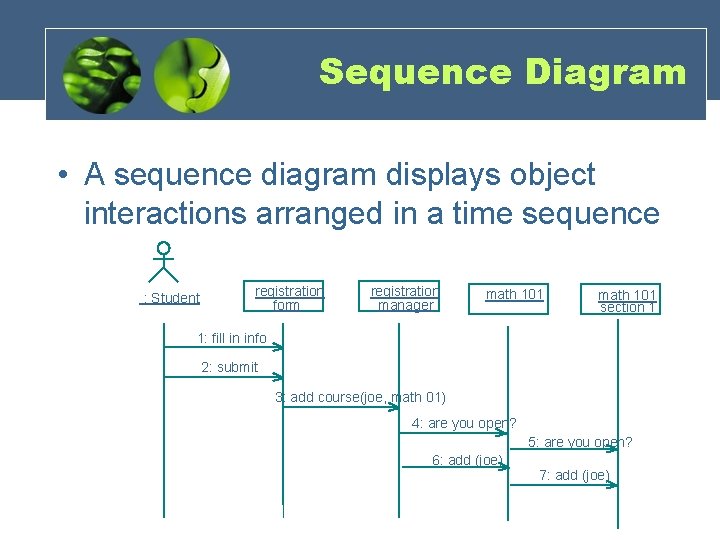
Sequence Diagram • A sequence diagram displays object interactions arranged in a time sequence : Student registration form registration manager math 101 section 1 1: fill in info 2: submit 3: add course(joe, math 01) 4: are you open? 5: are you open? 6: add (joe) 7: add (joe) Copyright © 1997 by Rational Software Corporation
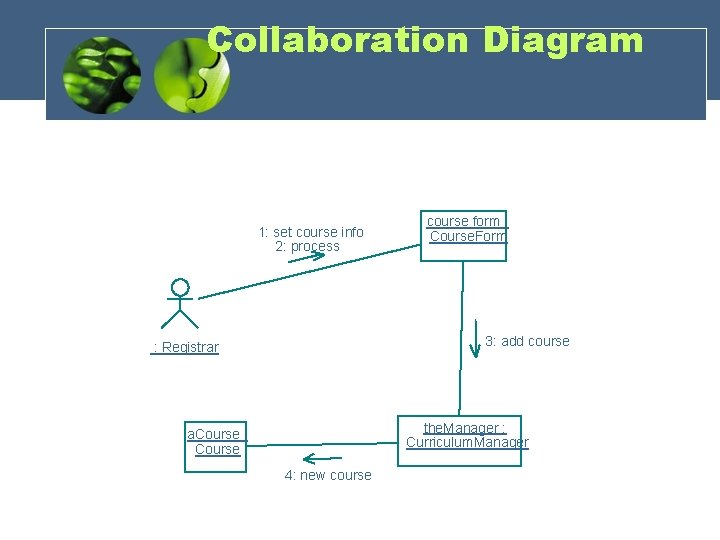
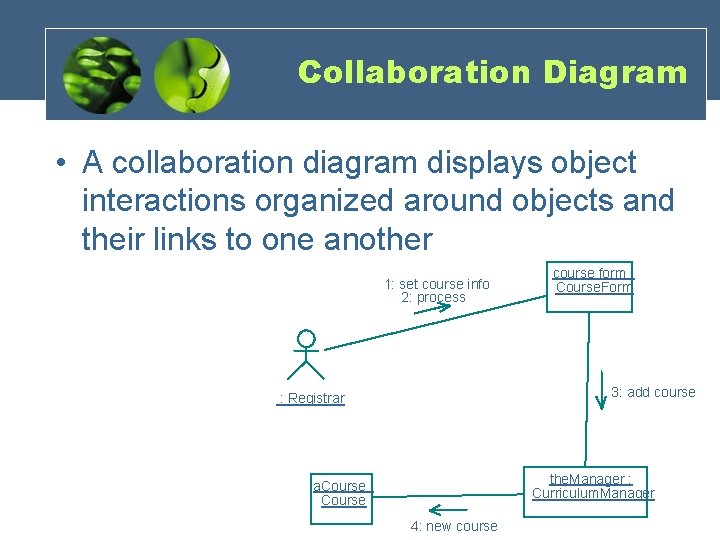
Collaboration Diagram 1: set course info 2: process course form : Course. Form 3: add course : Registrar the. Manager : Curriculum. Manager a. Course : Course 4: new course Copyright © 1997 by Rational Software Corporation
Collaboration Diagram • A collaboration diagram displays object interactions organized around objects and their links to one another 1: set course info 2: process course form : Course. Form 3: add course : Registrar the. Manager : Curriculum. Manager a. Course : Course 4: new course
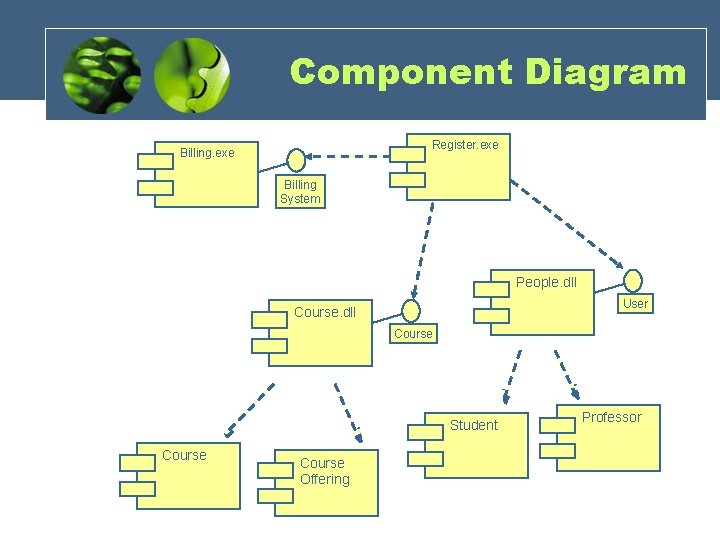
The Physical World • Component diagrams illustrate the organizations and dependencies among software components • A component may be – A source code component – A run time components or – An executable component
Component Diagram Register. exe Billing System People. dll User Course. dll Course Student Course Offering Professor
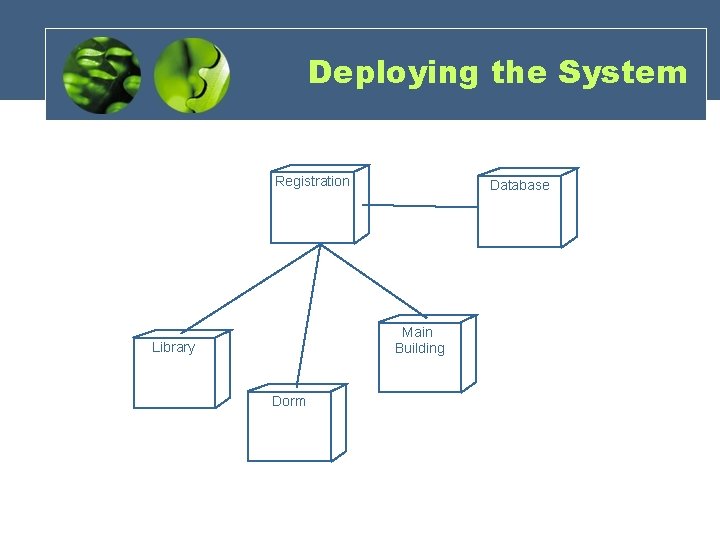
Deploying the System • The deployment diagram shows the configuration of run-time processing elements and the software processes living on them • The deployment diagram visualizes the distribution of components across the enterprise.
Deploying the System • The deployment diagram shows the configuration of run-time processing elements and the software processes living on them • The deployment diagram visualizes the distribution of components across the enterprise.
Deploying the System Registration Database Main Building Library Dorm
UMSec
Security by design Consider security • During design • In the development context • Secure by design – by model analysis. – test generation.
UMLsec • UMLsec facilitates the following – evaluate UML specifications for vulnerabilities – encapsulate security engineering patterns – also for developers not specialized in security – security from early design phases, in system context – make certification cost-effective
UML Extension mechanisms • Stereotype – specialize model element using «label» . • Tagged value – attach {tag=value} pair to stereotyped element. • Constraint – refine semantics of stereotyped element. • Profile: – gather above information.
The UMLsec profile • Recurring security requirements as stereotypes with tags (secrecy, integrity, . . . ). • Associated constraints to evaluate model, indicate possible vulnerabilities. – Ensures that stated security requirements enforce given security policy. – Ensures that UML specification provides requirements.
Basic Security Requirements provided • • • Secrecy and Integrity Secure information flow Access control Auditing Protocol analysis
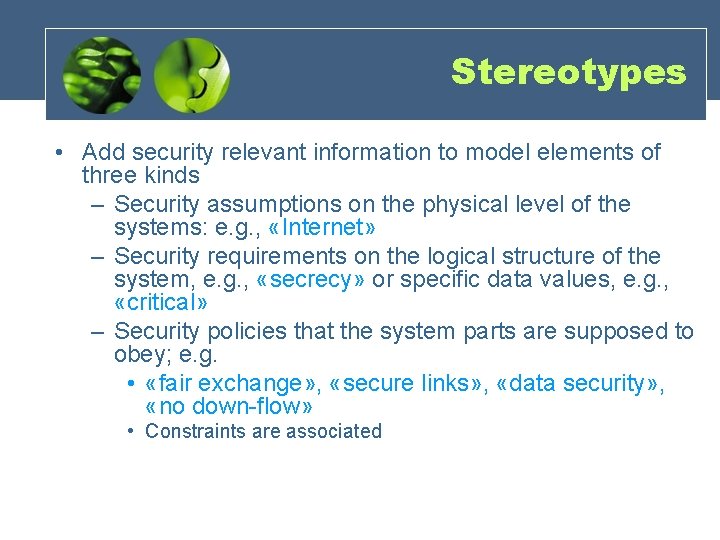
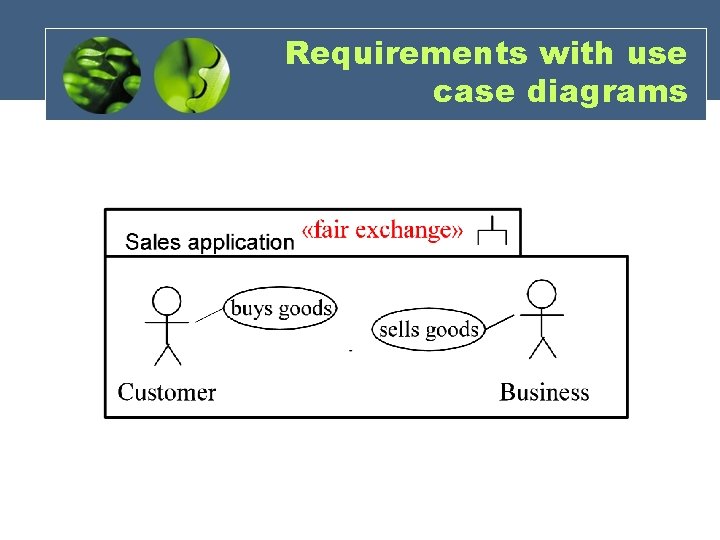
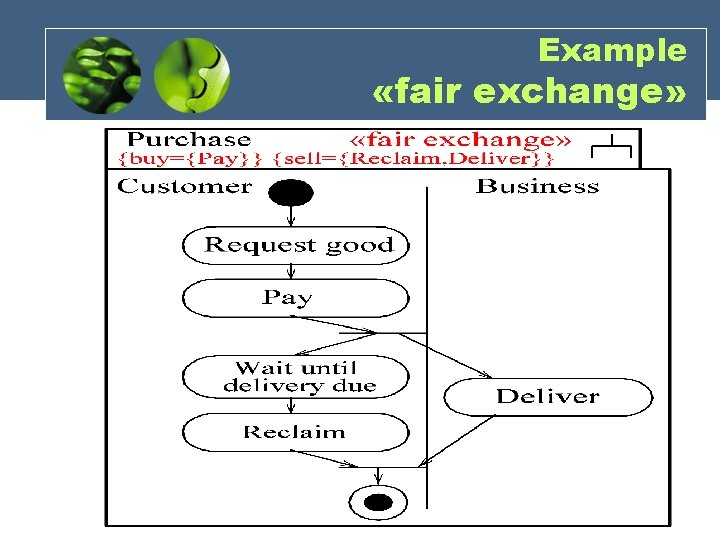
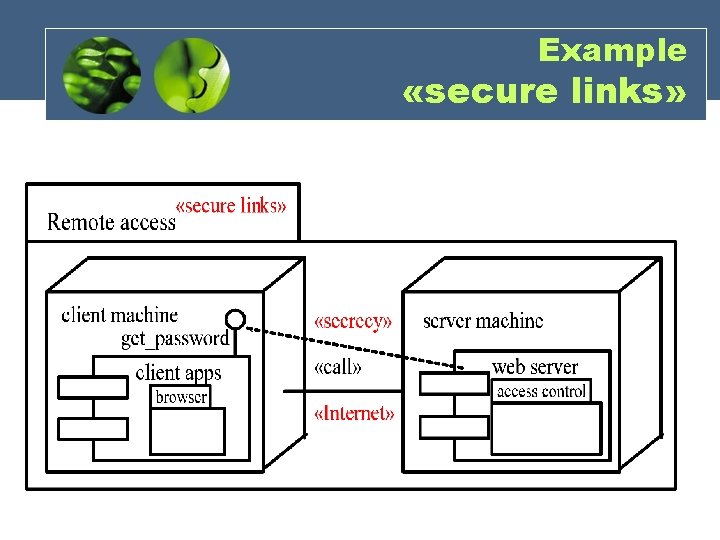
Stereotypes • Add security relevant information to model elements of three kinds – Security assumptions on the physical level of the systems: e. g. , «Internet» – Security requirements on the logical structure of the system, e. g. , «secrecy» or specific data values, e. g. , «critical» – Security policies that the system parts are supposed to obey; e. g. • «fair exchange» , «secure links» , «data security» , «no down-flow» • Constraints are associated
Requirements with use case diagrams
Example «fair exchange»
Example «secure links»