Test Coordinator Administrator Training Fall 2017 Retake Testing
- Slides: 30
Test Coordinator & Administrator Training Fall 2017 Retake Testing Required for DCs, DAs, and SCs Fall 2017 -18 SMAR TER BALANCED AND OF F-GRADE LEVEL Published October 13, 2017 OFFICE OF SUPERINTENDENT OF PUBLIC INSTRUCTION If you are using a screen reader to view this presentation, please also read the script included in the Notes section.
Introductions ______________, District Test Coordinator (DC) ______________, District Administrator (DA) ______________, Assistant Superintendent 2
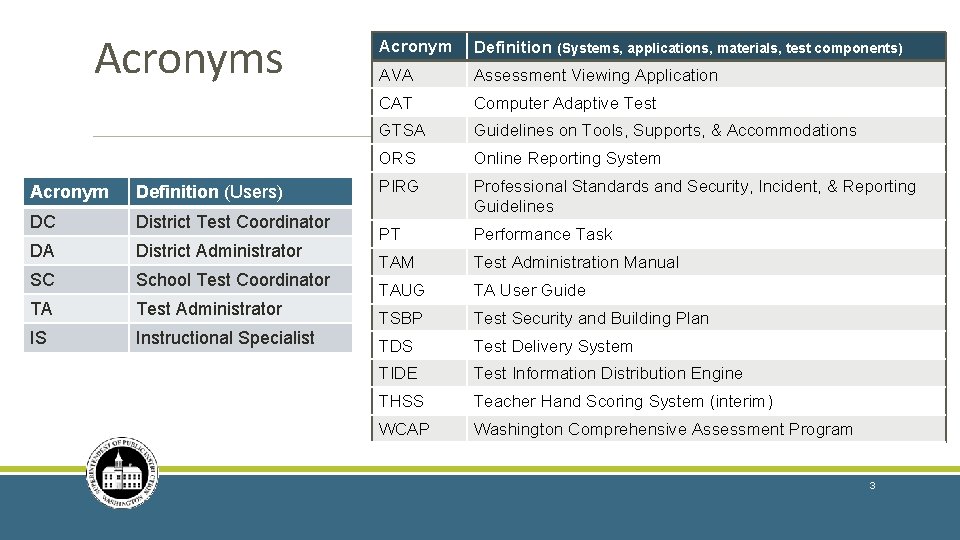
Acronyms Acronym Definition (Users) DC District Test Coordinator DA District Administrator SC School Test Coordinator TA Test Administrator IS Instructional Specialist Acronym Definition (Systems, applications, materials, test components) AVA Assessment Viewing Application CAT Computer Adaptive Test GTSA Guidelines on Tools, Supports, & Accommodations ORS Online Reporting System PIRG Professional Standards and Security, Incident, & Reporting Guidelines PT Performance Task TAM Test Administration Manual TAUG TA User Guide TSBP Test Security and Building Plan TDS Test Delivery System TIDE Test Information Distribution Engine THSS Teacher Hand Scoring System (interim) WCAP Washington Comprehensive Assessment Program 3
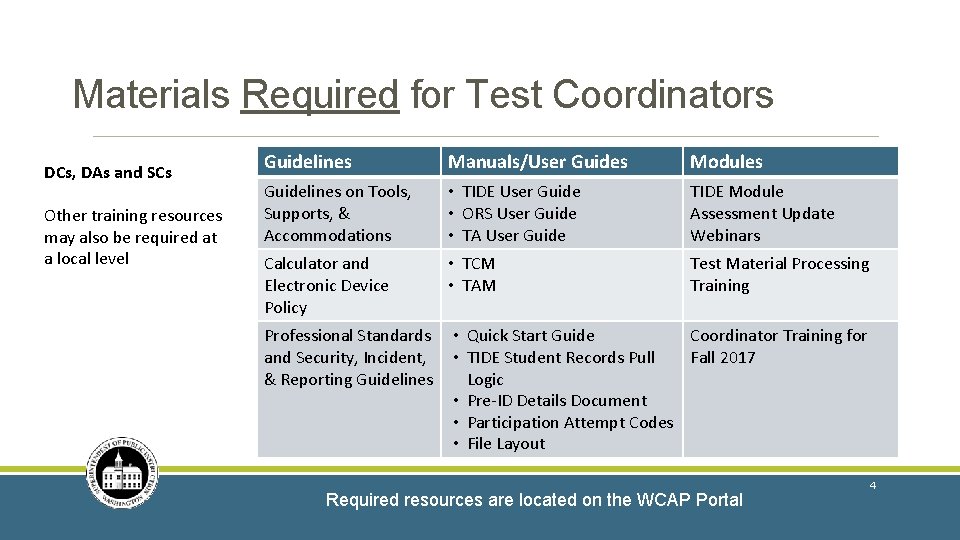
Materials Required for Test Coordinators DCs, DAs and SCs Other training resources may also be required at a local level Guidelines Manuals/User Guides Modules Guidelines on Tools, Supports, & Accommodations • TIDE User Guide • ORS User Guide • TA User Guide TIDE Module Assessment Update Webinars Calculator and Electronic Device Policy • TCM • TAM Test Material Processing Training Professional Standards and Security, Incident, & Reporting Guidelines • Quick Start Guide Coordinator Training for • TIDE Student Records Pull Fall 2017 Logic • Pre-ID Details Document • Participation Attempt Codes • File Layout Required resources are located on the WCAP Portal 4
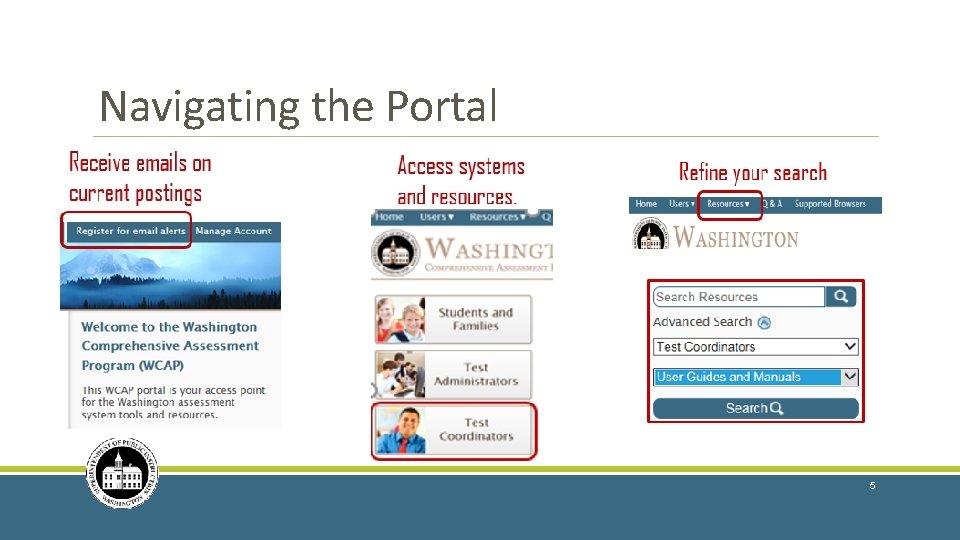
Navigating the Portal 5
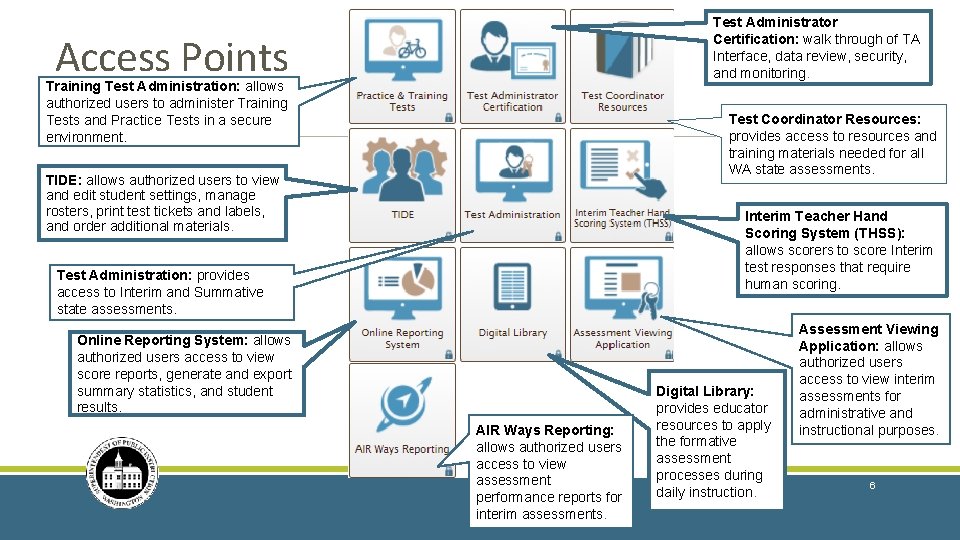
Test Administrator Certification: walk through of TA Interface, data review, security, and monitoring. Access Points Training Test Administration: allows authorized users to administer Training Tests and Practice Tests in a secure environment. Test Coordinator Resources: provides access to resources and training materials needed for all WA state assessments. TIDE: allows authorized users to view and edit student settings, manage rosters, print test tickets and labels, and order additional materials. Interim Teacher Hand Scoring System (THSS): allows scorers to score Interim test responses that require human scoring. Test Administration: provides access to Interim and Summative state assessments. Online Reporting System: allows authorized users access to view score reports, generate and export summary statistics, and student results. AIR Ways Reporting: allows authorized users access to view assessment performance reports for interim assessments. Digital Library: provides educator resources to apply the formative assessment processes during daily instruction. Assessment Viewing Application: allows authorized users access to view interim assessments for administrative and instructional purposes. 6
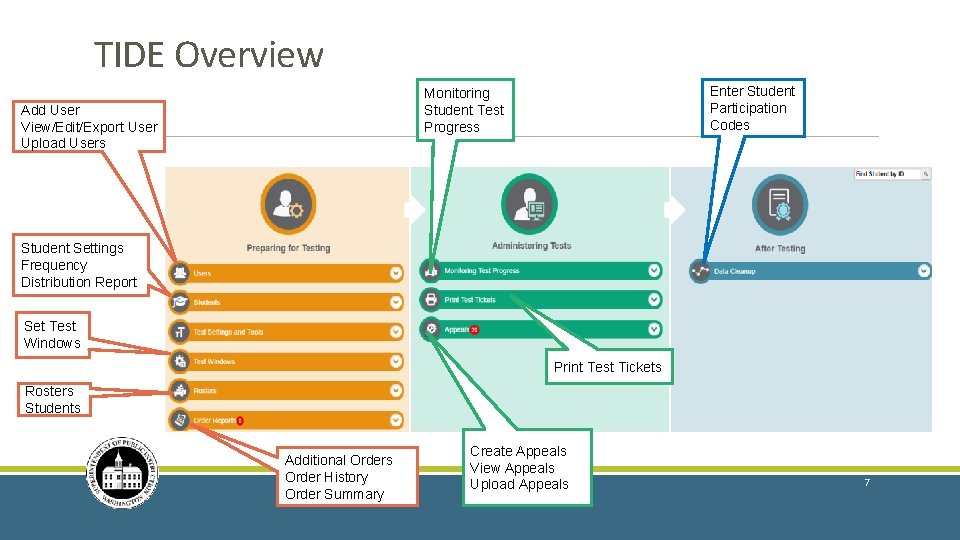
TIDE Overview Enter Student Participation Codes Monitoring Student Test Progress Add User View/Edit/Export User Upload Users Student Settings Frequency Distribution Report Set Test Windows Print Test Tickets Rosters Students Additional Orders Order History Order Summary Create Appeals View Appeals Upload Appeals 7
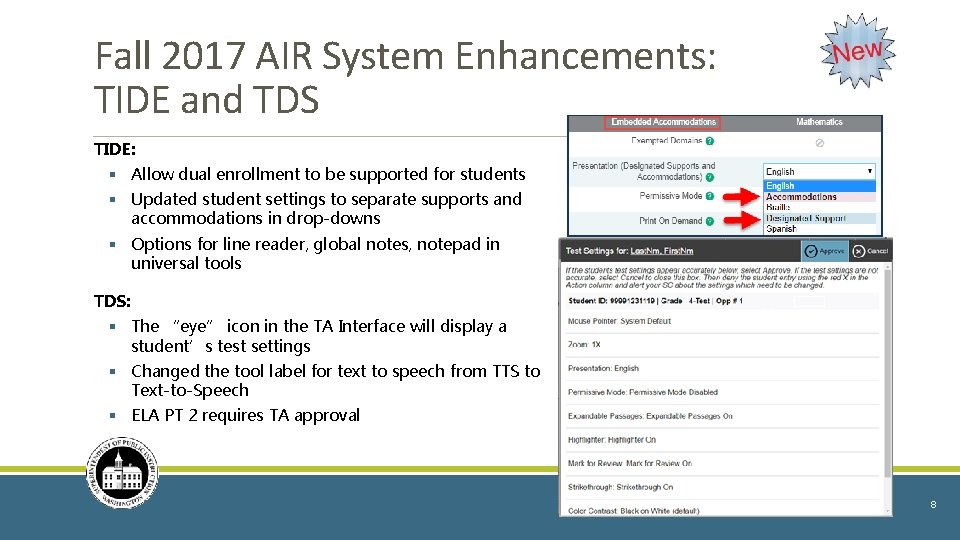
Fall 2017 AIR System Enhancements: TIDE and TDS TIDE: § Allow dual enrollment to be supported for students § Updated student settings to separate supports and accommodations in drop-downs § Options for line reader, global notes, notepad in universal tools TDS: § The “eye” icon in the TA Interface will display a student’s test settings § Changed the tool label for text to speech from TTS to Text-to-Speech § ELA PT 2 requires TA approval 8
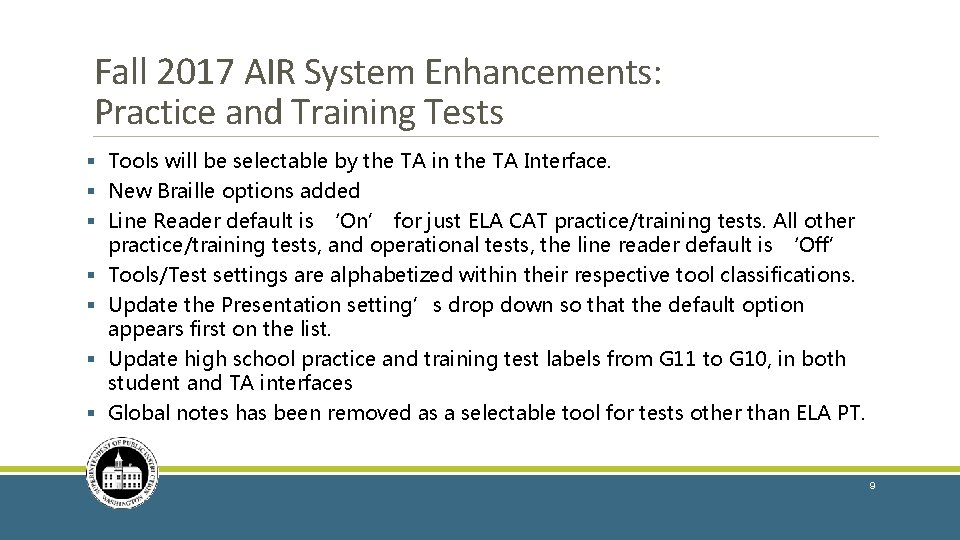
Fall 2017 AIR System Enhancements: Practice and Training Tests § Tools will be selectable by the TA in the TA Interface. § New Braille options added § Line Reader default is ‘On’ for just ELA CAT practice/training tests. All other practice/training tests, and operational tests, the line reader default is ‘Off’ § Tools/Test settings are alphabetized within their respective tool classifications. § Update the Presentation setting’s drop down so that the default option appears first on the list. § Update high school practice and training test labels from G 11 to G 10, in both student and TA interfaces § Global notes has been removed as a selectable tool for tests other than ELA PT. 9
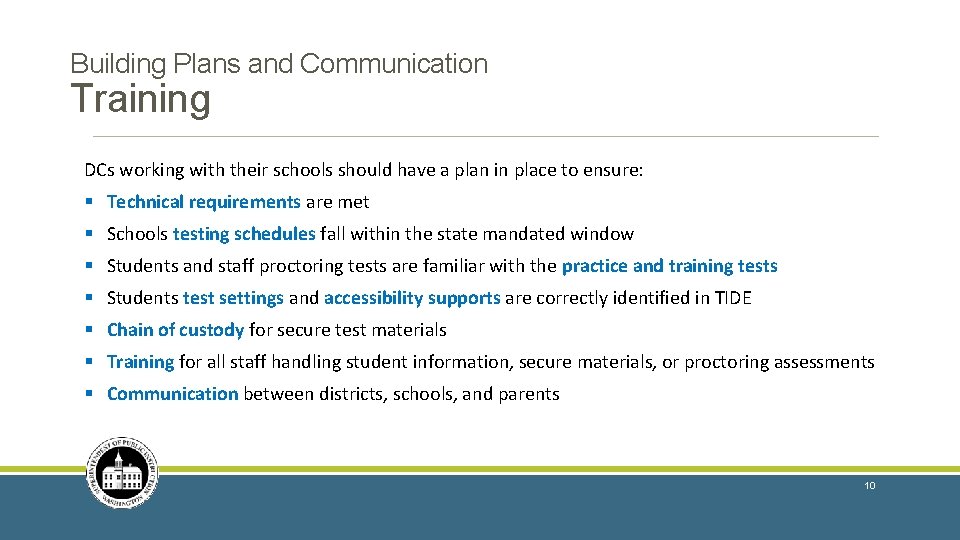
Building Plans and Communication Training DCs working with their schools should have a plan in place to ensure: § Technical requirements are met § Schools testing schedules fall within the state mandated window § Students and staff proctoring tests are familiar with the practice and training tests § Students test settings and accessibility supports are correctly identified in TIDE § Chain of custody for secure test materials § Training for all staff handling student information, secure materials, or proctoring assessments § Communication between districts, schools, and parents 10
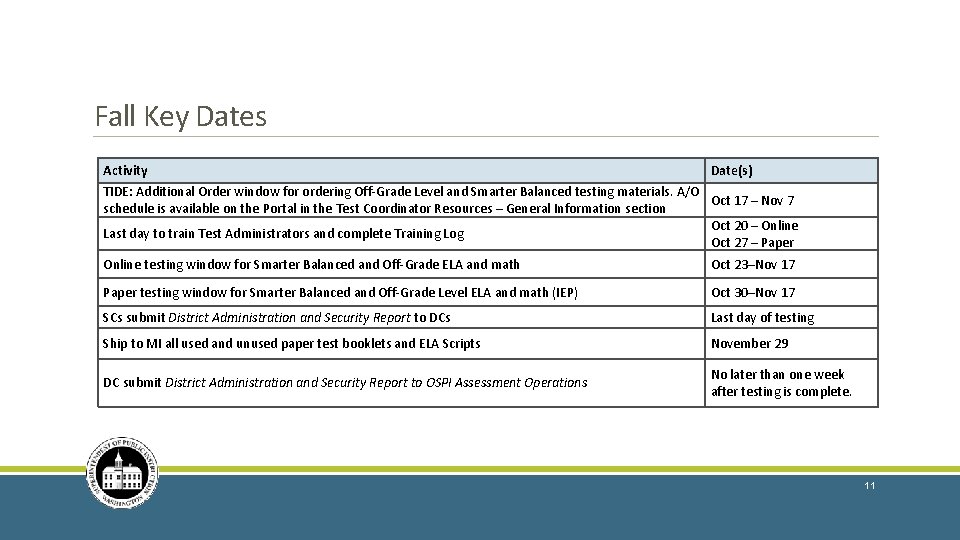
Fall Key Dates Activity Date(s) TIDE: Additional Order window for ordering Off-Grade Level and Smarter Balanced testing materials. A/O Oct 17 – Nov 7 schedule is available on the Portal in the Test Coordinator Resources – General Information section Oct 20 – Online Last day to train Test Administrators and complete Training Log Oct 27 – Paper Online testing window for Smarter Balanced and Off-Grade ELA and math Oct 23–Nov 17 Paper testing window for Smarter Balanced and Off-Grade Level ELA and math (IEP) Oct 30–Nov 17 SCs submit District Administration and Security Report to DCs Last day of testing Ship to MI all used and unused paper test booklets and ELA Scripts November 29 DC submit District Administration and Security Report to OSPI Assessment Operations No later than one week after testing is complete. 11
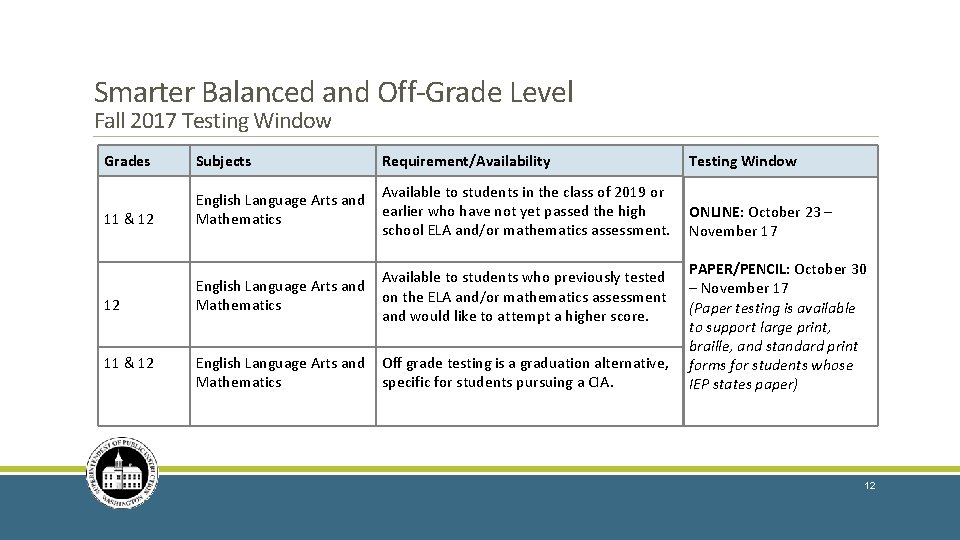
Smarter Balanced and Off-Grade Level Fall 2017 Testing Window Grades Subjects Requirement/Availability Testing Window 11 & 12 English Language Arts and Mathematics Available to students in the class of 2019 or earlier who have not yet passed the high school ELA and/or mathematics assessment. ONLINE: October 23 – November 17 English Language Arts and Mathematics Available to students who previously tested on the ELA and/or mathematics assessment and would like to attempt a higher score. English Language Arts and Mathematics Off grade testing is a graduation alternative, specific for students pursuing a CIA. 12 11 & 12 PAPER/PENCIL: October 30 – November 17 (Paper testing is available to support large print, braille, and standard print forms for students whose IEP states paper) 12
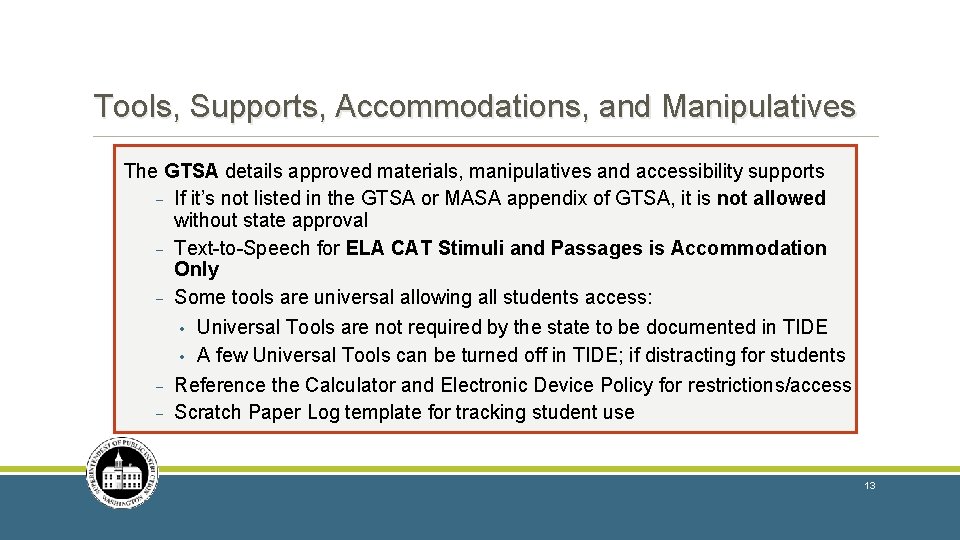
Tools, Supports, Accommodations, and Manipulatives The GTSA details approved materials, manipulatives and accessibility supports - If it’s not listed in the GTSA or MASA appendix of GTSA, it is not allowed without state approval - Text-to-Speech for ELA CAT Stimuli and Passages is Accommodation Only - Some tools are universal allowing all students access: • Universal Tools are not required by the state to be documented in TIDE • A few Universal Tools can be turned off in TIDE; if distracting for students - Reference the Calculator and Electronic Device Policy for restrictions/access Scratch Paper Log template for tracking student use 13
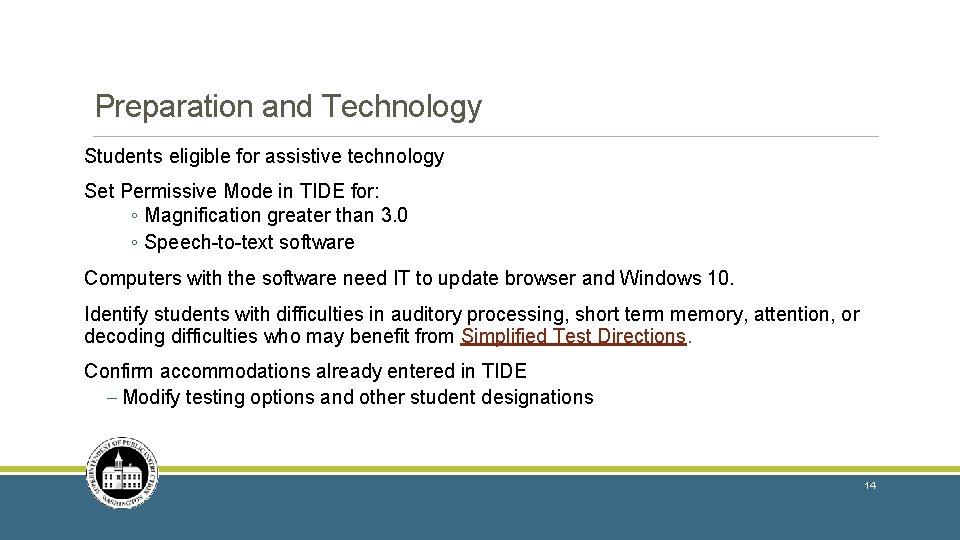
Preparation and Technology Students eligible for assistive technology Set Permissive Mode in TIDE for: ◦ Magnification greater than 3. 0 ◦ Speech-to-text software Computers with the software need IT to update browser and Windows 10. Identify students with difficulties in auditory processing, short term memory, attention, or decoding difficulties who may benefit from Simplified Test Directions. Confirm accommodations already entered in TIDE - Modify testing options and other student designations 14
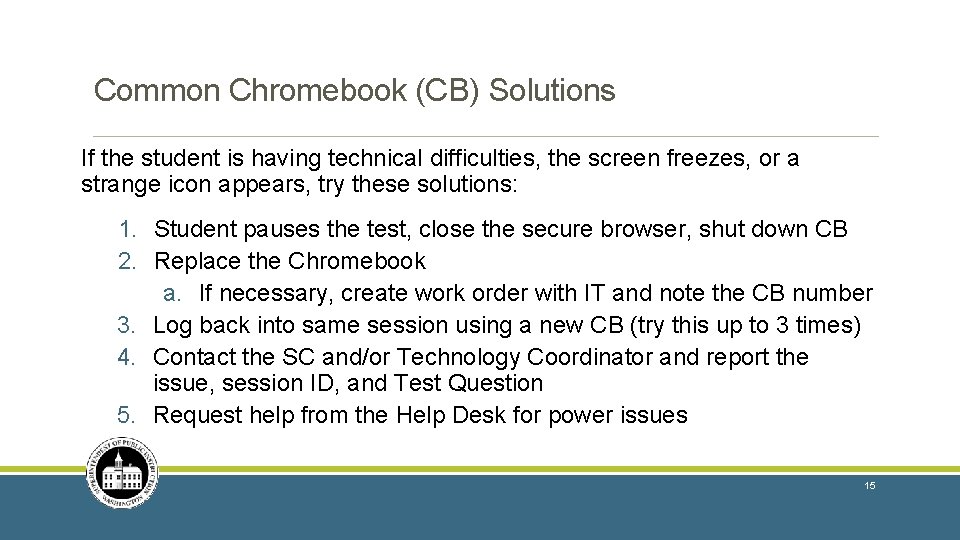
Common Chromebook (CB) Solutions If the student is having technical difficulties, the screen freezes, or a strange icon appears, try these solutions: 1. Student pauses the test, close the secure browser, shut down CB 2. Replace the Chromebook a. If necessary, create work order with IT and note the CB number 3. Log back into same session using a new CB (try this up to 3 times) 4. Contact the SC and/or Technology Coordinator and report the issue, session ID, and Test Question 5. Request help from the Help Desk for power issues 15
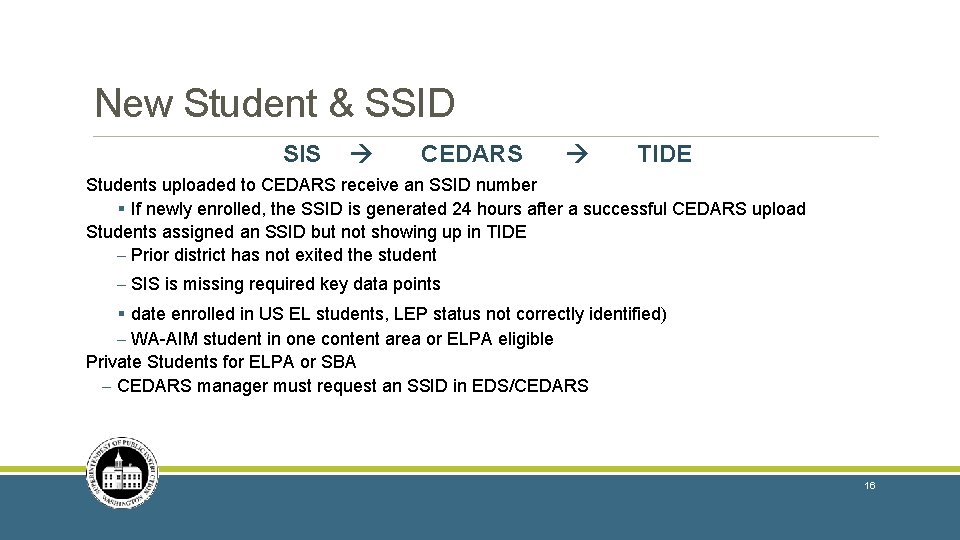
New Student & SSID SIS CEDARS TIDE Students uploaded to CEDARS receive an SSID number § If newly enrolled, the SSID is generated 24 hours after a successful CEDARS upload Students assigned an SSID but not showing up in TIDE - Prior district has not exited the student - SIS is missing required key data points § date enrolled in US EL students, LEP status not correctly identified) - WA-AIM student in one content area or ELPA eligible Private Students for ELPA or SBA - CEDARS manager must request an SSID in EDS/CEDARS 16
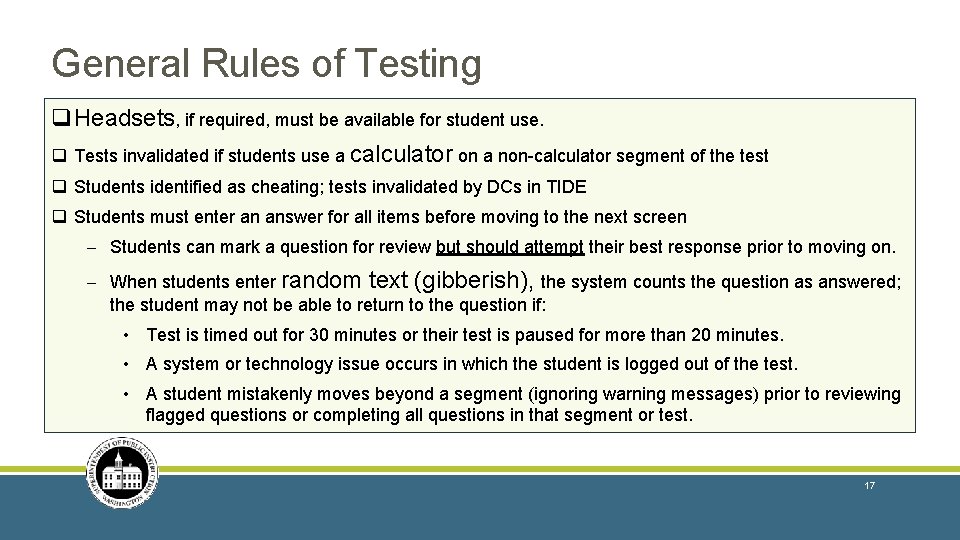
General Rules of Testing q. Headsets, if required, must be available for student use. q Tests invalidated if students use a calculator on a non-calculator segment of the test q Students identified as cheating; tests invalidated by DCs in TIDE q Students must enter an answer for all items before moving to the next screen - Students can mark a question for review but should attempt their best response prior to moving on. - When students enter random text (gibberish), the system counts the question as answered; the student may not be able to return to the question if: • Test is timed out for 30 minutes or their test is paused for more than 20 minutes. • A system or technology issue occurs in which the student is logged out of the test. • A student mistakenly moves beyond a segment (ignoring warning messages) prior to reviewing flagged questions or completing all questions in that segment or test. 17
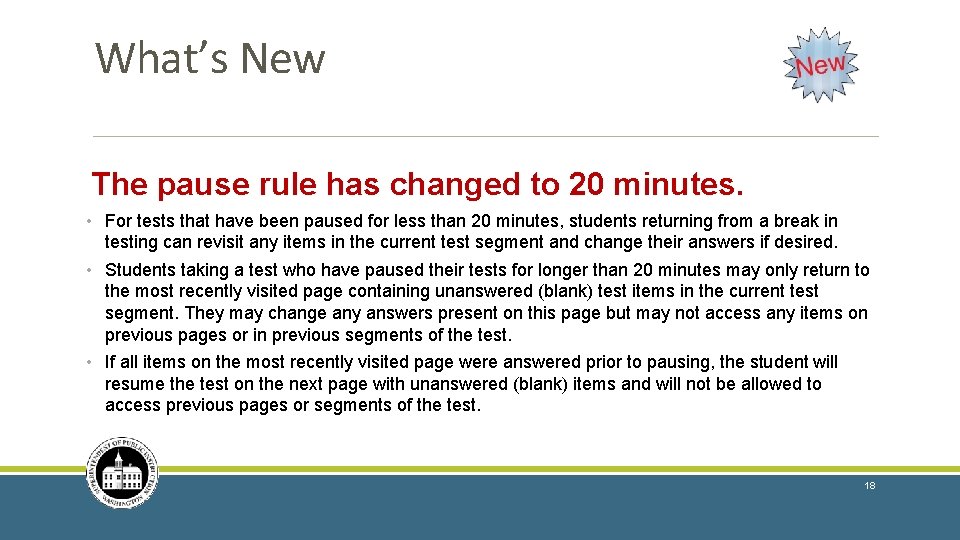
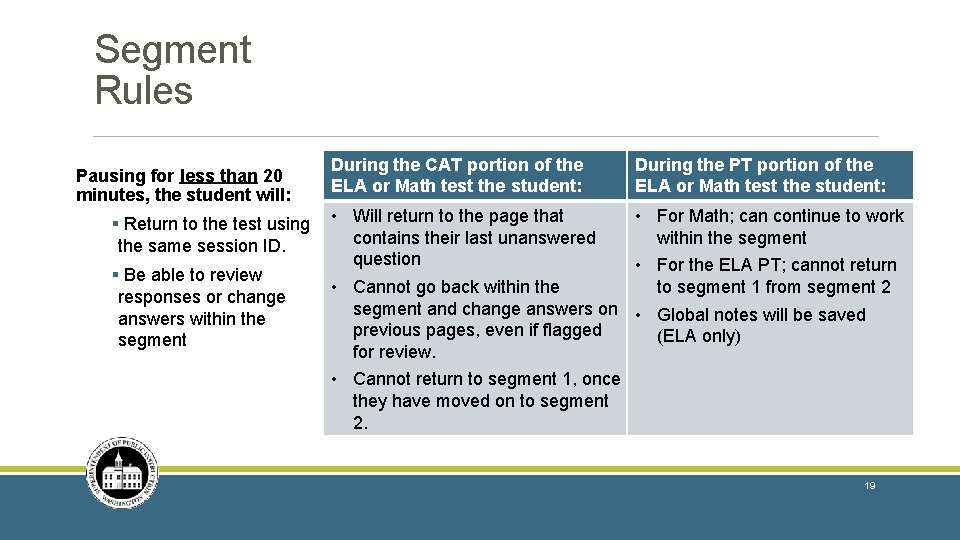
What’s New The pause rule has changed to 20 minutes. • For tests that have been paused for less than 20 minutes, students returning from a break in testing can revisit any items in the current test segment and change their answers if desired. • Students taking a test who have paused their tests for longer than 20 minutes may only return to the most recently visited page containing unanswered (blank) test items in the current test segment. They may change any answers present on this page but may not access any items on previous pages or in previous segments of the test. • If all items on the most recently visited page were answered prior to pausing, the student will resume the test on the next page with unanswered (blank) items and will not be allowed to access previous pages or segments of the test. 18
Segment Rules Pausing for less than 20 minutes, the student will: § Return to the test using the same session ID. § Be able to review responses or change answers within the segment During the CAT portion of the ELA or Math test the student: During the PT portion of the ELA or Math test the student: • Will return to the page that • For Math; can continue to work contains their last unanswered within the segment question • For the ELA PT; cannot return • Cannot go back within the to segment 1 from segment 2 segment and change answers on • Global notes will be saved previous pages, even if flagged (ELA only) for review. • Cannot return to segment 1, once they have moved on to segment 2. 19
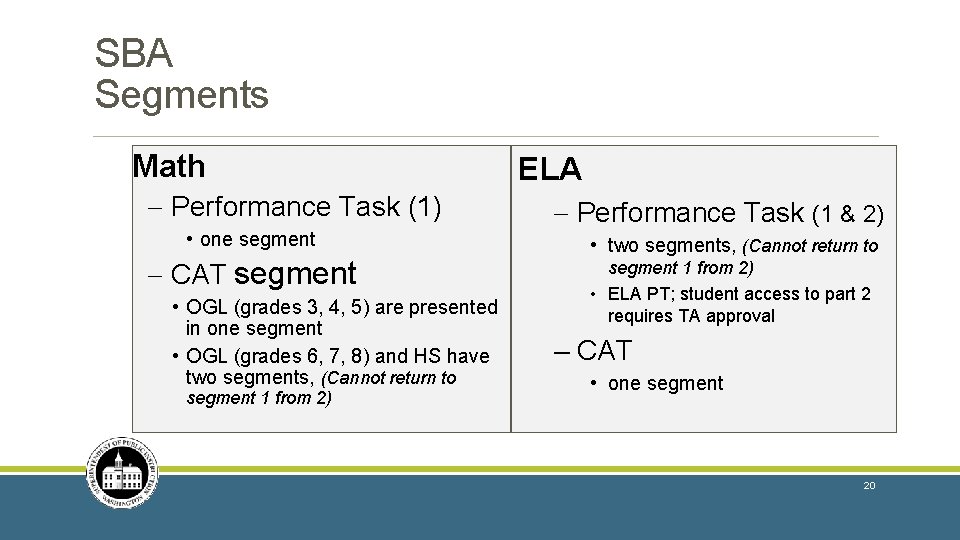
SBA Segments Math - Performance Task (1) • one segment - CAT segment • OGL (grades 3, 4, 5) are presented in one segment • OGL (grades 6, 7, 8) and HS have two segments, (Cannot return to segment 1 from 2) ELA - Performance Task (1 & 2) • two segments, (Cannot return to segment 1 from 2) • ELA PT; student access to part 2 requires TA approval – CAT • one segment 20
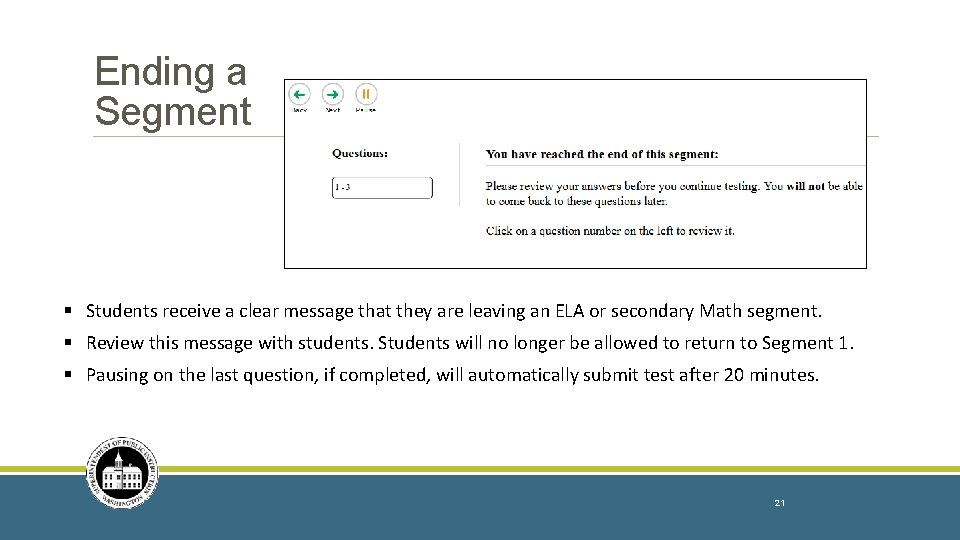
Ending a Segment § Students receive a clear message that they are leaving an ELA or secondary Math segment. § Review this message with students. Students will no longer be allowed to return to Segment 1. § Pausing on the last question, if completed, will automatically submit test after 20 minutes. 21
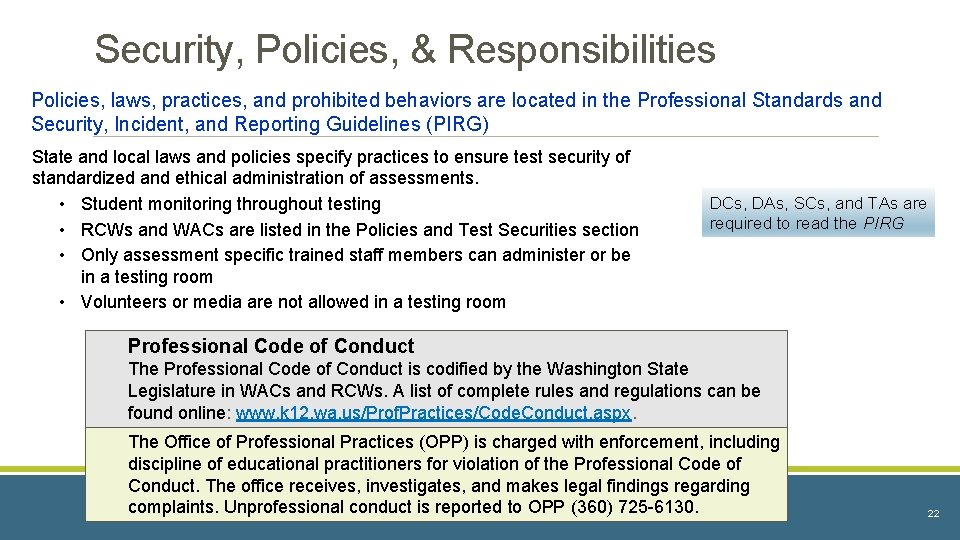
Security, Policies, & Responsibilities Policies, laws, practices, and prohibited behaviors are located in the Professional Standards and Security, Incident, and Reporting Guidelines (PIRG) State and local laws and policies specify practices to ensure test security of standardized and ethical administration of assessments. • Student monitoring throughout testing • RCWs and WACs are listed in the Policies and Test Securities section • Only assessment specific trained staff members can administer or be in a testing room • Volunteers or media are not allowed in a testing room DCs, DAs, SCs, and TAs are required to read the PIRG Professional Code of Conduct The Professional Code of Conduct is codified by the Washington State Legislature in WACs and RCWs. A list of complete rules and regulations can be found online: www. k 12. wa. us/Prof. Practices/Code. Conduct. aspx. The Office of Professional Practices (OPP) is charged with enforcement, including discipline of educational practitioners for violation of the Professional Code of Conduct. The office receives, investigates, and makes legal findings regarding complaints. Unprofessional conduct is reported to OPP (360) 725 -6130. 22
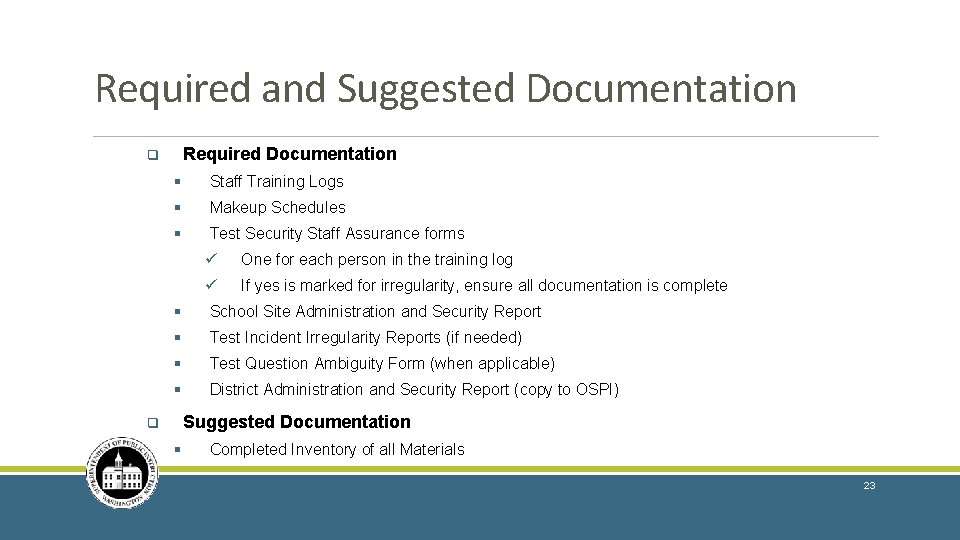
Required and Suggested Documentation Required Documentation q § Staff Training Logs § Makeup Schedules § Test Security Staff Assurance forms ü One for each person in the training log ü If yes is marked for irregularity, ensure all documentation is complete § School Site Administration and Security Report § Test Incident Irregularity Reports (if needed) § Test Question Ambiguity Form (when applicable) § District Administration and Security Report (copy to OSPI) Suggested Documentation q § Completed Inventory of all Materials 23
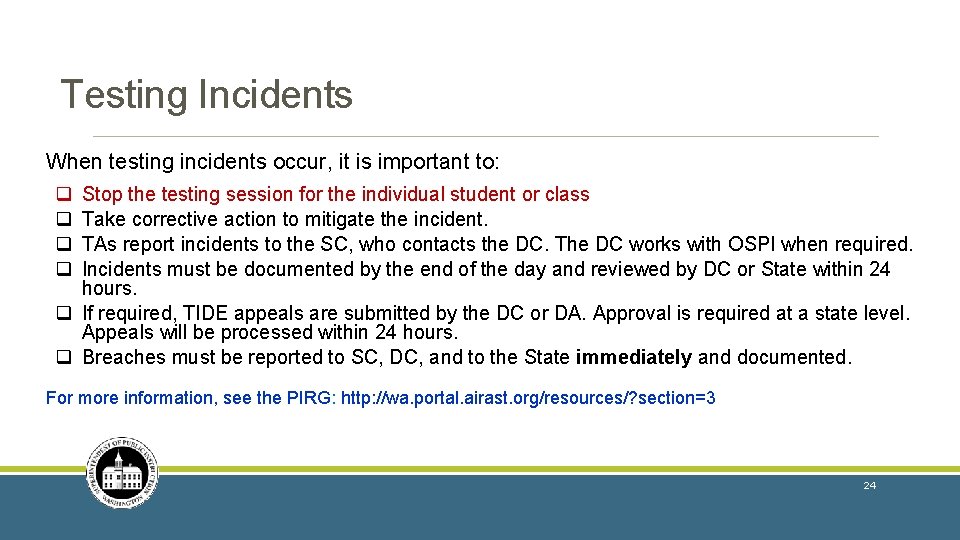
Testing Incidents When testing incidents occur, it is important to: q q Stop the testing session for the individual student or class Take corrective action to mitigate the incident. TAs report incidents to the SC, who contacts the DC. The DC works with OSPI when required. Incidents must be documented by the end of the day and reviewed by DC or State within 24 hours. q If required, TIDE appeals are submitted by the DC or DA. Approval is required at a state level. Appeals will be processed within 24 hours. q Breaches must be reported to SC, DC, and to the State immediately and documented. For more information, see the PIRG: http: //wa. portal. airast. org/resources/? section=3 24
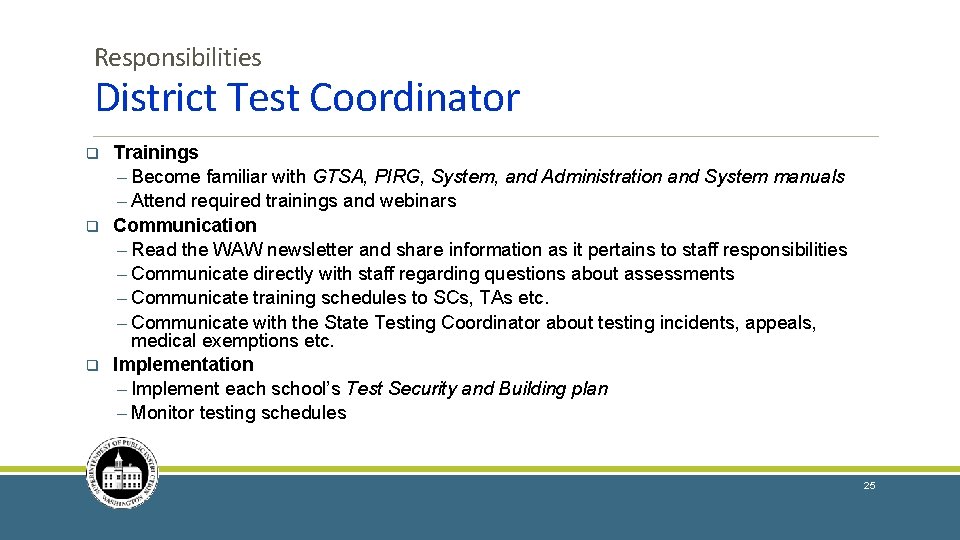
Responsibilities District Test Coordinator q q q Trainings ─ Become familiar with GTSA, PIRG, System, and Administration and System manuals ─ Attend required trainings and webinars Communication ─ Read the WAW newsletter and share information as it pertains to staff responsibilities ─ Communicate directly with staff regarding questions about assessments ─ Communicate training schedules to SCs, TAs etc. ─ Communicate with the State Testing Coordinator about testing incidents, appeals, medical exemptions etc. Implementation ─ Implement each school’s Test Security and Building plan ─ Monitor testing schedules 25
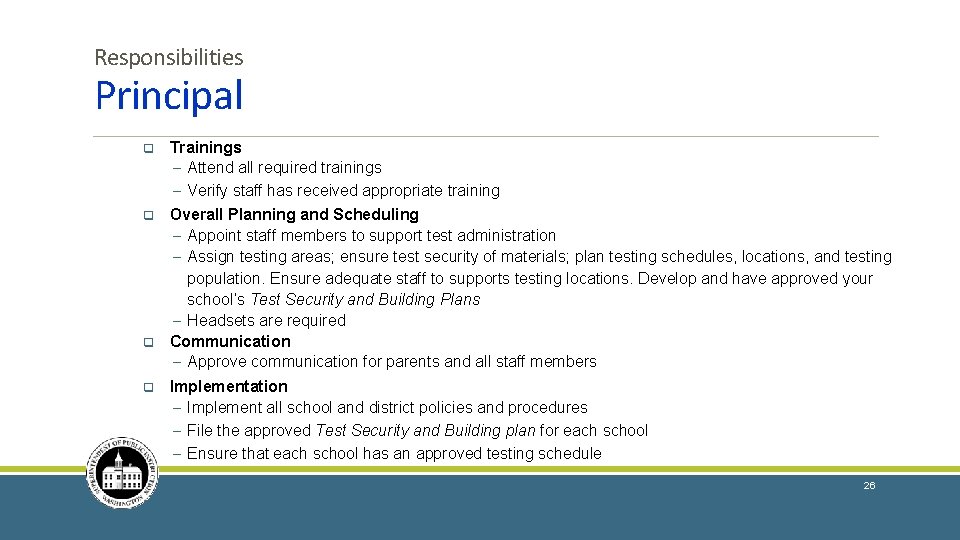
Responsibilities Principal q Trainings ─ Attend all required trainings ─ Verify staff has received appropriate training q Overall Planning and Scheduling ─ Appoint staff members to support test administration ─ Assign testing areas; ensure test security of materials; plan testing schedules, locations, and testing population. Ensure adequate staff to supports testing locations. Develop and have approved your school’s Test Security and Building Plans ─ Headsets are required Communication ─ Approve communication for parents and all staff members q q Implementation ─ Implement all school and district policies and procedures ─ File the approved Test Security and Building plan for each school ─ Ensure that each school has an approved testing schedule 26
Responsibilities School Test Coordinator q Trainings ─ Attend required trainings and familiarize yourself with documents q Communication ─ Communicate with staff and parents q Implementation ─ Verify your school’s Test Security and Building Plan ─ Verify supports and accommodations needed for each student. Provide TAs with a list. ─ Inventory all test material upon receipt; request additional materials, if necessary. ─ Ensure TA rosters are set up correctly; request new students be added in CEDARS ─ Maintain security of all testing materials and distribute test materials only on testing days ─ Monitor test administration and report all test incidents promptly to the DC ─ Collect and inventory all test materials promptly at conclusion of test sessions ─ Securely dispose of ancillary materials according to the TSBP ─ Complete School Site Administration and Security Reports and documentation 27
Responsibilities of Special Education & Bilingual Coordinators q Attend all required trainings q Work closely with the SCs and TAs to ensure each student has access to their permitted tools, supports, and/or accommodations needed for students q Any settings adjustments must be completed prior to materials arriving in district, so that the DC will have time to request additional materials or non standard accommodations before testing begins. 28
Contact Us: q School Test Coordinators ─ Contact the District Test Coordinator Phone (office): ( Phone (Mobile): ( ) ) - q District Test Coordinators ─ Contact OSPI Assessment Office (360) 725 -6348 or the State Test Coordinator, Kimberly De. Rousie (360) 725 -6353 q District Technology Coordinators ─ Contact WCAP Help Desk (844) 560 -7366 or by email : wahelpdesk@air. org 29
Revision Log: Updates to the Module after October 13, 2017 are noted below. Slide Section Description of Revision Date 30