
Rhode Island Comprehensive Assessment System RICAS Test Coordinator
- Slides: 90
Rhode Island Comprehensive Assessment System (RICAS) Test Coordinator Training Workshop February-March 2019 1
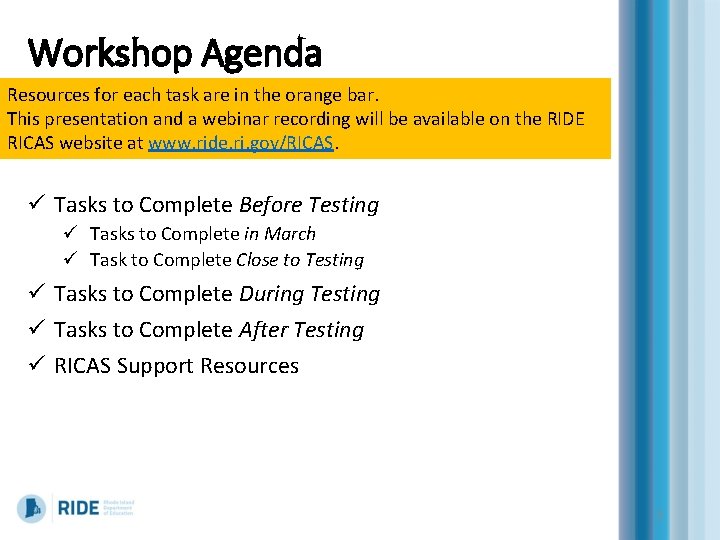
Workshop Agenda Resources for each task are in the orange bar. This presentation and a webinar recording will be available on the RIDE RICAS website at www. ride. ri. gov/RICAS. ü Tasks to Complete Before Testing ü Tasks to Complete in March ü Task to Complete Close to Testing ü Tasks to Complete During Testing ü Tasks to Complete After Testing ü RICAS Support Resources 2
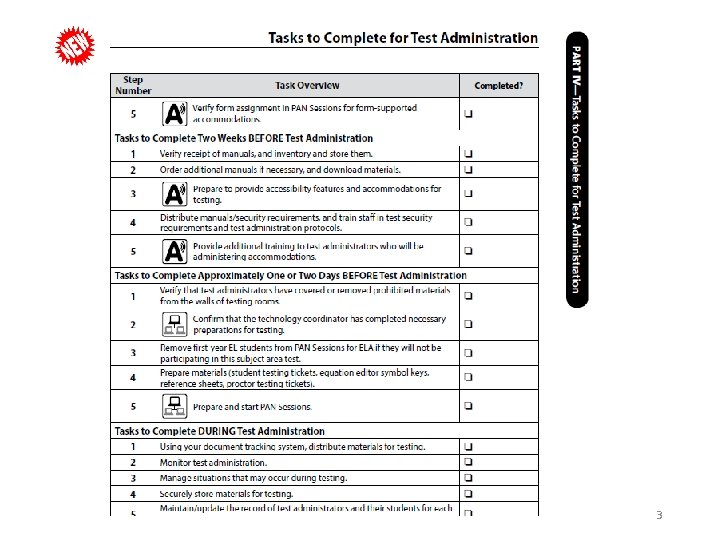
3
Rhode Island Comprehensive Assessment System (RICAS) Tasks to Complete Before Testing 4
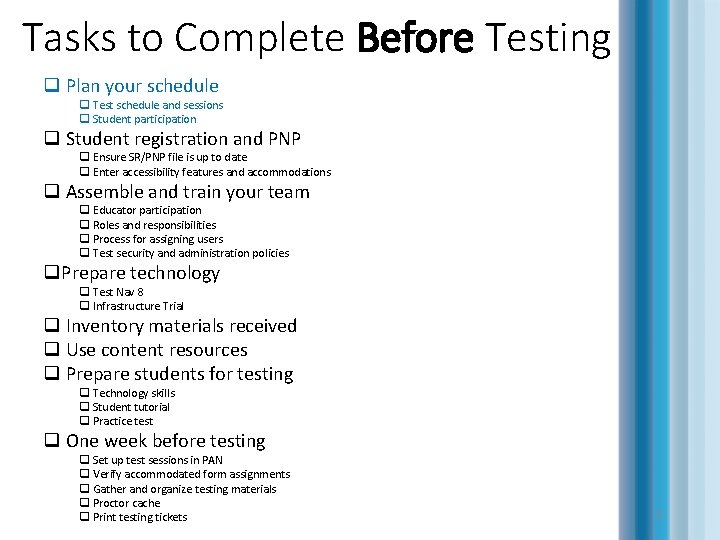
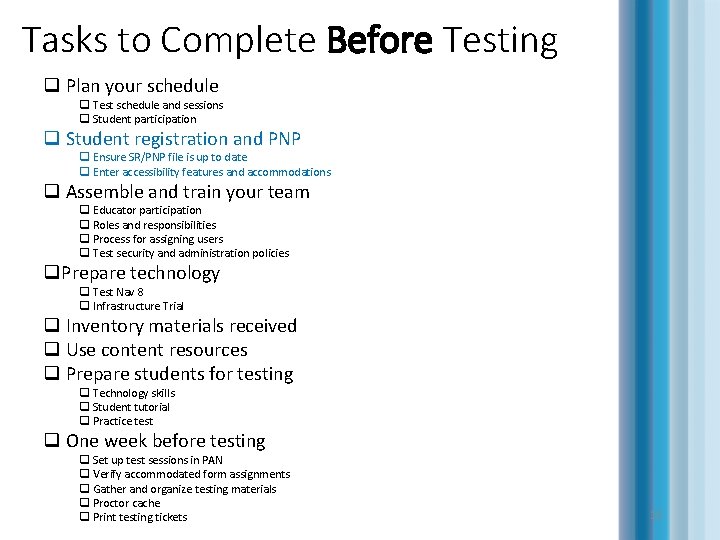
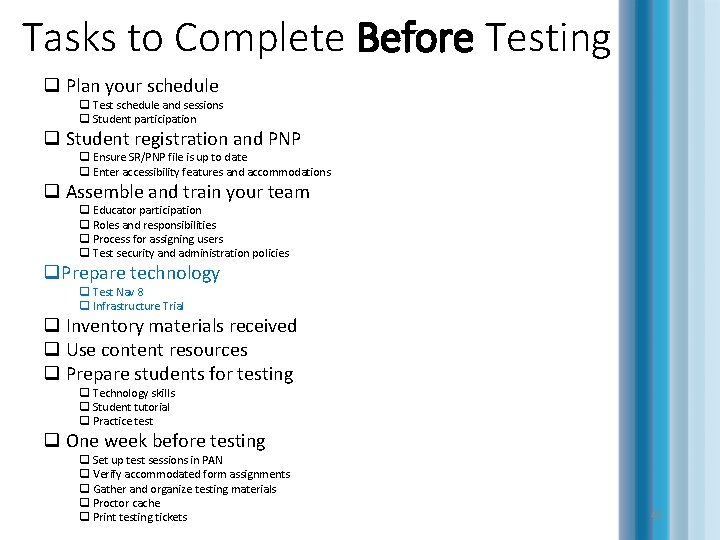
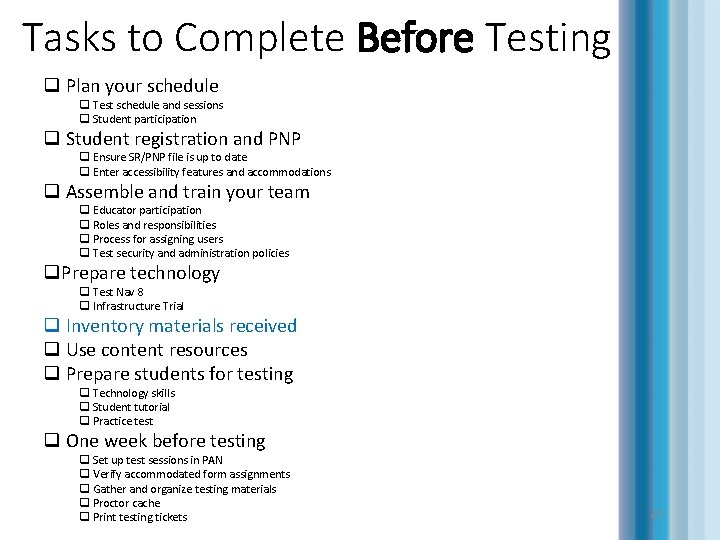
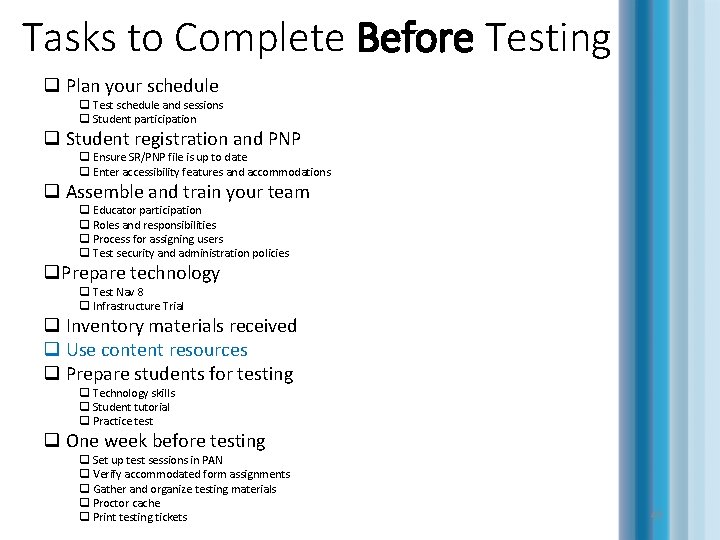
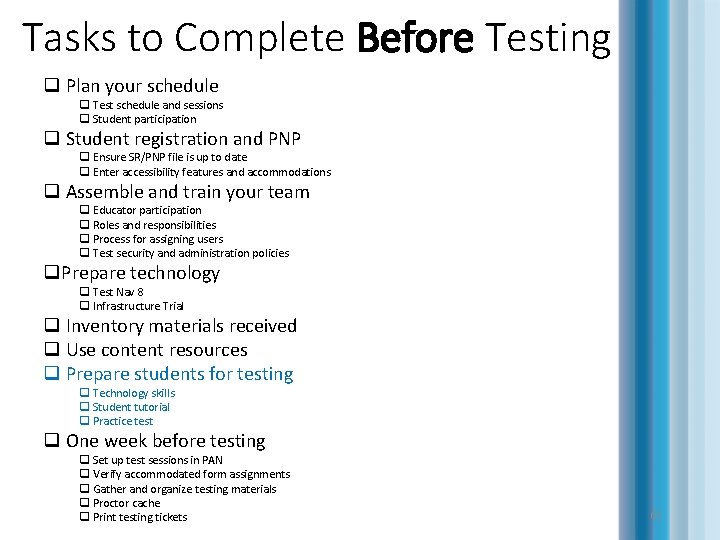
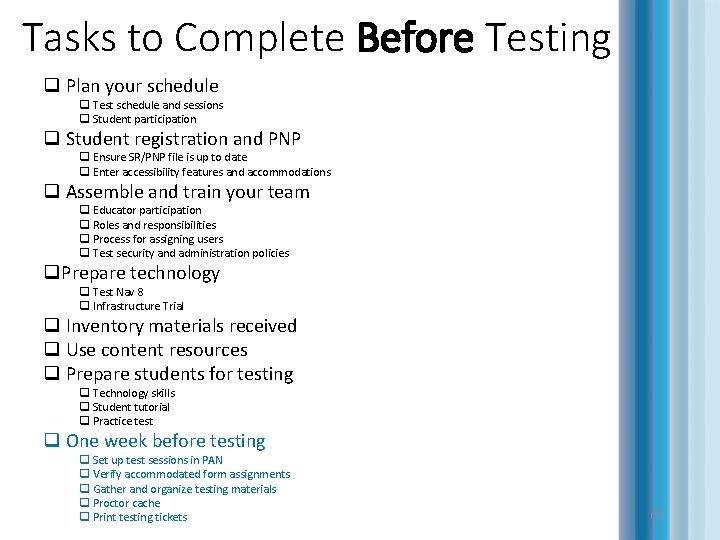
Tasks to Complete Before Testing q Plan your schedule q Test schedule and sessions q Student participation q Student registration and PNP q Ensure SR/PNP file is up to date q Enter accessibility features and accommodations q Assemble and train your team q Educator participation q Roles and responsibilities q Process for assigning users q Test security and administration policies q. Prepare technology q Test Nav 8 q Infrastructure Trial q Inventory materials received q Use content resources q Prepare students for testing q Technology skills q Student tutorial q Practice test q One week before testing q Set up test sessions in PAN q Verify accommodated form assignments q Gather and organize testing materials q Proctor cache q Print testing tickets 5
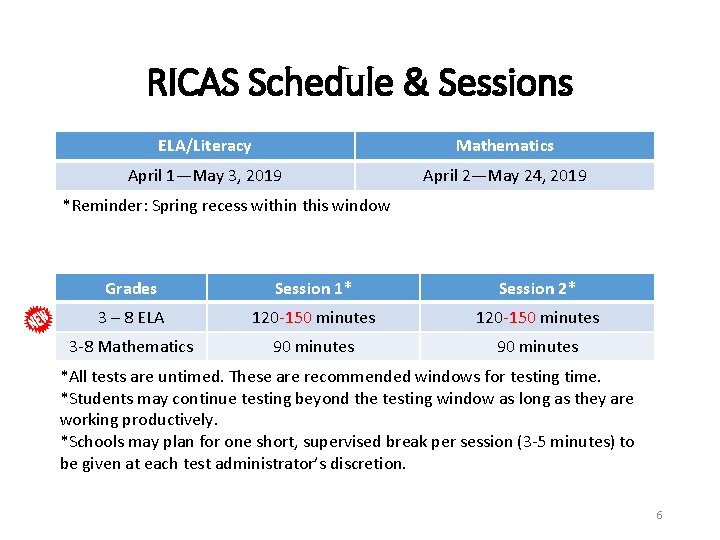
RICAS Schedule & Sessions ELA/Literacy Mathematics April 1—May 3, 2019 April 2—May 24, 2019 *Reminder: Spring recess within this window Grades Session 1* Session 2* 3 – 8 ELA 120 -150 minutes 3 -8 Mathematics 90 minutes *All tests are untimed. These are recommended windows for testing time. *Students may continue testing beyond the testing window as long as they are working productively. *Schools may plan for one short, supervised break per session (3 -5 minutes) to be given at each test administrator’s discretion. 6
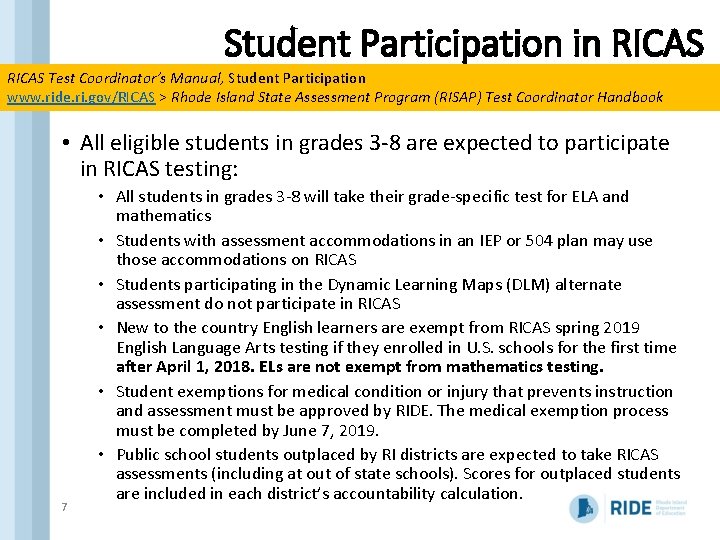
Student Participation in RICAS Test Coordinator’s Manual, Student Participation www. ride. ri. gov/RICAS > Rhode Island State Assessment Program (RISAP) Test Coordinator Handbook • All eligible students in grades 3 -8 are expected to participate in RICAS testing: 7 • All students in grades 3 -8 will take their grade-specific test for ELA and mathematics • Students with assessment accommodations in an IEP or 504 plan may use those accommodations on RICAS • Students participating in the Dynamic Learning Maps (DLM) alternate assessment do not participate in RICAS • New to the country English learners are exempt from RICAS spring 2019 English Language Arts testing if they enrolled in U. S. schools for the first time after April 1, 2018. ELs are not exempt from mathematics testing. • Student exemptions for medical condition or injury that prevents instruction and assessment must be approved by RIDE. The medical exemption process must be completed by June 7, 2019. • Public school students outplaced by RI districts are expected to take RICAS assessments (including at out of state schools). Scores for outplaced students are included in each district’s accountability calculation.
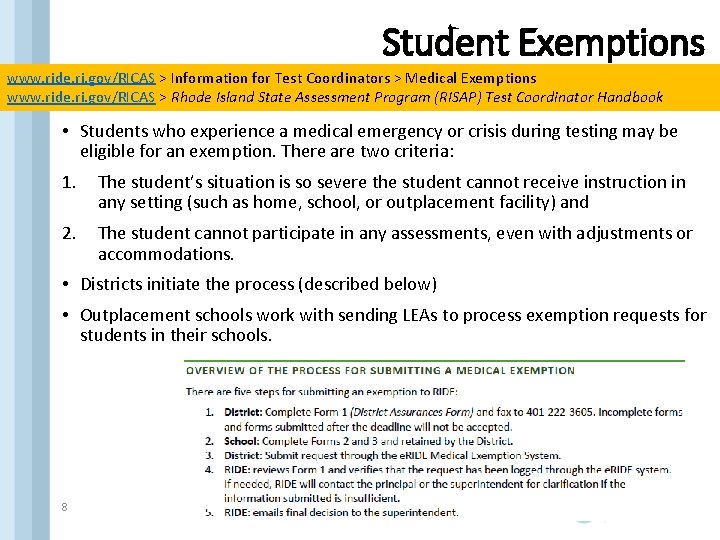
Student Exemptions www. ride. ri. gov/RICAS > Information for Test Coordinators > Medical Exemptions www. ride. ri. gov/RICAS > Rhode Island State Assessment Program (RISAP) Test Coordinator Handbook • Students who experience a medical emergency or crisis during testing may be eligible for an exemption. There are two criteria: 1. The student’s situation is so severe the student cannot receive instruction in any setting (such as home, school, or outplacement facility) and 2. The student cannot participate in any assessments, even with adjustments or accommodations. • Districts initiate the process (described below) • Outplacement schools work with sending LEAs to process exemption requests for students in their schools. 8
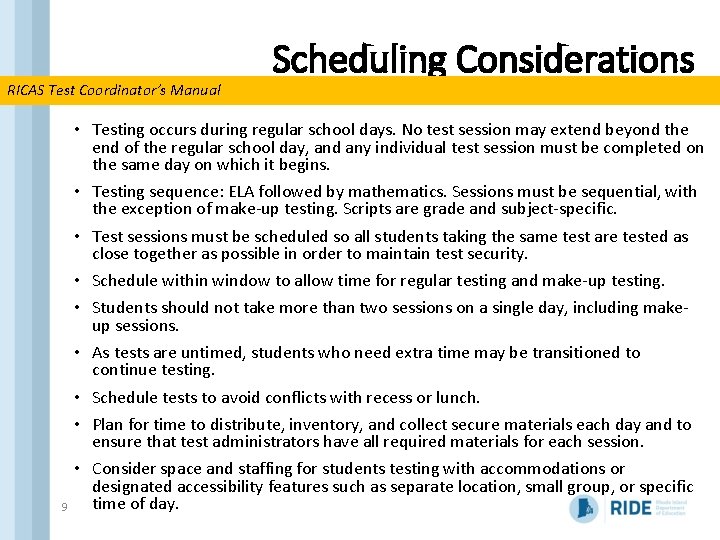
RICAS Test Coordinator’s Manual 9 Scheduling Considerations • Testing occurs during regular school days. No test session may extend beyond the end of the regular school day, and any individual test session must be completed on the same day on which it begins. • Testing sequence: ELA followed by mathematics. Sessions must be sequential, with the exception of make-up testing. Scripts are grade and subject-specific. • Test sessions must be scheduled so all students taking the same test are tested as close together as possible in order to maintain test security. • Schedule within window to allow time for regular testing and make-up testing. • Students should not take more than two sessions on a single day, including makeup sessions. • As tests are untimed, students who need extra time may be transitioned to continue testing. • Schedule tests to avoid conflicts with recess or lunch. • Plan for time to distribute, inventory, and collect secure materials each day and to ensure that test administrators have all required materials for each session. • Consider space and staffing for students testing with accommodations or designated accessibility features such as separate location, small group, or specific time of day.
Tasks to Complete Before Testing q Plan your schedule q Test schedule and sessions q Student participation q Student registration and PNP q Ensure SR/PNP file is up to date q Enter accessibility features and accommodations q Assemble and train your team q Educator participation q Roles and responsibilities q Process for assigning users q Test security and administration policies q. Prepare technology q Test Nav 8 q Infrastructure Trial q Inventory materials received q Use content resources q Prepare students for testing q Technology skills q Student tutorial q Practice test q One week before testing q Set up test sessions in PAN q Verify accommodated form assignments q Gather and organize testing materials q Proctor cache q Print testing tickets 10
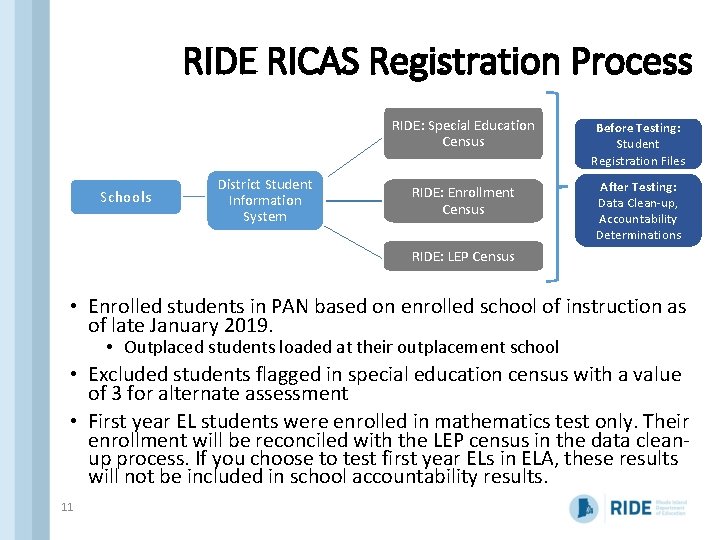
RIDE RICAS Registration Process Schools District Student Information System RIDE: Special Education Census Before Testing: Student Registration Files RIDE: Enrollment Census After Testing: Data Clean-up, Accountability Determinations RIDE: LEP Census • Enrolled students in PAN based on enrolled school of instruction as of late January 2019. • Outplaced students loaded at their outplacement school • Excluded students flagged in special education census with a value of 3 for alternate assessment • First year EL students were enrolled in mathematics test only. Their enrollment will be reconciled with the LEP census in the data cleanup process. If you choose to test first year ELs in ELA, these results will not be included in school accountability results. 11
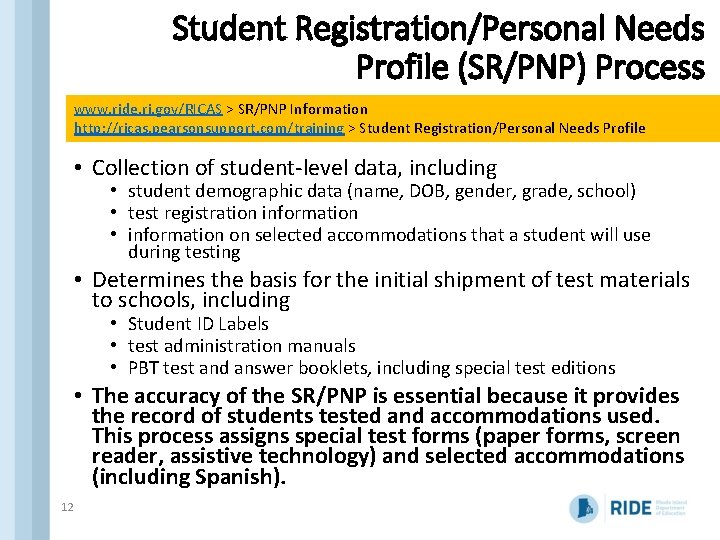
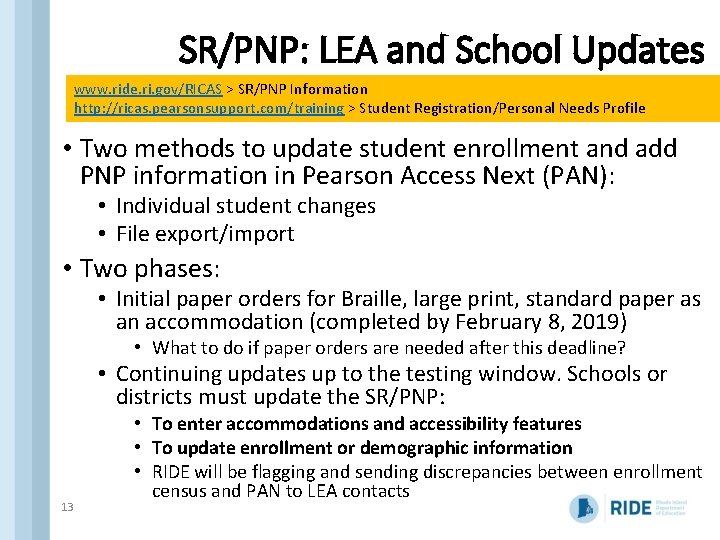
Student Registration/Personal Needs Profile (SR/PNP) Process www. ride. ri. gov/RICAS > SR/PNP Information http: //ricas. pearsonsupport. com/training > Student Registration/Personal Needs Profile • Collection of student-level data, including • student demographic data (name, DOB, gender, grade, school) • test registration information • information on selected accommodations that a student will use during testing • Determines the basis for the initial shipment of test materials to schools, including • Student ID Labels • test administration manuals • PBT test and answer booklets, including special test editions • The accuracy of the SR/PNP is essential because it provides the record of students tested and accommodations used. This process assigns special test forms (paper forms, screen reader, assistive technology) and selected accommodations (including Spanish). 12
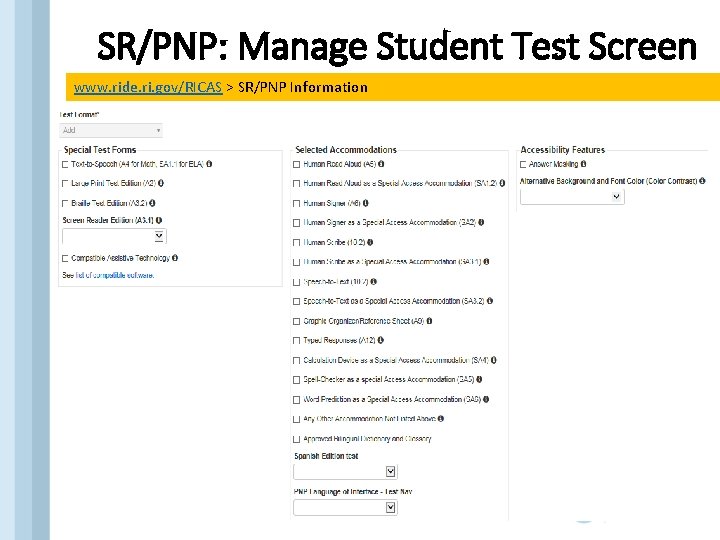
SR/PNP: LEA and School Updates www. ride. ri. gov/RICAS > SR/PNP Information http: //ricas. pearsonsupport. com/training > Student Registration/Personal Needs Profile • Two methods to update student enrollment and add PNP information in Pearson Access Next (PAN): • Individual student changes • File export/import • Two phases: • Initial paper orders for Braille, large print, standard paper as an accommodation (completed by February 8, 2019) • What to do if paper orders are needed after this deadline? • Continuing updates up to the testing window. Schools or districts must update the SR/PNP: 13 • To enter accommodations and accessibility features • To update enrollment or demographic information • RIDE will be flagging and sending discrepancies between enrollment census and PAN to LEA contacts
SR/PNP: Manage Student Test Screen www. ride. ri. gov/RICAS > SR/PNP Information 14
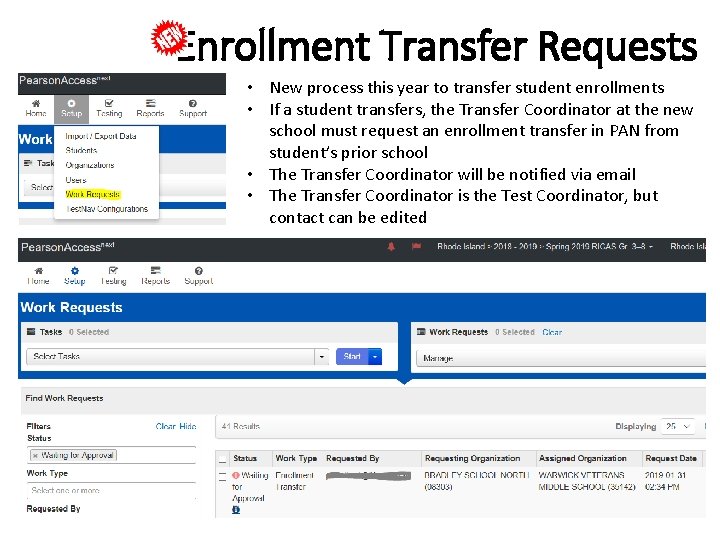
Enrollment Transfer Requests • New process this year to transfer student enrollments • If a student transfers, the Transfer Coordinator at the new school must request an enrollment transfer in PAN from student’s prior school • The Transfer Coordinator will be notified via email • The Transfer Coordinator is the Test Coordinator, but contact can be edited 15
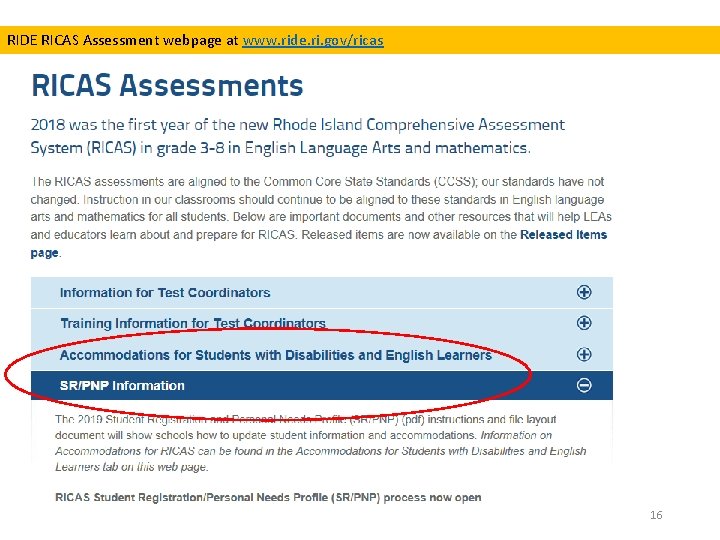
RIDE RICAS Assessment webpage at www. ride. ri. gov/ricas 16
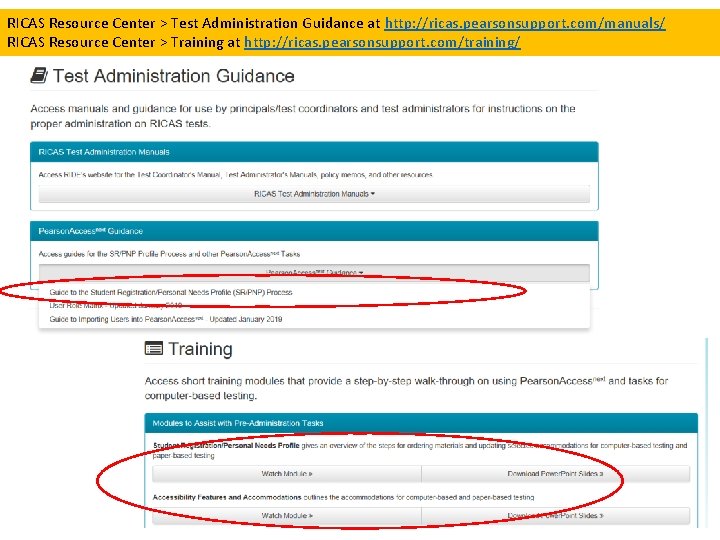
RICAS Resource Center > Test Administration Guidance at http: //ricas. pearsonsupport. com/manuals/ RICAS Resource Center > Training at http: //ricas. pearsonsupport. com/training/ 17
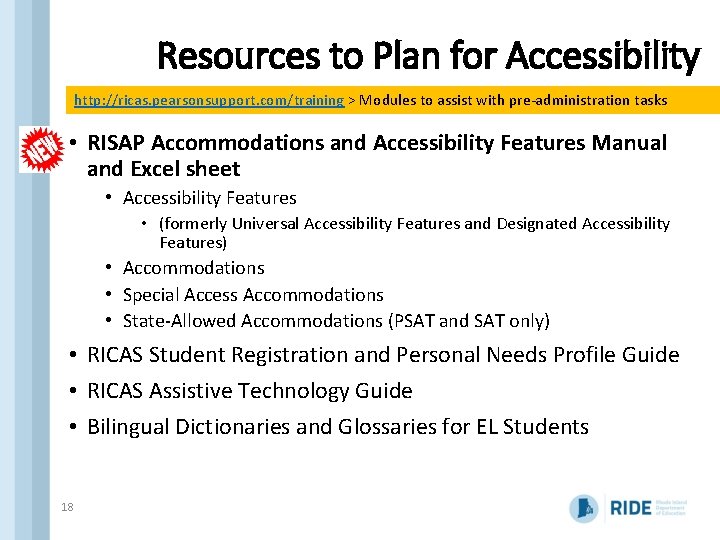
Resources to Plan for Accessibility http: //ricas. pearsonsupport. com/training > Modules to assist with pre-administration tasks • RISAP Accommodations and Accessibility Features Manual and Excel sheet • Accessibility Features • (formerly Universal Accessibility Features and Designated Accessibility Features) • Accommodations • Special Access Accommodations • State-Allowed Accommodations (PSAT and SAT only) • RICAS Student Registration and Personal Needs Profile Guide • RICAS Assistive Technology Guide • Bilingual Dictionaries and Glossaries for EL Students 18
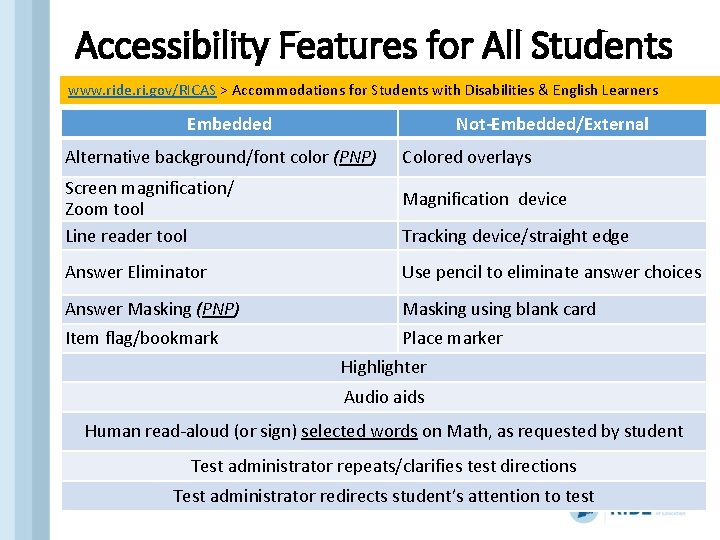
Accessibility Features for All Students www. ride. ri. gov/RICAS > Accommodations for Students with Disabilities & English Learners Embedded Not-Embedded/External Alternative background/font color (PNP) Screen magnification/ Zoom tool Line reader tool Colored overlays Magnification device Tracking device/straight edge Answer Eliminator Use pencil to eliminate answer choices Answer Masking (PNP) Masking using blank card Item flag/bookmark Place marker Highlighter Audio aids Human read-aloud (or sign) selected words on Math, as requested by student Test administrator repeats/clarifies test directions 19 Test administrator redirects student’s attention to test
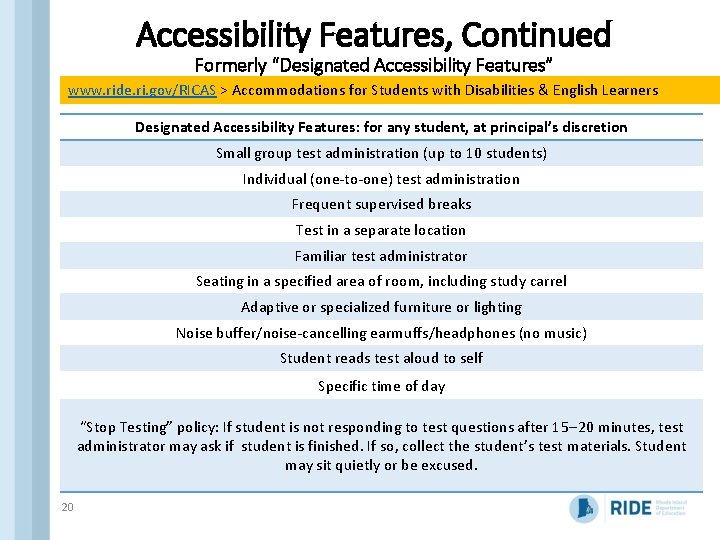
Accessibility Features, Continued Formerly “Designated Accessibility Features” www. ride. ri. gov/RICAS > Accommodations for Students with Disabilities & English Learners Designated Accessibility Features: for any student, at principal’s discretion Small group test administration (up to 10 students) Individual (one-to-one) test administration Frequent supervised breaks Test in a separate location Familiar test administrator Seating in a specified area of room, including study carrel Adaptive or specialized furniture or lighting Noise buffer/noise-cancelling earmuffs/headphones (no music) Student reads test aloud to self Specific time of day “Stop Testing” policy: If student is not responding to test questions after 15 20 minutes, test administrator may ask if student is finished. If so, collect the student’s test materials. Student may sit quietly or be excused. 20
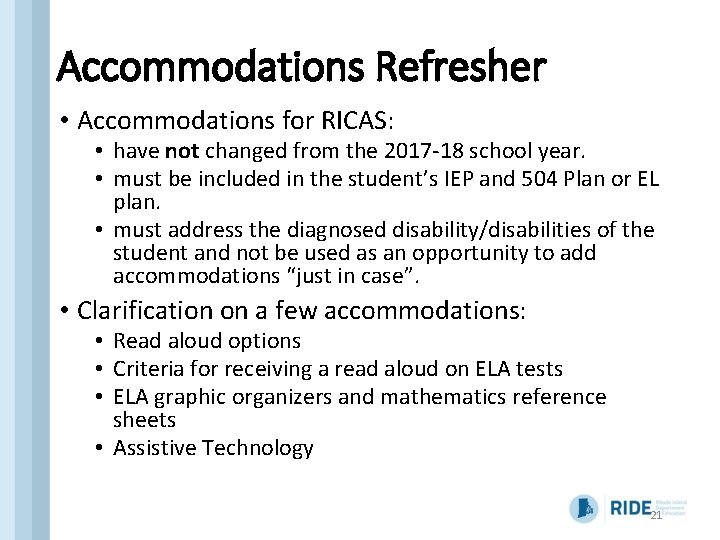
Accommodations Refresher • Accommodations for RICAS: • have not changed from the 2017 -18 school year. • must be included in the student’s IEP and 504 Plan or EL plan. • must address the diagnosed disability/disabilities of the student and not be used as an opportunity to add accommodations “just in case”. • Clarification on a few accommodations: • Read aloud options • Criteria for receiving a read aloud on ELA tests • ELA graphic organizers and mathematics reference sheets • Assistive Technology 21
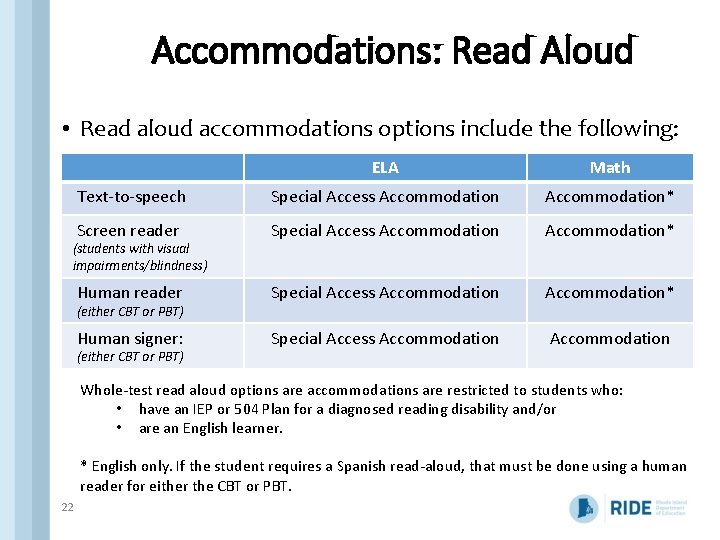
Accommodations: Read Aloud • Read aloud accommodations options include the following: ELA Math Text-to-speech Special Access Accommodation* Screen reader Special Access Accommodation* Human signer: Special Access Accommodation (students with visual impairments/blindness) (either CBT or PBT) Whole-test read aloud options are accommodations are restricted to students who: • have an IEP or 504 Plan for a diagnosed reading disability and/or • are an English learner. * English only. If the student requires a Spanish read-aloud, that must be done using a human reader for either the CBT or PBT. 22
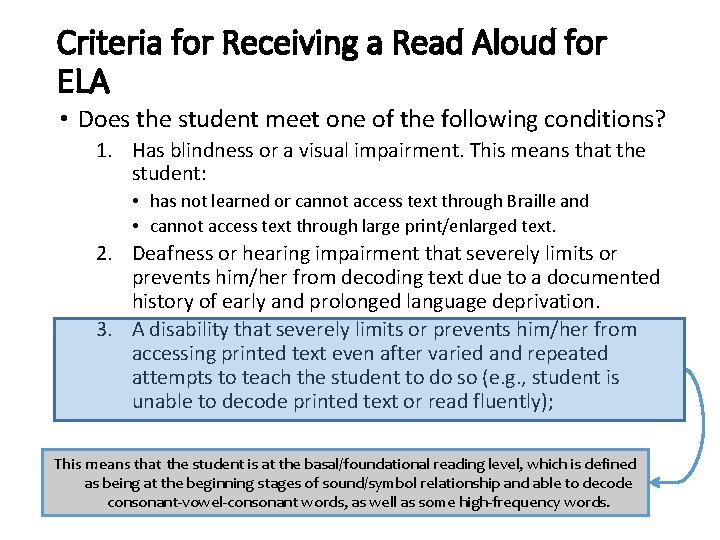
Criteria for Receiving a Read Aloud for ELA • Does the student meet one of the following conditions? 1. Has blindness or a visual impairment. This means that the student: • has not learned or cannot access text through Braille and • cannot access text through large print/enlarged text. 2. Deafness or hearing impairment that severely limits or prevents him/her from decoding text due to a documented history of early and prolonged language deprivation. 3. A disability that severely limits or prevents him/her from accessing printed text even after varied and repeated attempts to teach the student to do so (e. g. , student is unable to decode printed text or read fluently); This means that the student is at the basal/foundational reading level, which is defined as being at the beginning stages of sound/symbol relationship and able to decode consonant-vowel-consonant words, as well as some high-frequency words.
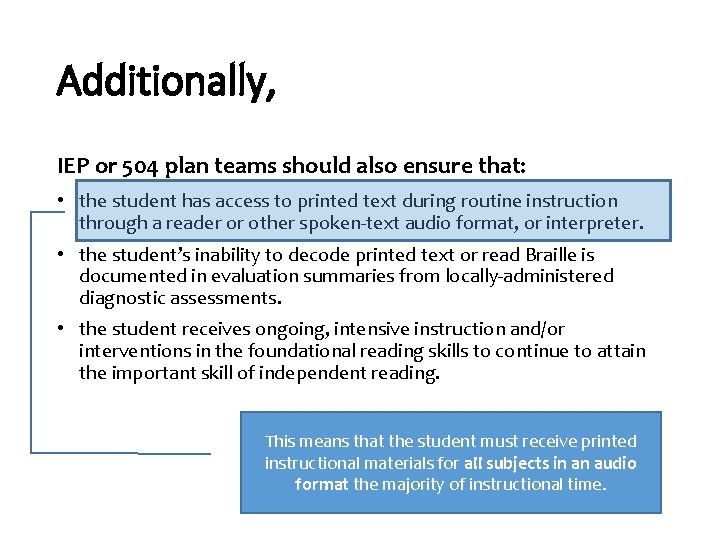
Additionally, IEP or 504 plan teams should also ensure that: • the student has access to printed text during routine instruction through a reader or other spoken-text audio format, or interpreter. • the student’s inability to decode printed text or read Braille is documented in evaluation summaries from locally-administered diagnostic assessments. • the student receives ongoing, intensive instruction and/or interventions in the foundational reading skills to continue to attain the important skill of independent reading. This means that the student must receive printed instructional materials for all subjects in an audio format the majority of instructional time.
ELA Graphic Organizers • For students with disabilities only. • Must be included in a student’s IEP or 504 Plan • Graphic organizers can have items removed but NOT added, based on student needs. • Pre-approved ELA graphic organizers are available on the RIDE site and can be used throughout the school year. • If a student prefers a different graphic organizer, it can be used as long as there is no text on the graphic organizer. • A student may use one or two graphic organizers during testing. 25
Mathematics Reference Sheets and Calculation Devices/Mathematics Tools Two types of accommodations: 1. Supplemental Mathematics Reference Sheets: • Used along with the standard math reference sheet and follow the same guidelines for use during testing. • can have items removed but NOT added, based on student needs. • NOTE on the multiplication tables included on the supplemental reference sheets: do not complete the multiplication tables contained the supplemental reference sheets; they must remain blank. The student must complete them during testing, on their own. 2. Calculation Device and Mathematics Tools: • Special Access Accommodation criteria: • A disability that severely limits or prevents the student from performing basic calculations (i. e. , addition, subtraction, multiplication, or division), even after varied and repeated attempts to teach the student to do so. • This accommodation is for the entire test, including the noncalculator session. 26
Assistive Technology • Students may use assistive technology (AT), when it is listed in their IEP or 504 plan; for example: • Word prediction software • Speech-to-text programs • Adapted keyboard, mouse, screen enlargement • There are two categories of assistive technology: 1. Compatible technology that interacts with Test. Nav. 2. External technology that does not interact with Test. Nav • Requires a second computer station not directly connected to Test. Nav • May require test administrator to facilitate transfer of information from external station to computer used for assessment. • Internet access should be disabled or restricted during testing. • Make sure AT works before testing begins! 27
Tasks to Complete Before Testing q Plan your schedule q Test schedule and sessions q Student participation q Student registration and PNP q Ensure SR/PNP file is up to date q Enter accessibility features and accommodations q Assemble and train your team q Educator participation q Roles and responsibilities q Process for assigning users q Test security and administration policies q. Prepare technology q Test Nav 8 q Infrastructure Trial q Inventory materials received q Use content resources q Prepare students for testing q Technology skills q Student tutorial q Practice test q One week before testing q Set up test sessions in PAN q Verify accommodated form assignments q Gather and organize testing materials q Proctor cache q Print testing tickets 29
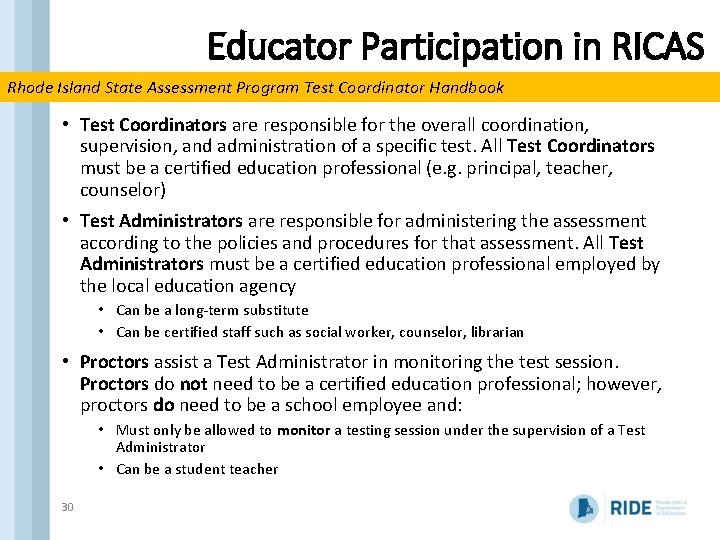
Educator Participation in RICAS Rhode Island State Assessment Program Test Coordinator Handbook • Test Coordinators are responsible for the overall coordination, supervision, and administration of a specific test. All Test Coordinators must be a certified education professional (e. g. principal, teacher, counselor) • Test Administrators are responsible for administering the assessment according to the policies and procedures for that assessment. All Test Administrators must be a certified education professional employed by the local education agency • Can be a long-term substitute • Can be certified staff such as social worker, counselor, librarian • Proctors assist a Test Administrator in monitoring the test session. Proctors do not need to be a certified education professional; however, proctors do need to be a school employee and: • Must only be allowed to monitor a testing session under the supervision of a Test Administrator • Can be a student teacher 30
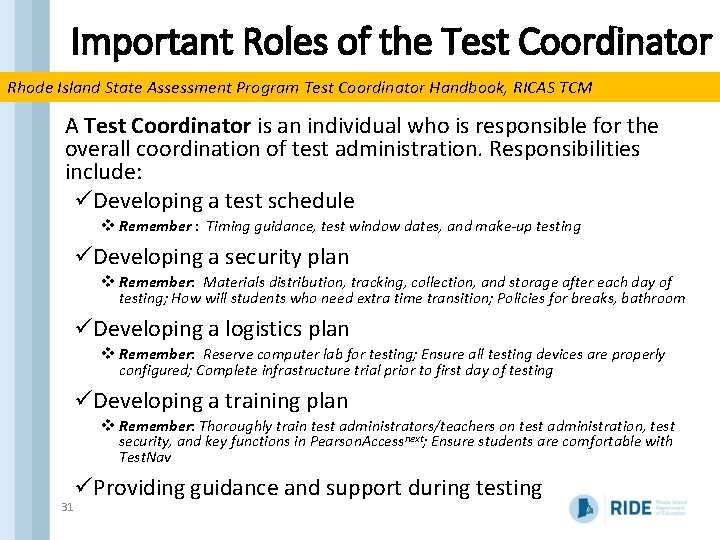
Important Roles of the Test Coordinator Rhode Island State Assessment Program Test Coordinator Handbook, RICAS TCM A Test Coordinator is an individual who is responsible for the overall coordination of test administration. Responsibilities include: üDeveloping a test schedule v Remember : Timing guidance, test window dates, and make-up testing üDeveloping a security plan v Remember: Materials distribution, tracking, collection, and storage after each day of testing; How will students who need extra time transition; Policies for breaks, bathroom üDeveloping a logistics plan v Remember: Reserve computer lab for testing; Ensure all testing devices are properly configured; Complete infrastructure trial prior to first day of testing üDeveloping a training plan v Remember: Thoroughly train test administrators/teachers on test administration, test security, and key functions in Pearson. Accessnext; Ensure students are comfortable with Test. Nav 31 üProviding guidance and support during testing
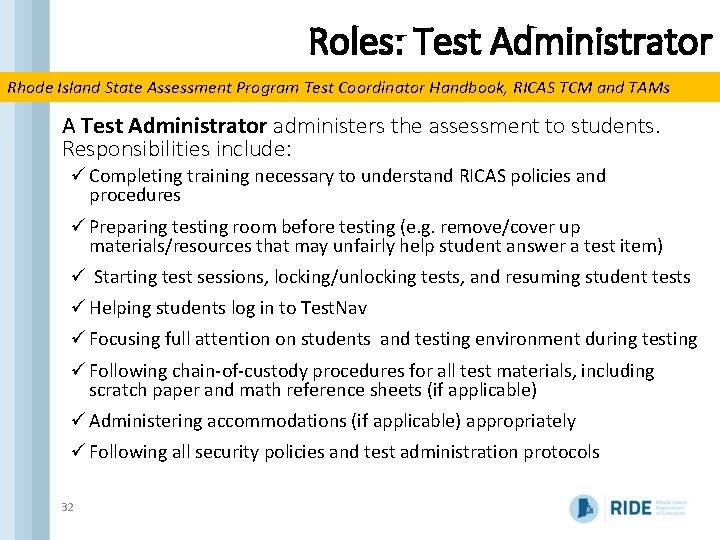
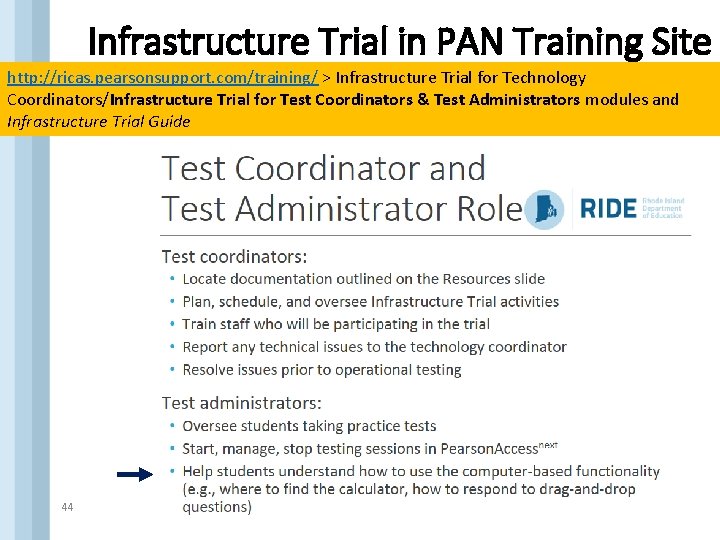
Roles: Test Administrator Rhode Island State Assessment Program Test Coordinator Handbook, RICAS TCM and TAMs A Test Administrator administers the assessment to students. Responsibilities include: ü Completing training necessary to understand RICAS policies and procedures ü Preparing testing room before testing (e. g. remove/cover up materials/resources that may unfairly help student answer a test item) ü Starting test sessions, locking/unlocking tests, and resuming student tests ü Helping students log in to Test. Nav ü Focusing full attention on students and testing environment during testing ü Following chain-of-custody procedures for all test materials, including scratch paper and math reference sheets (if applicable) ü Administering accommodations (if applicable) appropriately ü Following all security policies and test administration protocols 32
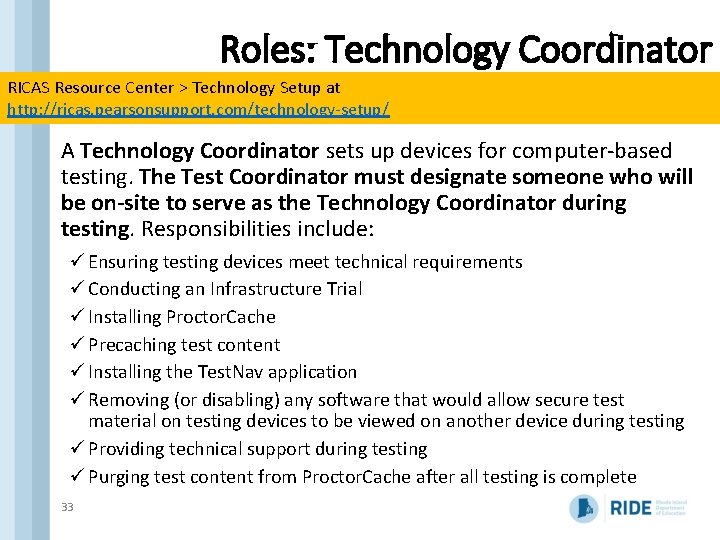
Roles: Technology Coordinator RICAS Resource Center > Technology Setup at http: //ricas. pearsonsupport. com/technology-setup/ A Technology Coordinator sets up devices for computer-based testing. The Test Coordinator must designate someone who will be on-site to serve as the Technology Coordinator during testing. Responsibilities include: ü Ensuring testing devices meet technical requirements ü Conducting an Infrastructure Trial ü Installing Proctor. Cache ü Precaching test content ü Installing the Test. Nav application ü Removing (or disabling) any software that would allow secure test material on testing devices to be viewed on another device during testing ü Providing technical support during testing ü Purging test content from Proctor. Cache after all testing is complete 33
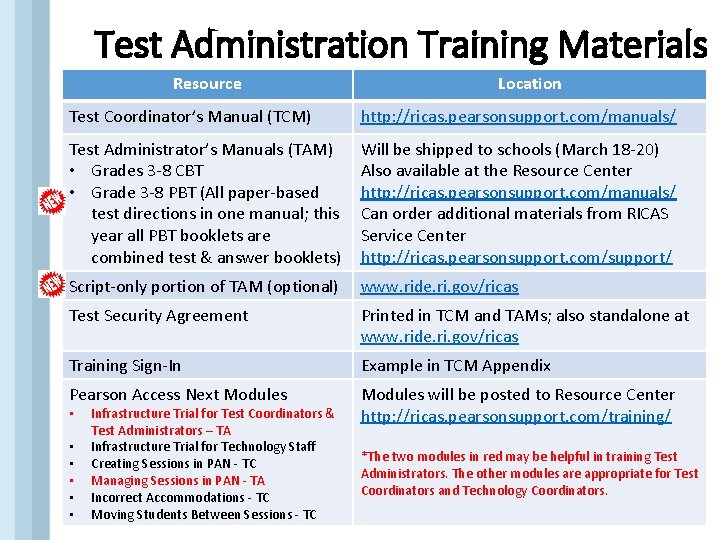
Test Administration Training Materials Resource Location Test Coordinator’s Manual (TCM) http: //ricas. pearsonsupport. com/manuals/ Test Administrator’s Manuals (TAM) • Grades 3 -8 CBT • Grade 3 -8 PBT (All paper-based test directions in one manual; this year all PBT booklets are combined test & answer booklets) Will be shipped to schools (March 18 -20) Also available at the Resource Center http: //ricas. pearsonsupport. com/manuals/ Can order additional materials from RICAS Service Center http: //ricas. pearsonsupport. com/support/ Script-only portion of TAM (optional) www. ride. ri. gov/ricas Test Security Agreement Printed in TCM and TAMs; also standalone at www. ride. ri. gov/ricas Training Sign-In Example in TCM Appendix Pearson Access Next Modules will be posted to Resource Center http: //ricas. pearsonsupport. com/training/ • • • 34 • Infrastructure Trial for Test Coordinators & Test Administrators – TA Infrastructure Trial for Technology Staff Creating Sessions in PAN - TC Managing Sessions in PAN - TA Incorrect Accommodations - TC Moving Students Between Sessions - TC *The two modules in red may be helpful in training Test Administrators. The other modules are appropriate for Test Coordinators and Technology Coordinators.
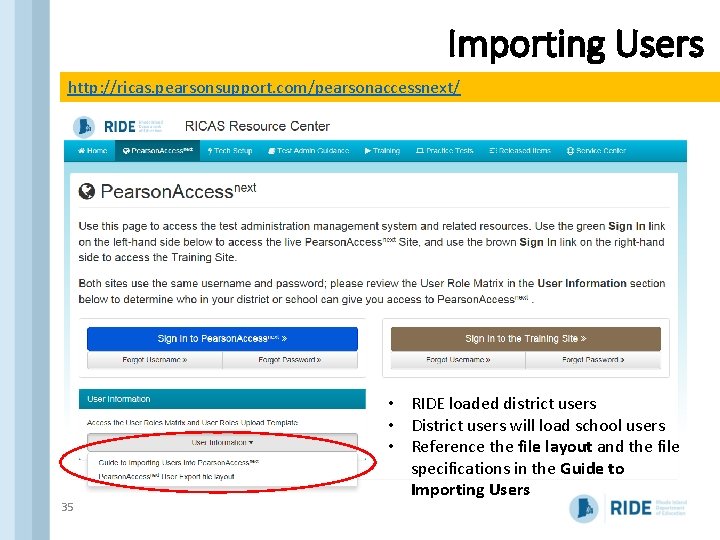
Importing Users http: //ricas. pearsonsupport. com/pearsonaccessnext/ 35 • RIDE loaded district users • District users will load school users • Reference the file layout and the file specifications in the Guide to Importing Users
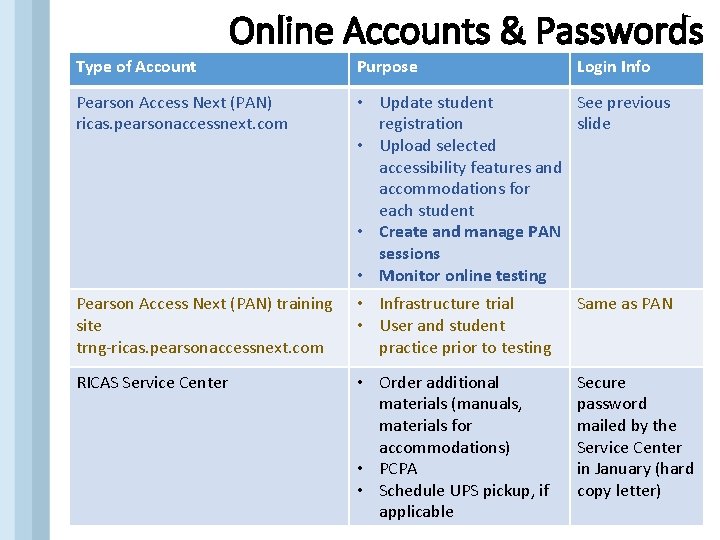
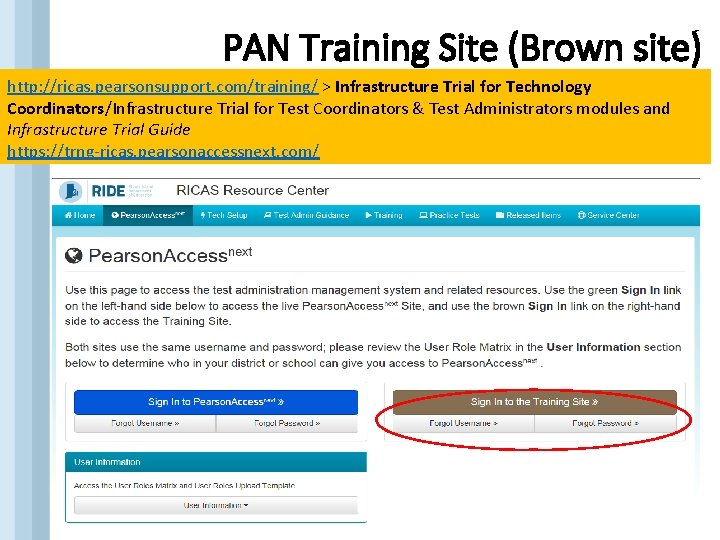
Online Accounts & Passwords Type of Account Purpose Login Info Pearson Access Next (PAN) ricas. pearsonaccessnext. com • Update student See previous registration slide • Upload selected accessibility features and accommodations for each student • Create and manage PAN sessions • Monitor online testing Pearson Access Next (PAN) training site trng-ricas. pearsonaccessnext. com • Infrastructure trial • User and student practice prior to testing Same as PAN RICAS Service Center • Order additional materials (manuals, materials for accommodations) • PCPA • Schedule UPS pickup, if applicable Secure password mailed by the Service Center in January (hard copy letter)
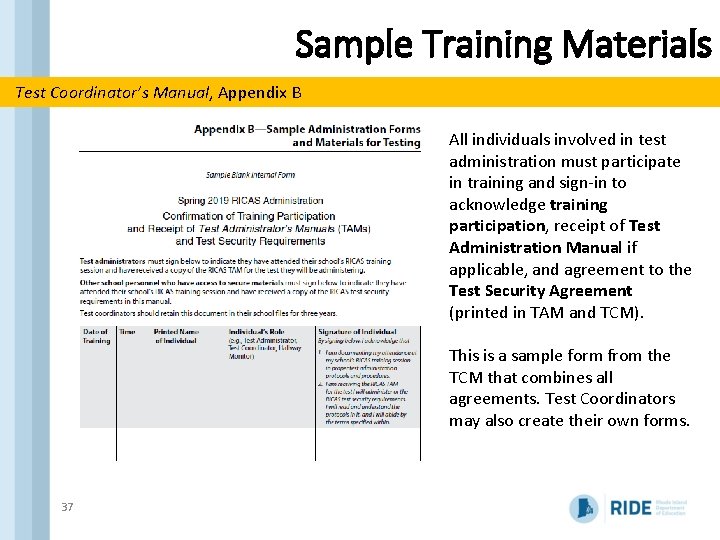
Sample Training Materials Test Coordinator’s Manual, Appendix B All individuals involved in test administration must participate in training and sign-in to acknowledge training participation, receipt of Test Administration Manual if applicable, and agreement to the Test Security Agreement (printed in TAM and TCM). This is a sample form from the TCM that combines all agreements. Test Coordinators may also create their own forms. 37
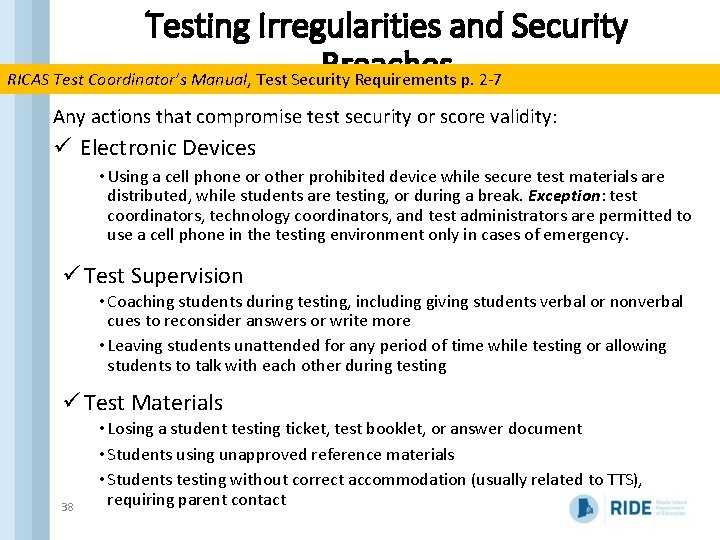
Testing Irregularities and Security Breaches RICAS Test Coordinator’s Manual, Test Security Requirements p. 2 -7 Any actions that compromise test security or score validity: ü Electronic Devices • Using a cell phone or other prohibited device while secure test materials are distributed, while students are testing, or during a break. Exception: test coordinators, technology coordinators, and test administrators are permitted to use a cell phone in the testing environment only in cases of emergency. ü Test Supervision • Coaching students during testing, including giving students verbal or nonverbal cues to reconsider answers or write more • Leaving students unattended for any period of time while testing or allowing students to talk with each other during testing ü Test Materials 38 • Losing a student testing ticket, test booklet, or answer document • Students using unapproved reference materials • Students testing without correct accommodation (usually related to TTS), requiring parent contact
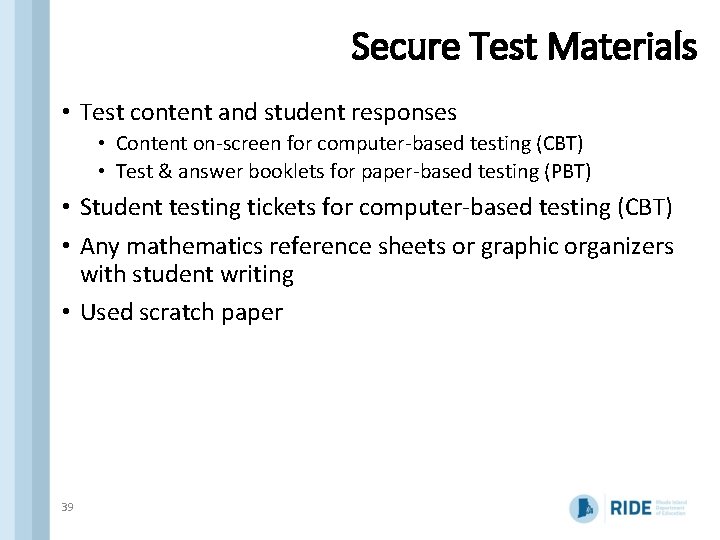
Secure Test Materials • Test content and student responses • Content on-screen for computer-based testing (CBT) • Test & answer booklets for paper-based testing (PBT) • Student testing tickets for computer-based testing (CBT) • Any mathematics reference sheets or graphic organizers with student writing • Used scratch paper 39
Tasks to Complete Before Testing q Plan your schedule q Test schedule and sessions q Student participation q Student registration and PNP q Ensure SR/PNP file is up to date q Enter accessibility features and accommodations q Assemble and train your team q Educator participation q Roles and responsibilities q Process for assigning users q Test security and administration policies q. Prepare technology q Test Nav 8 q Infrastructure Trial q Inventory materials received q Use content resources q Prepare students for testing q Technology skills q Student tutorial q Practice test q One week before testing q Set up test sessions in PAN q Verify accommodated form assignments q Gather and organize testing materials q Proctor cache q Print testing tickets 40
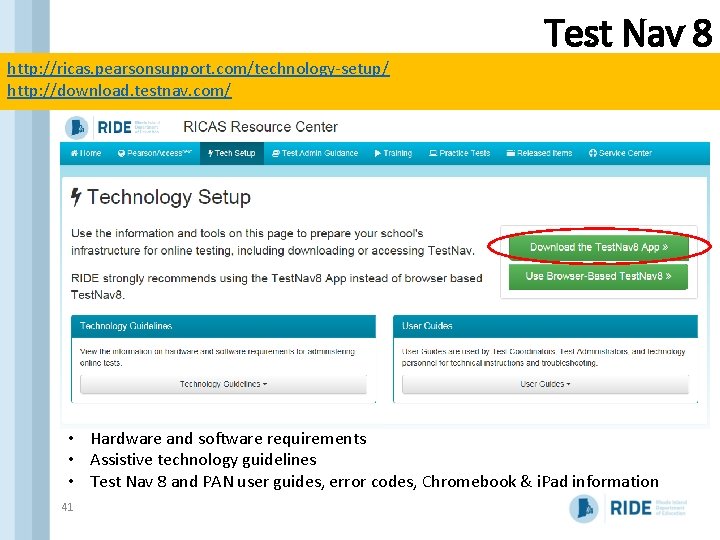
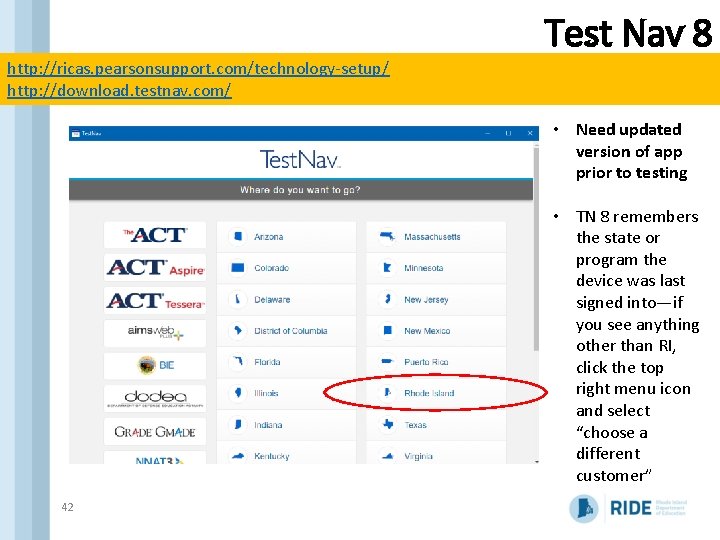
Test Nav 8 http: //ricas. pearsonsupport. com/technology-setup/ http: //download. testnav. com/ • Hardware and software requirements • Assistive technology guidelines • Test Nav 8 and PAN user guides, error codes, Chromebook & i. Pad information 41
Test Nav 8 http: //ricas. pearsonsupport. com/technology-setup/ http: //download. testnav. com/ • Need updated version of app prior to testing • TN 8 remembers the state or program the device was last signed into—if you see anything other than RI, click the top right menu icon and select “choose a different customer” 42
PAN Training Site (Brown site) http: //ricas. pearsonsupport. com/training/ > Infrastructure Trial for Technology Coordinators/Infrastructure Trial for Test Coordinators & Test Administrators modules and Infrastructure Trial Guide https: //trng-ricas. pearsonaccessnext. com/ 43
Infrastructure Trial in PAN Training Site http: //ricas. pearsonsupport. com/training/ > Infrastructure Trial for Technology Coordinators/Infrastructure Trial for Test Coordinators & Test Administrators modules and Infrastructure Trial Guide 44
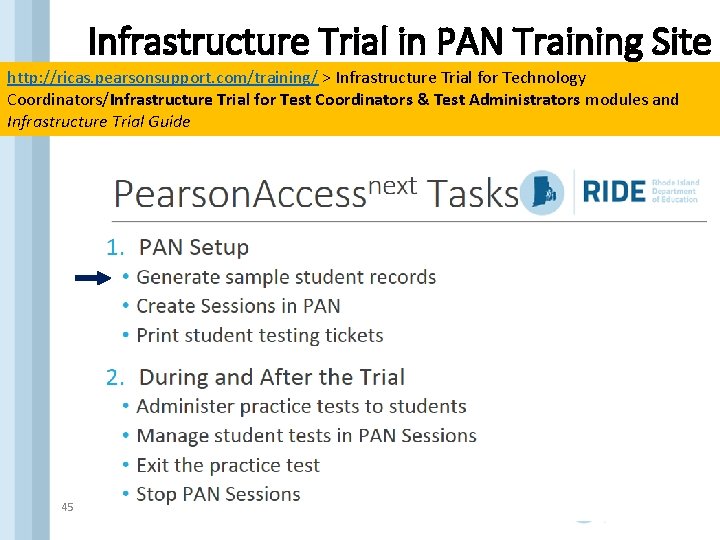
Infrastructure Trial in PAN Training Site http: //ricas. pearsonsupport. com/training/ > Infrastructure Trial for Technology Coordinators/Infrastructure Trial for Test Coordinators & Test Administrators modules and Infrastructure Trial Guide 45
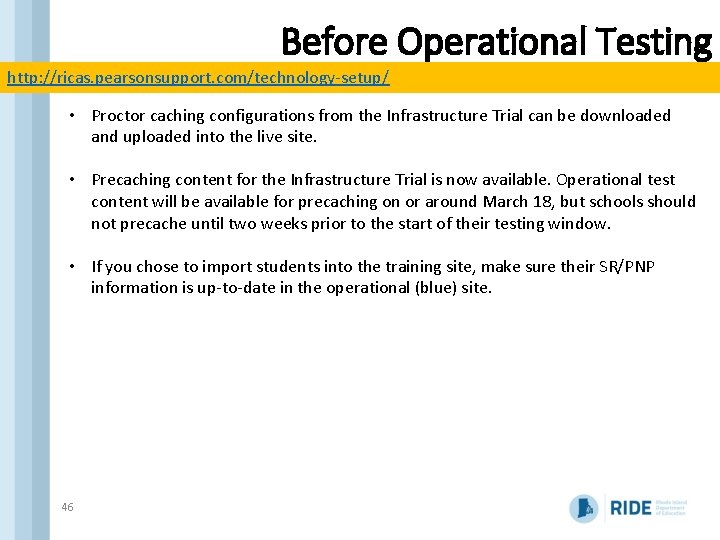
Before Operational Testing http: //ricas. pearsonsupport. com/technology-setup/ • Proctor caching configurations from the Infrastructure Trial can be downloaded and uploaded into the live site. • Precaching content for the Infrastructure Trial is now available. Operational test content will be available for precaching on or around March 18, but schools should not precache until two weeks prior to the start of their testing window. • If you chose to import students into the training site, make sure their SR/PNP information is up-to-date in the operational (blue) site. 46
Tasks to Complete Before Testing q Plan your schedule q Test schedule and sessions q Student participation q Student registration and PNP q Ensure SR/PNP file is up to date q Enter accessibility features and accommodations q Assemble and train your team q Educator participation q Roles and responsibilities q Process for assigning users q Test security and administration policies q. Prepare technology q Test Nav 8 q Infrastructure Trial q Inventory materials received q Use content resources q Prepare students for testing q Technology skills q Student tutorial q Practice test q One week before testing q Set up test sessions in PAN q Verify accommodated form assignments q Gather and organize testing materials q Proctor cache q Print testing tickets 47
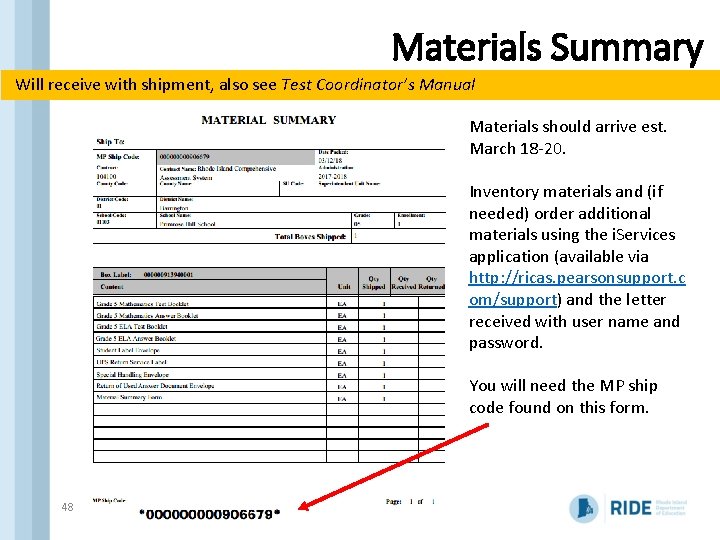
Materials Summary Will receive with shipment, also see Test Coordinator’s Manual Materials should arrive est. March 18 -20. Inventory materials and (if needed) order additional materials using the i. Services application (available via http: //ricas. pearsonsupport. c om/support) and the letter received with user name and password. You will need the MP ship code found on this form. 48
Tasks to Complete Before Testing q Plan your schedule q Test schedule and sessions q Student participation q Student registration and PNP q Ensure SR/PNP file is up to date q Enter accessibility features and accommodations q Assemble and train your team q Educator participation q Roles and responsibilities q Process for assigning users q Test security and administration policies q. Prepare technology q Test Nav 8 q Infrastructure Trial q Inventory materials received q Use content resources q Prepare students for testing q Technology skills q Student tutorial q Practice test q One week before testing q Set up test sessions in PAN q Verify accommodated form assignments q Gather and organize testing materials q Proctor cache q Print testing tickets 49
50
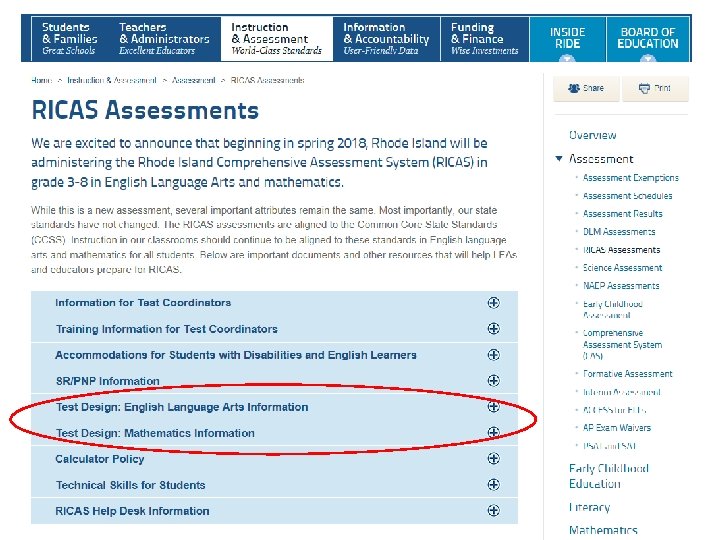
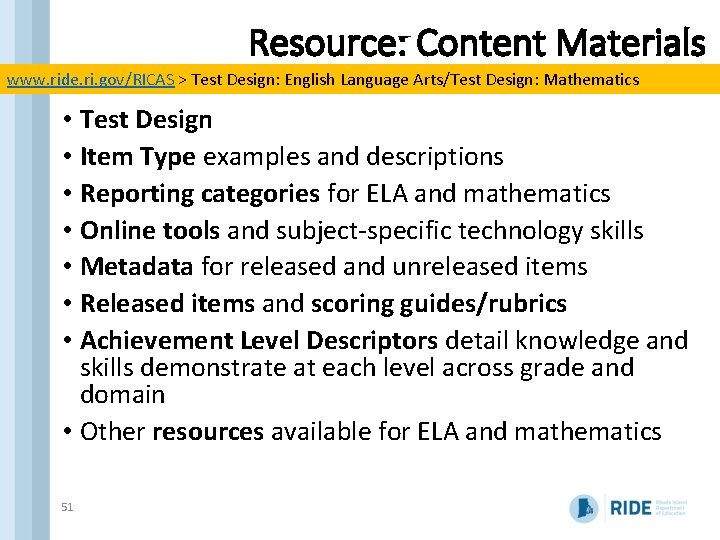
Resource: Content Materials www. ride. ri. gov/RICAS > Test Design: English Language Arts/Test Design: Mathematics • Test Design • Item Type examples and descriptions • Reporting categories for ELA and mathematics • Online tools and subject-specific technology skills • Metadata for released and unreleased items • Released items and scoring guides/rubrics • Achievement Level Descriptors detail knowledge and skills demonstrate at each level across grade and domain • Other resources available for ELA and mathematics 51
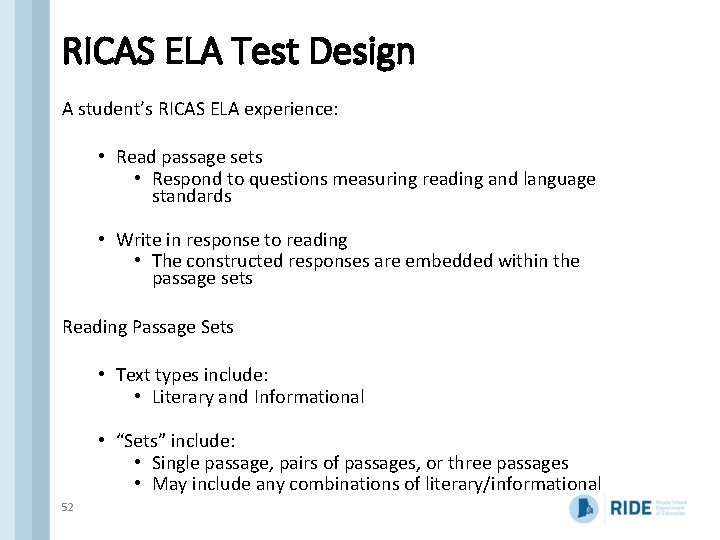
RICAS ELA Test Design A student’s RICAS ELA experience: • Read passage sets • Respond to questions measuring reading and language standards • Write in response to reading • The constructed responses are embedded within the passage sets Reading Passage Sets • Text types include: • Literary and Informational • “Sets” include: • Single passage, pairs of passages, or three passages • May include any combinations of literary/informational 52
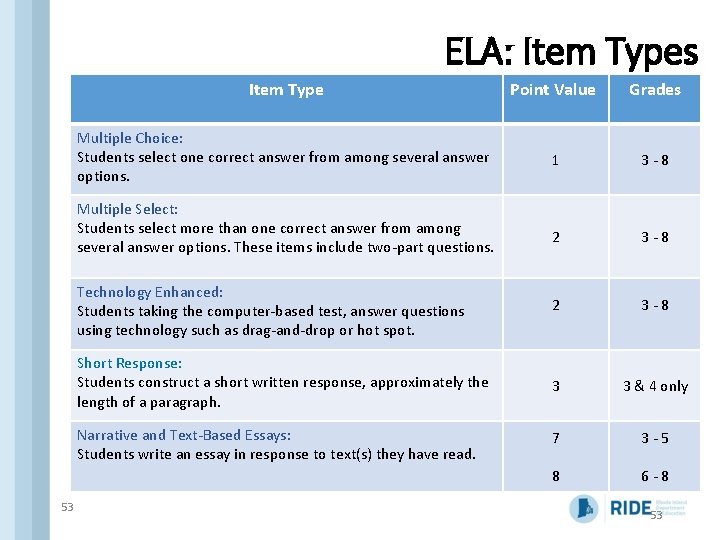
ELA: Item Types Item Type Point Value Grades Multiple Choice: Students select one correct answer from among several answer options. 1 3 - 8 2 3 - 8 Technology Enhanced: Students taking the computer-based test, answer questions using technology such as drag-and-drop or hot spot. 2 3 - 8 Short Response: Students construct a short written response, approximately the length of a paragraph. 3 3 & 4 only Narrative and Text-Based Essays: Students write an essay in response to text(s) they have read. 7 3 - 5 8 6 - 8 Multiple Select: Students select more than one correct answer from among several answer options. These items include two-part questions. 53 53
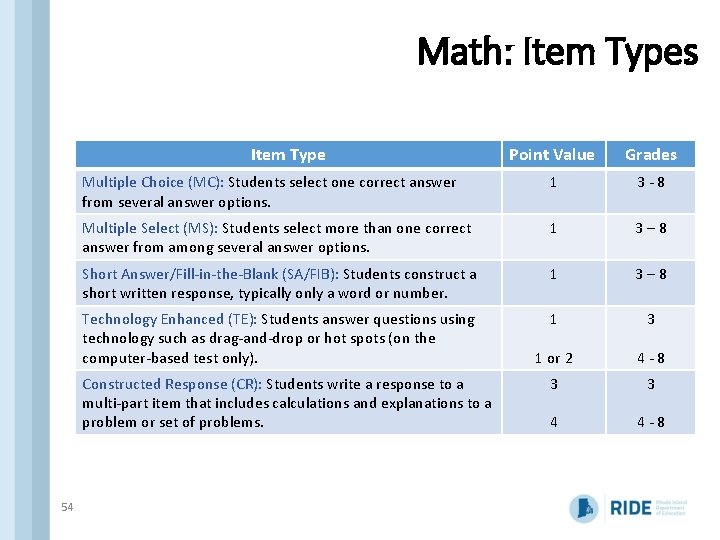
Math: Item Types Item Type Point Value Grades Multiple Choice (MC): Students select one correct answer from several answer options. 1 3 - 8 Multiple Select (MS): Students select more than one correct answer from among several answer options. 1 3 – 8 Short Answer/Fill-in-the-Blank (SA/FIB): Students construct a short written response, typically only a word or number. 1 3 – 8 Technology Enhanced (TE): Students answer questions using technology such as drag-and-drop or hot spots (on the computer-based test only). 1 3 1 or 2 4 - 8 3 3 4 4 - 8 Constructed Response (CR): Students write a response to a multi-part item that includes calculations and explanations to a problem or set of problems. 54
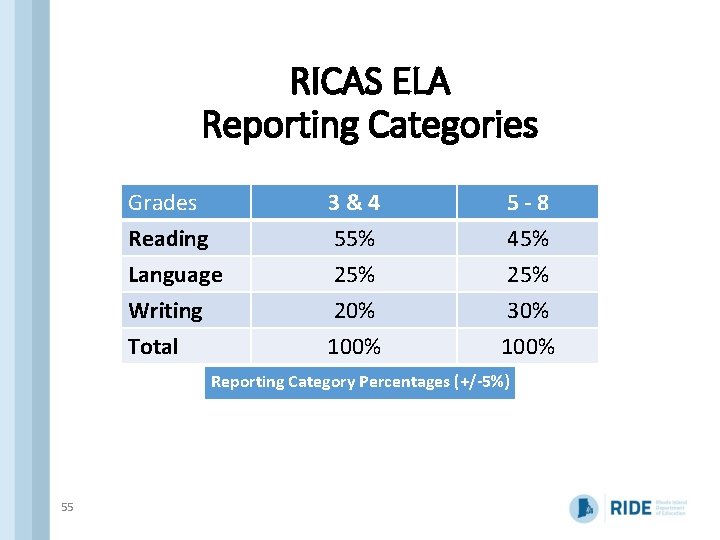
RICAS ELA Reporting Categories Grades Reading Language Writing 3&4 55% 20% 5 -8 45% 25% 30% Total 100% Reporting Category Percentages (+/-5%) 55
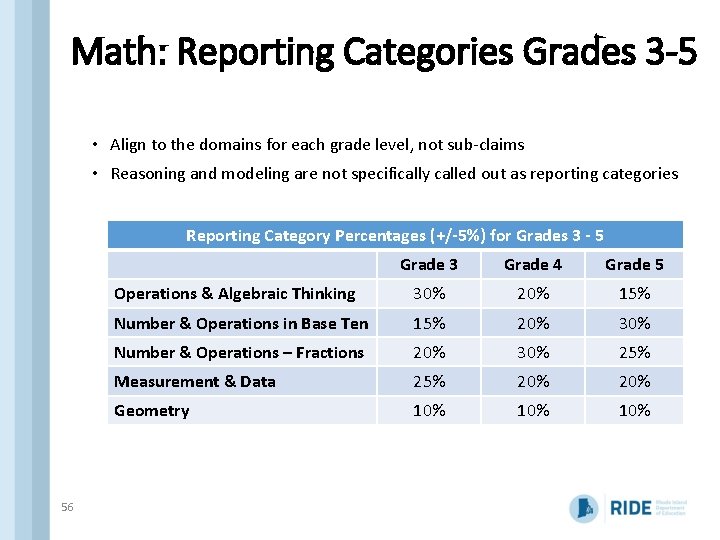
Math: Reporting Categories Grades 3 -5 • Align to the domains for each grade level, not sub-claims • Reasoning and modeling are not specifically called out as reporting categories Reporting Category Percentages (+/-5%) for Grades 3 - 5 56 Grade 3 Grade 4 Grade 5 Operations & Algebraic Thinking 30% 20% 15% Number & Operations in Base Ten 15% 20% 30% Number & Operations – Fractions 20% 30% 25% Measurement & Data 25% 20% Geometry 10% 10%
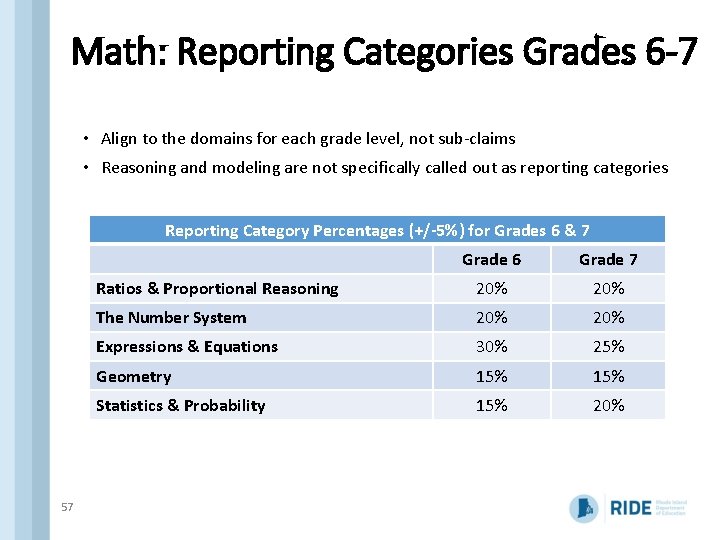
Math: Reporting Categories Grades 6 -7 • Align to the domains for each grade level, not sub-claims • Reasoning and modeling are not specifically called out as reporting categories Reporting Category Percentages (+/-5%) for Grades 6 & 7 57 Grade 6 Grade 7 Ratios & Proportional Reasoning 20% The Number System 20% Expressions & Equations 30% 25% Geometry 15% Statistics & Probability 15% 20%
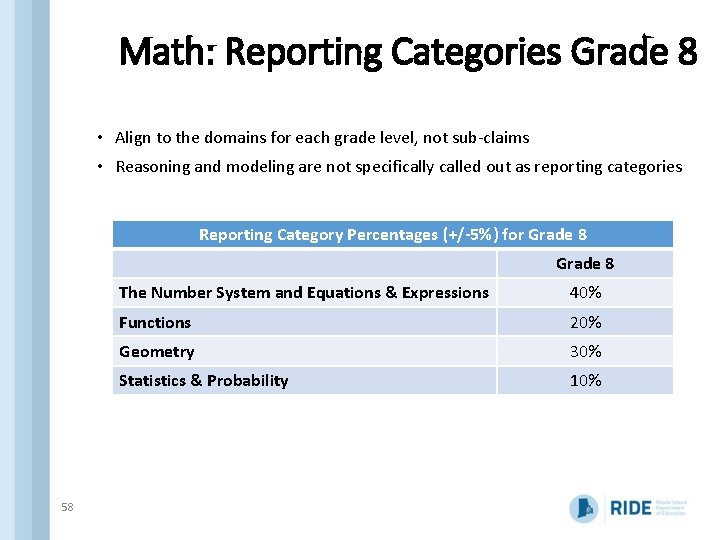
Math: Reporting Categories Grade 8 • Align to the domains for each grade level, not sub-claims • Reasoning and modeling are not specifically called out as reporting categories Reporting Category Percentages (+/-5%) for Grade 8 58 The Number System and Equations & Expressions 40% Functions 20% Geometry 30% Statistics & Probability 10%
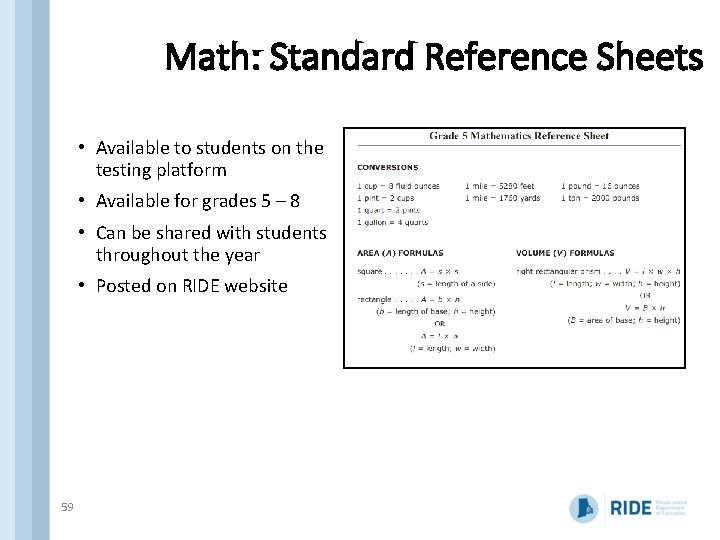
Math: Standard Reference Sheets • Available to students on the testing platform • Available for grades 5 – 8 • Can be shared with students throughout the year • Posted on RIDE website 59
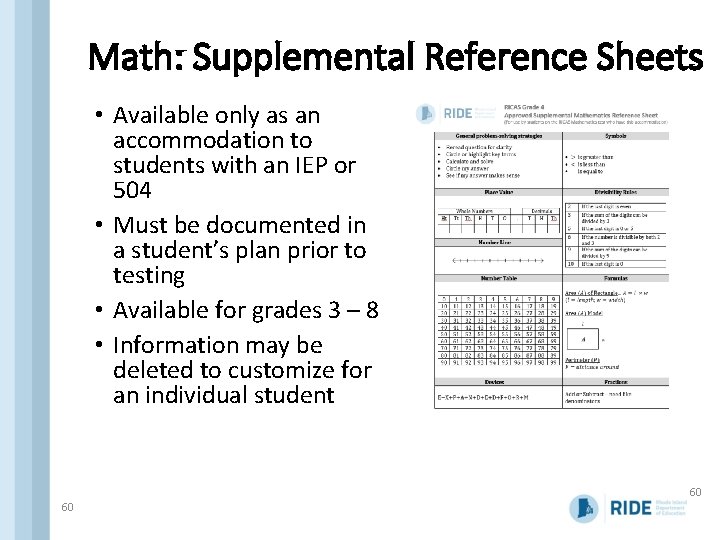
Math: Supplemental Reference Sheets • Available only as an accommodation to students with an IEP or 504 • Must be documented in a student’s plan prior to testing • Available for grades 3 – 8 • Information may be deleted to customize for an individual student 60 60
Tasks to Complete Before Testing q Plan your schedule q Test schedule and sessions q Student participation q Student registration and PNP q Ensure SR/PNP file is up to date q Enter accessibility features and accommodations q Assemble and train your team q Educator participation q Roles and responsibilities q Process for assigning users q Test security and administration policies q. Prepare technology q Test Nav 8 q Infrastructure Trial q Inventory materials received q Use content resources q Prepare students for testing q Technology skills q Student tutorial q Practice test q One week before testing q Set up test sessions in PAN q Verify accommodated form assignments q Gather and organize testing materials q Proctor cache q Print testing tickets 61
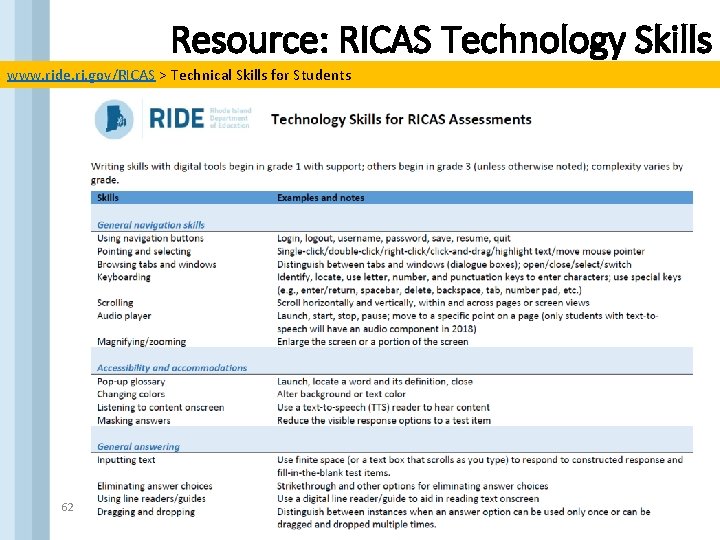
Resource: RICAS Technology Skills www. ride. ri. gov/RICAS > Technical Skills for Students 62
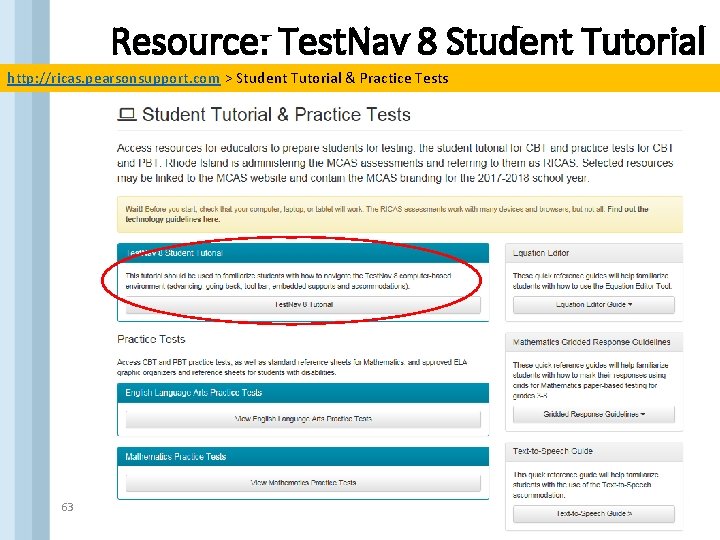
Resource: Test. Nav 8 Student Tutorial http: //ricas. pearsonsupport. com > Student Tutorial & Practice Tests 63
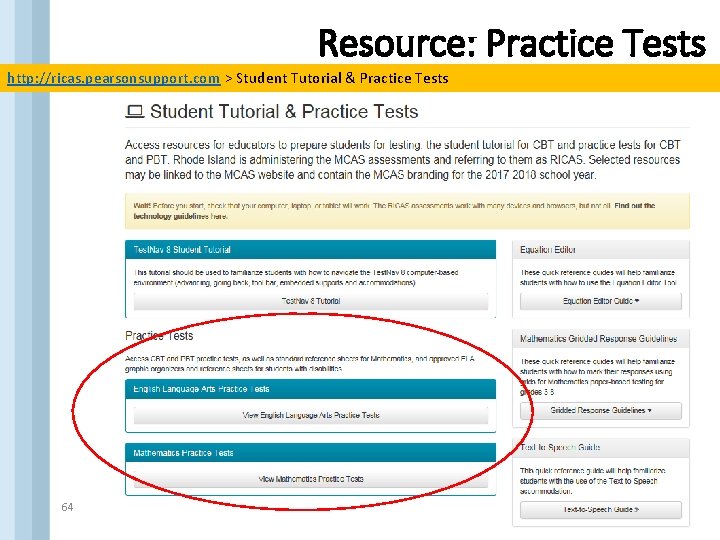
Resource: Practice Tests http: //ricas. pearsonsupport. com > Student Tutorial & Practice Tests 64
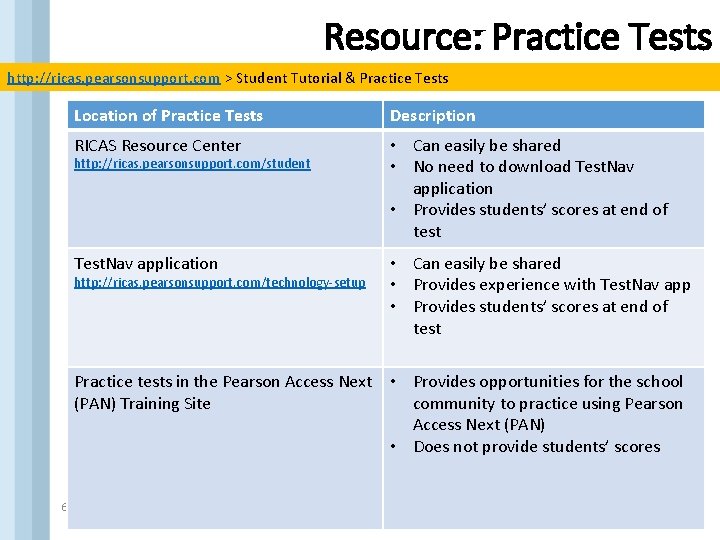
Resource: Practice Tests http: //ricas. pearsonsupport. com > Student Tutorial & Practice Tests Location of Practice Tests Description RICAS Resource Center • Can easily be shared • No need to download Test. Nav application • Provides students’ scores at end of test Test. Nav application • Can easily be shared • Provides experience with Test. Nav app • Provides students’ scores at end of test http: //ricas. pearsonsupport. com/student http: //ricas. pearsonsupport. com/technology-setup Practice tests in the Pearson Access Next • Provides opportunities for the school (PAN) Training Site community to practice using Pearson Access Next (PAN) • Does not provide students’ scores 65
Rhode Island Comprehensive Assessment System (RICAS) Tasks to Complete Close to Testing 66
Tasks to Complete Before Testing q Plan your schedule q Test schedule and sessions q Student participation q Student registration and PNP q Ensure SR/PNP file is up to date q Enter accessibility features and accommodations q Assemble and train your team q Educator participation q Roles and responsibilities q Process for assigning users q Test security and administration policies q. Prepare technology q Test Nav 8 q Infrastructure Trial q Inventory materials received q Use content resources q Prepare students for testing q Technology skills q Student tutorial q Practice test q One week before testing q Set up test sessions in PAN q Verify accommodated form assignments q Gather and organize testing materials q Proctor cache q Print testing tickets 67
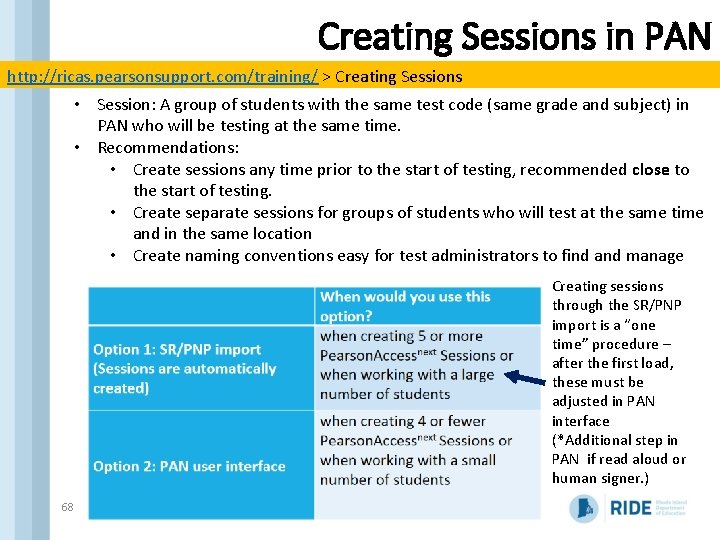
Creating Sessions in PAN http: //ricas. pearsonsupport. com/training/ > Creating Sessions • Session: A group of students with the same test code (same grade and subject) in PAN who will be testing at the same time. • Recommendations: • Create sessions any time prior to the start of testing, recommended close to the start of testing. • Create separate sessions for groups of students who will test at the same time and in the same location • Create naming conventions easy for test administrators to find and manage Creating sessions through the SR/PNP import is a “one time” procedure – after the first load, these must be adjusted in PAN interface (*Additional step in PAN if read aloud or human signer. ) 68
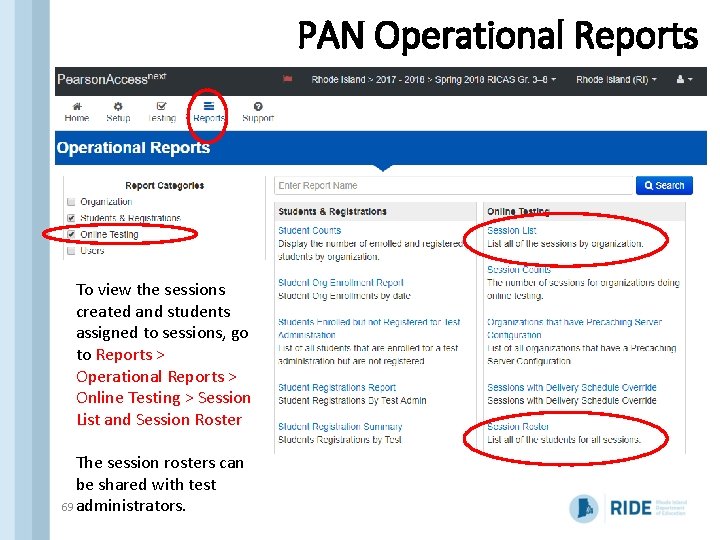
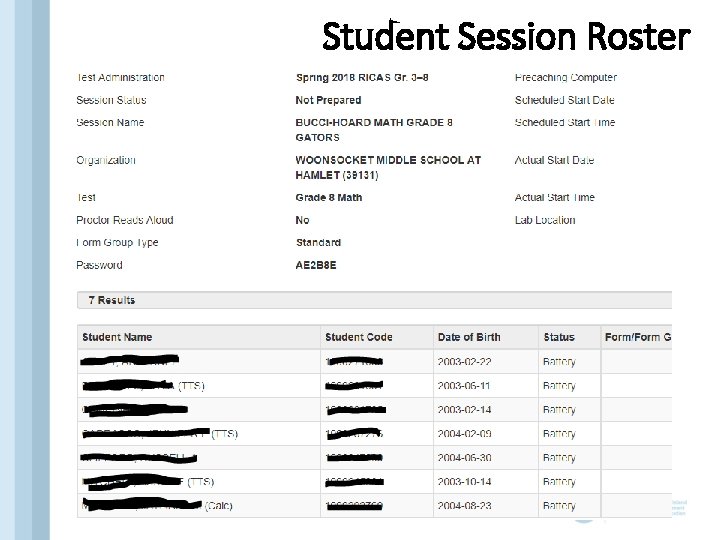
PAN Operational Reports To view the sessions created and students assigned to sessions, go to Reports > Operational Reports > Online Testing > Session List and Session Roster The session rosters can be shared with test 69 administrators.
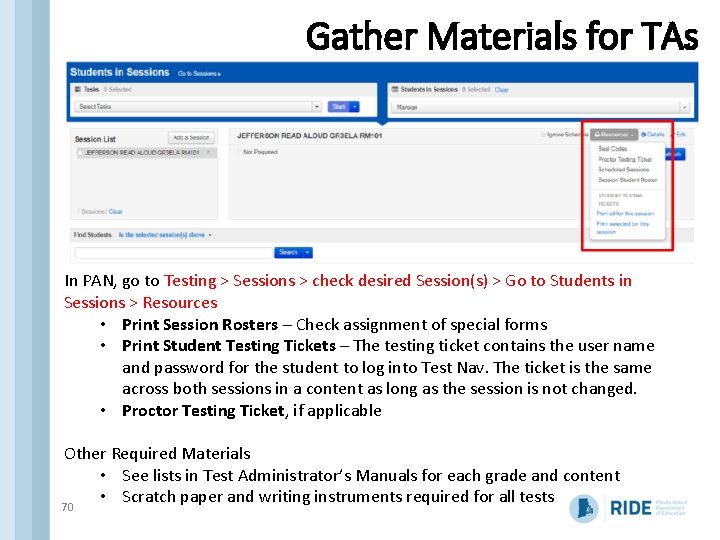
Gather Materials for TAs In PAN, go to Testing > Sessions > check desired Session(s) > Go to Students in Sessions > Resources • Print Session Rosters – Check assignment of special forms • Print Student Testing Tickets – The testing ticket contains the user name and password for the student to log into Test Nav. The ticket is the same across both sessions in a content as long as the session is not changed. • Proctor Testing Ticket, if applicable Other Required Materials • See lists in Test Administrator’s Manuals for each grade and content • Scratch paper and writing instruments required for all tests 70
Student Session Roster
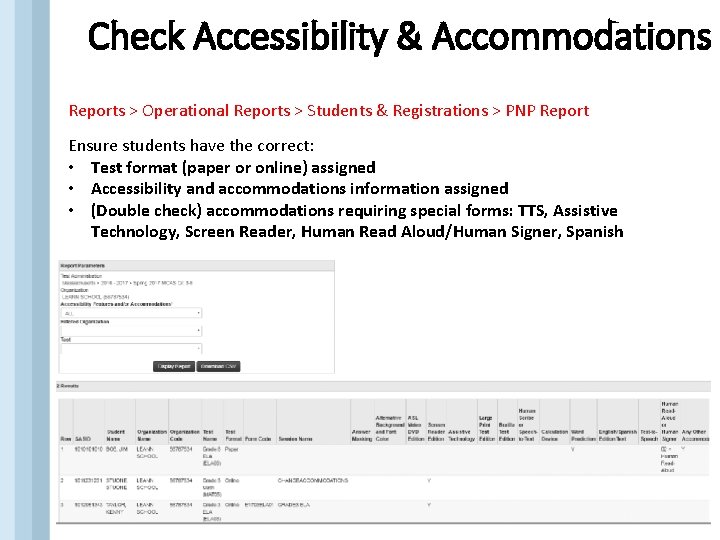
Check Accessibility & Accommodations Reports > Operational Reports > Students & Registrations > PNP Report Ensure students have the correct: • Test format (paper or online) assigned • Accessibility and accommodations information assigned • (Double check) accommodations requiring special forms: TTS, Assistive Technology, Screen Reader, Human Read Aloud/Human Signer, Spanish 72
Rhode Island Comprehensive Assessment System (RICAS) Tasks to Complete During Testing 73
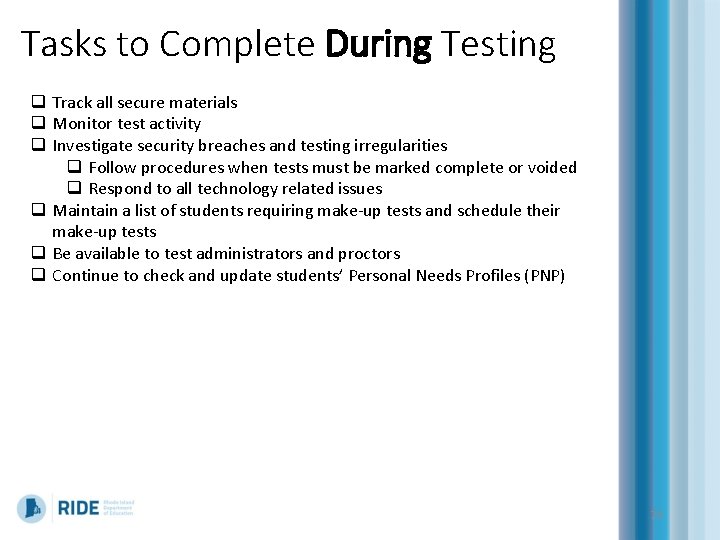
Tasks to Complete During Testing q Track all secure materials q Monitor test activity q Investigate security breaches and testing irregularities q Follow procedures when tests must be marked complete or voided q Respond to all technology related issues q Maintain a list of students requiring make-up tests and schedule their make-up tests q Be available to test administrators and proctors q Continue to check and update students’ Personal Needs Profiles (PNP) 74
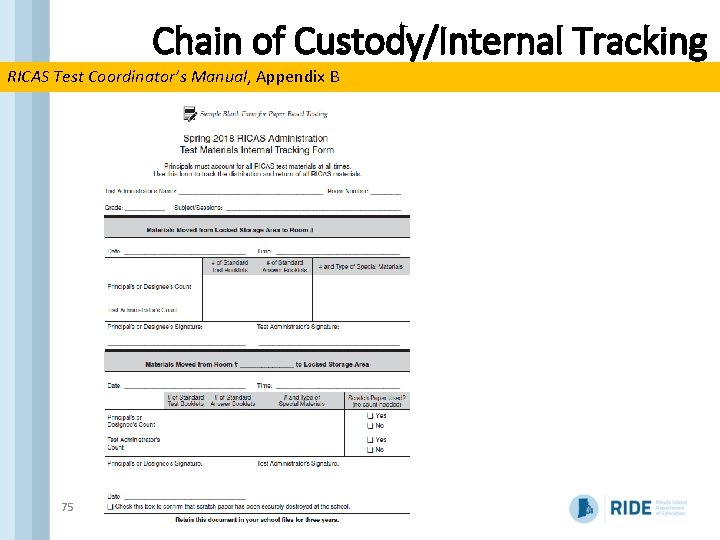
Chain of Custody/Internal Tracking RICAS Test Coordinator’s Manual, Appendix B 75
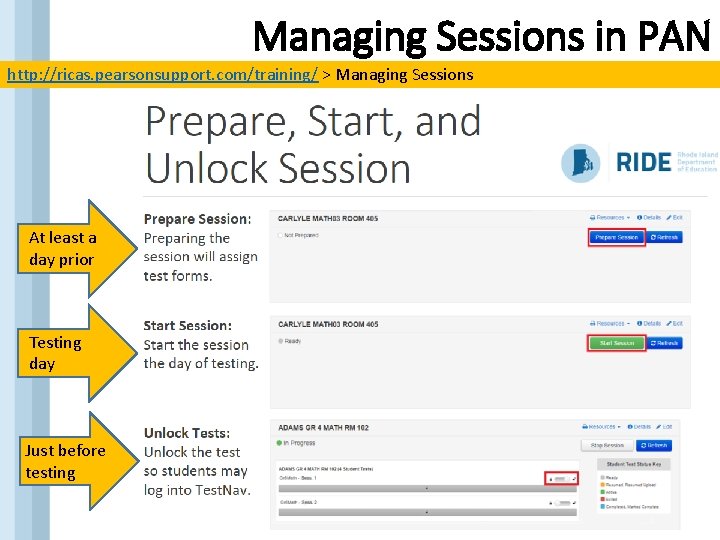
Managing Sessions in PAN http: //ricas. pearsonsupport. com/training/ > Managing Sessions At least a day prior Testing day Just before testing
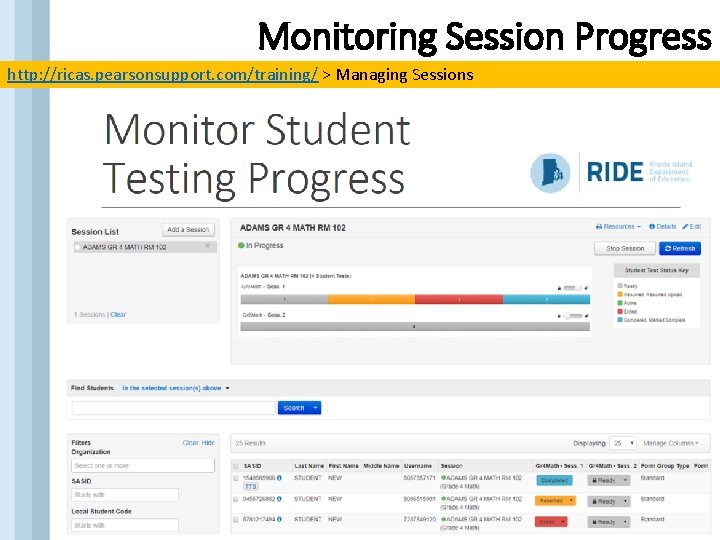
Monitoring Session Progress http: //ricas. pearsonsupport. com/training/ > Managing Sessions
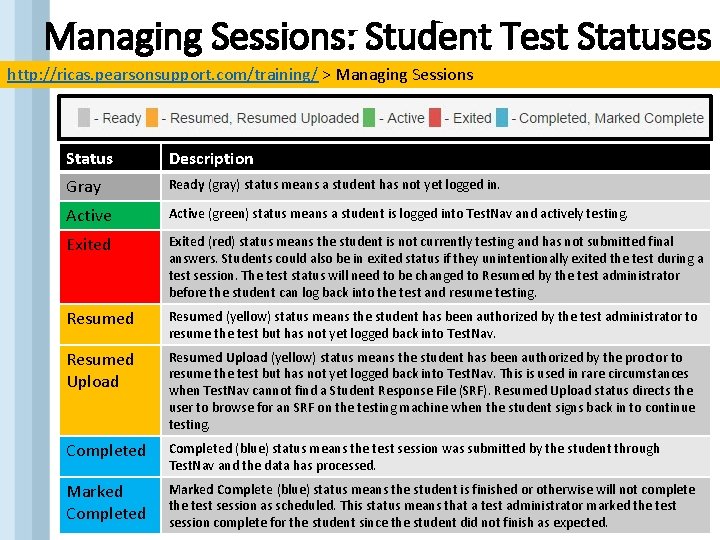
Managing Sessions: Student Test Statuses http: //ricas. pearsonsupport. com/training/ > Managing Sessions Status Description Gray Ready (gray) status means a student has not yet logged in. Active (green) status means a student is logged into Test. Nav and actively testing. Exited (red) status means the student is not currently testing and has not submitted final answers. Students could also be in exited status if they unintentionally exited the test during a test session. The test status will need to be changed to Resumed by the test administrator before the student can log back into the test and resume testing. Resumed (yellow) status means the student has been authorized by the test administrator to resume the test but has not yet logged back into Test. Nav. Resumed Upload (yellow) status means the student has been authorized by the proctor to resume the test but has not yet logged back into Test. Nav. This is used in rare circumstances when Test. Nav cannot find a Student Response File (SRF). Resumed Upload status directs the user to browse for an SRF on the testing machine when the student signs back in to continue testing. Completed (blue) status means the test session was submitted by the student through Test. Nav and the data has processed. Marked Completed Marked Complete (blue) status means the student is finished or otherwise will not complete the test session as scheduled. This status means that a test administrator marked the test session complete for the student since the student did not finish as expected.
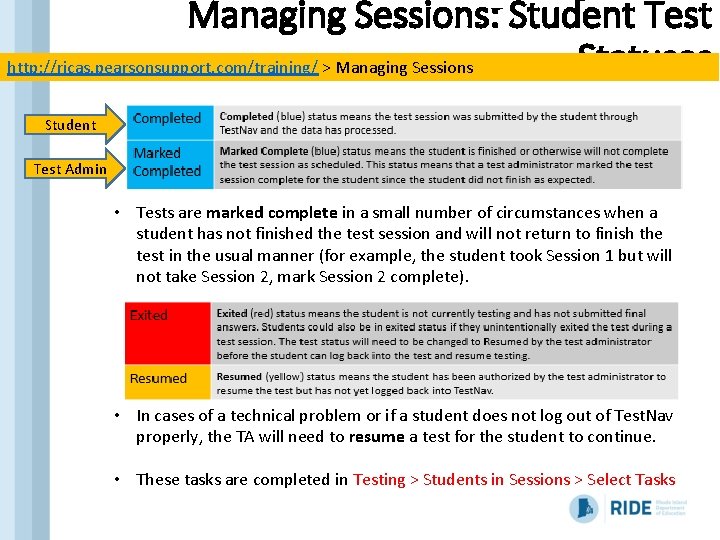
Managing Sessions: Student Test Statuses http: //ricas. pearsonsupport. com/training/ > Managing Sessions Student Test Admin • Tests are marked complete in a small number of circumstances when a student has not finished the test session and will not return to finish the test in the usual manner (for example, the student took Session 1 but will not take Session 2, mark Session 2 complete). • In cases of a technical problem or if a student does not log out of Test. Nav properly, the TA will need to resume a test for the student to continue. • These tasks are completed in Testing > Students in Sessions > Select Tasks
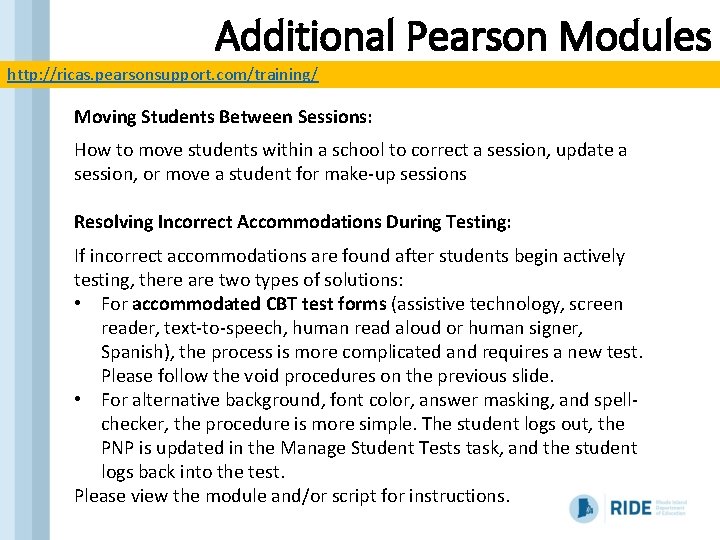
Additional Pearson Modules http: //ricas. pearsonsupport. com/training/ Moving Students Between Sessions: How to move students within a school to correct a session, update a session, or move a student for make-up sessions Resolving Incorrect Accommodations During Testing: If incorrect accommodations are found after students begin actively testing, there are two types of solutions: • For accommodated CBT test forms (assistive technology, screen reader, text-to-speech, human read aloud or human signer, Spanish), the process is more complicated and requires a new test. Please follow the void procedures on the previous slide. • For alternative background, font color, answer masking, and spellchecker, the procedure is more simple. The student logs out, the PNP is updated in the Manage Student Tests task, and the student logs back into the test. Please view the module and/or script for instructions.
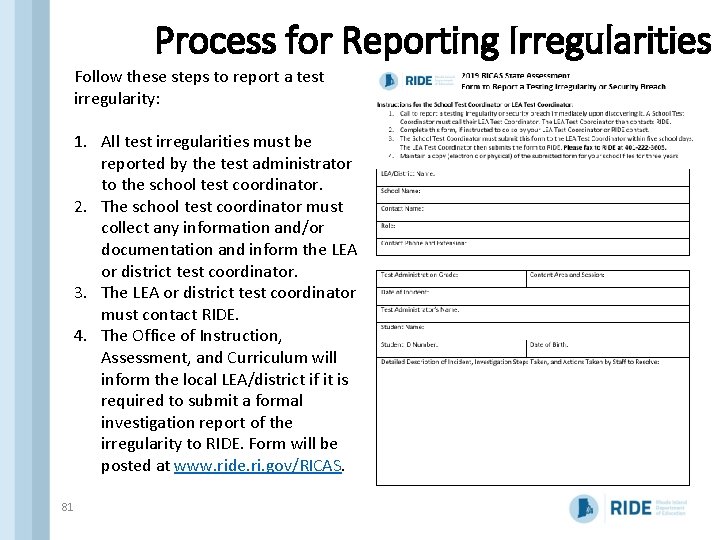
Process for Reporting Irregularities Follow these steps to report a test irregularity: 1. All test irregularities must be reported by the test administrator to the school test coordinator. 2. The school test coordinator must collect any information and/or documentation and inform the LEA or district test coordinator. 3. The LEA or district test coordinator must contact RIDE. 4. The Office of Instruction, Assessment, and Curriculum will inform the local LEA/district if it is required to submit a formal investigation report of the irregularity to RIDE. Form will be posted at www. ride. ri. gov/RICAS. 81
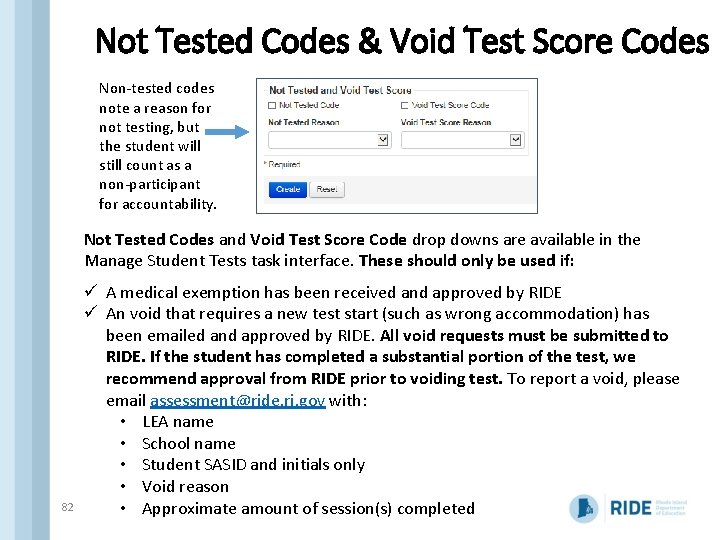
Not Tested Codes & Void Test Score Codes Non-tested codes note a reason for not testing, but the student will still count as a non-participant for accountability. Not Tested Codes and Void Test Score Code drop downs are available in the Manage Student Tests task interface. These should only be used if: 82 ü A medical exemption has been received and approved by RIDE ü An void that requires a new test start (such as wrong accommodation) has been emailed and approved by RIDE. All void requests must be submitted to RIDE. If the student has completed a substantial portion of the test, we recommend approval from RIDE prior to voiding test. To report a void, please email assessment@ride. ri. gov with: • LEA name • School name • Student SASID and initials only • Void reason • Approximate amount of session(s) completed
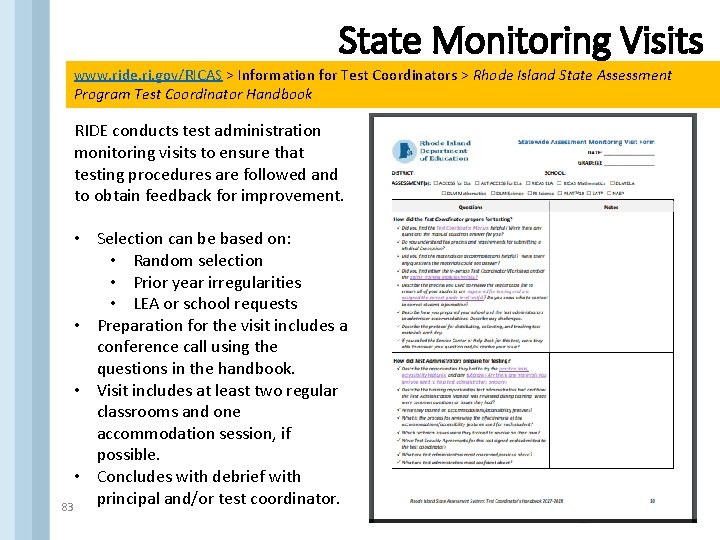
State Monitoring Visits www. ride. ri. gov/RICAS > Information for Test Coordinators > Rhode Island State Assessment Program Test Coordinator Handbook RIDE conducts test administration monitoring visits to ensure that testing procedures are followed and to obtain feedback for improvement. • Selection can be based on: • Random selection • Prior year irregularities • LEA or school requests • Preparation for the visit includes a conference call using the questions in the handbook. • Visit includes at least two regular classrooms and one accommodation session, if possible. • Concludes with debrief with principal and/or test coordinator. 83
Rhode Island Comprehensive Assessment System (RICAS) Tasks to Complete After Testing 84
Tasks to Complete After Testing q After each day of testing: q Collect and document all secure materials q Schedule make-up sessions as needed q After all testing is completed: q Ensure all test sessions have been marked complete q Destroy/shred secure computer-based testing materials (used scratch paper, reference sheets, student testing tickets) q Recycle unused non-secure test materials q Schedule materials pick-up for any paper-based tests q Complete the PCPA q Notify Technology Coordinator that all testing is done and have him/her purge cached test content q Keep all records on file for 3 years 85
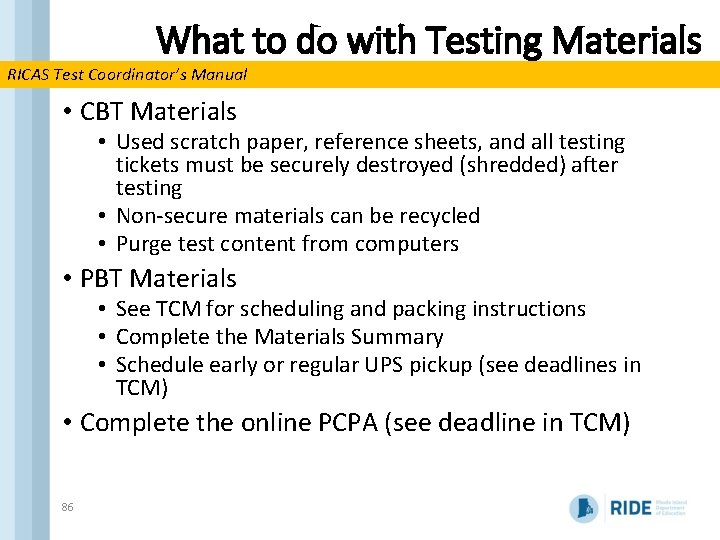
What to do with Testing Materials RICAS Test Coordinator’s Manual • CBT Materials • Used scratch paper, reference sheets, and all testing tickets must be securely destroyed (shredded) after testing • Non-secure materials can be recycled • Purge test content from computers • PBT Materials • See TCM for scheduling and packing instructions • Complete the Materials Summary • Schedule early or regular UPS pickup (see deadlines in TCM) • Complete the online PCPA (see deadline in TCM) 86
Rhode Island Comprehensive Assessment System (RICAS) If you need support… 87
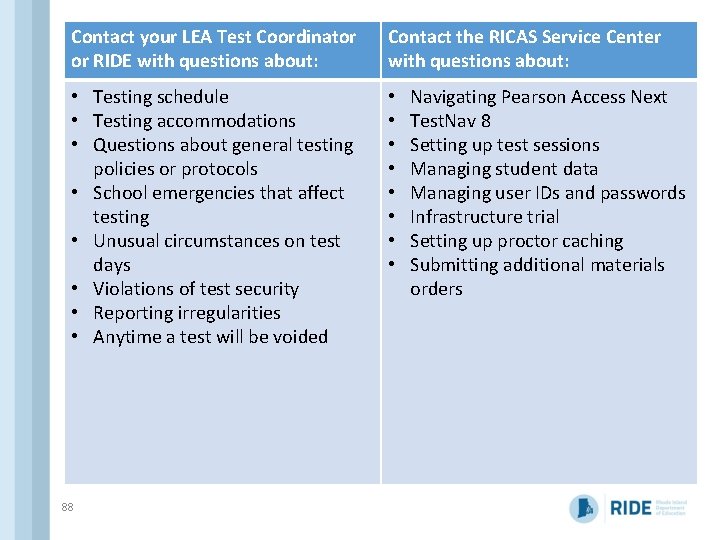
Contact your LEA Test Coordinator or RIDE with questions about: Contact the RICAS Service Center with questions about: • Testing schedule • Testing accommodations • Questions about general testing policies or protocols • School emergencies that affect testing • Unusual circumstances on test days • Violations of test security • Reporting irregularities • Anytime a test will be voided • • 88 Navigating Pearson Access Next Test. Nav 8 Setting up test sessions Managing student data Managing user IDs and passwords Infrastructure trial Setting up proctor caching Submitting additional materials orders
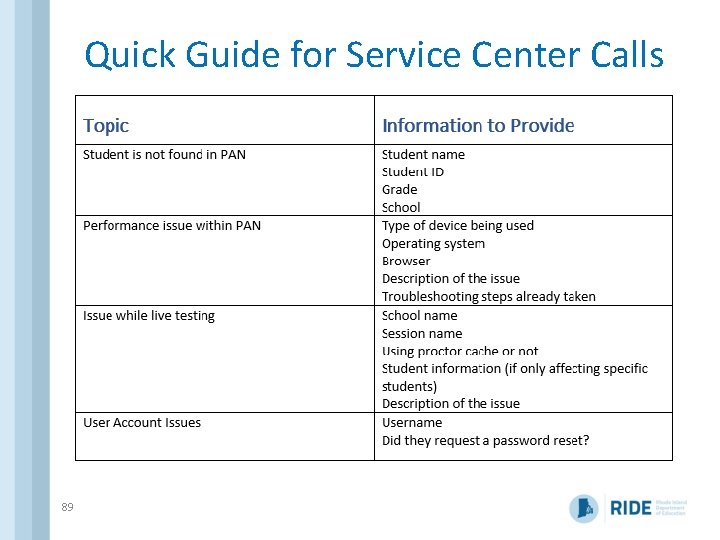
Quick Guide for Service Center Calls 89
Contact Information Resource Email Phone RICAS Service Center ricasservicecenter@measuredprogress. org 855 -222 -8936 RIDE Assessment assessment@ride. ri. gov (state policy, questions to forward to content teams) 401 -222 -8494 401 -222 -8490 Heather Heineke (accommodations, medical exemptions) Heather. Heineke@ride. ri. gov 401 -222 -8493 Phyllis Lynch (Director) Phyllis. lynch@ride. ri. gov 401 -222 -4693 Andres Blanco (RICAS Andres. blanco@ride. ri. gov discrepancy process) 401 -222 -8488 Mario Goncalves (e. RIDE enrollment) 401 -222 -8968 90 Mario. Goncalves@ride. ri. gov
Rhode Island Comprehensive Assessment System (RICAS) Thank you! 91