Physics 124 Lecture 10 Under the Arduino Hood
- Slides: 18
Physics 124: Lecture 10 Under the Arduino Hood
Arduino Makes it Look Easy • High-level functions remove user/programmer from processor details – on the plus side, this means you can actually get things done without a steep learning curve – on the down side, you don’t understand fundamentally what your actions are doing… – …or how to take advantage of processor capabilities that are not wrapped into high-level functions • So today, we’ll look a bit into what Arduino is actually doing—to a limited extent! Phys 124: Lecture 10 2
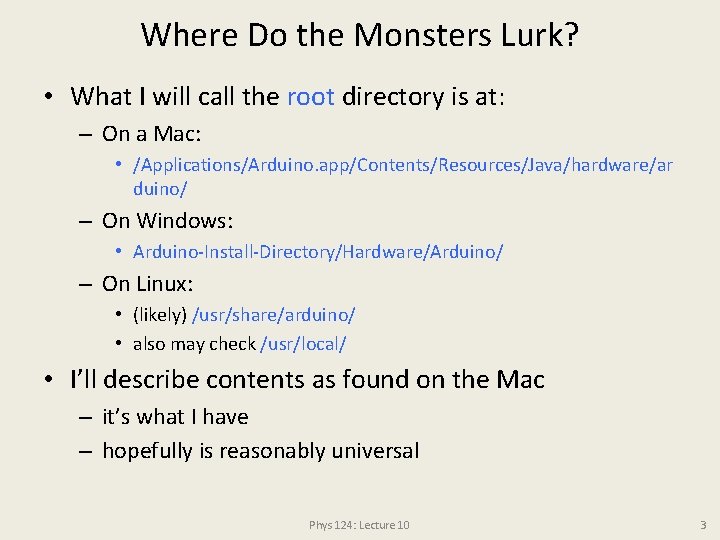
Where Do the Monsters Lurk? • What I will call the root directory is at: – On a Mac: • /Applications/Arduino. app/Contents/Resources/Java/hardware/ar duino/ – On Windows: • Arduino-Install-Directory/Hardware/Arduino/ – On Linux: • (likely) /usr/share/arduino/ • also may check /usr/local/ • I’ll describe contents as found on the Mac – it’s what I have – hopefully is reasonably universal Phys 124: Lecture 10 3
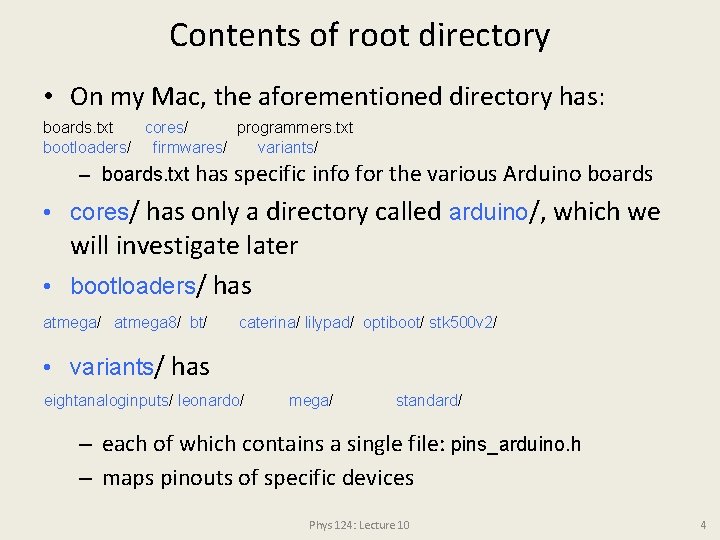
Contents of root directory • On my Mac, the aforementioned directory has: boards. txt cores/ programmers. txt bootloaders/ firmwares/ variants/ – boards. txt has specific info for the various Arduino boards • cores/ has only a directory called arduino/, which we will investigate later • bootloaders/ has atmega/ atmega 8/ bt/ caterina/ lilypad/ optiboot/ stk 500 v 2/ • variants/ has eightanaloginputs/ leonardo/ mega/ standard/ – each of which contains a single file: pins_arduino. h – maps pinouts of specific devices Phys 124: Lecture 10 4
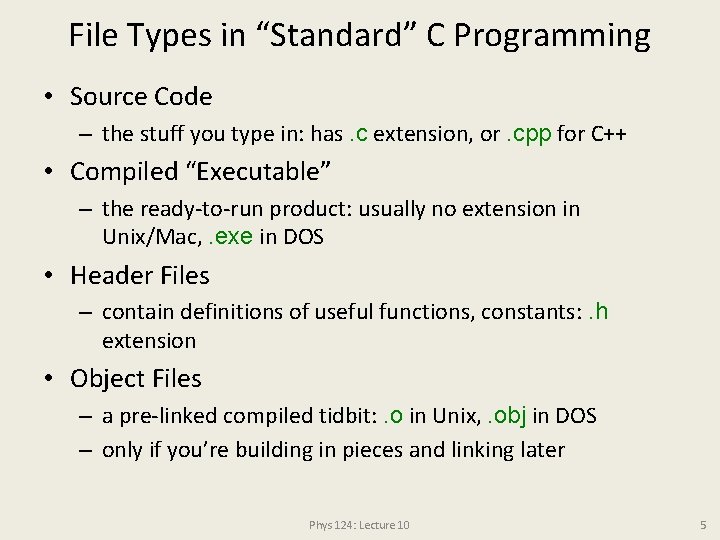
File Types in “Standard” C Programming • Source Code – the stuff you type in: has. c extension, or. cpp for C++ • Compiled “Executable” – the ready-to-run product: usually no extension in Unix/Mac, . exe in DOS • Header Files – contain definitions of useful functions, constants: . h extension • Object Files – a pre-linked compiled tidbit: . o in Unix, . obj in DOS – only if you’re building in pieces and linking later Phys 124: Lecture 10 5
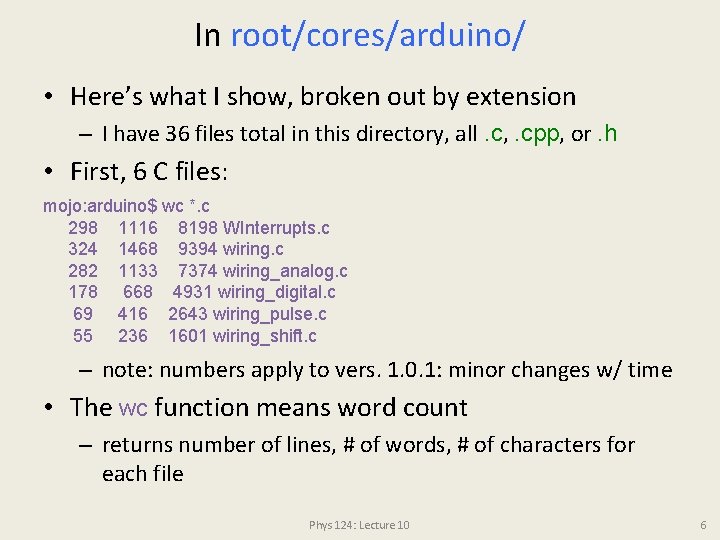
In root/cores/arduino/ • Here’s what I show, broken out by extension – I have 36 files total in this directory, all. c, . cpp, or. h • First, 6 C files: mojo: arduino$ wc *. c 298 1116 8198 WInterrupts. c 324 1468 9394 wiring. c 282 1133 7374 wiring_analog. c 178 668 4931 wiring_digital. c 69 416 2643 wiring_pulse. c 55 236 1601 wiring_shift. c – note: numbers apply to vers. 1. 0. 1: minor changes w/ time • The wc function means word count – returns number of lines, # of words, # of characters for each file Phys 124: Lecture 10 6
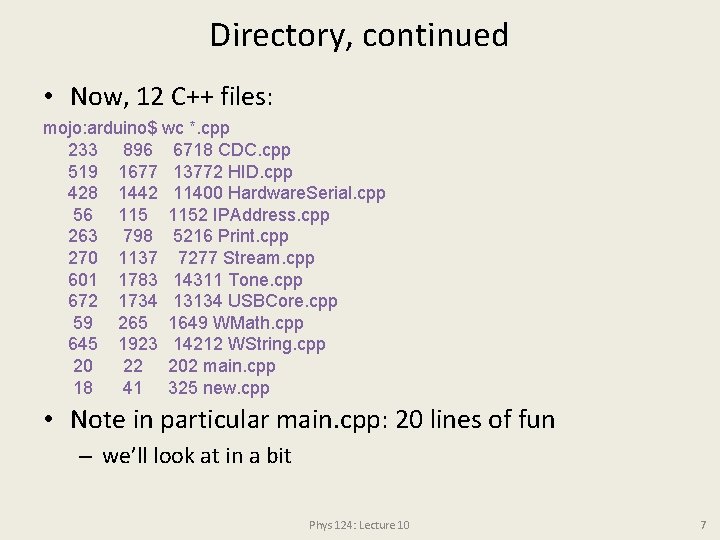
Directory, continued • Now, 12 C++ files: mojo: arduino$ wc *. cpp 233 896 6718 CDC. cpp 519 1677 13772 HID. cpp 428 1442 11400 Hardware. Serial. cpp 56 1152 IPAddress. cpp 263 798 5216 Print. cpp 270 1137 7277 Stream. cpp 601 1783 14311 Tone. cpp 672 1734 13134 USBCore. cpp 59 265 1649 WMath. cpp 645 1923 14212 WString. cpp 20 22 202 main. cpp 18 41 325 new. cpp • Note in particular main. cpp: 20 lines of fun – we’ll look at in a bit Phys 124: Lecture 10 7
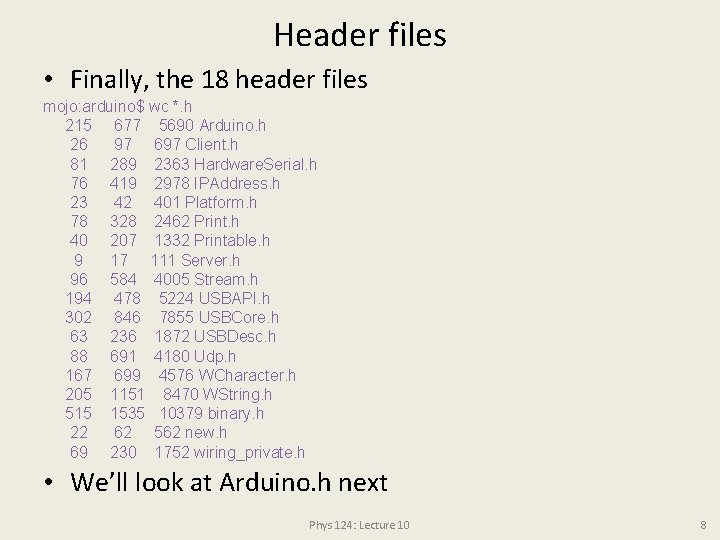
Header files • Finally, the 18 header files mojo: arduino$ wc *. h 215 677 5690 Arduino. h 26 97 697 Client. h 81 289 2363 Hardware. Serial. h 76 419 2978 IPAddress. h 23 42 401 Platform. h 78 328 2462 Print. h 40 207 1332 Printable. h 9 17 111 Server. h 96 584 4005 Stream. h 194 478 5224 USBAPI. h 302 846 7855 USBCore. h 63 236 1872 USBDesc. h 88 691 4180 Udp. h 167 699 4576 WCharacter. h 205 1151 8470 WString. h 515 1535 10379 binary. h 22 62 562 new. h 69 230 1752 wiring_private. h • We’ll look at Arduino. h next Phys 124: Lecture 10 8
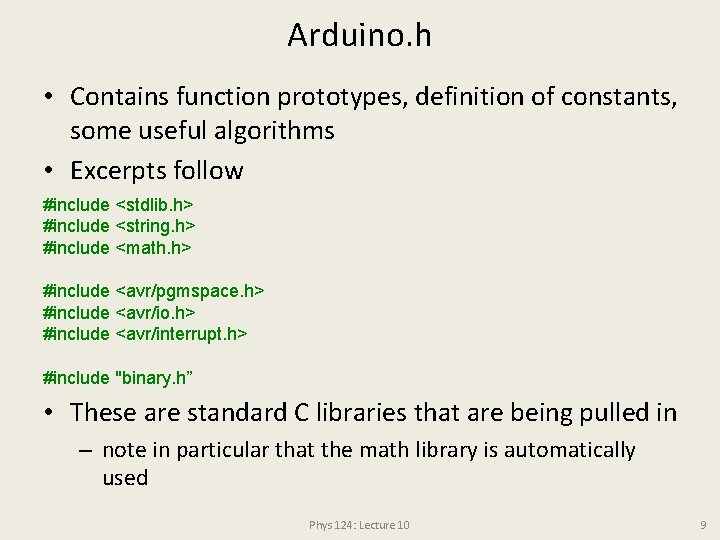
Arduino. h • Contains function prototypes, definition of constants, some useful algorithms • Excerpts follow #include <stdlib. h> #include <string. h> #include <math. h> #include <avr/pgmspace. h> #include <avr/io. h> #include <avr/interrupt. h> #include "binary. h” • These are standard C libraries that are being pulled in – note in particular that the math library is automatically used Phys 124: Lecture 10 9
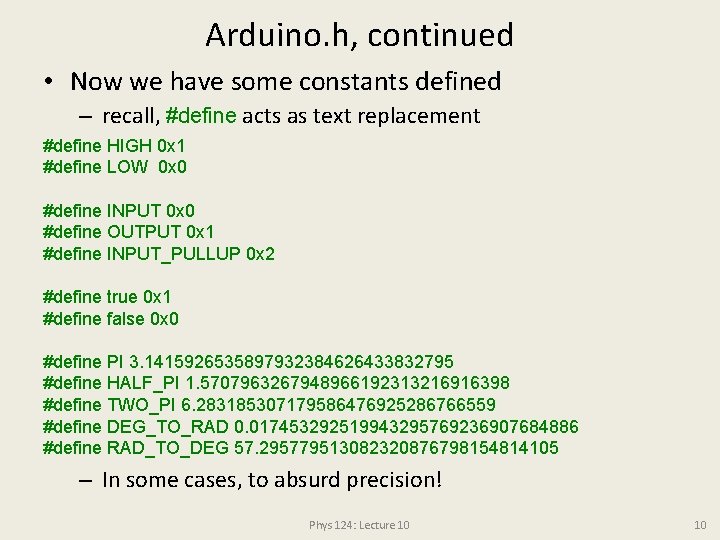
Arduino. h, continued • Now we have some constants defined – recall, #define acts as text replacement #define HIGH 0 x 1 #define LOW 0 x 0 #define INPUT 0 x 0 #define OUTPUT 0 x 1 #define INPUT_PULLUP 0 x 2 #define true 0 x 1 #define false 0 x 0 #define PI 3. 1415926535897932384626433832795 #define HALF_PI 1. 5707963267948966192313216916398 #define TWO_PI 6. 283185307179586476925286766559 #define DEG_TO_RAD 0. 017453292519943295769236907684886 #define RAD_TO_DEG 57. 295779513082320876798154814105 – In some cases, to absurd precision! Phys 124: Lecture 10 10
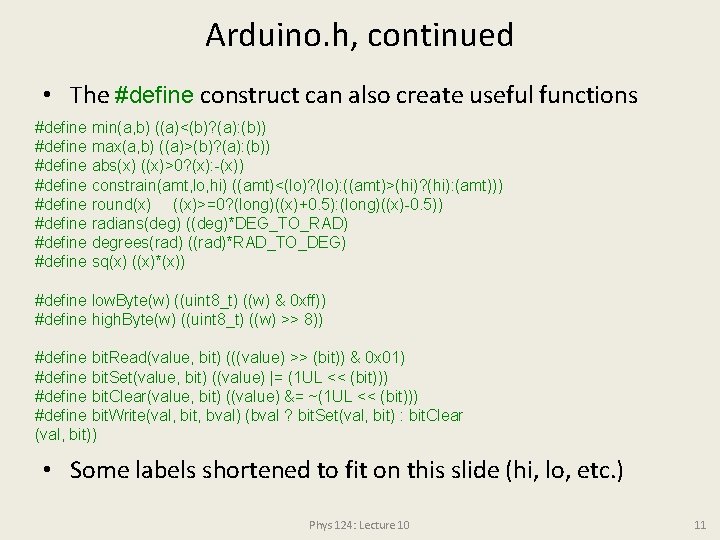
Arduino. h, continued • The #define construct can also create useful functions #define min(a, b) ((a)<(b)? (a): (b)) #define max(a, b) ((a)>(b)? (a): (b)) #define abs(x) ((x)>0? (x): -(x)) #define constrain(amt, lo, hi) ((amt)<(lo)? (lo): ((amt)>(hi)? (hi): (amt))) #define round(x) ((x)>=0? (long)((x)+0. 5): (long)((x)-0. 5)) #define radians(deg) ((deg)*DEG_TO_RAD) #define degrees(rad) ((rad)*RAD_TO_DEG) #define sq(x) ((x)*(x)) #define low. Byte(w) ((uint 8_t) ((w) & 0 xff)) #define high. Byte(w) ((uint 8_t) ((w) >> 8)) #define bit. Read(value, bit) (((value) >> (bit)) & 0 x 01) #define bit. Set(value, bit) ((value) |= (1 UL << (bit))) #define bit. Clear(value, bit) ((value) &= ~(1 UL << (bit))) #define bit. Write(val, bit, bval) (bval ? bit. Set(val, bit) : bit. Clear (val, bit)) • Some labels shortened to fit on this slide (hi, lo, etc. ) Phys 124: Lecture 10 11
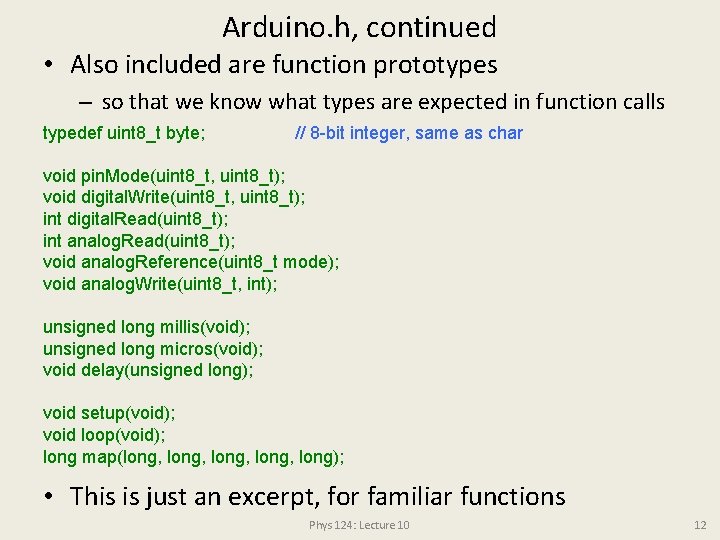
Arduino. h, continued • Also included are function prototypes – so that we know what types are expected in function calls typedef uint 8_t byte; // 8 -bit integer, same as char void pin. Mode(uint 8_t, uint 8_t); void digital. Write(uint 8_t, uint 8_t); int digital. Read(uint 8_t); int analog. Read(uint 8_t); void analog. Reference(uint 8_t mode); void analog. Write(uint 8_t, int); unsigned long millis(void); unsigned long micros(void); void delay(unsigned long); void setup(void); void loop(void); long map(long, long); • This is just an excerpt, for familiar functions Phys 124: Lecture 10 12
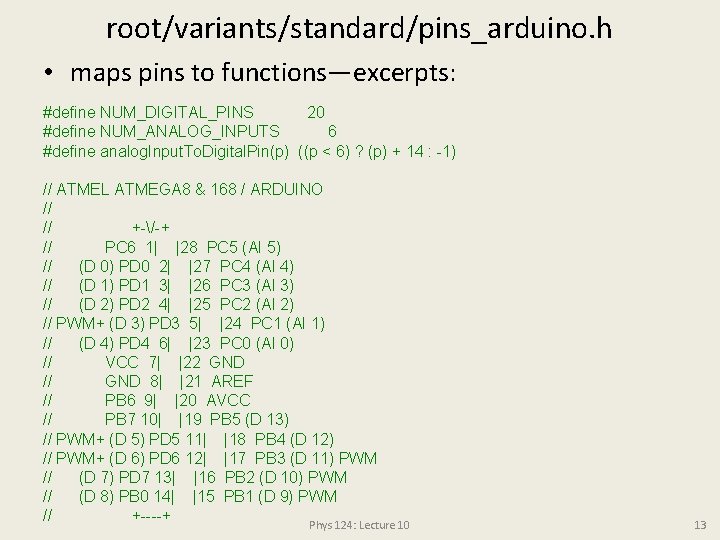
root/variants/standard/pins_arduino. h • maps pins to functions—excerpts: #define NUM_DIGITAL_PINS 20 #define NUM_ANALOG_INPUTS 6 #define analog. Input. To. Digital. Pin(p) ((p < 6) ? (p) + 14 : -1) // ATMEL ATMEGA 8 & 168 / ARDUINO // // +-/-+ // PC 6 1| |28 PC 5 (AI 5) // (D 0) PD 0 2| |27 PC 4 (AI 4) // (D 1) PD 1 3| |26 PC 3 (AI 3) // (D 2) PD 2 4| |25 PC 2 (AI 2) // PWM+ (D 3) PD 3 5| |24 PC 1 (AI 1) // (D 4) PD 4 6| |23 PC 0 (AI 0) // VCC 7| |22 GND // GND 8| |21 AREF // PB 6 9| |20 AVCC // PB 7 10| |19 PB 5 (D 13) // PWM+ (D 5) PD 5 11| |18 PB 4 (D 12) // PWM+ (D 6) PD 6 12| |17 PB 3 (D 11) PWM // (D 7) PD 7 13| |16 PB 2 (D 10) PWM // (D 8) PB 0 14| |15 PB 1 (D 9) PWM // +----+ Phys 124: Lecture 10 13
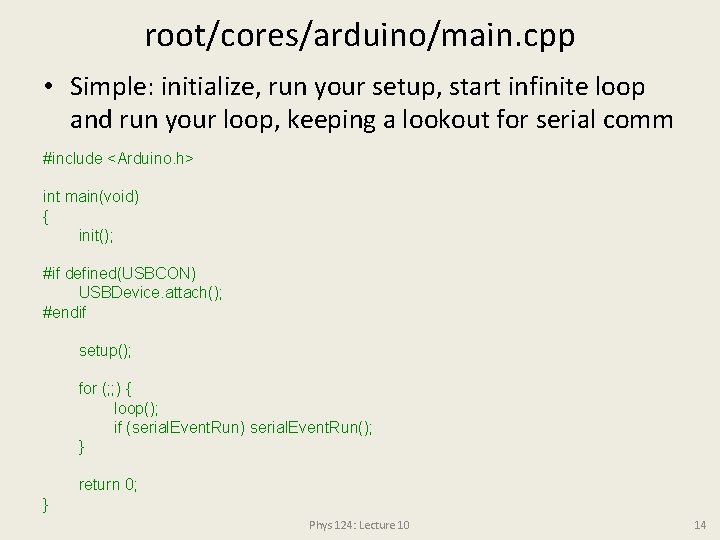
root/cores/arduino/main. cpp • Simple: initialize, run your setup, start infinite loop and run your loop, keeping a lookout for serial comm #include <Arduino. h> int main(void) { init(); #if defined(USBCON) USBDevice. attach(); #endif setup(); for (; ; ) { loop(); if (serial. Event. Run) serial. Event. Run(); } return 0; } Phys 124: Lecture 10 14
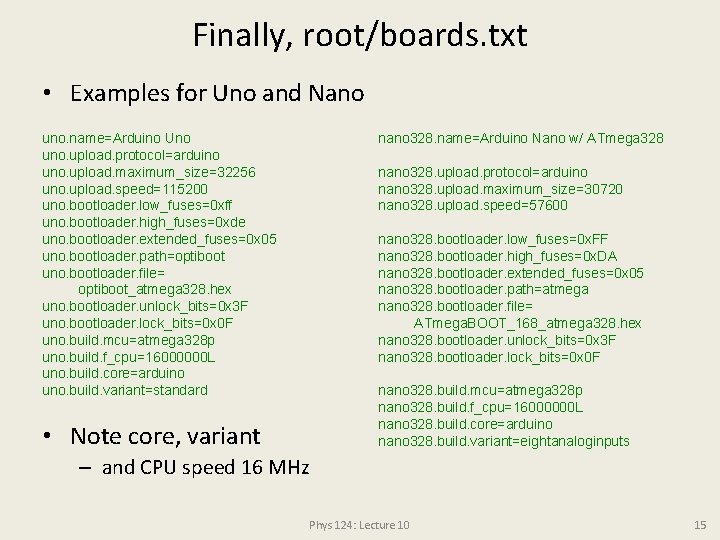
Finally, root/boards. txt • Examples for Uno and Nano uno. name=Arduino Uno uno. upload. protocol=arduino uno. upload. maximum_size=32256 uno. upload. speed=115200 uno. bootloader. low_fuses=0 xff uno. bootloader. high_fuses=0 xde uno. bootloader. extended_fuses=0 x 05 uno. bootloader. path=optiboot uno. bootloader. file= optiboot_atmega 328. hex uno. bootloader. unlock_bits=0 x 3 F uno. bootloader. lock_bits=0 x 0 F uno. build. mcu=atmega 328 p uno. build. f_cpu=16000000 L uno. build. core=arduino uno. build. variant=standard nano 328. name=Arduino Nano w/ ATmega 328 nano 328. upload. protocol=arduino nano 328. upload. maximum_size=30720 nano 328. upload. speed=57600 nano 328. bootloader. low_fuses=0 x. FF nano 328. bootloader. high_fuses=0 x. DA nano 328. bootloader. extended_fuses=0 x 05 nano 328. bootloader. path=atmega nano 328. bootloader. file= ATmega. BOOT_168_atmega 328. hex nano 328. bootloader. unlock_bits=0 x 3 F nano 328. bootloader. lock_bits=0 x 0 F nano 328. build. mcu=atmega 328 p nano 328. build. f_cpu=16000000 L nano 328. build. core=arduino nano 328. build. variant=eightanaloginputs • Note core, variant – and CPU speed 16 MHz Phys 124: Lecture 10 15
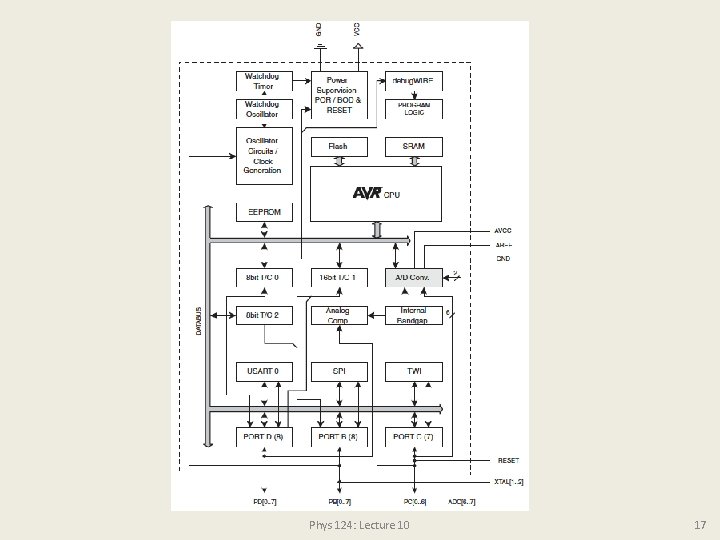
But the Rabbit Hole Goes Much Farther • Underneath it all is a microprocessor with staggering complexity – full datasheet (avail via course website) is 567 pages – summary datasheet (strongly encourage perusal) is 35 pp. • Note in particular in the summary datasheet: – – – p. 2 the Uno uses the 28 -pin PDIP (upper right) read the port descriptions on pp. 3− 4, even if foreign block diagram p. 5 register map pp. 7− 12 assembly instruction set pp. 13− 15 can safely ignore pp. 16− 35 ; -) Phys 124: Lecture 10 16
Phys 124: Lecture 10 17
Assignments/Announcements • Absorb as much as possible from the summary datasheet • Project proposals due end of week (2/5) – recommend pre-discuss with prof/TA, if haven’t already • Lab 4 due by 2 PM on Feb 9/10 dep. on section • Midterm next week (Wed, Feb 10) Phys 124: Lecture 10 18