Oracle RMAN and EMC Data Domain Denny Wong
- Slides: 22
Oracle RMAN and EMC Data Domain Denny Wong dennywong 01@gmail. com COUG Presentation May 19, 2016 DB Dolphins Inc.
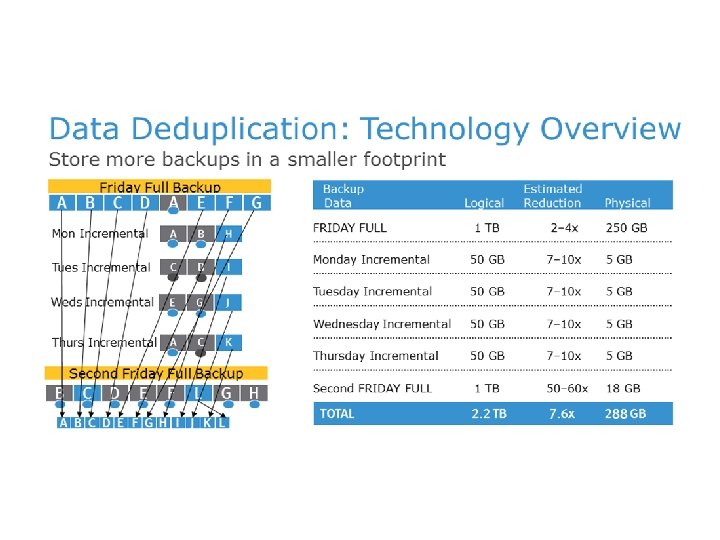
AGENDA • Overview of Data Domain and Deduplication • Typical Backup Environments • RMAN and Data Domain without DD Boost Agent • RMAN and Data Domain with DD Boost Agent • Database Backup DR with Data Domain Replication • Basic Understanding of Data Domain OS • Demo of RMAN to Data Domain with DD Boost
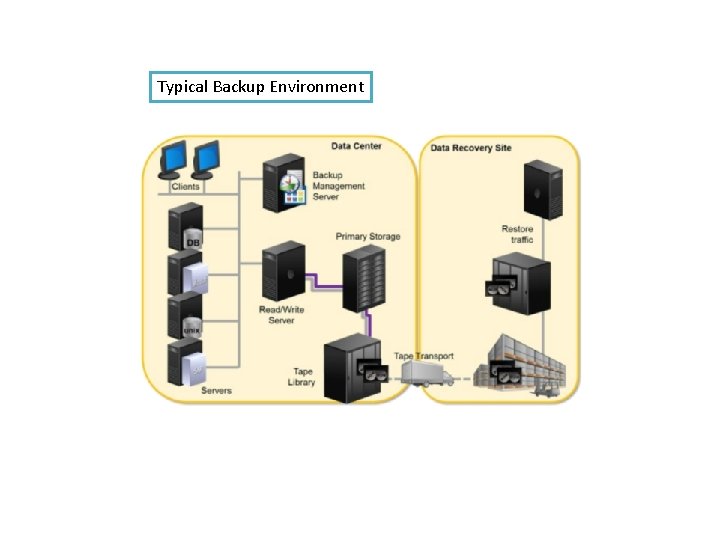
Typical Backup Environment
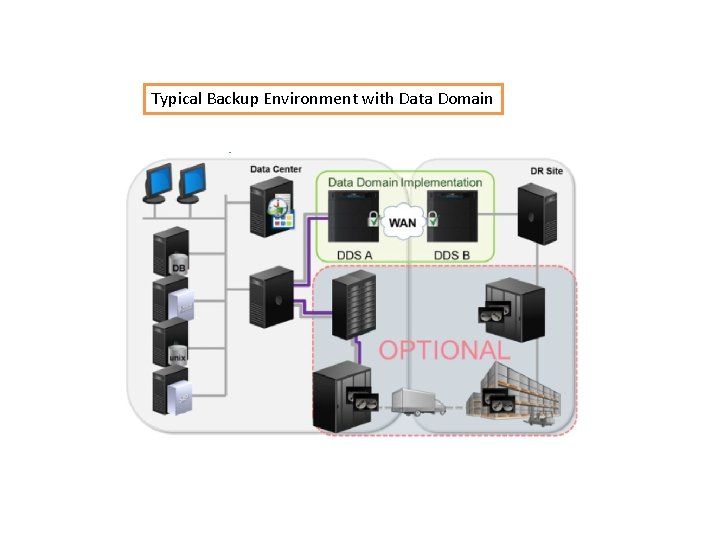
Typical Backup Environment with Data Domain
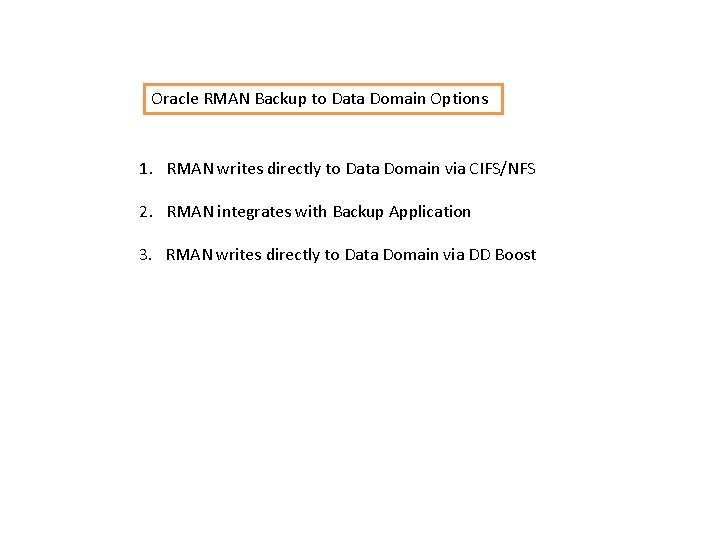
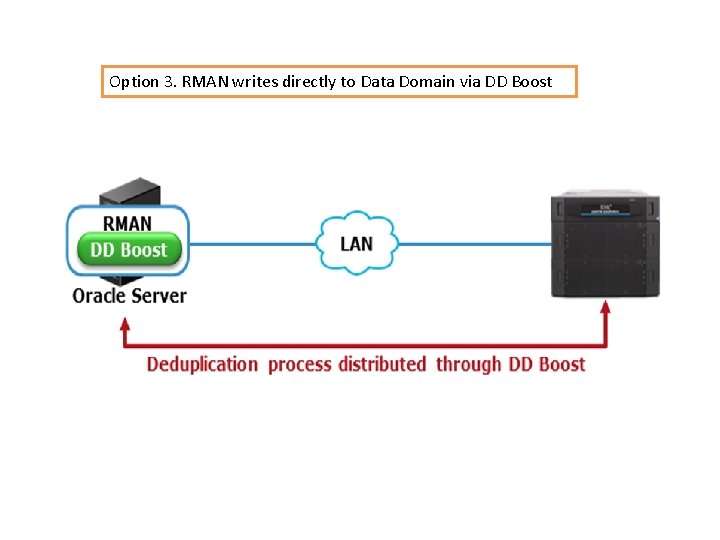
Oracle RMAN Backup to Data Domain Options 1. RMAN writes directly to Data Domain via CIFS/NFS 2. RMAN integrates with Backup Application 3. RMAN writes directly to Data Domain via DD Boost
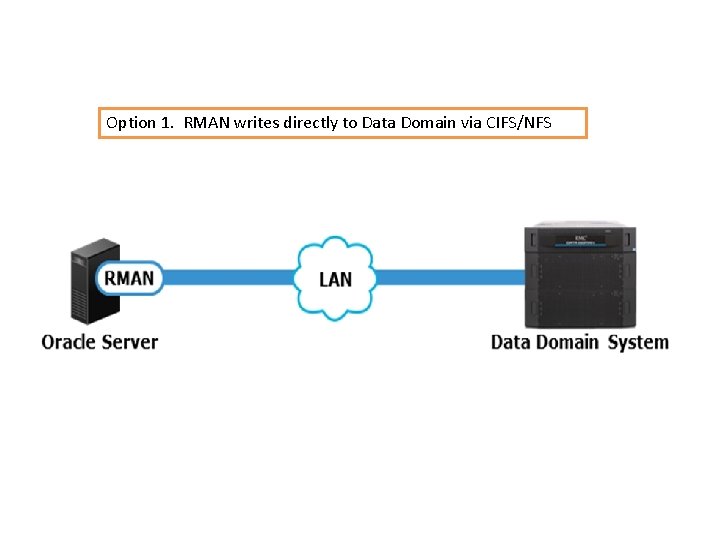
Option 1. RMAN writes directly to Data Domain via CIFS/NFS
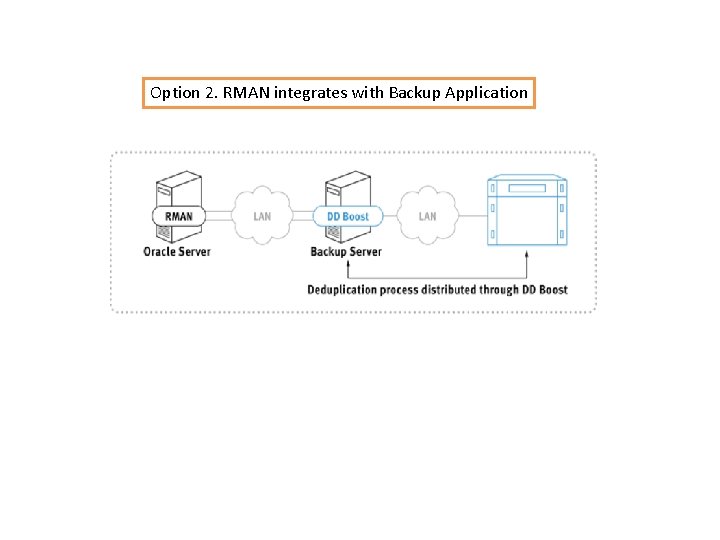
Option 2. RMAN integrates with Backup Application
Option 3. RMAN writes directly to Data Domain via DD Boost
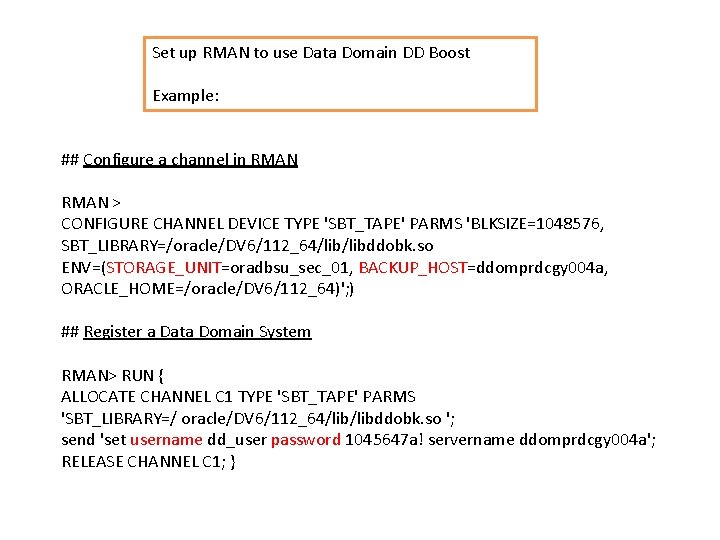
Set up RMAN to use Data Domain DD Boost Example: ## Configure a channel in RMAN > CONFIGURE CHANNEL DEVICE TYPE 'SBT_TAPE' PARMS 'BLKSIZE=1048576, SBT_LIBRARY=/oracle/DV 6/112_64/libddobk. so ENV=(STORAGE_UNIT=oradbsu_sec_01, BACKUP_HOST=ddomprdcgy 004 a, ORACLE_HOME=/oracle/DV 6/112_64)'; ) ## Register a Data Domain System RMAN> RUN { ALLOCATE CHANNEL C 1 TYPE 'SBT_TAPE' PARMS 'SBT_LIBRARY=/ oracle/DV 6/112_64/libddobk. so '; send 'set username dd_user password 1045647 a! servername ddomprdcgy 004 a'; RELEASE CHANNEL C 1; }
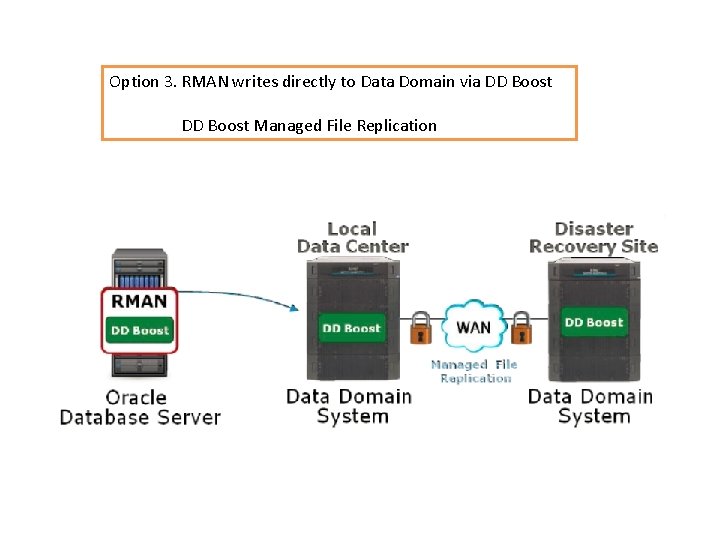
Option 3. RMAN writes directly to Data Domain via DD Boost Managed File Replication
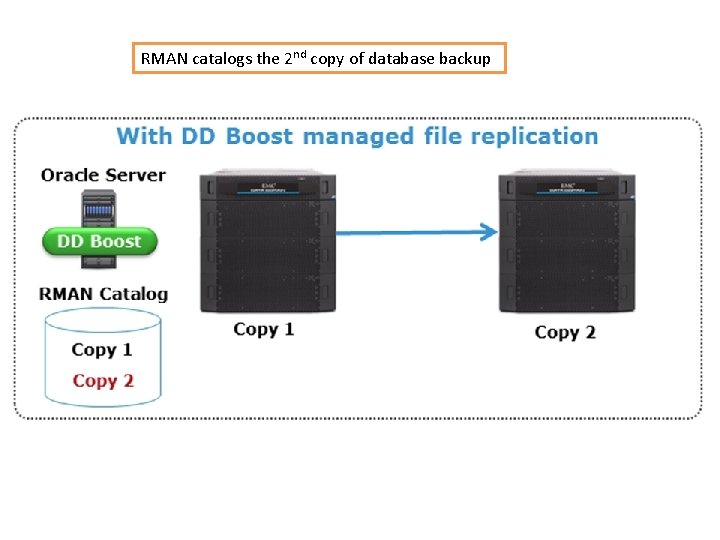
RMAN catalogs the 2 nd copy of database backup
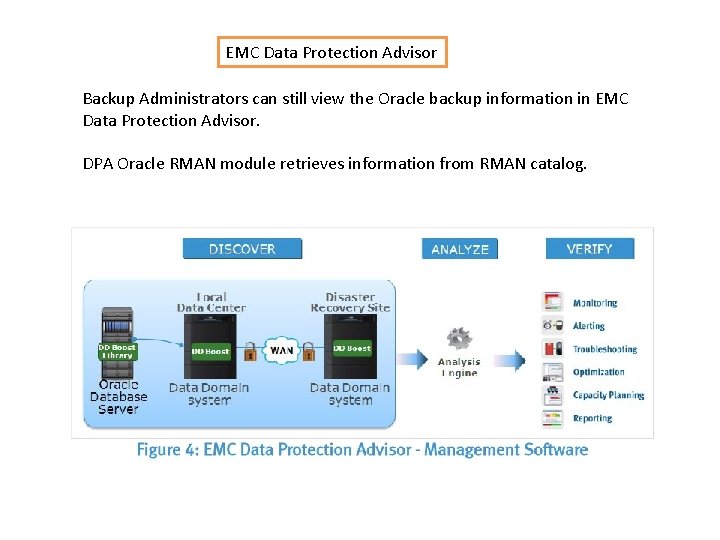
EMC Data Protection Advisor Backup Administrators can still view the Oracle backup information in EMC Data Protection Advisor. DPA Oracle RMAN module retrieves information from RMAN catalog.
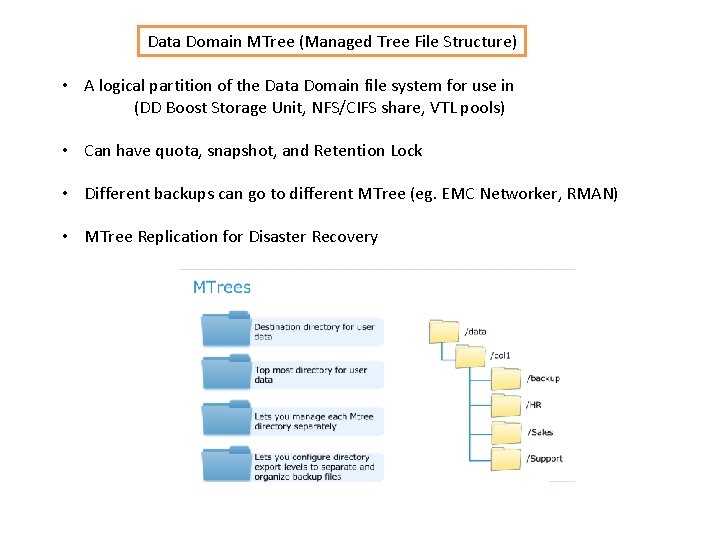
Data Domain MTree (Managed Tree File Structure) • A logical partition of the Data Domain file system for use in (DD Boost Storage Unit, NFS/CIFS share, VTL pools) • Can have quota, snapshot, and Retention Lock • Different backups can go to different MTree (eg. EMC Networker, RMAN) • MTree Replication for Disaster Recovery
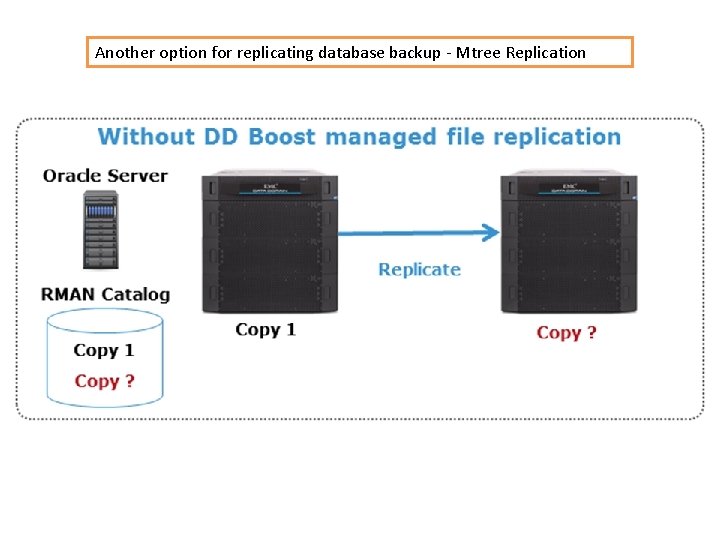
Another option for replicating database backup - Mtree Replication
Replicating Database Backup - Mtree Replication (Continue …. ) The backup files in one Mtree is replicated to another Mtree in the DR Data Domain. Disadvantage: RMAN is not aware of the 2 nd copy of backup. DBA needs to specify the DR Data Domain to restore a backup. Advantage (in some cases): This allows the backup to complete faster since there is no need to wait on write-acknowledgements from the second backup.
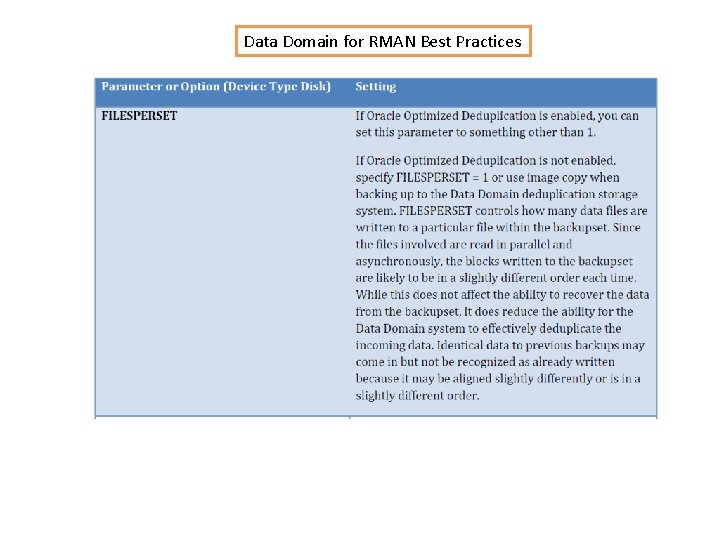
Data Domain for RMAN Best Practices
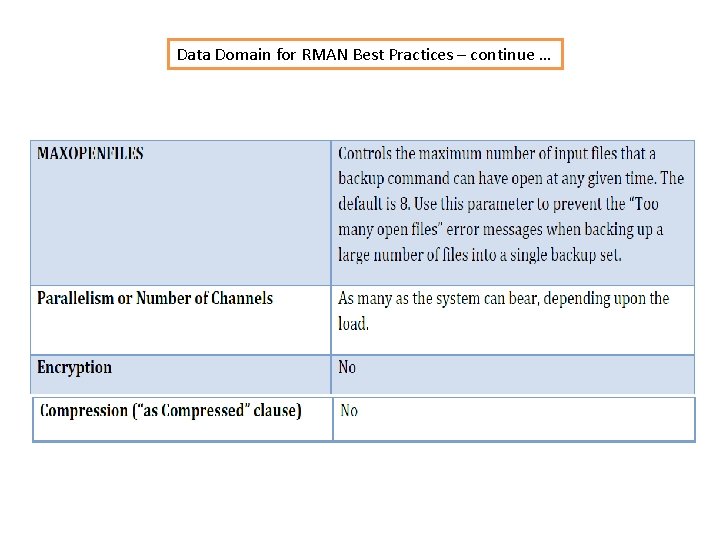
Data Domain for RMAN Best Practices – continue …
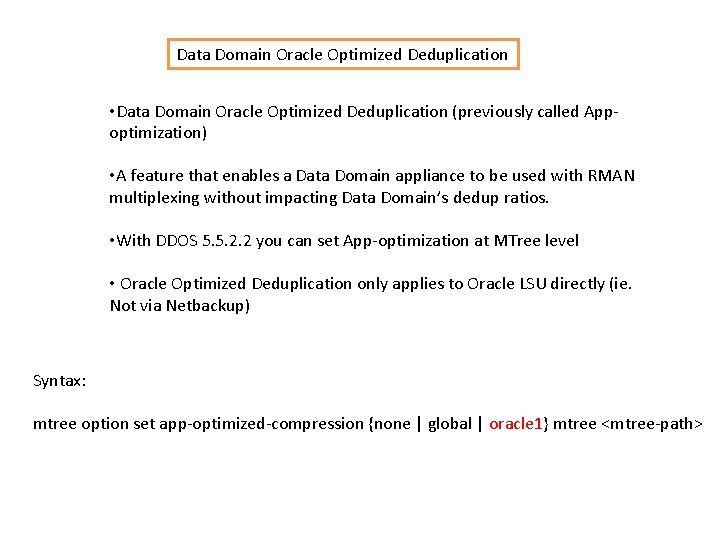
Data Domain Oracle Optimized Deduplication • Data Domain Oracle Optimized Deduplication (previously called Appoptimization) • A feature that enables a Data Domain appliance to be used with RMAN multiplexing without impacting Data Domain’s dedup ratios. • With DDOS 5. 5. 2. 2 you can set App-optimization at MTree level • Oracle Optimized Deduplication only applies to Oracle LSU directly (ie. Not via Netbackup) Syntax: mtree option set app-optimized-compression {none | global | oracle 1} mtree <mtree-path>
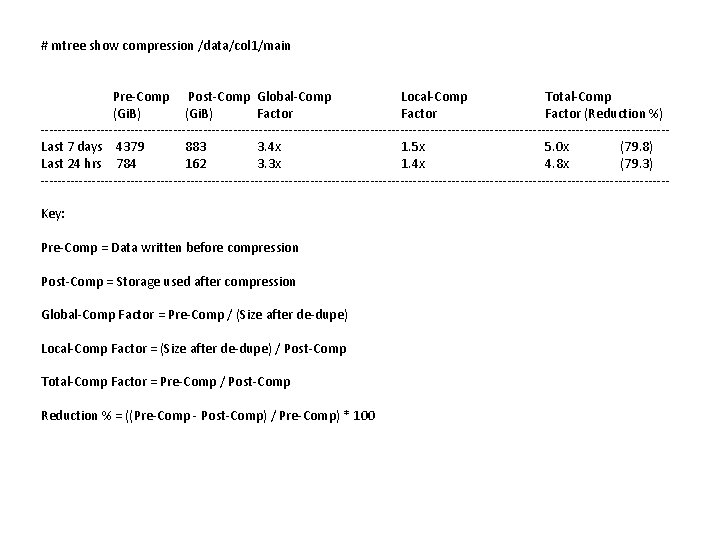
# mtree show compression /data/col 1/main Pre-Comp Post-Comp Global-Comp Local-Comp Total-Comp (Gi. B) Factor (Reduction %) -------------------------------------------------------------------------Last 7 days 4379 883 3. 4 x 1. 5 x 5. 0 x (79. 8) Last 24 hrs 784 162 3. 3 x 1. 4 x 4. 8 x (79. 3) -------------------------------------------------------------------------Key: Pre-Comp = Data written before compression Post-Comp = Storage used after compression Global-Comp Factor = Pre-Comp / (Size after de-dupe) Local-Comp Factor = (Size after de-dupe) / Post-Comp Total-Comp Factor = Pre-Comp / Post-Comp Reduction % = ((Pre-Comp - Post-Comp) / Pre-Comp) * 100
TROUBLESHOOTING (RMAN and Data Domain DDBoost) • If you run RMAN backup to DD, and failed with “can’t connect to backup server”, it’s Probably the lockfile ($ORACLE_HOME/config/ddboost. config) has the incorrect authentication. Maybe you have moved the database to a different server. • Solution: Delete the ddboost. config file, and then re-register the Data Domain system • Sbttest dummy –libname /oracle/HR 3/112_64/libddobk. so –trace sbtio. log • The standard location of the sbtio. log file is located in user_dump_dest
DEMO