Network Simulator Tutorial The Network Simulator ns2 n
![n n n n n #產生四個網路節點 set n 0 [$ns node] set n 1](https://slidetodoc.com/presentation_image_h2/5ba3468c5e2a4ff0dbc1d2bd407e7e7b/image-10.jpg "n n n n n #產生四個網路節點 set n 0 [$ns node] set n 1")
![n n n n n n #建立一條TCP的連線 set tcp [new Agent/TCP] $tcp set class_](https://slidetodoc.com/presentation_image_h2/5ba3468c5e2a4ff0dbc1d2bd407e7e7b/image-11.jpg "n n n n n n #建立一條TCP的連線 set tcp [new Agent/TCP] $tcp set class_")
![n n n n n #在UDP連線之上建立CBR應用程式 set cbr [new Application/Traffic/CBR] $cbr attach-agent $udp $cbr](https://slidetodoc.com/presentation_image_h2/5ba3468c5e2a4ff0dbc1d2bd407e7e7b/image-12.jpg "n n n n n #在UDP連線之上建立CBR應用程式 set cbr [new Application/Traffic/CBR] $cbr attach-agent $udp $cbr")
- Slides: 14
Network Simulator Tutorial
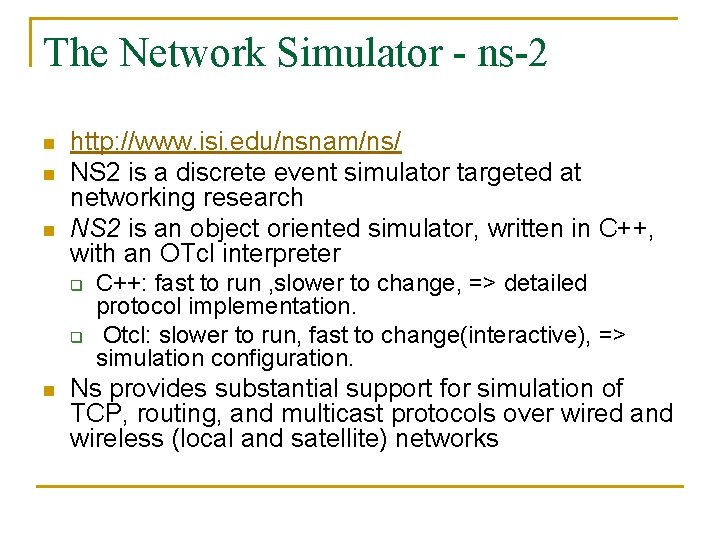
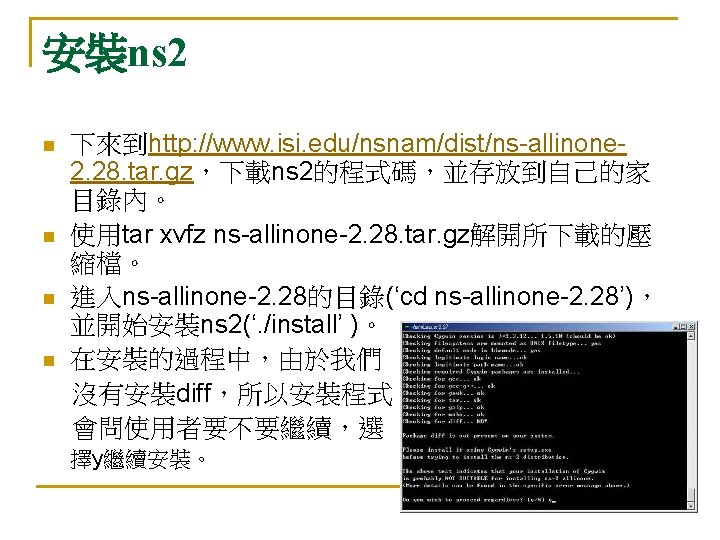
The Network Simulator - ns-2 n n n http: //www. isi. edu/nsnam/ns/ NS 2 is a discrete event simulator targeted at networking research NS 2 is an object oriented simulator, written in C++, with an OTcl interpreter q q n C++: fast to run , slower to change, => detailed protocol implementation. Otcl: slower to run, fast to change(interactive), => simulation configuration. Ns provides substantial support for simulation of TCP, routing, and multicast protocols over wired and wireless (local and satellite) networks
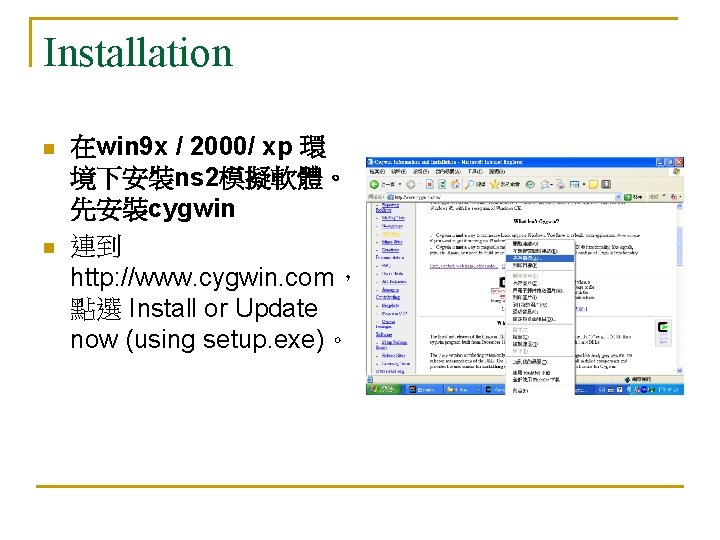
Installation n n 在win 9 x / 2000/ xp 環 境下安裝ns 2模擬軟體。 先安裝cygwin 連到 http: //www. cygwin. com, 點選 Install or Update now (using setup. exe)。
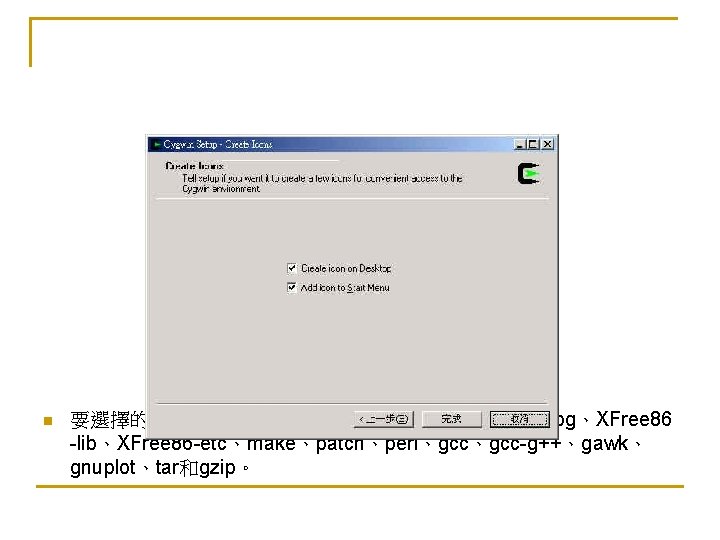
n 要選擇的有XFree 86 -base、 XFree 86 -bin、XFree 86 -prog、XFree 86 -lib、XFree 86 -etc、make、patch、perl、gcc-g++、gawk、 gnuplot、tar和gzip。
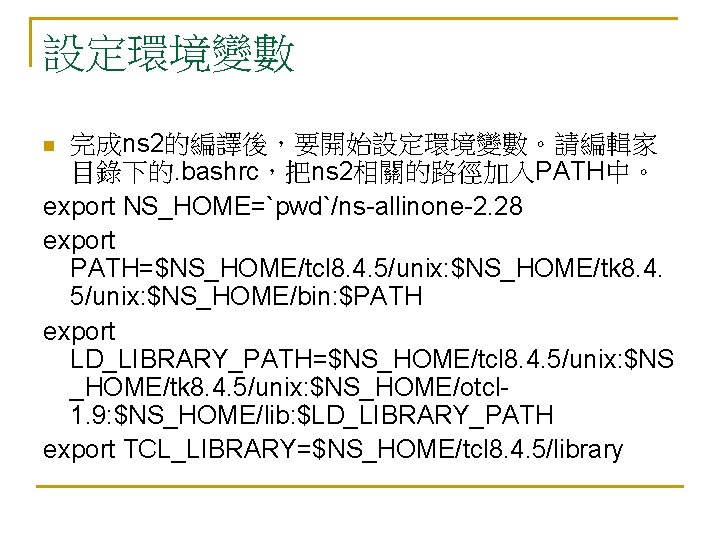
設定環境變數 完成ns 2的編譯後,要開始設定環境變數。請編輯家 目錄下的. bashrc,把ns 2相關的路徑加入PATH中。 export NS_HOME=`pwd`/ns-allinone-2. 28 export PATH=$NS_HOME/tcl 8. 4. 5/unix: $NS_HOME/tk 8. 4. 5/unix: $NS_HOME/bin: $PATH export LD_LIBRARY_PATH=$NS_HOME/tcl 8. 4. 5/unix: $NS _HOME/tk 8. 4. 5/unix: $NS_HOME/otcl 1. 9: $NS_HOME/lib: $LD_LIBRARY_PATH export TCL_LIBRARY=$NS_HOME/tcl 8. 4. 5/library n
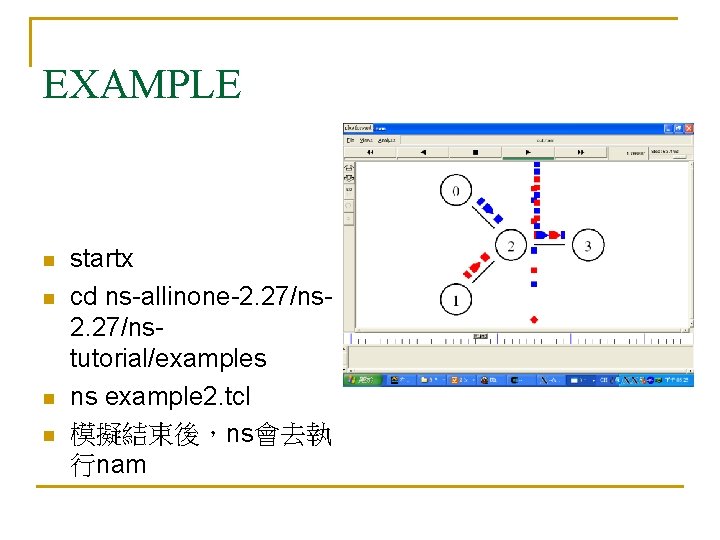
EXAMPLE n n startx cd ns-allinone-2. 27/nstutorial/examples ns example 2. tcl 模擬結束後,ns會去執 行nam
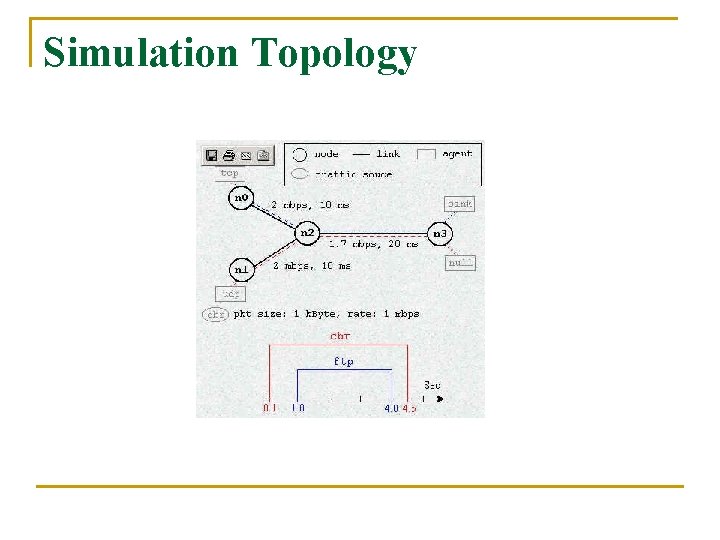
Simulation Topology
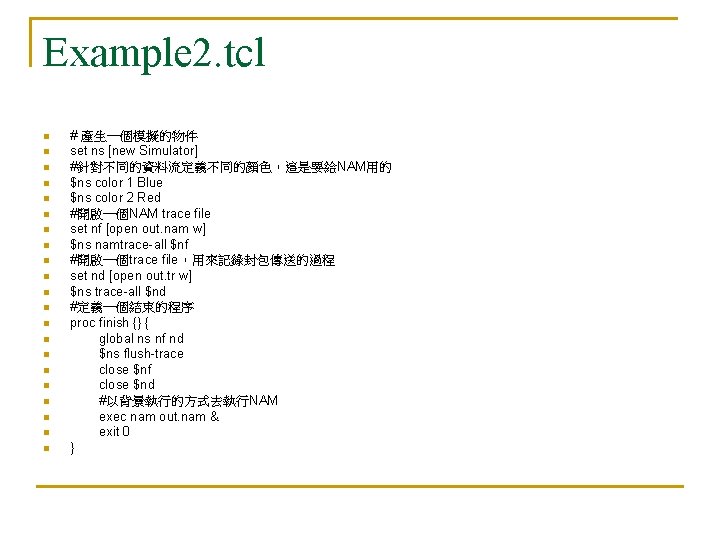
Example 2. tcl n n n n n n # 產生一個模擬的物件 set ns [new Simulator] #針對不同的資料流定義不同的顏色,這是要給NAM用的 $ns color 1 Blue $ns color 2 Red #開啟一個NAM trace file set nf [open out. nam w] $ns namtrace-all $nf #開啟一個trace file,用來記錄封包傳送的過程 set nd [open out. tr w] $ns trace-all $nd #定義一個結束的程序 proc finish {} { global ns nf nd $ns flush-trace close $nf close $nd #以背景執行的方式去執行NAM exec nam out. nam & exit 0 }
n n n n n #產生四個網路節點 set n 0 [$ns node] set n 1 [$ns node] set n 2 [$ns node] set n 3 [$ns node] #把節點連接起來 $ns duplex-link $n 0 $n 2 2 Mb 10 ms Drop. Tail $ns duplex-link $n 1 $n 2 2 Mb 10 ms Drop. Tail $ns duplex-link $n 2 $n 3 1. 7 Mb 20 ms Drop. Tail #設定ns 2到n 3之間的Queue Size為 10個封包大小 $ns queue-limit $n 2 $n 3 10 #設定節點的位置,這是要給NAM用的 $ns duplex-link-op $n 0 $n 2 orient right-down $ns duplex-link-op $n 1 $n 2 orient right-up $ns duplex-link-op $n 2 $n 3 orient right #觀測n 2到n 3之間queue的變化,這是要給NAM用的 $ns duplex-link-op $n 2 $n 3 queue. Pos 0. 5
n n n n n n #建立一條TCP的連線 set tcp [new Agent/TCP] $tcp set class_ 2 $ns attach-agent $n 0 $tcp set sink [new Agent/TCPSink] $ns attach-agent $n 3 $sink $ns connect $tcp $sink #在NAM中,TCP的連線會以藍色表示 $tcp set fid_ 1 #在TCP連線之上建立FTP應用程式 set ftp [new Application/FTP] $ftp attach-agent $tcp $ftp set type_ FTP #建立一條UDP的連線 set udp [new Agent/UDP] $ns attach-agent $n 1 $udp set null [new Agent/Null] $ns attach-agent $n 3 $null $ns connect $udp $null #在NAM中,UDP的連線會以紅色表示 $udp set fid_ 2
n n n n n #在UDP連線之上建立CBR應用程式 set cbr [new Application/Traffic/CBR] $cbr attach-agent $udp $cbr set type_ CBR $cbr set packet_size_ 1000 $cbr set rate_ 1 mb $cbr set random_ false #設定FTP和CBR資料傳送開始和結束時間 $ns at 0. 1 "$cbr start" $ns at 1. 0 "$ftp start" $ns at 4. 0 "$ftp stop" $ns at 4. 5 "$cbr stop" #結束TCP的連線(不一定需要寫下面的程式碼來實際結束連線) $ns at 4. 5 "$ns detach-agent $n 0 $tcp ; $ns detach-agent $n 3 $sink" #在模擬環境中,5秒後去呼叫finish來結束模擬(這樣要注意模擬環境中 #的5秒並不一定等於實際模擬的時間 $ns at 5. 0 "finish" #執行模擬 $ns run
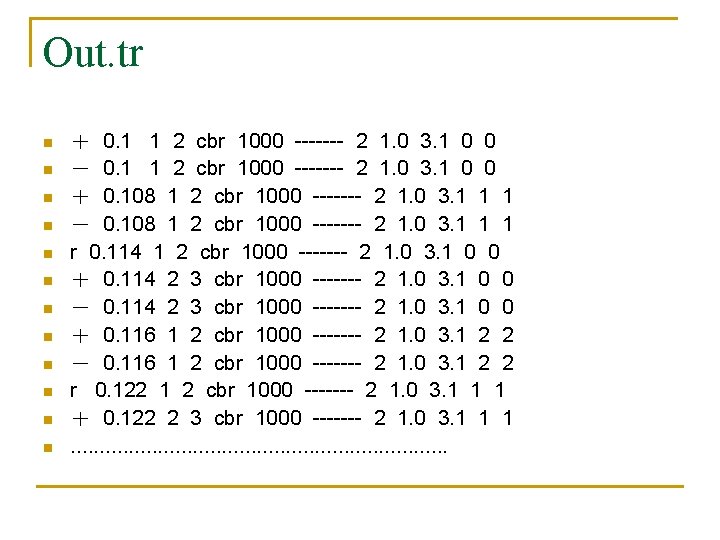
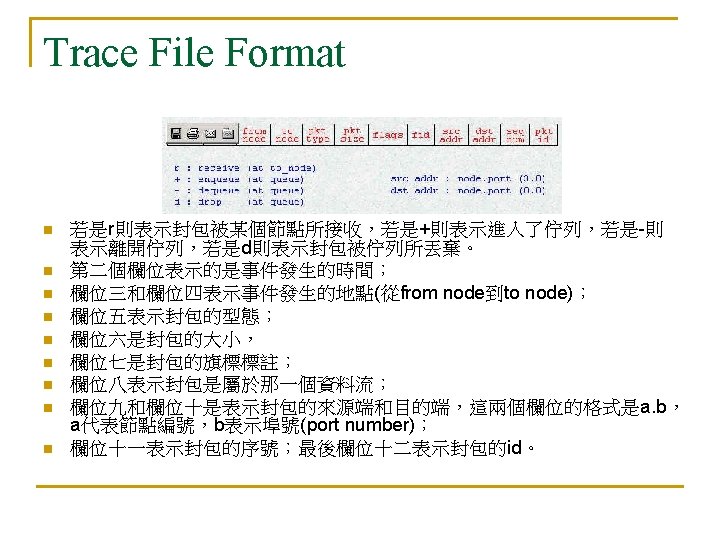
Out. tr n n n + 0. 1 1 2 cbr 1000 ------- 2 1. 0 3. 1 0 0 - 0. 1 1 2 cbr 1000 ------- 2 1. 0 3. 1 0 0 + 0. 108 1 2 cbr 1000 ------- 2 1. 0 3. 1 1 1 - 0. 108 1 2 cbr 1000 ------- 2 1. 0 3. 1 1 1 r 0. 114 1 2 cbr 1000 ------- 2 1. 0 3. 1 0 0 + 0. 114 2 3 cbr 1000 ------- 2 1. 0 3. 1 0 0 - 0. 114 2 3 cbr 1000 ------- 2 1. 0 3. 1 0 0 + 0. 116 1 2 cbr 1000 ------- 2 1. 0 3. 1 2 2 - 0. 116 1 2 cbr 1000 ------- 2 1. 0 3. 1 2 2 r 0. 122 1 2 cbr 1000 ------- 2 1. 0 3. 1 1 1 + 0. 122 2 3 cbr 1000 ------- 2 1. 0 3. 1 1 1. . . .