
Tutorial The ns2 Network Simulator Amirali Habibi Shrif
Tutorial: The ns-2 Network Simulator Amirali Habibi Shrif Univesity Adapted from: Michael Welzl Institute of Computer Science University of Innsbruck, Austria
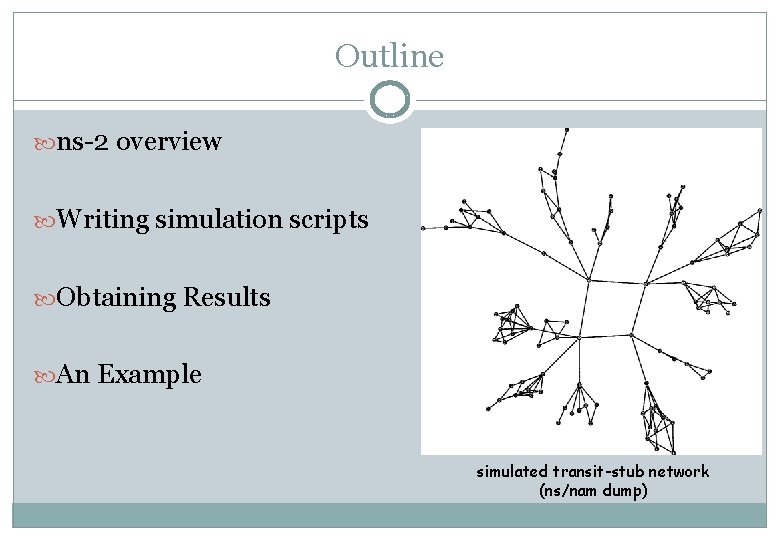
Outline ns-2 overview Writing simulation scripts Obtaining Results An Example simulated transit-stub network (ns/nam dump)
ns-2 overview
Some thoughts about network simulation Real-world experiments sometimes impossible Mathematical modeling can be painful Sometimes even painful and inaccurate! Simulation cannot totally replace real-world experiments: stack processing delay, buffering, timing, . . and vice versa! scaling, simulated vs. real time (long simulations), . . Simulation sometimes misses the whole picture focus on specific layers, wrong assumptions, . .
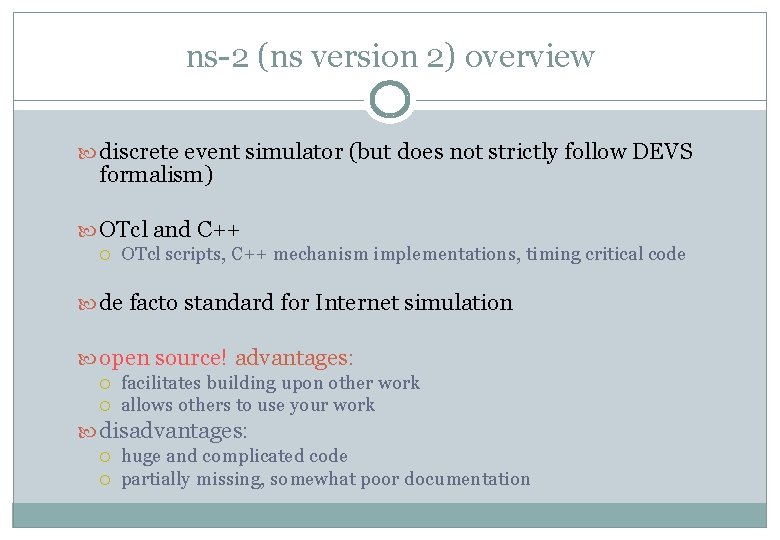
ns-2 (ns version 2) overview discrete event simulator (but does not strictly follow DEVS formalism) OTcl and C++ OTcl scripts, C++ mechanism implementations, timing critical code de facto standard for Internet simulation open source! advantages: facilitates building upon other work allows others to use your work disadvantages: huge and complicated code partially missing, somewhat poor documentation
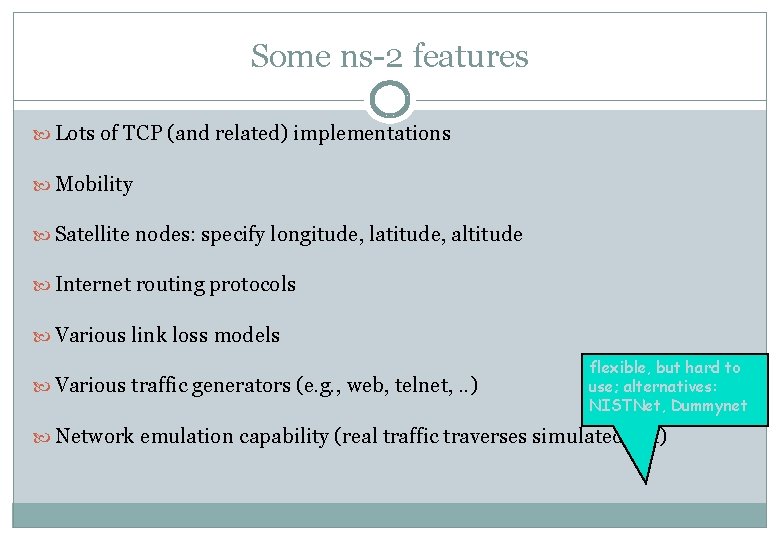
Some ns-2 features Lots of TCP (and related) implementations Mobility Satellite nodes: specify longitude, latitude, altitude Internet routing protocols Various link loss models Various traffic generators (e. g. , web, telnet, . . ) flexible, but hard to use; alternatives: NISTNet, Dummynet Network emulation capability (real traffic traverses simulated net)
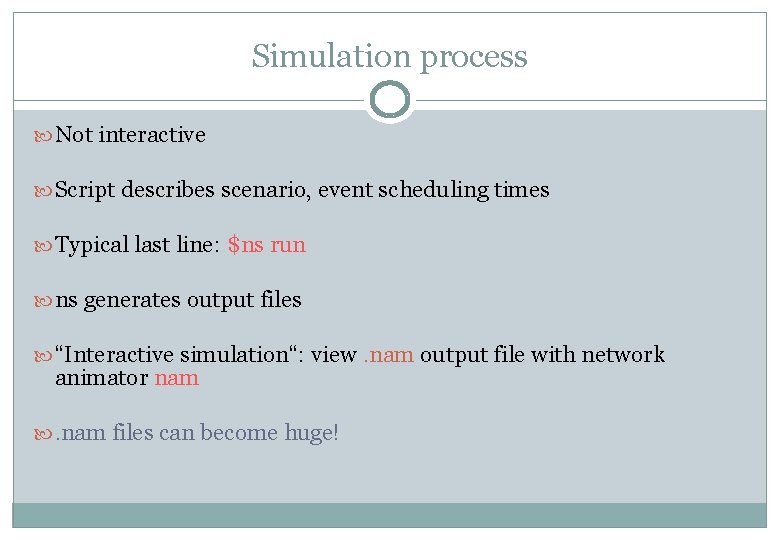
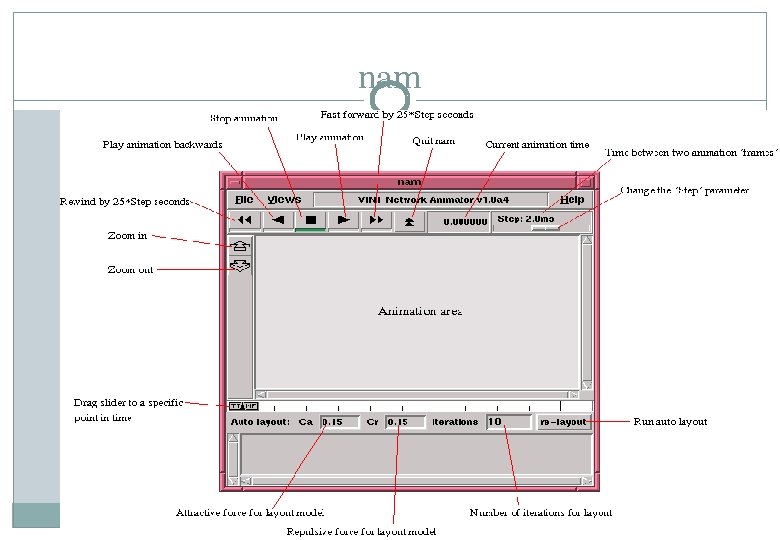
Simulation process Not interactive Script describes scenario, event scheduling times Typical last line: $ns run ns generates output files “Interactive simulation“: view. nam output file with network animator nam . nam files can become huge!
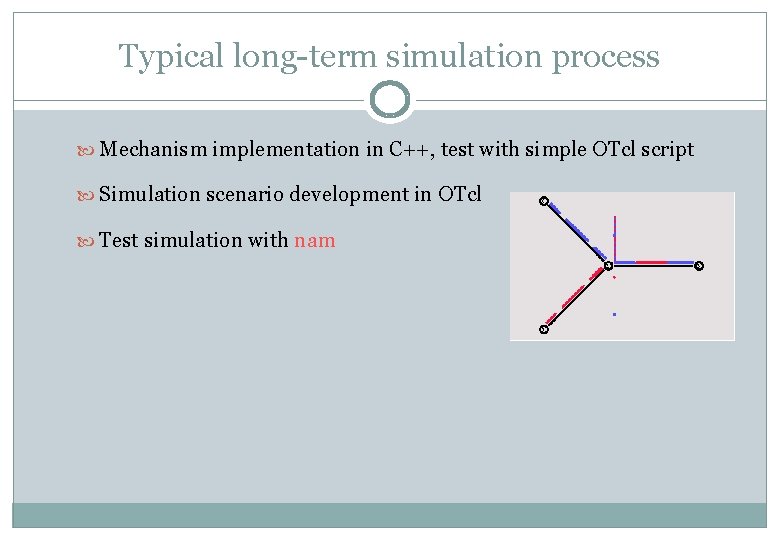
Typical long-term simulation process Mechanism implementation in C++, test with simple OTcl script Simulation scenario development in OTcl Test simulation with nam
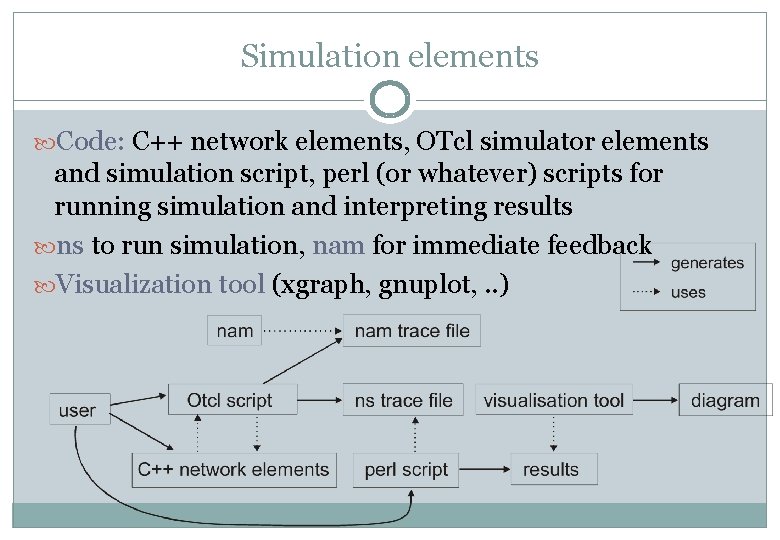
Simulation elements Code: C++ network elements, OTcl simulator elements and simulation script, perl (or whatever) scripts for running simulation and interpreting results ns to run simulation, nam for immediate feedback Visualization tool (xgraph, gnuplot, . . )
Writing simulation scripts
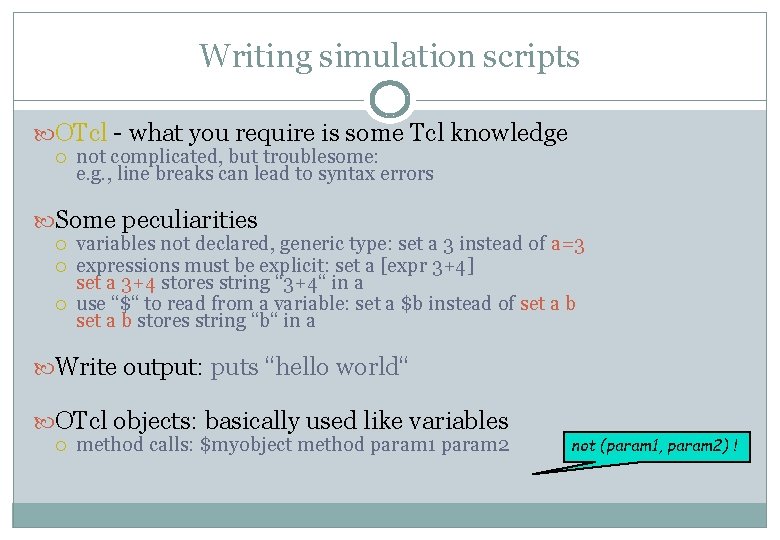
Writing simulation scripts OTcl - what you require is some Tcl knowledge not complicated, but troublesome: e. g. , line breaks can lead to syntax errors Some peculiarities variables not declared, generic type: set a 3 instead of a=3 expressions must be explicit: set a [expr 3+4] set a 3+4 stores string “ 3+4“ in a use “$“ to read from a variable: set a $b instead of set a b stores string “b“ in a Write output: puts “hello world“ OTcl objects: basically used like variables method calls: $myobject method param 1 param 2 not (param 1, param 2) !
![Code template (Marc Greis tutorial) #Create a simulator object set ns [new Simulator] #Open](http://slidetodoc.com/presentation_image_h2/6094b7324cf2317666ee7c09ba3ab88c/image-12.jpg "Code template (Marc Greis tutorial) #Create a simulator object set ns [new Simulator] #Open")
Code template (Marc Greis tutorial) #Create a simulator object set ns [new Simulator] #Open the nam trace file set nf [open out. nam w] $ns namtrace-all $nf #Define a 'finish' procedure proc finish {} { global ns nf $ns flush-trace #Close the trace file close $nf #Execute nam on the trace file exec nam out. nam & exit 0 } set variable value [new Simulator] generates a new Simulator object open “out. nam“ for writing, associate with nf $ns ns-command parameters log everything as nam output in nf Run nam with parameter out. nam as background process (unix) More about Tcl & OTcl: http: //www. isi. edu/nsnam/ns/tutorial/index. html (“finding documentation“)
![#Create two nodes Code template /2 set n 0 [$ns node] set n 1](http://slidetodoc.com/presentation_image_h2/6094b7324cf2317666ee7c09ba3ab88c/image-13.jpg "#Create two nodes Code template /2 set n 0 [$ns node] set n 1")
#Create two nodes Code template /2 set n 0 [$ns node] set n 1 [$ns node] # Insert your own code for topology creation # and agent definitions, etc. here Other agents: TCP, UDP, . . Agent parameters CBR <-> Null, TCP <-> TCPSink! “$cbr 0 start“ contains no destination address #Create a duplex link between the nodes $ns duplex-link $n 0 $n 1 1 Mb 10 ms Drop. Tail #Create a CBR agent and attach it to node n 0 set cbr 0 [new Agent/CBR] $ns attach-agent $n 0 $cbr 0 set packet. Size_ 500 $cbr 0 set interval_ 0. 005 #Create a Null agent (a traffic sink) and attach it to node n 1 set sink 0 [new Agent/Null] $ns attach-agent $n 1 $null 0 #Connect the traffic source with the traffic sink $ns connect $cbr 0 $sink 0 #Call the finish procedure after 5 seconds simulation time #Schedule events for the CBR agent $ns at 5. 0 "finish" $ns at 0. 5 "$cbr 0 start" $ns at 4. 5 "$cbr 0 stop" #Run the simulation $ns run $ns at time “command“ schedule command
nam
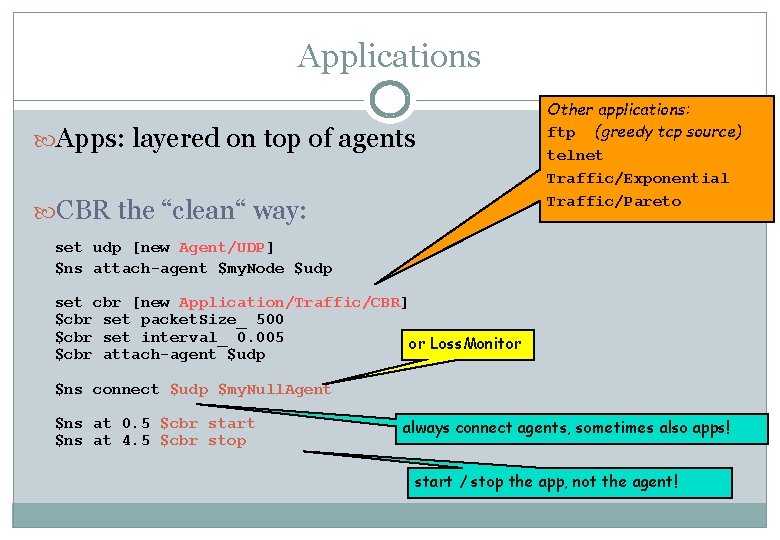
Applications Apps: layered on top of agents CBR the “clean“ way: Other applications: ftp (greedy tcp source) telnet Traffic/Exponential Traffic/Pareto set udp [new Agent/UDP] $ns attach-agent $my. Node $udp set cbr [new Application/Traffic/CBR] $cbr set packet. Size_ 500 $cbr set interval_ 0. 005 or Loss. Monitor $cbr attach-agent $udp $ns connect $udp $my. Null. Agent $ns at 0. 5 $cbr start $ns at 4. 5 $cbr stop always connect agents, sometimes also apps! start / stop the app, not the agent!
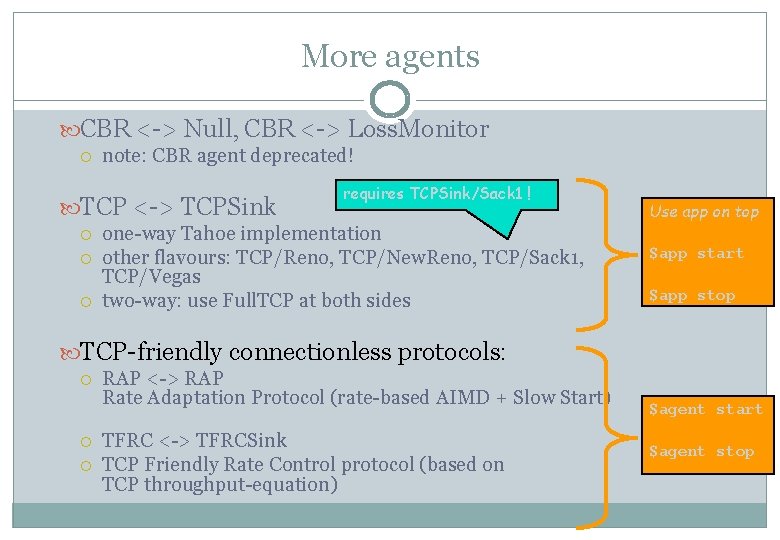
More agents CBR <-> Null, CBR <-> Loss. Monitor note: CBR agent deprecated! TCP <-> TCPSink requires TCPSink/Sack 1 ! one-way Tahoe implementation other flavours: TCP/Reno, TCP/New. Reno, TCP/Sack 1, TCP/Vegas two-way: use Full. TCP at both sides Use app on top $app start $app stop TCP-friendly connectionless protocols: RAP <-> RAP Rate Adaptation Protocol (rate-based AIMD + Slow Start) TFRC <-> TFRCSink TCP Friendly Rate Control protocol (based on TCP throughput-equation) $agent start $agent stop
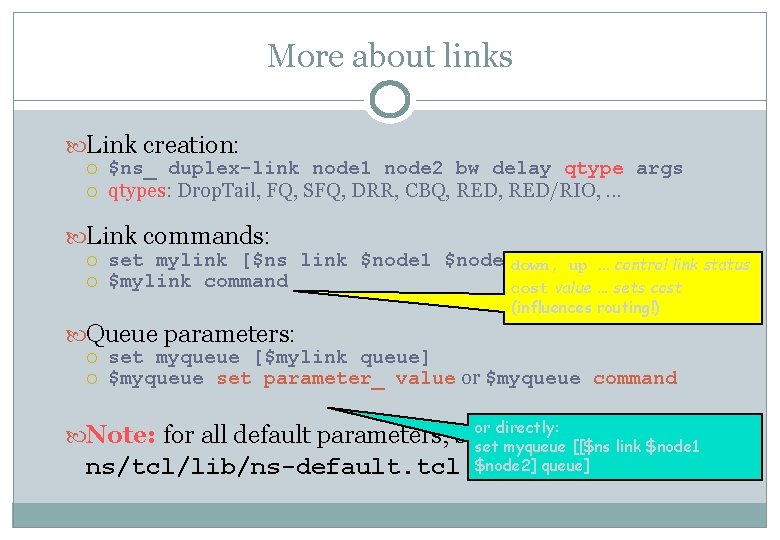
More about links Link creation: $ns_ duplex-link node 1 node 2 bw delay qtype args qtypes: Drop. Tail, FQ, SFQ, DRR, CBQ, RED/RIO, . . . Link commands: set mylink [$ns link $node 1 $node 2] down, up. . . control link status $mylink command cost value. . . sets cost (influences routing!) Queue parameters: set myqueue [$mylink queue] $myqueue set parameter_ value or $myqueue command or directly: Note: for all default parameters, see: set myqueue [[$ns link $node 1 ns/tcl/lib/ns-default. tcl $node 2] queue]
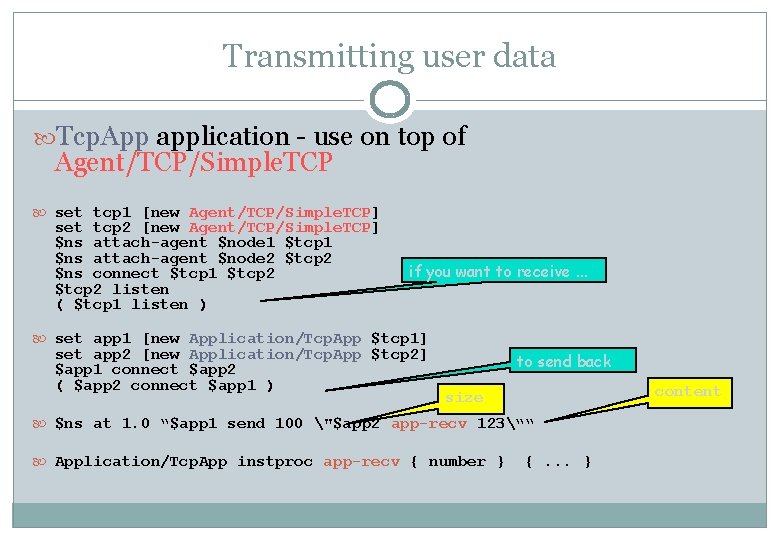
Transmitting user data Tcp. App application - use on top of Agent/TCP/Simple. TCP set tcp 1 [new Agent/TCP/Simple. TCP] set tcp 2 [new Agent/TCP/Simple. TCP] $ns attach-agent $node 1 $tcp 1 $ns attach-agent $node 2 $tcp 2 $ns connect $tcp 1 $tcp 2 listen ( $tcp 1 listen ) if you want to receive. . . set app 1 [new Application/Tcp. App $tcp 1] set app 2 [new Application/Tcp. App $tcp 2] $app 1 connect $app 2 ( $app 2 connect $app 1 ) to send back content size $ns at 1. 0 “$app 1 send 100 "$app 2 app-recv 123““ Application/Tcp. App instproc app-recv { number } {. . . }
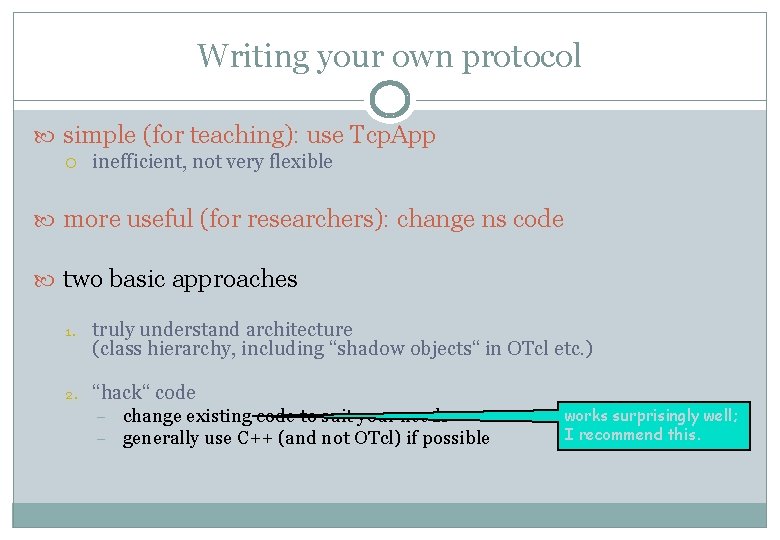
Writing your own protocol simple (for teaching): use Tcp. App inefficient, not very flexible more useful (for researchers): change ns code two basic approaches 1. truly understand architecture (class hierarchy, including “shadow objects“ in OTcl etc. ) 2. “hack“ code – – change existing code to suit your needs generally use C++ (and not OTcl) if possible works surprisingly well; I recommend this.
Obtaining results
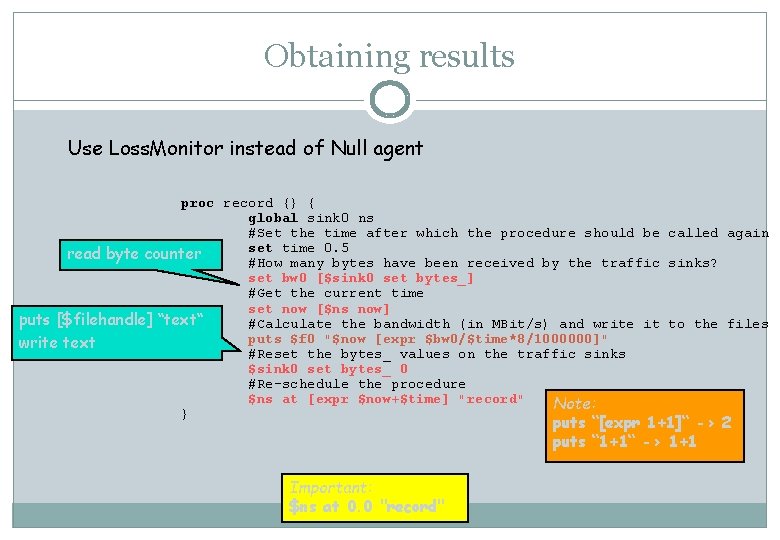
Obtaining results Use Loss. Monitor instead of Null agent proc record {} { global sink 0 ns #Set the time after which the procedure should be called again set time 0. 5 read byte counter #How many bytes have been received by the traffic sinks? set bw 0 [$sink 0 set bytes_] #Get the current time set now [$ns now] puts [$filehandle] “text“ #Calculate the bandwidth (in MBit/s) and write it to the files puts $f 0 "$now [expr $bw 0/$time*8/1000000]" write text #Reset the bytes_ values on the traffic sinks $sink 0 set bytes_ 0 #Re-schedule the procedure $ns at [expr $now+$time] "record" Note: } puts “[expr 1+1]“ -> 2 puts “ 1+1“ -> 1+1 Important: $ns at 0. 0 "record"
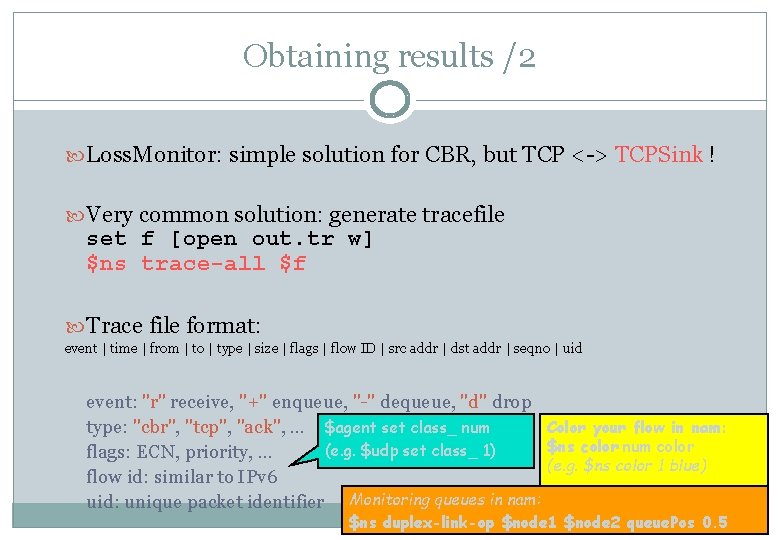
Obtaining results /2 Loss. Monitor: simple solution for CBR, but TCP <-> TCPSink ! Very common solution: generate tracefile set f [open out. tr w] $ns trace-all $f Trace file format: event | time | from | to | type | size | flags | flow ID | src addr | dst addr | seqno | uid event: "r" receive, "+" enqueue, "-" dequeue, "d" drop type: "cbr", "tcp", "ack", . . . $agent set class_ num Color your flow in nam: $ns color num color (e. g. $udp set class_ 1) flags: ECN, priority, . . . (e. g. $ns color 1 blue) flow id: similar to IPv 6 uid: unique packet identifier Monitoring queues in nam: $ns duplex-link-op $node 1 $node 2 queue. Pos 0. 5
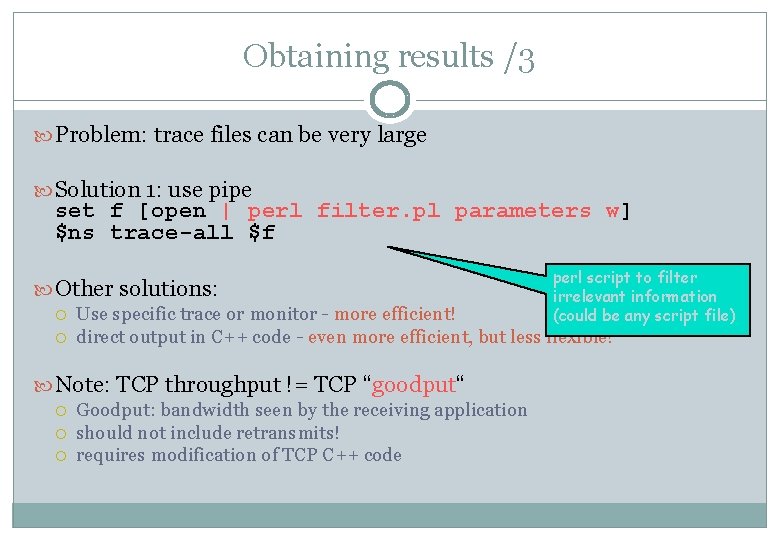
Obtaining results /3 Problem: trace files can be very large Solution 1: use pipe set f [open | perl filter. pl parameters w] $ns trace-all $f Other solutions: Use specific trace or monitor - more efficient! direct output in C++ code - even more efficient, but less flexible! Note: TCP throughput != TCP “goodput“ perl script to filter irrelevant information (could be any script file) Goodput: bandwidth seen by the receiving application should not include retransmits! requires modification of TCP C++ code
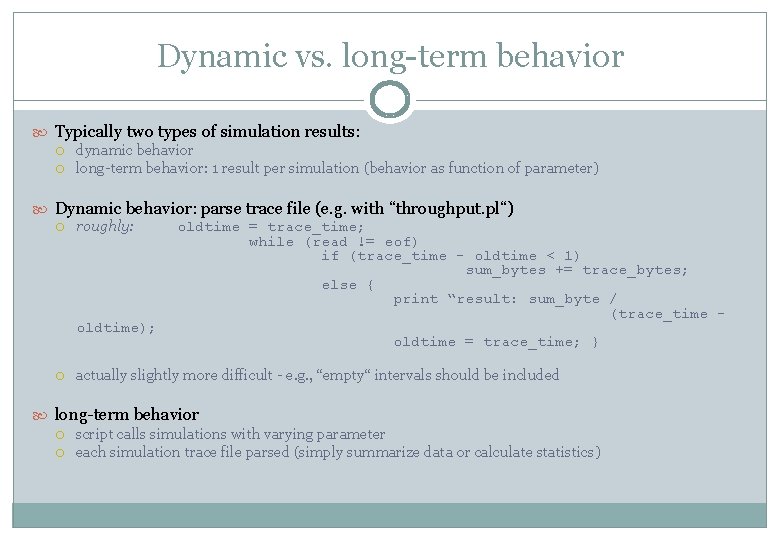
Dynamic vs. long-term behavior Typically two types of simulation results: dynamic behavior long-term behavior: 1 result per simulation (behavior as function of parameter) Dynamic behavior: parse trace file (e. g. with “throughput. pl“) roughly: oldtime = trace_time; while (read != eof) if (trace_time - oldtime < 1) sum_bytes += trace_bytes; else { print “result: sum_byte / (trace_time oldtime); oldtime = trace_time; } actually slightly more difficult - e. g. , “empty“ intervals should be included long-term behavior script calls simulations with varying parameter each simulation trace file parsed (simply summarize data or calculate statistics)
![Long-term behavior Simulation script: (. . ) set parameter [lindex $argv 0] (. .](http://slidetodoc.com/presentation_image_h2/6094b7324cf2317666ee7c09ba3ab88c/image-25.jpg "Long-term behavior Simulation script: (. . ) set parameter [lindex $argv 0] (. .")
Long-term behavior Simulation script: (. . ) set parameter [lindex $argv 0] (. . ) set f [open "| perl stats. pl tcp w] $ns trace-all $f (. . ) ($parameter used in simulation!) external parameter write 1 result line (+ line break) to stdout loop: for {set i 1} {$i <= 10} {set i [expr $i+1]} { exec echo $i >> results. dat exec ns sim. tcl $i >> results. dat } Plot final file with additional tool (e. g. gnuplot) append result line
Concluding remarks
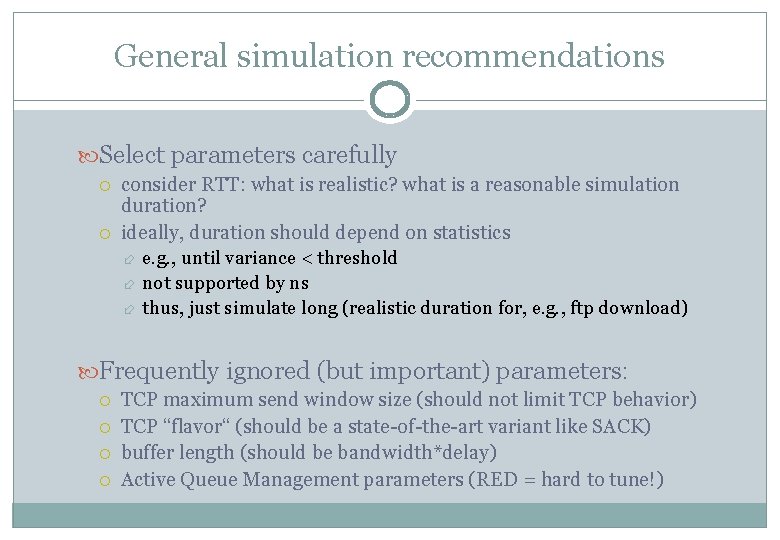
General simulation recommendations Select parameters carefully consider RTT: what is realistic? what is a reasonable simulation duration? ideally, duration should depend on statistics e. g. , until variance < threshold not supported by ns thus, just simulate long (realistic duration for, e. g. , ftp download) Frequently ignored (but important) parameters: TCP maximum send window size (should not limit TCP behavior) TCP “flavor“ (should be a state-of-the-art variant like SACK) buffer length (should be bandwidth*delay) Active Queue Management parameters (RED = hard to tune!)
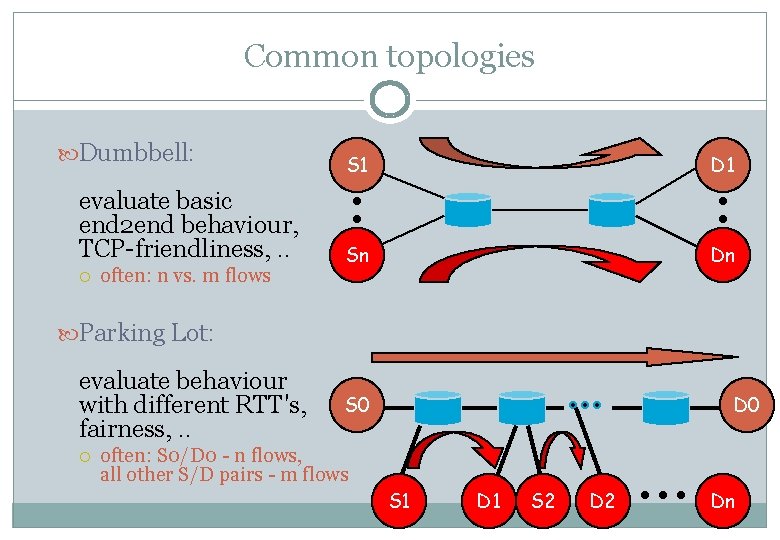
Common topologies Dumbbell: evaluate basic end 2 end behaviour, TCP-friendliness, . . often: n vs. m flows S 1 D 1 Sn Dn Parking Lot: evaluate behaviour with different RTT's, fairness, . . S 0 D 0 often: S 0/D 0 - n flows, all other S/D pairs - m flows S 1 D 1 S 2 Dn
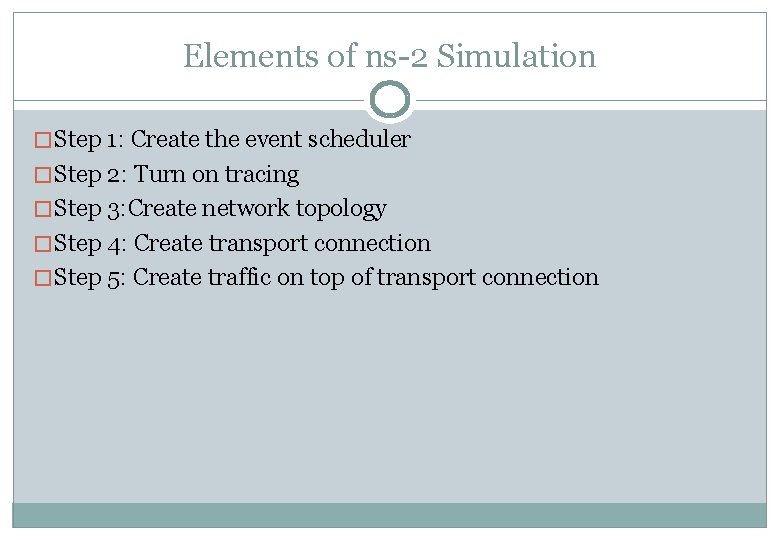
Elements of ns-2 Simulation �Step 1: Create the event scheduler �Step 2: Turn on tracing �Step 3: Create network topology �Step 4: Create transport connection �Step 5: Create traffic on top of transport connection
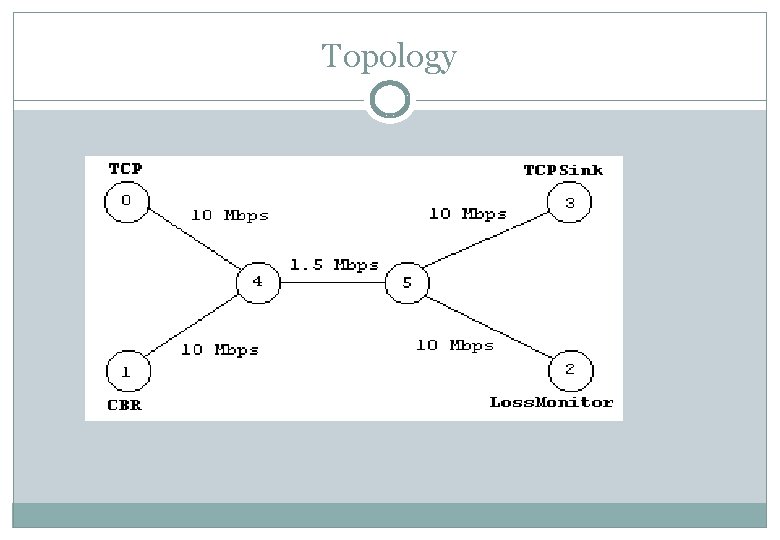
Topology
![Step 1: Creating Event Scheduler �Create event scheduler set ns [new Simulator] �Schedule events](http://slidetodoc.com/presentation_image_h2/6094b7324cf2317666ee7c09ba3ab88c/image-31.jpg "Step 1: Creating Event Scheduler �Create event scheduler set ns [new Simulator] �Schedule events")
Step 1: Creating Event Scheduler �Create event scheduler set ns [new Simulator] �Schedule events $ns at <time> <event>: any legitimate ns/tcl commands �Start scheduler $ns run
![Step 2: Tracing �Trace packets on all links $ns trace-all [open test. out w]](http://slidetodoc.com/presentation_image_h2/6094b7324cf2317666ee7c09ba3ab88c/image-32.jpg "Step 2: Tracing �Trace packets on all links $ns trace-all [open test. out w]")
Step 2: Tracing �Trace packets on all links $ns trace-all [open test. out w] <event> <time> + 1 0 2 cbr - 1 0 2 cbr r 1. 00234 0 <from> <to> <pkt> 210 ------- 0 0. 0 2 cbr 210 ------- <size> -- <fid> <src> <dst> <seq> <attr> 3. 1 0 0 0 0. 0 3. 1 0 0 �Trace packets on all links in nam format $ns namtrace-all [open test. nam w] �Must appear immediately after creating scheduler
![Tracing �Trace all set nf [open out. ns w] $ns trace-all $nf �Turn on](http://slidetodoc.com/presentation_image_h2/6094b7324cf2317666ee7c09ba3ab88c/image-33.jpg "Tracing �Trace all set nf [open out. ns w] $ns trace-all $nf �Turn on")
Tracing �Trace all set nf [open out. ns w] $ns trace-all $nf �Turn on tracing on specific links
![Step 3: Creating Network �Nodes set n 0 [$ns node] set n 1 [$ns](http://slidetodoc.com/presentation_image_h2/6094b7324cf2317666ee7c09ba3ab88c/image-34.jpg "Step 3: Creating Network �Nodes set n 0 [$ns node] set n 1 [$ns")
Step 3: Creating Network �Nodes set n 0 [$ns node] set n 1 [$ns node] �Links and queuing $ns duplex-link $n 0 $n 1 <bandwidth> <delay> <queue_type>: Drop. Tail, RED, CBQ, FQ, SFQ, DRR
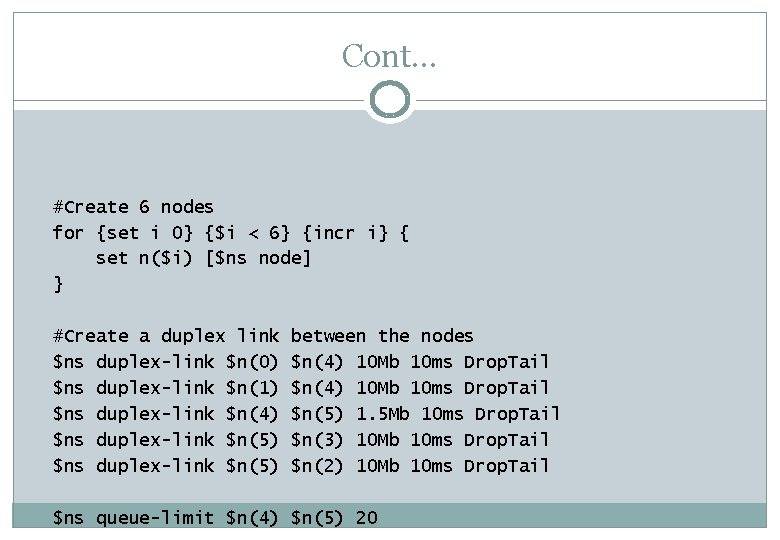
Cont… #Create 6 nodes for {set i 0} {$i < 6} {incr i} { set n($i) [$ns node] } #Create a duplex link $ns duplex-link $n(0) $ns duplex-link $n(1) $ns duplex-link $n(4) $ns duplex-link $n(5) between the nodes $n(4) 10 Mb 10 ms Drop. Tail $n(5) 1. 5 Mb 10 ms Drop. Tail $n(3) 10 Mb 10 ms Drop. Tail $n(2) 10 Mb 10 ms Drop. Tail $ns queue-limit $n(4) $n(5) 20
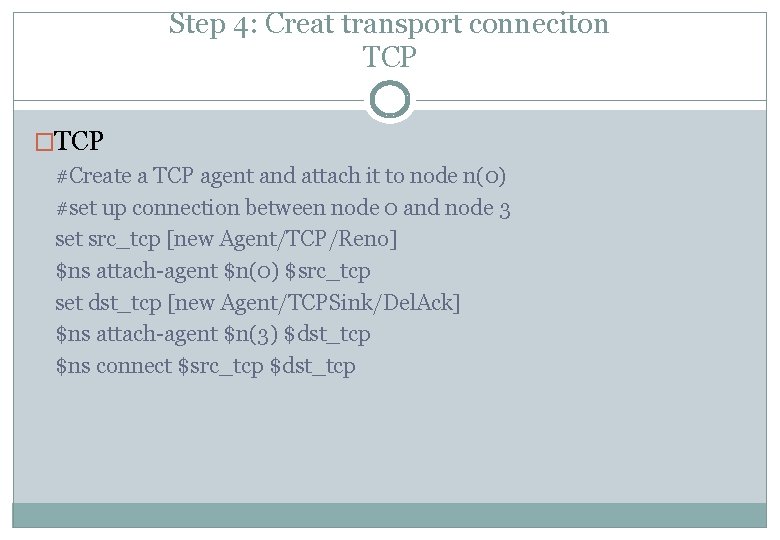
Step 4: Creat transport conneciton TCP �TCP #Create a TCP agent and attach it to node n(0) #set up connection between node 0 and node 3 set src_tcp [new Agent/TCP/Reno] $ns attach-agent $n(0) $src_tcp set dst_tcp [new Agent/TCPSink/Del. Ack] $ns attach-agent $n(3) $dst_tcp $ns connect $src_tcp $dst_tcp
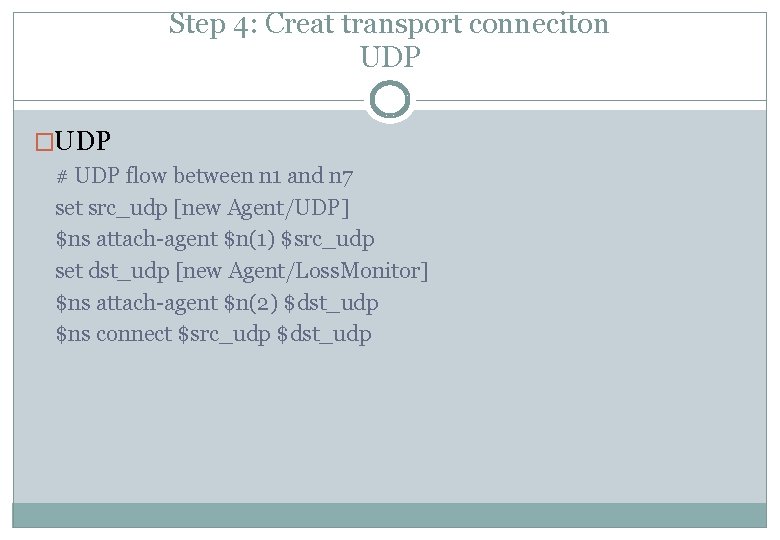
Step 4: Creat transport conneciton UDP �UDP # UDP flow between n 1 and n 7 set src_udp [new Agent/UDP] $ns attach-agent $n(1) $src_udp set dst_udp [new Agent/Loss. Monitor] $ns attach-agent $n(2) $dst_udp $ns connect $src_udp $dst_udp
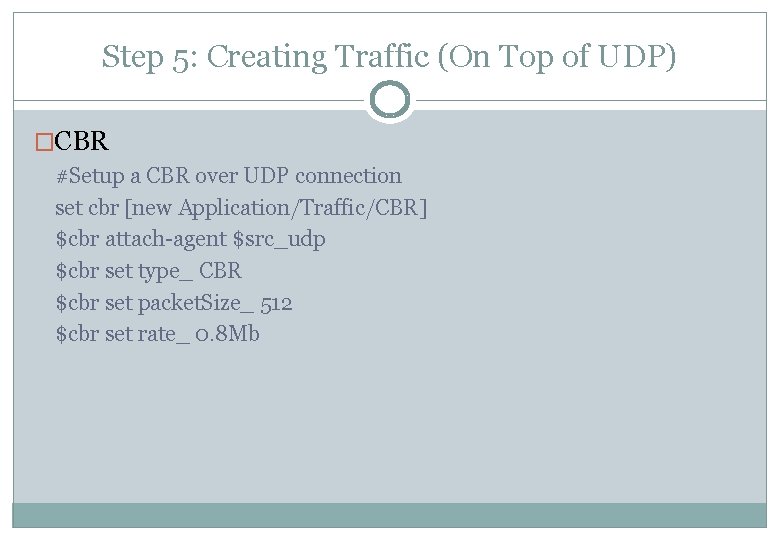
Step 5: Creating Traffic (On Top of UDP) �CBR #Setup a CBR over UDP connection set cbr [new Application/Traffic/CBR] $cbr attach-agent $src_udp $cbr set type_ CBR $cbr set packet. Size_ 512 $cbr set rate_ 0. 8 Mb
![Creating Traffic: (On Top of TCP) �FTP set ftp [new Application/FTP] $ftp attach-agent $src_tcp](http://slidetodoc.com/presentation_image_h2/6094b7324cf2317666ee7c09ba3ab88c/image-39.jpg "Creating Traffic: (On Top of TCP) �FTP set ftp [new Application/FTP] $ftp attach-agent $src_tcp")
Creating Traffic: (On Top of TCP) �FTP set ftp [new Application/FTP] $ftp attach-agent $src_tcp $ftp set packet. Size_ 512
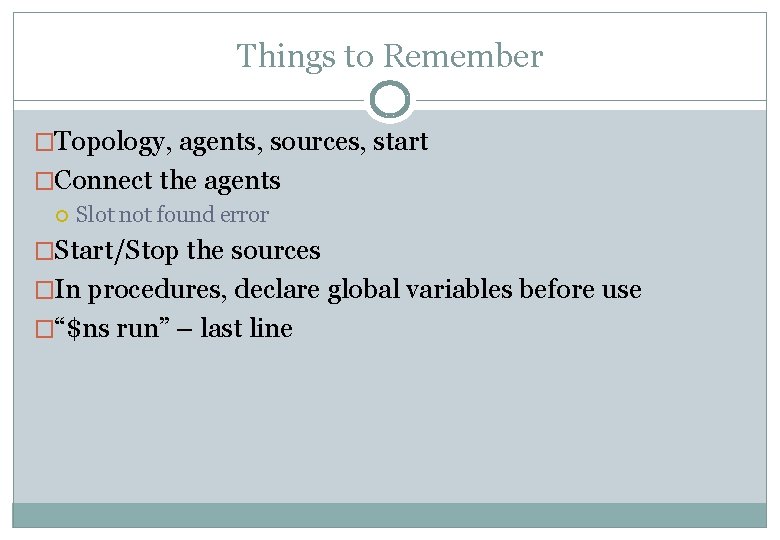
Things to Remember �Topology, agents, sources, start �Connect the agents Slot not found error �Start/Stop the sources �In procedures, declare global variables before use �“$ns run” – last line
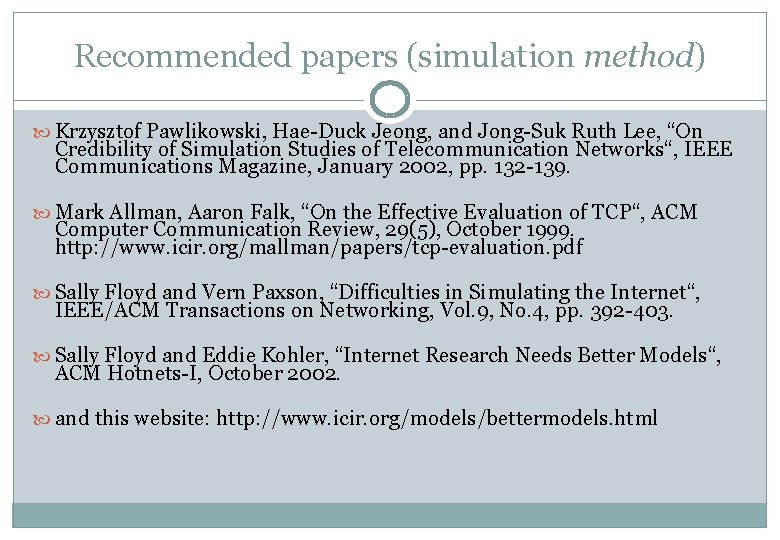
Recommended papers (simulation method) Krzysztof Pawlikowski, Hae-Duck Jeong, and Jong-Suk Ruth Lee, “On Credibility of Simulation Studies of Telecommunication Networks“, IEEE Communications Magazine, January 2002, pp. 132 -139. Mark Allman, Aaron Falk, “On the Effective Evaluation of TCP“, ACM Computer Communication Review, 29(5), October 1999. http: //www. icir. org/mallman/papers/tcp-evaluation. pdf Sally Floyd and Vern Paxson, “Difficulties in Simulating the Internet“, IEEE/ACM Transactions on Networking, Vol. 9, No. 4, pp. 392 -403. Sally Floyd and Eddie Kohler, “Internet Research Needs Better Models“, ACM Hotnets-I, October 2002. and this website: http: //www. icir. org/models/bettermodels. html
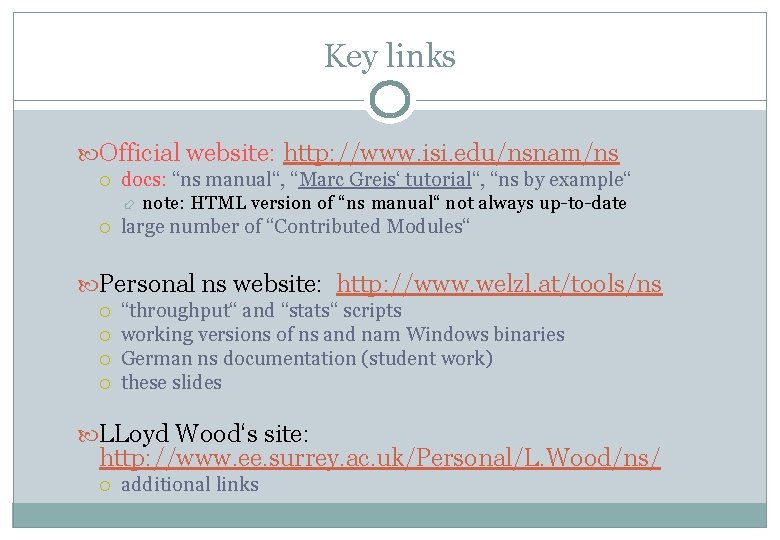
Key links Official website: http: //www. isi. edu/nsnam/ns docs: “ns manual“, “Marc Greis‘ tutorial“, “ns by example“ note: HTML version of “ns manual“ not always up-to-date large number of “Contributed Modules“ Personal ns website: http: //www. welzl. at/tools/ns “throughput“ and “stats“ scripts working versions of ns and nam Windows binaries German ns documentation (student work) these slides LLoyd Wood‘s site: http: //www. ee. surrey. ac. uk/Personal/L. Wood/ns/ additional links
Good luck!
- Slides: 43