Methodologies CSCI 201 Principles of Software Development Jeffrey

- Slides: 37
Methodologies CSCI 201 Principles of Software Development Jeffrey Miller, Ph. D. jeffrey. miller@usc. edu
Outline • Software Processes – Plan-Based • Software Processes – Agile-Based • Waterfall Example
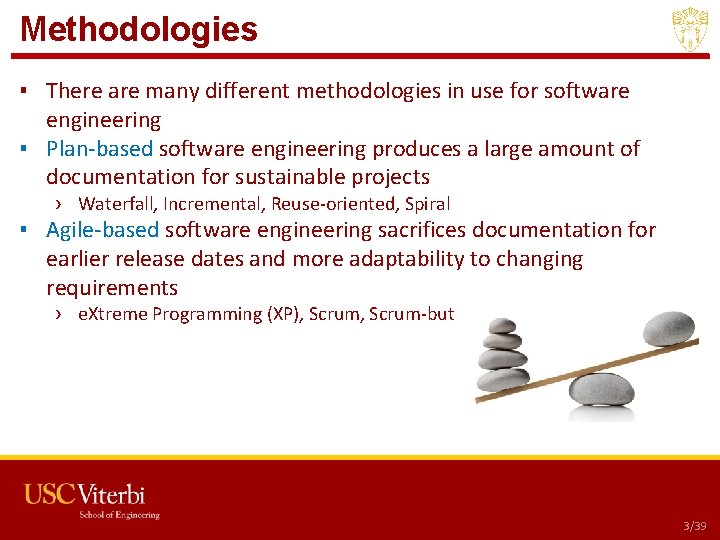
Methodologies ▪ There are many different methodologies in use for software engineering ▪ Plan-based software engineering produces a large amount of documentation for sustainable projects › Waterfall, Incremental, Reuse-oriented, Spiral ▪ Agile-based software engineering sacrifices documentation for earlier release dates and more adaptability to changing requirements › e. Xtreme Programming (XP), Scrum-but USC CSCI 201 L 3/39
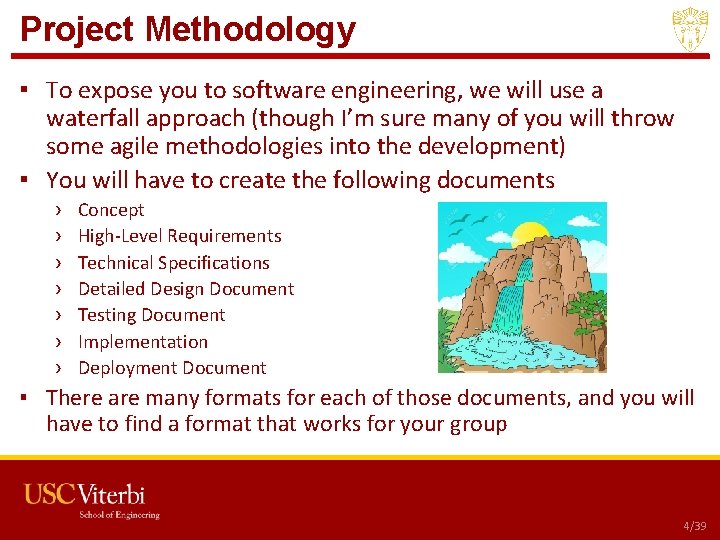
Project Methodology ▪ To expose you to software engineering, we will use a waterfall approach (though I’m sure many of you will throw some agile methodologies into the development) ▪ You will have to create the following documents › › › › Concept High-Level Requirements Technical Specifications Detailed Design Document Testing Document Implementation Deployment Document ▪ There are many formats for each of those documents, and you will have to find a format that works for your group USC CSCI 201 L 4/39
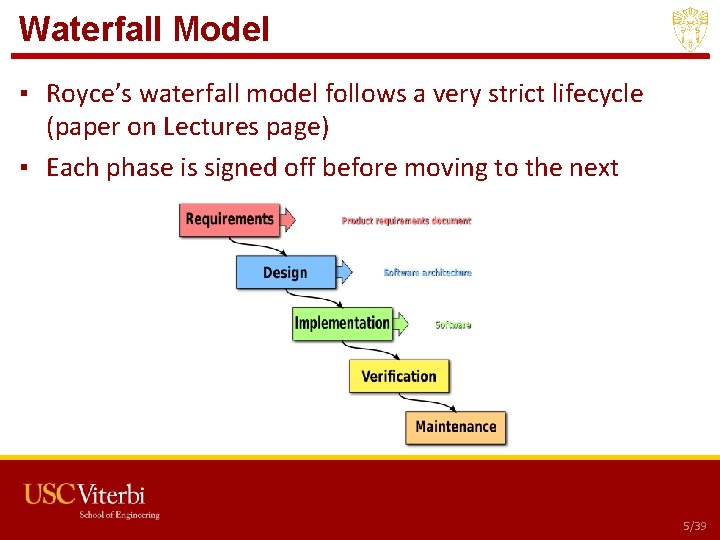
Waterfall Model ▪ Royce’s waterfall model follows a very strict lifecycle (paper on Lectures page) ▪ Each phase is signed off before moving to the next USC CSCI 201 L 5/39
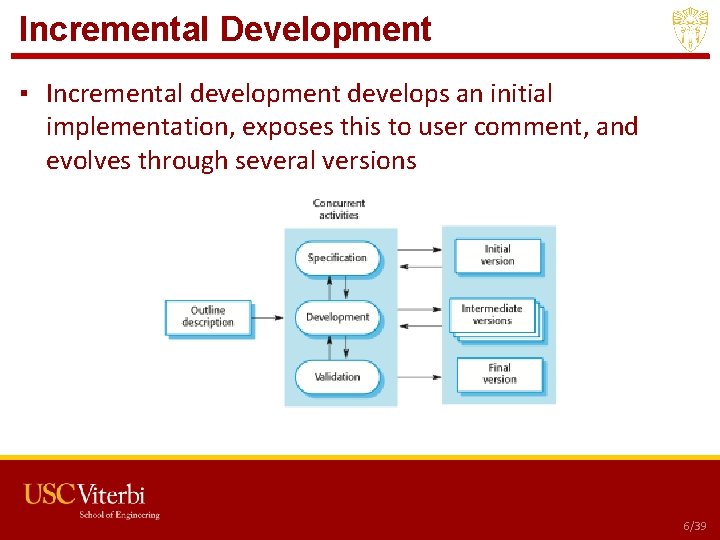
Incremental Development ▪ Incremental development develops an initial implementation, exposes this to user comment, and evolves through several versions USC CSCI 201 L 6/39
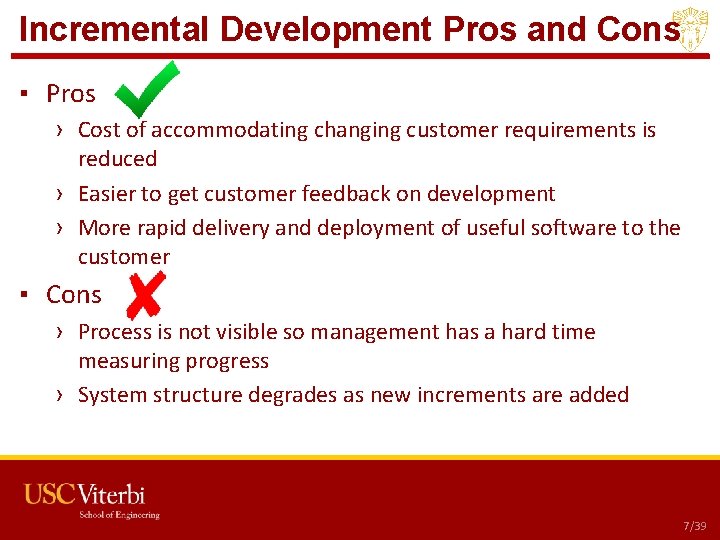
Incremental Development Pros and Cons ▪ Pros › Cost of accommodating changing customer requirements is reduced › Easier to get customer feedback on development › More rapid delivery and deployment of useful software to the customer ▪ Cons › Process is not visible so management has a hard time measuring progress › System structure degrades as new increments are added USC CSCI 201 L 7/39
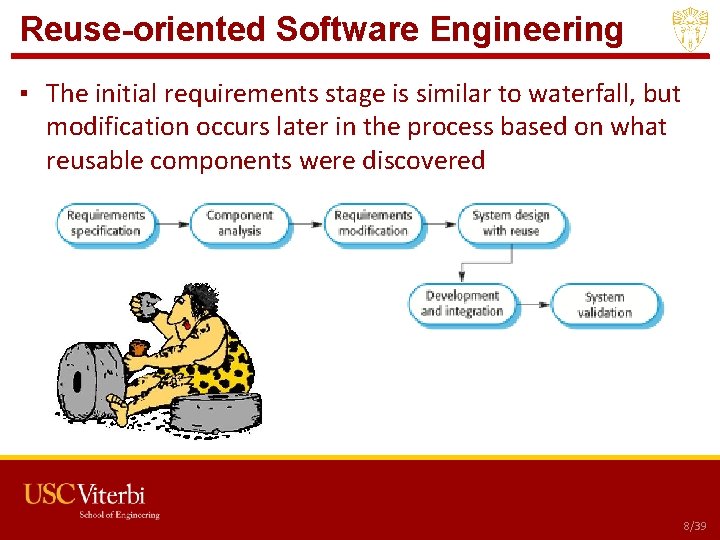
Reuse-oriented Software Engineering ▪ The initial requirements stage is similar to waterfall, but modification occurs later in the process based on what reusable components were discovered USC CSCI 201 L 8/39
Reuse-oriented Software Engineering Use ▪ There are three types of software components that may be used in the reuse-oriented process › Web services that are available for remote invocation › Collections of objects developed as a package, such as J 2 EE or. NET › Stand-alone software systems configured for use in a particular environment USC CSCI 201 L 9/39
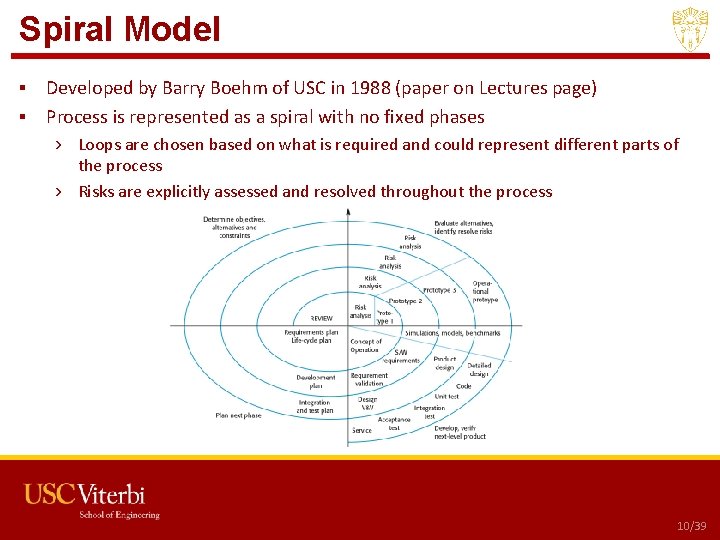
Spiral Model ▪ Developed by Barry Boehm of USC in 1988 (paper on Lectures page) ▪ Process is represented as a spiral with no fixed phases › Loops are chosen based on what is required and could represent different parts of the process › Risks are explicitly assessed and resolved throughout the process USC CSCI 201 L 10/39
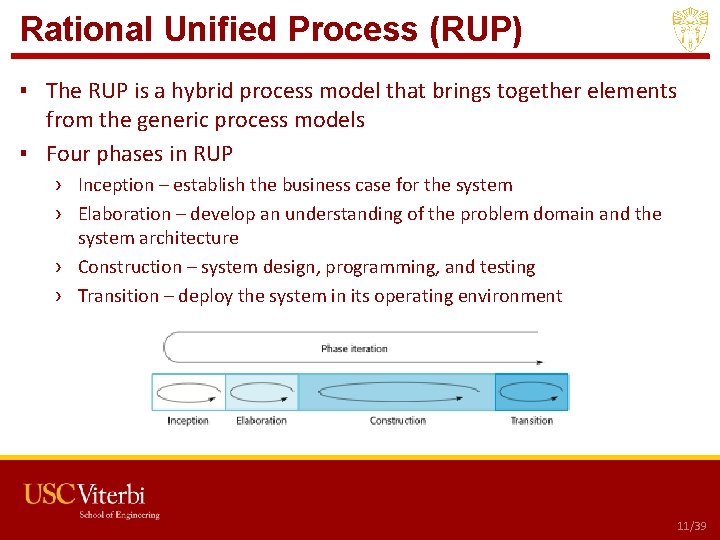
Rational Unified Process (RUP) ▪ The RUP is a hybrid process model that brings together elements from the generic process models ▪ Four phases in RUP › Inception – establish the business case for the system › Elaboration – develop an understanding of the problem domain and the system architecture › Construction – system design, programming, and testing › Transition – deploy the system in its operating environment USC CSCI 201 L 11/39
Outline • Software Processes – Plan-Based • Software Processes – Agile-Based • Waterfall Example
Rapid Software Development ▪ Software is not developed as a single unit but as a series of increments ▪ Here are some fundamental characteristics › Documentation is minimized › Customers are involved in the development process › Releases are typically every 2 -3 weeks USC CSCI 201 L 13/39
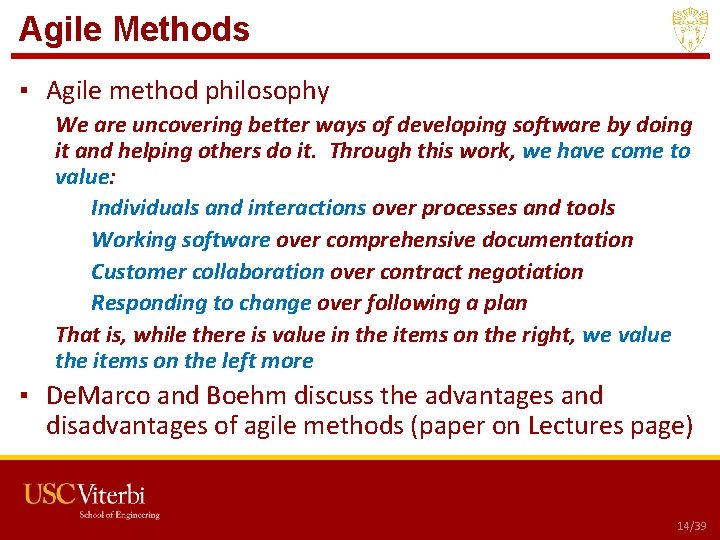
Agile Methods ▪ Agile method philosophy We are uncovering better ways of developing software by doing it and helping others do it. Through this work, we have come to value: Individuals and interactions over processes and tools Working software over comprehensive documentation Customer collaboration over contract negotiation Responding to change over following a plan That is, while there is value in the items on the right, we value the items on the left more ▪ De. Marco and Boehm discuss the advantages and disadvantages of agile methods (paper on Lectures page) USC CSCI 201 L 14/39
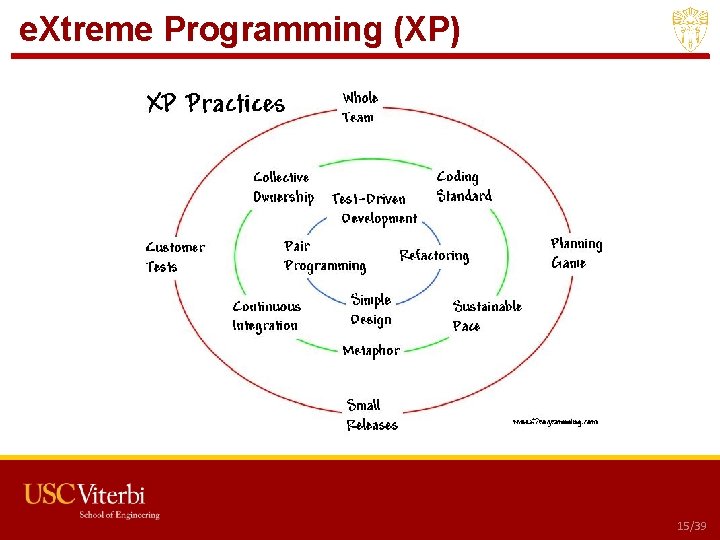
e. Xtreme Programming (XP) USC CSCI 201 L 15/39
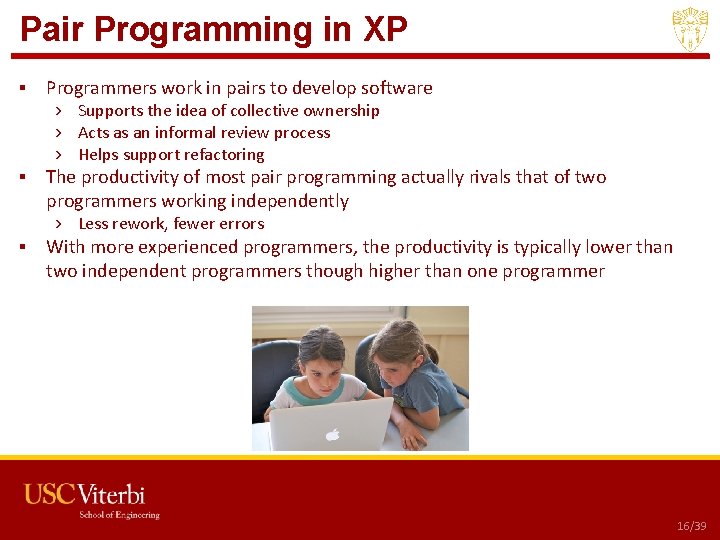
Pair Programming in XP ▪ Programmers work in pairs to develop software › Supports the idea of collective ownership › Acts as an informal review process › Helps support refactoring ▪ The productivity of most pair programming actually rivals that of two programmers working independently › Less rework, fewer errors ▪ With more experienced programmers, the productivity is typically lower than two independent programmers though higher than one programmer USC CSCI 201 L 16/39
Scrum ▪ Scrum focuses on managing iterative development rather than specific technical approaches to agile software engineering USC CSCI 201 L 17/39
Scrum Details ▪ Key characteristics of sprints in scrum › Fixed length, normally 2 -4 weeks › The starting point for planning is the product backlog, which is the list of work to be done on the project › The selection phase involves all of the project team who work with the customer to select the functionality to be developed in the sprint › The team organizes themselves to develop the software through short daily meetings to review progress and possibly reprioritize work › At the end of the sprint, the work is reviewed and presented to stakeholders before beginning the next sprint cycle ▪ The scrum master (not project manager) is a facilitator who arranges daily meetings, tracks the backlog, records decisions, measures progress, and communicates with customers › The scrum master can change for each sprint ▪ Everyone participates in scrum so there is no top-down direction from the scrum master USC CSCI 201 L 18/39
Agile-Based vs Plan-Based Methods ▪ Is it important to have a very detailed specification and design before moving to implementation? ▪ Is an incremental delivery strategy realistic? ▪ How large is the system being developed? ▪ What type of system is being developed? ▪ What is the expected system lifetime? ▪ What technologies are available to support system development? ▪ How is the development team organized? ▪ Are there cultural issues that may affect the system development? ▪ How good are the designers and programmers in the development team? ▪ Is the system subject to external regulation? USC CSCI 201 L 19/39
Outline • Software Processes – Plan-Based • Software Processes – Agile-Based • Waterfall Example
Documentation in Waterfall ▪ ▪ ▪ ▪ Concept High-Level Requirements Technical Specification Detailed Design Testing Implementation Deployment 23/39
Concept ▪ Many projects start off with a concept document ▪ This would usually consist of 1 -2 paragraphs explaining what the stakeholder would like ▪ It sometimes also includes motivation for wanting the project implemented USC CSCI 201 L 22/39
Example – Concept ▪ It would be great if students could submit a programming assignment and have it graded instantaneously in an automated manner. This would reduce time and money paying a grader and provide students an opportunity to submit their program more than once in an effort to improve their score. USC CSCI 201 L 23/39
High-Level Requirements ▪ The high-level requirements for a piece of software usually originate from the person, department, or organization requesting the software to be developed › The people do not need to be technical ▪ The requirements should be detailed enough for a programmer (or technical person) to be able to write out detailed technical specifications that will be passed along to the programmers › The details of the implementation should not be included in the requirements document ▪ Conceptual screenshots could be included, though this is not necessary USC CSCI 201 L 24/39
Example – High-Level Requirements ▪ We need to create a web interface where students can upload their Java source code to a program. The program should be executed on known input and validated against known output. The students will then be given a score representing how much of the output is correct. • Example USC CSCI 201 L 25/39
Technical Specifications ▪ Whereas the high-level requirements could have come from a non-technical person, the technical specifications are written by a technical person › They ultimately will be approved by the person who requested the project to be completed ▪ The requirements should have been detailed enough for technical specifications to be written › The technical specifications include hardware requirements, software requirements, benchmarks to meet, estimate of hours, estimate of cost › Language and platform do not need to be included unless they are critical to the project • These are typically design decisions USC CSCI 201 L 26/39
Example – Technical Specifications ▪ Web interface (4 hours) › › › ▪ Assignment grading (8 hours) › › › ▪ The web interface needs to have a login page with a username field, a password field, and a Login button Upon verification, another form should be displayed with a drop-down list specifying the assignment number, a file chooser field that allows the user to select the source code file, and a Submit button The submission page should show the user the final grade based on how much of the output was correct When a Java source code file is uploaded, it needs to be compiled and executed The output will be compared against known outputs provided by the instructor The percentage of the output that matches exactly will be returned to the user Database (8 hours) › › › The database will consist of two tables – a User table and a Submission table. The User table will be used for validating users and consist of user. ID, username, password, fname, lname, and timestamp representing the last login time The Submission table will consist of the name of the file uploaded, user. ID, assignment number, percentage of output that matches, and a timestamp USC CSCI 201 L 27/39
Detailed Design Document ▪ Now that you have the technical specifications document, you need to start thinking about how you will actually implement them ▪ The detailed design document will include the specific hardware and software to use › This will include programming language ▪ It will also include the class diagram, inheritance hierarchy, method and variable descriptions, pseudocode, and algorithms to be used ▪ After the design document is created and approved, you should be able to start writing test cases and code USC CSCI 201 L 28/39
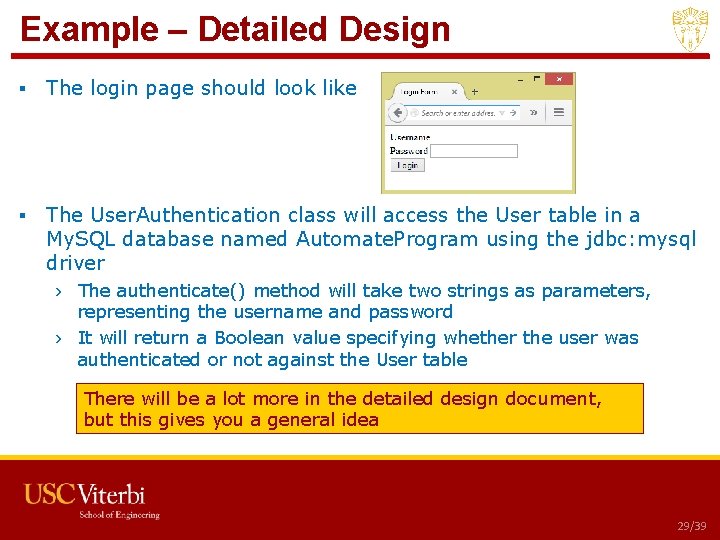
Example – Detailed Design ▪ The login page should look like ▪ The User. Authentication class will access the User table in a My. SQL database named Automate. Program using the jdbc: mysql driver › The authenticate() method will take two strings as parameters, representing the username and password › It will return a Boolean value specifying whether the user was authenticated or not against the User table There will be a lot more in the detailed design document, but this gives you a general idea • Example USC CSCI 201 L 29/39
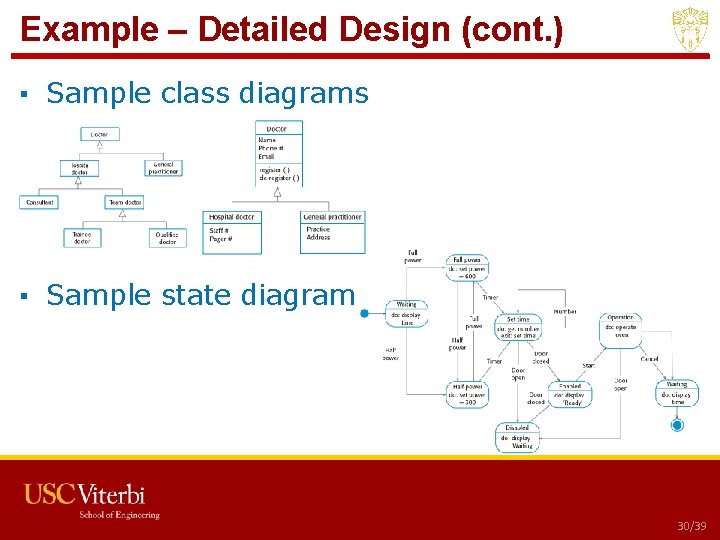
Example – Detailed Design (cont. ) ▪ Sample class diagrams ▪ Sample state diagram USC CSCI 201 L 30/39
Testing ▪ Now that you have the detailed designed document, you need to start thinking about testing the design ▪ There are different testing strategies, including › Black box testing – test the entire application without looking at the code › White box testing – test the entire application while looking at the code › Unit testing – test individual functionality of the code by writing customized programming › Stress testing – test the extensibility of the program by trying to find the limits › Regression testing – when changes are made, make sure the changes don’t affect other parts of the program USC CSCI 201 L 31/39
Example – Testing ▪ Test Case 1 › White Box Test – test the login functionality by specifying a username that exists and a password that does not match. The user should be taken back to the login page with a message “Invalid login. ” ▪ Test Case 2 › White Box Test – test the login functionality by specifying a username that does not exist. The user should be taken back to the login page with a message “Invalid login. ” ▪ Test Case 3 › White Box Test – test the login functionality by specifying a username that exists and a password that matches. The user should be taken to the assignment submission page. ▪ Test Case 4 › Unit Test – insert SQL code in the username variable of the User. Authentication. authenticate() method. Verify that the SQL code specified is not executed against the database. USC CSCI 201 L 32/39
Implementation ▪ We have now completed the high-level requirements, technical specifications, detailed design document, and testing strategies ▪ We are ready to start implementing our design › This typically involves setting up servers (development servers, testing servers, QA servers, deployment servers) installing thirdparty applications, writing code, ensuring the program meetings the specifications, and testing ▪ Everything else that is required up to actually launching the program goes in the implementation phase USC CSCI 201 L 33/39
Example - Implementation ▪ ▪ ▪ Set up the servers Write the code Test the code Ensure alignment with specifications Prepare to turn over to client for approval before deployment USC CSCI 201 L 34/39
Deployment ▪ Deployment is the process of promoting a fully-tested and approved application ▪ Deployment could require different promotion processes › For web applications, it would require promoting the application to a server, testing, redirecting DNS › For standalone applications, it would require producing media or downloadable packages › For software as a service, there are licensing issues that need to be determined ▪ Ensure data migration to the live server has occurred completely USC CSCI 201 L 35/39
Example – Deployment ▪ Step 1 - push the application to a live server ▪ Step 2 - ensure all of the data was migrated to the live server from the existing system › To do this, run the verify. sql script ▪ Step 3 – perform a full regression test of the application ▪ Step 4 - notify the users of the updated application and provide them with the URL http: //usc. edu/login USC CSCI 201 L 36/39
Complete Documentation ▪ After the application has been deployed, provide complete documentation to whoever requested the project to be implemented ▪ This will include all of the documents you have generated in a single document with a title page, table of contents, page numbers, and any references or related work ▪ You may also need to help generate documentation for the end users, such as user guides USC CSCI 201 L 37/39