Lily Vergara Superior Consulting Services SQL Saturday Minnesota

- Slides: 26
Lily Vergara Superior Consulting Services SQL Saturday Minnesota #682 Advanced Analytics in Power BI
SQLSaturday #682 – After Party 4 th Floor of Mall of America at 6: 30 PM Sponsored By:
Thank you Sponsors! Platinum Sponsor: Gold Sponsors:
PASSMN – News/Info Sponsors: • • • Thanks to all our sponsors of 2017! We need Sponsors for 2018! Special thanks to our annual sponsor: Board Member Elections: • • 3 spots available for 2018 -2019 term. Your chance to help out the MN SQL community!
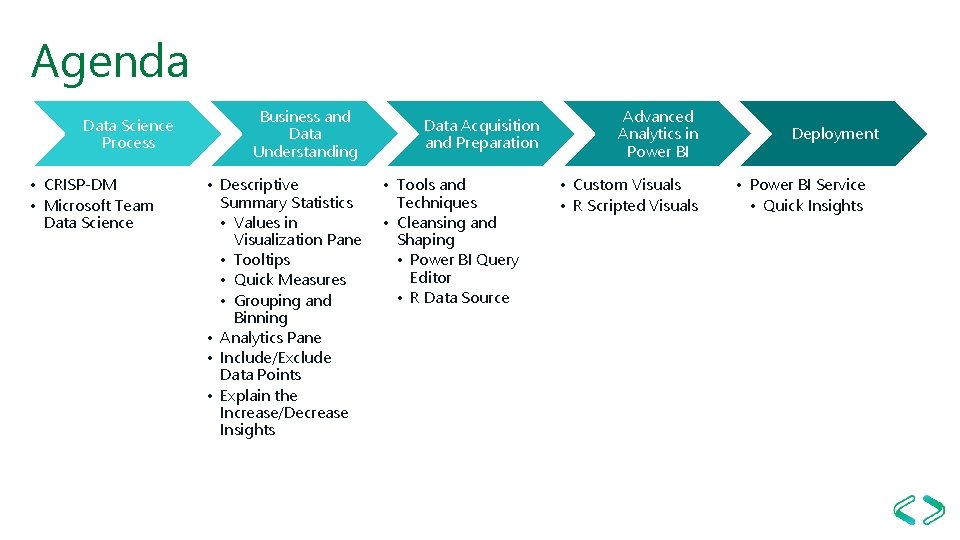
Agenda Data Science Process • CRISP-DM • Microsoft Team Data Science Business and Data Understanding • Descriptive Summary Statistics • Values in Visualization Pane • Tooltips • Quick Measures • Grouping and Binning • Analytics Pane • Include/Exclude Data Points • Explain the Increase/Decrease Insights Data Acquisition and Preparation • Tools and Techniques • Cleansing and Shaping • Power BI Query Editor • R Data Source Advanced Analytics in Power BI • Custom Visuals • R Scripted Visuals Deployment • Power BI Service • Quick Insights
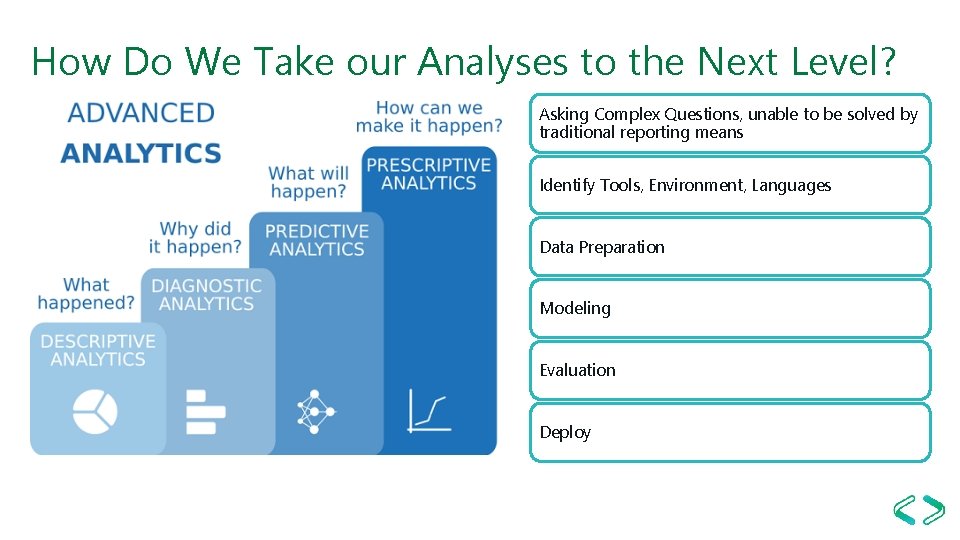
How Do We Take our Analyses to the Next Level? Asking Complex Questions, unable to be solved by traditional reporting means Identify Tools, Environment, Languages Data Preparation Modeling Evaluation Deploy
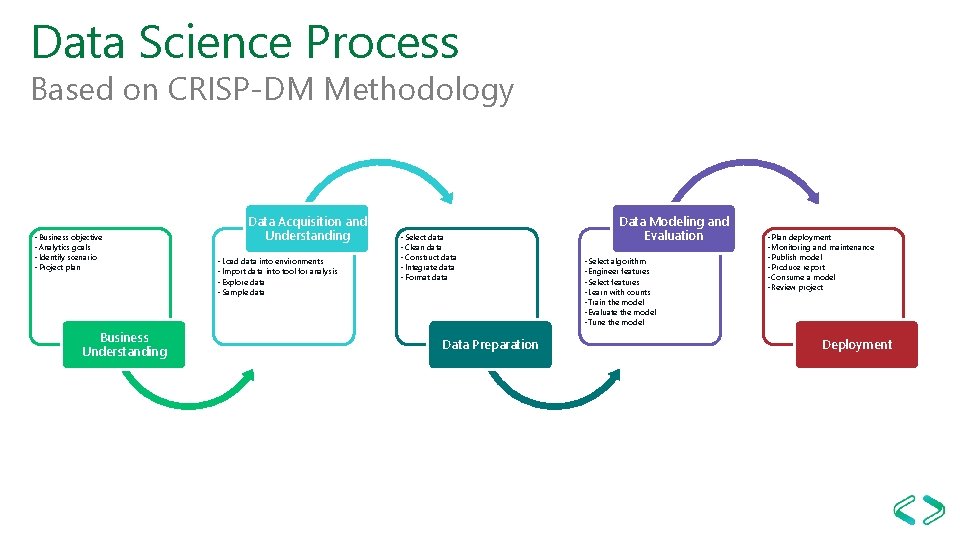
Data Science Process Based on CRISP-DM Methodology • Business objective • Analytics goals • Identify scenario • Project plan Business Understanding Data Acquisition and Understanding • Load data into environments • Import data into tool for analysis • Explore data • Sample data • Select data • Clean data • Construct data • Integrate data • Format data Data Preparation Data Modeling and Evaluation • Select algorithm • Engineer features • Select features • Learn with counts • Train the model • Evaluate the model • Tune the model • Plan deployment • Monitoring and maintenance • Publish model • Produce report • Consume a model • Review project Deployment
Power BI Desktop Advanced Analytics Features
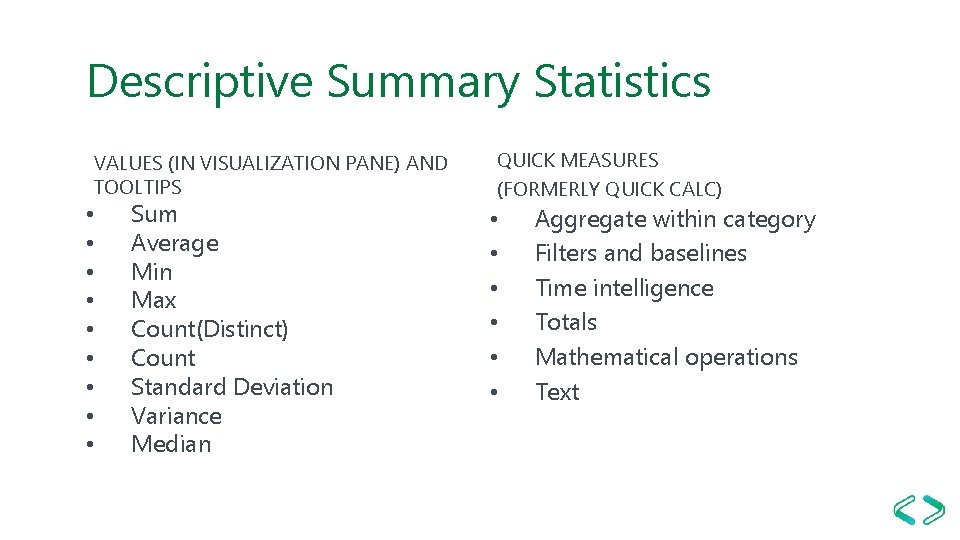
Descriptive Summary Statistics VALUES (IN VISUALIZATION PANE) AND TOOLTIPS • • • Sum Average Min Max Count(Distinct) Count Standard Deviation Variance Median QUICK MEASURES (FORMERLY QUICK CALC) • • • Aggregate within category Filters and baselines Time intelligence Totals Mathematical operations Text
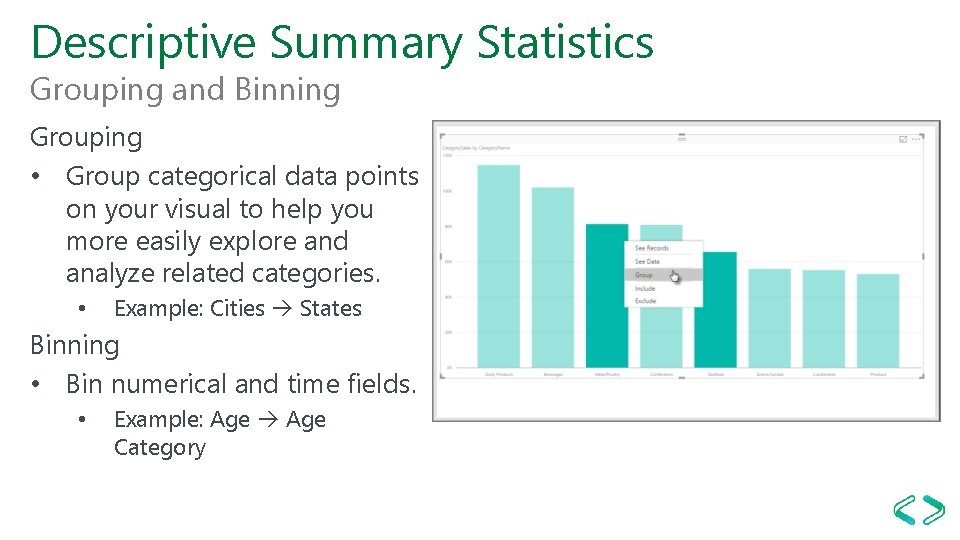
Descriptive Summary Statistics Grouping and Binning Grouping • Group categorical data points on your visual to help you more easily explore and analyze related categories. • Example: Cities States Binning • Bin numerical and time fields. • Example: Age Category
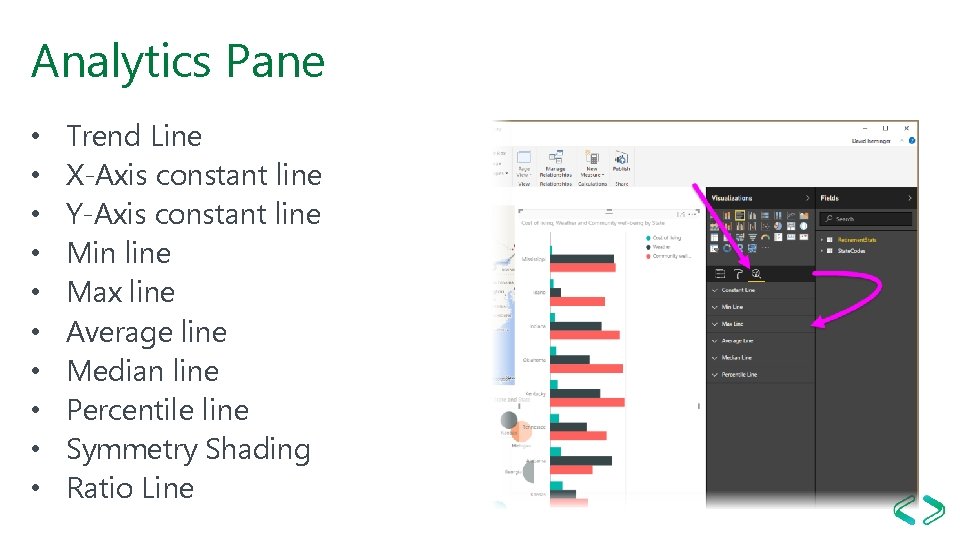
Analytics Pane • • • Trend Line X-Axis constant line Y-Axis constant line Min line Max line Average line Median line Percentile line Symmetry Shading Ratio Line
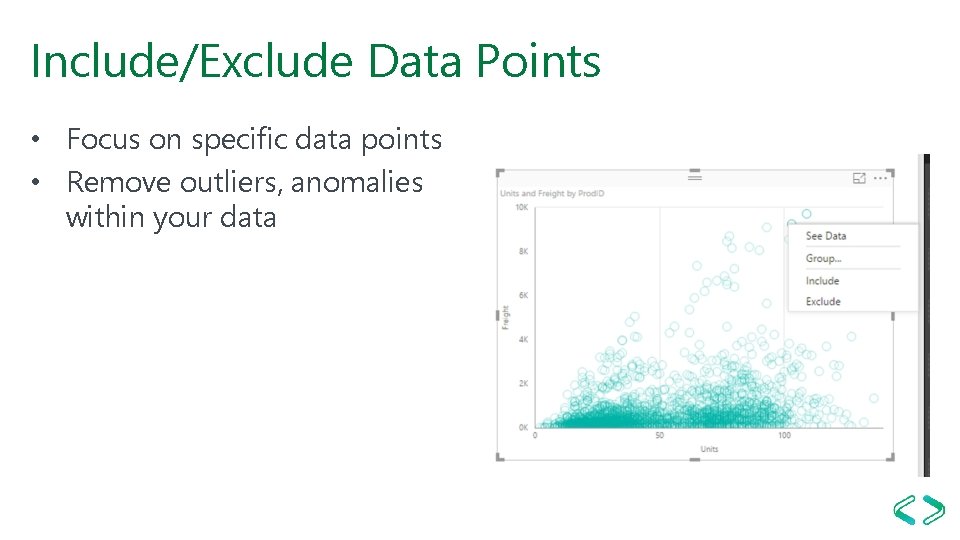
Include/Exclude Data Points • Focus on specific data points • Remove outliers, anomalies within your data
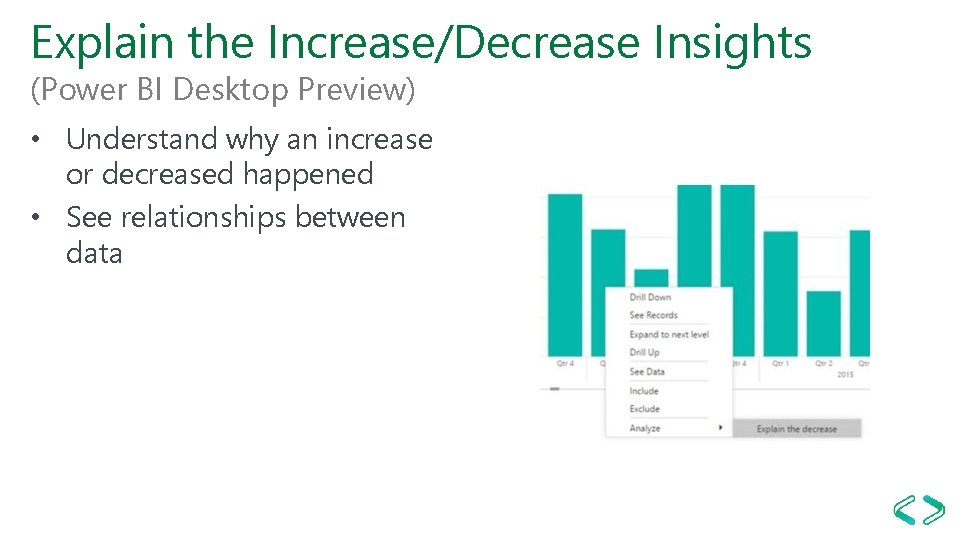
Explain the Increase/Decrease Insights (Power BI Desktop Preview) • Understand why an increase or decreased happened • See relationships between data
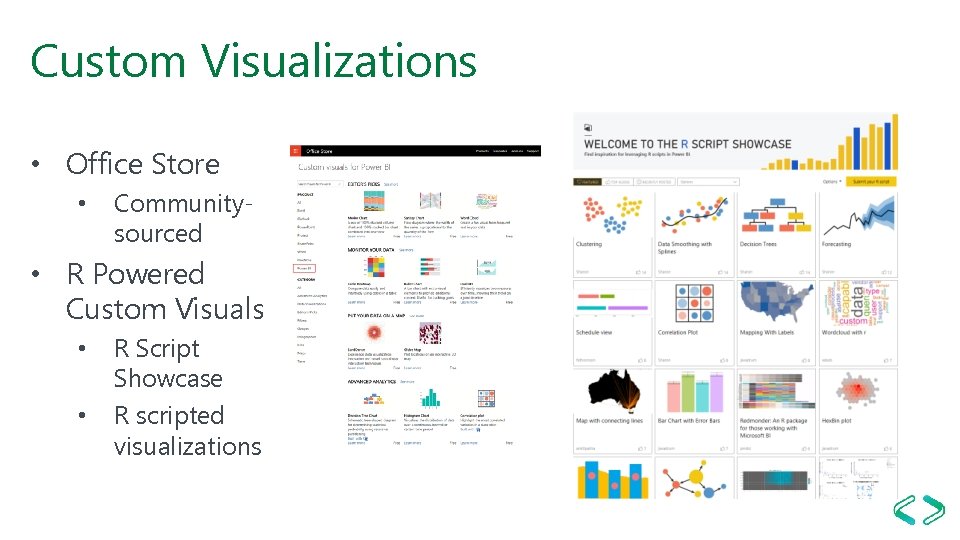
Custom Visualizations • Office Store • Communitysourced • R Powered Custom Visuals • • R Script Showcase R scripted visualizations
Power BI Desktop R Integration
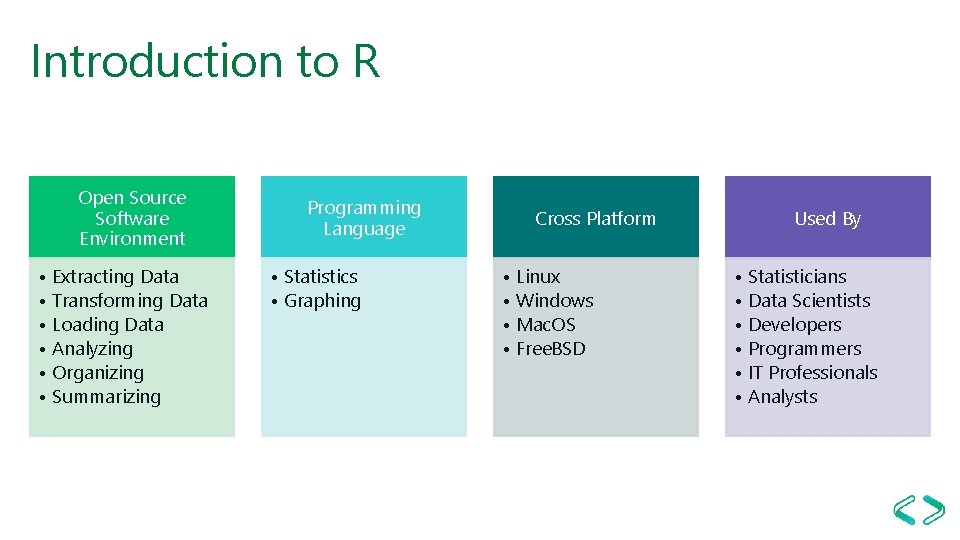
Introduction to R Open Source Software Environment • Extracting Data • Transforming Data • Loading Data • Analyzing • Organizing • Summarizing Programming Language • Statistics • Graphing Cross Platform • Linux • Windows • Mac. OS • Free. BSD Used By • Statisticians • Data Scientists • Developers • Programmers • IT Professionals • Analysts
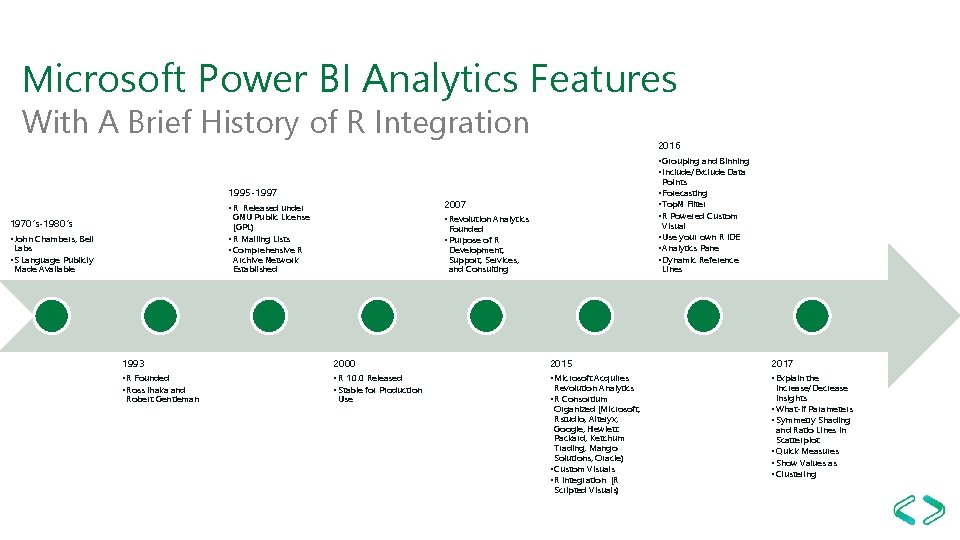
Microsoft Power BI Analytics Features With A Brief History of R Integration 2016 • Grouping and Binning • Include/Exclude Data Points 1995 -1997 2007 • R Released under GNU Public License (GPL) • R Mailing Lists • Comprehensive R Archive Network Established 1970’s-1980’s • John Chambers, Bell Labs • S Language Publicly Made Available • Forecasting • Top. N Filter • R Powered Custom • Revolution Analytics Visual Founded • Use your own R IDE • Analytics Pane • Dynamic Reference • Purpose of R Development, Support, Services, and Consulting Lines 1993 2000 2015 2017 • R Founded • Ross Ihaka and • R 1. 0. 0 Released • Stable for Production • Microsoft Acquires • Explain the Robert Gentleman Use Revolution Analytics • R Consortium Organized (Microsoft, Rstudio, Alteryx, Google, Hewlett Packard, Ketchum Trading, Mango Solutions, Oracle) • Custom Visuals • R Integration (R Scripted Visuals) Increase/Decrease Insights • What-If Parameters • Symmetry Shading and Ratio Lines in Scatterplot • Quick Measures • Show Values as • Clustering
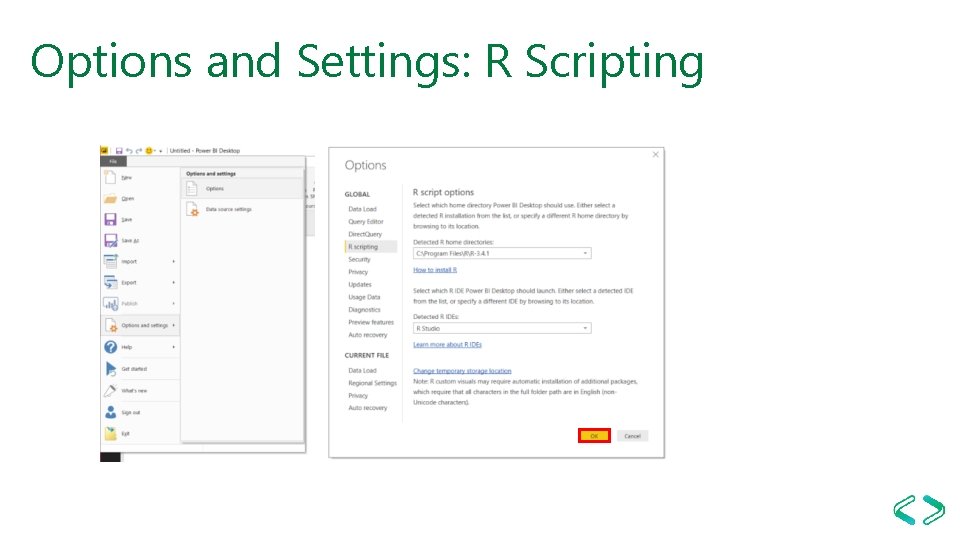
Options and Settings: R Scripting
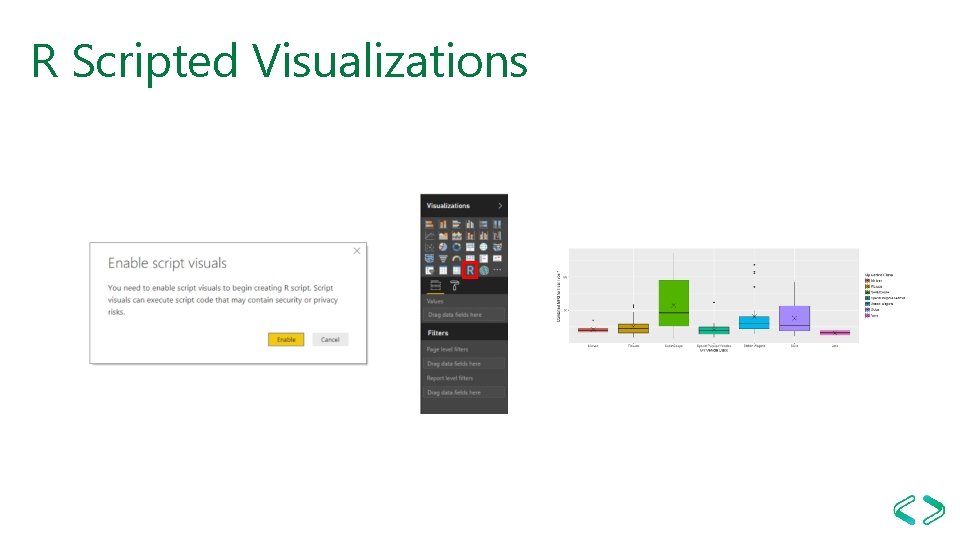
R Scripted Visualizations
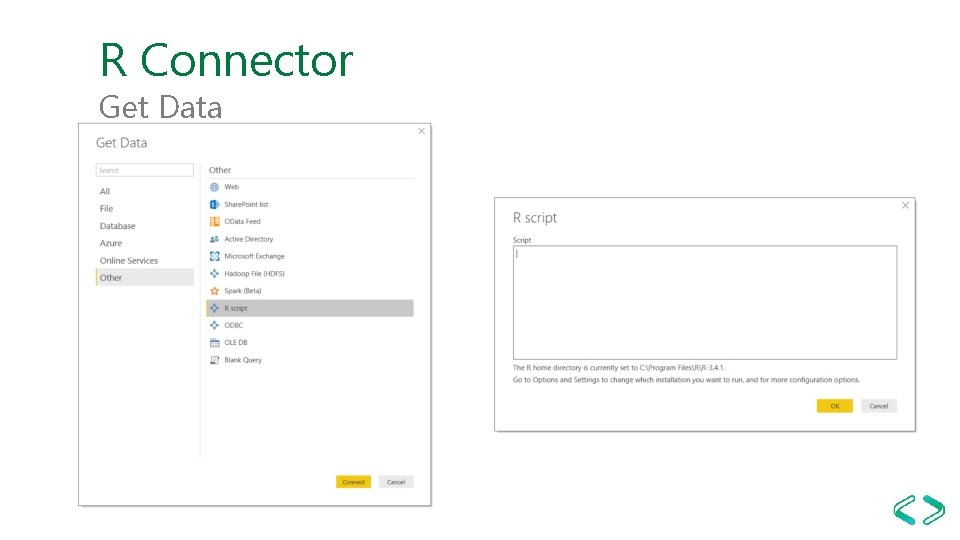
R Connector Get Data
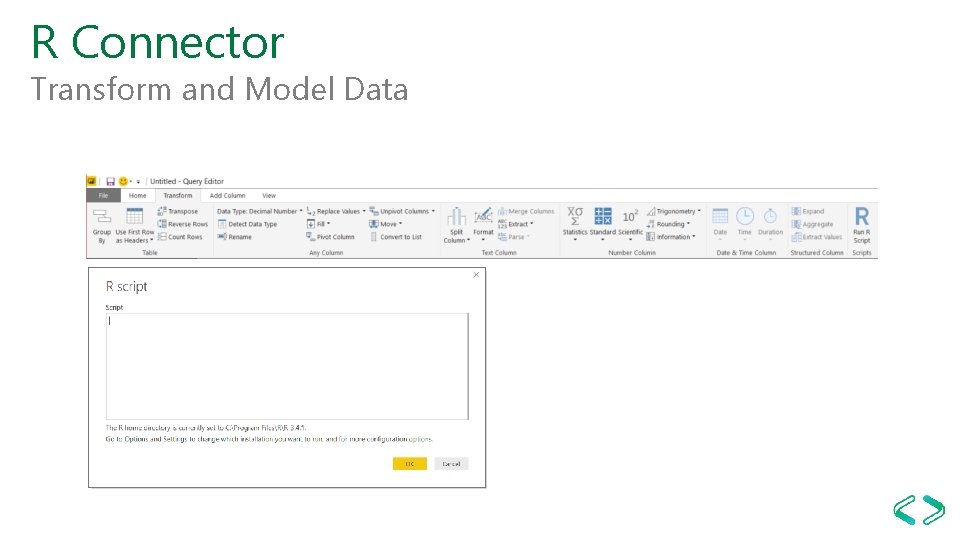
R Connector Transform and Model Data
Deployment: Power BI Service Advanced Analytics Features
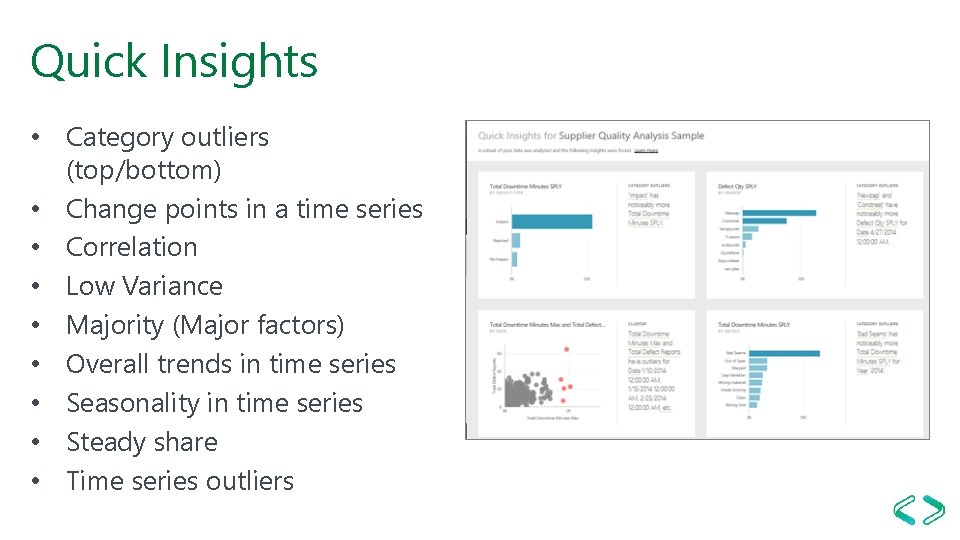
Quick Insights • Category outliers (top/bottom) • Change points in a time series • Correlation • Low Variance • Majority (Major factors) • Overall trends in time series • Seasonality in time series • Steady share • Time series outliers
Resources http: //cran. r-project. org/mirrors. html http: //www. rstudio. com http: //rattle. togaware. com/ https: //mran. microsoft. com/download/ https: //powerbi. microsoft. com/en-us/documentation/powerbi-desktop-analytics-pane/ https: //powerbi. microsoft. com/en-us/documentation/powerbi-custom-visuals-office-store/ https: //powerbi. microsoft. com/en-us/documentation/powerbi-developer-office-store/ https: //powerbi. microsoft. com/en-us/documentation/powerbi-custom-visuals-add-to-report/ http: //community. powerbi. com/t 5/R-Script-Showcase/bd-p/RVisuals https: //powerbi. microsoft. com/en-us/documentation/powerbi-desktop-r-scripts/ https: //powerbi. microsoft. com/en-us/documentation/powerbi-service-auto-insights-types/ https: //powerbi. microsoft. com/en-us/documentation/powerbi-desktop-grouping-and-binning/
Fin