Lecture 10 String What is a String n
- Slides: 26
Lecture 10: String
What is a String? n n n The data type string is a programmerdefined and it is not part of the C language. The C standard library supplies it. A string is an array of character. The position of the first character is 0, position of the second is 1, and so on. The length of a string is the number of character in it. Every single character can have its own ASCII value in the system.
ASCII Table
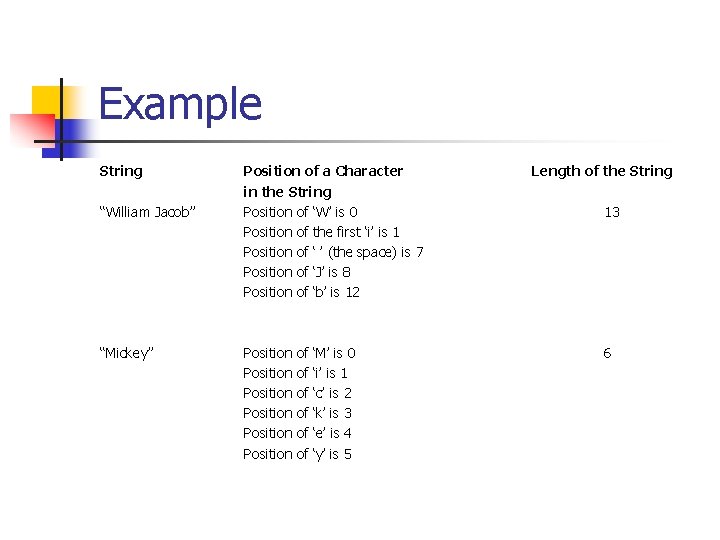
Example String “William Jacob” “Mickey” Position of a Character in the String Position of ‘W’ is 0 Position of the first ‘i’ is 1 Position of ‘ ’ (the space) is 7 Position of ‘J’ is 8 Position of ‘b’ is 12 Position Position of of of ‘M’ is 0 ‘i’ is 1 ‘c’ is 2 ‘k’ is 3 ‘e’ is 4 ‘y’ is 5 Length of the String 13 6
String Type n n To use the data type string, the program must include the header file string. #include <string. h> The statement string info = “Welcome”; declares info to be string variable and also initializes info to “Welcome”. The position of the first character, ‘W’, in the info is 0, the position of the second character, ‘e’, is 1, and so on. The variable info is capable of storing (just about) any size string.
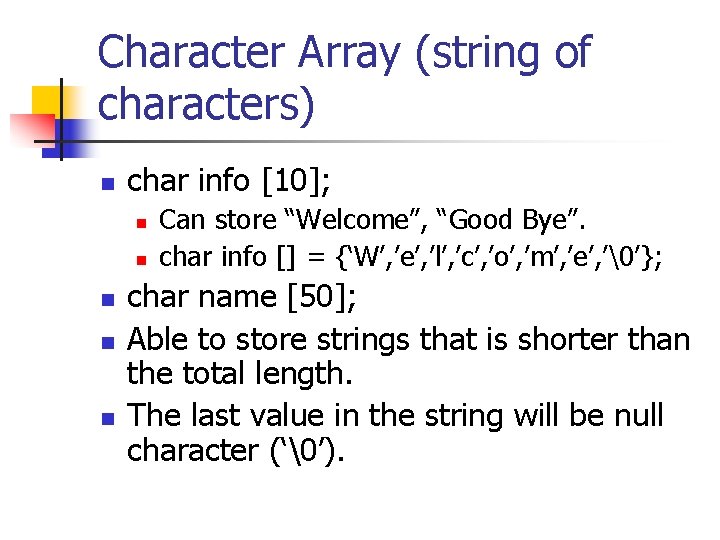
Character Array (string of characters) n char info [10]; n n n Can store “Welcome”, “Good Bye”. char info [] = {‘W’, ’e’, ’l’, ’c’, ’o’, ’m’, ’e’, ’’}; char name [50]; Able to store strings that is shorter than the total length. The last value in the string will be null character (‘’).
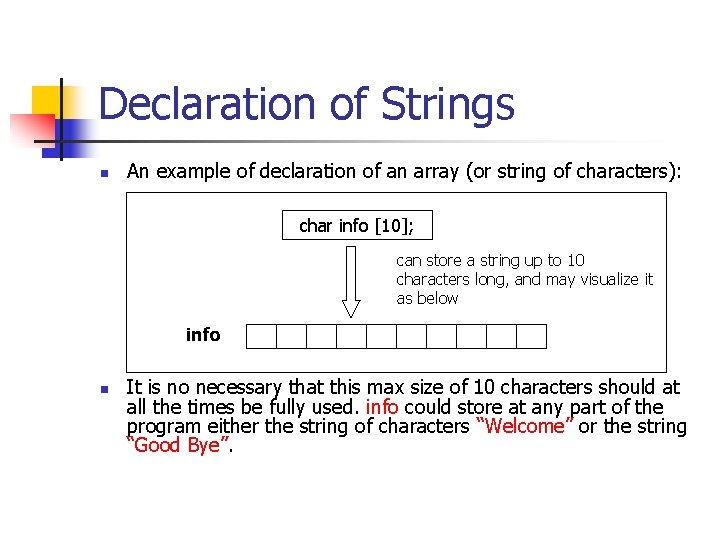
Declaration of Strings n An example of declaration of an array (or string of characters): char info [10]; can store a string up to 10 characters long, and may visualize it as below info n It is no necessary that this max size of 10 characters should at all the times be fully used. info could store at any part of the program either the string of characters “Welcome” or the string “Good Bye”.
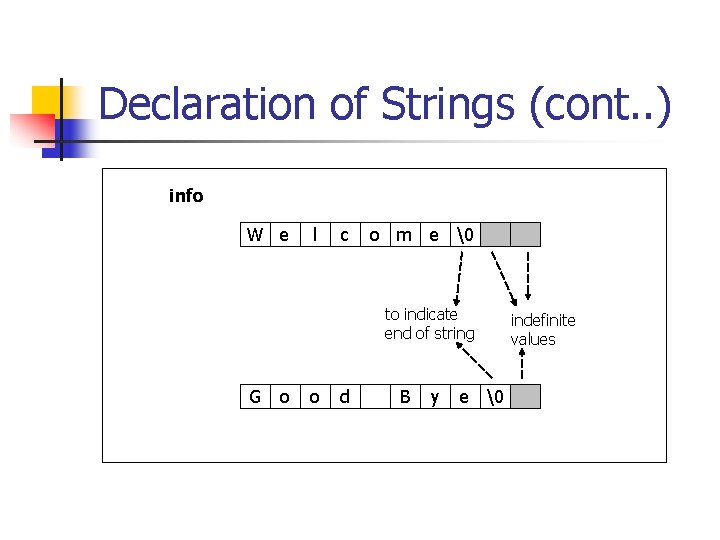
Declaration of Strings (cont. . ) info W e l c o m e to indicate end of string G o o d B y e indefinite values
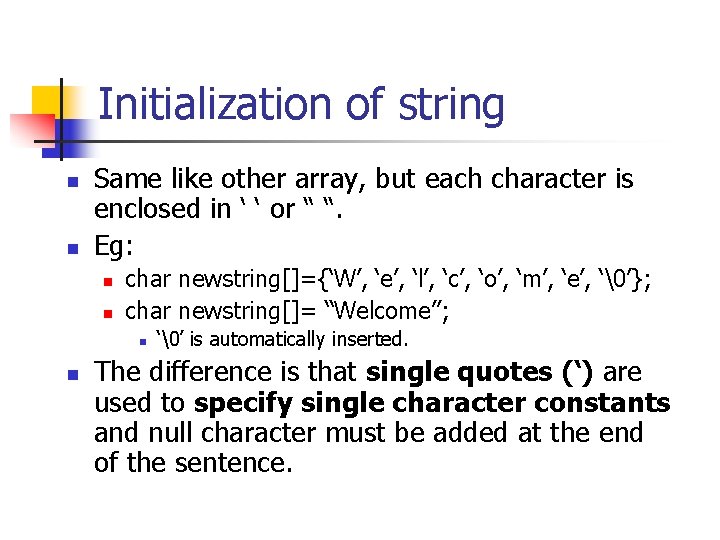
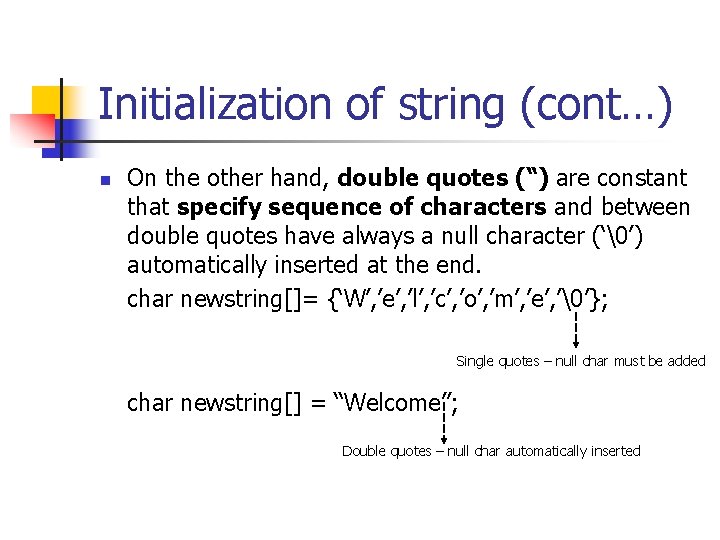
Initialization of string n n Same like other array, but each character is enclosed in ‘ ‘ or “ “. Eg: n n char newstring[]={‘W’, ‘e’, ‘l’, ‘c’, ‘o’, ‘m’, ‘e’, ‘’}; char newstring[]= “Welcome”; n n ‘’ is automatically inserted. The difference is that single quotes (‘) are used to specify single character constants and null character must be added at the end of the sentence.
Initialization of string (cont…) n On the other hand, double quotes (“) are constant that specify sequence of characters and between double quotes have always a null character (‘’) automatically inserted at the end. char newstring[]= {‘W’, ’e’, ’l’, ’c’, ’o’, ’m’, ’e’, ’’}; Single quotes – null char must be added char newstring[] = “Welcome”; Double quotes – null char automatically inserted
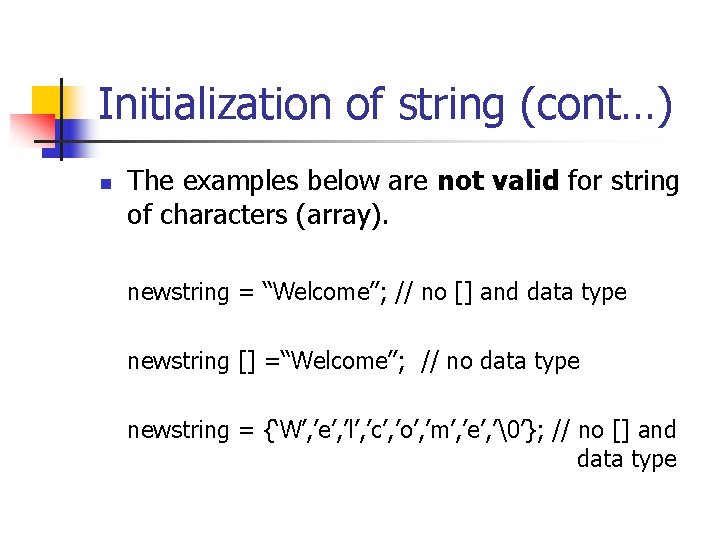
Initialization of string (cont…) n The examples below are not valid for string of characters (array). newstring = “Welcome”; // no [] and data type newstring [] =“Welcome”; // no data type newstring = {‘W’, ’e’, ’l’, ’c’, ’o’, ’m’, ’e’, ’’}; // no [] and data type
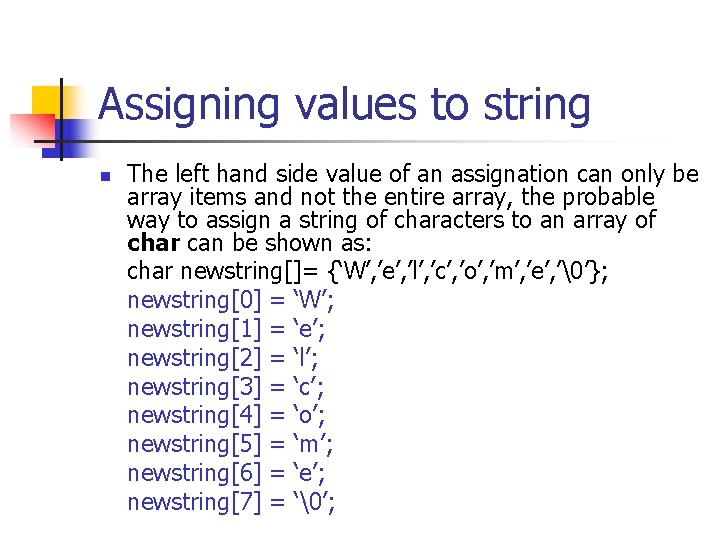
Assigning values to string n The left hand side value of an assignation can only be array items and not the entire array, the probable way to assign a string of characters to an array of char can be shown as: char newstring[]= {‘W’, ’e’, ’l’, ’c’, ’o’, ’m’, ’e’, ’’}; newstring[0] = ‘W’; newstring[1] = ‘e’; newstring[2] = ‘l’; newstring[3] = ‘c’; newstring[4] = ‘o’; newstring[5] = ‘m’; newstring[6] = ‘e’; newstring[7] = ‘’;
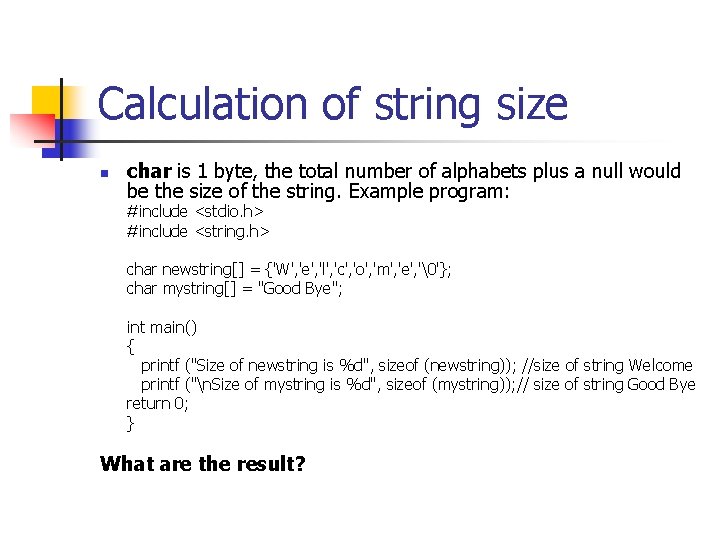
Calculation of string size n char is 1 byte, the total number of alphabets plus a null would be the size of the string. Example program: #include <stdio. h> #include <string. h> char newstring[] = {'W', 'e', 'l', 'c', 'o', 'm', 'e', ''}; char mystring[] = "Good Bye"; int main() { printf ("Size of newstring is %d", sizeof (newstring)); //size of string Welcome printf ("n. Size of mystring is %d", sizeof (mystring)); // size of string Good Bye return 0; } What are the result?
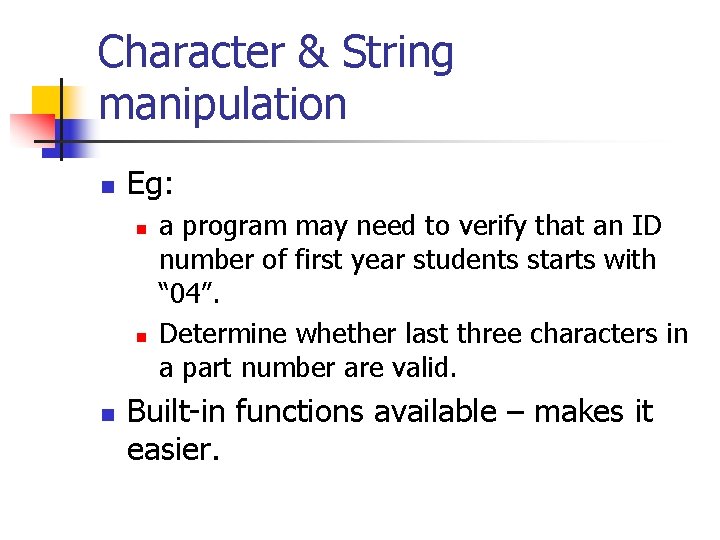
Character & String manipulation n Eg: n n n a program may need to verify that an ID number of first year students starts with “ 04”. Determine whether last three characters in a part number are valid. Built-in functions available – makes it easier.
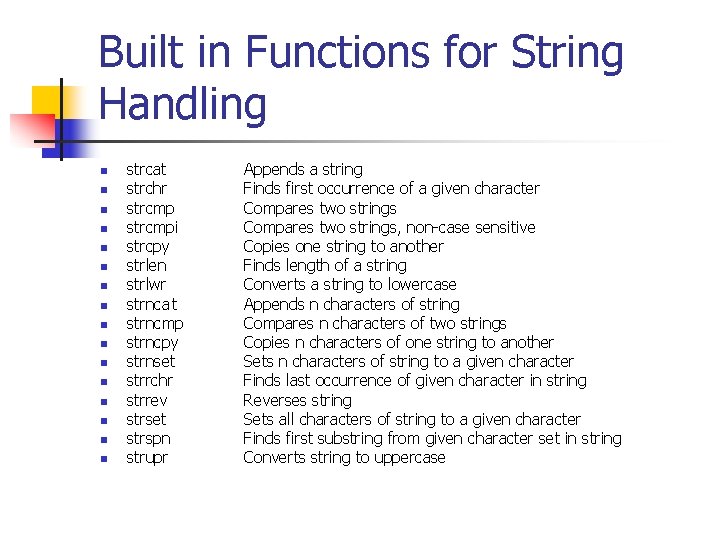
Built in Functions for String Handling n n n n strcat strchr strcmpi strcpy strlen strlwr strnca t strncmp strncpy strnset strrchr strrev strset strspn strupr Appends a string Finds first occurrence of a given character Compares two strings, non-case sensitive Copies one string to another Finds length of a string Converts a string to lowercase Appends n characters of string Compares n characters of two strings Copies n characters of one string to another Sets n characters of string to a given character Finds last occurrence of given character in string Reverses string Sets all characters of string to a given character Finds first substring from given character set in string Converts string to uppercase
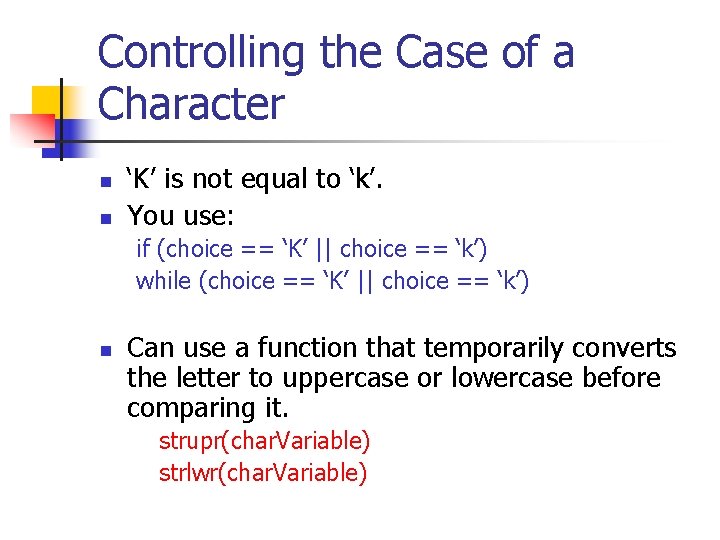
Controlling the Case of a Character n n ‘K’ is not equal to ‘k’. You use: if (choice == ‘K’ || choice == ‘k’) while (choice == ‘K’ || choice == ‘k’) n Can use a function that temporarily converts the letter to uppercase or lowercase before comparing it. strupr(char. Variable) strlwr(char. Variable)
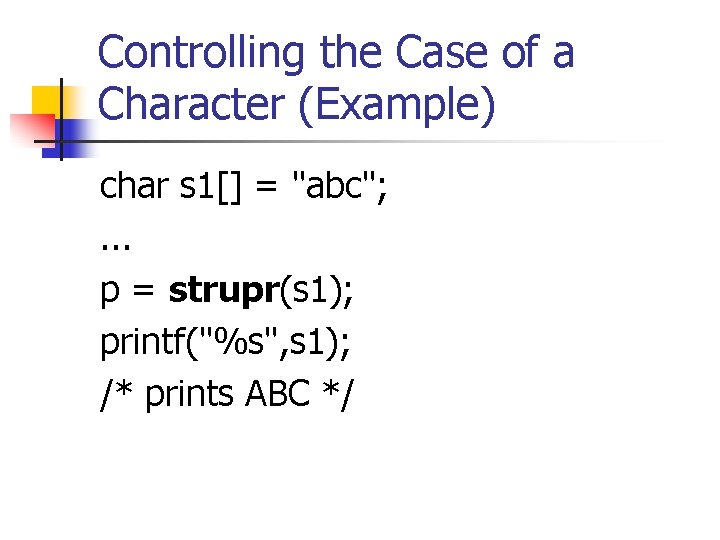
Controlling the Case of a Character (Example) char s 1[] = "abc"; . . . p = strupr(s 1); printf("%s", s 1); /* prints ABC */
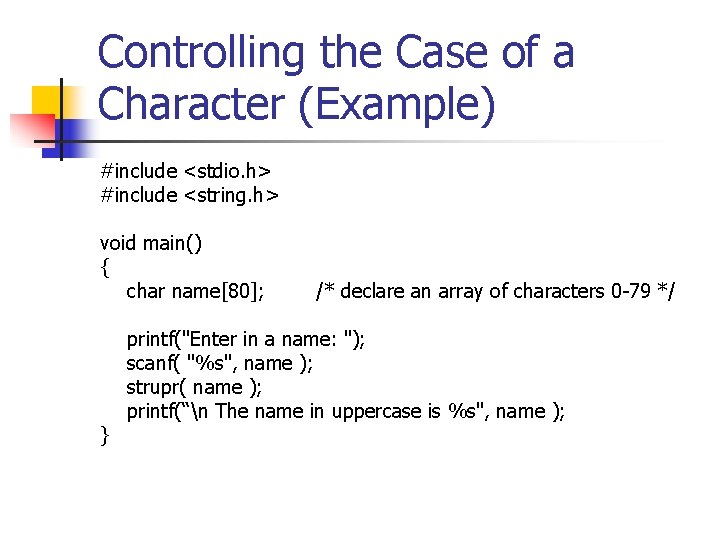
Controlling the Case of a Character (Example) #include <stdio. h> #include <string. h> void main() { char name[80]; } /* declare an array of characters 0 -79 */ printf("Enter in a name: "); scanf( "%s", name ); strupr( name ); printf(“n The name in uppercase is %s", name );
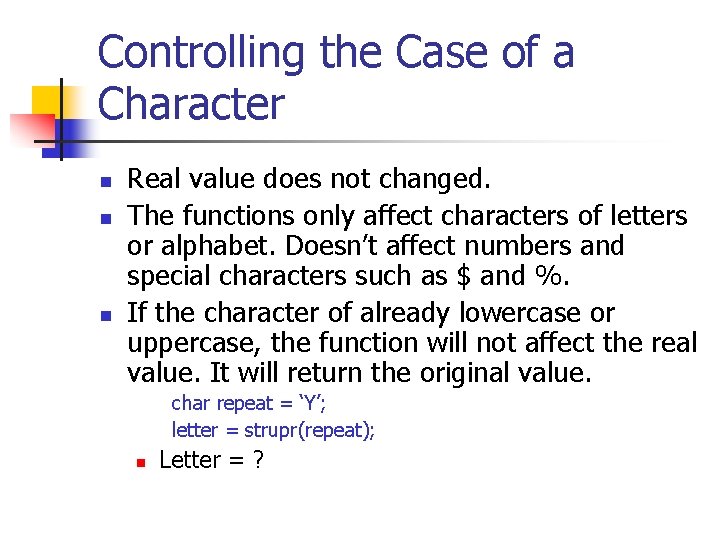
Controlling the Case of a Character n n n Real value does not changed. The functions only affect characters of letters or alphabet. Doesn’t affect numbers and special characters such as $ and %. If the character of already lowercase or uppercase, the function will not affect the real value. It will return the original value. char repeat = ‘Y’; letter = strupr(repeat); n Letter = ?
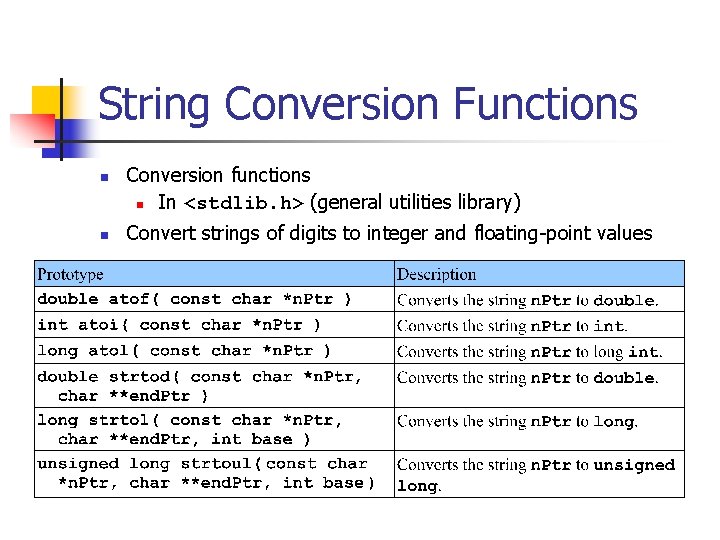
String Conversion Functions n n Conversion functions n In <stdlib. h> (general utilities library) Convert strings of digits to integer and floating-point values
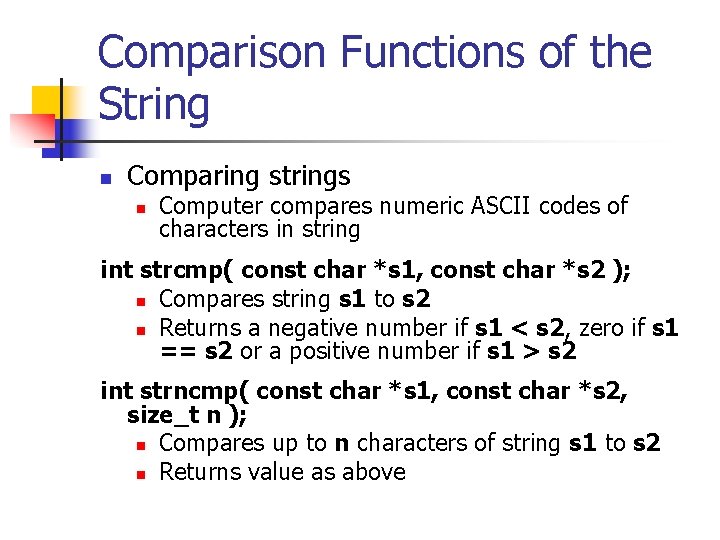
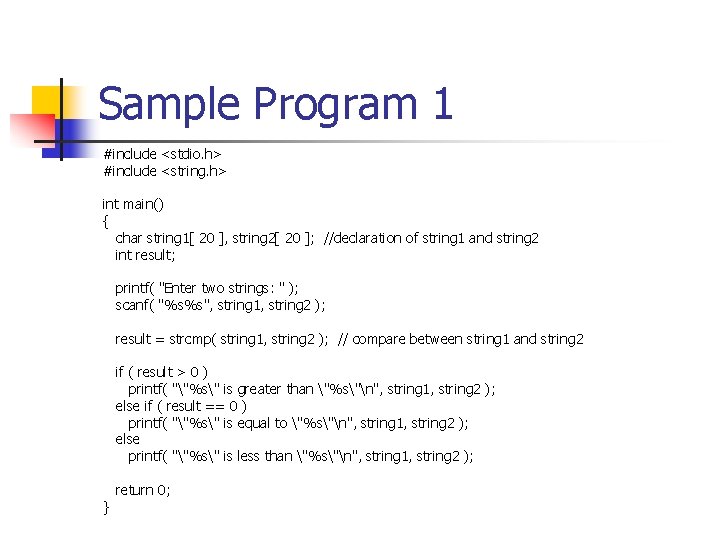
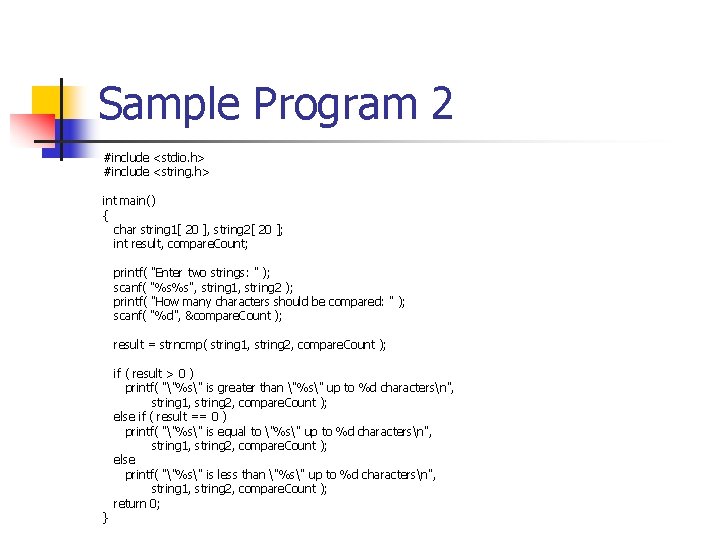
Comparison Functions of the String n Comparing strings n Computer compares numeric ASCII codes of characters in string int strcmp( const char *s 1, const char *s 2 ); n Compares string s 1 to s 2 n Returns a negative number if s 1 < s 2, zero if s 1 == s 2 or a positive number if s 1 > s 2 int strncmp( const char *s 1, const char *s 2, size_t n ); n Compares up to n characters of string s 1 to s 2 n Returns value as above
Sample Program 1 #include <stdio. h> #include <string. h> int main() { char string 1[ 20 ], string 2[ 20 ]; //declaration of string 1 and string 2 int result; printf( "Enter two strings: " ); scanf( "%s%s", string 1, string 2 ); result = strcmp( string 1, string 2 ); // compare between string 1 and string 2 if ( result > 0 ) printf( ""%s" is greater than "%s"n", string 1, string 2 ); else if ( result == 0 ) printf( ""%s" is equal to "%s"n", string 1, string 2 ); else printf( ""%s" is less than "%s"n", string 1, string 2 ); } return 0;
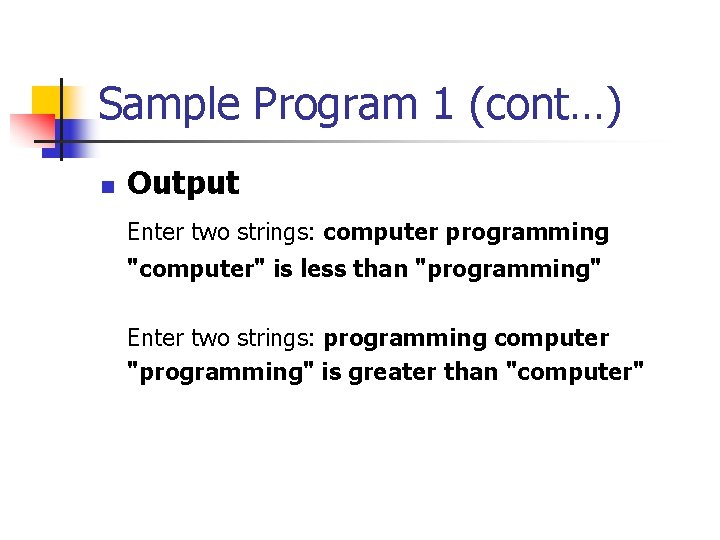
Sample Program 1 (cont…) n Output Enter two strings: computer programming "computer" is less than "programming" Enter two strings: programming computer "programming" is greater than "computer"
Sample Program 2 #include <stdio. h> #include <string. h> int main() { char string 1[ 20 ], string 2[ 20 ]; int result, compare. Count; printf( "Enter two strings: " ); scanf( "%s%s", string 1, string 2 ); printf( "How many characters should be compared: " ); scanf( "%d", &compare. Count ); result = strncmp( string 1, string 2, compare. Count ); } if ( result > 0 ) printf( ""%s" is greater than "%s" up to %d charactersn", string 1, string 2, compare. Count ); else if ( result == 0 ) printf( ""%s" is equal to "%s" up to %d charactersn", string 1, string 2, compare. Count ); else printf( ""%s" is less than "%s" up to %d charactersn", string 1, string 2, compare. Count ); return 0;
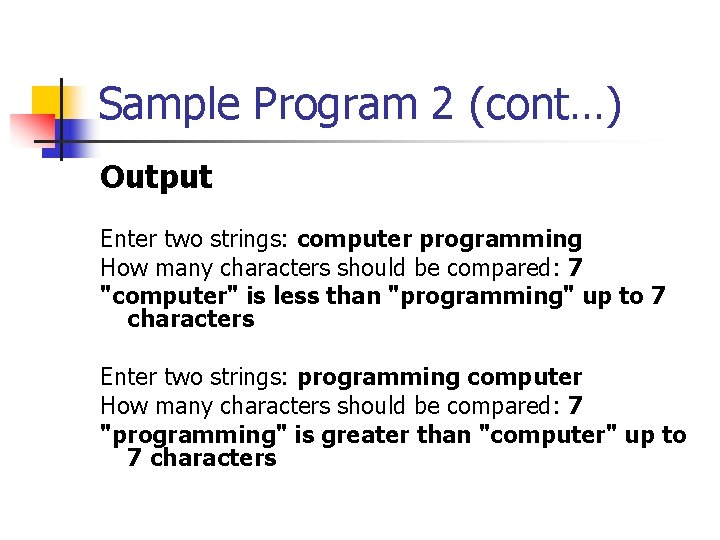
Sample Program 2 (cont…) Output Enter two strings: computer programming How many characters should be compared: 7 "computer" is less than "programming" up to 7 characters Enter two strings: programming computer How many characters should be compared: 7 "programming" is greater than "computer" up to 7 characters
Q&A