Kiosk Payment Systems LLC Automated Cashier System Utilizing
- Slides: 17
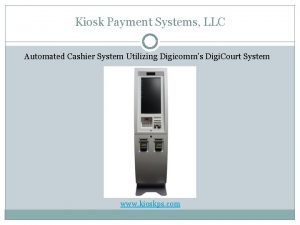
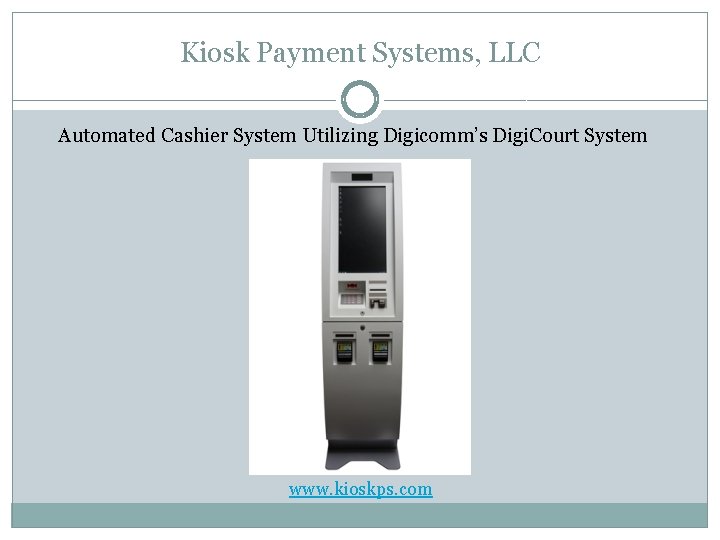
Kiosk Payment Systems, LLC Automated Cashier System Utilizing Digicomm’s Digi. Court System www. kioskps. com
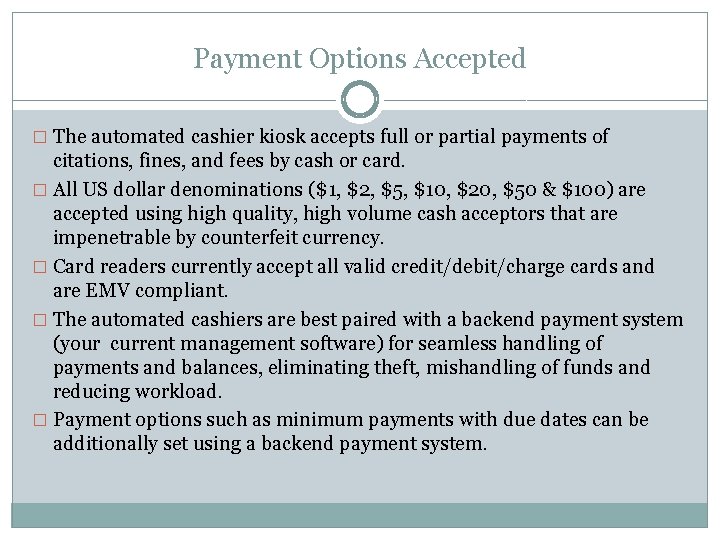
Payment Options Accepted � The automated cashier kiosk accepts full or partial payments of citations, fines, and fees by cash or card. � All US dollar denominations ($1, $2, $5, $10, $20, $50 & $100) are accepted using high quality, high volume cash acceptors that are impenetrable by counterfeit currency. � Card readers currently accept all valid credit/debit/charge cards and are EMV compliant. � The automated cashiers are best paired with a backend payment system (your current management software) for seamless handling of payments and balances, eliminating theft, mishandling of funds and reducing workload. � Payment options such as minimum payments with due dates can be additionally set using a backend payment system.
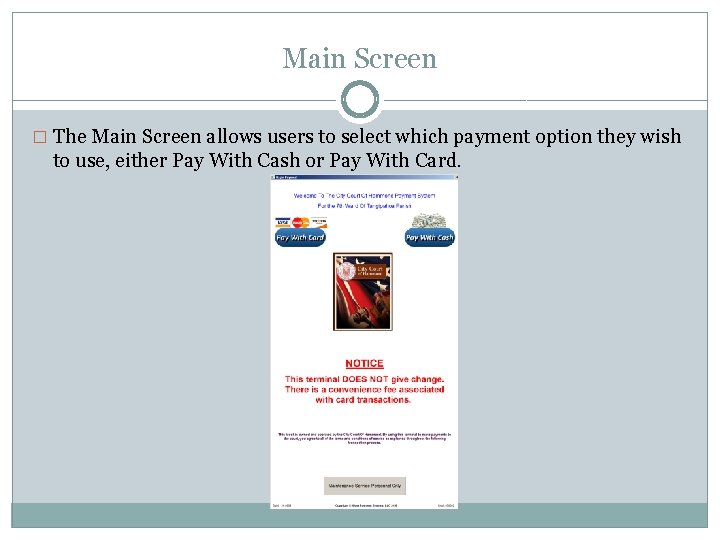
Main Screen � The Main Screen allows users to select which payment option they wish to use, either Pay With Cash or Pay With Card.
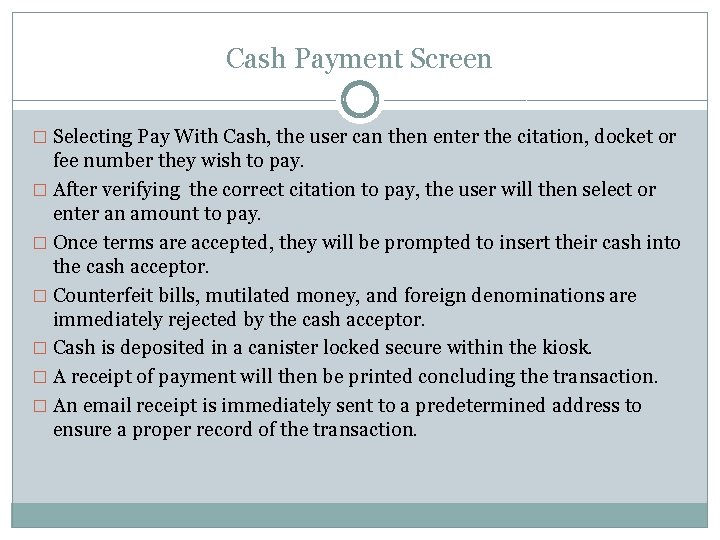
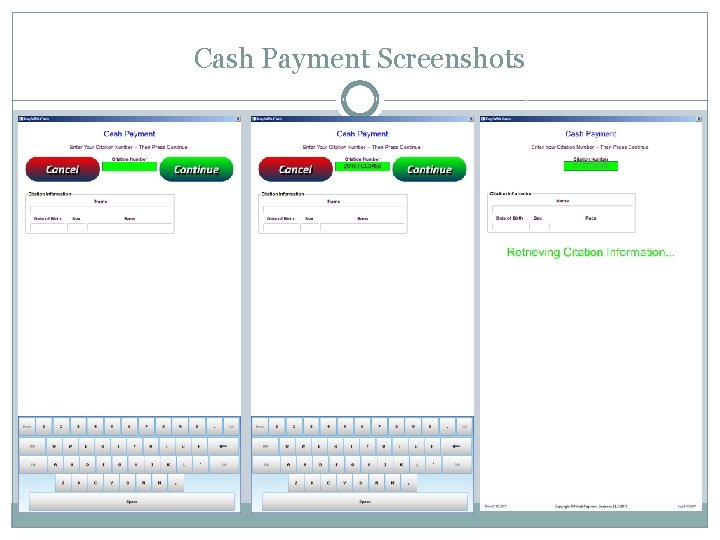
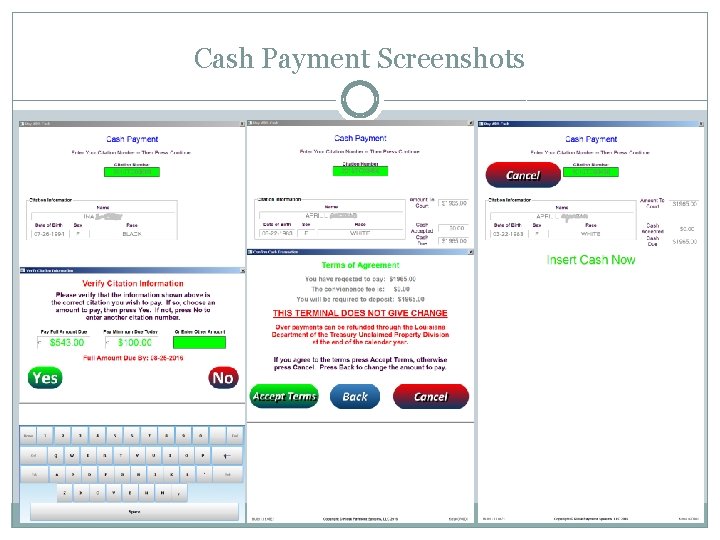
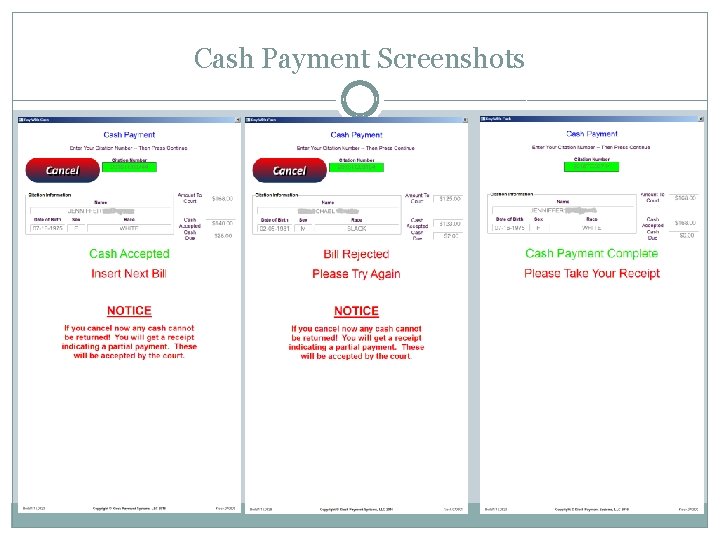
Cash Payment Screen � Selecting Pay With Cash, the user can then enter the citation, docket or fee number they wish to pay. � After verifying the correct citation to pay, the user will then select or enter an amount to pay. � Once terms are accepted, they will be prompted to insert their cash into the cash acceptor. � Counterfeit bills, mutilated money, and foreign denominations are immediately rejected by the cash acceptor. � Cash is deposited in a canister locked secure within the kiosk. � A receipt of payment will then be printed concluding the transaction. � An email receipt is immediately sent to a predetermined address to ensure a proper record of the transaction.
Cash Payment Screenshots
Cash Payment Screenshots
Cash Payment Screenshots
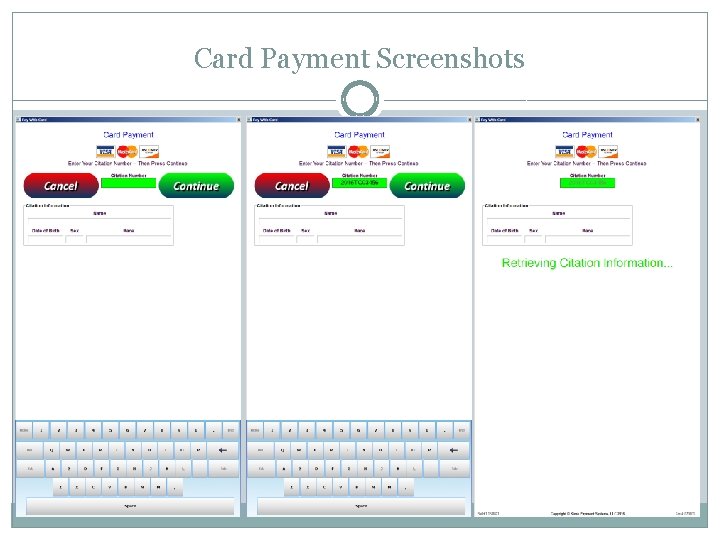
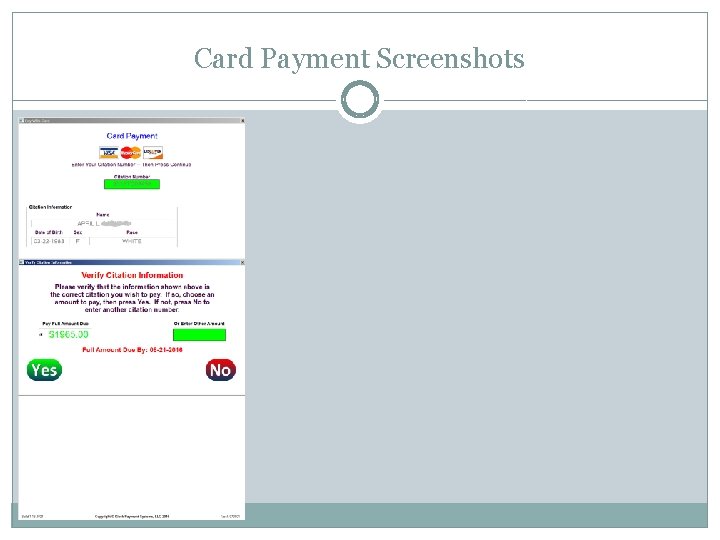
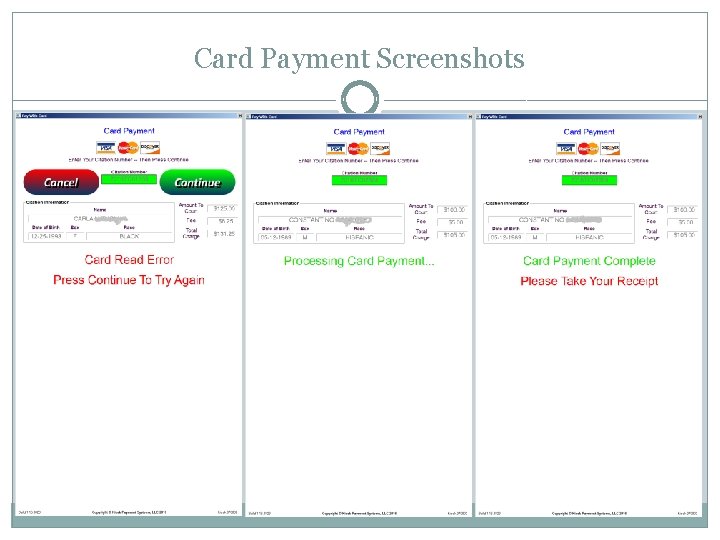
Card Payment Screen � Selecting Pay With Card, the user can then enter the citation, docket or fee number they wish to pay. � After verifying the correct citation to pay, the user will then select or enter an amount to pay. � Once terms are accepted, they will then be prompted to insert their card into the card acceptor. � The card transaction will then be securely processed via standard internet connection. � A receipt of payment will then be printed concluding the transaction. � An email receipt is immediately sent to a predetermined address to ensure a proper record of the transaction.
Card Payment Screenshots
Card Payment Screenshots
Card Payment Screenshots
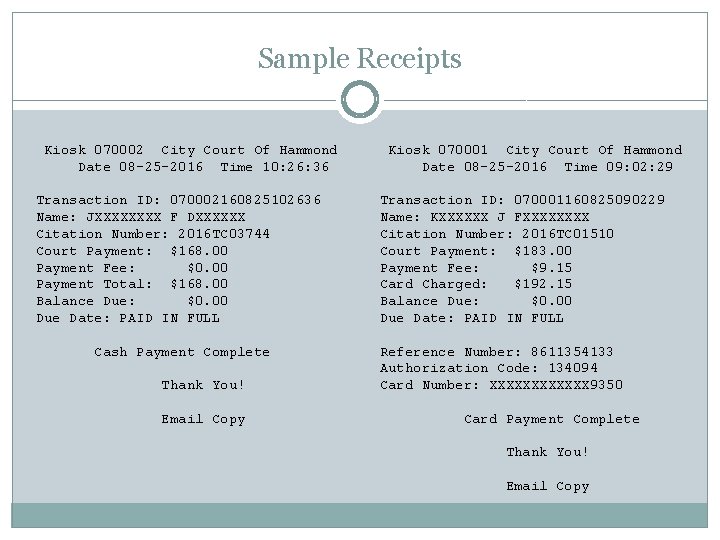
Transaction Receipt Printing � Receipt of payment will be printed at the kiosk upon completion of each cash or card transaction. � Additional receipt copies can be printed for each transaction or on demand by authorized users. � An additional receipt will be sent via email once the payment has completed. � Both partial and full payments are accepted and will be indicated as such on the printed and emailed receipts.
Sample Receipts Kiosk 070002 City Court Of Hammond Date 08 -25 -2016 Time 10: 26: 36 Transaction ID: 070002160825102636 Name: JXXXX F DXXXXXX Citation Number: 2016 TC 03744 Court Payment: $168. 00 Payment Fee: $0. 00 Payment Total: $168. 00 Balance Due: $0. 00 Due Date: PAID IN FULL Cash Payment Complete Thank You! Email Copy Kiosk 070001 City Court Of Hammond Date 08 -25 -2016 Time 09: 02: 29 Transaction ID: 070001160825090229 Name: KXXXXXX J FXXXX Citation Number: 2016 TC 01510 Court Payment: $183. 00 Payment Fee: $9. 15 Card Charged: $192. 15 Balance Due: $0. 00 Due Date: PAID IN FULL Reference Number: 8611354133 Authorization Code: 134094 Card Number: XXXXXX 9350 Card Payment Complete Thank You! Email Copy
Regular Activity Reporting � Receipts of each transaction are sent via email upon completion of each transaction. � Comprehensive reports of transaction activity will also be sent via email daily, weekly, and monthly. � Credit reports will be sent listing all card transaction with details. � Maintenance reports will be sent daily indicating the amount of cash contained within each kiosk. � Cash reset reports will also be sent whenever a cash reset is performed at the kiosk by an authorized person. � Up to four email addresses can receive these regular activity reports.
Kiosk Software Support � Our software support will ensure the daily logging, function and reliability of each kiosk in production. � Our responsive technicians offer software support 8 AM-5 PM weekdays via remote connection through the internet. � Regular software maintenance will be performed during off hours so as to not tie up the kiosk during regular operating hours. � Future updates regarding changes in US currency and credit card security audits will be included with regular support.
Summation � The automated cashier kiosks are designed to streamline the handling of court payments while minimizing inevitable human error. � Timely email reporting and transaction detail provided makes our system almost totally automated and corruption resistant while simultaneously reducing paperwork and payroll. � Certain software customizations are available for each agency. � A wired internet connection and power outlet is all that is needed for operation and support. � Video surveillance of each kiosk location is recommended for additional security and fraud deterrence.
Contact Information For additional information and pricing, please contact: Stuart Murphy 985 -969 -4201 stuart. murphy@kioskps. com