Introduction to Jams Video Game Package Last Edited
- Slides: 21
Introduction to Jam’s Video Game Package Last Edited 1/10/04 CPS 4: Java for Video Games http: //www. cs. duke. edu/education/courses/spring 04/cps 004/calendar. html Video Game Package Intro 1
The Plan • • • Scope of Video Game Package Basic Design of the Video Game Package Steps to making a game How the Pong was made Limitations of the Video Game Package Last Edited 1/10/04 CPS 4: Java for Video Games http: //www. cs. duke. edu/education/courses/spring 04/cps 004/calendar. html Video Game Package Intro 2
Scope of the Video Game Package • Goals of Jam’s Video Game Package – Simple to use – Reasonably fast – Designed to be examined and modified for academic purposes in computer science courses • What Jam’s package is not designed for – High speed animation/user input – Scripting games – Complex games Last Edited 1/10/04 CPS 4: Java for Video Games http: //www. cs. duke. edu/education/courses/spring 04/cps 004/calendar. html Video Game Package Intro 3
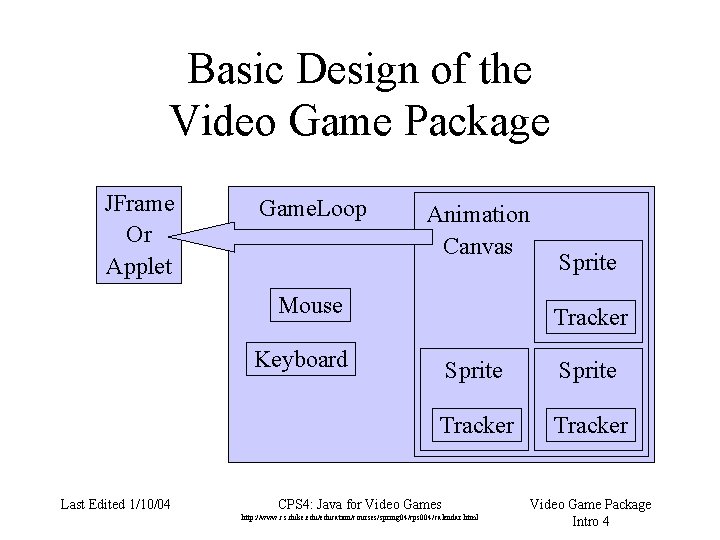
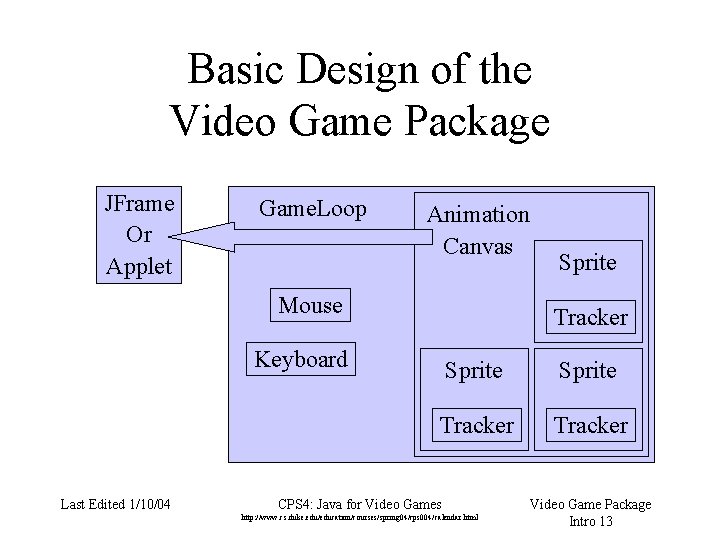
Basic Design of the Video Game Package JFrame Or Applet Game. Loop Animation Canvas Mouse Tracker Keyboard Last Edited 1/10/04 Sprite Tracker CPS 4: Java for Video Games http: //www. cs. duke. edu/education/courses/spring 04/cps 004/calendar. html Video Game Package Intro 4
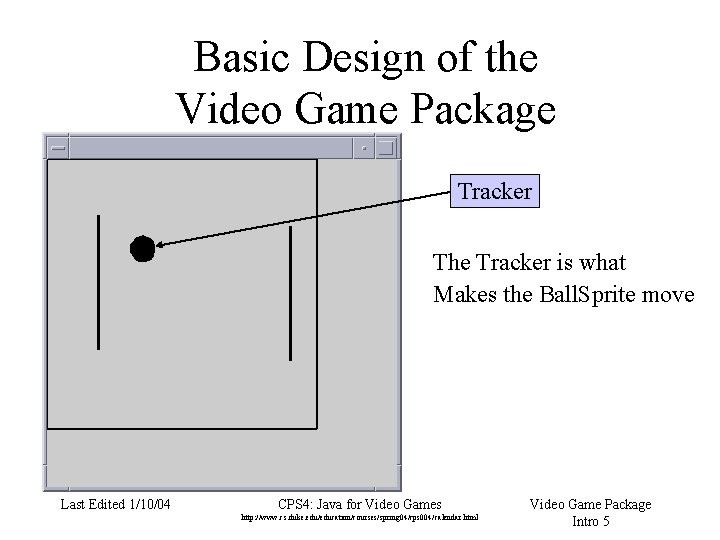
Basic Design of the Video Game Package Tracker The Tracker is what Makes the Ball. Sprite move Last Edited 1/10/04 CPS 4: Java for Video Games http: //www. cs. duke. edu/education/courses/spring 04/cps 004/calendar. html Video Game Package Intro 5
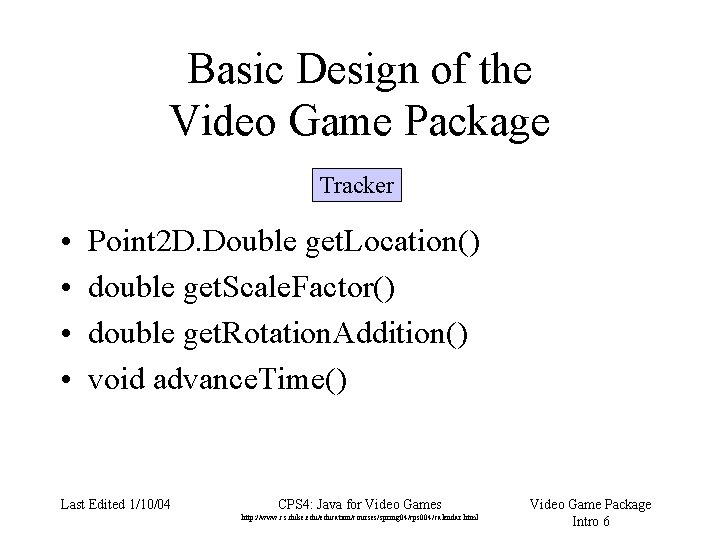
Basic Design of the Video Game Package Tracker • • Point 2 D. Double get. Location() double get. Scale. Factor() double get. Rotation. Addition() void advance. Time() Last Edited 1/10/04 CPS 4: Java for Video Games http: //www. cs. duke. edu/education/courses/spring 04/cps 004/calendar. html Video Game Package Intro 6
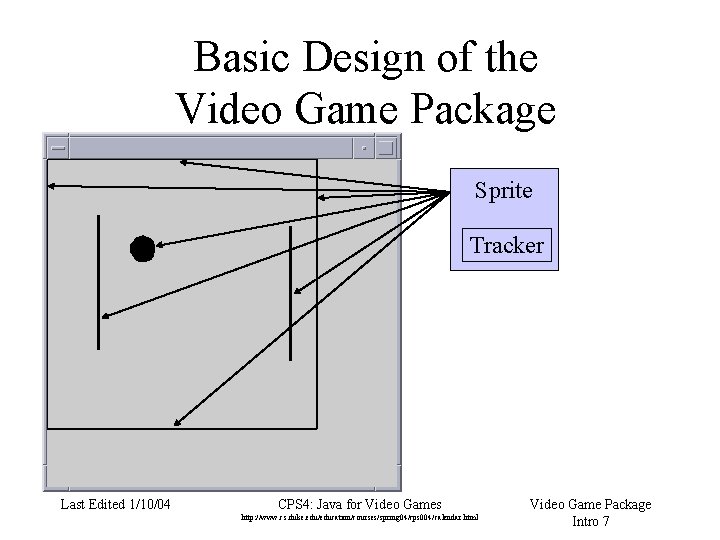
Basic Design of the Video Game Package Sprite Tracker Last Edited 1/10/04 CPS 4: Java for Video Games http: //www. cs. duke. edu/education/courses/spring 04/cps 004/calendar. html Video Game Package Intro 7
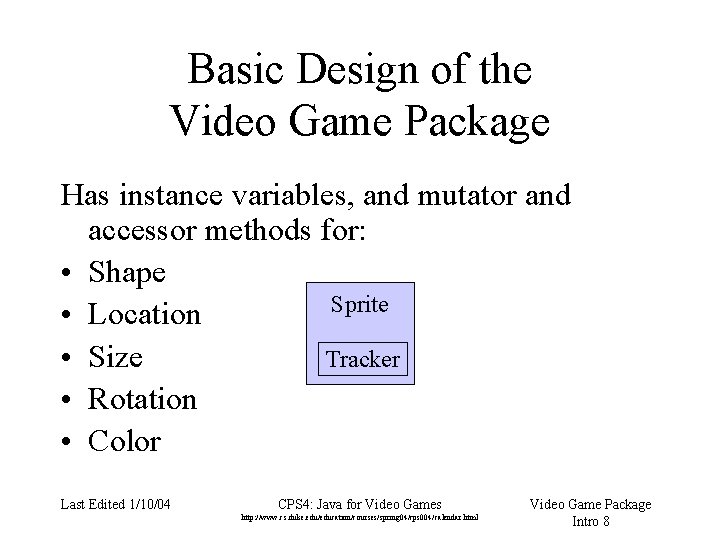
Basic Design of the Video Game Package Has instance variables, and mutator and accessor methods for: • Shape Sprite • Location • Size Tracker • Rotation • Color Last Edited 1/10/04 CPS 4: Java for Video Games http: //www. cs. duke. edu/education/courses/spring 04/cps 004/calendar. html Video Game Package Intro 8
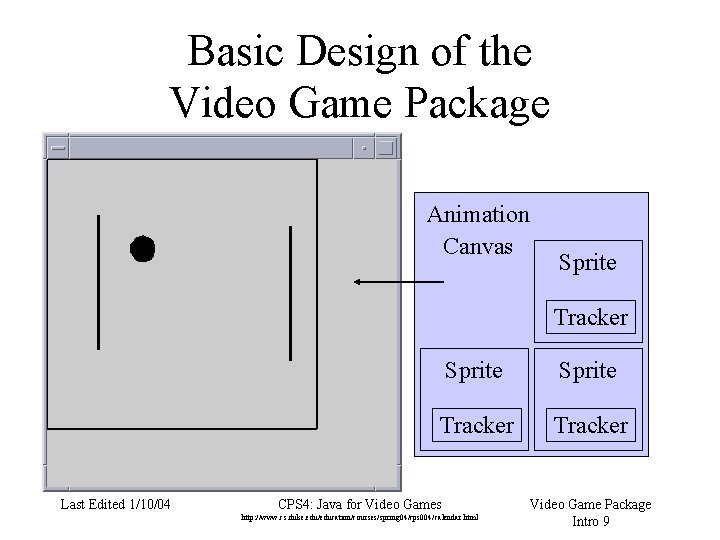
Basic Design of the Video Game Package Animation Canvas Sprite Tracker Last Edited 1/10/04 Sprite Tracker CPS 4: Java for Video Games http: //www. cs. duke. edu/education/courses/spring 04/cps 004/calendar. html Video Game Package Intro 9
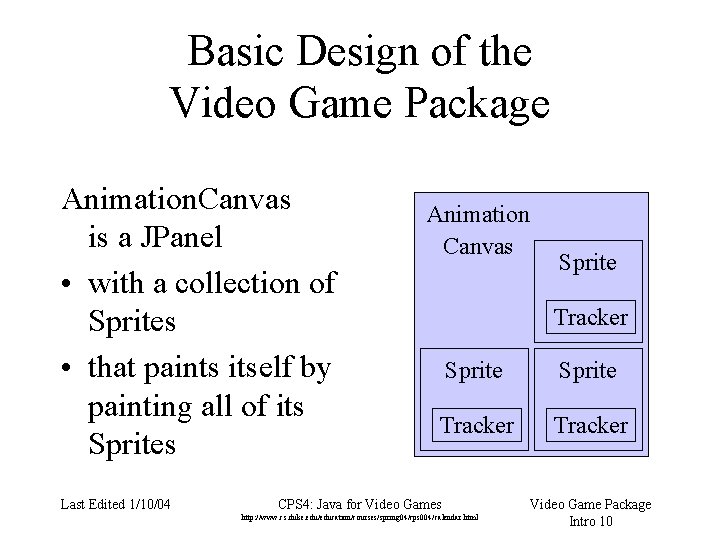
Basic Design of the Video Game Package Animation. Canvas is a JPanel • with a collection of Sprites • that paints itself by painting all of its Sprites Last Edited 1/10/04 Animation Canvas Sprite Tracker CPS 4: Java for Video Games http: //www. cs. duke. edu/education/courses/spring 04/cps 004/calendar. html Video Game Package Intro 10
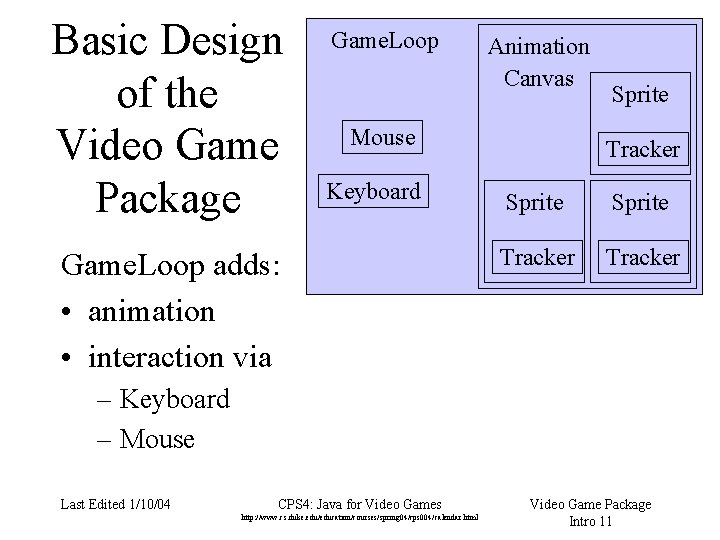
Basic Design of the Video Game Package Game. Loop Animation Canvas Mouse Keyboard Game. Loop adds: • animation • interaction via Sprite Tracker – Keyboard – Mouse Last Edited 1/10/04 CPS 4: Java for Video Games http: //www. cs. duke. edu/education/courses/spring 04/cps 004/calendar. html Video Game Package Intro 11
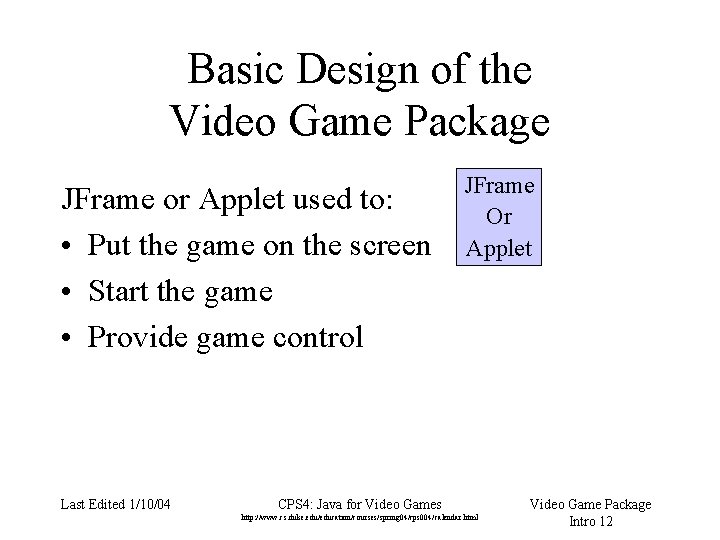
Basic Design of the Video Game Package JFrame or Applet used to: • Put the game on the screen • Start the game • Provide game control Last Edited 1/10/04 JFrame Or Applet CPS 4: Java for Video Games http: //www. cs. duke. edu/education/courses/spring 04/cps 004/calendar. html Video Game Package Intro 12
Basic Design of the Video Game Package JFrame Or Applet Game. Loop Animation Canvas Mouse Tracker Keyboard Last Edited 1/10/04 Sprite Tracker CPS 4: Java for Video Games http: //www. cs. duke. edu/education/courses/spring 04/cps 004/calendar. html Video Game Package Intro 13
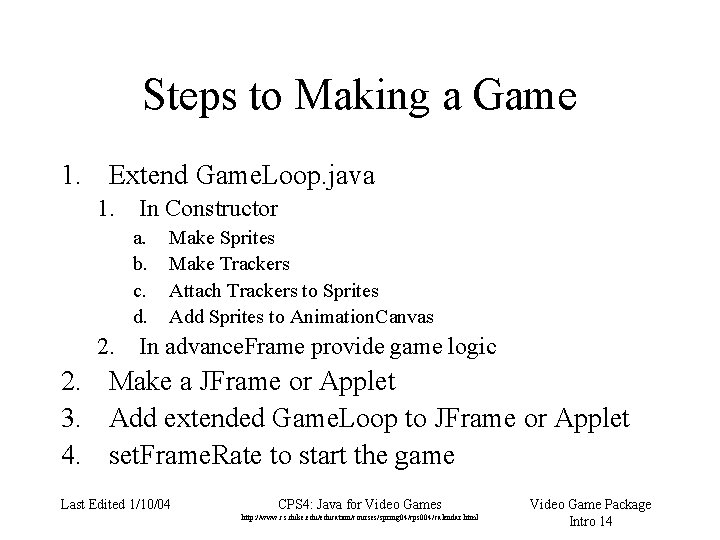
Steps to Making a Game 1. Extend Game. Loop. java 1. In Constructor a. b. c. d. Make Sprites Make Trackers Attach Trackers to Sprites Add Sprites to Animation. Canvas 2. In advance. Frame provide game logic 2. Make a JFrame or Applet 3. Add extended Game. Loop to JFrame or Applet 4. set. Frame. Rate to start the game Last Edited 1/10/04 CPS 4: Java for Video Games http: //www. cs. duke. edu/education/courses/spring 04/cps 004/calendar. html Video Game Package Intro 14
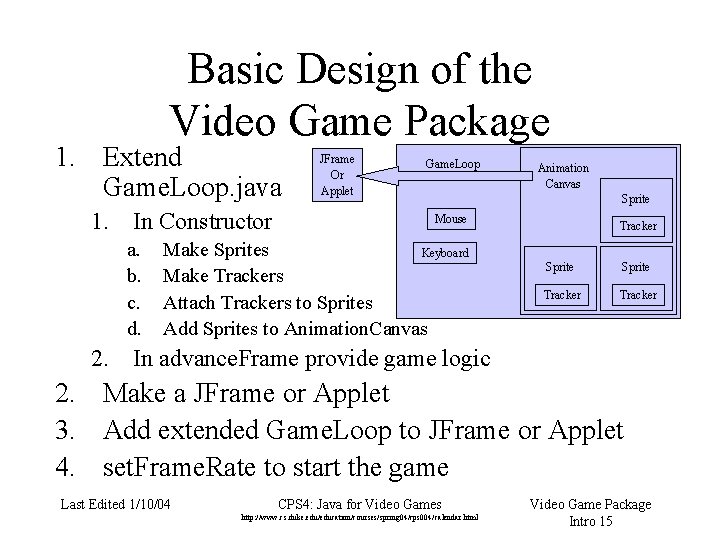
Basic Design of the Video Game Package 1. Extend Game. Loop. java 1. In Constructor a. b. c. d. JFrame Or Applet Game. Loop Animation Canvas Sprite Mouse Make Sprites Keyboard Make Trackers Attach Trackers to Sprites Add Sprites to Animation. Canvas Tracker Sprite Tracker 2. In advance. Frame provide game logic 2. Make a JFrame or Applet 3. Add extended Game. Loop to JFrame or Applet 4. set. Frame. Rate to start the game Last Edited 1/10/04 CPS 4: Java for Video Games http: //www. cs. duke. edu/education/courses/spring 04/cps 004/calendar. html Video Game Package Intro 15
How Pong was Made 1. Ball. Sprite was written to extend Sprite 2. Wall. Sprite was written to extend Sprite 3. Projectile. Tracker was written to implement a Tracker 4. Pong. Loop was written to extend Game. Loop 5. Pong was written to use Pong. Loop Last Edited 1/10/04 CPS 4: Java for Video Games http: //www. cs. duke. edu/education/courses/spring 04/cps 004/calendar. html Video Game Package Intro 16
How Pong was Made Some of the more complex parts of Pong that we’ll talk about in more detail later: • Loops • Conditionals • Event handling • Inheritance & Interfaces • Collections • Collision detection Last Edited 1/10/04 CPS 4: Java for Video Games http: //www. cs. duke. edu/education/courses/spring 04/cps 004/calendar. html Video Game Package Intro 17
How Pong was Made What you will need to know shortly: • Basic classes in the package • Basic structure of the package • Basic steps to making the game • General idea about how Pong. java and Pong. Loop. java work • Enough familiarity to make minor modifications to Ball. Sprite and Pong. Loop Last Edited 1/10/04 CPS 4: Java for Video Games http: //www. cs. duke. edu/education/courses/spring 04/cps 004/calendar. html Video Game Package Intro 18
How Pong was Made What you don’t need to understand yet: • All of the classes in the package • All of the code in the basic classes • How to make your own classes like Pong and Pong. Loop from scratch Last Edited 1/10/04 CPS 4: Java for Video Games http: //www. cs. duke. edu/education/courses/spring 04/cps 004/calendar. html Video Game Package Intro 19
How Pong was Made What you’ll be doing in the next homework: (in addition to problems from Big Java) • Altering Ball. Sprite • Altering Projectile. Tracker …and it will be fun (when it works) Last Edited 1/10/04 CPS 4: Java for Video Games http: //www. cs. duke. edu/education/courses/spring 04/cps 004/calendar. html Video Game Package Intro 20
How Pong was Made Let’s take a look at two classes: 1. Open up a web browser 2. Go to the course website and download pong. jar to the desktop (from code link) 3. Open up Eclipse 4. Import pong. jar 5. Look in tipgame for Ball. Sprite. java 6. Look in tipgame for Projectile. Tracker. java Last Edited 1/10/04 CPS 4: Java for Video Games http: //www. cs. duke. edu/education/courses/spring 04/cps 004/calendar. html Video Game Package Intro 21