Ingersoll Rand Zendesk Support SSO for Agents Introductory

- Slides: 11
Ingersoll Rand Zendesk Support SSO for Agents Introductory Guide Implementation Date: 14 December 2018
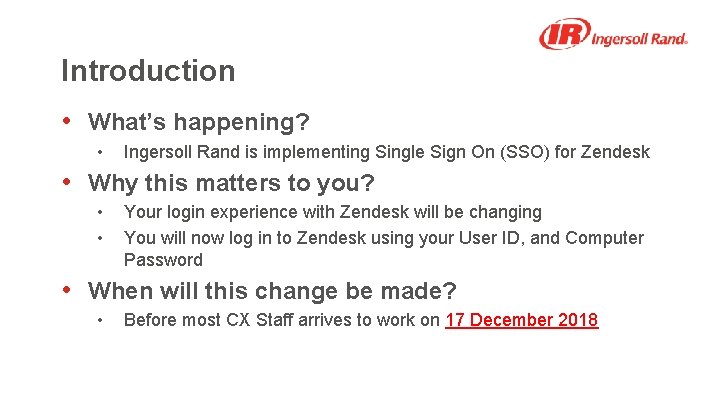
Introduction • What’s happening? • Ingersoll Rand is implementing Single Sign On (SSO) for Zendesk • Why this matters to you? • • Your login experience with Zendesk will be changing You will now log in to Zendesk using your User ID, and Computer Password • When will this change be made? • Before most CX Staff arrives to work on 17 December 2018
Ingersoll Rand Zendesk Support SSO for Agents Signing in to Zendesk
Your new login experience • Admins & Agents will have multiple options for logging in ‑ ‑ 1. From the Help Center 2. From the Agent Login URL 3. From https: //signin. irco. com 4. SSO Bypass • You will now log in to Zendesk using your User ID, and Computer Password
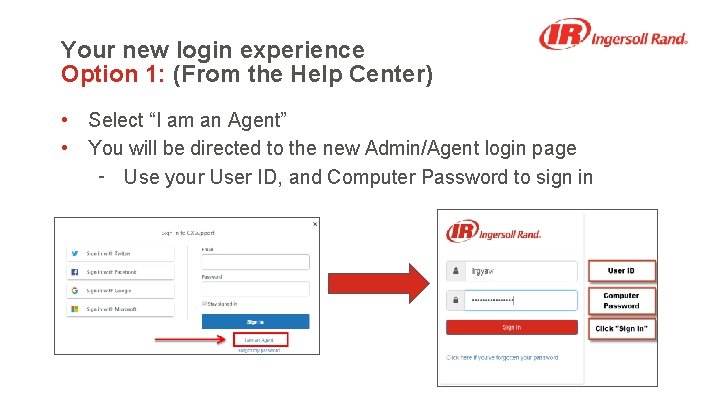
Your new login experience Option 1: (From the Help Center) • Select “I am an Agent” • You will be directed to the new Admin/Agent login page ‑ Use your User ID, and Computer Password to sign in
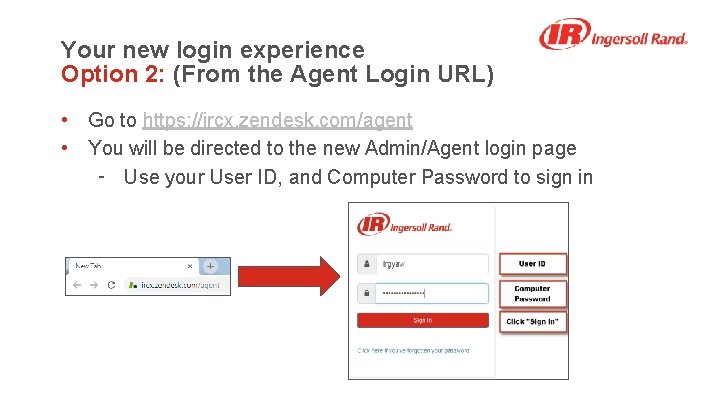
Your new login experience Option 2: (From the Agent Login URL) • Go to https: //ircx. zendesk. com/agent • You will be directed to the new Admin/Agent login page ‑ Use your User ID, and Computer Password to sign in
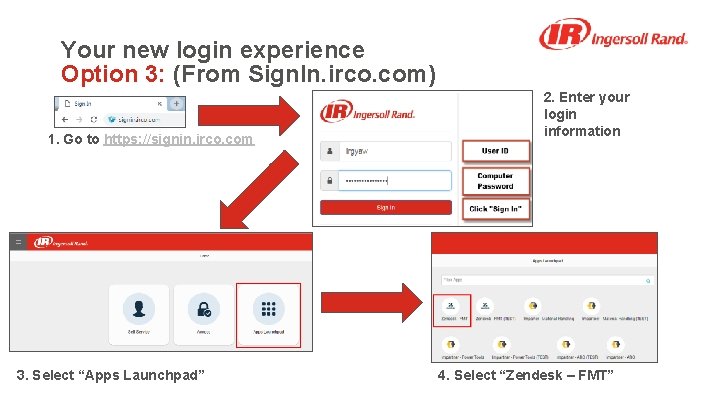
Your new login experience Option 3: (From Sign. In. irco. com) 1. Go to https: //signin. irco. com 3. Select “Apps Launchpad” 2. Enter your login information 4. Select “Zendesk – FMT”
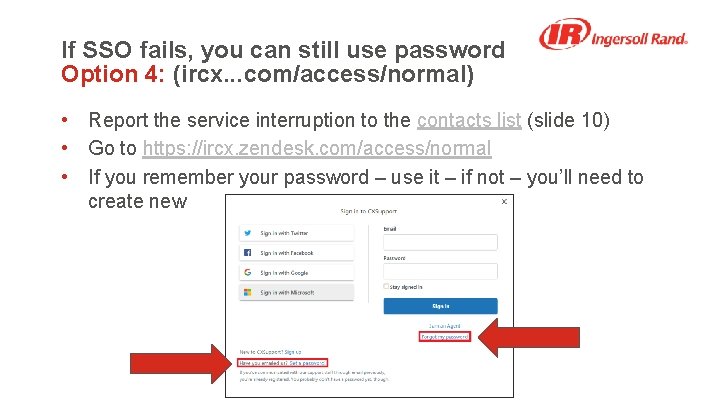
If SSO fails, you can still use password Option 4: (ircx. . . com/access/normal) • Report the service interruption to the contacts list (slide 10) • Go to https: //ircx. zendesk. com/access/normal • If you remember your password – use it – if not – you’ll need to create new
Ingersoll Rand Zendesk Support SSO for Agents Who to Contact with Questions
Contacts List • James Ripley, james. ripley@irco. com ‑ Any questions related to your Zendesk account ‑ General “How To” questions for SSO • Sandra Fuchs, Sandra. Fuchs@irco. com ‑ Account is locked when trying to sign in ‑ Any additional issues preventing you from signing in