HP CM 80608050 Color MFP with Edgeline Technology
- Slides: 10
HP CM 8060/8050 Color MFP with Edgeline Technology Service and Support Training Install Module © 2007 Hewlett-Packard Development Company, L. P. The information contained herein is subject to change without notice
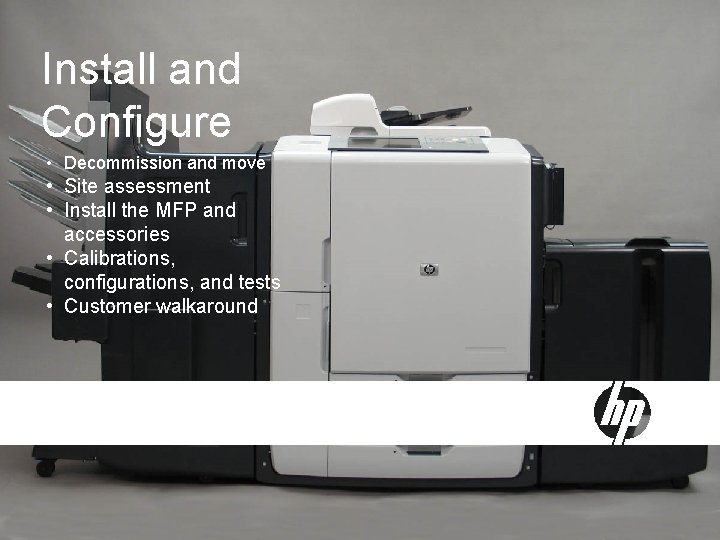
Install and Configure • Decommission and move • Site assessment • Install the MFP and accessories • Calibrations, configurations, and tests • Customer walkaround
Site Assessment Workbook Key Points • Order information (MFP and accessories ordered) • Customer information (contact information) • Technical site setup checklist (physical, environmental, electrical) Logistics checklist Network and configuration information checklist Specifications Unit acclimation information • • 3 May 2007 -- HP Restricted
Install Guide Key Points • Site preparation and unpacking information • Installation instructions for the MFP • Installation instructions for each accessory Power-on calibration and settings instructions Moving the unit • • • Narrow door information • • 4 Install checklists Shipping kit descriptions Customer walkaround checklist Digital send setup checklist May 2007 -- HP Restricted
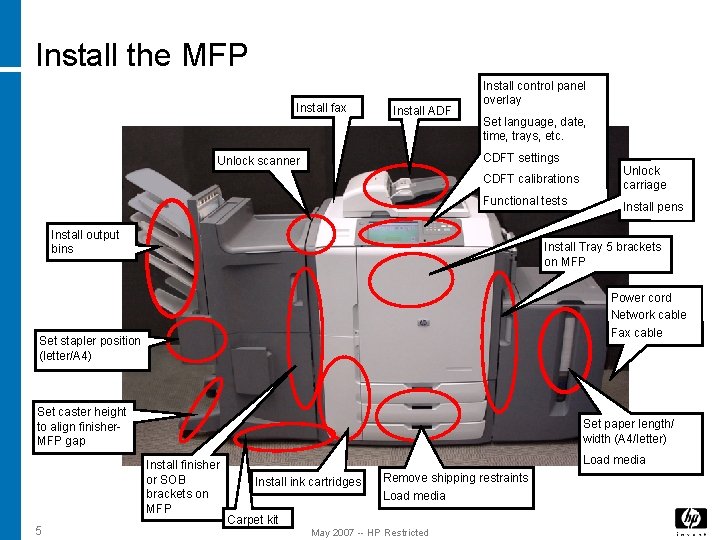
Install the MFP Install fax Install ADF Install control panel overlay Set language, date, time, trays, etc. CDFT settings Unlock scanner CDFT calibrations Unlock carriage Functional tests Install pens Install output bins Install Tray 5 brackets on MFP Power cord Network cable Fax cable Set stapler position (letter/A 4) Set caster height to align finisher. MFP gap Set paper length/ width (A 4/letter) Install finisher or SOB brackets on MFP 5 Load media Install ink cartridges Remove shipping restraints Load media Carpet kit May 2007 -- HP Restricted
Calibrations, configurations, tests • Various calibrations, configurations, and tests must be performed after the installation is complete • Follow instructions in the install guide 6 May 2007 -- HP Restricted
Decommission and move • Determine the type of move: • Local move – From one location to another within the same building or office campus. Ensure proper pen handling. • Extended move – From one location to another within the same city. Ensure proper pen handling and install penpocket shipping restraints. • Decommission move – From one city, country, or region to another. Extensive preparation required – ensure you crate MFP and accessories properly. • 7 Use the checklist and instructions in install guide May 2007 -- HP Restricted
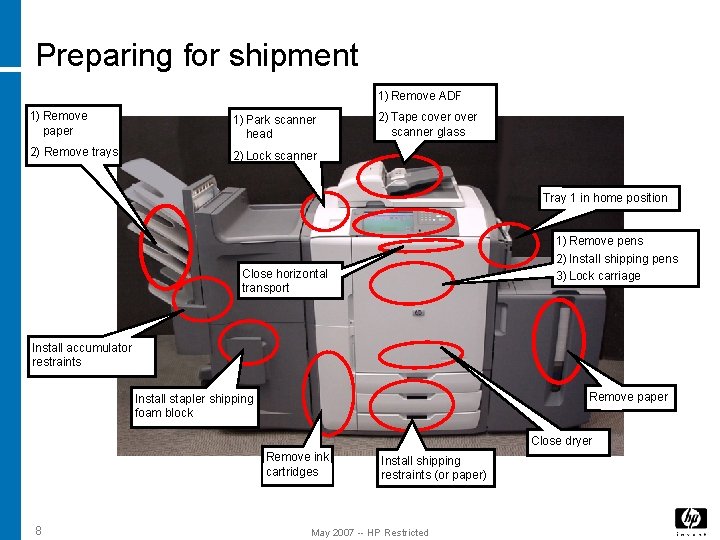
Preparing for shipment 1) Remove ADF 1) Remove paper 1) Park scanner head 2) Remove trays 2) Lock scanner 2) Tape cover scanner glass Tray 1 in home position 1) Remove pens 2) Install shipping pens 3) Lock carriage Close horizontal transport Install accumulator restraints Remove paper Install stapler shipping foam block Close dryer Remove ink cartridges 8 Install shipping restraints (or paper) May 2007 -- HP Restricted
Lab
Customer walkaround • Use the customer walk-around checklist • Demonstrate most functions • Use customer’s real print or copy jobs • Allow plenty of time for questions 10 May 2007 -- HP Restricted