Grid Nexus workflow editor 8 50 pm 9
- Slides: 19
Grid. Nexus workflow editor 8: 50 pm - 9: 35 pm Workshop 20: Teaching a Hands-on Undergraduate Grid Computing Course SIGCSE 2010 - The 41 st ACM Technical Symposium on Computer Science Education Friday March 12, 2010 Dr. Barry Wilkinson Dr. Clayton Ferner University of North Carolina Charlotte University of North Carolina Wilmington 1 © 2010 B. Wilkinson/Clayton Ferner SIGCSE 2010 Workshop 20 Modification date: Feb 17, 2010
Grid. Nexus workflow editor • Presentation (15 mins) • Grid. Nexus demonstration/hands-on experience (40 mins) 8: 30 pm - 9: 25 pm 2
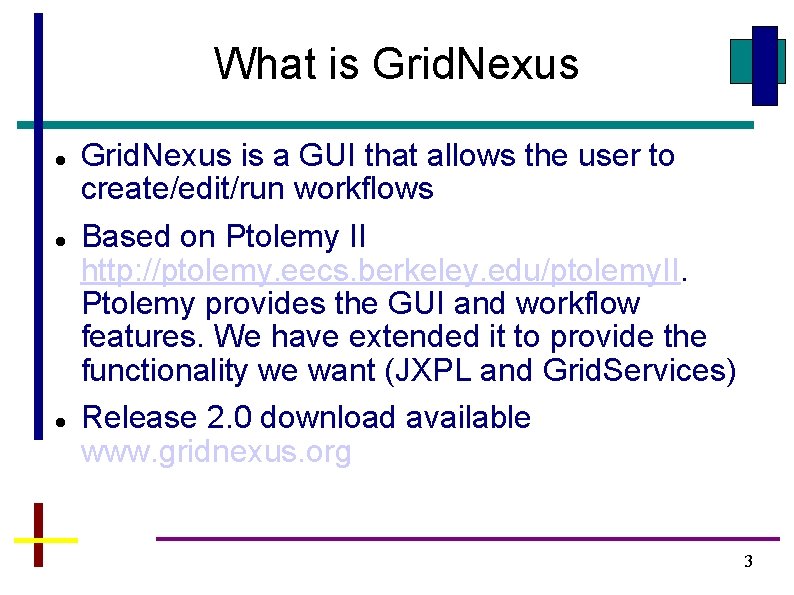
What is Grid. Nexus is a GUI that allows the user to create/edit/run workflows Based on Ptolemy II http: //ptolemy. eecs. berkeley. edu/ptolemy. II. Ptolemy provides the GUI and workflow features. We have extended it to provide the functionality we want (JXPL and Grid. Services) Release 2. 0 download available www. gridnexus. org 3
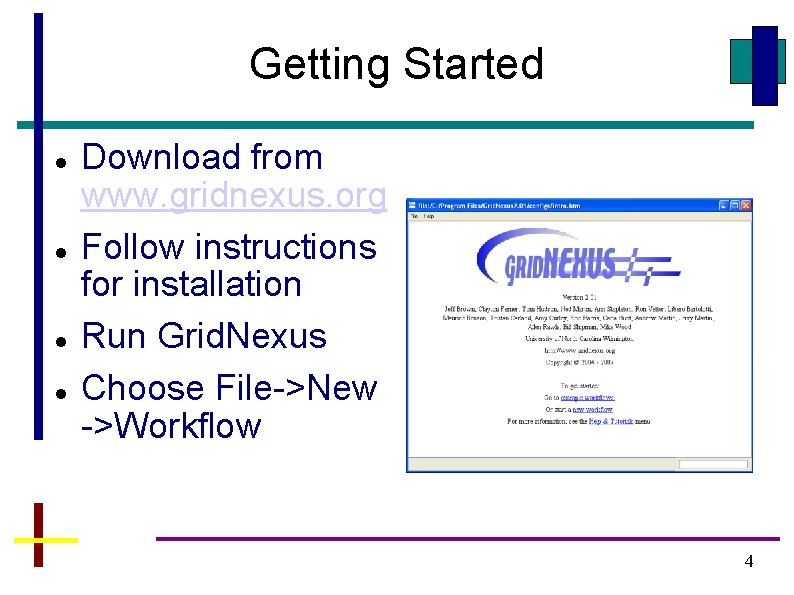
Getting Started Download from www. gridnexus. org Follow instructions for installation Run Grid. Nexus Choose File->New ->Workflow 4
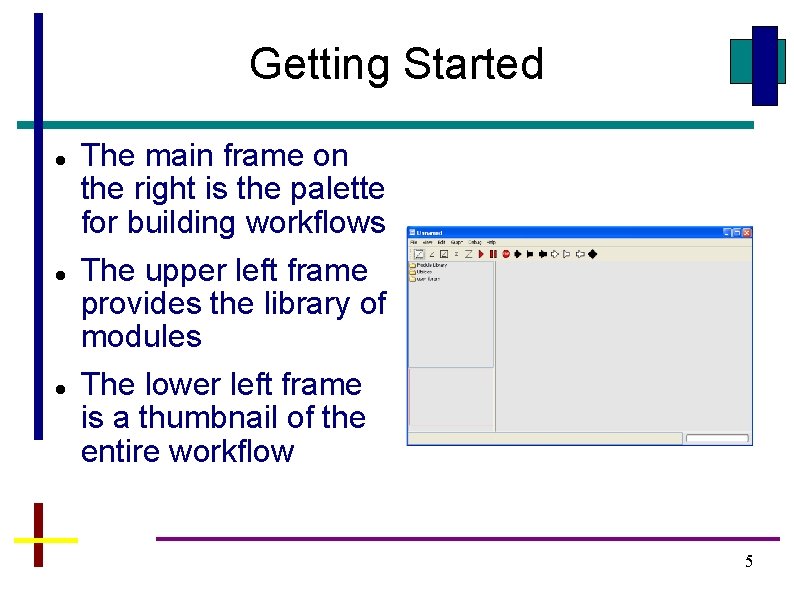
Getting Started The main frame on the right is the palette for building workflows The upper left frame provides the library of modules The lower left frame is a thumbnail of the entire workflow 5
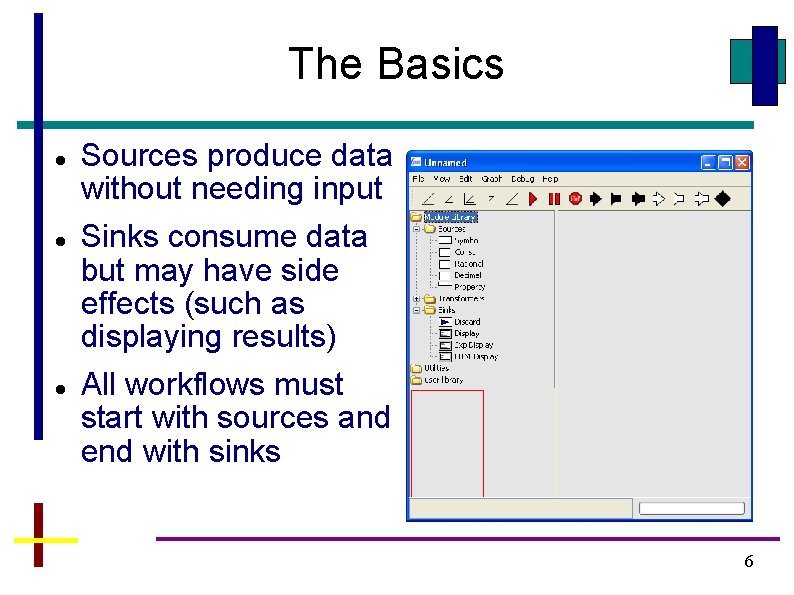
The Basics Sources produce data without needing input Sinks consume data but may have side effects (such as displaying results) All workflows must start with sources and end with sinks 6
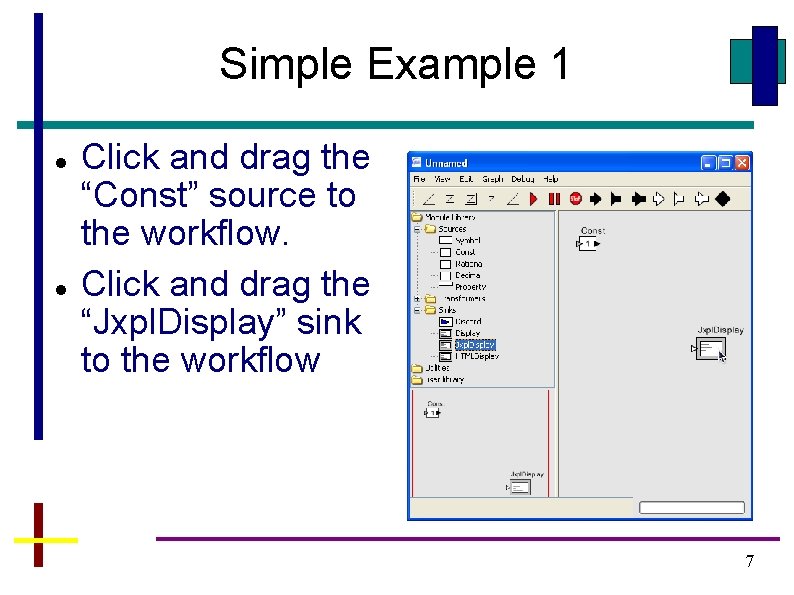
Simple Example 1 Click and drag the “Const” source to the workflow. Click and drag the “Jxpl. Display” sink to the workflow 7
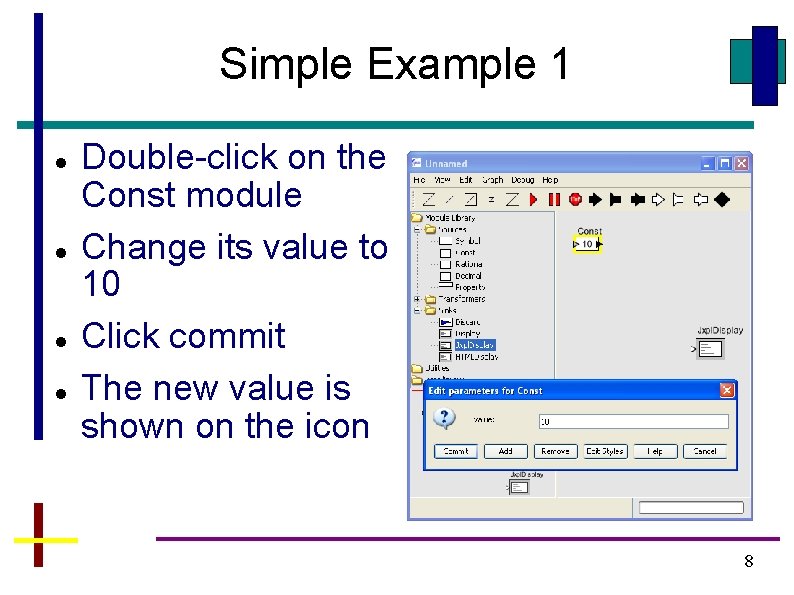
Simple Example 1 Double-click on the Const module Change its value to 10 Click commit The new value is shown on the icon 8
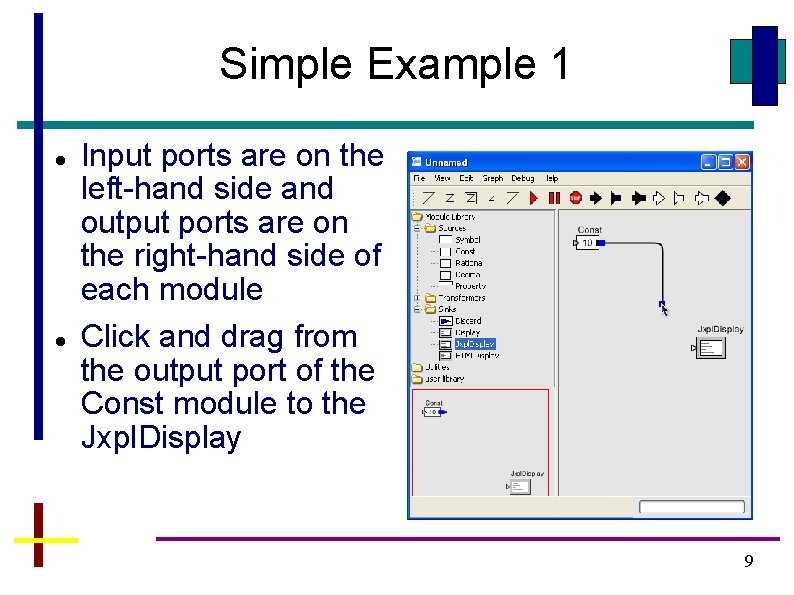
Simple Example 1 Input ports are on the left-hand side and output ports are on the right-hand side of each module Click and drag from the output port of the Const module to the Jxpl. Display 9
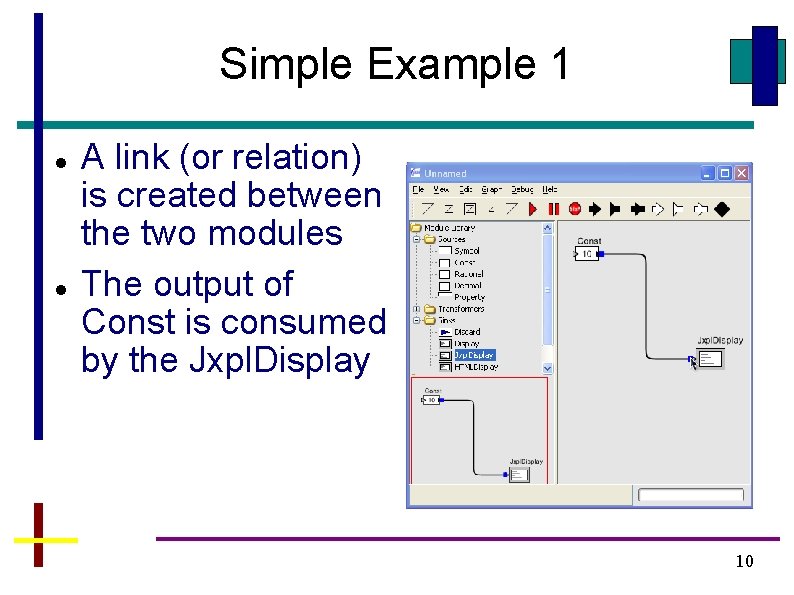
Simple Example 1 A link (or relation) is created between the two modules The output of Const is consumed by the Jxpl. Display 10
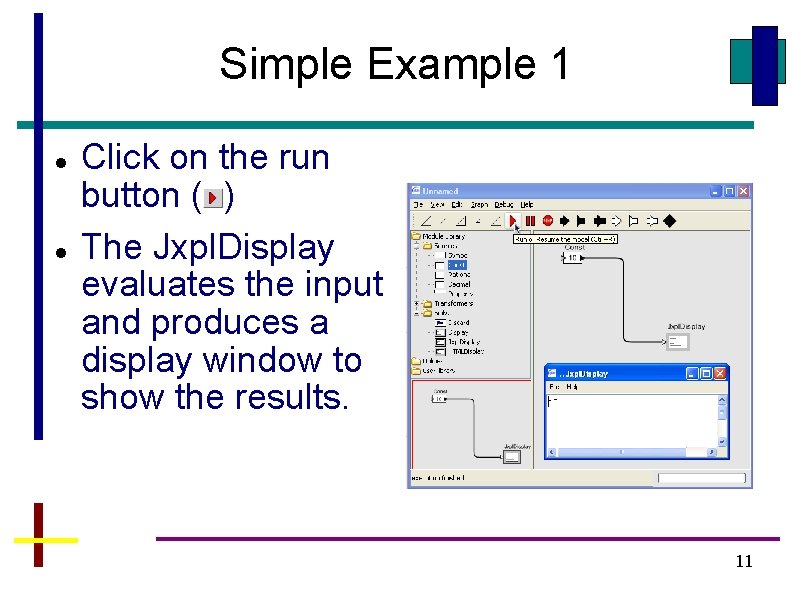
Simple Example 1 Click on the run button ( ) The Jxpl. Display evaluates the input and produces a display window to show the results. 11
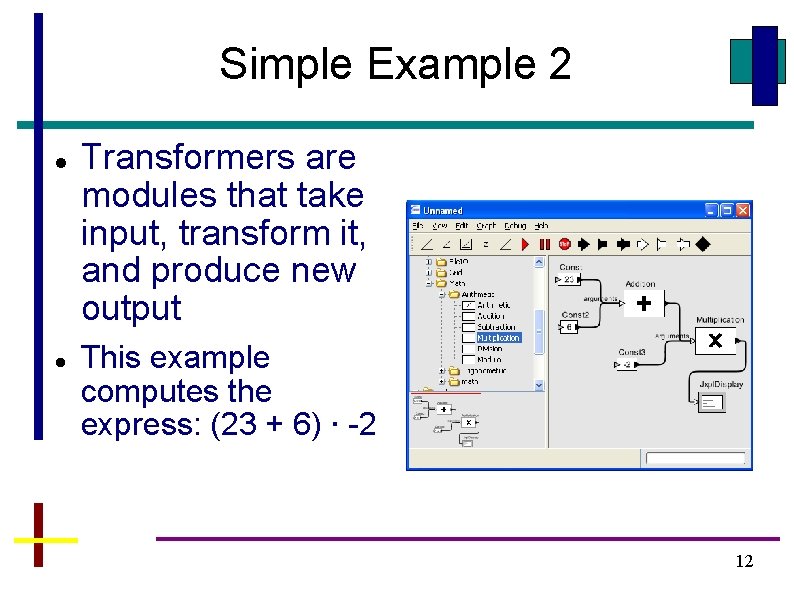
Simple Example 2 Transformers are modules that take input, transform it, and produce new output This example computes the express: (23 + 6) ∙ -2 12
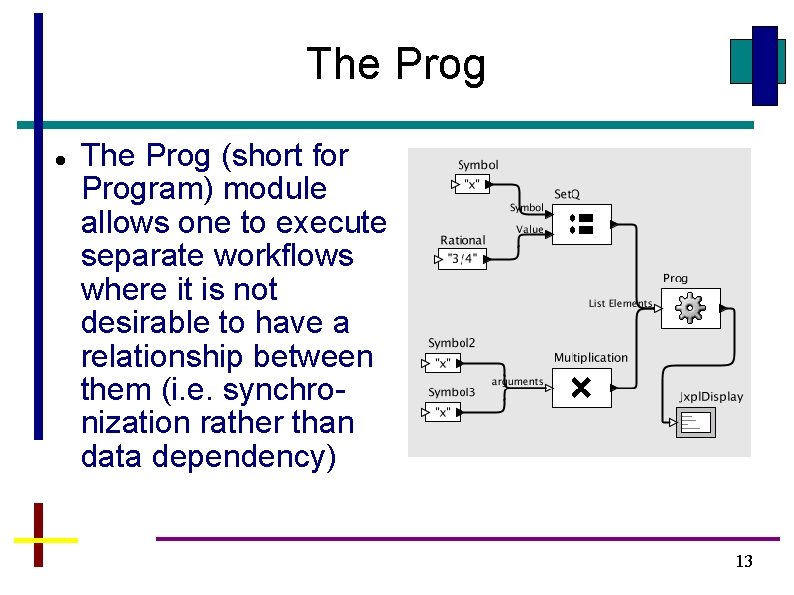
The Prog (short for Program) module allows one to execute separate workflows where it is not desirable to have a relationship between them (i. e. synchronization rather than data dependency) 13
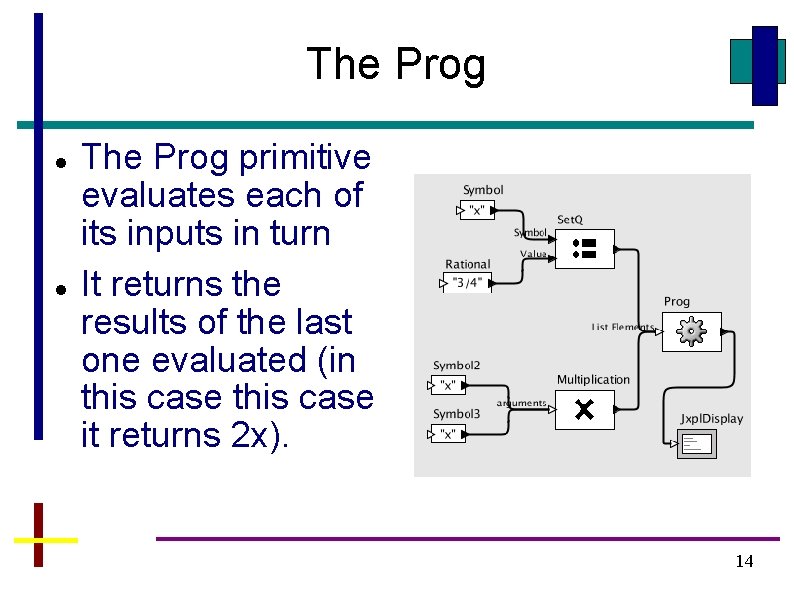
The Prog primitive evaluates each of its inputs in turn It returns the results of the last one evaluated (in this case it returns 2 x). 14
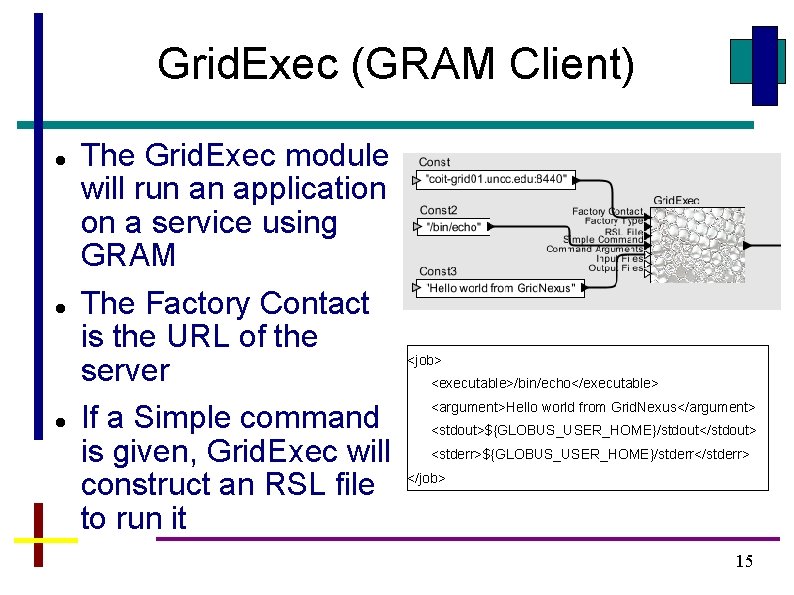
Grid. Exec (GRAM Client) The Grid. Exec module will run an application on a service using GRAM The Factory Contact is the URL of the server If a Simple command is given, Grid. Exec will construct an RSL file to run it <job> <executable>/bin/echo</executable> <argument>Hello world from Grid. Nexus</argument> <stdout>${GLOBUS_USER_HOME}/stdout</stdout> <stderr>${GLOBUS_USER_HOME}/stderr</stderr> </job> 15
Grid Services First, you need the jars of the Grid Service. E. g. : edu_uncw_mathservice. jar edu_uncw_mathservice_stubs. jar These are found in $GLOBUS_LOCATION/lib on the server Put in $GRIDNEXUS_HOME/lib (Linux) or C: Program FilesGrid. Nexus 2. xxlib (Windows) You will need to restart Grid. Nexus so that it will reset the classpath 16
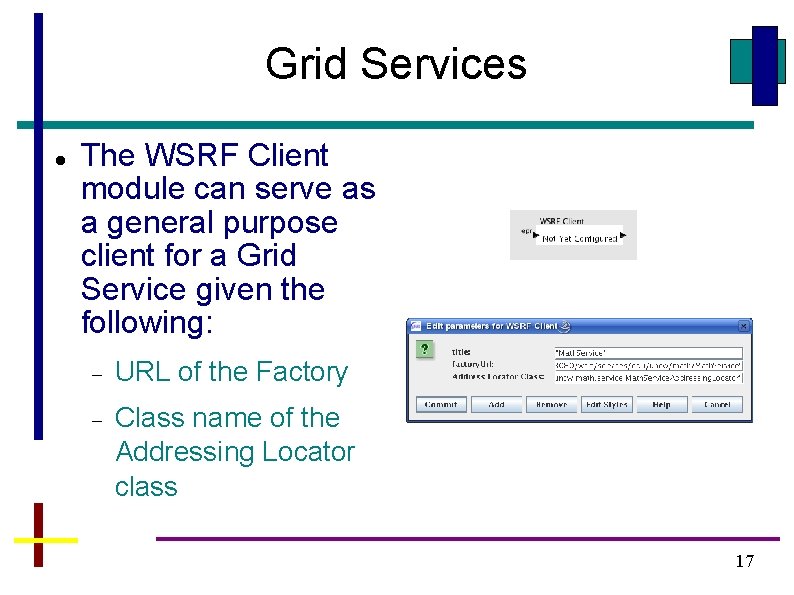
Grid Services The WSRF Client module can serve as a general purpose client for a Grid Service given the following: URL of the Factory Class name of the Addressing Locator class 17
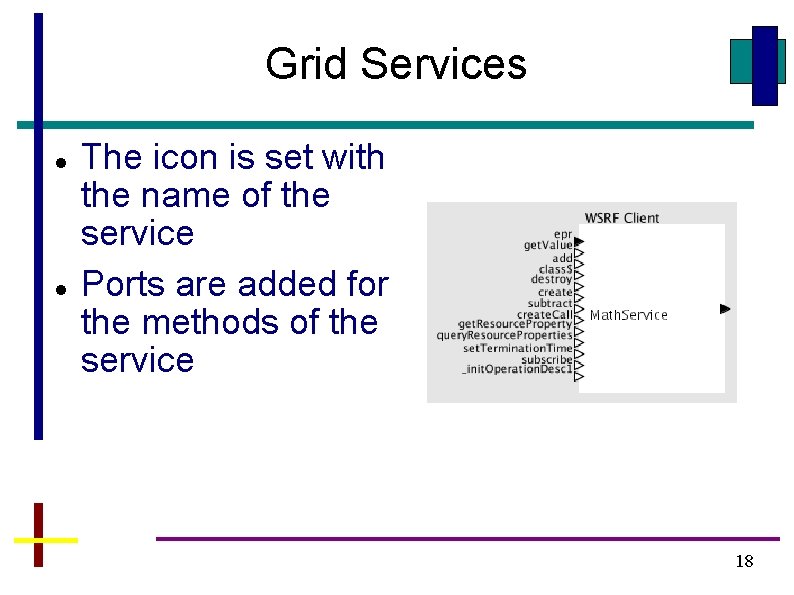
Grid Services The icon is set with the name of the service Ports are added for the methods of the service 18
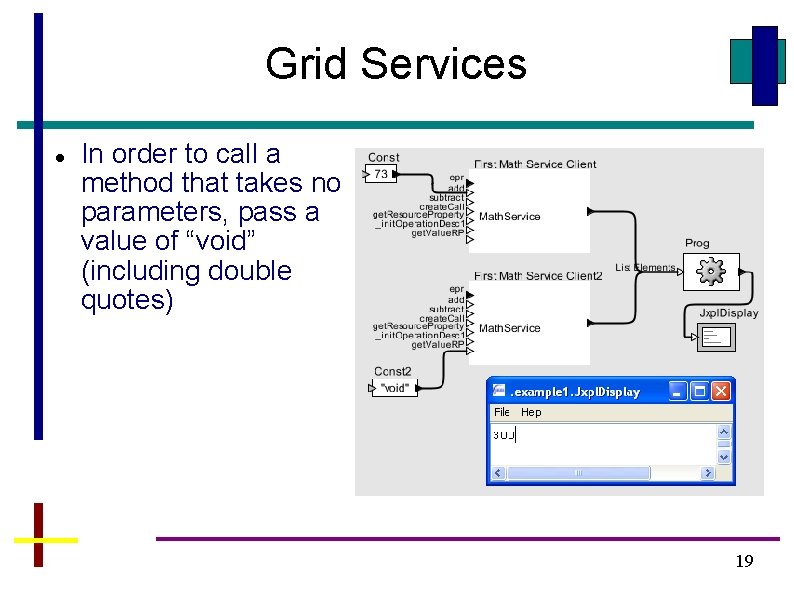
Grid Services In order to call a method that takes no parameters, pass a value of “void” (including double quotes) 19