ECE 1020 FINAL PRESENTATION TA Allen Guan and




- Slides: 29
ECE 1020 FINAL PRESENTATION TA: Allen Guan and Sibel Ahmed Shehzad Mufti
Cassius Ali - CE Zach Bloom - EE Si Chen - CS Alex Horvath - BME Aditi Shenoy - BME
Cassius Ali - CE Si Chen - CS Zach Bloom - EE Alex Horvath - BME Aditi Shenoy - BME
Digital Sensors • Two states: 0 or 1 0 means that the switch is open=nothing o 1 means that the switch is closed=hit o • Ports 7 -15
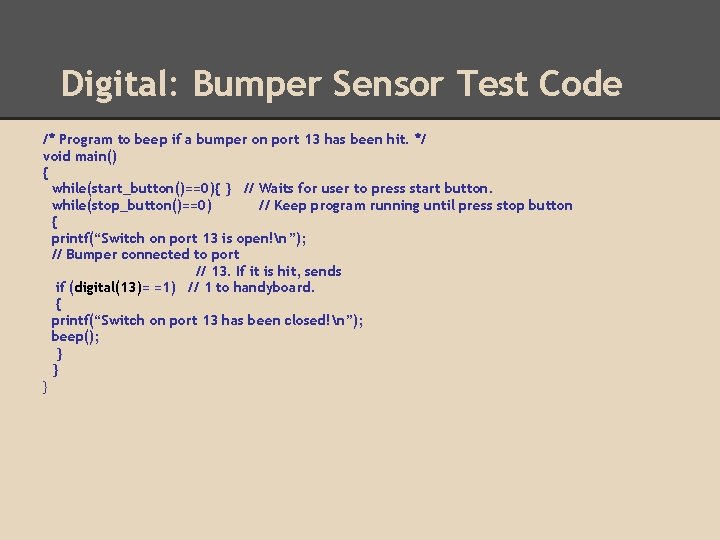
Digital: Bumper Sensor Test Code /* Program to beep if a bumper on port 13 has been hit. */ void main() { while(start_button()==0){ } // Waits for user to press start button. while(stop_button()==0) // Keep program running until press stop button { printf(“Switch on port 13 is open!n”); // Bumper connected to port // 13. If it is hit, sends if (digital(13)= =1) // 1 to handyboard. { printf(“Switch on port 13 has been closed!n”); beep(); } } }
Analog Sensors • Range of states • The output ranges on the input • Port numbers range • The ports used depend on the type of sensor used Light Sensors • • Connected to ports 2 -6, 20 -23 Values from 0 -255 (bright to dark)
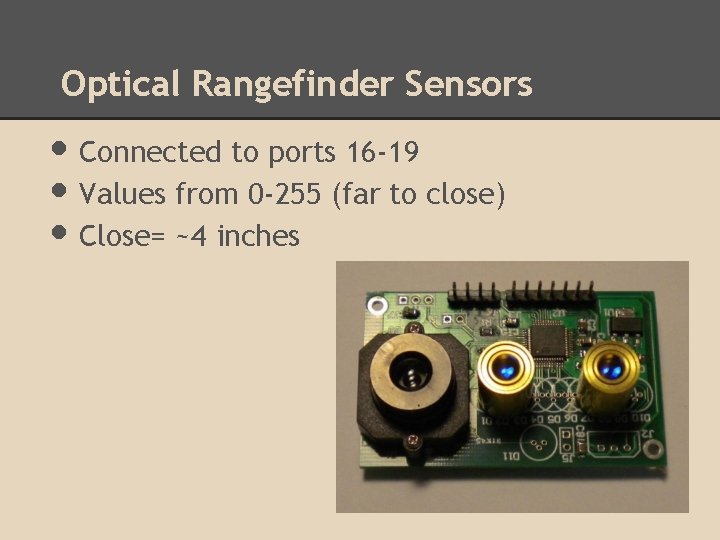
Optical Rangefinder Sensors • Connected to ports 16 -19 • Values from 0 -255 (far to close) • Close= ~4 inches
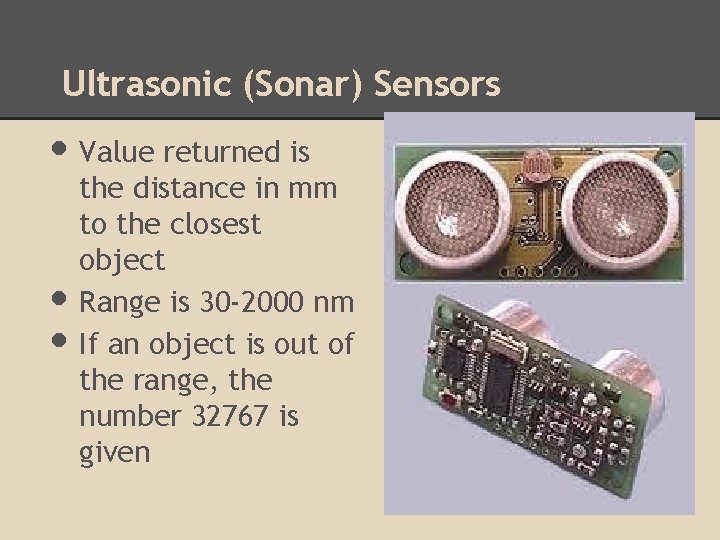
Ultrasonic (Sonar) Sensors • Value returned is • • the distance in mm to the closest object Range is 30 -2000 nm If an object is out of the range, the number 32767 is given
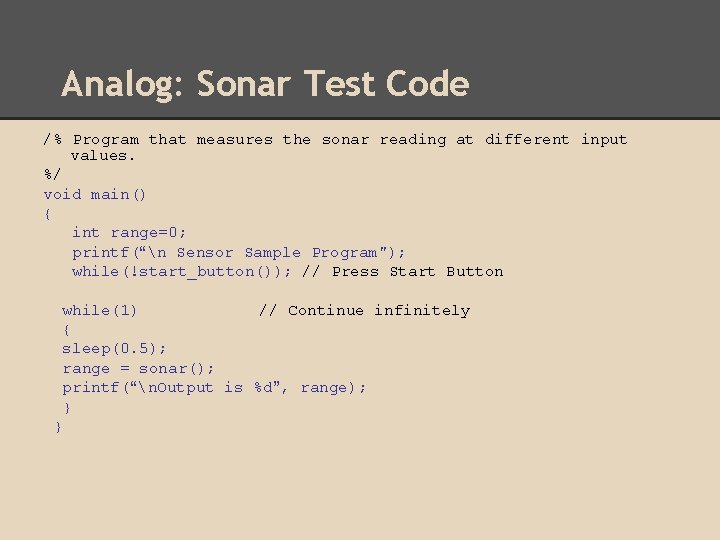
Analog: Sonar Test Code /% Program that measures the sonar reading at different input values. %/ void main() { int range=0; printf(“n Sensor Sample Program"); while(!start_button()); // Press Start Button while(1) // Continue infinitely { sleep(0. 5); range = sonar(); printf(“n. Output is %d”, range); } }
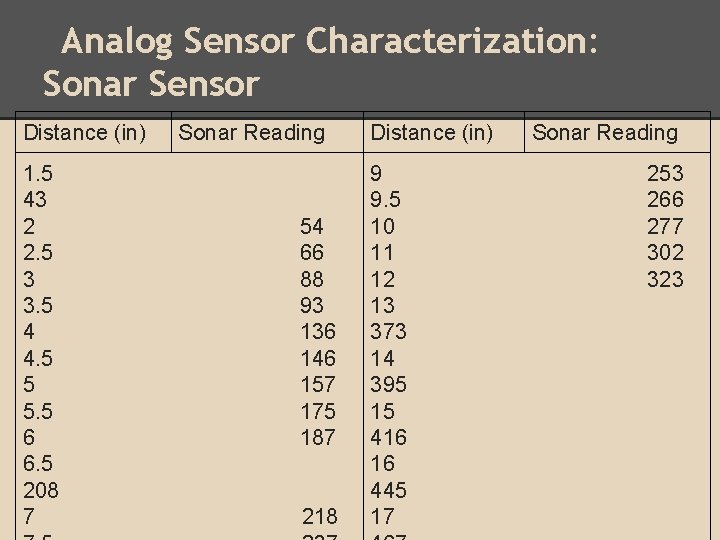
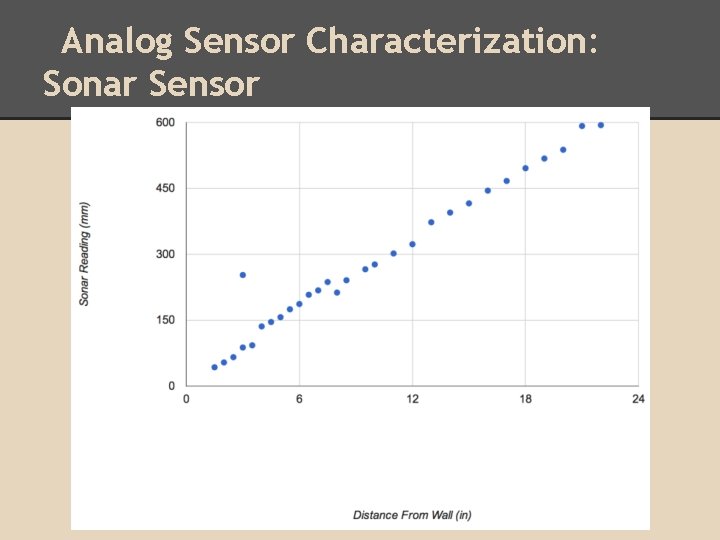
Analog Sensor Characterization: Sonar Sensor Distance (in) 1. 5 43 2 2. 5 3 3. 5 4 4. 5 5 5. 5 6 6. 5 208 7 Sonar Reading 54 66 88 93 136 146 157 175 187 218 Distance (in) 9 9. 5 10 11 12 13 373 14 395 15 416 16 445 17 Sonar Reading 253 266 277 302 323
Analog Sensor Characterization: Sonar Sensor
Analog Sensor Characterization: Sonar Sensor Challenges: Noise from around the rest of the room Not realizing that holding the sensor at different angles would impact our values Establishing a constant way to measure the distances and hold the arduino/sensor combination • • •
Instrumentation • Oscilloscope - shows a graphical output - time domain version of waveform/signal Digital Multimeter (DMM) - displays a numerical output - can measure voltage, current, and resistance DC Power Supply - provides a source of voltage or current - can generate voltage from -25 V to +25 V • •
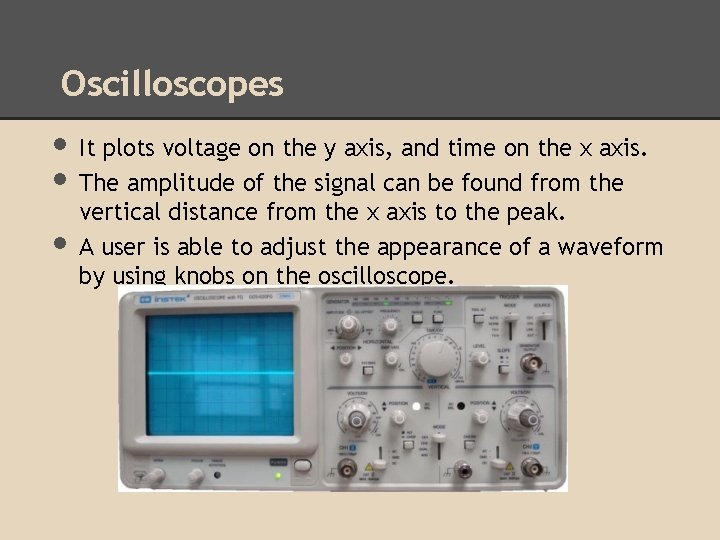
Oscilloscopes • It plots voltage on the y axis, and time on the x axis. • The amplitude of the signal can be found from the • vertical distance from the x axis to the peak. A user is able to adjust the appearance of a waveform by using knobs on the oscilloscope.
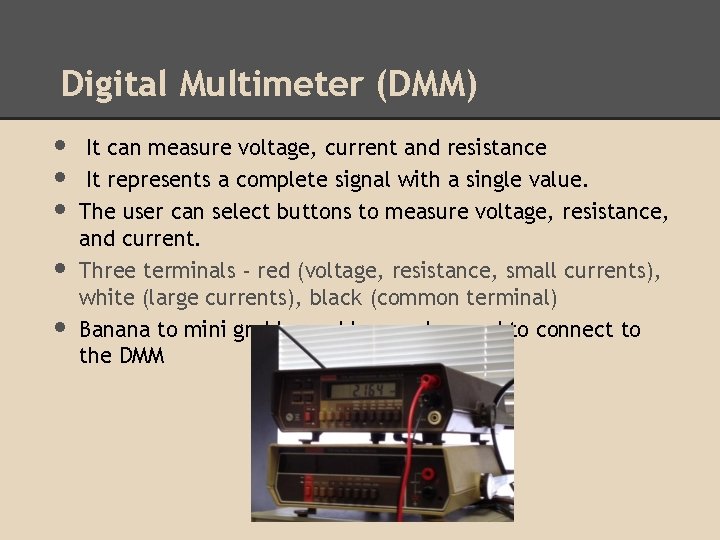
Digital Multimeter (DMM) • It can measure voltage, current and resistance • It represents a complete signal with a single value. • The user can select buttons to measure voltage, resistance, • • and current. Three terminals - red (voltage, resistance, small currents), white (large currents), black (common terminal) Banana to mini grabber cables can be used to connect to the DMM
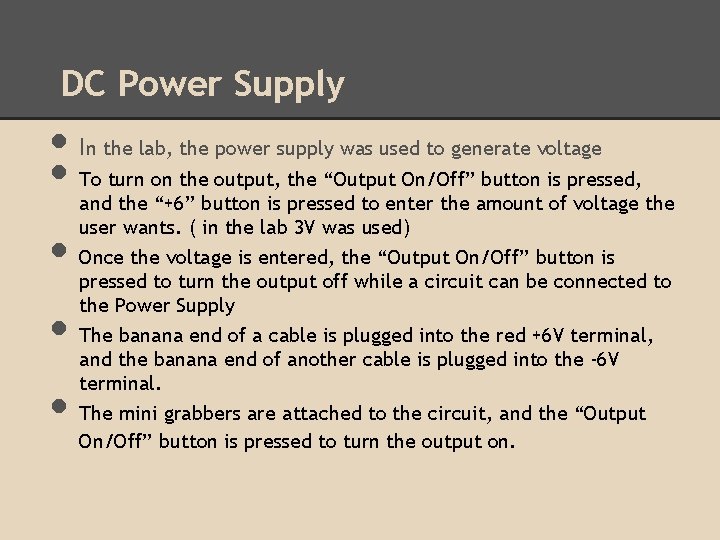
DC Power Supply • I • • n the lab, the power supply was used to generate voltage To turn on the output, the “Output On/Off” button is pressed, and the “+6” button is pressed to enter the amount of voltage the user wants. ( in the lab 3 V was used) Once the voltage is entered, the “Output On/Off” button is pressed to turn the output off while a circuit can be connected to the Power Supply The banana end of a cable is plugged into the red +6 V terminal, and the banana end of another cable is plugged into the -6 V terminal. The mini grabbers are attached to the circuit, and the “Output On/Off” button is pressed to turn the output on.
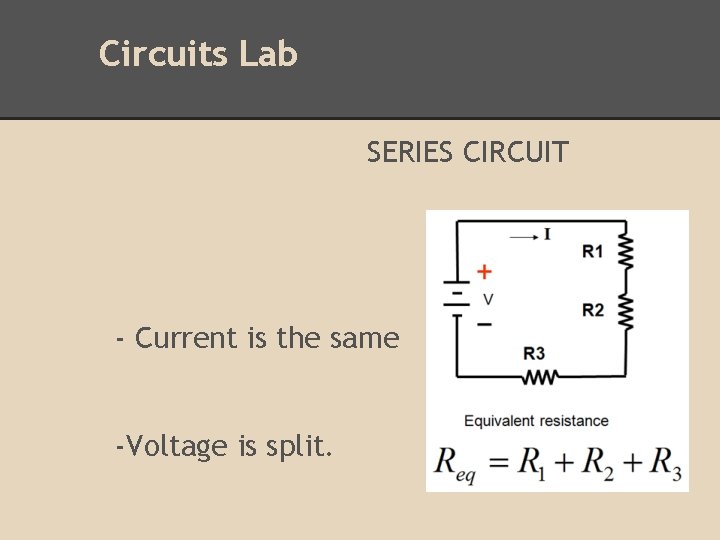
Circuits Lab SERIES CIRCUIT - Current is the same -Voltage is split.
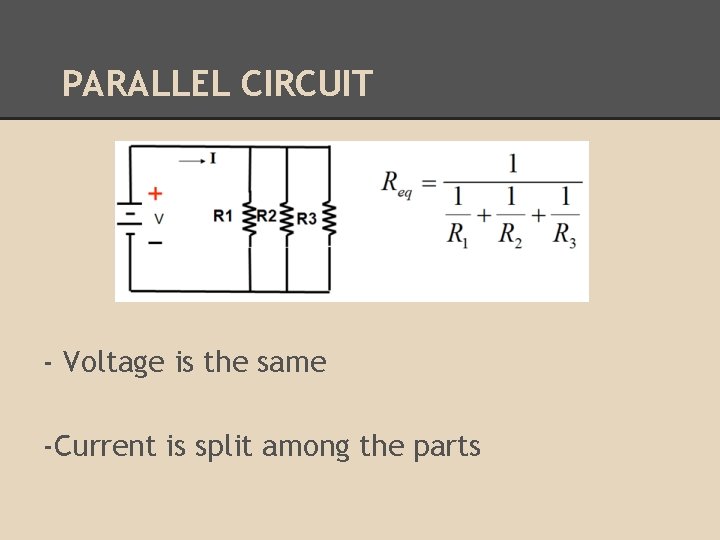
PARALLEL CIRCUIT - Voltage is the same -Current is split among the parts
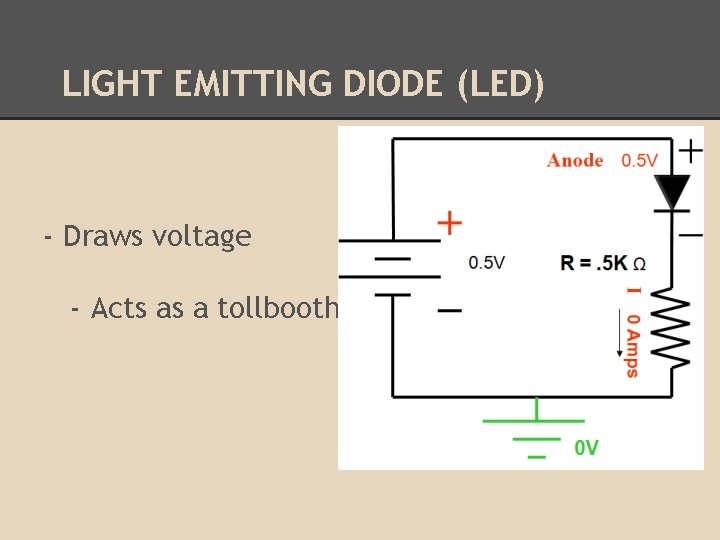
LIGHT EMITTING DIODE (LED) - Draws voltage - Acts as a tollbooth
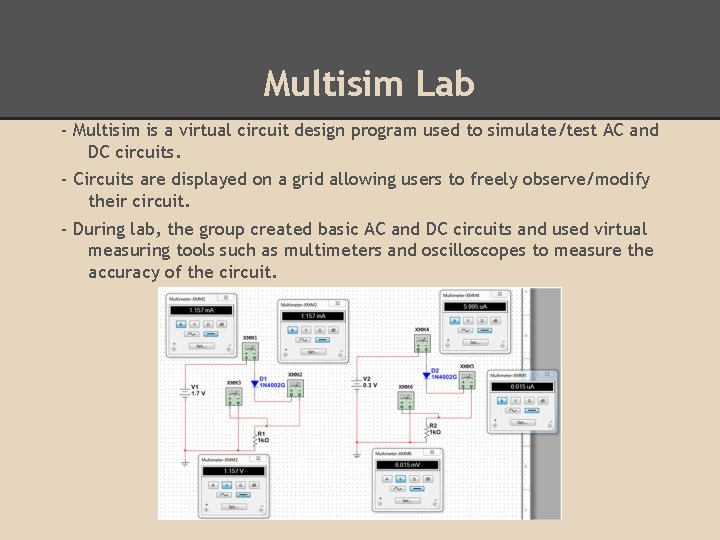
Multisim Lab - Multisim is a virtual circuit design program used to simulate/test AC and DC circuits. - Circuits are displayed on a grid allowing users to freely observe/modify their circuit. - During lab, the group created basic AC and DC circuits and used virtual measuring tools such as multimeters and oscilloscopes to measure the accuracy of the circuit.
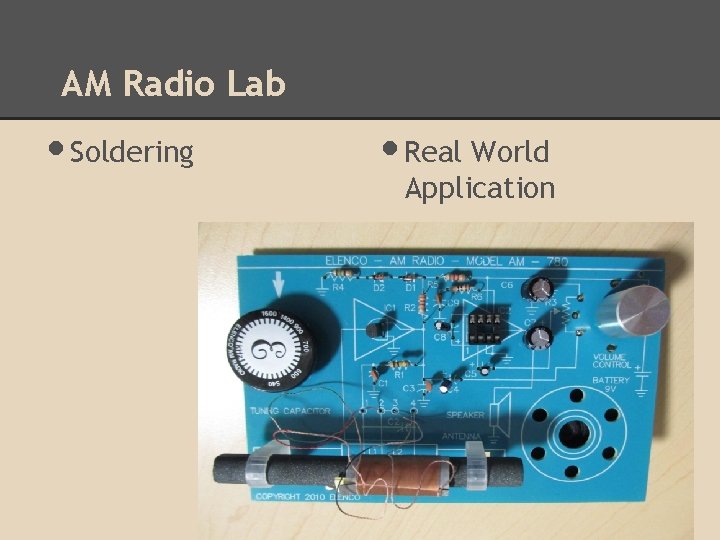
AM Radio Lab • Soldering • Real World Application
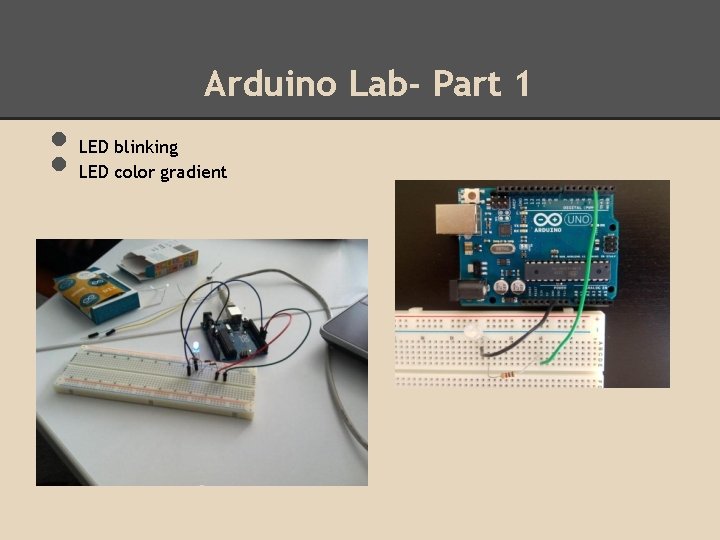
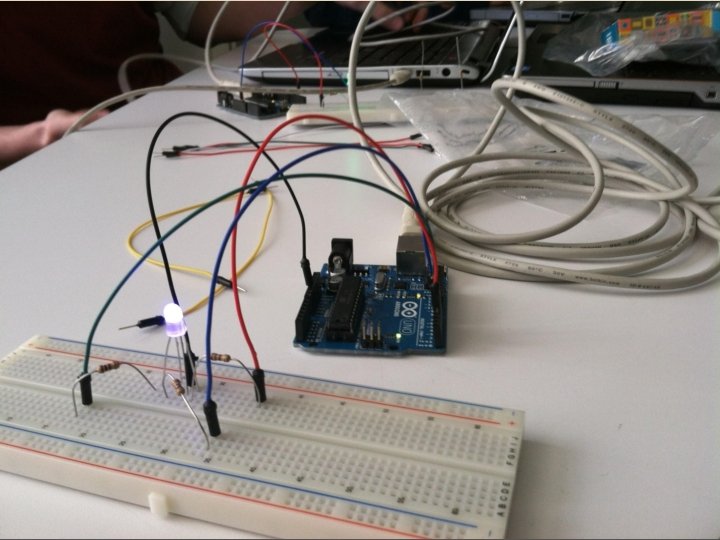
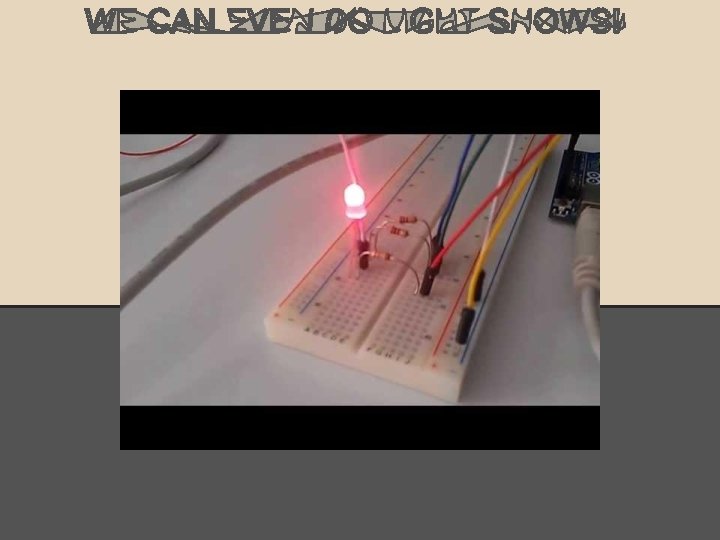
Arduino Lab- Part 1 • • LED blinking LED color gradient
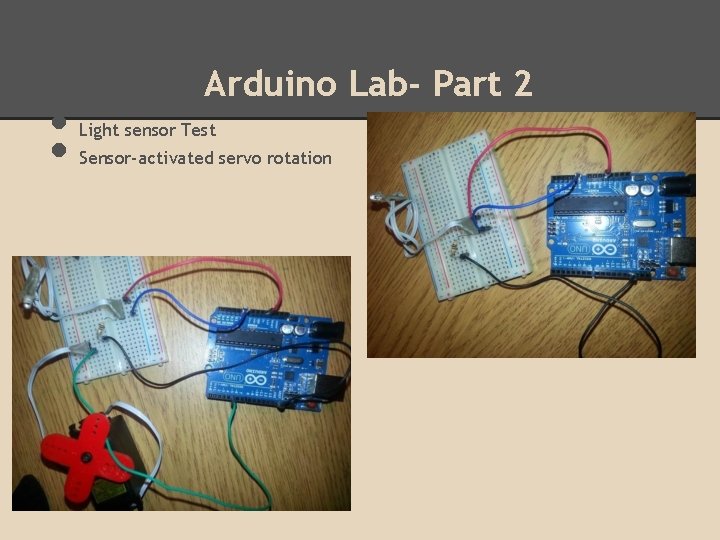
• • Arduino Lab- Part 2 Light sensor Test Sensor-activated servo rotation
What Did We Learn?