Presentation Slides Lesson 9 Agenda Topics Final presentation
- Slides: 12
Presentation Slides Lesson 9
Agenda • Topics Final presentation slides • Building from your business plan Creating your pitch • Activity Design your final presentation slides
Check-in: business plan • You should have completed your business plan (it should be typed) • Make sure you have a mentor give you feedback
Visual aid for your pitch • What are the major points to highlight for investors in your app? The pitch – what your app is, who its for and why it’s a good investment The deck – the accompanying presentation slides • The pitch and deck should work together
The Pitch • The story of your app Who, what, why, how? (when and where) • Sell your company to them It’s worth investing with us because… Clear message in your slides How would you persuade a customer to purchase your app? See page 28 of the workbook
The Pitch-Technical Details • The pitch is 4 minutes long • Review last year’s format for ideas Winning Team : http: //www. youtube. com/watch? v=bu. Y 4 F 0 ZPLu 0 Brazilian Team : http: //www. youtube. com/watch? v=u. Q 45 po. WMPi. I • Create the pitch in Power. Point or save in Power. Point format • Avoid sounds & distracting transitions • Spell check and avoid too much text
The Pitch • • • Start with a Hook Describe the app Why is it a good investment? Strong 1 -sentence conclusion All team members must speak
The Deck (your presentation slides) Know your audience Simple design One idea per slide Use images to support ideas in pitch– don’t use a lot of text • Be organized – beginning, middle, end • •
How to start your deck: • • Start with plain formatting 1 st draft - focus on information 2 nd draft - visual appeal of your message Add necessary graphics and quotes to reinforce your message See page 29 of the workbook
Visual tips for slide deck • Add screenshots of your app • Add relevant photos • Include graphics such as your competitor analysis and screenshots of your app • Less text is better!
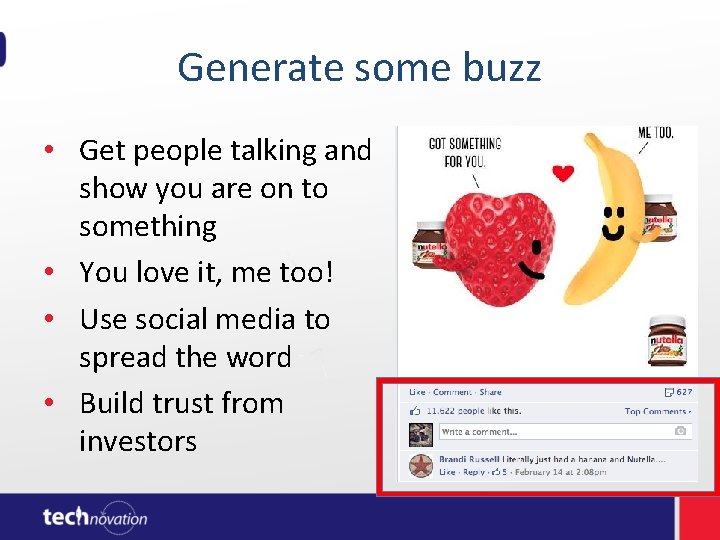
Generate some buzz • Get people talking and show you are on to something • You love it, me too! • Use social media to spread the word • Build trust from investors
Task List • Be ready to practice at least half of your presentation pitch next lesson • Gather evidence from social media • Prototype Development: Finish working on the functionality of your app Test it on a target user