e Sanjeevani Integrated telemedicine Centre for Development of
- Slides: 23
e. Sanjeevani Integrated telemedicine Centre for Development of Advanced Computing (C-DAC), Mohali Ministry of Electronics & IT Government of India
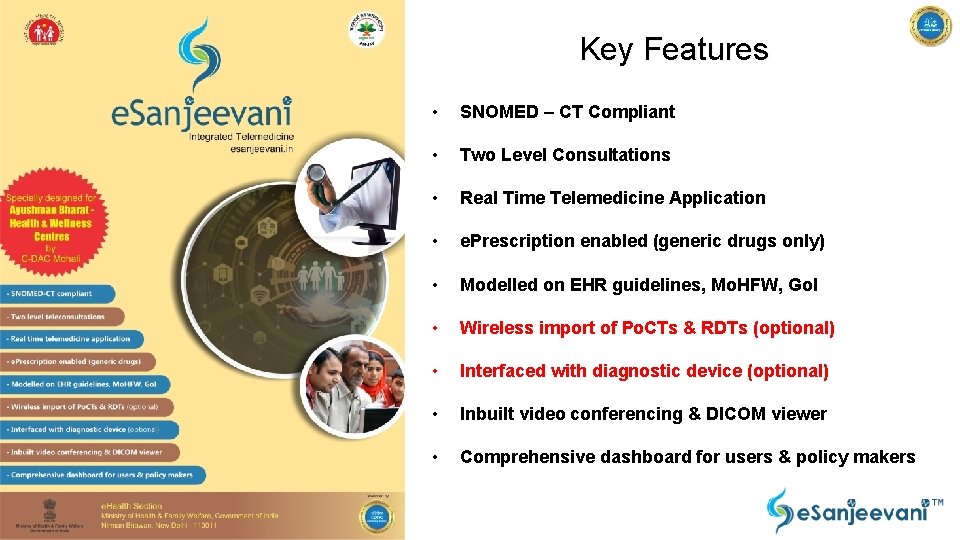
Key Features • SNOMED – CT Compliant • Two Level Consultations • Real Time Telemedicine Application • e. Prescription enabled (generic drugs only) • Modelled on EHR guidelines, Mo. HFW, Go. I • Wireless import of Po. CTs & RDTs (optional) • Interfaced with diagnostic device (optional) • Inbuilt video conferencing & DICOM viewer • Comprehensive dashboard for users & policy makers
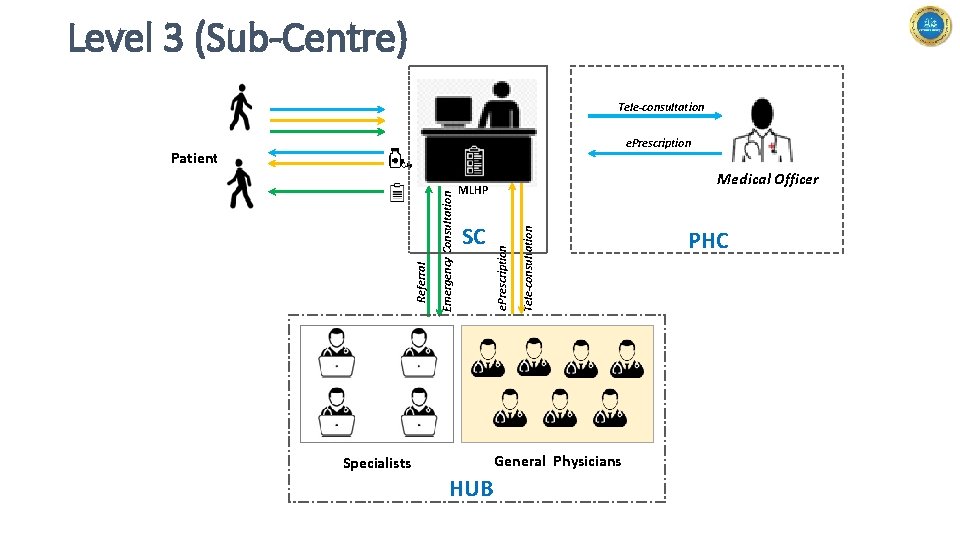
Level 3 (Sub-Centre) Tele-consultation e. Prescription Medical Officer SC Tele-consultation MLHP e. Prescription Emergency Consultation Referral Patient General Physicians Specialists HUB PHC
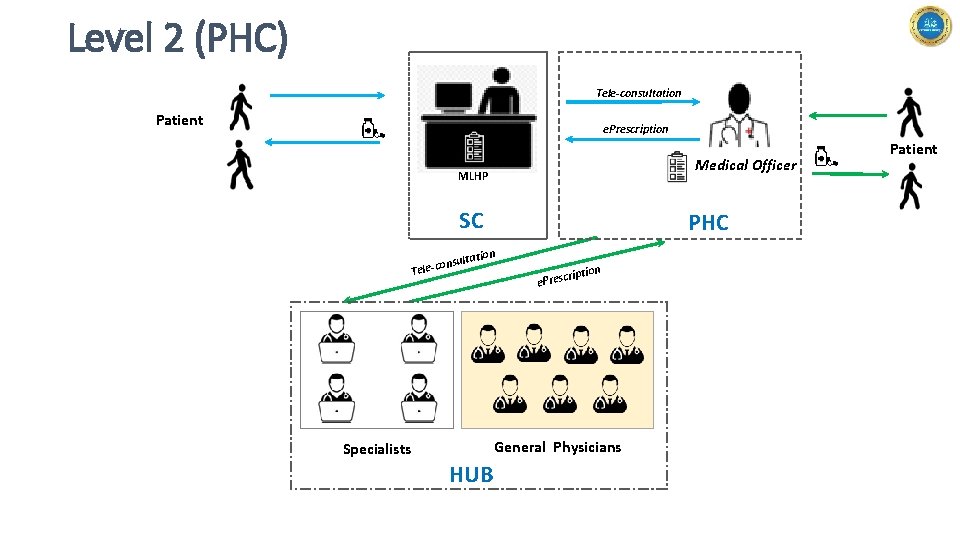
Level 2 (PHC) Tele-consultation Patient e. Prescription Medical Officer MLHP SC PHC n ltatio onsu Tele-c ription e. Presc General Physicians Specialists HUB Patient
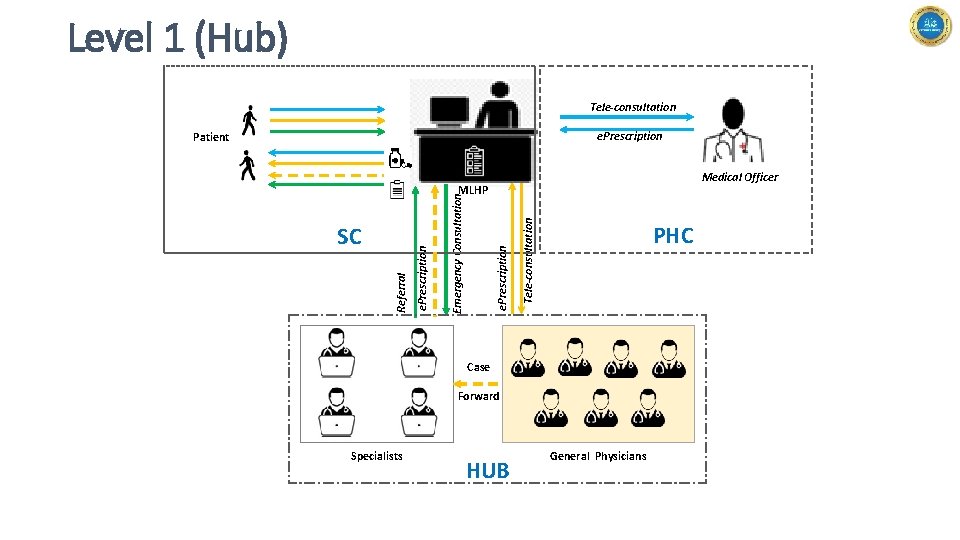
Level 1 (Hub) Tele-consultation e. Prescription Patient Medical Officer Tele-consultation e. Prescription Emergency Consultation Referral SC e. Prescription MLHP PHC Case Forward Specialists HUB General Physicians
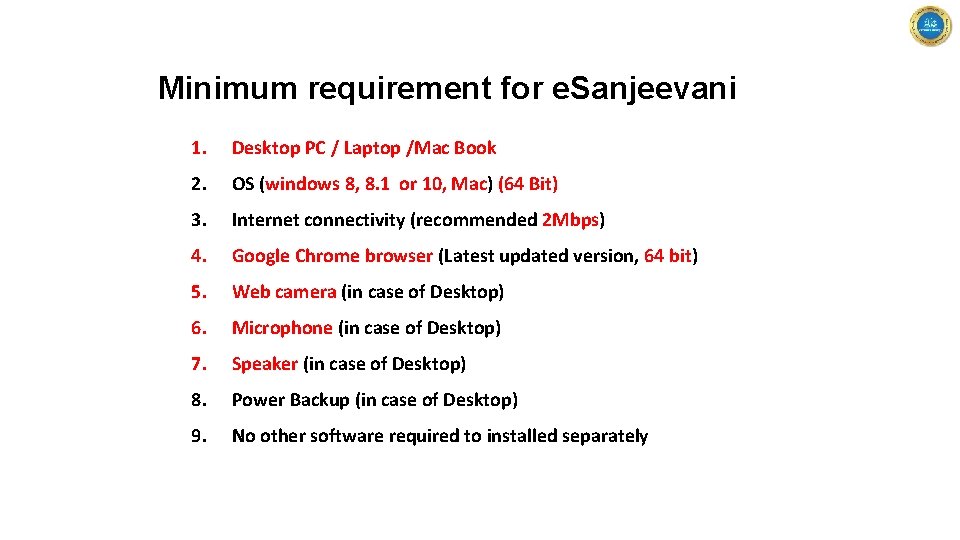
Minimum requirement for e. Sanjeevani 1. Desktop PC / Laptop /Mac Book 2. OS (windows 8, 8. 1 or 10, Mac) (64 Bit) 3. Internet connectivity (recommended 2 Mbps) 4. Google Chrome browser (Latest updated version, 64 bit) 5. Web camera (in case of Desktop) 6. Microphone (in case of Desktop) 7. Speaker (in case of Desktop) 8. Power Backup (in case of Desktop) 9. No other software required to installed separately
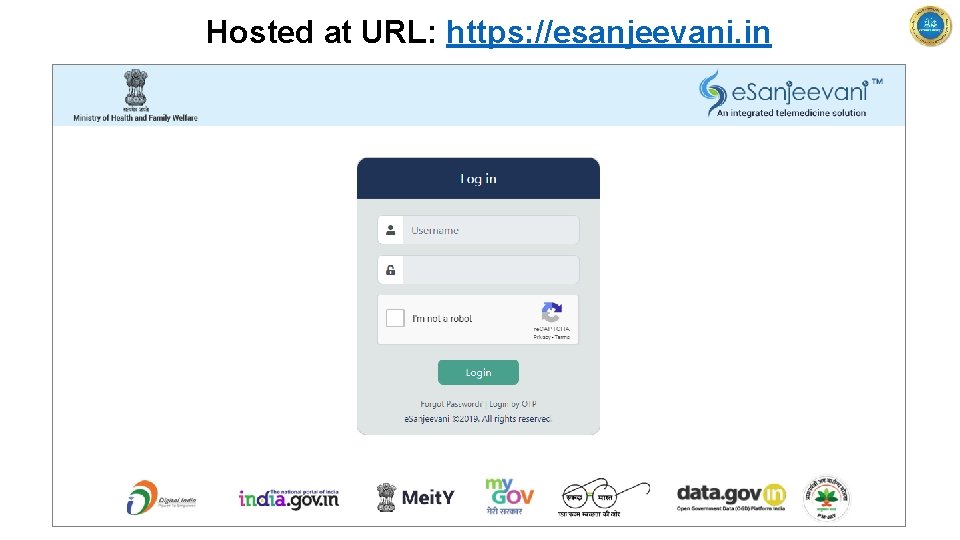
Hosted at URL: https: //esanjeevani. in
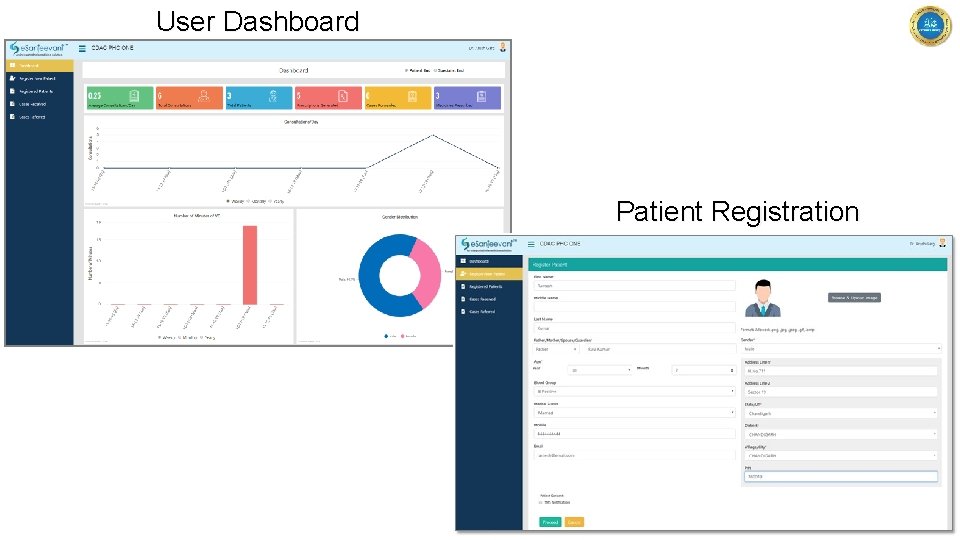
User Dashboard Patient Registration
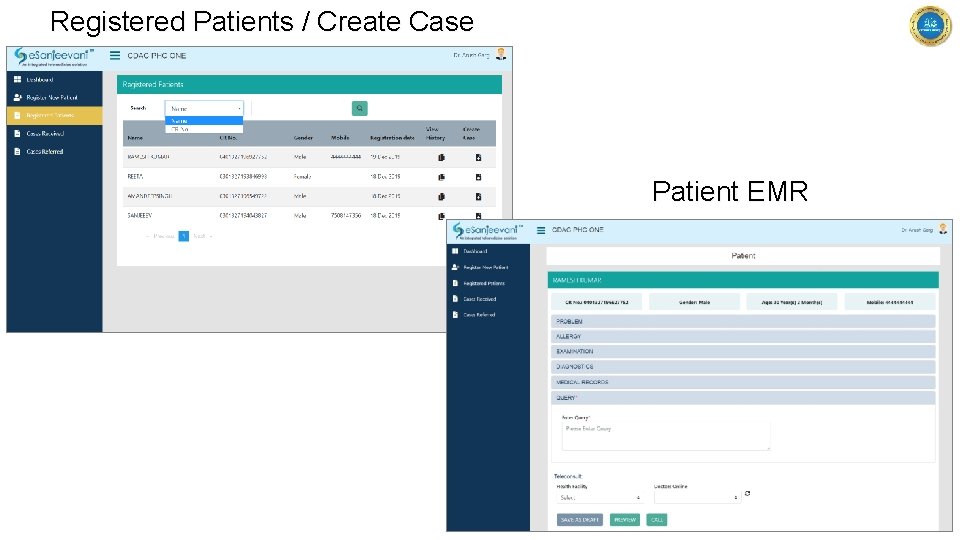
Registered Patients / Create Case Patient EMR
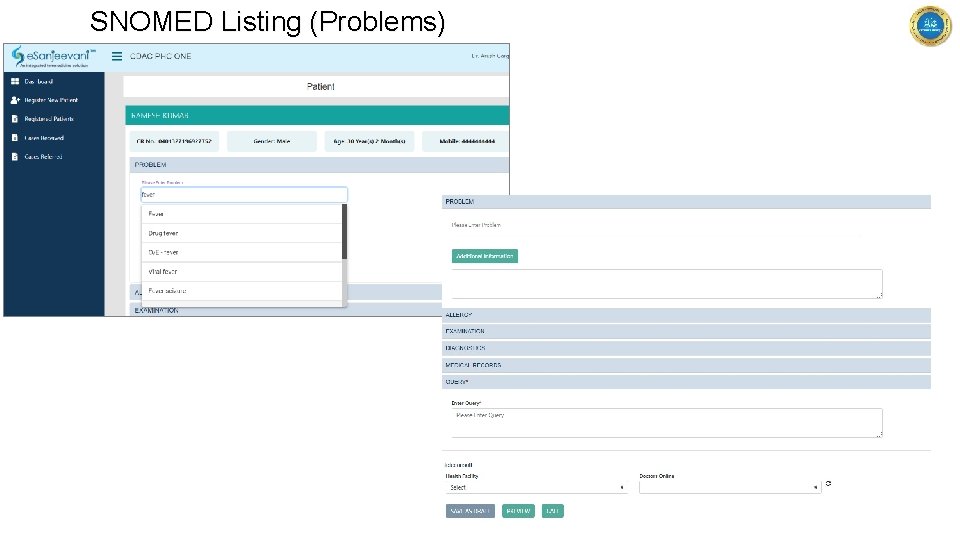
SNOMED Listing (Problems)
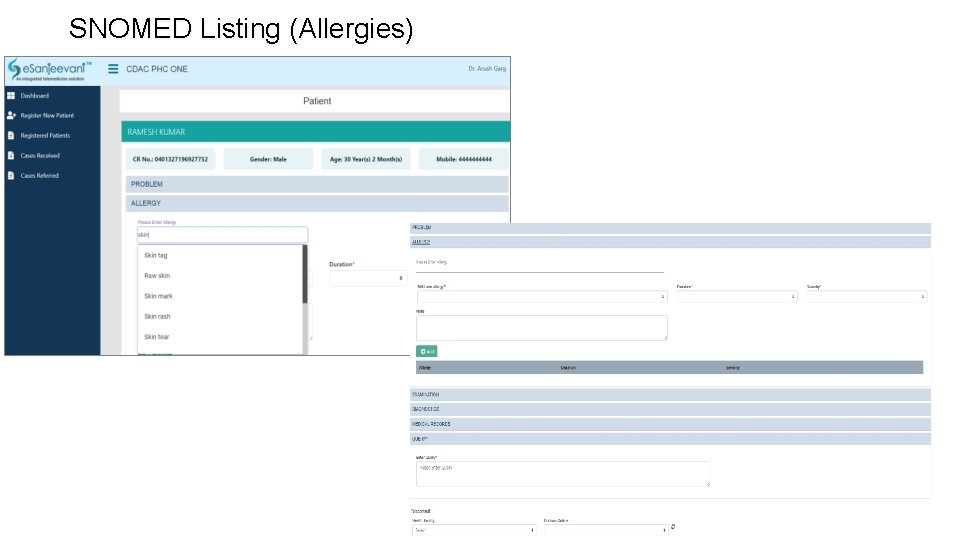
SNOMED Listing (Allergies)
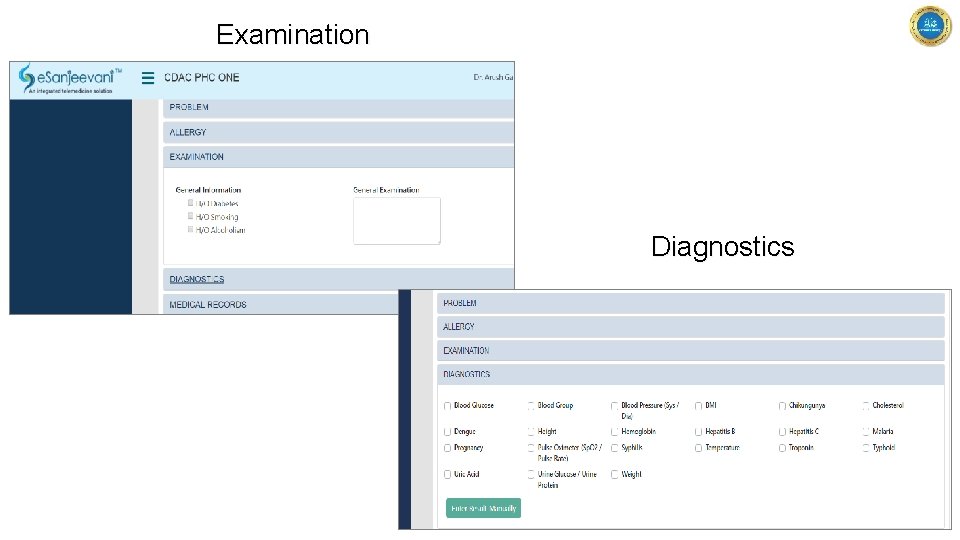
Examination Diagnostics
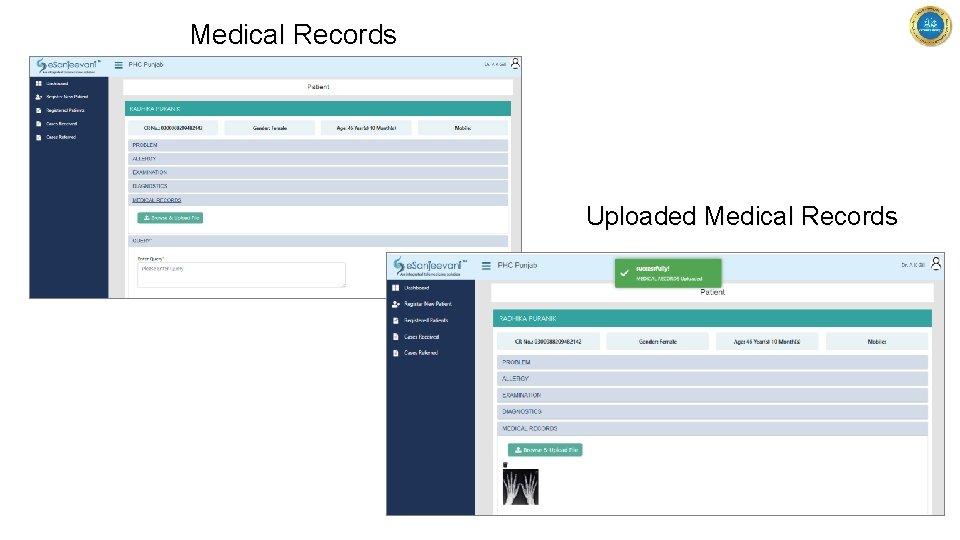
Medical Records Uploaded Medical Records
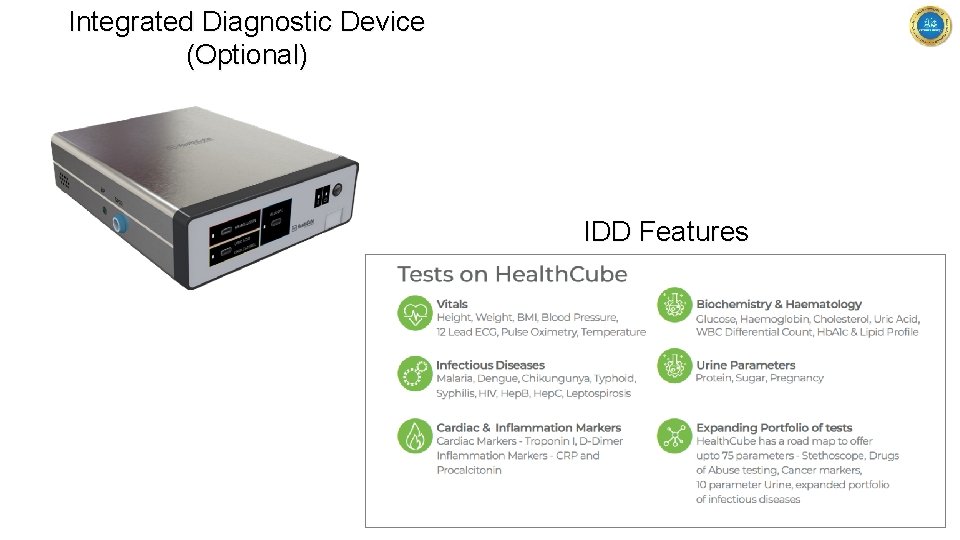
Integrated Diagnostic Device (Optional) IDD Features
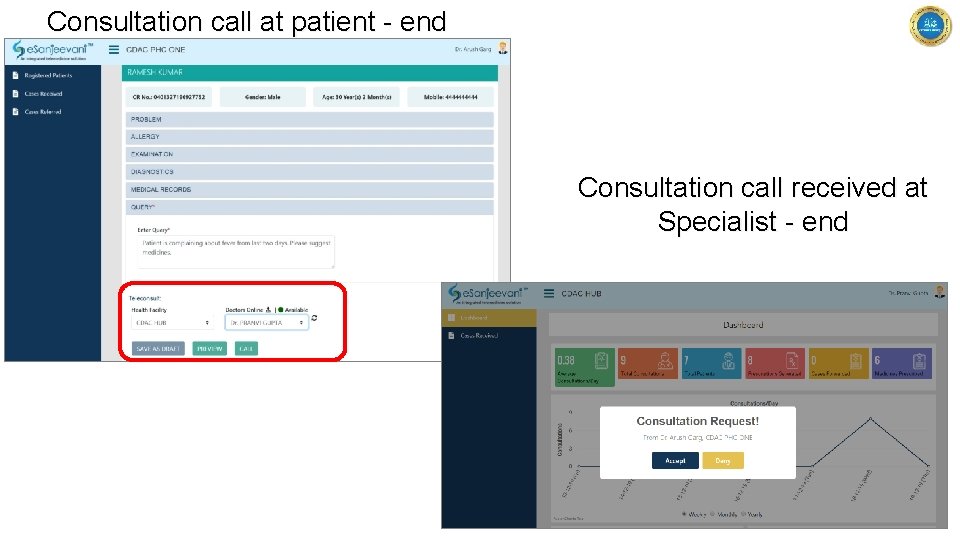
Consultation call at patient - end Consultation call received at Specialist - end
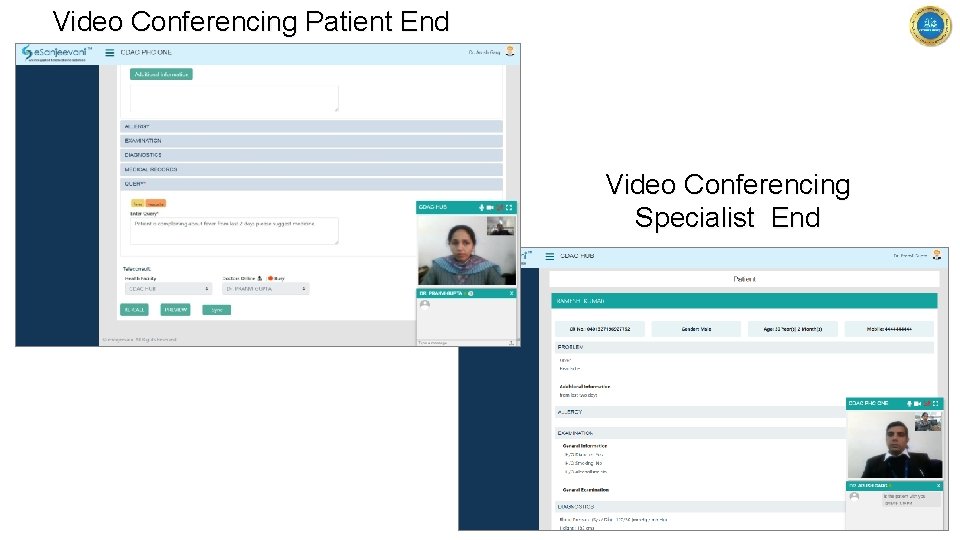
Video Conferencing Patient End Video Conferencing Specialist End
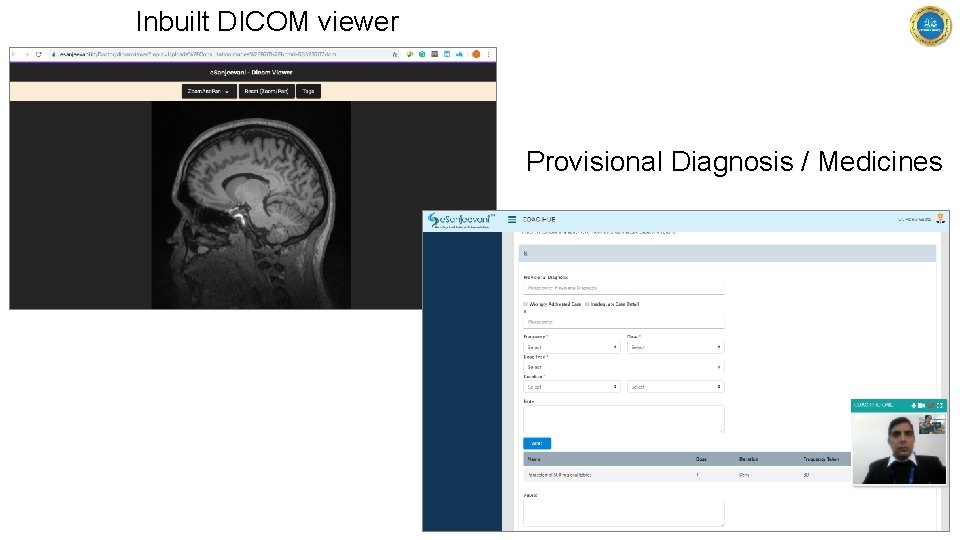
Inbuilt DICOM viewer Provisional Diagnosis / Medicines
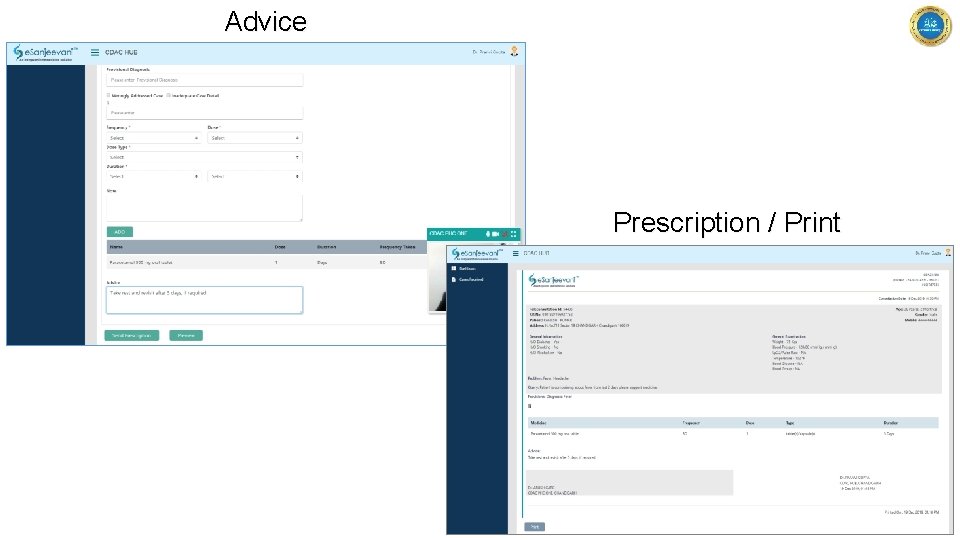
Advice Prescription / Print
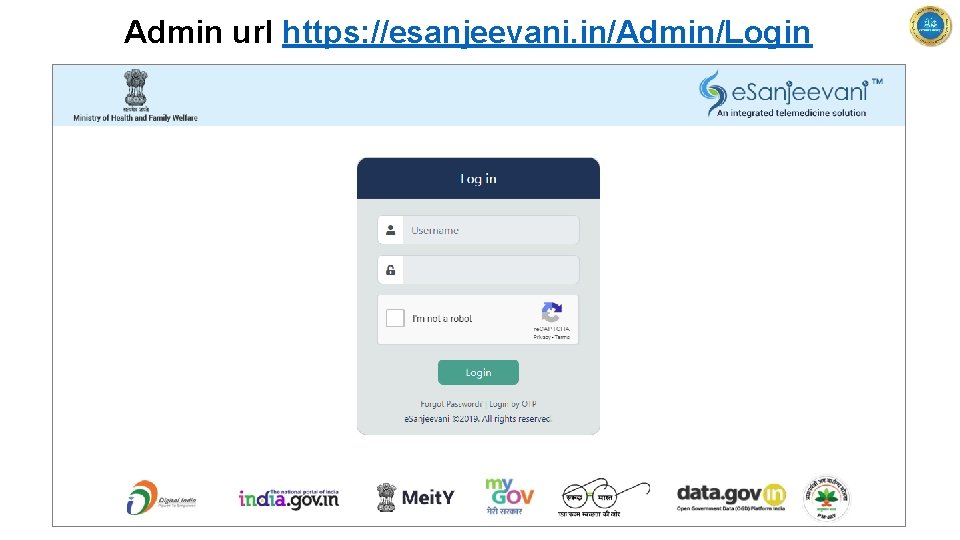
Admin url https: //esanjeevani. in/Admin/Login
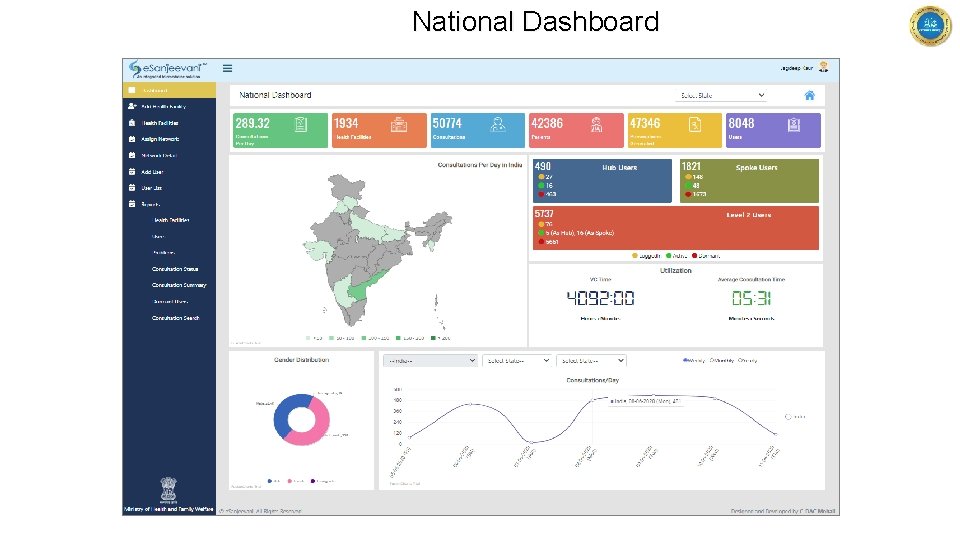
National Dashboard
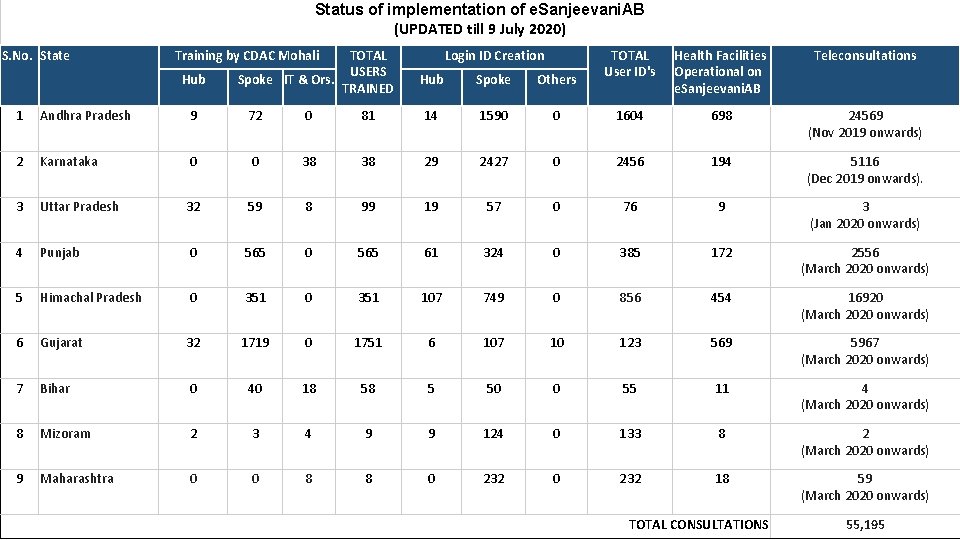
Status of implementation of e. Sanjeevani. AB (UPDATED till 9 July 2020) S. No. State Training by CDAC Mohali Hub TOTAL USERS Spoke IT & Ors. TRAINED Login ID Creation Hub Spoke Others TOTAL User ID's Health Facilities Operational on e. Sanjeevani. AB Teleconsultations 1 Andhra Pradesh 9 72 0 81 14 1590 0 1604 698 24569 (Nov 2019 onwards) 2 Karnataka 0 0 38 38 29 2427 0 2456 194 5116 (Dec 2019 onwards). 3 Uttar Pradesh 32 59 8 99 19 57 0 76 9 3 (Jan 2020 onwards) 4 Punjab 0 565 61 324 0 385 172 2556 (March 2020 onwards) 5 Himachal Pradesh 0 351 107 749 0 856 454 16920 (March 2020 onwards) 6 Gujarat 32 1719 0 1751 6 107 10 123 569 5967 (March 2020 onwards) 7 Bihar 0 40 18 58 5 50 0 55 11 4 (March 2020 onwards) 8 Mizoram 2 3 4 9 9 124 0 133 8 2 (March 2020 onwards) 9 Maharashtra 0 0 8 8 0 232 18 59 (March 2020 onwards) TOTAL CONSULTATIONS 55, 195
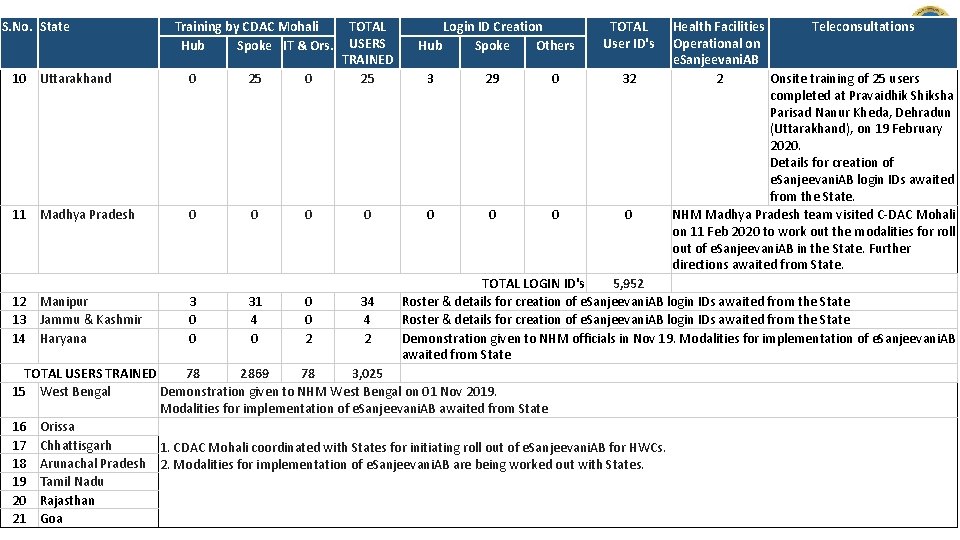
S. No. State 10 Uttarakhand 0 25 0 TOTAL USERS TRAINED 25 11 Madhya Pradesh 0 0 12 Manipur 13 Jammu & Kashmir 14 Haryana Training by CDAC Mohali Hub Spoke IT & Ors. 3 0 0 31 4 0 0 0 2 34 4 2 Login ID Creation Hub Spoke Others TOTAL User ID's 3 29 0 32 0 0 Health Facilities Teleconsultations Operational on e. Sanjeevani. AB 2 Onsite training of 25 users completed at Pravaidhik Shiksha Parisad Nanur Kheda, Dehradun (Uttarakhand), on 19 February 2020. Details for creation of e. Sanjeevani. AB login IDs awaited from the State. NHM Madhya Pradesh team visited C-DAC Mohali on 11 Feb 2020 to work out the modalities for roll out of e. Sanjeevani. AB in the State. Further directions awaited from State. TOTAL LOGIN ID's 5, 952 Roster & details for creation of e. Sanjeevani. AB login IDs awaited from the State Demonstration given to NHM officials in Nov 19. Modalities for implementation of e. Sanjeevani. AB awaited from State TOTAL USERS TRAINED 78 2869 78 3, 025 15 West Bengal Demonstration given to NHM West Bengal on 01 Nov 2019. Modalities for implementation of e. Sanjeevani. AB awaited from State 16 Orissa 17 Chhattisgarh 1. CDAC Mohali coordinated with States for initiating roll out of e. Sanjeevani. AB for HWCs. 18 Arunachal Pradesh 2. Modalities for implementation of e. Sanjeevani. AB are being worked out with States. 19 Tamil Nadu 20 Rajasthan 21 Goa
THANK YOU Applying Advanced Computing for Human Advancement www. cdac. in