DEPARTMENT OF COMPUTER SCIENCE AND SOFTWARE ENGINEERING CONCORDIA
- Slides: 22
DEPARTMENT OF COMPUTER SCIENCE AND SOFTWARE ENGINEERING CONCORDIA UNIVERSITY Java. Doc revision 1. 2 – Jan 26, 2009 by Emil Vassev & Joey Paquet Java. Doc 1 July 24, 2006
Outline n n n What is Java. Doc? Java. Doc Comments Java. Doc Tags Generating Java. Documentation References Java. Doc 2
What is Java. Doc? § Java. Doc is a software tool developed by Sun Microsystems for generating API documentation format from Java source code augmented with special tags in the code’s comments. § Javadoc is an industry standard for documenting Java classes. § How does Java. Doc work? § Instead of writing and maintaining separate documentation, the programmer writes formatted comments in the Java code itself. § Javadoc takes these comments and transforms them into documentation. Java. Doc 3
What is Java. Doc? § Many such systems exist that can be used for various programming languages: § Javadoc, Doxygen, … § Many of these can output in different formats: § HTML, RTF, PDF, La. Te. X, manpages, … § HTML has many advantages: § Portable, browsable, adaptable § Doxygen is probably the most flexible of them all, as it can generate documentation for various programming languages and generate output in various formats. Java. Doc 4
What is Java. Doc? § Advantages: § § § Program documentation process is coupled with the programming process Automated generation of documentation: less error-prone Ease of generation of documentation Ease of update of documentation Short code-to-documentation cycle: all programmers can be made aware of others’ developments almost in real time Can generate highly browsable documentation, accessible electronically over the web (HTML) Java. Doc 5
What is Java. Doc? § Disadvantages: There is a learning curve to learn how to use the tool, though it is minimal § Requires dedication, or else the documentation will be obsolete or incomplete. § Java. Doc 6
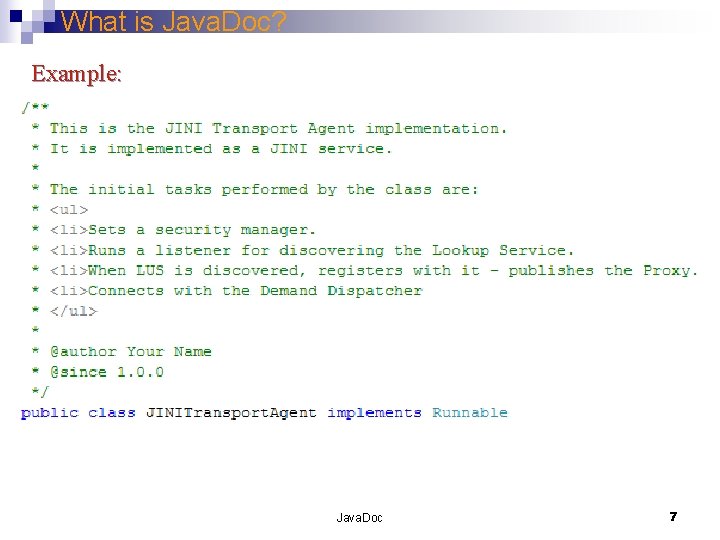
What is Java. Doc? Example: Java. Doc 7
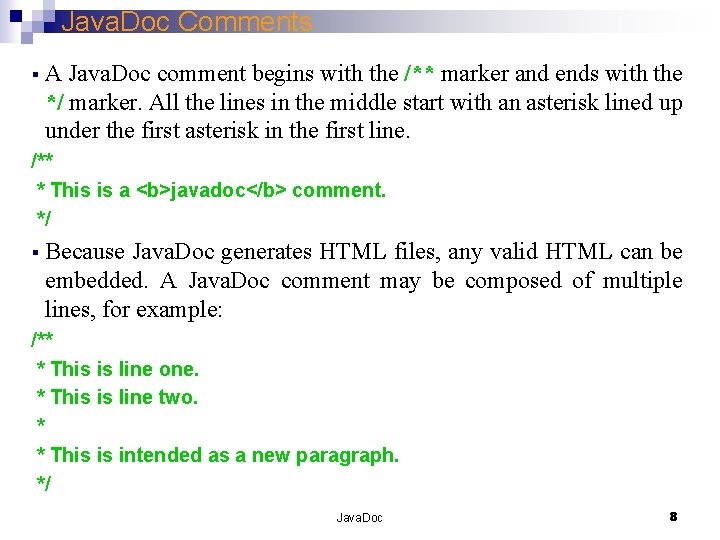
Java. Doc Comments § A Java. Doc comment begins with the /** marker and ends with the */ marker. All the lines in the middle start with an asterisk lined up under the first asterisk in the first line. /** * This is a <b>javadoc</b> comment. */ § Because Java. Doc generates HTML files, any valid HTML can be embedded. A Java. Doc comment may be composed of multiple lines, for example: /** * This is line one. * This is line two. * * This is intended as a new paragraph. */ Java. Doc 8
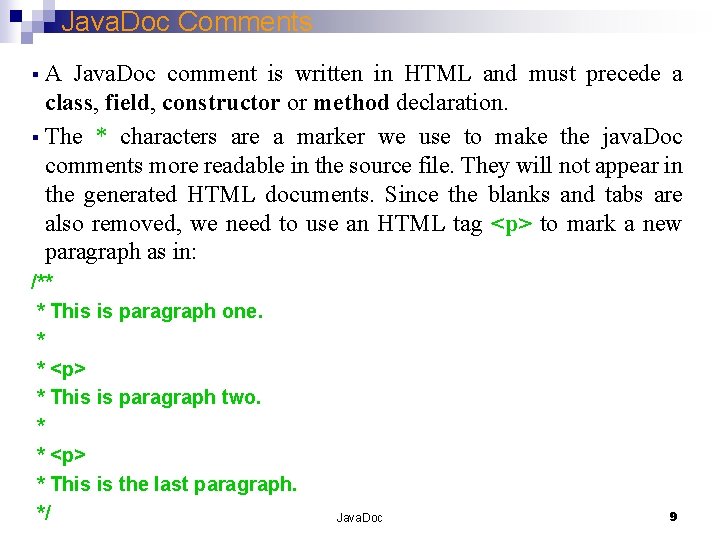
Java. Doc Comments § A Java. Doc comment is written in HTML and must precede a class, field, constructor or method declaration. § The * characters are a marker we use to make the java. Doc comments more readable in the source file. They will not appear in the generated HTML documents. Since the blanks and tabs are also removed, we need to use an HTML tag <p> to mark a new paragraph as in: /** * This is paragraph one. * * <p> * This is paragraph two. * * <p> * This is the last paragraph. */ Java. Doc 9
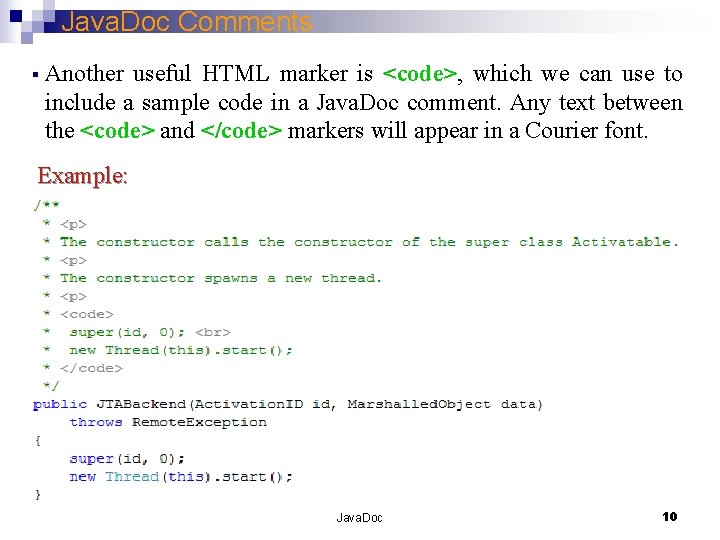
Java. Doc Comments § Another useful HTML marker is <code>, which we can use to include a sample code in a Java. Doc comment. Any text between the <code> and </code> markers will appear in a Courier font. Example: Java. Doc 10
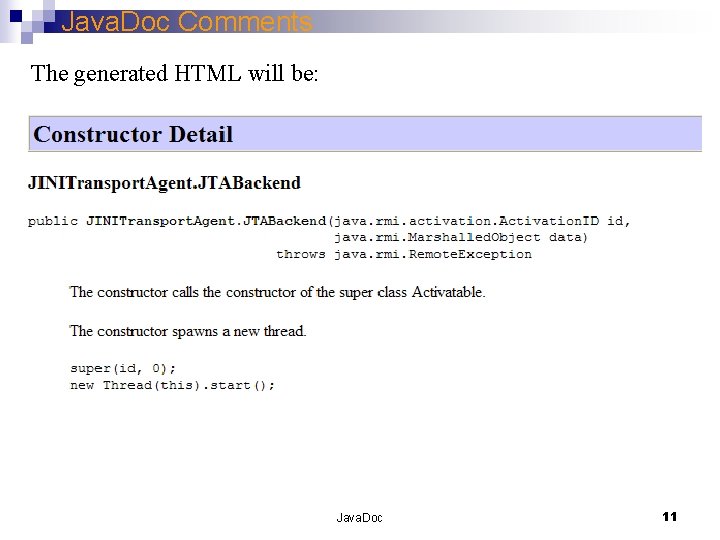
Java. Doc Comments The generated HTML will be: Java. Doc 11
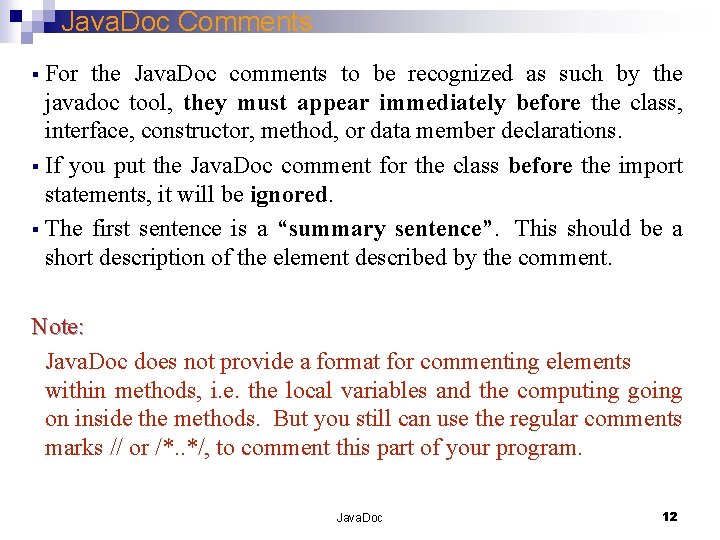
Java. Doc Comments § For the Java. Doc comments to be recognized as such by the javadoc tool, they must appear immediately before the class, interface, constructor, method, or data member declarations. § If you put the Java. Doc comment for the class before the import statements, it will be ignored. § The first sentence is a “summary sentence”. This should be a short description of the element described by the comment. Note: Java. Doc does not provide a format for commenting elements within methods, i. e. the local variables and the computing going on inside the methods. But you still can use the regular comments marks // or /*. . */, to comment this part of your program. Java. Doc 12
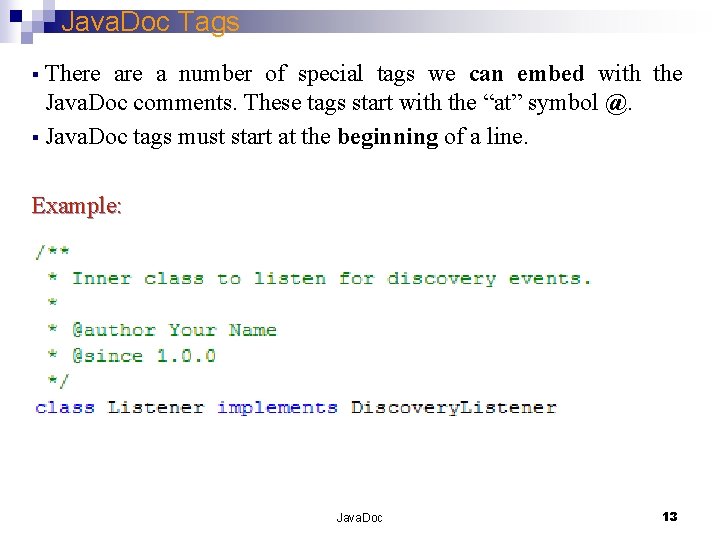
Java. Doc Tags § There are a number of special tags we can embed with the Java. Doc comments. These tags start with the “at” symbol @. § Java. Doc tags must start at the beginning of a line. Example: Java. Doc 13
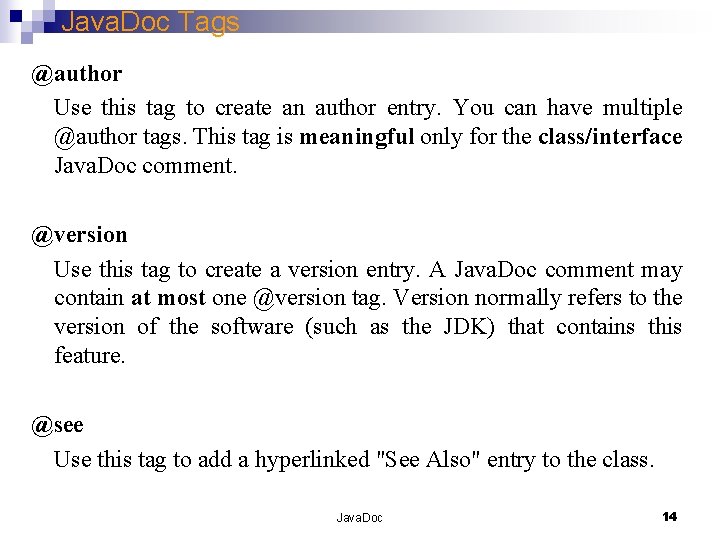
Java. Doc Tags @author Use this tag to create an author entry. You can have multiple @author tags. This tag is meaningful only for the class/interface Java. Doc comment. @version Use this tag to create a version entry. A Java. Doc comment may contain at most one @version tag. Version normally refers to the version of the software (such as the JDK) that contains this feature. @see Use this tag to add a hyperlinked "See Also" entry to the class. Java. Doc 14
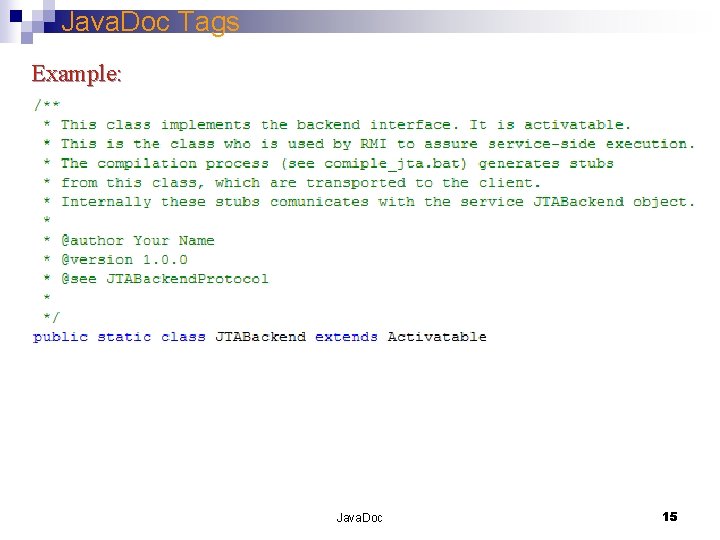
Java. Doc Tags Example: Java. Doc 15
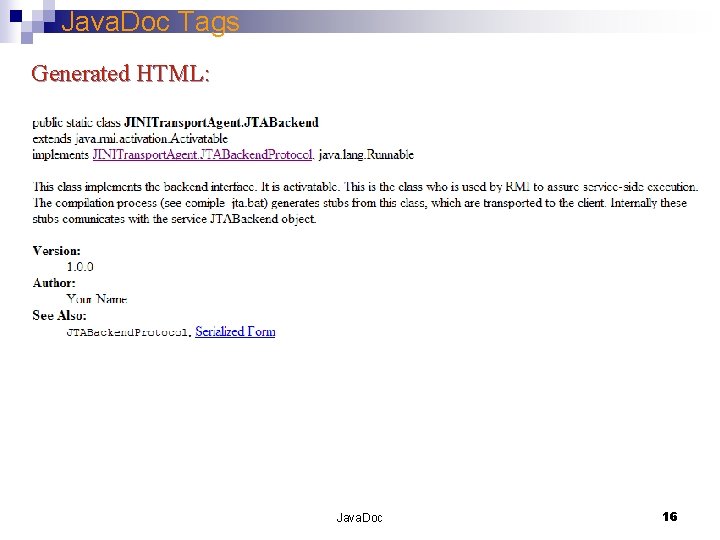
Java. Doc Tags Generated HTML: Java. Doc 16
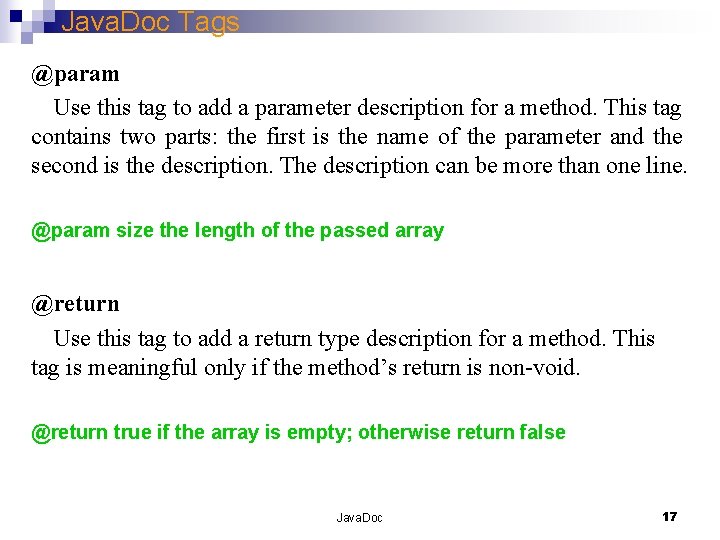
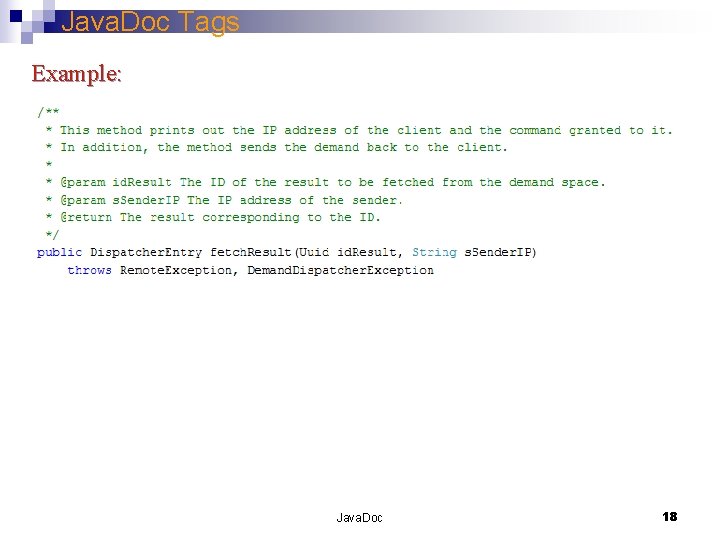
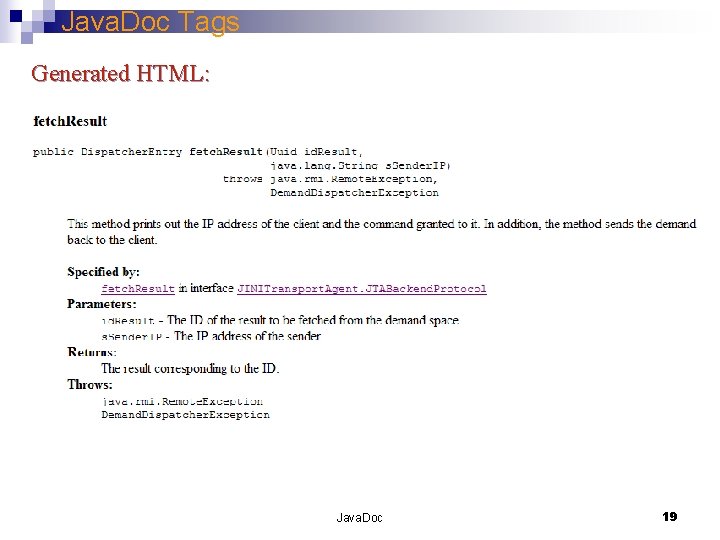
Java. Doc Tags @param Use this tag to add a parameter description for a method. This tag contains two parts: the first is the name of the parameter and the second is the description. The description can be more than one line. @param size the length of the passed array @return Use this tag to add a return type description for a method. This tag is meaningful only if the method’s return is non-void. @return true if the array is empty; otherwise return false Java. Doc 17
Java. Doc Tags Example: Java. Doc 18
Java. Doc Tags Generated HTML: Java. Doc 19
Generating Java. Documentation § After adding the Java. Doc comments to the source files, we use the javadoc command to generate the documentation. § We run the javadoc as we run javac or java tools. § After the javadoc command, we provide the parameters, when the mandatory ones are the either the package’s name or the source file (s) name. Example: In order to enforce Java. Doc to generate documentation for the complete GIPSY package, we write: javadoc gipsy In order to enforce Java. Doc to generate documentation for the JINITransport. Agent. java file, to include the author and version tag and to include all the classes, attributes and methods we write: javadoc -private -version -author JINITransport. Agent. java Java. Doc 20
Generating Java. Documentation Example: The source java file with built in Java. Doc documentation: JINITransport. Agent. java The generated HTML documentation: JINITransport. Agent. html Java. Doc 21
References • Sun Microsystems, “How to Write Doc Comments for the Javadoc Tool”, http: //java. sun. com/j 2 se/javadoc/writingdoccomments/index. html • Emil Vassev, “DMS API Documentation”, Concordia University, Montreal, Quebec, Canada, 2005 • Wikipedia. “Comparison of Documentation Generators”. http: //en. wikipedia. org/wiki/Comparison_of_documentation_generators Java. Doc 22