CSE 185 Introduction to Computer Vision Face Recognition
- Slides: 25
CSE 185 Introduction to Computer Vision Face Recognition
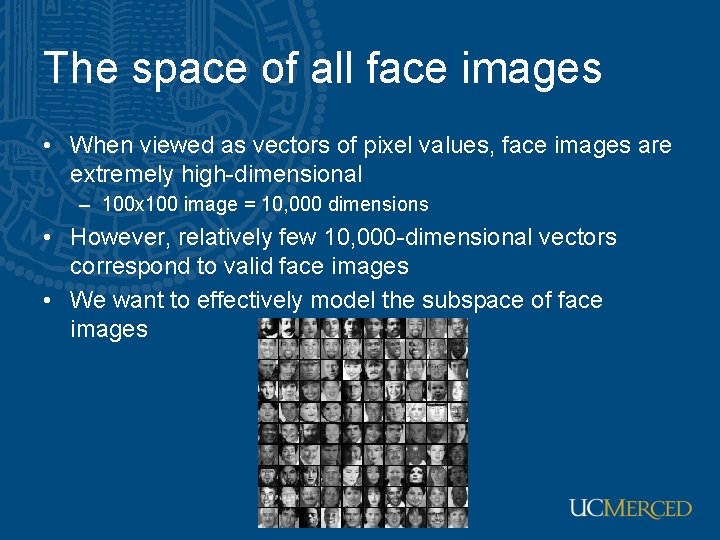
The space of all face images • When viewed as vectors of pixel values, face images are extremely high-dimensional – 100 x 100 image = 10, 000 dimensions • However, relatively few 10, 000 -dimensional vectors correspond to valid face images • We want to effectively model the subspace of face images
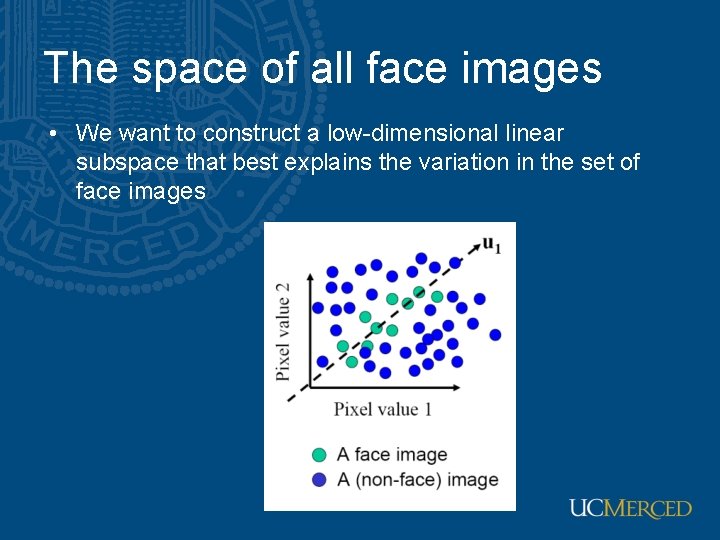
The space of all face images • We want to construct a low-dimensional linear subspace that best explains the variation in the set of face images
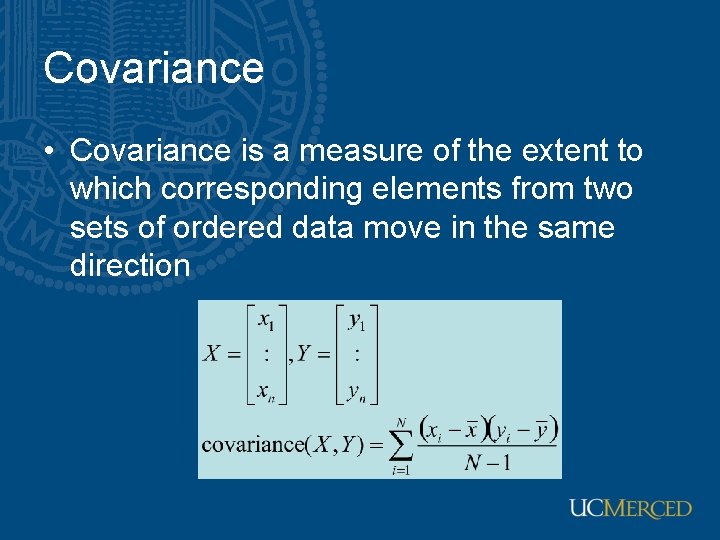
Covariance • Covariance is a measure of the extent to which corresponding elements from two sets of ordered data move in the same direction
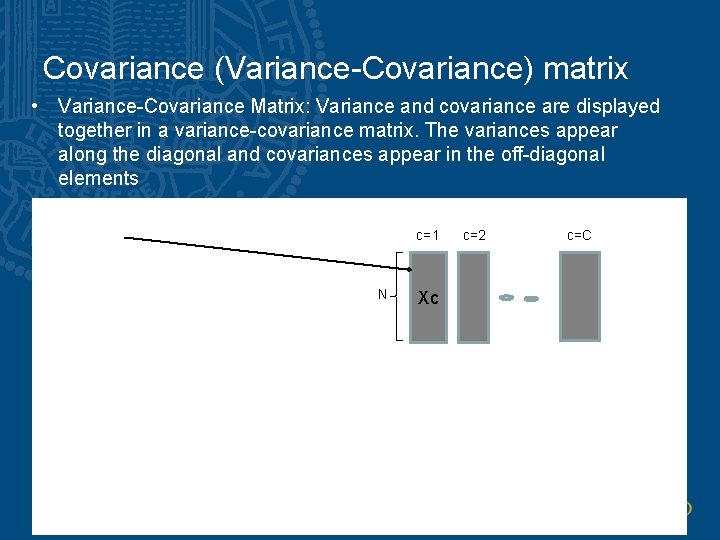
Covariance (Variance-Covariance) matrix • Variance-Covariance Matrix: Variance and covariance are displayed together in a variance-covariance matrix. The variances appear along the diagonal and covariances appear in the off-diagonal elements c=1 c=2 c=C N Xc
Principal component analysis • The direction that captures the maximum covariance of the data is the eigenvector corresponding to the largest eigenvalue of the data covariance matrix • Furthermore, the top k orthogonal directions that capture the most variance of the data are the k eigenvectors corresponding to the k largest eigenvalues
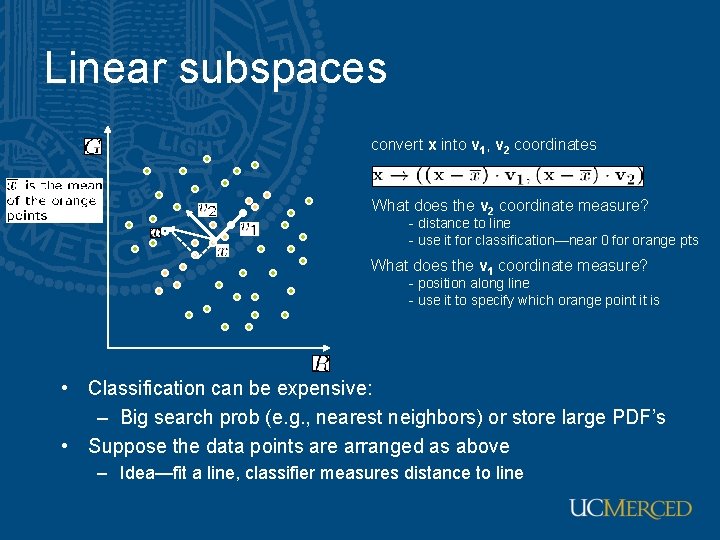
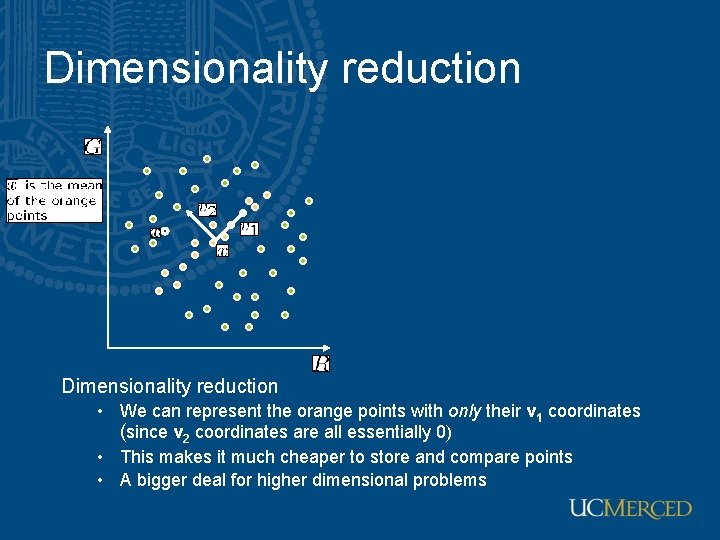
Linear subspaces convert x into v 1, v 2 coordinates What does the v 2 coordinate measure? - distance to line - use it for classification—near 0 for orange pts What does the v 1 coordinate measure? - position along line - use it to specify which orange point it is • Classification can be expensive: – Big search prob (e. g. , nearest neighbors) or store large PDF’s • Suppose the data points are arranged as above – Idea—fit a line, classifier measures distance to line
Dimensionality reduction • We can represent the orange points with only their v 1 coordinates (since v 2 coordinates are all essentially 0) • This makes it much cheaper to store and compare points • A bigger deal for higher dimensional problems
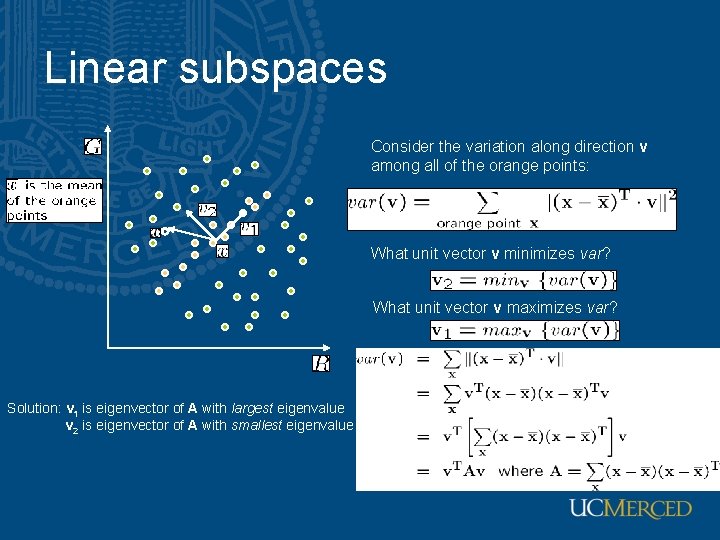
Linear subspaces Consider the variation along direction v among all of the orange points: What unit vector v minimizes var? What unit vector v maximizes var? Solution: v 1 is eigenvector of A with largest eigenvalue v 2 is eigenvector of A with smallest eigenvalue
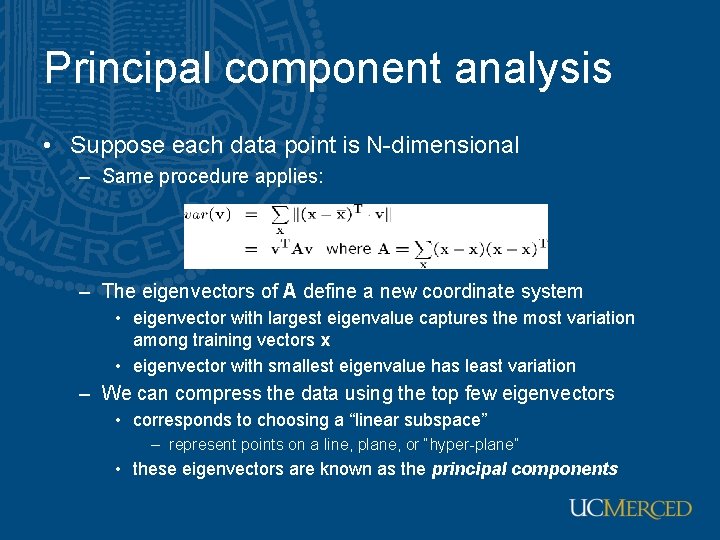
Principal component analysis • Suppose each data point is N-dimensional – Same procedure applies: – The eigenvectors of A define a new coordinate system • eigenvector with largest eigenvalue captures the most variation among training vectors x • eigenvector with smallest eigenvalue has least variation – We can compress the data using the top few eigenvectors • corresponds to choosing a “linear subspace” – represent points on a line, plane, or “hyper-plane” • these eigenvectors are known as the principal components
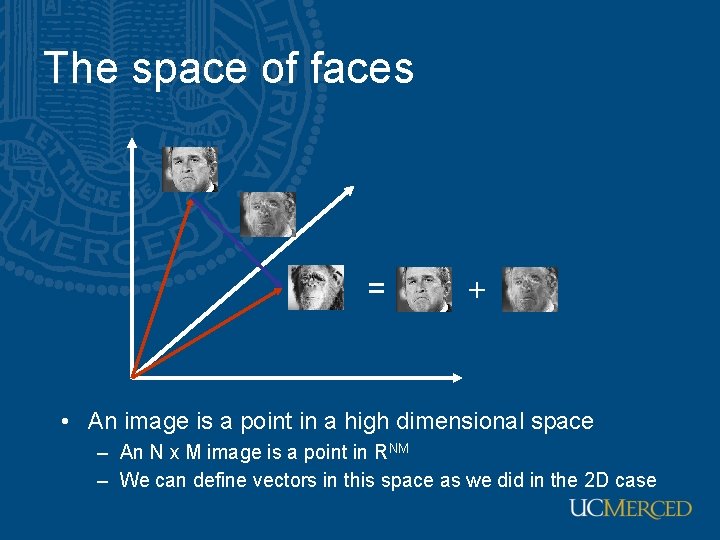
The space of faces = + • An image is a point in a high dimensional space – An N x M image is a point in RNM – We can define vectors in this space as we did in the 2 D case
Eigenfaces: Key idea • Assume that most face images lie on a low-dimensional subspace determined by the first k (k<d) directions of maximum variance • Use PCA to determine the vectors or “eigenfaces” u 1, …uk that span that subspace • Represent all face images in the dataset as linear combinations of eigenfaces M. Turk and A. Pentland, Face Recognition using Eigenfaces, CVPR 1991
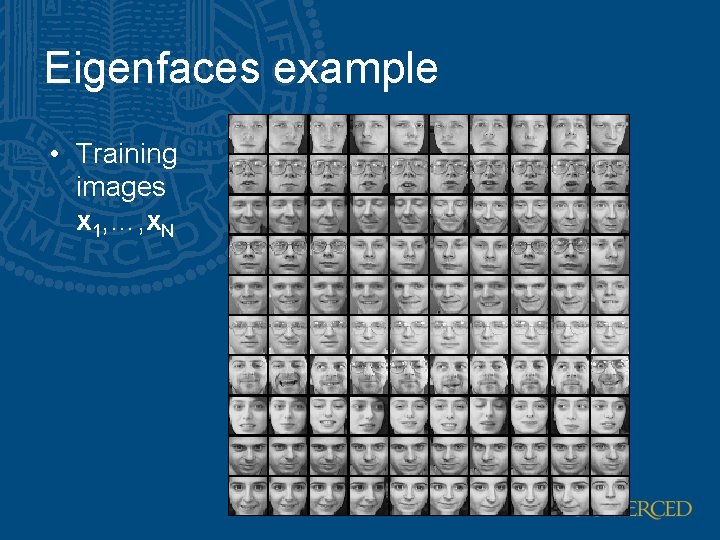
Eigenfaces example • Training images x 1, …, x. N
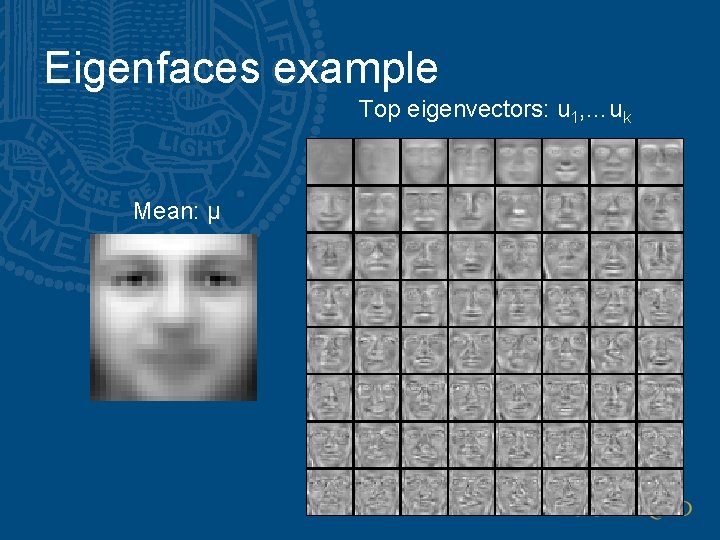
Eigenfaces example Top eigenvectors: u 1, …uk Mean: μ
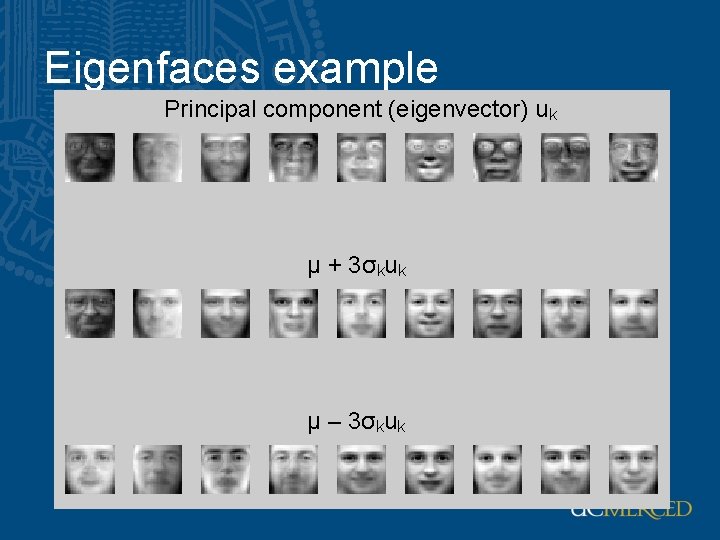
Eigenfaces example Principal component (eigenvector) uk μ + 3σkuk μ – 3σkuk
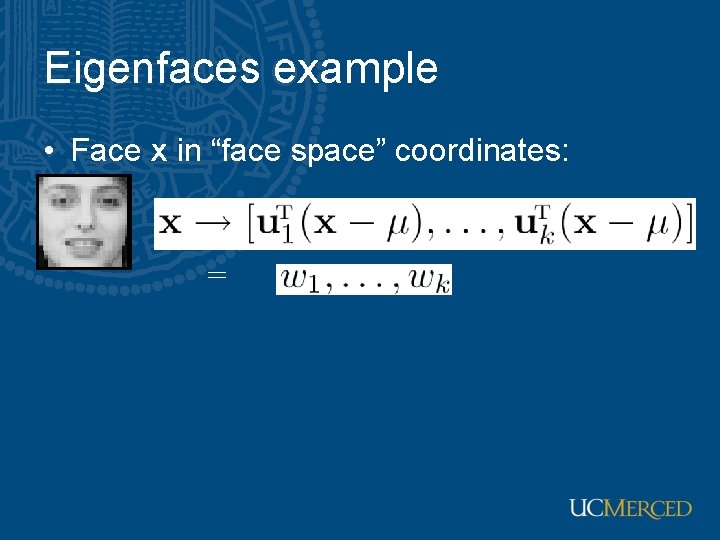
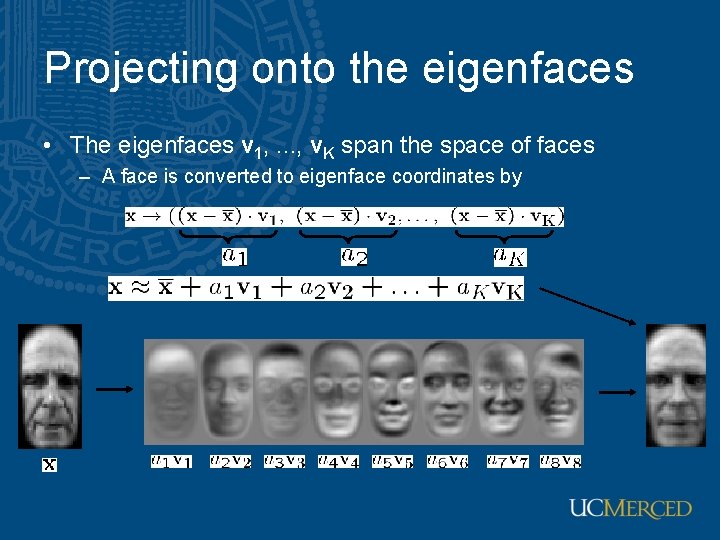
Eigenfaces example • Face x in “face space” coordinates: =
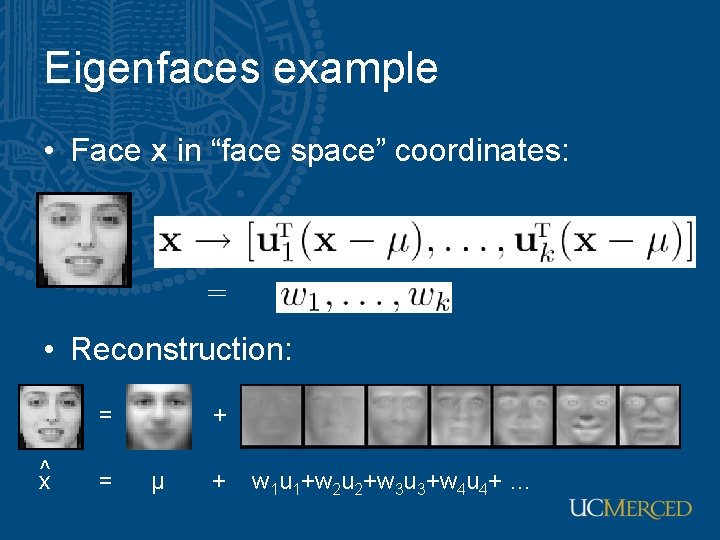
Eigenfaces example • Face x in “face space” coordinates: = • Reconstruction: = ^x = + µ + w 1 u 1+w 2 u 2+w 3 u 3+w 4 u 4+ …
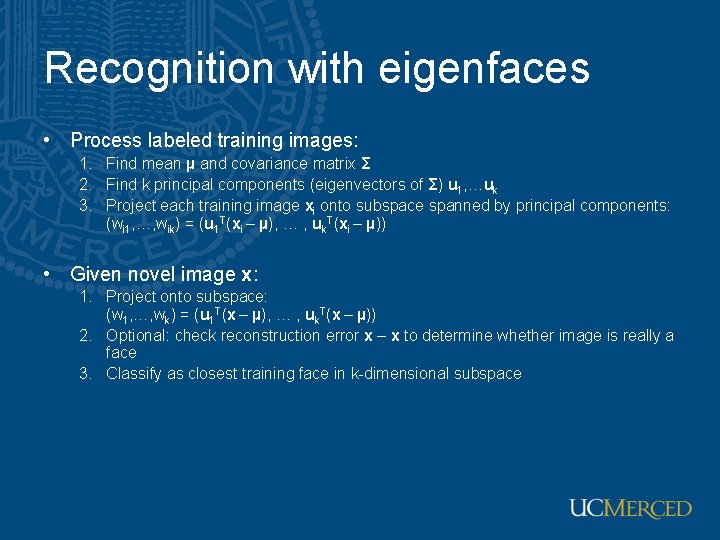
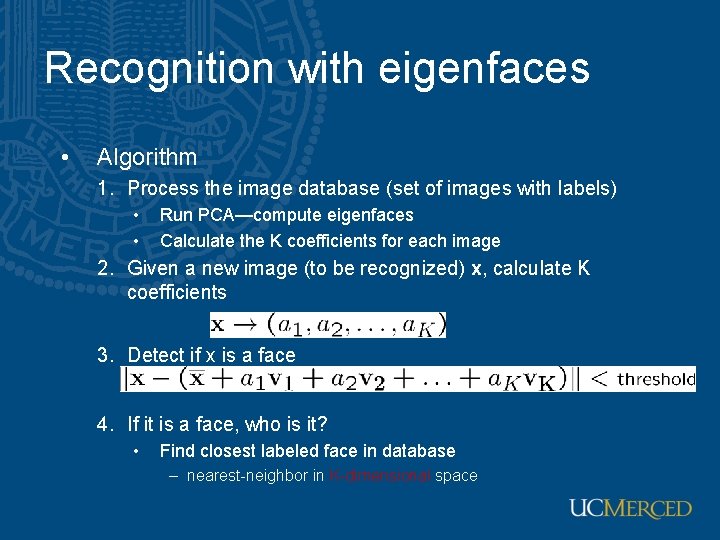
Recognition with eigenfaces • Process labeled training images: 1. Find mean µ and covariance matrix Σ 2. Find k principal components (eigenvectors of Σ) u 1, …uk 3. Project each training image xi onto subspace spanned by principal components: (wi 1, …, wik) = (u 1 T(xi – µ), … , uk. T(xi – µ)) • Given novel image x: 1. Project onto subspace: (w 1, …, wk) = (u 1 T(x – µ), … , uk. T(x – µ)) 2. Optional: check reconstruction error x – x to determine whether image is really a face 3. Classify as closest training face in k-dimensional subspace
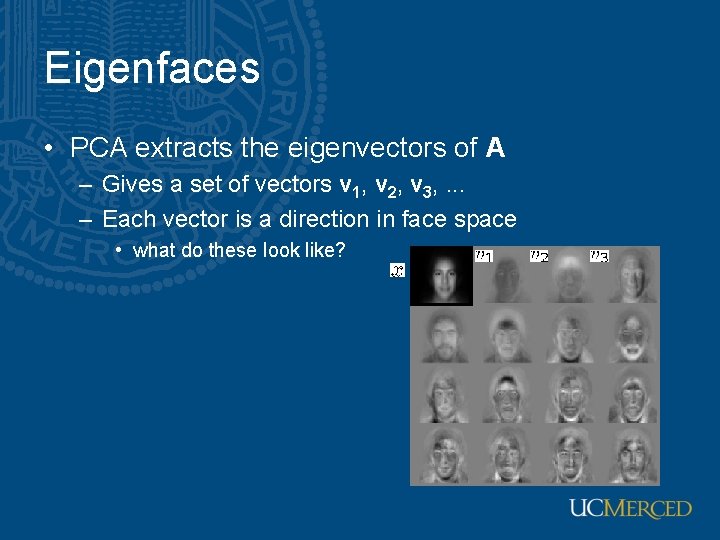
Eigenfaces • PCA extracts the eigenvectors of A – Gives a set of vectors v 1, v 2, v 3, . . . – Each vector is a direction in face space • what do these look like?
Projecting onto the eigenfaces • The eigenfaces v 1, . . . , v. K span the space of faces – A face is converted to eigenface coordinates by
Recognition with eigenfaces • Algorithm 1. Process the image database (set of images with labels) • • Run PCA—compute eigenfaces Calculate the K coefficients for each image 2. Given a new image (to be recognized) x, calculate K coefficients 3. Detect if x is a face 4. If it is a face, who is it? • Find closest labeled face in database – nearest-neighbor in K-dimensional space
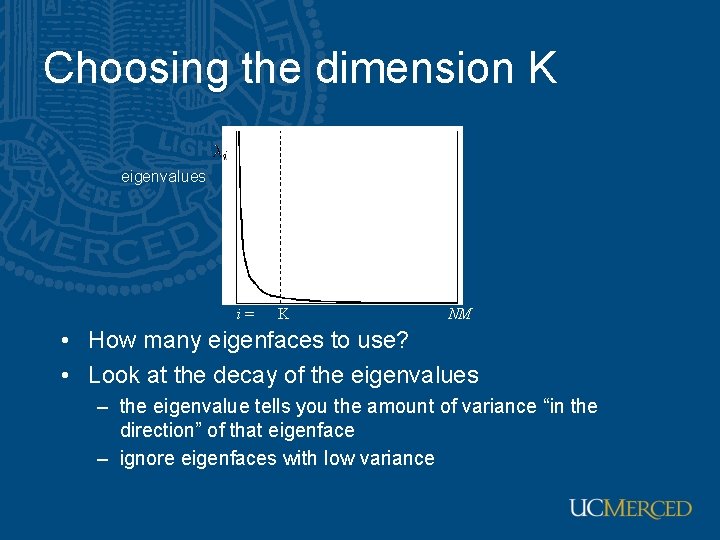
Choosing the dimension K eigenvalues i= K NM • How many eigenfaces to use? • Look at the decay of the eigenvalues – the eigenvalue tells you the amount of variance “in the direction” of that eigenface – ignore eigenfaces with low variance
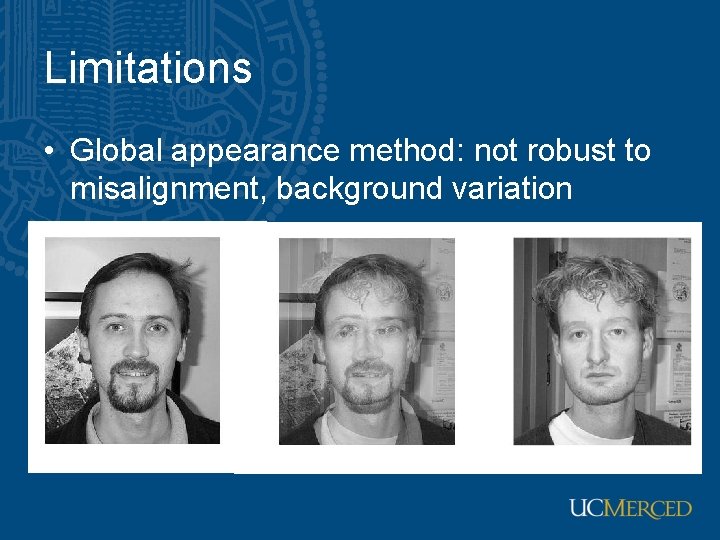
Limitations • Global appearance method: not robust to misalignment, background variation
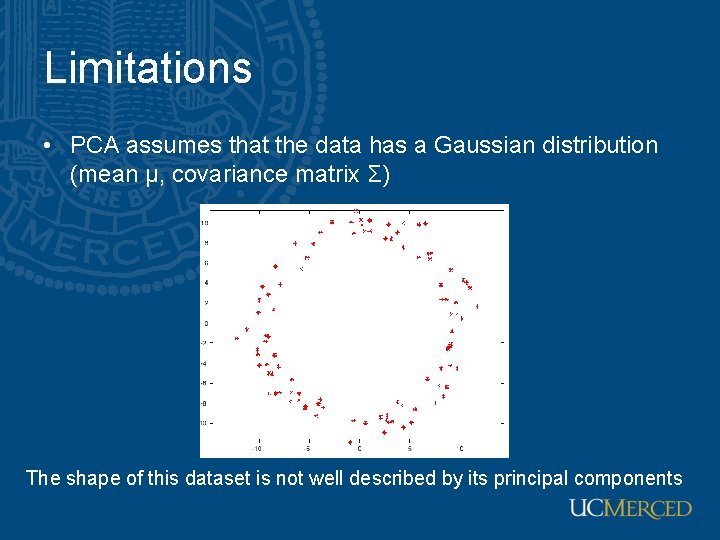
Limitations • PCA assumes that the data has a Gaussian distribution (mean µ, covariance matrix Σ) The shape of this dataset is not well described by its principal components
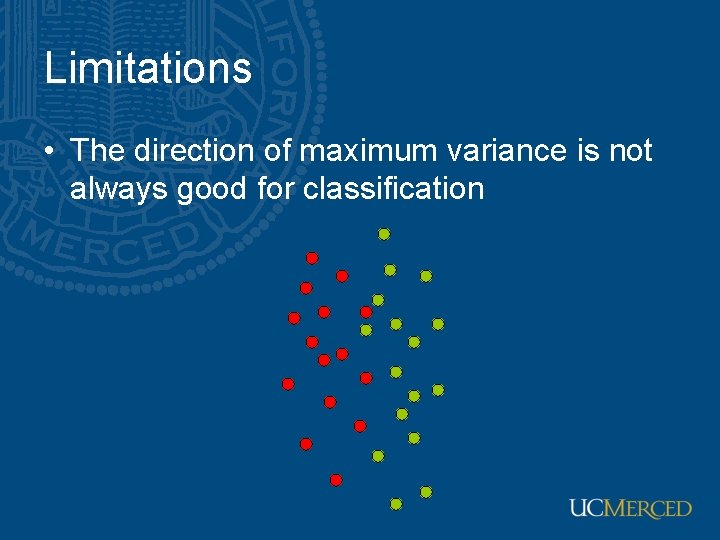
Limitations • The direction of maximum variance is not always good for classification