Chapter 11 DESIGN PROTOTYPING and CONSTRUCTION Overview Prototyping
- Slides: 35
Chapter 11 DESIGN, PROTOTYPING and CONSTRUCTION
Overview • Prototyping • Conceptual design • Concrete design • Using scenarios • Generating prototypes • Construction www. id-book. com 2
Prototyping • What is a prototype? • Why prototype? • Different kinds of prototyping - Low fidelity - High fidelity • Compromises in prototyping - Vertical - Horizontal • Final product needs to be engineered www. id-book. com 3
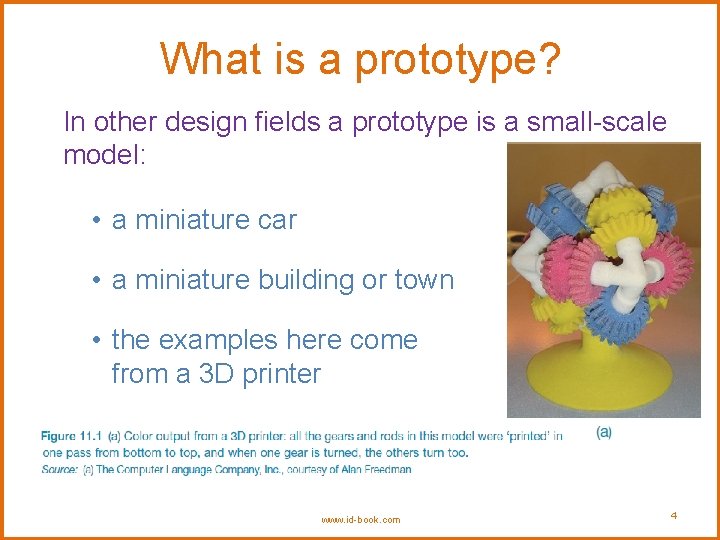
What is a prototype? In other design fields a prototype is a small-scale model: • a miniature car • a miniature building or town • the examples here come from a 3 D printer www. id-book. com 4
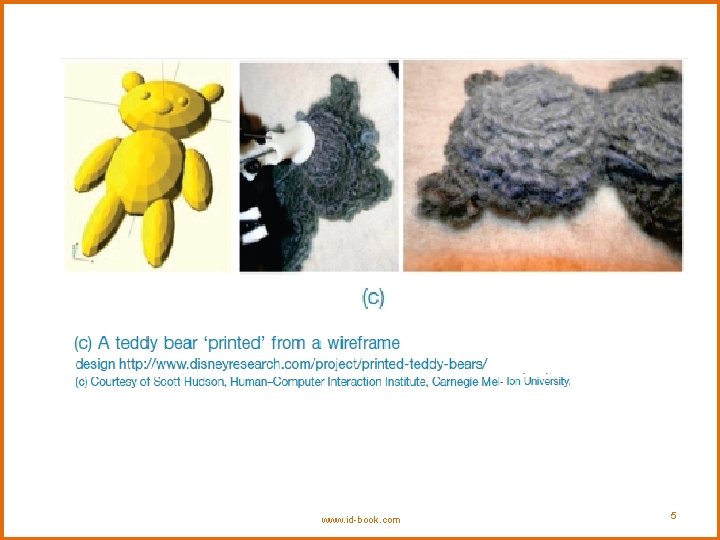
www. id-book. com 5
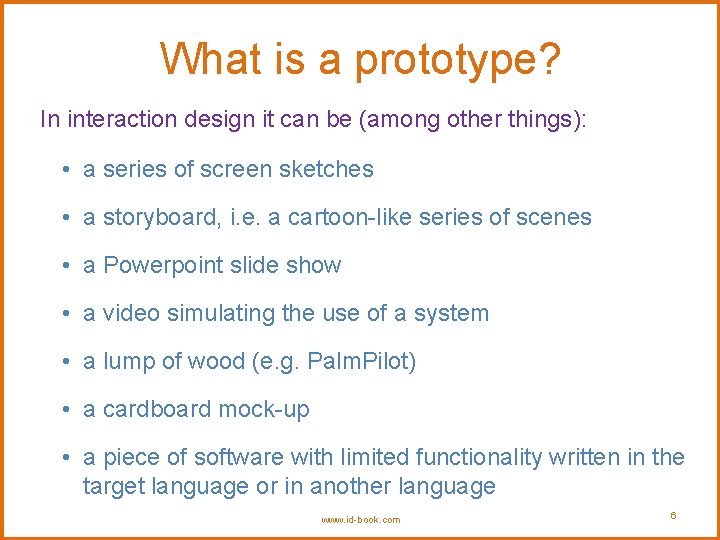
What is a prototype? In interaction design it can be (among other things): • a series of screen sketches • a storyboard, i. e. a cartoon-like series of scenes • a Powerpoint slide show • a video simulating the use of a system • a lump of wood (e. g. Palm. Pilot) • a cardboard mock-up • a piece of software with limited functionality written in the target language or in another language www. id-book. com 6
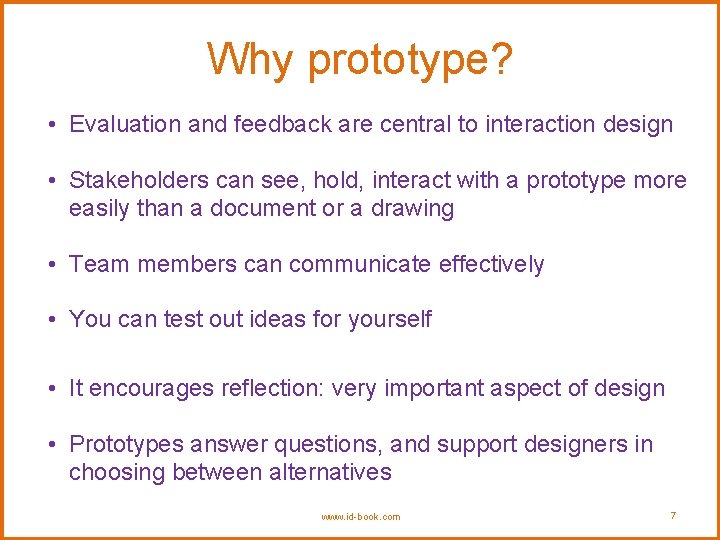
Why prototype? • Evaluation and feedback are central to interaction design • Stakeholders can see, hold, interact with a prototype more easily than a document or a drawing • Team members can communicate effectively • You can test out ideas for yourself • It encourages reflection: very important aspect of design • Prototypes answer questions, and support designers in choosing between alternatives www. id-book. com 7
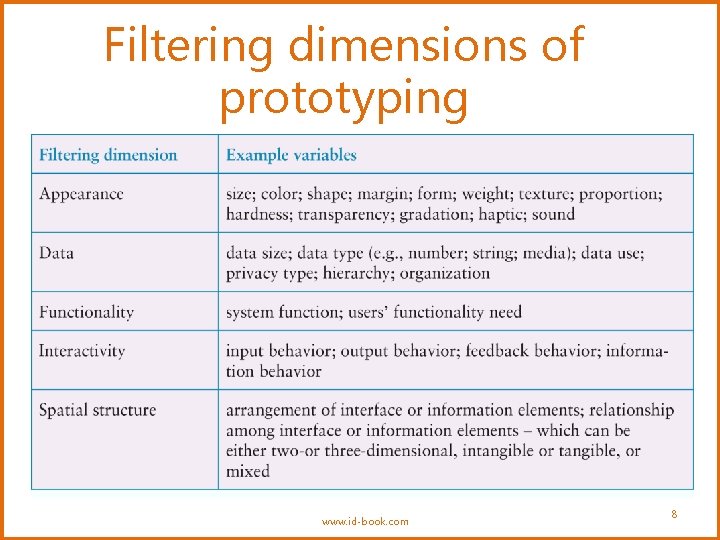
Filtering dimensions of prototyping www. id-book. com 8
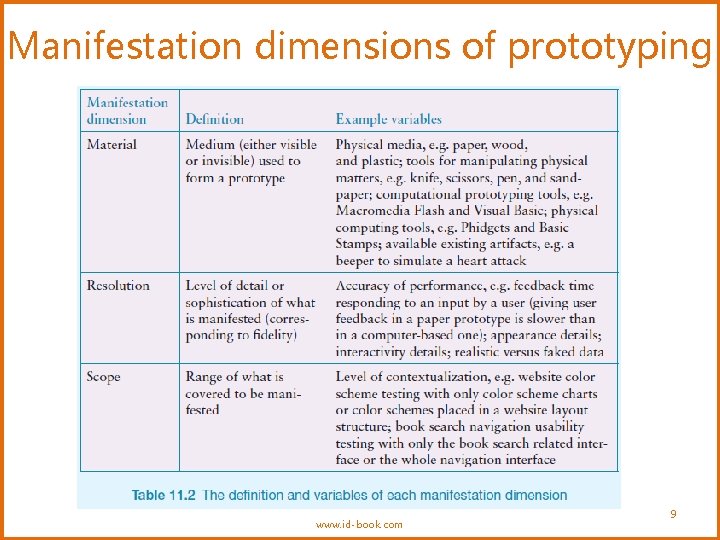
Manifestation dimensions of prototyping www. id-book. com 9
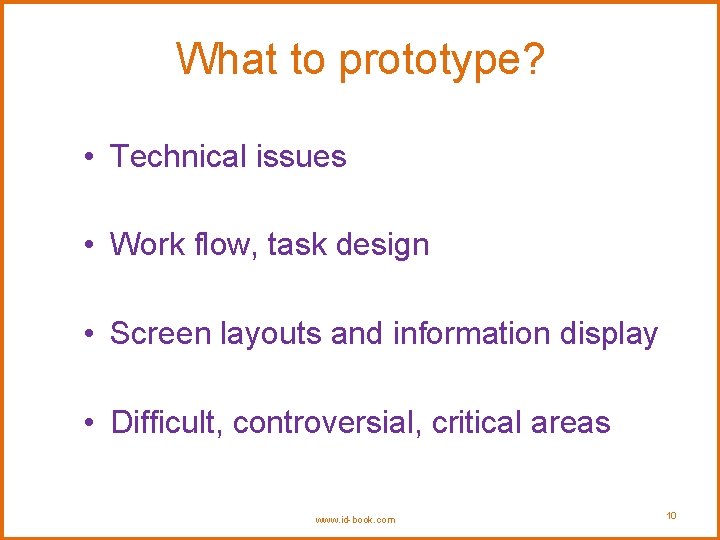
What to prototype? • Technical issues • Work flow, task design • Screen layouts and information display • Difficult, controversial, critical areas www. id-book. com 10
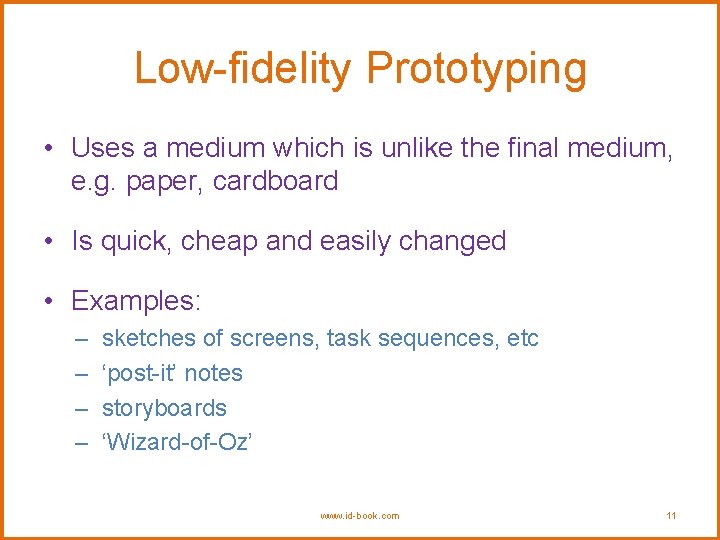
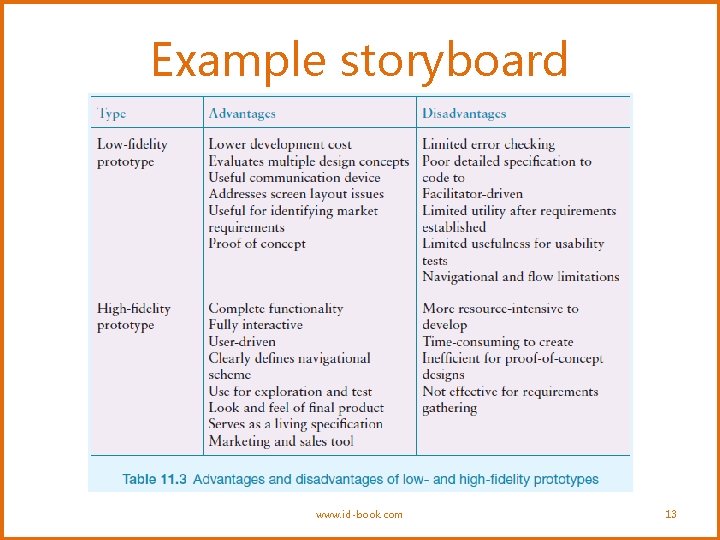
Low-fidelity Prototyping • Uses a medium which is unlike the final medium, e. g. paper, cardboard • Is quick, cheap and easily changed • Examples: – – sketches of screens, task sequences, etc ‘post-it’ notes storyboards ‘Wizard-of-Oz’ www. id-book. com 11
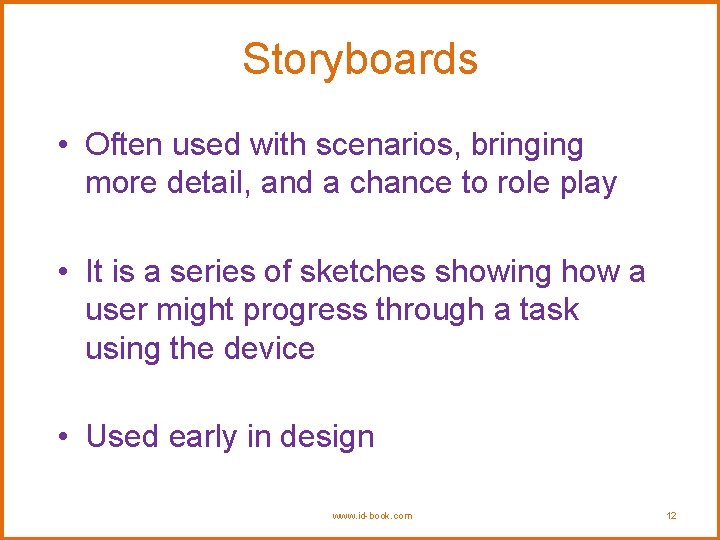
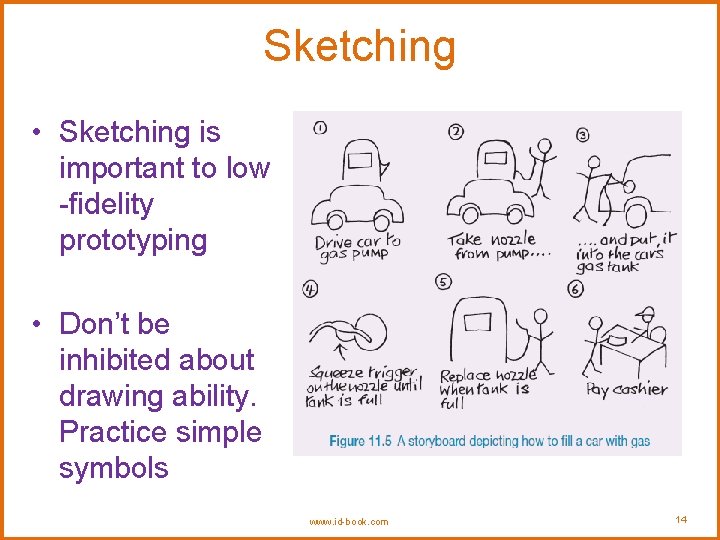
Storyboards • Often used with scenarios, bringing more detail, and a chance to role play • It is a series of sketches showing how a user might progress through a task using the device • Used early in design www. id-book. com 12
Example storyboard www. id-book. com 13
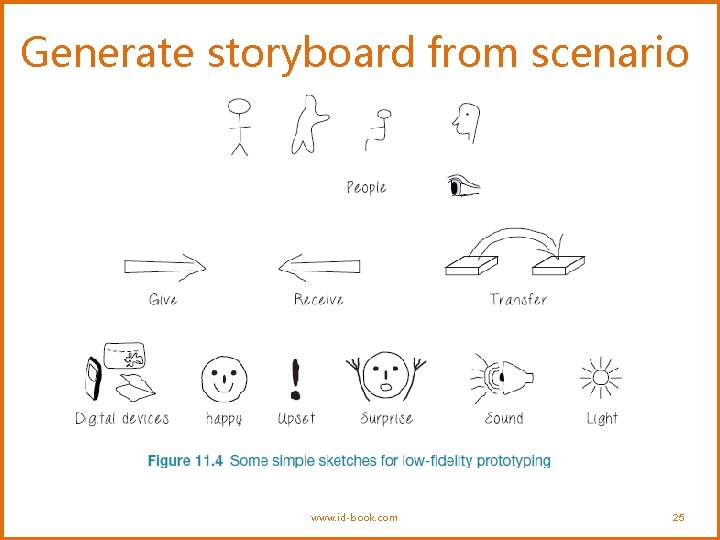
Sketching • Sketching is important to low -fidelity prototyping • Don’t be inhibited about drawing ability. Practice simple symbols www. id-book. com 14
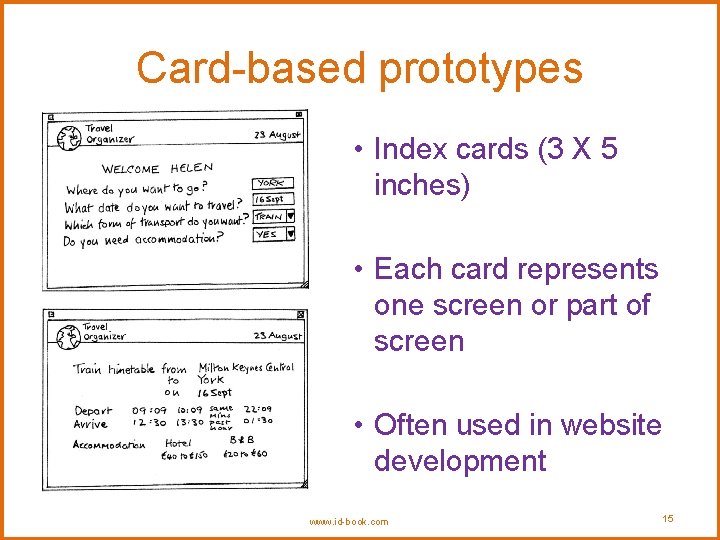
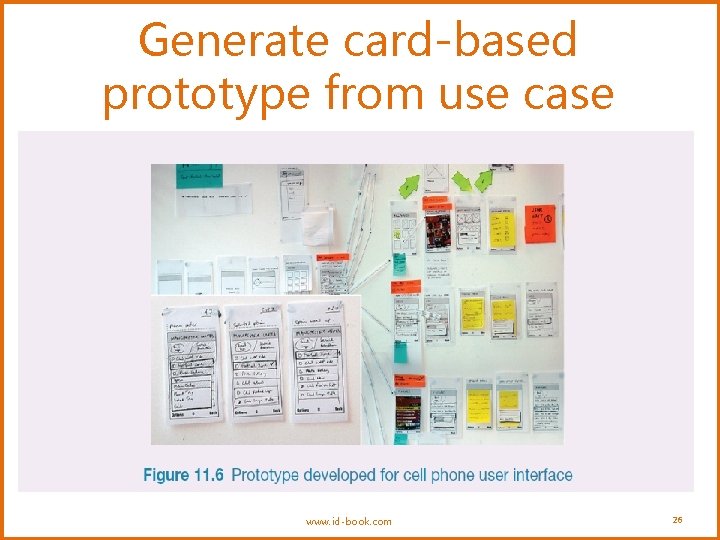
Card-based prototypes • Index cards (3 X 5 inches) • Each card represents one screen or part of screen • Often used in website development www. id-book. com 15
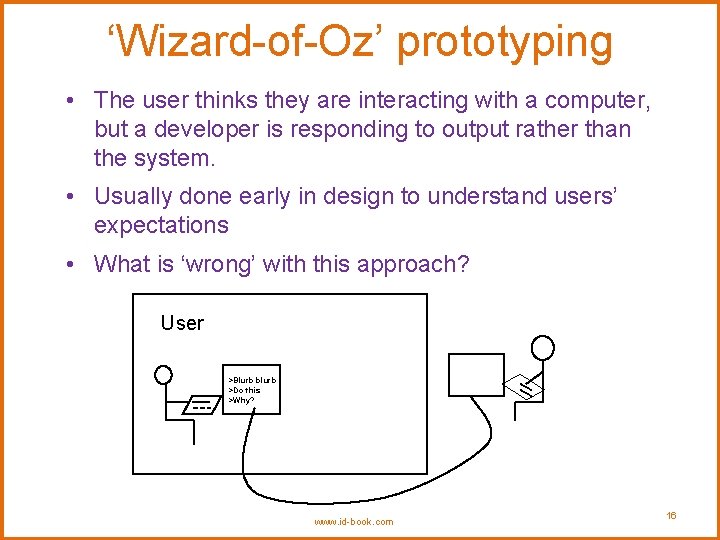
‘Wizard-of-Oz’ prototyping • The user thinks they are interacting with a computer, but a developer is responding to output rather than the system. • Usually done early in design to understand users’ expectations • What is ‘wrong’ with this approach? User >Blurb blurb >Do this >Why? www. id-book. com 16
High-fidelity prototyping • Uses materials that you would expect to be in the final product • Prototype looks more like the final system than a low-fidelity version • High-fidelity prototypes can be developed by integrating existing hardware and software components • Danger that users think they have a complete system……. see compromises www. id-book. com 17
Compromises in prototyping • All prototypes involve compromises • For software-based prototyping maybe there is a slow response? sketchy icons? limited functionality? • Two common types of compromise • horizontal: provide a wide range of functions, but with little detail • vertical: provide a lot of detail for only a few functions • Compromises in prototypes mustn't be ignored. Product needs engineering www. id-book. com 18
Conceptual design • Transform user requirements/needs into a conceptual model • A conceptual model is an outline of what people can do with a product and what concepts are needed to understand interact with it • Mood board may be used to capture feel • Consider alternatives: prototyping helps www. id-book. com 19
Is there a suitable metaphor? • Interface metaphors combine familiar knowledge with new knowledge in a way that will help the user understand the product. • Three steps: understand functionality, identify potential problem areas, generate metaphors • Evaluate metaphors: How much structure does it provide? How much is relevant to the problem? Is it easy to represent? Will the audience understand it? How extensible is it? www. id-book. com 20
Considering interaction and interface types • Which interaction type? – How the user invokes actions – Instructing, conversing, manipulating or exploring • Do different interface types provide insight? – shareable, tangible, augmented reality, etc. www. id-book. com 21
Expanding the initial conceptual model • What functions will the product perform? - What will the product do and what will the human do (task allocation)? • How are the functions related to each other? - Sequential or parallel? - Categorisations, e. g. all actions related to privacy on a smartphone • What information is needed? - What data is required to perform the task? - How is this data to be transformed by the system? www. id-book. com 22
Concrete design • Many aspects to concrete design – Color, icons, buttons, interaction devices etc. • User characteristics and context – Accessibility, cross-cultural design • Cultural website guidelines successful products “are … bundles of social solutions. Inventors succeed in a particular culture because they understand the values, institutional arrangements, and economic notions of that culture. ” www. id-book. com 23
Using scenarios • Express proposed or imagined situations • Used throughout design in various ways – – as a basis for overall design scripts for user evaluation of prototypes concrete examples of tasks as a means of co-operation across professional boundaries • Plus and minus scenarios to explore extreme cases www. id-book. com 24
Generate storyboard from scenario www. id-book. com 25
Generate card-based prototype from use case www. id-book. com 26
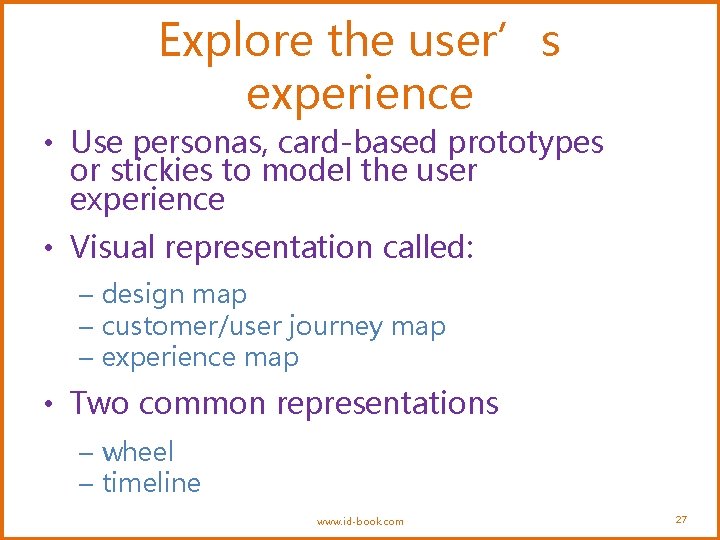
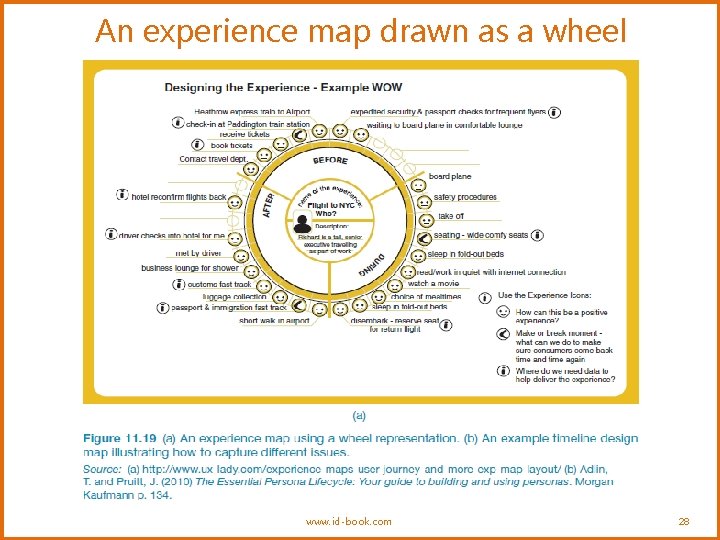
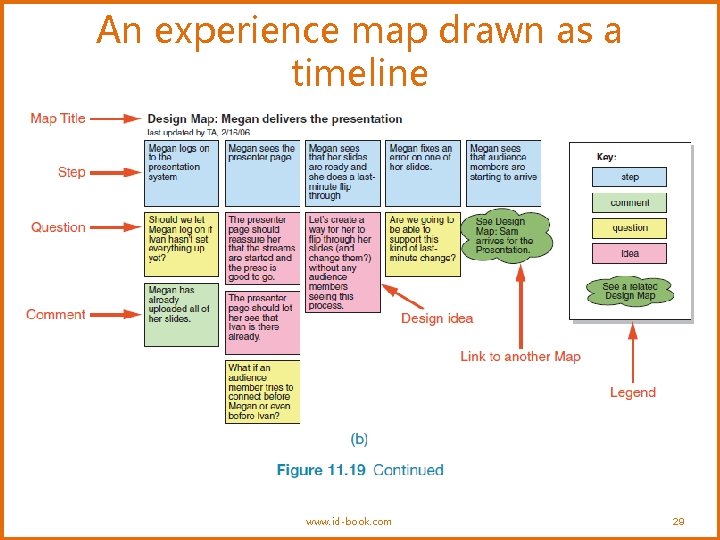
Explore the user’s experience • Use personas, card-based prototypes or stickies to model the user experience • Visual representation called: – design map – customer/user journey map – experience map • Two common representations – wheel – timeline www. id-book. com 27
An experience map drawn as a wheel www. id-book. com 28
An experience map drawn as a timeline www. id-book. com 29
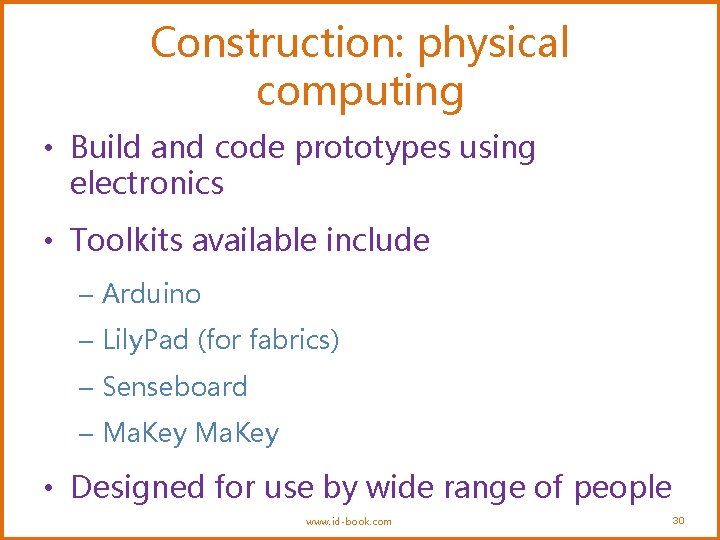
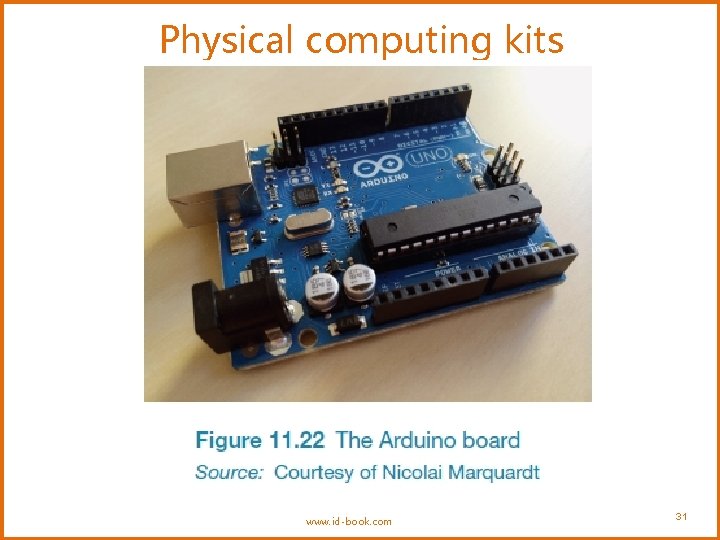
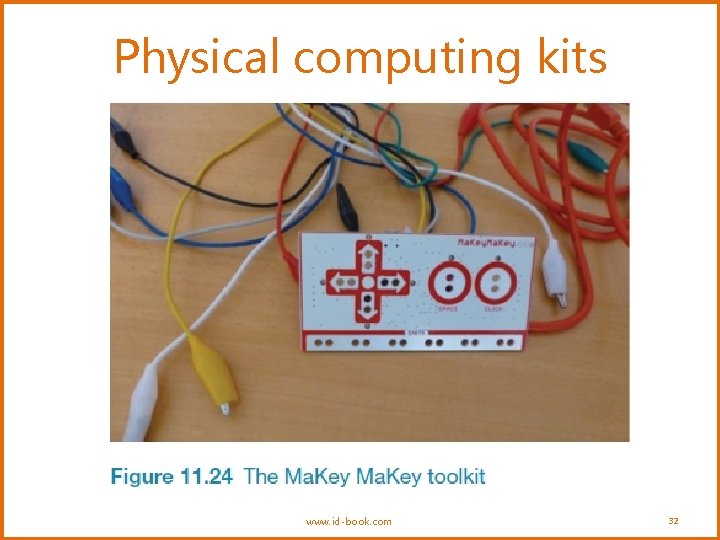
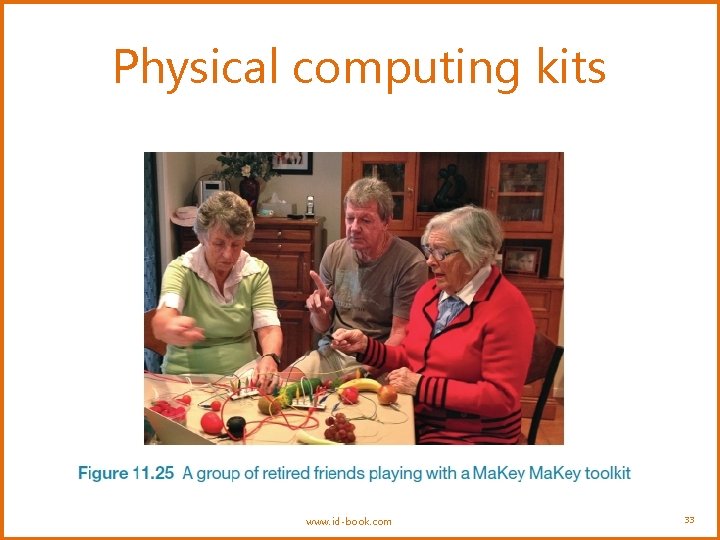
Construction: physical computing • Build and code prototypes using electronics • Toolkits available include – Arduino – Lily. Pad (for fabrics) – Senseboard – Ma. Key • Designed for use by wide range of people www. id-book. com 30
Physical computing kits www. id-book. com 31
Physical computing kits www. id-book. com 32
Physical computing kits www. id-book. com 33
Construction: SDKs • Software Development Kits – programming tools and components to develop for a specific platform, e. g. i. OS • Includes: IDE, documentation, drivers, sample code, application programming interfaces (APIs) • Makes development much easier • Microsoft’s Kinect SDK has been used in research www. id-book. com 34
Summary • Different kinds of prototyping are used for different purposes and at different stages • Prototypes answer questions • The final product must be engineered appropriately • Two aspects of design: conceptual and concrete • To generate conceptual design, consider interface metaphors, interaction types and interface types • Storyboards can be generated from scenarios • Card-based prototypes can be generated from use cases • Physical computing kits and SDKs facilitate transition from design to construction www. id-book. com 35