1 Chapter 14 The Preprocessor EEE 1002 Introduction
- Slides: 24
마스터 제목 스타일 편집 1 Chapter 14. The Preprocessor EEE 1002
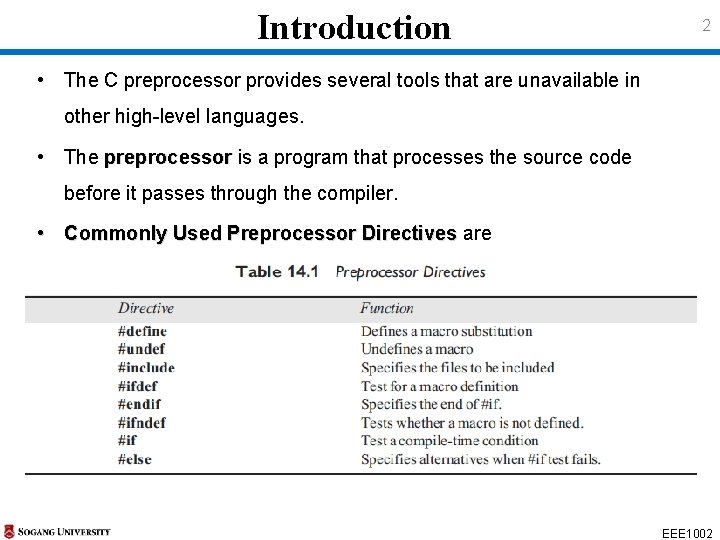
Introduction 2 • The C preprocessor provides several tools that are unavailable in other high-level languages. • The preprocessor is a program that processes the source code before it passes through the compiler. • Commonly Used Preprocessor Directives are EEE 1002
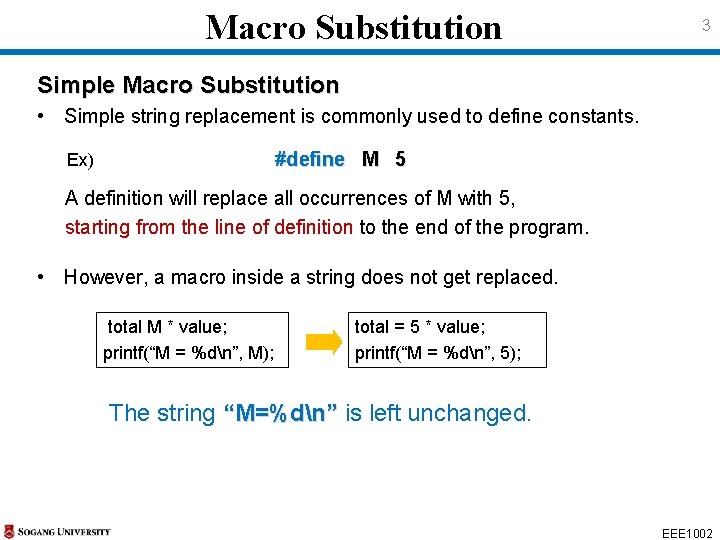
Macro Substitution 3 Simple Macro Substitution • Simple string replacement is commonly used to define constants. #define M 5 Ex) A definition will replace all occurrences of M with 5, starting from the line of definition to the end of the program. • However, a macro inside a string does not get replaced. total M * value; printf(“M = %dn”, M); total = 5 * value; printf(“M = %dn”, 5); The string “M=%dn” is left unchanged. EEE 1002
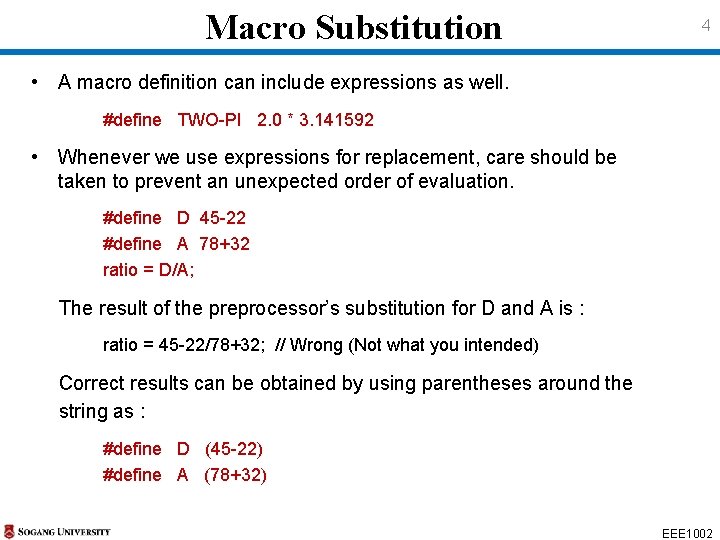
Macro Substitution 4 • A macro definition can include expressions as well. #define TWO-PI 2. 0 * 3. 141592 • Whenever we use expressions for replacement, care should be taken to prevent an unexpected order of evaluation. #define D 45 -22 #define A 78+32 ratio = D/A; The result of the preprocessor’s substitution for D and A is : ratio = 45 -22/78+32; // Wrong (Not what you intended) Correct results can be obtained by using parentheses around the string as : #define D (45 -22) #define A (78+32) EEE 1002
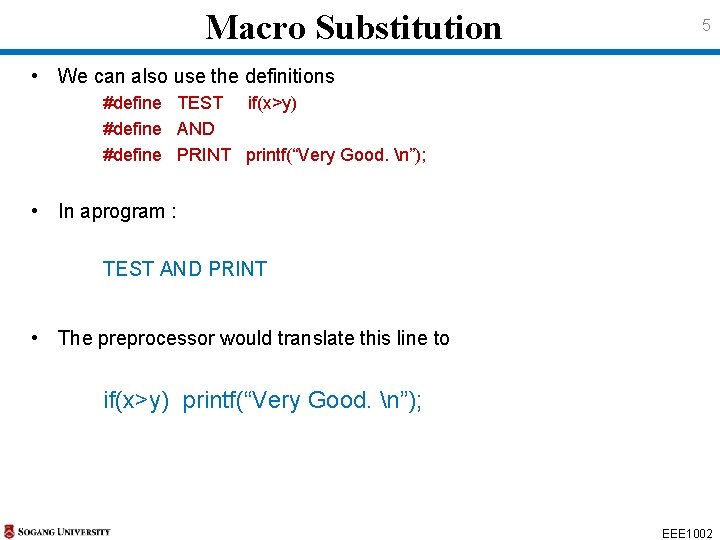
Macro Substitution 5 • We can also use the definitions #define TEST if(x>y) #define AND #define PRINT printf(“Very Good. n”); • In aprogram : TEST AND PRINT • The preprocessor would translate this line to if(x>y) printf(“Very Good. n”); EEE 1002
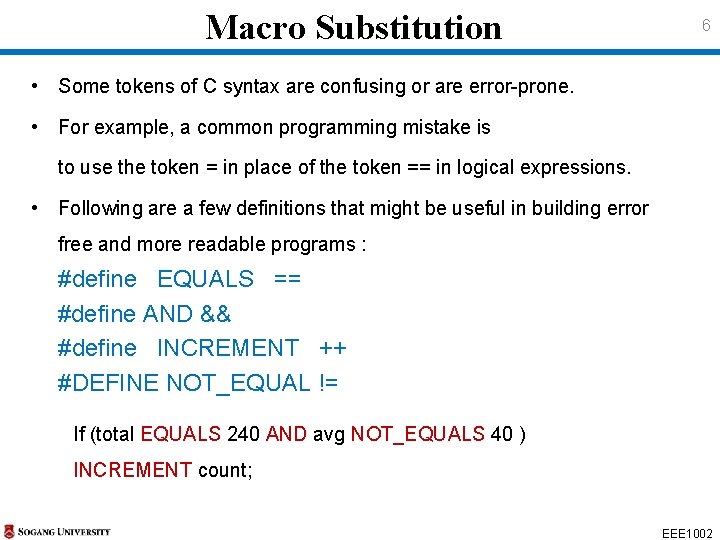
Macro Substitution 6 • Some tokens of C syntax are confusing or are error-prone. • For example, a common programming mistake is to use the token = in place of the token == in logical expressions. • Following are a few definitions that might be useful in building error free and more readable programs : #define EQUALS == #define AND && #define INCREMENT ++ #DEFINE NOT_EQUAL != If (total EQUALS 240 AND avg NOT_EQUALS 40 ) INCREMENT count; EEE 1002
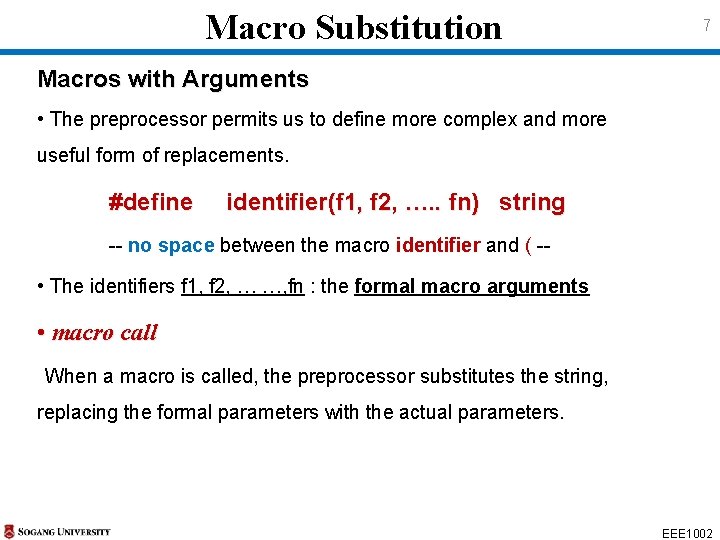
Macro Substitution 7 Macros with Arguments • The preprocessor permits us to define more complex and more useful form of replacements. #define identifier(f 1, f 2, …. . fn) string -- no space between the macro identifier and ( -- • The identifiers f 1, f 2, … …, fn : the formal macro arguments • macro call When a macro is called, the preprocessor substitutes the string, replacing the formal parameters with the actual parameters. EEE 1002
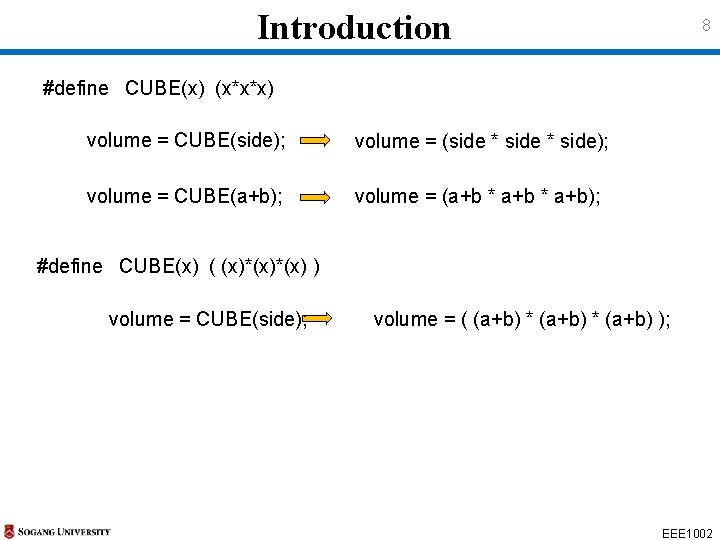
Introduction 8 #define CUBE(x) (x*x*x) volume = CUBE(side); volume = (side * side); volume = CUBE(a+b); volume = (a+b * a+b); #define CUBE(x) ( (x)*(x) ) volume = CUBE(side); volume = ( (a+b) * (a+b) ); EEE 1002
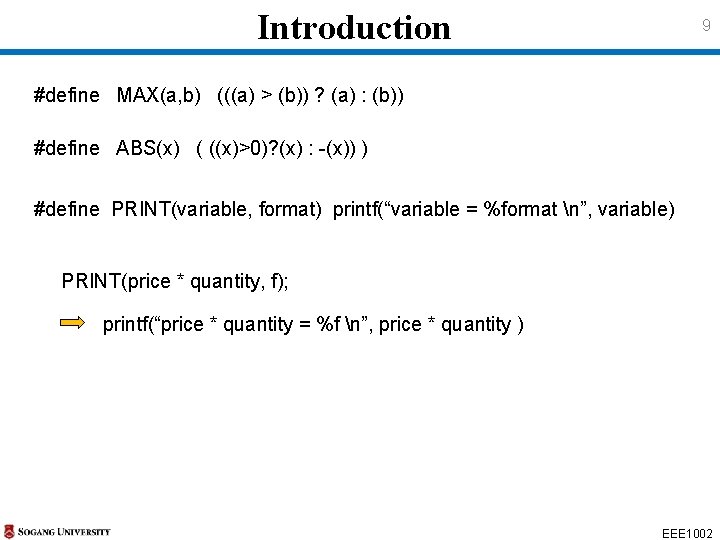
Introduction 9 #define MAX(a, b) (((a) > (b)) ? (a) : (b)) #define ABS(x) ( ((x)>0)? (x) : -(x)) ) #define PRINT(variable, format) printf(“variable = %format n”, variable) PRINT(price * quantity, f); printf(“price * quantity = %f n”, price * quantity ) EEE 1002
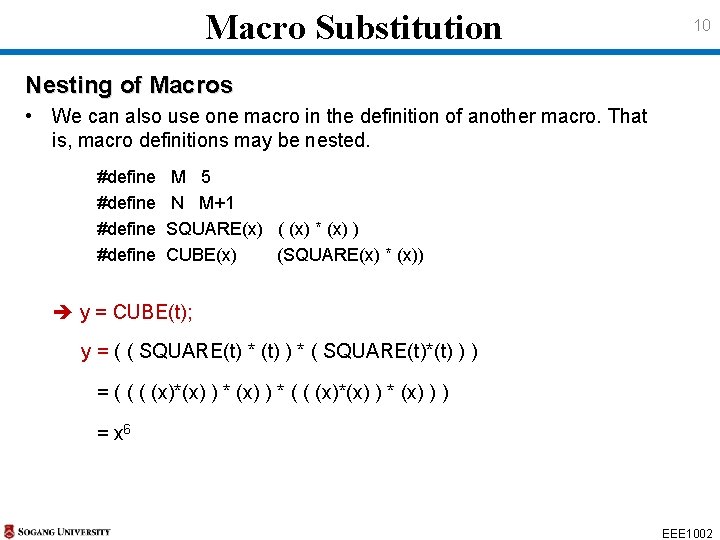
Macro Substitution 10 Nesting of Macros • We can also use one macro in the definition of another macro. That is, macro definitions may be nested. #define M 5 N M+1 SQUARE(x) ( (x) * (x) ) CUBE(x) (SQUARE(x) * (x)) y = CUBE(t); y = ( ( SQUARE(t) * (t) ) * ( SQUARE(t)*(t) ) ) = ( (x)*(x) ) * (x) ) ) = x 6 EEE 1002
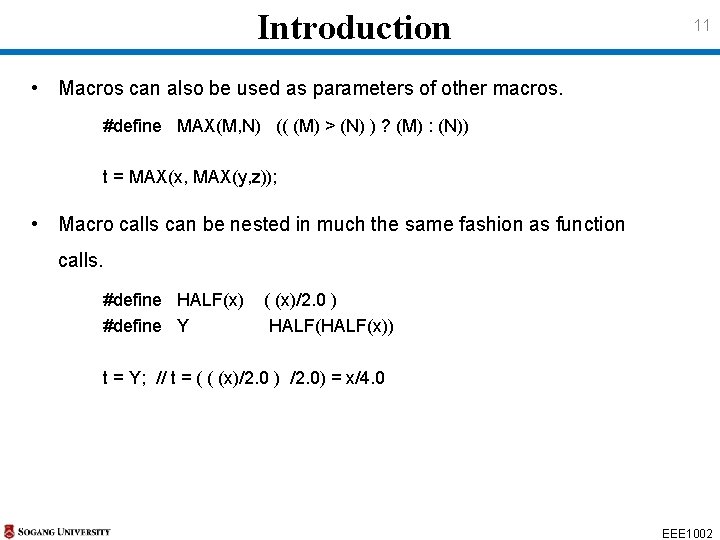
Introduction 11 • Macros can also be used as parameters of other macros. #define MAX(M, N) (( (M) > (N) ) ? (M) : (N)) t = MAX(x, MAX(y, z)); • Macro calls can be nested in much the same fashion as function calls. #define HALF(x) #define Y ( (x)/2. 0 ) HALF(x)) t = Y; // t = ( ( (x)/2. 0 ) /2. 0) = x/4. 0 EEE 1002
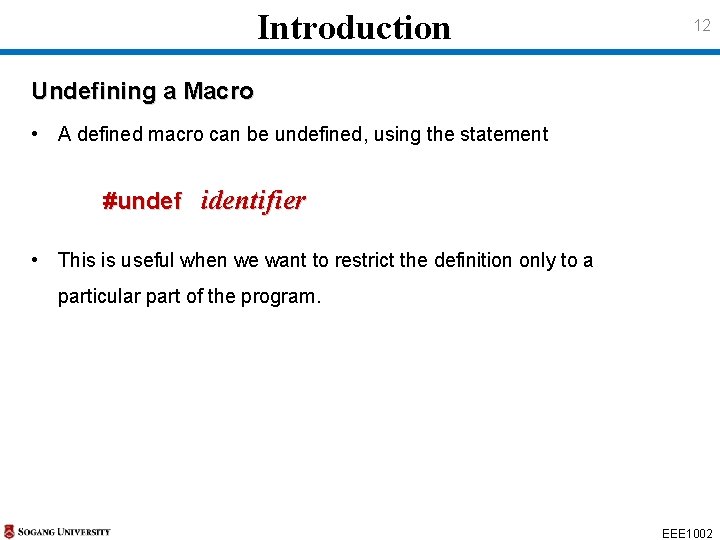
Introduction 12 Undefining a Macro • A defined macro can be undefined, using the statement #undef identifier • This is useful when we want to restrict the definition only to a particular part of the program. EEE 1002
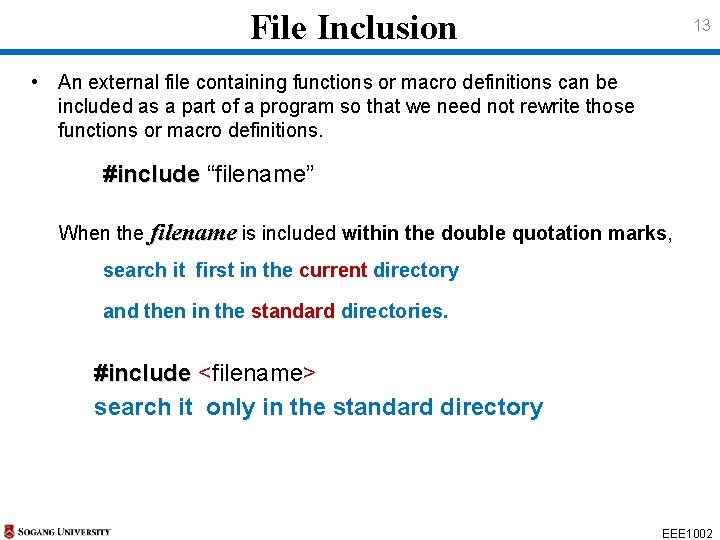
File Inclusion 13 • An external file containing functions or macro definitions can be included as a part of a program so that we need not rewrite those functions or macro definitions. #include “filename” When the filename is included within the double quotation marks, search it first in the current directory and then in the standard directories. #include <filename> search it only in the standard directory EEE 1002
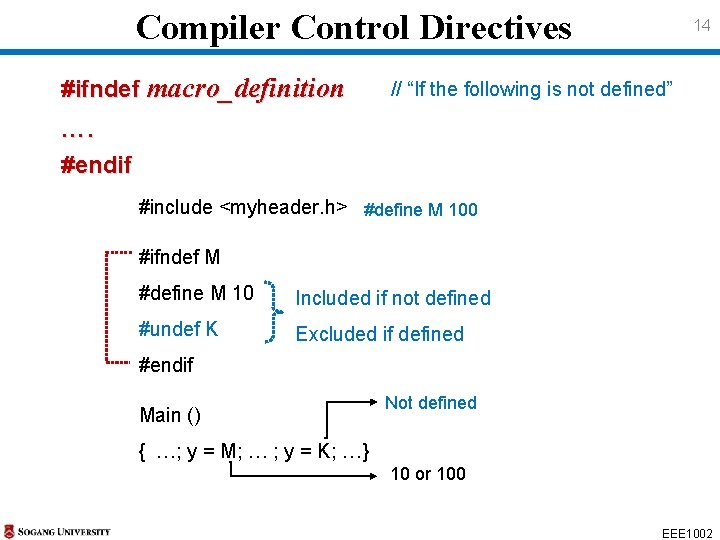
Compiler Control Directives #ifndef macro_definition 14 // “If the following is not defined” …. #endif #include <myheader. h> #define M 100 #ifndef M #define M 10 Included if not defined #undef K Excluded if defined #endif Main () Not defined { …; y = M; … ; y = K; …} 10 or 100 EEE 1002
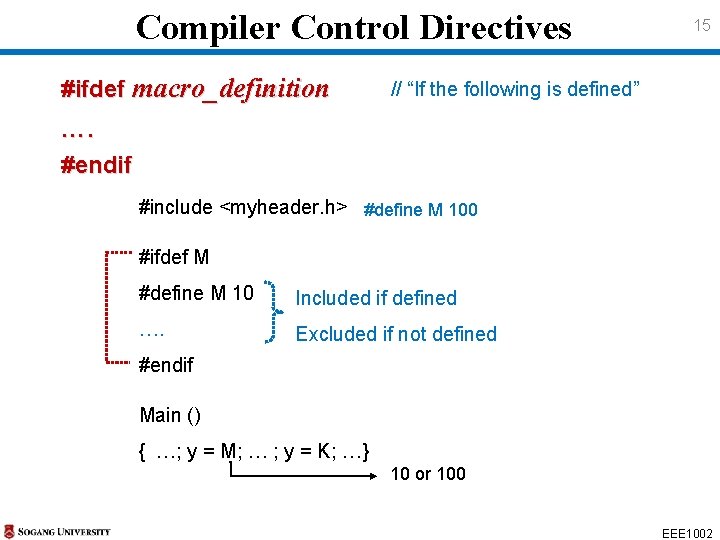
Compiler Control Directives #ifdef macro_definition 15 // “If the following is defined” …. #endif #include <myheader. h> #define M 100 #ifdef M #define M 10 Included if defined …. Excluded if not defined #endif Main () { …; y = M; … ; y = K; …} 10 or 100 EEE 1002
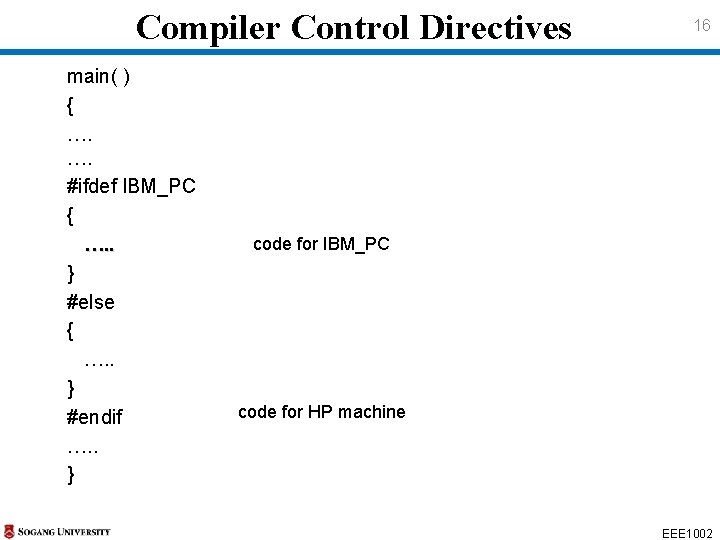
Compiler Control Directives main( ) { …. …. #ifdef IBM_PC { …. . } #else { …. . } #endif …. . } 16 code for IBM_PC code for HP machine EEE 1002
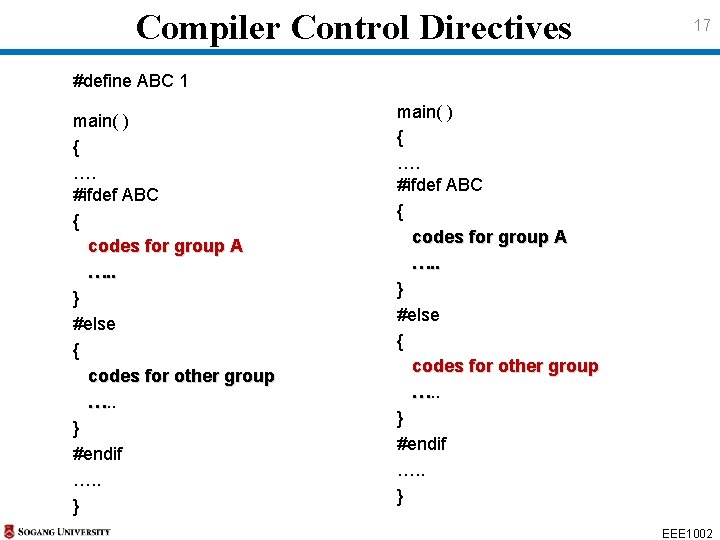
Compiler Control Directives 17 #define ABC 1 main( ) { …. #ifdef ABC { codes for group A …. . } #else { codes for other group …. . … } #endif …. . } EEE 1002
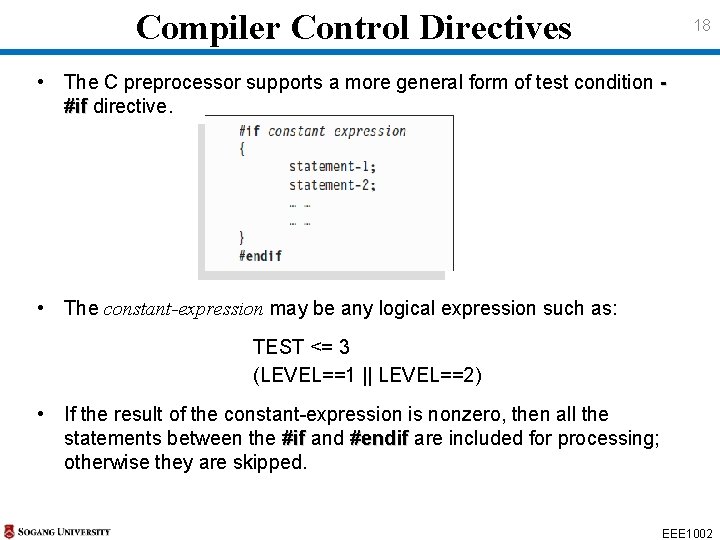
Compiler Control Directives 18 • The C preprocessor supports a more general form of test condition #if directive. • The constant-expression may be any logical expression such as: TEST <= 3 (LEVEL==1 || LEVEL==2) • If the result of the constant-expression is nonzero, then all the statements between the #if and #endif are included for processing; otherwise they are skipped. EEE 1002
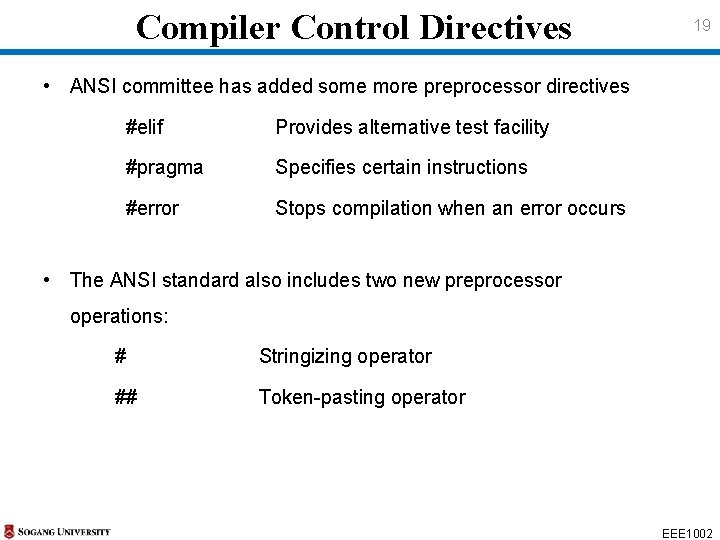
Compiler Control Directives 19 • ANSI committee has added some more preprocessor directives #elif Provides alternative test facility #pragma Specifies certain instructions #error Stops compilation when an error occurs • The ANSI standard also includes two new preprocessor operations: # Stringizing operator ## Token-pasting operator EEE 1002
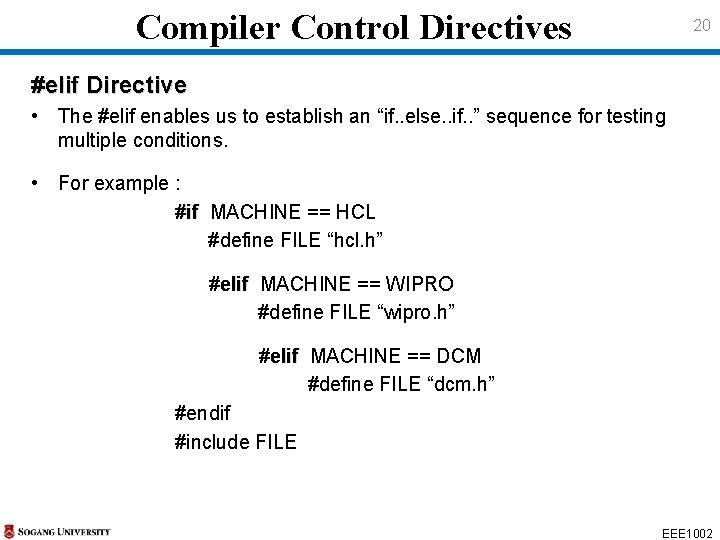
Compiler Control Directives 20 #elif Directive • The #elif enables us to establish an “if. . else. . if. . ” sequence for testing multiple conditions. • For example : #if MACHINE == HCL #define FILE “hcl. h” #elif MACHINE == WIPRO #define FILE “wipro. h” #elif MACHINE == DCM #define FILE “dcm. h” #endif #include FILE EEE 1002
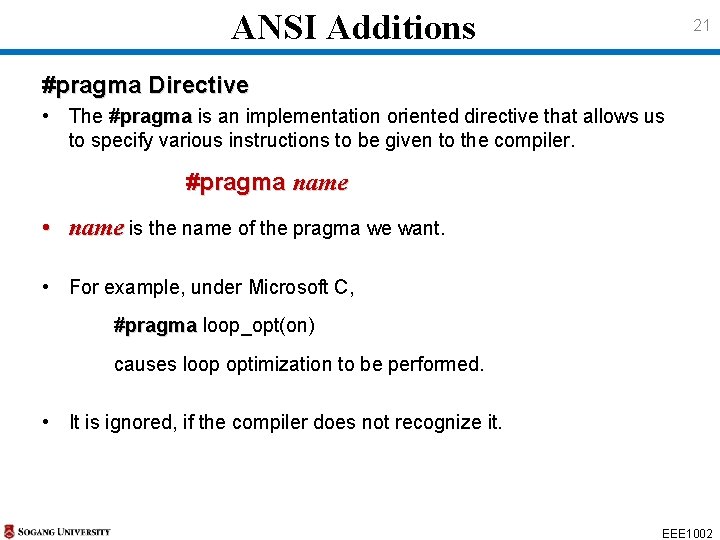
ANSI Additions 21 #pragma Directive • The #pragma is an implementation oriented directive that allows us to specify various instructions to be given to the compiler. #pragma name • name is the name of the pragma we want. • For example, under Microsoft C, #pragma loop_opt(on) causes loop optimization to be performed. • It is ignored, if the compiler does not recognize it. EEE 1002
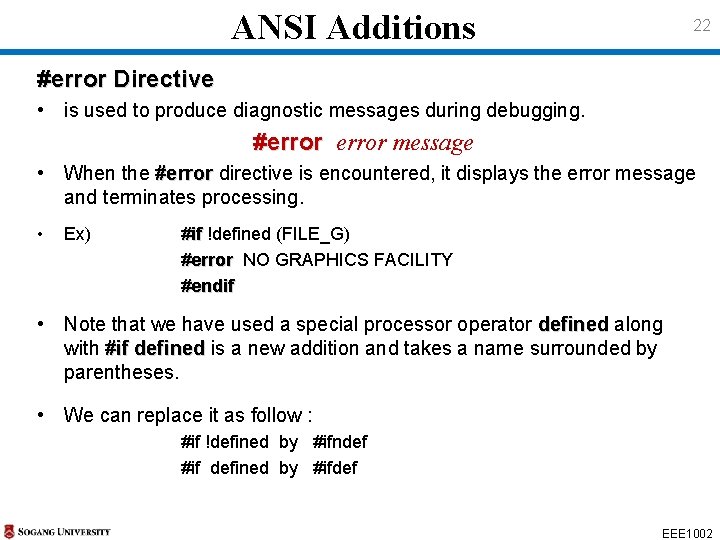
ANSI Additions 22 #error Directive • is used to produce diagnostic messages during debugging. #error message • When the #error directive is encountered, it displays the error message and terminates processing. • Ex) #if !defined (FILE_G) #error NO GRAPHICS FACILITY #endif • Note that we have used a special processor operator defined along with #if defined is a new addition and takes a name surrounded by parentheses. • We can replace it as follow : #if !defined by #ifndef #if defined by #ifdef EEE 1002
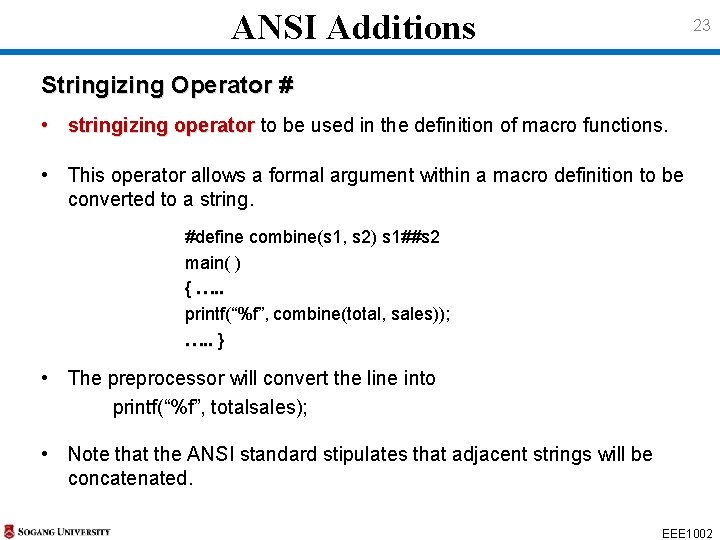
ANSI Additions 23 Stringizing Operator # • stringizing operator to be used in the definition of macro functions. • This operator allows a formal argument within a macro definition to be converted to a string. #define combine(s 1, s 2) s 1##s 2 main( ) { …. . printf(“%f”, combine(total, sales)); …. . } • The preprocessor will convert the line into printf(“%f”, totalsales); • Note that the ANSI standard stipulates that adjacent strings will be concatenated. EEE 1002
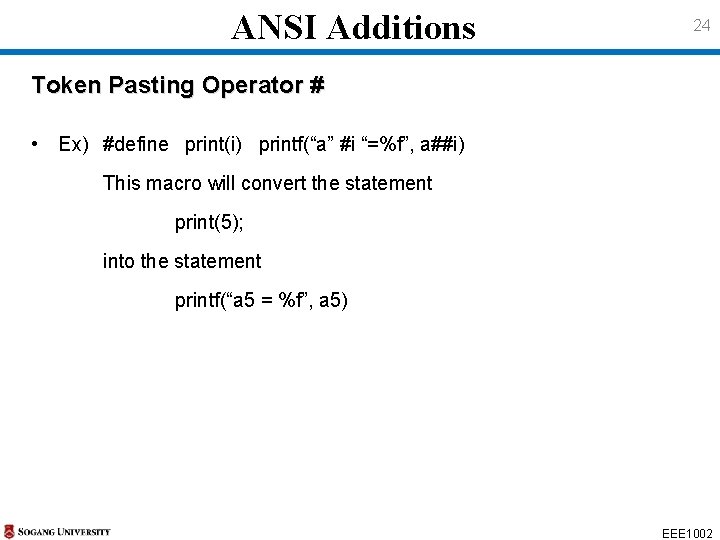
ANSI Additions 24 Token Pasting Operator # • Ex) #define print(i) printf(“a” #i “=%f”, a##i) This macro will convert the statement print(5); into the statement printf(“a 5 = %f”, a 5) EEE 1002