Windchill 10 0 M 010 Whats New 6222011
- Slides: 11
Windchill 10. 0 M 010 What’s New 6/22/2011
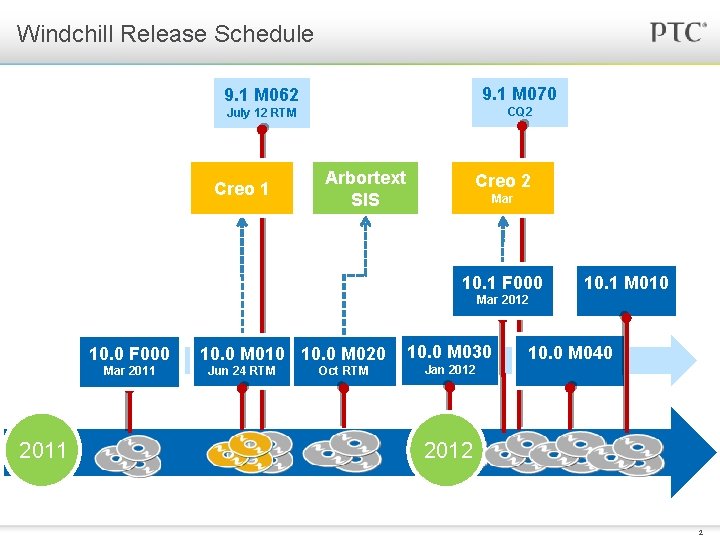
Windchill Release Schedule 9. 1 M 062 9. 1 M 070 July 12 RTM CQ 2 Creo 1 Arbortext SIS Creo 2 Mar 10. 1 F 000 10. 1 M 010 Mar 2012 10. 0 F 000 Mar 2011 10. 0 M 010 10. 0 M 020 Jun 24 RTM Oct RTM 10. 0 M 030 10. 0 M 040 Jan 2012 Forward Looking Information Subject to Change Without Notice 2
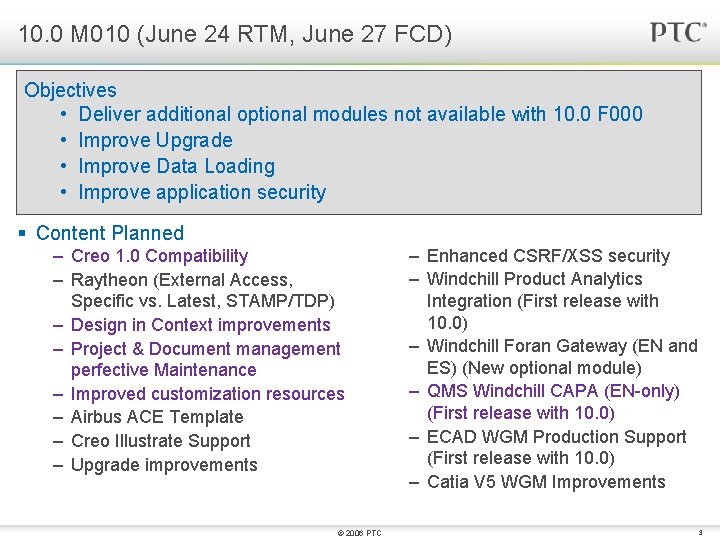
10. 0 M 010 (June 24 RTM, June 27 FCD) Objectives • Deliver additional optional modules not available with 10. 0 F 000 • Improve Upgrade • Improve Data Loading • Improve application security § Content Planned – Creo 1. 0 Compatibility – Raytheon (External Access, Specific vs. Latest, STAMP/TDP) – Design in Context improvements – Project & Document management perfective Maintenance – Improved customization resources – Airbus ACE Template – Creo Illustrate Support – Upgrade improvements © 2006 PTC – Enhanced CSRF/XSS security – Windchill Product Analytics Integration (First release with 10. 0) – Windchill Foran Gateway (EN and ES) (New optional module) – QMS Windchill CAPA (EN-only) (First release with 10. 0) – ECAD WGM Production Support (First release with 10. 0) – Catia V 5 WGM Improvements 3
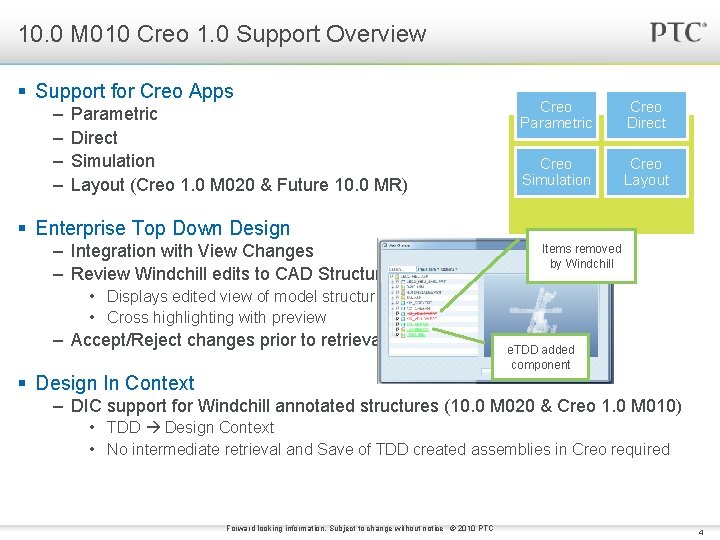
10. 0 M 010 Creo 1. 0 Support Overview § Support for Creo Apps – – Parametric Direct Simulation Layout (Creo 1. 0 M 020 & Future 10. 0 MR) Creo Parametric Creo Direct Creo Simulation Creo Layout § Enterprise Top Down Design – Integration with View Changes – Review Windchill edits to CAD Structure Items removed by Windchill • Displays edited view of model structure • Cross highlighting with preview – Accept/Reject changes prior to retrieval e. TDD added component § Design In Context – DIC support for Windchill annotated structures (10. 0 M 020 & Creo 1. 0 M 010) • TDD Design Context • No intermediate retrieval and Save of TDD created assemblies in Creo required Forward looking information. Subject to change without notice © 2010 PTC 4
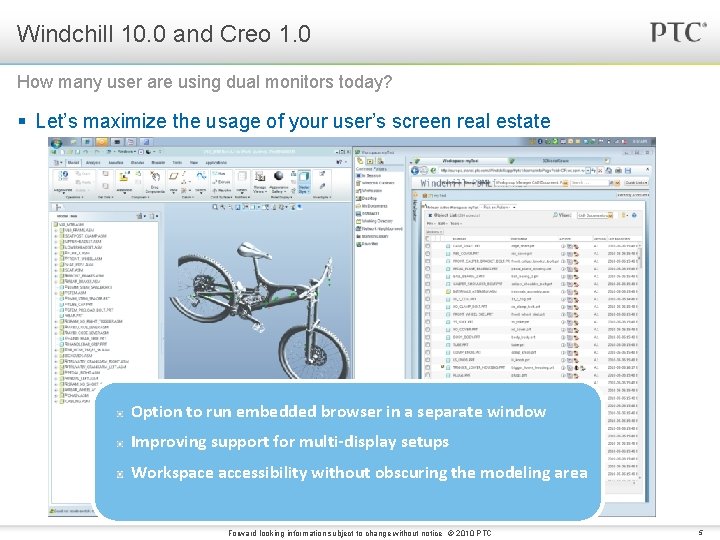
Windchill 10. 0 and Creo 1. 0 How many user are using dual monitors today? § Let’s maximize the usage of your user’s screen real estate Option to run embedded browser in a separate window Improving support for multi-display setups Workspace accessibility without obscuring the modeling area Forward looking information subject to change without notice © 2010 PTC 5
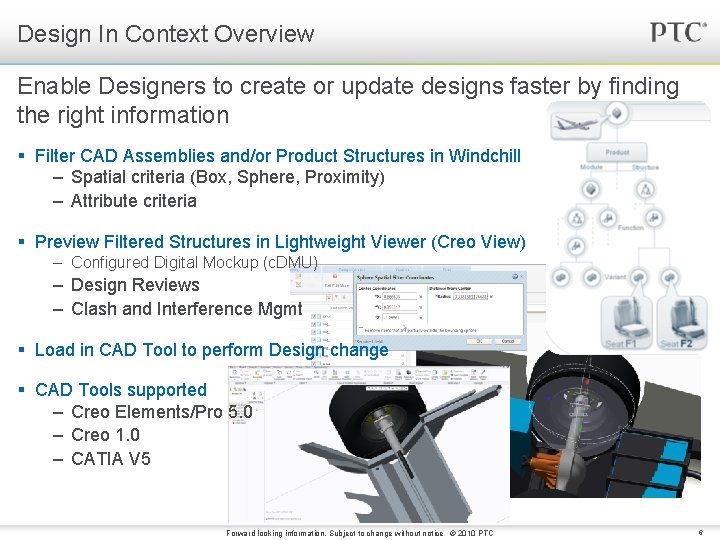
Design In Context Overview Enable Designers to create or update designs faster by finding the right information § Filter CAD Assemblies and/or Product Structures in Windchill – Spatial criteria (Box, Sphere, Proximity) – Attribute criteria § Preview Filtered Structures in Lightweight Viewer (Creo View) – Configured Digital Mockup (c. DMU) – Design Reviews – Clash and Interference Mgmt § Load in CAD Tool to perform Design change § CAD Tools supported – Creo Elements/Pro 5. 0 – Creo 1. 0 – CATIA V 5 Forward looking information. Subject to change without notice © 2010 PTC 6
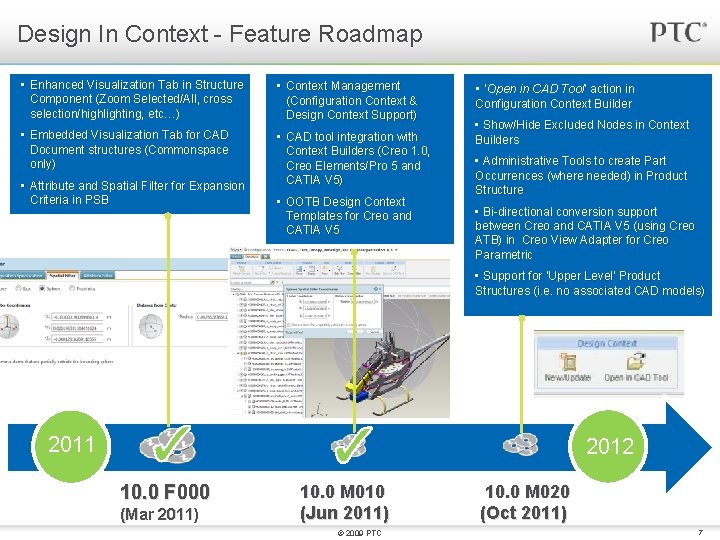
Design In Context - Feature Roadmap • Enhanced Visualization Tab in Structure Component (Zoom Selected/All, cross selection/highlighting, etc…) • Context Management (Configuration Context & Design Context Support) • Embedded Visualization Tab for CAD Document structures (Commonspace only) • CAD tool integration with Context Builders (Creo 1. 0, Creo Elements/Pro 5 and CATIA V 5) Attribute and Spatial Filter for Expansion • • Save As Support Criteria in PSB • Rename Support • Enhanced V 5 Link Support (e. g. MML) • OOTB Design Context Templates for Creo and CATIA V 5 • ‘Open in CAD Tool’ action in Configuration Context Builder • Show/Hide Excluded Nodes in Context Builders • Administrative Tools to create Part Occurrences (where needed) in Product Structure • Bi-directional conversion support between Creo and CATIA V 5 (using Creo ATB) in Creo View Adapter for Creo Parametric • Support for ‘Upper Level’ Product Structures (i. e. no associated CAD models) 2011 2012 10. 0 F 000 (Mar 2011) 10. 0 M 010 (Jun 2011) © 2009 PTC 10. 0 M 020 (Oct 2011) 7
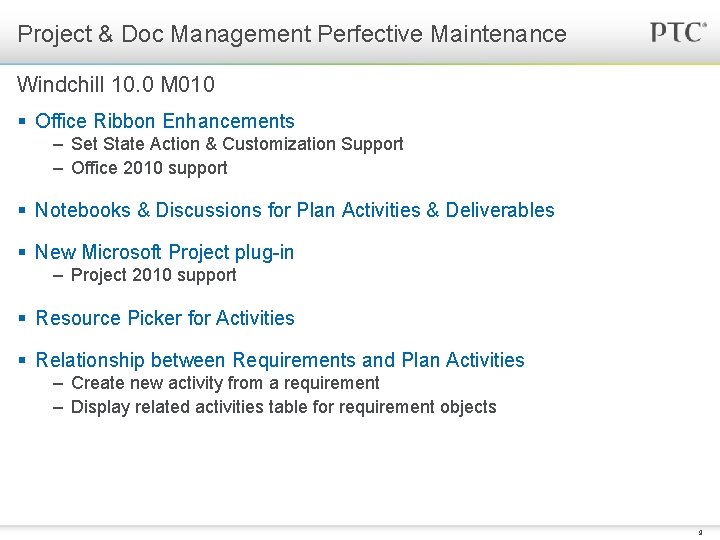
Project & Doc Management Perfective Maintenance Windchill 10. 0 M 010 § Office Ribbon Enhancements – Set State Action & Customization Support – Office 2010 support § Notebooks & Discussions for Plan Activities & Deliverables § New Microsoft Project plug-in – Project 2010 support § Resource Picker for Activities § Relationship between Requirements and Plan Activities – Create new activity from a requirement – Display related activities table for requirement objects 9
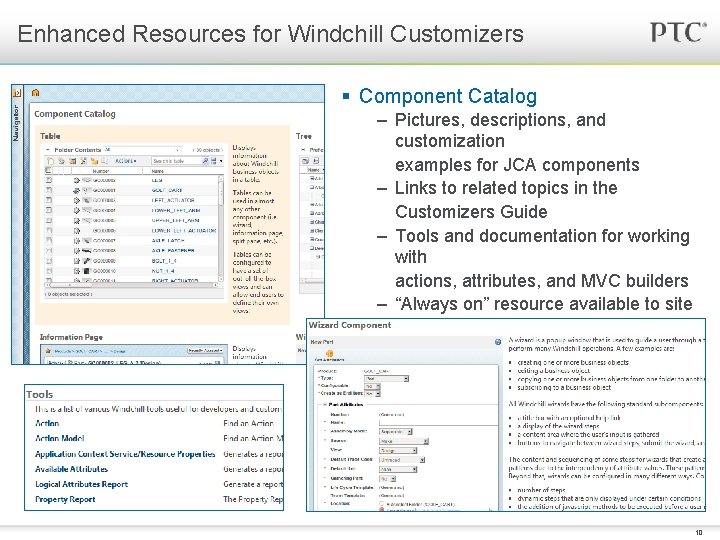
Enhanced Resources for Windchill Customizers § Component Catalog – Pictures, descriptions, and customization examples for JCA components – Links to related topics in the Customizers Guide – Tools and documentation for working with actions, attributes, and MVC builders – “Always on” resource available to site administrators from the Windchill UI 10
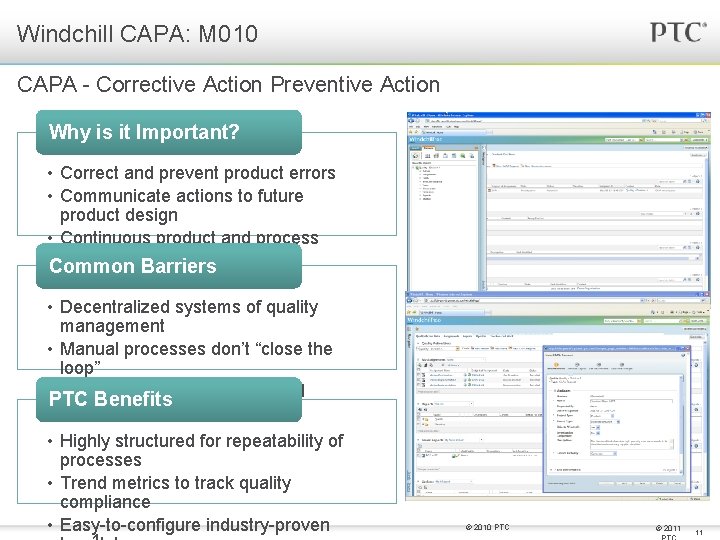
Windchill CAPA: M 010 CAPA - Corrective Action Preventive Action Why is it Important? • Correct and prevent product errors • Communicate actions to future product design • Continuous product and process improvement Common Barriers • Decentralized systems of quality management • Manual processes don’t “close the loop” • IT barriers to configuration and PTC Benefits implementation • Highly structured for repeatability of processes • Trend metrics to track quality compliance • Easy-to-configure industry-proven © 2010 PTC © 2011 11
Questions? © 2006 PTC 12