What is Project Management A project is an

- Slides: 31
What is Project Management? A project is an interrelated set of activities that has a definite starting and ending point and that results in a unique product. (service) ■ Management is generally perceived as concerned with planning, organizing, and control of an ongoing process or activity. ■ Project management is concerned with control of an important activity for a relatively short period of time after which management effort ends. 05 -Dec-20 Dr. Bokkasam Sasidhar
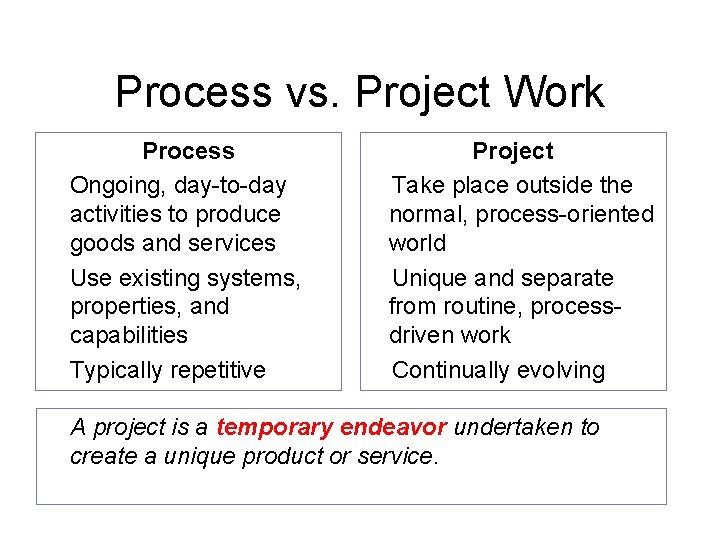
Process vs. Project Work • • • Process Ongoing, day-to-day activities to produce goods and services Use existing systems, properties, and capabilities Typically repetitive Project Take place outside the normal, process-oriented world Unique and separate from routine, processdriven work Continually evolving A project is a temporary endeavor undertaken to create a unique product or service.
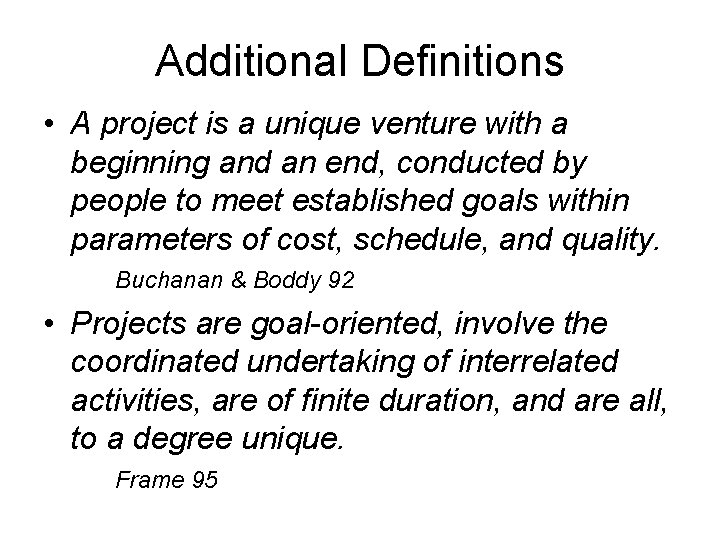
Additional Definitions • A project is a unique venture with a beginning and an end, conducted by people to meet established goals within parameters of cost, schedule, and quality. Buchanan & Boddy 92 • Projects are goal-oriented, involve the coordinated undertaking of interrelated activities, are of finite duration, and are all, to a degree unique. Frame 95
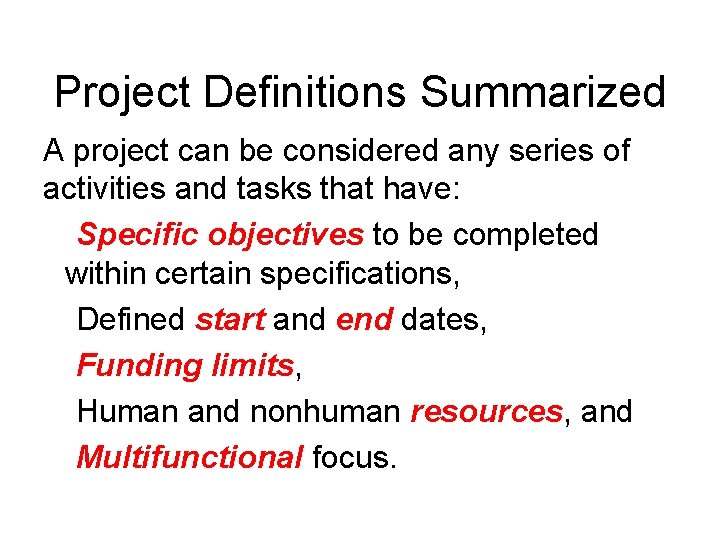
Project Definitions Summarized A project can be considered any series of activities and tasks that have: Specific objectives to be completed within certain specifications, Defined start and end dates, Funding limits, Human and nonhuman resources, and Multifunctional focus.
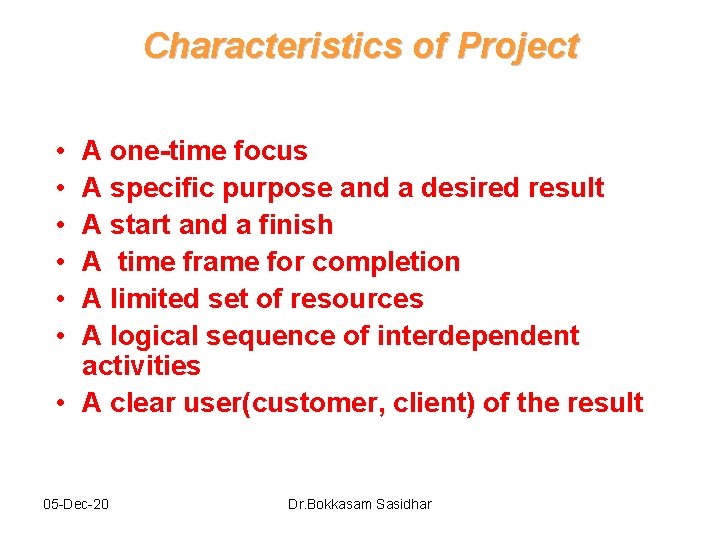
Characteristics of Project • • • A one-time focus A specific purpose and a desired result A start and a finish A time frame for completion A limited set of resources A logical sequence of interdependent activities • A clear user(customer, client) of the result 05 -Dec-20 Dr. Bokkasam Sasidhar
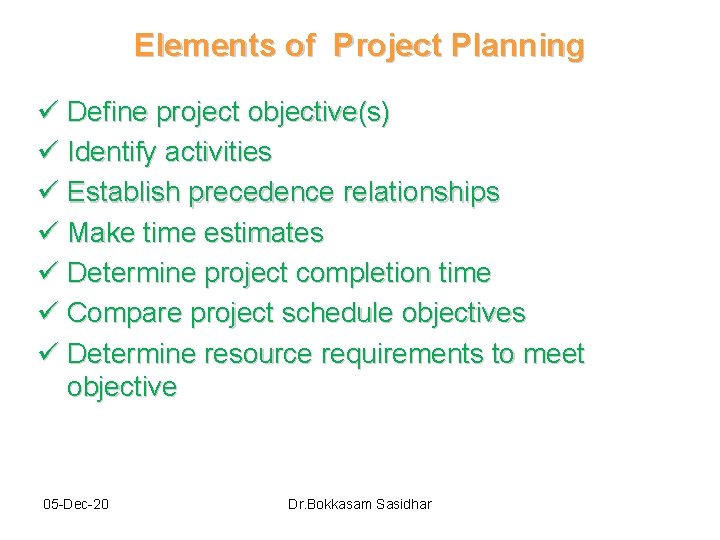
Elements of Project Planning ü Define project objective(s) ü Identify activities ü Establish precedence relationships ü Make time estimates ü Determine project completion time ü Compare project schedule objectives ü Determine resource requirements to meet objective 05 -Dec-20 Dr. Bokkasam Sasidhar
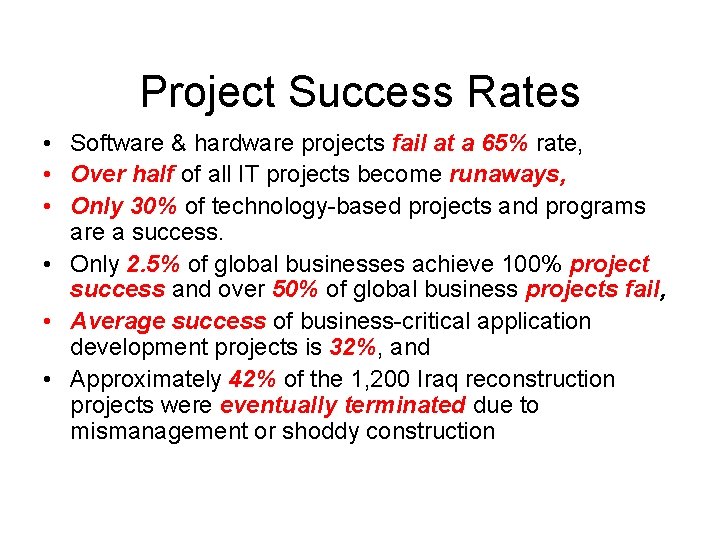
Project Success Rates • Software & hardware projects fail at a 65% rate, • Over half of all IT projects become runaways, • Only 30% of technology-based projects and programs are a success. • Only 2. 5% of global businesses achieve 100% project success and over 50% of global business projects fail, • Average success of business-critical application development projects is 32%, and • Approximately 42% of the 1, 200 Iraq reconstruction projects were eventually terminated due to mismanagement or shoddy construction
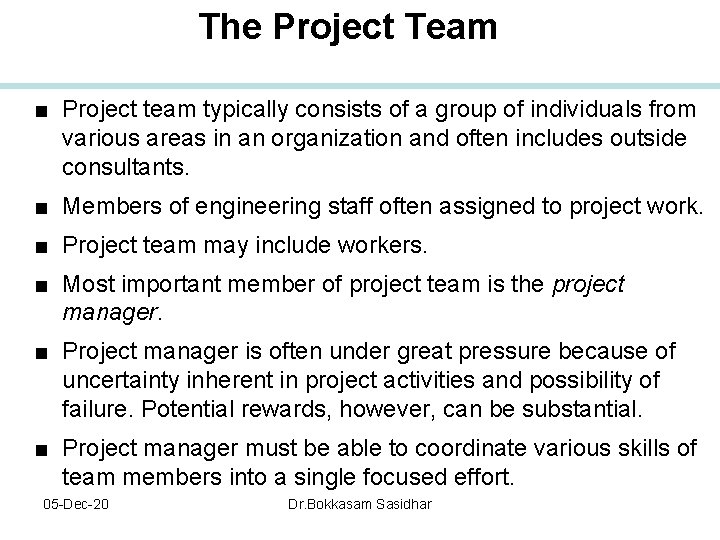
The Project Team ■ Project team typically consists of a group of individuals from various areas in an organization and often includes outside consultants. ■ Members of engineering staff often assigned to project work. ■ Project team may include workers. ■ Most important member of project team is the project manager. ■ Project manager is often under great pressure because of uncertainty inherent in project activities and possibility of failure. Potential rewards, however, can be substantial. ■ Project manager must be able to coordinate various skills of team members into a single focused effort. 05 -Dec-20 Dr. Bokkasam Sasidhar
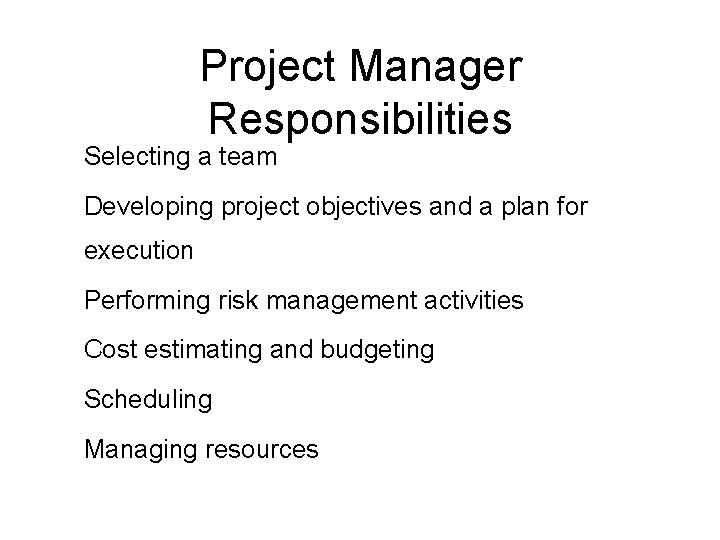
Project Manager Responsibilities 1. Selecting a team 2. Developing project objectives and a plan for execution 3. Performing risk management activities 4. Cost estimating and budgeting 5. Scheduling 6. Managing resources
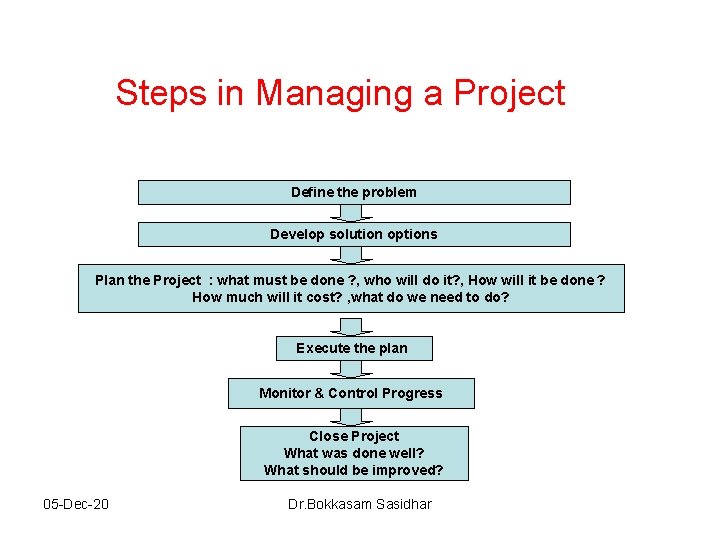
Steps in Managing a Project Define the problem Develop solution options Plan the Project : what must be done ? , who will do it? , How will it be done ? How much will it cost? , what do we need to do? Execute the plan Monitor & Control Progress Close Project What was done well? What should be improved? 05 -Dec-20 Dr. Bokkasam Sasidhar
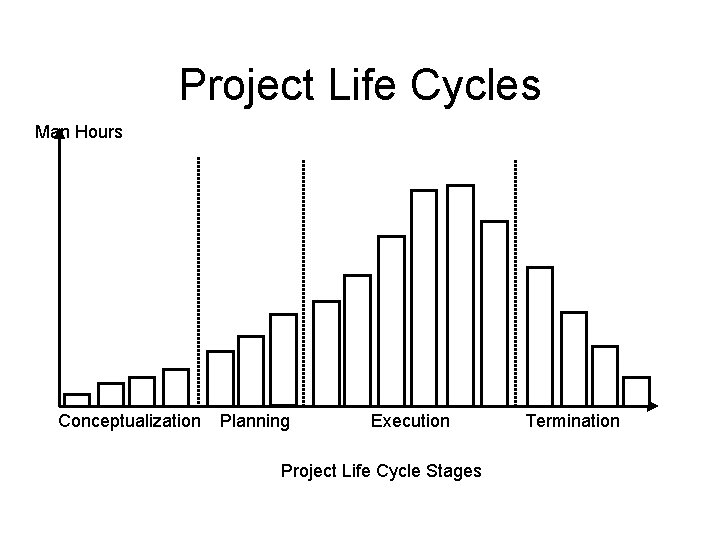
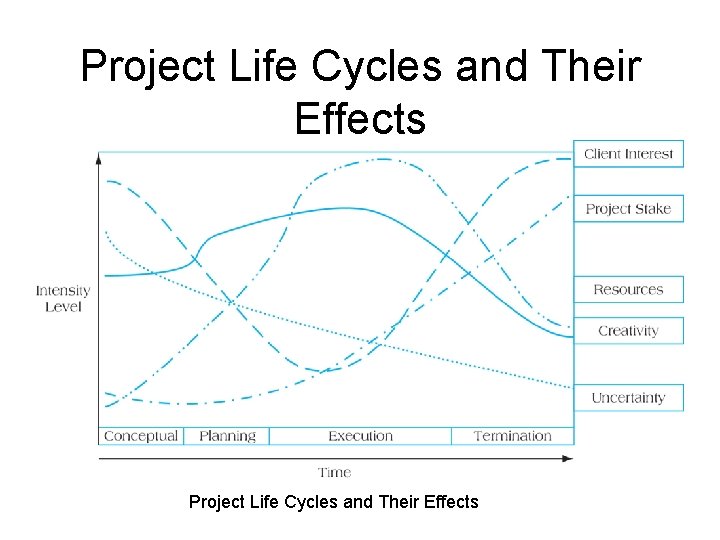
Project Life Cycles Man Hours Conceptualization Planning Execution Project Life Cycle Stages Termination
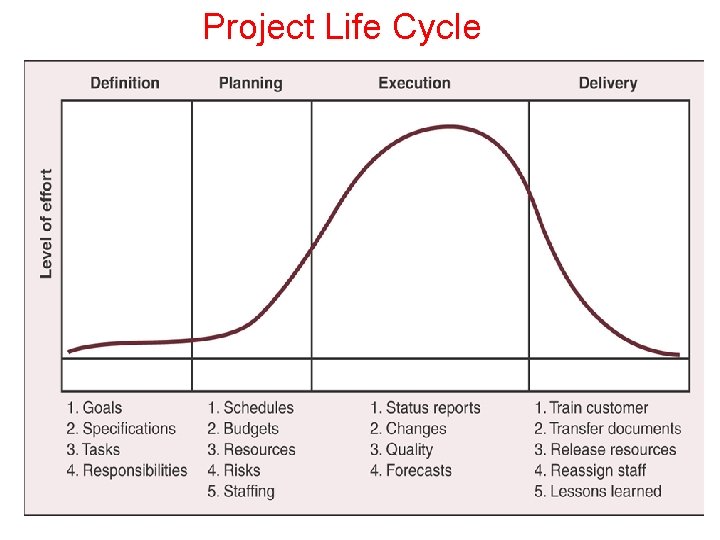
Project Life Cycle 05 -Dec-20 Dr. Bokkasam Sasidhar
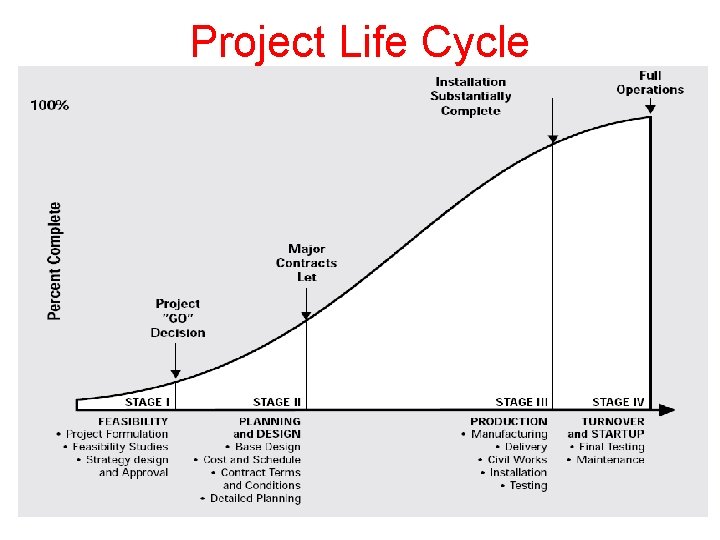
Project Life Cycle 05 -Dec-20 Dr. Bokkasam Sasidhar
Project Life Cycles and Their Effects
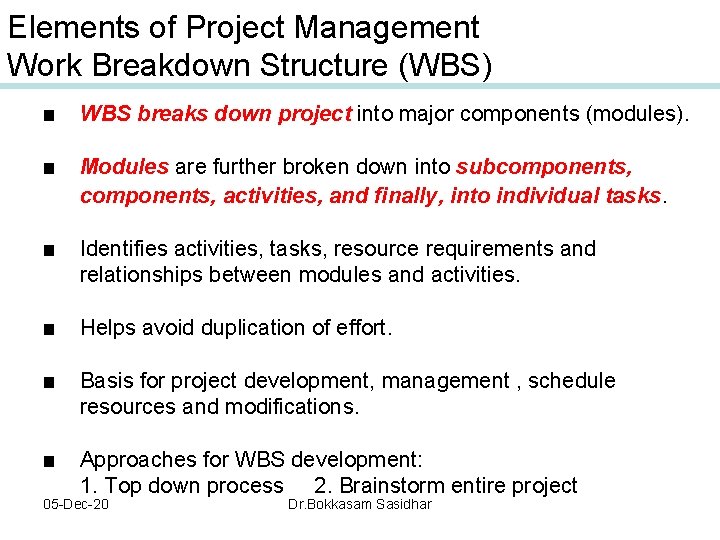
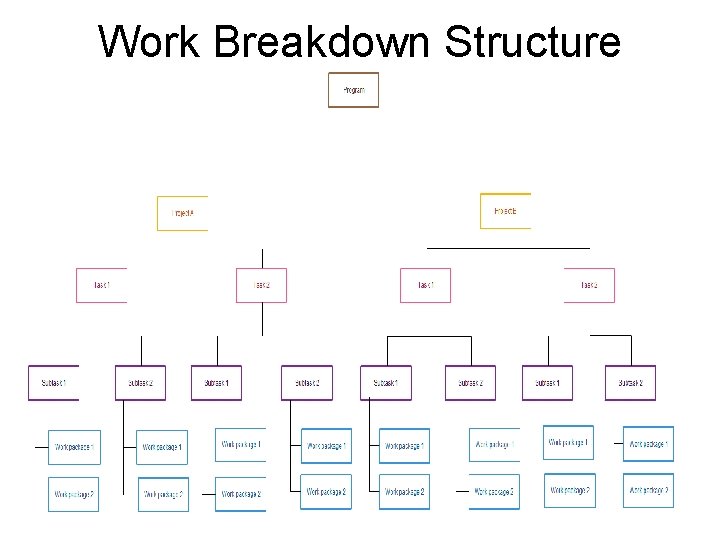
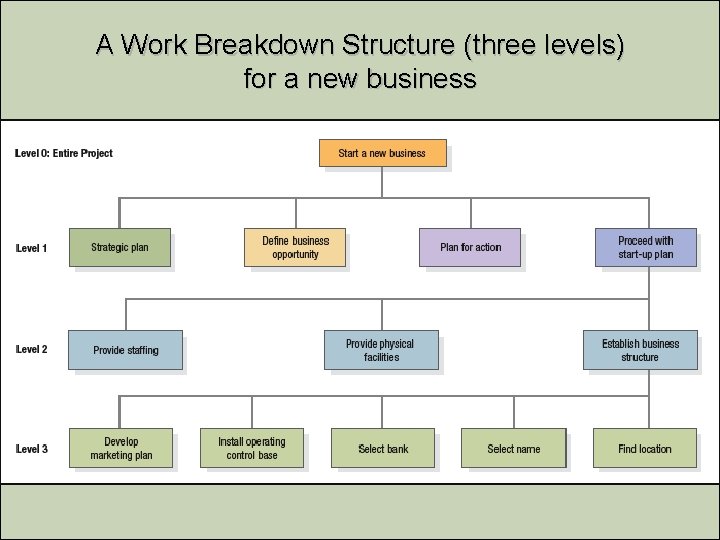
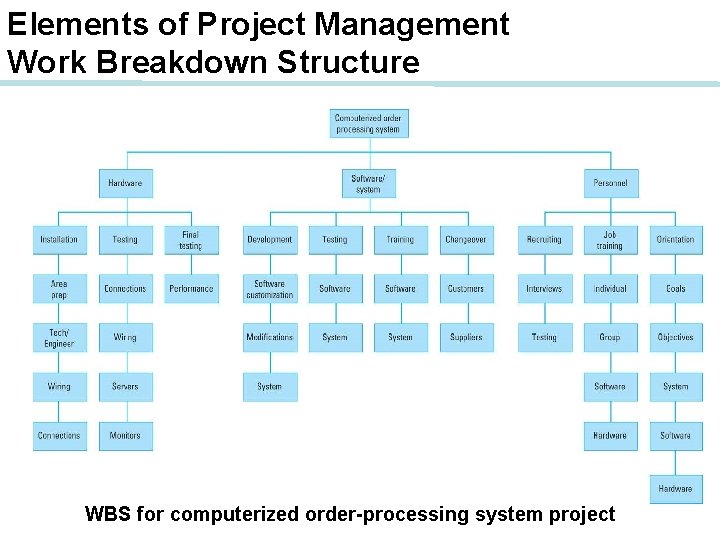
Elements of Project Management Work Breakdown Structure (WBS) ■ WBS breaks down project into major components (modules). ■ Modules are further broken down into subcomponents, activities, and finally, into individual tasks. ■ Identifies activities, tasks, resource requirements and relationships between modules and activities. ■ Helps avoid duplication of effort. ■ Basis for project development, management , schedule resources and modifications. ■ Approaches for WBS development: 1. Top down process 2. Brainstorm entire project 05 -Dec-20 Dr. Bokkasam Sasidhar
Work Breakdown Structure 05 -Dec-20 Dr. Bokkasam Sasidhar
A Work Breakdown Structure (three levels) for a new business
Elements of Project Management Work Breakdown Structure WBS for computerized order-processing system project
Elements of Project Management Project Scheduling ■ Project schedule evolves from planning documents, with focus on timely completion. ■ Critical element in project management – source of most conflicts and problems. ■ Schedule development steps: 1. Define activities, 2. Sequence activities, 3. Estimate activity times, 4. Develop schedule. ■ Gantt chart and CPM/PERT techniques can be useful. ■ Computer software packages available, e. g. QM for Windows, Microsoft Project. 05 -Dec-20 Dr. Bokkasam Sasidhar
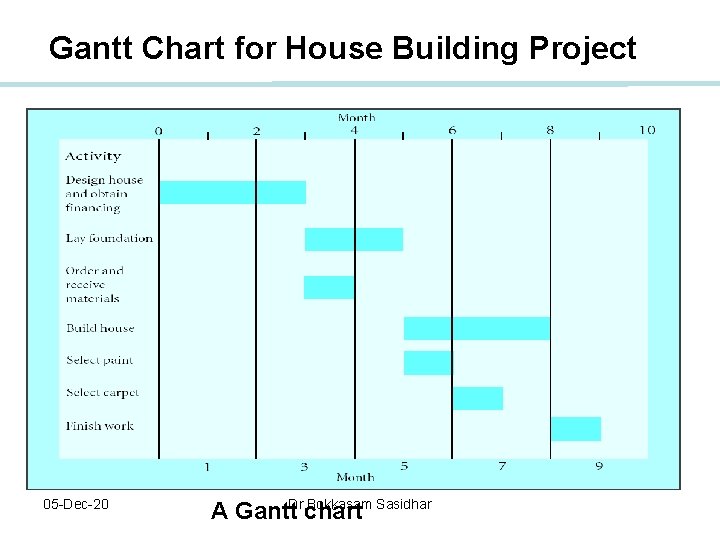
Elements of Project Management Gantt Chart ■ Popular, traditional technique, also known as a bar chart developed by Henry Gantt (1914). ■ Direct precursor of CPM/PERT for monitoring work progress. ■ A visual display of project schedule showing activity start and finish times and where extra time is available. ■ Suitable for projects with few activities and precedence relationships. ■ Drawback: precedence relationships are not always discernible which limits chart’s use for smaller projects 05 -Dec-20 Dr. Bokkasam Sasidhar
Gantt Chart • Visual scheduling tool • Graphical representation of information • Show dependencies between tasks, personnel, and other resources allocations • Track progress towards completion 05 -Dec-20 Dr. Bokkasam Sasidhar
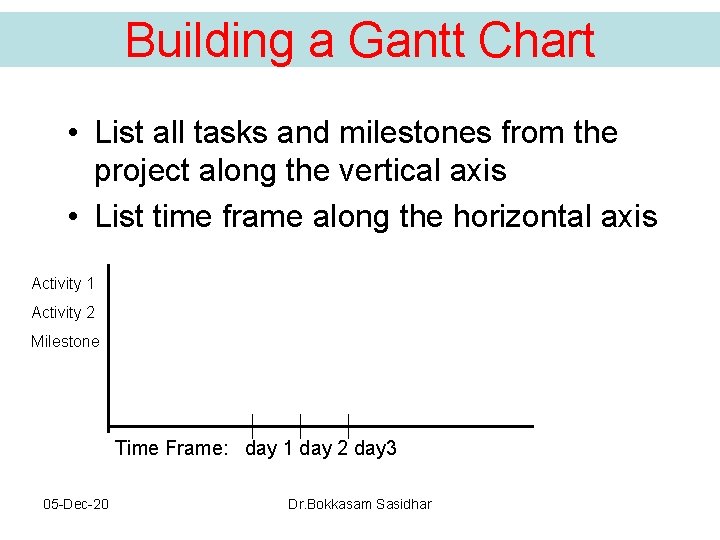
Building a Gantt Chart • List all tasks and milestones from the project along the vertical axis • List time frame along the horizontal axis Activity 1 Activity 2 Milestone Time Frame: day 1 day 2 day 3 05 -Dec-20 Dr. Bokkasam Sasidhar
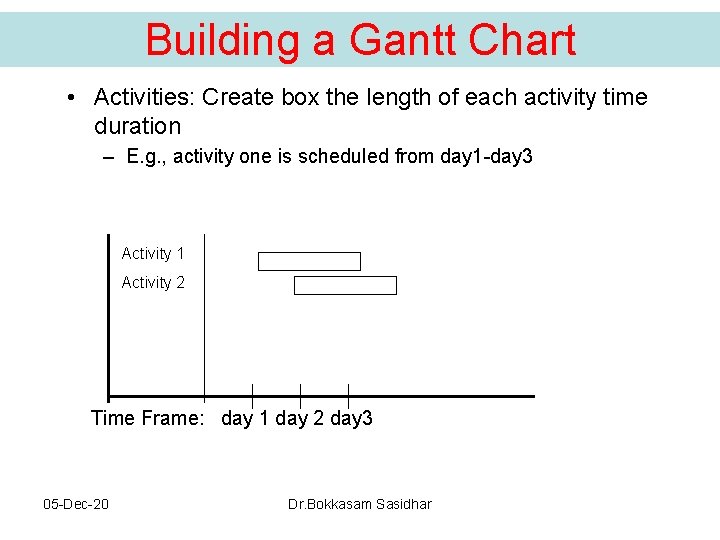
Building a Gantt Chart • Activities: Create box the length of each activity time duration – E. g. , activity one is scheduled from day 1 -day 3 Activity 1 Activity 2 Time Frame: day 1 day 2 day 3 05 -Dec-20 Dr. Bokkasam Sasidhar
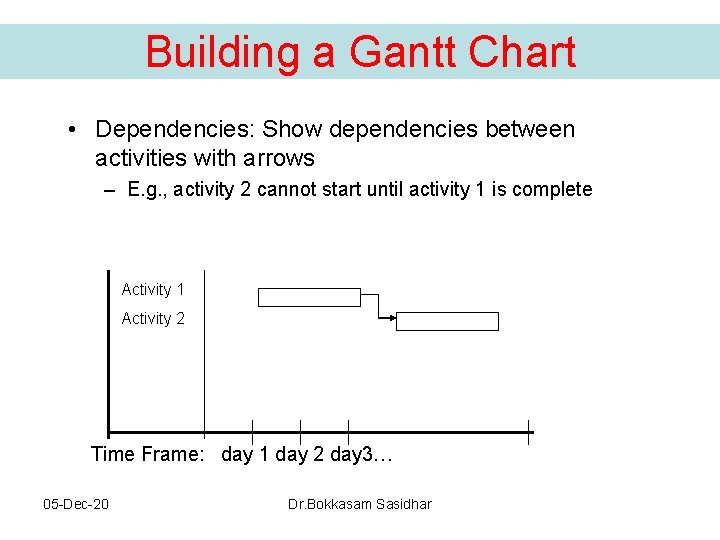
Building a Gantt Chart • Dependencies: Show dependencies between activities with arrows – E. g. , activity 2 cannot start until activity 1 is complete Activity 1 Activity 2 Time Frame: day 1 day 2 day 3… 05 -Dec-20 Dr. Bokkasam Sasidhar
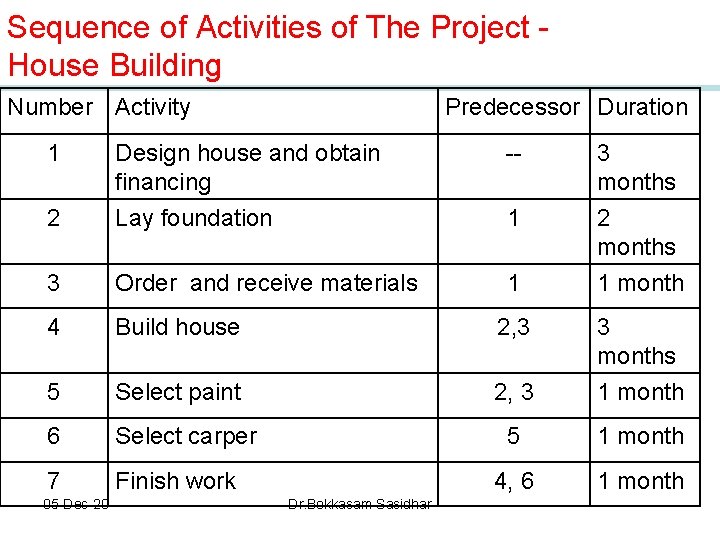
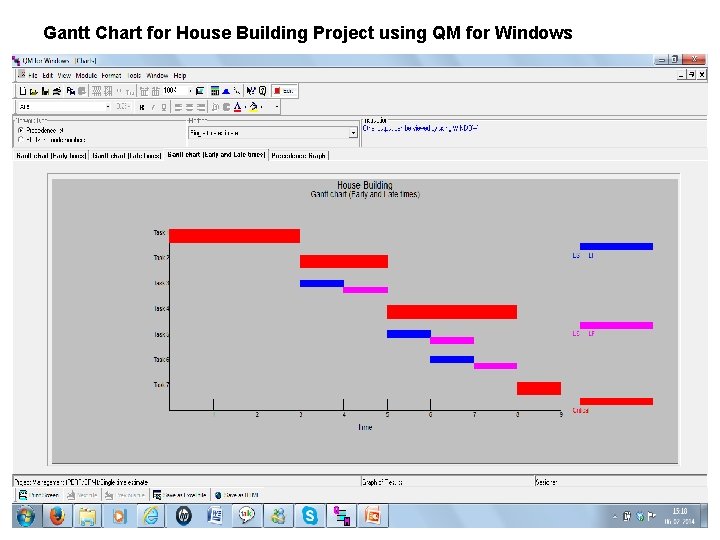
Sequence of Activities of The Project - House Building Number Activity 1 Predecessor Duration -- 2 Design house and obtain financing Lay foundation 3 Order and receive materials 1 4 Build house 2, 3 5 Select paint 2, 3 3 months 1 month 6 Select carper 5 1 month 7 Finish work 4, 6 1 month 05 -Dec-20 Dr. Bokkasam Sasidhar 1 3 months 2 months 1 month
Gantt Chart for House Building Project 05 -Dec-20 A Gantt. Dr. Bokkasam Sasidhar chart
Gantt Chart for House Building Project using QM for Windows 05 -Dec-20 Dr. Bokkasam Sasidhar
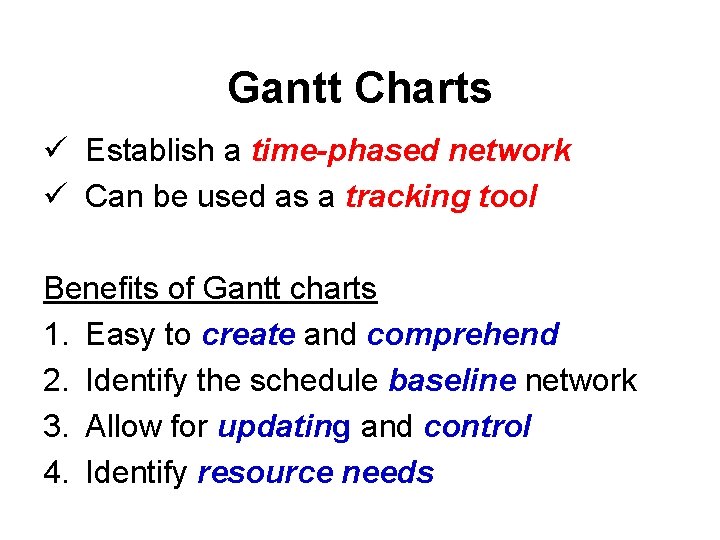
Gantt Charts ü Establish a time-phased network ü Can be used as a tracking tool Benefits of Gantt charts 1. Easy to create and comprehend 2. Identify the schedule baseline network 3. Allow for updating and control 4. Identify resource needs
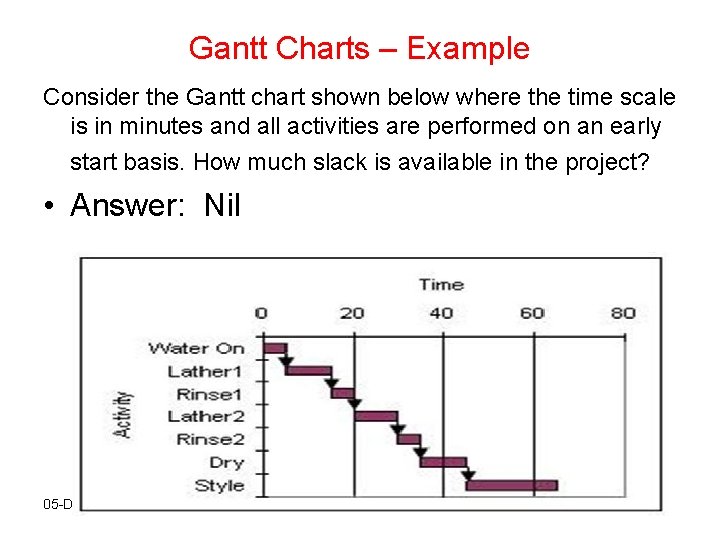
Gantt Charts – Example Consider the Gantt chart shown below where the time scale is in minutes and all activities are performed on an early start basis. How much slack is available in the project? • Answer: Nil 05 -Dec-20 Dr. Bokkasam Sasidhar
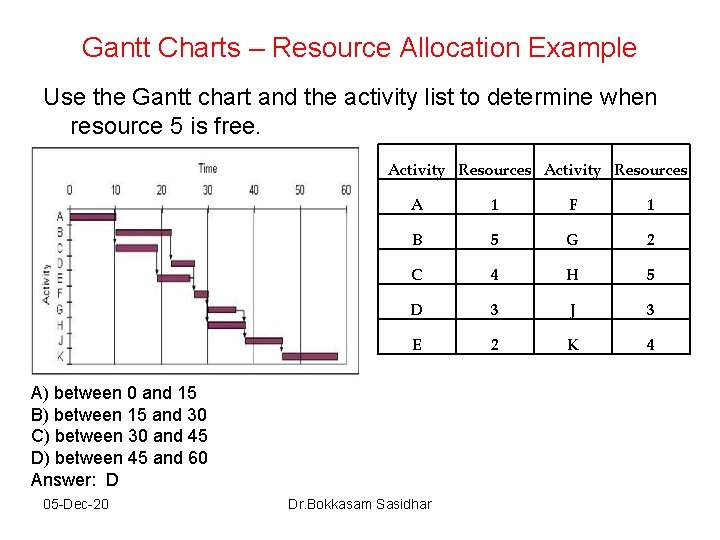
Gantt Charts – Resource Allocation Example Use the Gantt chart and the activity list to determine when resource 5 is free. Activity Resources A 1 F 1 B 5 G 2 C 4 H 5 D 3 J 3 E 2 K 4 A) between 0 and 15 B) between 15 and 30 C) between 30 and 45 D) between 45 and 60 Answer: D 05 -Dec-20 Dr. Bokkasam Sasidhar
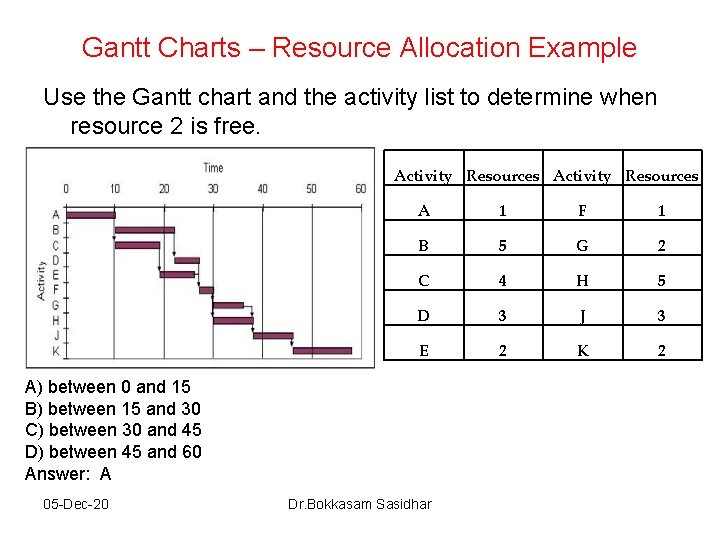
Gantt Charts – Resource Allocation Example Use the Gantt chart and the activity list to determine when resource 2 is free. Activity Resources A 1 F 1 B 5 G 2 C 4 H 5 D 3 J 3 E 2 K 2 A) between 0 and 15 B) between 15 and 30 C) between 30 and 45 D) between 45 and 60 Answer: A 05 -Dec-20 Dr. Bokkasam Sasidhar