VSIPRO MAX POS CASH REGISTER INTERFACE INTRODUCTION n

- Slides: 13
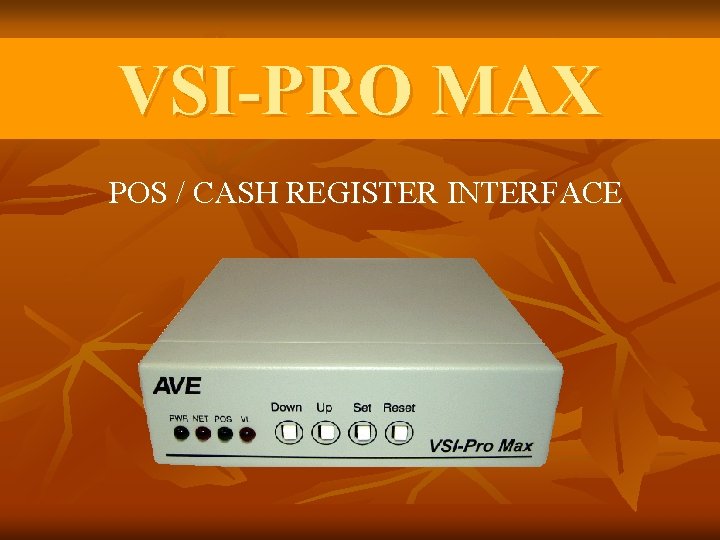
VSI-PRO MAX POS / CASH REGISTER INTERFACE
INTRODUCTION n The VSI-Pro Max allows characters to be inserted into any video source via an RS-232 / RS-422 / RS-485 link. This allows cash registers, computers, scales, pole displays, printers or any RS-232 / RS-485 / RS-422 communicating device to display alphanumerics in the video picture of any CCTV system. Simple front panel push-buttons allow the user to simply program all functions and features of the VSI-Pro Max. This includes characters position, gray scale and a wide variety text processing function including exceptions and alarming features. Whether used with a cash register providing real time data on an RS-232 port or tapping off a serial printer or pole display, the VSI-Pro Max is a valuable tool in loss prevention. When used in conjunction with AVE’s extensive line of adapters this device can connect to any POS (Point of Sale) / ECR (Electronic Cash Register) or peripheral on the market today. n
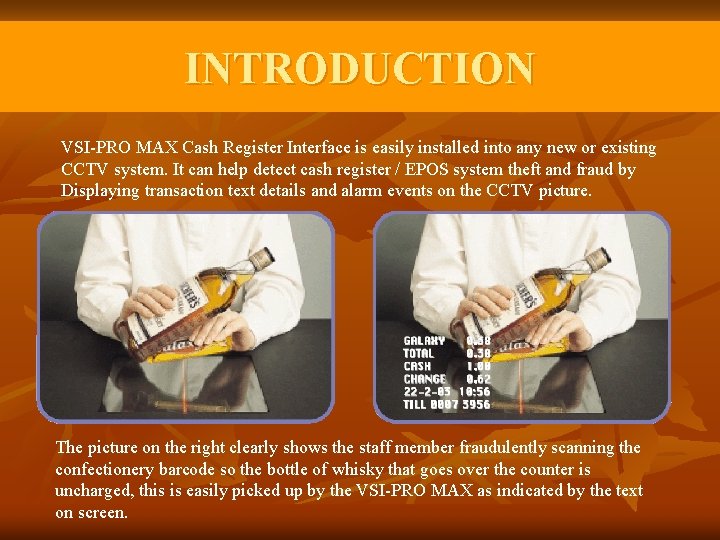
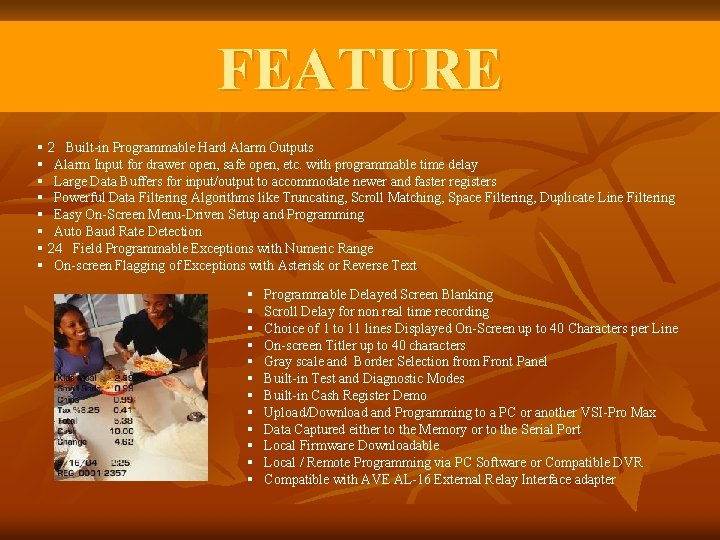
INTRODUCTION VSI-PRO MAX Cash Register Interface is easily installed into any new or existing CCTV system. It can help detect cash register / EPOS system theft and fraud by Displaying transaction text details and alarm events on the CCTV picture. The picture on the right clearly shows the staff member fraudulently scanning the confectionery barcode so the bottle of whisky that goes over the counter is uncharged, this is easily picked up by the VSI-PRO MAX as indicated by the text on screen.
FEATURES § 80 Register Selections Selectable via OSD § User Selectable Full Duplex Bi-Directional POS / Cash Register communications. RS-232 C Optically Isolated RS-485 Full Duplex, RS-422 Half Duplex Passive Tap (Hi-Z) § RS-232 C or RS-485 Output of all data or exceptions to printers, computers, modems and DVRs § Dual RJ 45 Connectors for easy Networking with Standard CAT 5 Cabling § Built In Hydra, Regcom, Networker and Vnetworker Hardware and Protocol § Diagnostic LEDs for Power, POS Communication & Network Communication § Video Input AGC and Video Output can Drive two 75 ohm loads at 1 VP-P § Video and Power Input Surge and Lightning Suppression with External Grounding Lug § Video Low and Lost LED indication and alarming function § 40 Mhz Processing with 128 K Program and 128 K SRAM Memory for High Proformance Processing § Programmable Time-Stamp and Trigger Text On-Screen and Exception Output § Time/Date Searchng with Compatible DVR § Universal Time/Date Format , Automatic Daylight Savings Adjustment and Register T/D Locking § 800 Lines of Exception History Buffer § 16 Triggered Text associated with 16 virtual alarms
FEATURE § 2 Built-in Programmable Hard Alarm Outputs § Alarm Input for drawer open, safe open, etc. with programmable time delay § Large Data Buffers for input/output to accommodate newer and faster registers § Powerful Data Filtering Algorithms like Truncating, Scroll Matching, Space Filtering, Duplicate Line Filtering § Easy On-Screen Menu-Driven Setup and Programming § Auto Baud Rate Detection § 24 Field Programmable Exceptions with Numeric Range § On-screen Flagging of Exceptions with Asterisk or Reverse Text § § § Programmable Delayed Screen Blanking Scroll Delay for non real time recording Choice of 1 to 11 lines Displayed On-Screen up to 40 Characters per Line On-screen Titler up to 40 characters Gray scale and Border Selection from Front Panel Built-in Test and Diagnostic Modes Built-in Cash Register Demo Upload/Download and Programming to a PC or another VSI-Pro Max Data Captured either to the Memory or to the Serial Port Local Firmware Downloadable Local / Remote Programming via PC Software or Compatible DVR Compatible with AVE AL-16 External Relay Interface adapter
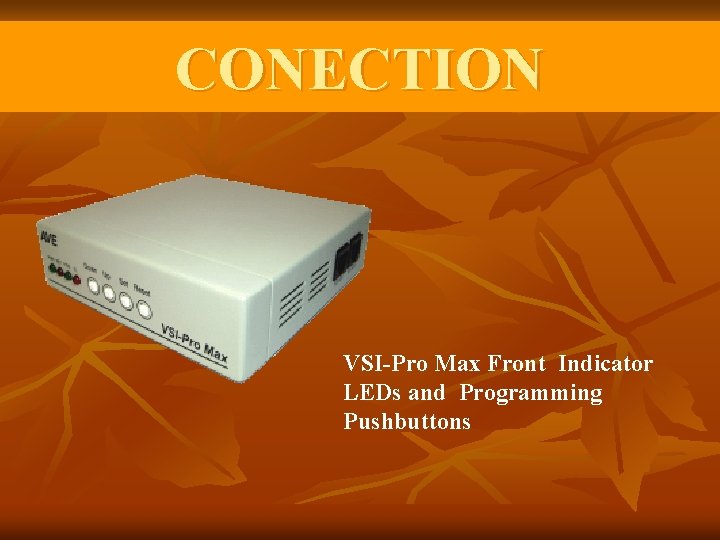
CONECTION VSI-Pro Max Front Indicator LEDs and Programming Pushbuttons
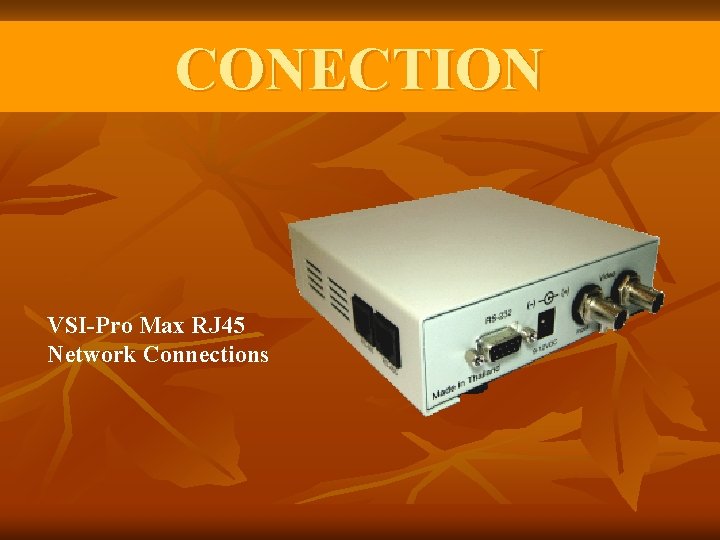
CONECTION VSI-Pro Max RJ 45 Network Connections
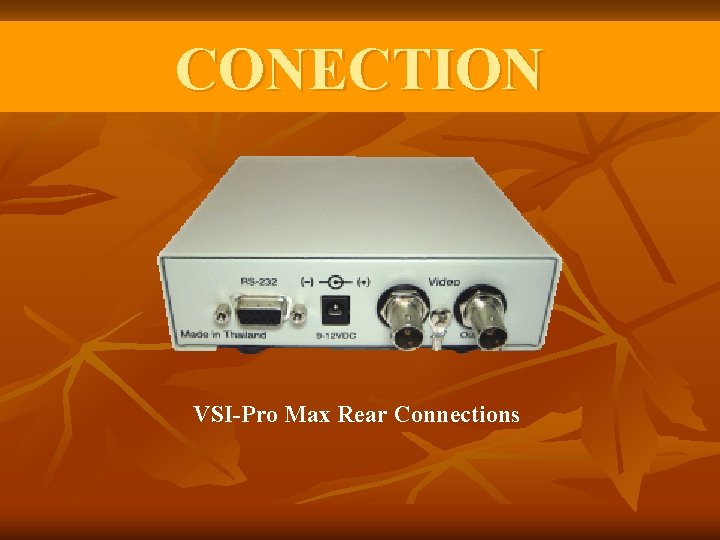
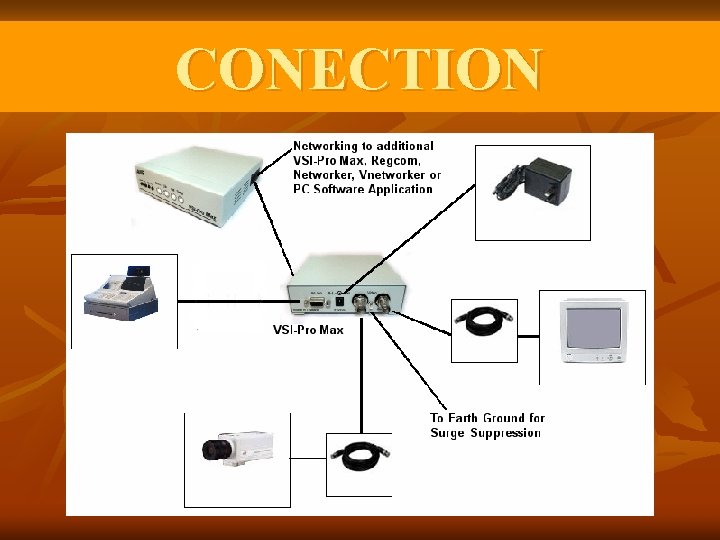
CONECTION VSI-Pro Max Rear Connections
CONECTION
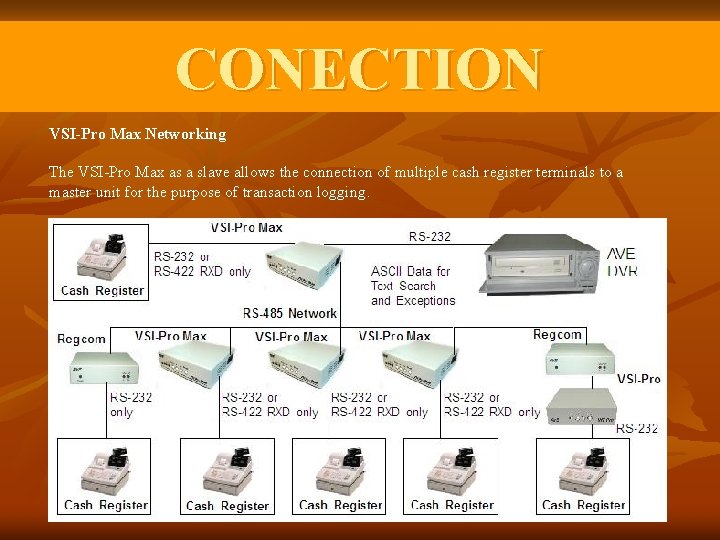
CONECTION VSI-Pro Max Networking The VSI-Pro Max as a slave allows the connection of multiple cash register terminals to a master unit for the purpose of transaction logging.
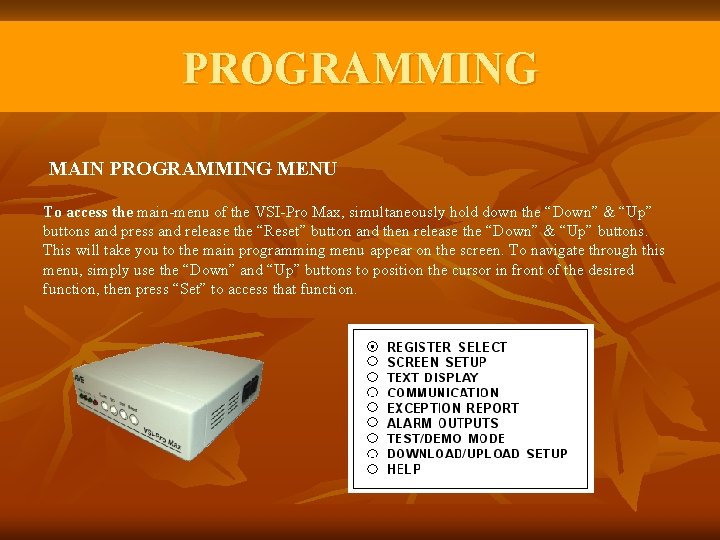
PROGRAMMING MAIN PROGRAMMING MENU To access the main-menu of the VSI-Pro Max, simultaneously hold down the “Down” & “Up” buttons and press and release the “Reset” button and then release the “Down” & “Up” buttons. This will take you to the main programming menu appear on the screen. To navigate through this menu, simply use the “Down” and “Up” buttons to position the cursor in front of the desired function, then press “Set” to access that function.
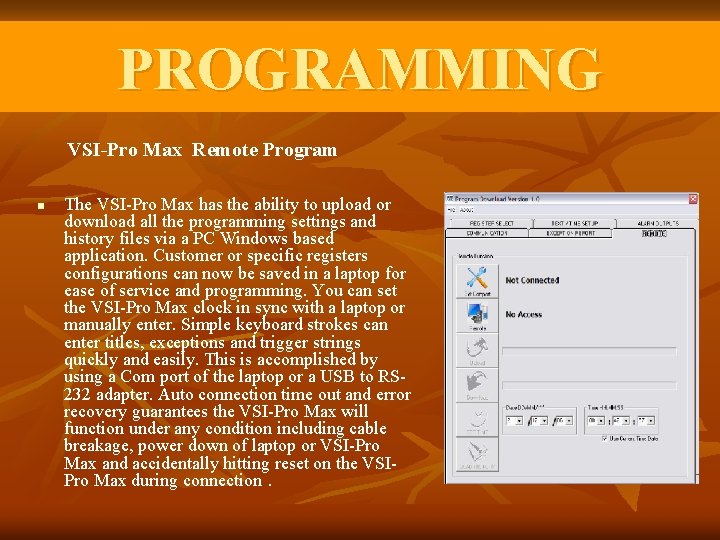
PROGRAMMING VSI-Pro Max Remote Program n The VSI-Pro Max has the ability to upload or download all the programming settings and history files via a PC Windows based application. Customer or specific registers configurations can now be saved in a laptop for ease of service and programming. You can set the VSI-Pro Max clock in sync with a laptop or manually enter. Simple keyboard strokes can enter titles, exceptions and trigger strings quickly and easily. This is accomplished by using a Com port of the laptop or a USB to RS 232 adapter. Auto connection time out and error recovery guarantees the VSI-Pro Max will function under any condition including cable breakage, power down of laptop or VSI-Pro Max and accidentally hitting reset on the VSIPro Max during connection.
END