Text Processing In Java Characters and Strings Wellesley
![Java Strings vs. Character Arrays char [] chars = {‘c’, ‘s’, ‘ 2’, ‘](https://slidetodoc.com/presentation_image_h/3613f5c44b4bbfa21489b3a25b51c2b1/image-6.jpg "Java Strings vs. Character Arrays char [] chars = {‘c’, ‘s’, ‘ 2’, ‘")
- Slides: 16
Text Processing In Java: Characters and Strings Wellesley College CS 230 Lecture 03 Monday, February 5 Handout #10 (Revised Friday, February 9) Reading: Problem Set: Downey: Chapter 7 Assignment #1 due Tuesday, Feburary 13 3 -1
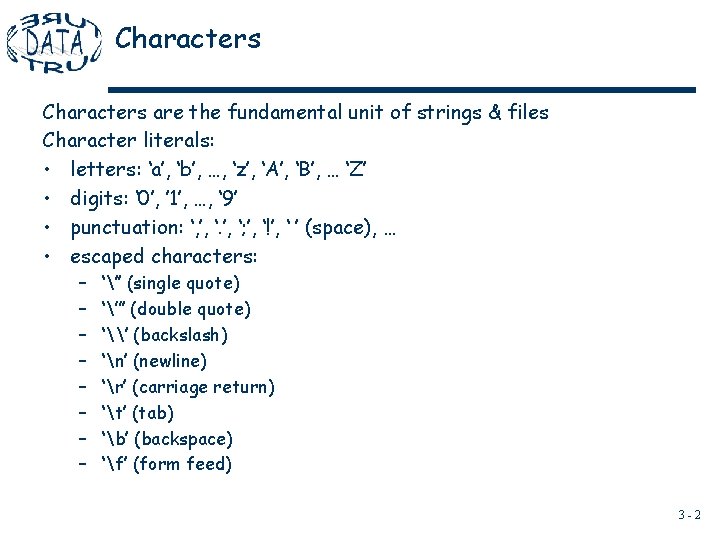
Characters are the fundamental unit of strings & files Character literals: • letters: ‘a’, ‘b’, …, ‘z’, ‘A’, ‘B’, … ‘Z’ • digits: ‘ 0’, ’ 1’, …, ‘ 9’ • punctuation: ‘, ’, ‘; ’, ‘!’, ‘ ’ (space), … • escaped characters: – – – – ‘’’ (single quote) ‘”’ (double quote) ‘\’ (backslash) ‘n’ (newline) ‘r’ (carriage return) ‘t’ (tab) ‘b’ (backspace) ‘f’ (form feed) 3 -2
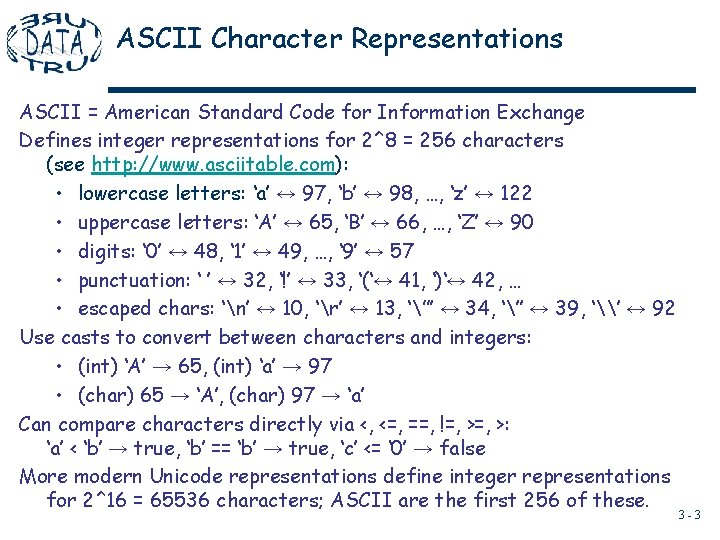
ASCII Character Representations ASCII = American Standard Code for Information Exchange Defines integer representations for 2^8 = 256 characters (see http: //www. asciitable. com): • lowercase letters: ‘a’ ↔ 97, ‘b’ ↔ 98, …, ‘z’ ↔ 122 • uppercase letters: ‘A’ ↔ 65, ‘B’ ↔ 66, …, ‘Z’ ↔ 90 • digits: ‘ 0’ ↔ 48, ‘ 1’ ↔ 49, …, ‘ 9’ ↔ 57 • punctuation: ‘ ’ ↔ 32, ‘!’ ↔ 33, ‘(‘↔ 41, ‘)‘↔ 42, … • escaped chars: ‘n’ ↔ 10, ‘r’ ↔ 13, ‘”’ ↔ 34, ‘’’ ↔ 39, ‘\’ ↔ 92 Use casts to convert between characters and integers: • (int) ‘A’ → 65, (int) ‘a’ → 97 • (char) 65 → ‘A’, (char) 97 → ‘a’ Can compare characters directly via <, <=, ==, !=, >: ‘a’ < ‘b’ → true, ‘b’ == ‘b’ → true, ‘c’ <= ‘ 0’ → false More modern Unicode representations define integer representations for 2^16 = 65536 characters; ASCII are the first 256 of these. 3 -3
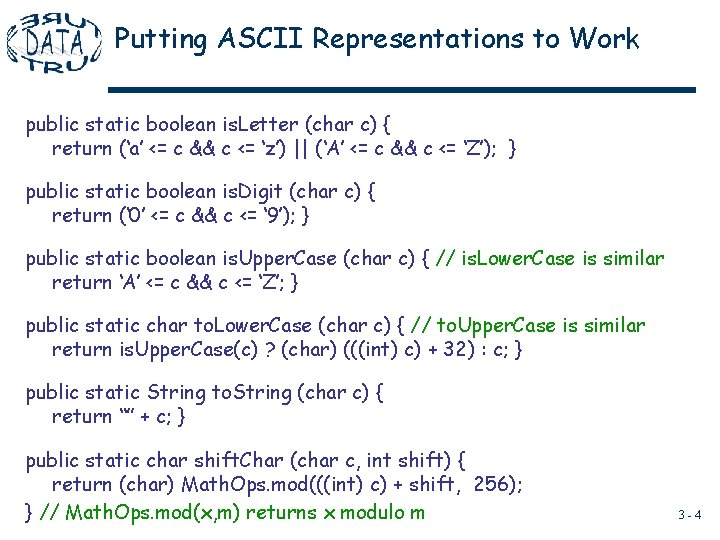
Putting ASCII Representations to Work public static boolean is. Letter (char c) { return (‘a’ <= c && c <= ‘z’) || (‘A’ <= c && c <= ‘Z’); } public static boolean is. Digit (char c) { return (‘ 0’ <= c && c <= ‘ 9’); } public static boolean is. Upper. Case (char c) { // is. Lower. Case is similar return ‘A’ <= c && c <= ‘Z’; } public static char to. Lower. Case (char c) { // to. Upper. Case is similar return is. Upper. Case(c) ? (char) (((int) c) + 32) : c; } public static String to. String (char c) { return “” + c; } public static char shift. Char (char c, int shift) { return (char) Math. Ops. mod(((int) c) + shift, 256); } // Math. Ops. mod(x, m) returns x modulo m 3 -4
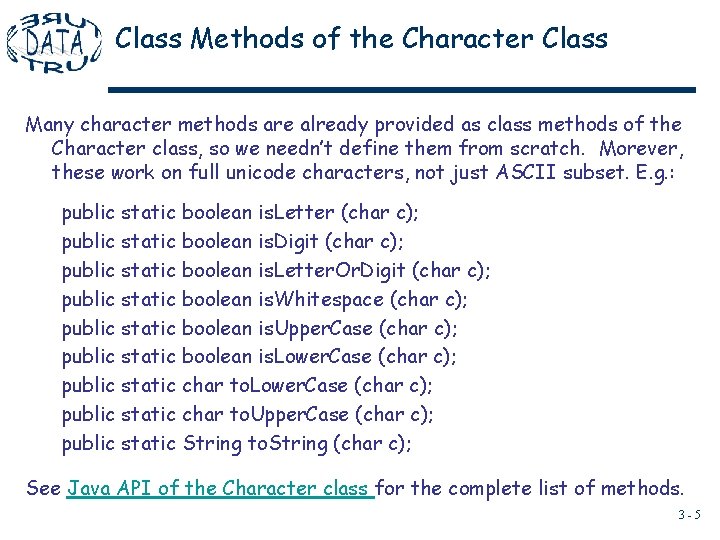
Class Methods of the Character Class Many character methods are already provided as class methods of the Character class, so we needn’t define them from scratch. Morever, these work on full unicode characters, not just ASCII subset. E. g. : public static boolean is. Letter (char c); public static boolean is. Digit (char c); public static boolean is. Letter. Or. Digit (char c); public static boolean is. Whitespace (char c); public static boolean is. Upper. Case (char c); public static boolean is. Lower. Case (char c); public static char to. Upper. Case (char c); public static String to. String (char c); See Java API of the Character class for the complete list of methods. 3 -5
Java Strings vs. Character Arrays char [] chars = {‘c’, ‘s’, ‘ 2’, ‘ 3’, ‘ 0’}; String str = “cs 230”; Like arrays of characters, Java strings are sequences of characters indexed from 0: str. char. At(0) → ‘c’, …, str. char. At(4) → ‘ 0’ chars[0] → ‘c’, …, chars[4] → ‘ 0’ However, Java Strings differ from character arrays in important ways: • Strings are instances of a class (String), but arrays are not instances of any class; can invoke String instance methods on strings. • Strings are immutable --- cannot be changed once created. • Different notations for String literals (double quotes) and accessing elements at an index (char. At() method). 3 -6
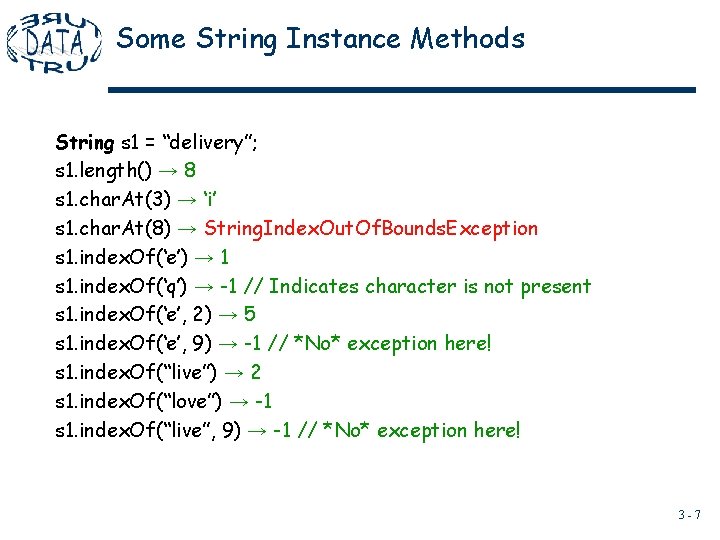
Some String Instance Methods String s 1 = “delivery”; s 1. length() → 8 s 1. char. At(3) → ‘i’ s 1. char. At(8) → String. Index. Out. Of. Bounds. Exception s 1. index. Of(‘e’) → 1 s 1. index. Of(‘q’) → -1 // Indicates character is not present s 1. index. Of(‘e’, 2) → 5 s 1. index. Of(‘e’, 9) → -1 // *No* exception here! s 1. index. Of(“live”) → 2 s 1. index. Of(“love”) → -1 s 1. index. Of(“live”, 9) → -1 // *No* exception here! 3 -7
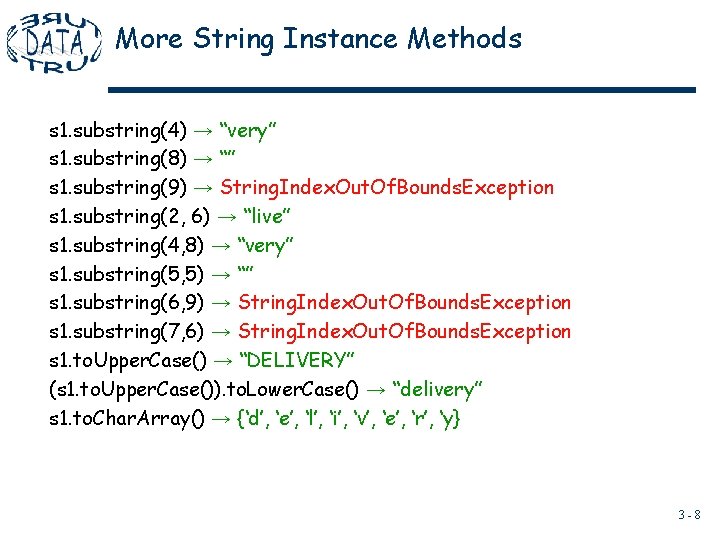
More String Instance Methods s 1. substring(4) → “very” s 1. substring(8) → “” s 1. substring(9) → String. Index. Out. Of. Bounds. Exception s 1. substring(2, 6) → “live” s 1. substring(4, 8) → “very” s 1. substring(5, 5) → “” s 1. substring(6, 9) → String. Index. Out. Of. Bounds. Exception s 1. substring(7, 6) → String. Index. Out. Of. Bounds. Exception s 1. to. Upper. Case() → “DELIVERY” (s 1. to. Upper. Case()). to. Lower. Case() → “delivery” s 1. to. Char. Array() → {‘d’, ‘e’, ‘l’, ‘i’, ‘v’, ‘e’, ‘r’, ‘y} 3 -8
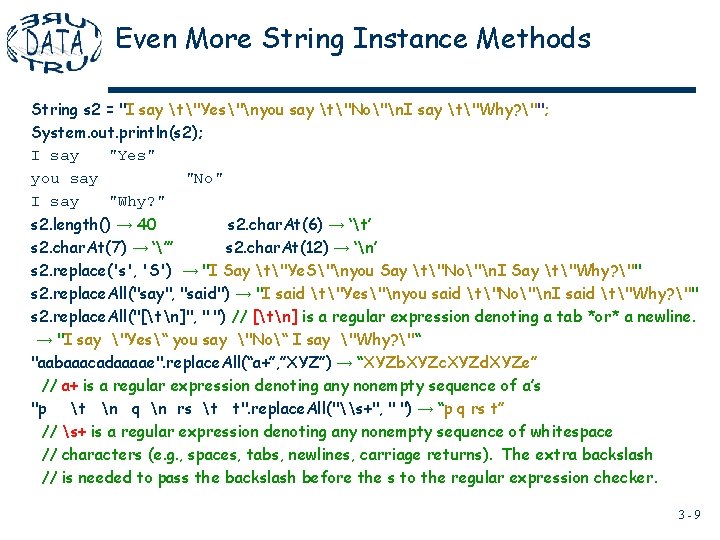
Even More String Instance Methods String s 2 = "I say t"Yes"nyou say t"No"n. I say t"Why? ""; System. out. println(s 2); I say "Yes" you say "No" I say "Why? " s 2. length() → 40 s 2. char. At(6) → ‘t’ s 2. char. At(7) → ‘”’ s 2. char. At(12) → ‘n’ s 2. replace('s', 'S') → "I Say t"Ye. S"nyou Say t"No"n. I Say t"Why? "" s 2. replace. All("say", "said") → "I said t"Yes"nyou said t"No"n. I said t"Why? "" s 2. replace. All("[tn]", " ") // [tn] is a regular expression denoting a tab *or* a newline. → "I say "Yes“ you say "No“ I say "Why? "“ "aabaaacadaaaae". replace. All(“a+”, ”XYZ”) → “XYZb. XYZc. XYZd. XYZe” // a+ is a regular expression denoting any nonempty sequence of a’s "p t n q n rs t t". replace. All("\s+", " ") → “p q rs t” // s+ is a regular expression denoting any nonempty sequence of whitespace // characters (e. g. , spaces, tabs, newlines, carriage returns). The extra backslash // is needed to pass the backslash before the s to the regular expression checker. 3 -9
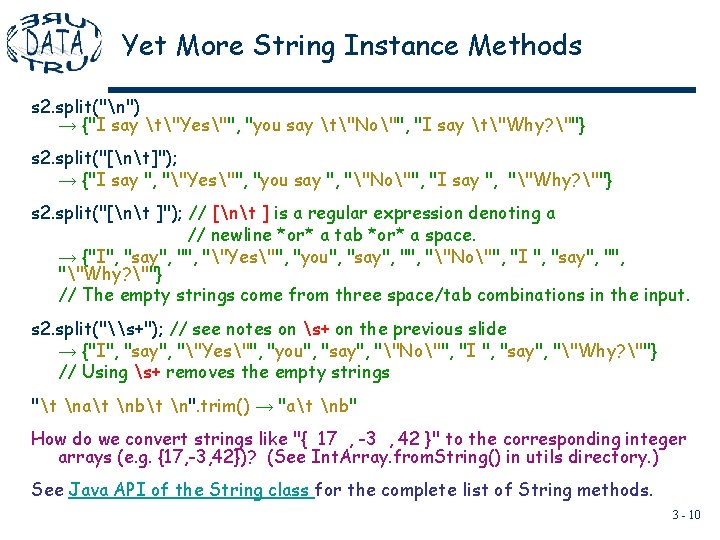
Yet More String Instance Methods s 2. split("n") → {"I say t"Yes"", "you say t"No"", "I say t"Why? ""} s 2. split("[nt]"); → {"I say ", ""Yes"", "you say ", ""No"", "I say ", ""Why? ""} s 2. split("[nt ]"); // [nt ] is a regular expression denoting a // newline *or* a tab *or* a space. → {"I", "say", ""Yes"", "you", "say", ""No"", "I ", "say", ""Why? ""} // The empty strings come from three space/tab combinations in the input. s 2. split("\s+"); // see notes on s+ on the previous slide → {"I", "say", ""Yes"", "you", "say", ""No"", "I ", "say", ""Why? ""} // Using s+ removes the empty strings "t nat nbt n". trim() → "at nb" How do we convert strings like "{ 17 , -3 , 42 }" to the corresponding integer arrays (e. g. {17, -3, 42})? (See Int. Array. from. String() in utils directory. ) See Java API of the String class for the complete list of String methods. 3 - 10
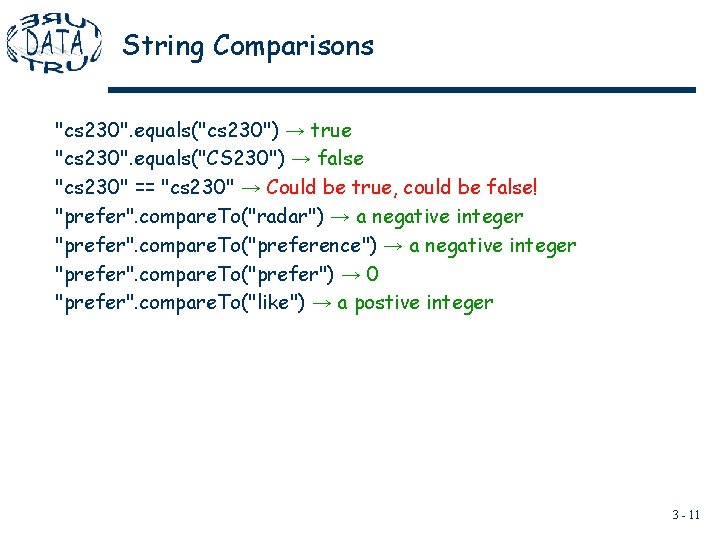
String Comparisons "cs 230". equals("cs 230") → true "cs 230". equals("CS 230") → false "cs 230" == "cs 230" → Could be true, could be false! "prefer". compare. To("radar") → a negative integer "prefer". compare. To("preference") → a negative integer "prefer". compare. To("prefer") → 0 "prefer". compare. To("like") → a postive integer 3 - 11
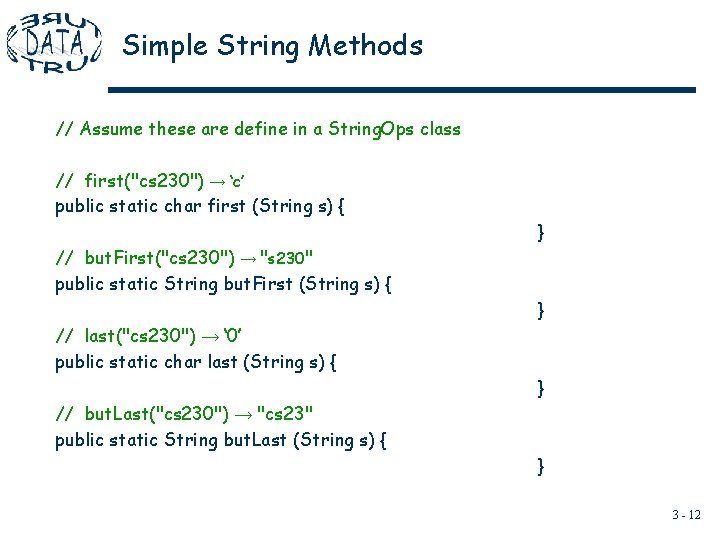
Simple String Methods // Assume these are define in a String. Ops class // first("cs 230") → ‘c’ public static char first (String s) { } // but. First("cs 230") → "s 230" public static String but. First (String s) { } // last("cs 230") → ‘ 0’ public static char last (String s) { } // but. Last("cs 230") → "cs 23" public static String but. Last (String s) { } 3 - 12
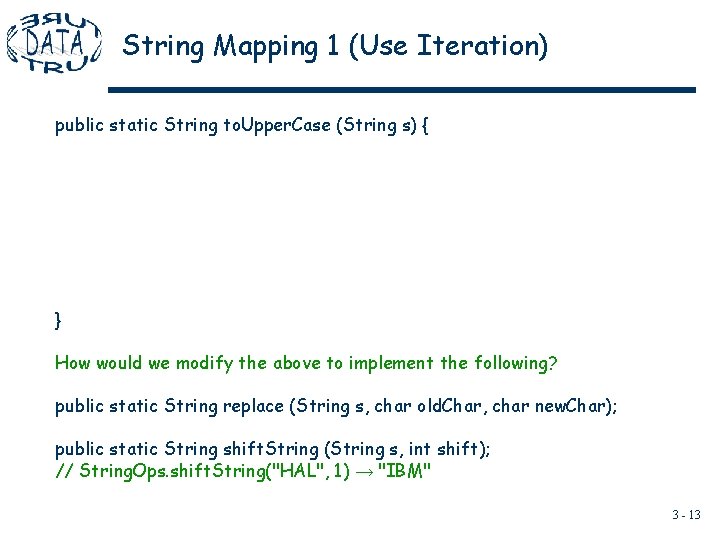
String Mapping 1 (Use Iteration) public static String to. Upper. Case (String s) { } How would we modify the above to implement the following? public static String replace (String s, char old. Char, char new. Char); public static String shift. String (String s, int shift); // String. Ops. shift. String("HAL", 1) → "IBM" 3 - 13
String Mapping 2 (Use Recursion) public static String to. Upper. Case (String s) { } 3 - 14
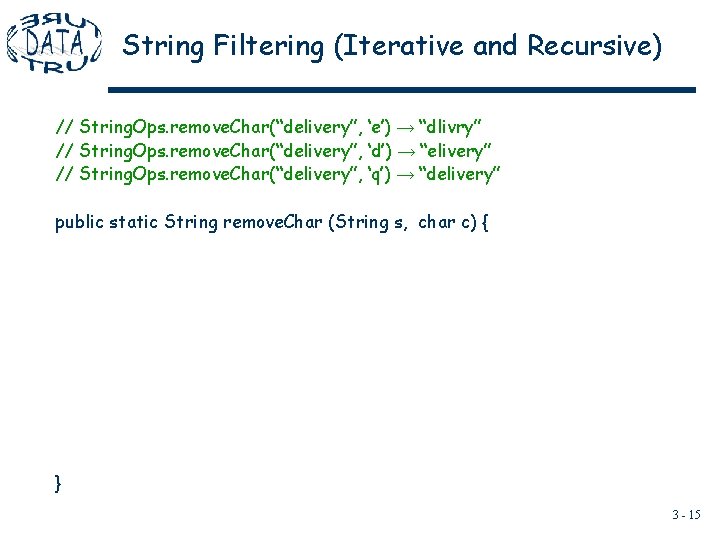
String Filtering (Iterative and Recursive) // String. Ops. remove. Char(“delivery”, ‘e’) → “dlivry” // String. Ops. remove. Char(“delivery”, ‘d’) → “elivery” // String. Ops. remove. Char(“delivery”, ‘q’) → “delivery” public static String remove. Char (String s, char c) { } 3 - 15
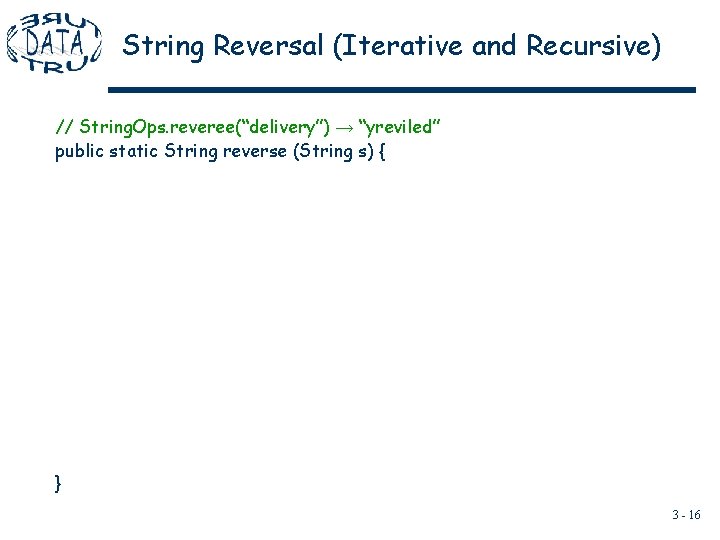
String Reversal (Iterative and Recursive) // String. Ops. reveree(“delivery”) → “yreviled” public static String reverse (String s) { } 3 - 16