Status of StormLustre and Multi VO Support YAN
- Slides: 12
Status of Storm+Lustre and Multi -VO Support YAN Tian for Distributed Computing Group Meeting Oct. 23, 2014
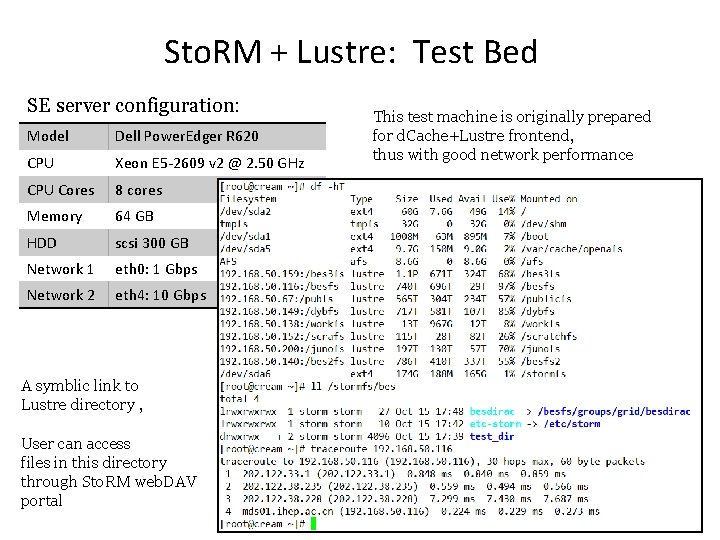
Sto. RM + Lustre: Test Bed SE server configuration: Model Dell Power. Edger R 620 CPU Xeon E 5 -2609 v 2 @ 2. 50 GHz CPU Cores 8 cores Memory 64 GB HDD scsi 300 GB Network 1 eth 0: 1 Gbps Network 2 eth 4: 10 Gbps A symblic link to Lustre directory , User can access files in this directory through Sto. RM web. DAV portal This test machine is originally prepared for d. Cache+Lustre frontend, thus with good network performance
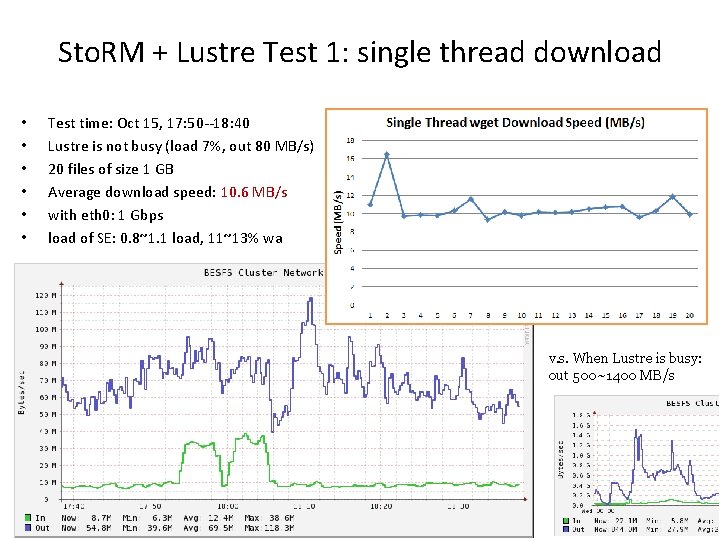
Sto. RM + Lustre Test 1: single thread download • • • Test time: Oct 15, 17: 50 --18: 40 Lustre is not busy (load 7%, out 80 MB/s) 20 files of size 1 GB Average download speed: 10. 6 MB/s with eth 0: 1 Gbps load of SE: 0. 8~1. 1 load, 11~13% wa v. s. When Lustre is busy: out 500~1400 MB/s
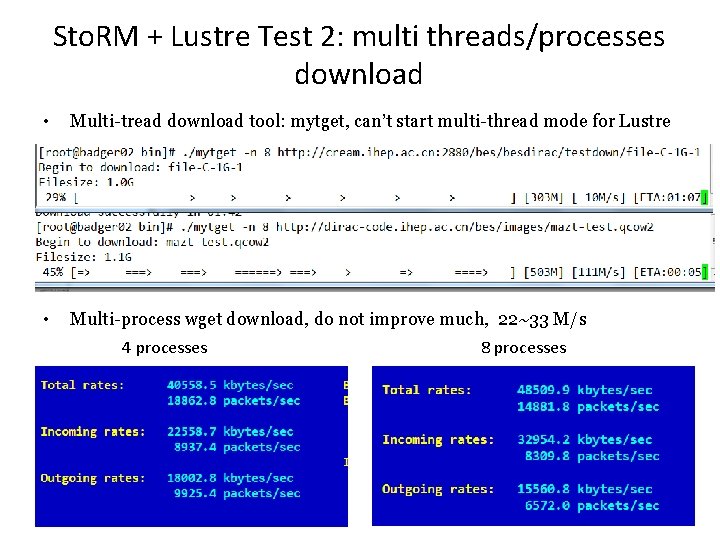
Sto. RM + Lustre Test 2: multi threads/processes download • Multi-tread download tool: mytget, can’t start multi-thread mode for Lustre • Multi-process wget download, do not improve much, 22~33 M/s 4 processes 8 processes
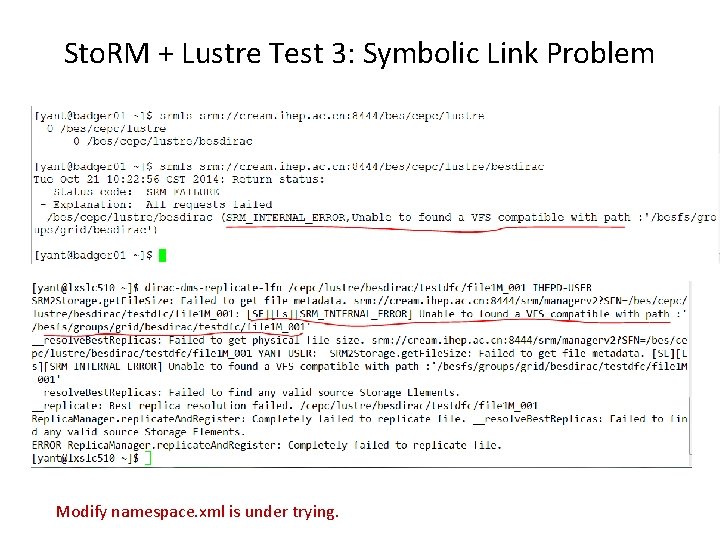
Sto. RM + Lustre Test 3: Symbolic Link Problem Modify namespace. xml is under trying.
Storm+Lustre Test: To Do • • Solve symblik link problem Dataset transfer test between IHEPD-USER Open ports 50000: 55000 Dataset transfer test between WHU/USTC-USER
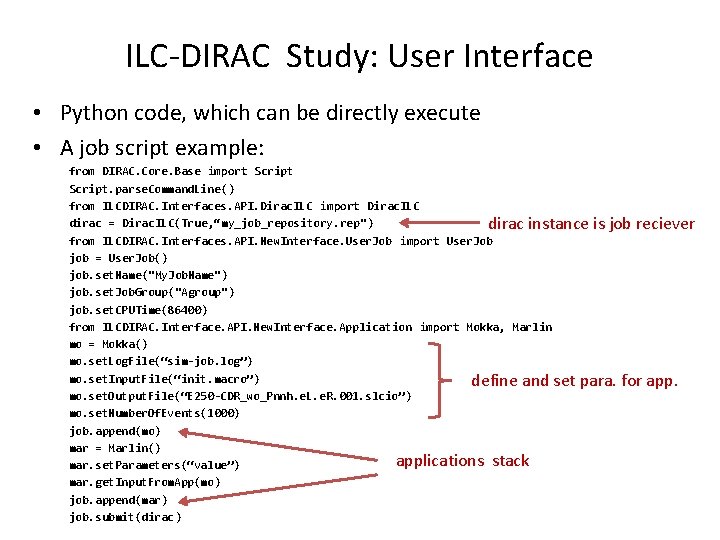
ILC-DIRAC Study: User Interface • Python code, which can be directly execute • A job script example: from DIRAC. Core. Base import Script. parse. Command. Line() from ILCDIRAC. Interfaces. API. Dirac. ILC import Dirac. ILC dirac = Dirac. ILC(True, “my_job_repository. rep") dirac instance is job reciever from ILCDIRAC. Interfaces. API. New. Interface. User. Job import User. Job job = User. Job() job. set. Name("My. Job. Name") job. set. Job. Group("Agroup") job. set. CPUTime(86400) from ILCDIRAC. Interface. API. New. Interface. Application import Mokka, Marlin mo = Mokka() mo. set. Log. File(“sim-job. log”) mo. set. Input. File(“init. macro”) define and set para. for app. mo. set. Output. File(“E 250 -CDR_wo_Pnnh. e. L. e. R. 001. slcio”) mo. set. Number. Of. Events(1000) job. append(mo) mar = Marlin() applications stack mar. set. Parameters(“value”) mar. get. Input. From. App(mo) job. append(mar) job. submit(dirac)
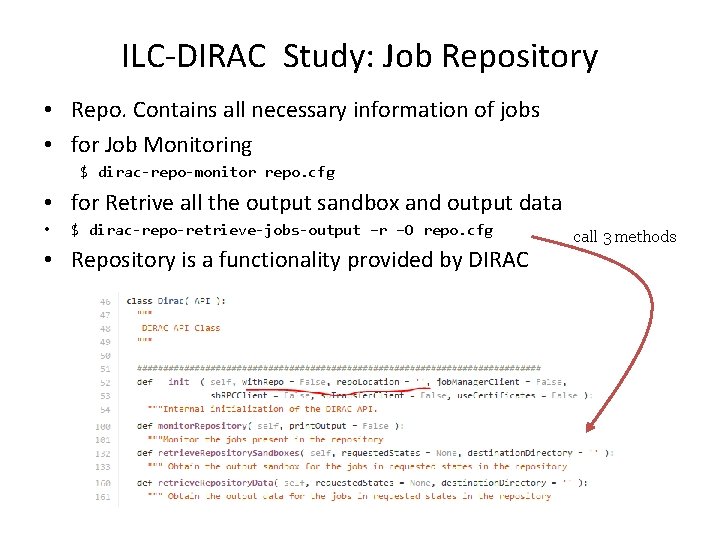
ILC-DIRAC Study: Job Repository • Repo. Contains all necessary information of jobs • for Job Monitoring $ dirac-repo-monitor repo. cfg • for Retrive all the output sandbox and output data • $ dirac-repo-retrieve-jobs-output –r –O repo. cfg • Repository is a functionality provided by DIRAC call 3 methods
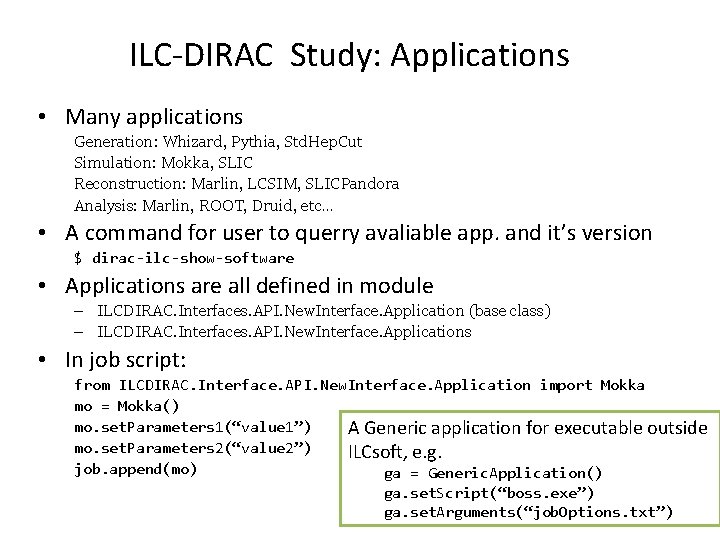
ILC-DIRAC Study: Applications • Many applications Generation: Whizard, Pythia, Std. Hep. Cut Simulation: Mokka, SLIC Reconstruction: Marlin, LCSIM, SLICPandora Analysis: Marlin, ROOT, Druid, etc… • A command for user to querry avaliable app. and it’s version $ dirac-ilc-show-software • Applications are all defined in module – ILCDIRAC. Interfaces. API. New. Interface. Application (base class) – ILCDIRAC. Interfaces. API. New. Interface. Applications • In job script: from ILCDIRAC. Interface. API. New. Interface. Application import Mokka mo = Mokka() mo. set. Parameters 1(“value 1”) A Generic application for executable outside mo. set. Parameters 2(“value 2”) ILCsoft, e. g. job. append(mo) ga = Generic. Application() ga. set. Script(“boss. exe”) ga. set. Arguments(“job. Options. txt”)
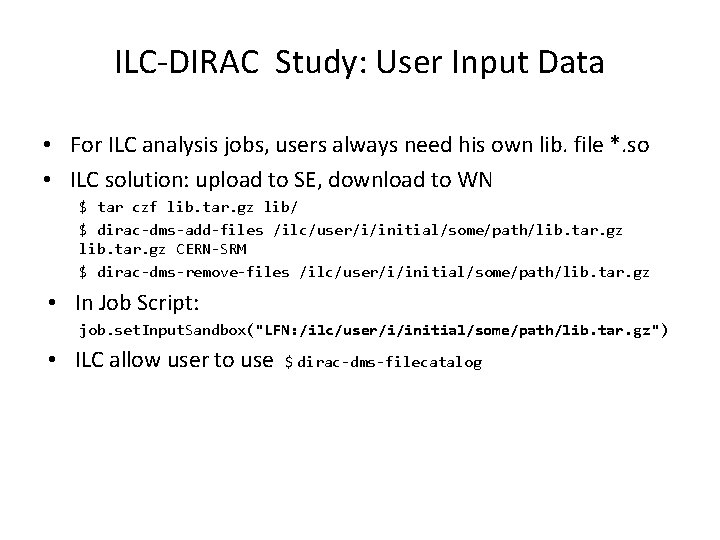
ILC-DIRAC Study: User Input Data • For ILC analysis jobs, users always need his own lib. file *. so • ILC solution: upload to SE, download to WN $ tar czf lib. tar. gz lib/ $ dirac-dms-add-files /ilc/user/i/initial/some/path/lib. tar. gz CERN-SRM $ dirac-dms-remove-files /ilc/user/i/initial/some/path/lib. tar. gz • In Job Script: job. set. Input. Sandbox("LFN: /ilc/user/i/initial/some/path/lib. tar. gz") • ILC allow user to use $ dirac-dms-filecatalog
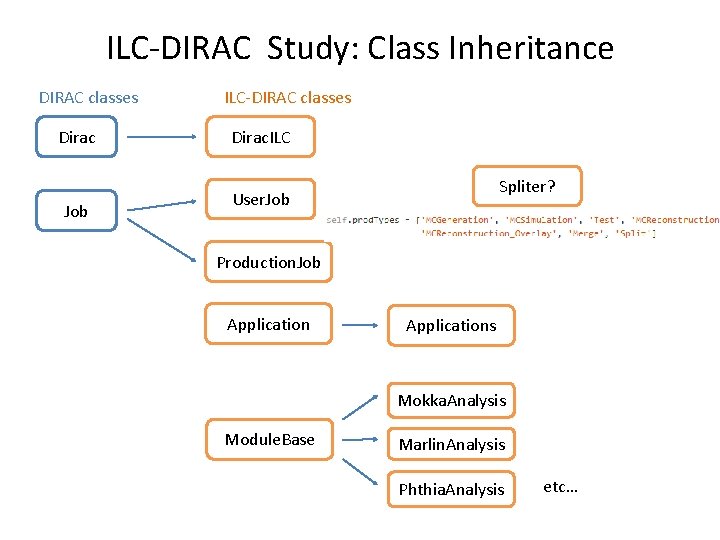
ILC-DIRAC Study: Class Inheritance DIRAC classes Dirac Job ILC-DIRAC classes Dirac. ILC Spliter? User. Job Production. Job Applications Mokka. Analysis Module. Base Marlin. Analysis Phthia. Analysis etc…
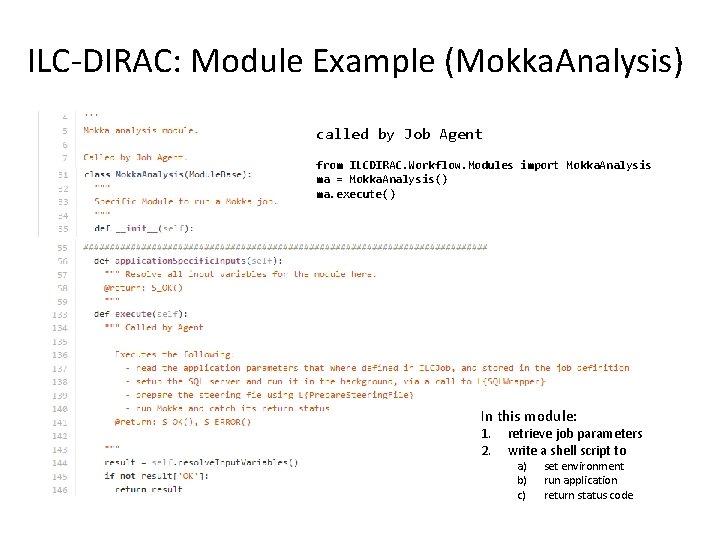
ILC-DIRAC: Module Example (Mokka. Analysis) called by Job Agent from ILCDIRAC. Workflow. Modules import Mokka. Analysis ma = Mokka. Analysis() ma. execute() In this module: 1. 2. retrieve job parameters write a shell script to a) b) c) set environment run application return status code