Southern Methodist University Procurement Card Program SMU PCard
- Slides: 27
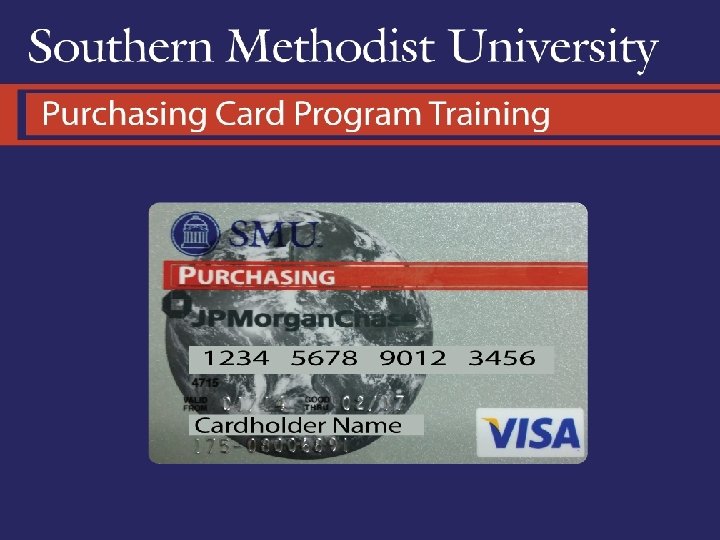
Southern Methodist University Procurement Card Program
SMU P-Card Training • Acquiring a pcard • Understanding YOUR Card • First Steps • Using your card • Requirements • Policies • Procedures
Acquiring a Pcard • Cardholder must be permanent staff or faculty and have completed any probationary period • Card enrollment and agreement form must be filled out • These forms can be found @ www. smu. edu/purchasing • Agreement signed by the cardholder indicates that the pcard guide has been read and understood • The card will take 7 -10 business days to arrive but can be rushed when necessary for a $25 fee • New cardholders will be required to pick up his/her card and must complete training
Understanding Your Card • Type of card • Single and Monthly transaction limits • Number of transactions allowed per day/per month • Certain merchants blocked from the card
What type of card do I have? The type of card needed should have been determined by the type of enrollment form filled out. • Pcard enrollment form • On the pcard enrollment form you may select the profile needed • Purchasing Card • Travel Card • One Card • Declining balance card enrollment form • Personal liability card enrollment form
Pcard- 3 different profiles • Purchase Card • With this profile assigned to the card certain Merchant Category Codes are blocked. The card would be declined at Hotels, Airlines, Car rental, etc. • Cardholder may purchase most products/supplies and other business related expenses • Default accounting codes are set to the cardholder’s most commonly used account/fund/org
3 Profiles continued • Travel Card • With this profile assigned to the card certain Merchant Category Codes are blocked. The card would be declined for merchants such as paypal, certain office equipment, commercial furniture and purchases that shouldn’t need to be made while traveling. • Cardholder may use card for business travel only. • Default account codes are set to the cardholder’s travel subclass
3 Profiles continued • One Card • Only the high risk MCC’s required by the bank to be blocked from the card and other SMU considered high risk categories are blocked from this card. Continue with the training for more information on the high risk MCC’s. • Cardholder may use the card for products/supplies, travel and other business related expenses • Default account codes are set to the cardholder’s travel subclass • Any transaction paid by pcard regardless of the profile assigned will show up on paymentnet for review, will show up on the GL at the end of the month, and will roll into the Central pcard bill paid by the University
Declining Balance Card • This card can be designed to fit the particular project or program. • Entire approved budget for project/program is made available on the card as the credit limit • Other limitations can be put into place as well as requested • Differences between this card and a pcard • The available credit balance is not refreshed once the central bill is paid. The balance keeps declining until it is zero. • Expiration dates can be set as requested • All pcard policies and reporting requirements should be followed • Any transaction paid by a declining balance card will show up on paymentnet for review, will show up on the GL at the end of the month, and will roll into the Central pcard bill paid by the University
Personal Liability Card • This card was introduced many years ago when we did not allow travel on the pcard as a way to pay for travel expenses • This card is now discouraged but still available • All pcard policies must be followed with this type of card as well. • Transactions on this card do not roll into our Central Bill and are not paid by the University; as the name suggest, it is paid by the cardholder. • Cardholder must pay the bill and seek reimbursement through a travel report or payment request
Transaction Limits • Transactions limits are assigned by the cardholder’s manager and/or financial officer. • Monthly limits are assigned to ALL pcards/personal liability cards • Single transaction limits are assigned to ALL pcards • The maximum limit that can be assigned to a pcard is $5 k per single transaction/ $25 k per month • Some individuals have been given higher limits where it was considered necessary • These few exceptions were approved by VP of Business Finance • Limits can be increased on a temporary basis when needed up to the maximum limits when approved by the applicable Financial Officer • Temporary increases above the maximum limits may also be granted on a case by case basis when reviewed by Director of Purchasing for price reasonableness and approved by the VP of Business Finance
Limitations on the Number of Transactions • In an attempt to lower the risk of fraud and/or mis-use each card has limitations in addition to credit limits. • Each card can only be swiped (charged) up to 15 times per day • Each card can only be swiped (charged) up to 50 times per month • These limitations can be adjusted on a case by case basis where deemed necessary
High Risk Merchants- BLOCKED • Wire transfers • Gambling • Jewelry stores/shops • This can be opened when absolutely necessary • It is reviewed on a case by case basis • Additional approval is required • Cash can be made available on a card when necessary • It is reviewed on a case by case basis • Additional approval is required • The bank will only allow a cash limit of $2500 per billing cycle • When additional cash is needed we can request approval from the bank but this approval takes time and must be requested WELL in advance
First Steps You have your card, understand your card, now what? • Activate your card • Call the 800 number on the back of your card to activate • When asked for the last four of your social- provide the last four of your SMU ID instead (contact pcard administrator if that doesn’t work) • Login to paymentnet and setup your profile • You will receive an email from JP Morgan with your paymentnet 4 login credentials • Use those credentials to login, change your password and register your computer • Go to ‘my profile’ and set up your preferences • See Payment. Net 4 training for more detailed information
Using your card… you need to know • Requirements • Documentation • Proper approvals • Timeliness • Policies • Disallowed purchases • Additional approval • Consequences • Procedures • Reviewing transactions • Submitting statements for approval
Documentation/Proper Approvals § The original itemized receipt for EVERY purchase (even if Grant) must be submitted with the monthly statement. You will submit electronically but must keep original for 18 months. § Please document the business purpose for every purchase not easily identified as a business expense § Business purpose and attendees must be documented for every business meal, . Please be specific. “Lunch meeting” will not suffice. § When a gift is purchased, the business purpose and recipient must be documented. The recipient’s must sign acknowledging receipt and provide a w 9 when necessary. The gift documentation form can be found on the Tax Compliance website
Documentation/Proper Approvals § If a donation is made and paid by pcard the proper form must be filled out, attached to statement and a copy of the form sent to Millicent Grant. If the donation is made to a not for profit organization, the entry must be posted to subclass 11100. § Grants can be charged on pcard but cannot post directly to the grant fund. Transaction must post to cardholder’s default and be JE’d after approval from Grants and Contracts. § Each statement must be acknowledged by the cardholder either by submitting it or approving it. It must be approved by the cardholder’s independent reviewer which was assigned on the pcard enrollment form.
Timeliness § Billing cycle is the 20 th of the month through the 19 th of the following month. § If the 19 th falls on a Saturday the closing date is moved to the 18 th. § If the 19 th falls on a Sunday the closing date is moved to the 20 th. § On close of business all individual account balances (except personal liability card balances) are rolled into the central bill account and individual limits are refreshed. Limits on declining balance cards are not refreshed. § An email will be sent to the cardholder from paymentnet notifying him/her when the statement is ready.
Timeliness continued § Statements are due 15 days after receipt § Email is sent to individual (in some cases FO or AFO) when statement reaches 30 days outstanding § Cards are subject to suspension when statement reaches 60 days outstanding § Fraudulent charges or other charges needing to be disputed must be reported or disputed within 60 days of the transaction date. § It is very important to get things submitted before the 60 day mark to protect the University from having to pay unauthorized charges. § Repeat offenders or cardholders with statements outstanding 90 days or more are subject to permanent cancellation.
Disallowed Purchases • Greeting cards or floral arrangements – see policy 3. 10 and 13. 5 • Personal expenses - even if cardholder intends to reimburse the University • Gas for Personal Car- even if a personal vehicle is used for business purpose gas is not considered a University expense and pcard should NOT be used.
Disallowed Purchases • Texas Sales Tax- we have exemptions in other states as well. Those states as well as copies of the exemption certificates are found on the Tax Compliance website. • Interdepartmental Charges – anything purchased from another SMU department should be paid by means of an internal cross charge and NOT paid by pcard • Splitting Transactions – A cardholder CANNOT allow a vendor to split one transaction into 2 or more transactions to stay within their single transaction limit. o. If cardholder is caught splitting a transaction the card is automatically suspended for 6 months.
Purchases Requiring Additional Approval • Any single transaction over $5000 requires a purchase order or approval from the VP of Business Finance • Business meals must be approved by the President, applicable Vice President, Dean or Designee. • Gifts must be approved by the President, Vice President or Dean. This policy does not allow for a designee. Gifts must also be reviewed by Tax Compliance for proper tax treatment.
Purchases Requiring Additional Approval • Donations must be approved by the President. • Professional memberships must be found on the approved University list. That list, which can be found on the Controller’s website, was approved by the President, Vice President or Dean.
Consequences • Cardholders with statements 60 days outstanding are subject to the card being suspended • Once the card is suspended it will not be reinstated until statements are current and the applicable FO approves reinstatement. • Cardholders with statements 90 days or more outstanding or repeat offenders are subject to the card being permanently cancelled. • A Cardholder who makes an unauthorized purchase with the pcard or uses the card in any other inappropriate manner, and his/her approver will be subject to disciplinary action including possible card cancellation, termination of employment and/or criminal prosecution.
Consequences continued • The first violation will result in written correspondence to the cardholder notifying him or her of the infraction. In some cases the Financial Officer and independent reviewer will be copied. Generally, the limits on the card will be reduced to no higher than $1, 500 per transaction and $5, 000 per month. A hard copy of the e-mail or memo, (including the cardholder's response) will be placed in the cardholder's file. If the violation is considered major, a card may be cancelled and the offending employee may be subject to disciplinary action including termination. • A second violation within a one-year period of time will result in suspension of the card for three months. Before the card is reactivated, the infraction must be resolved satisfactorily and the cardholder must re-sign the cardholder agreement acknowledging having read the pcard guide. A meeting with the Program Administrator may be required. A memorandum will be sent to the cardholder's independent reviewer and Financial Officer regarding the violation and resolution. Again, if the violation is considered a major offense, a card may be cancelled and the offending employee may be subject to disciplinary action including termination. • A third violation, regardless of time frame, will result in a formal memo from the Pcard Administrator to the cardholder notifying him/her of the current violation, past violations and will result in the cancellation of the card and cardholder may be subject to disciplinary action including termination. • Splitting an invoice to stay within your transaction limit will result in an immediate suspension of your card for six months.
Reviewing Transactions • Cardholders should set up his/her profile to be notified when a transaction posts to his/her card. • See Payment. Net 4 training for more information • Transactions should be reviewed AT LEAST weekly in Payment. Net. • Cardholder need to make sure the transaction is set to post to the correct account/fund/org • Cardholder needs to make sure all transactions were authorized by him/her and reflect the correct amount that was authorized. • See Paymentnet 4 training for more information • Transactions should be reviewed once more on the statement once the statement is ready.
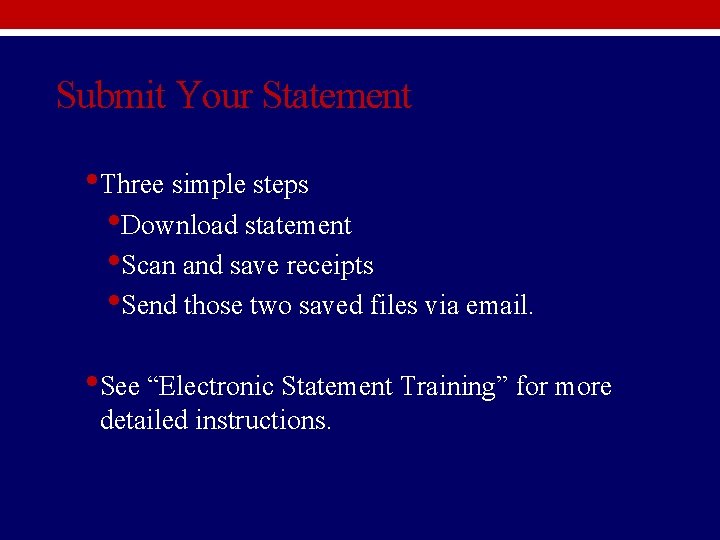
Submit Your Statement • Three simple steps • Download statement • Scan and save receipts • Send those two saved files via email. • See “Electronic Statement Training” for more detailed instructions.