Signing up with Learning Coach in RMD Using


- Slides: 16
Signing up with Learning Coach in RMD Using WC Online System
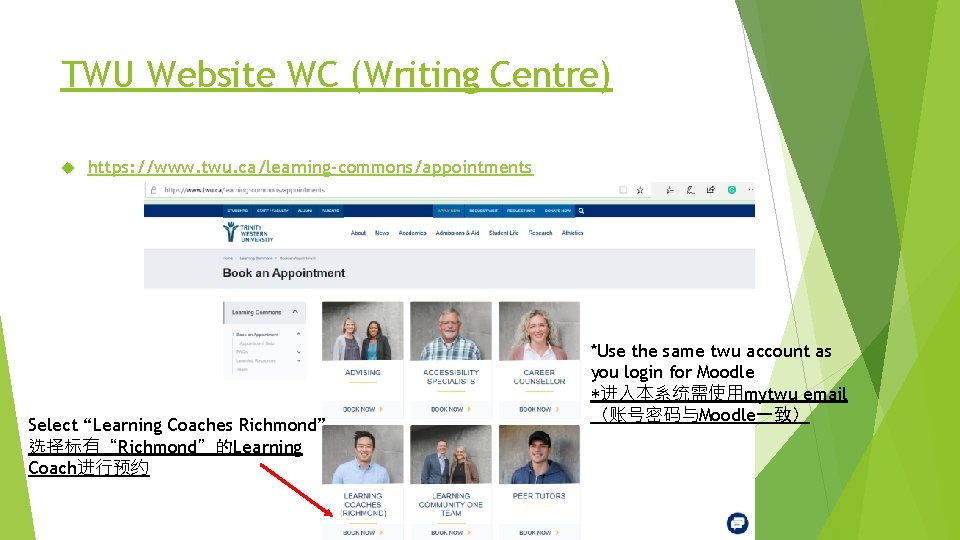
TWU Website WC (Writing Centre) https: //www. twu. ca/learning-commons/appointments Select “Learning Coaches Richmond” 选择标有“Richmond”的Learning Coach进行预约 *Use the same twu account as you login for Moodle *进入本系统需使用mytwu email (账号密码与Moodle一致)
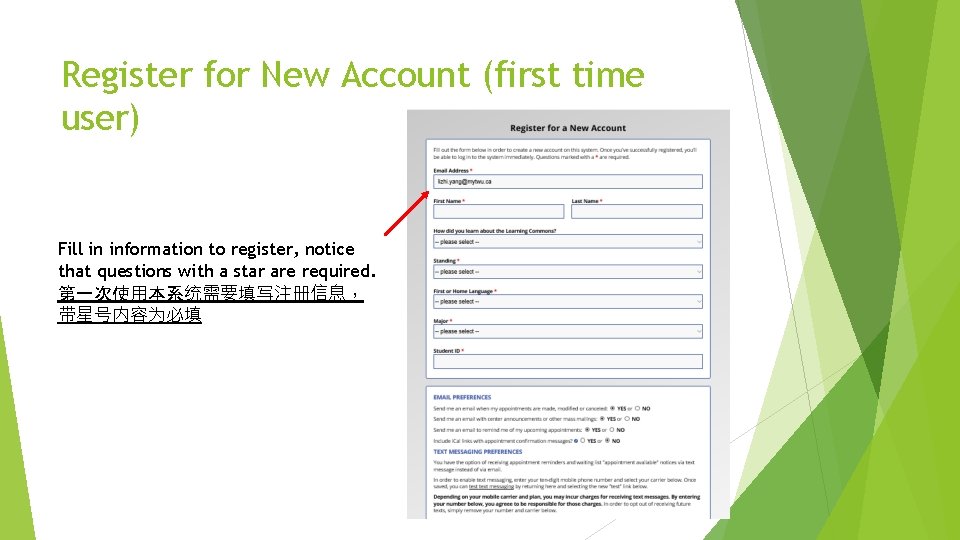
Register for New Account (first time user) Fill in information to register, notice that questions with a star are required. 第一次使用本系统需要填写注册信息, 带星号内容为必填
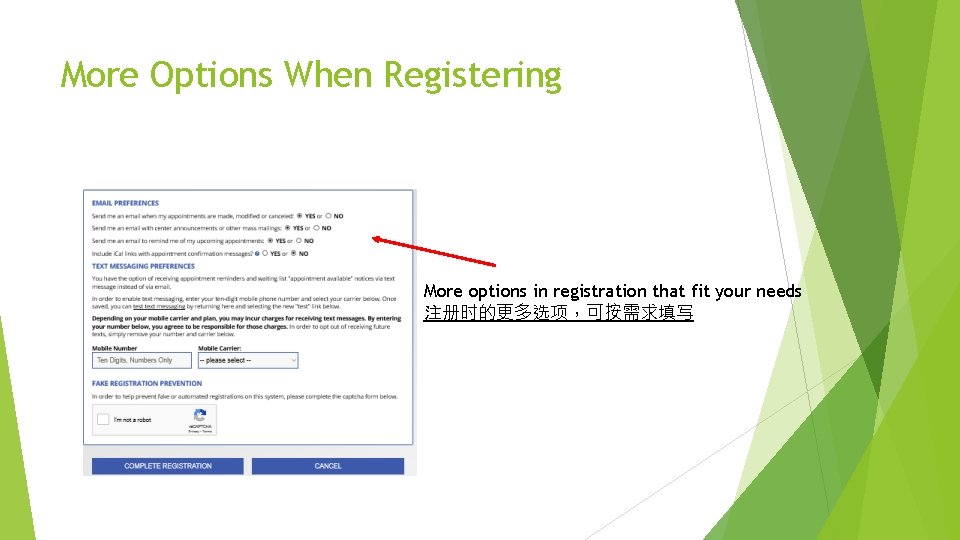
More Options When Registering More options in registration that fit your needs 注册时的更多选项,可按需求填写
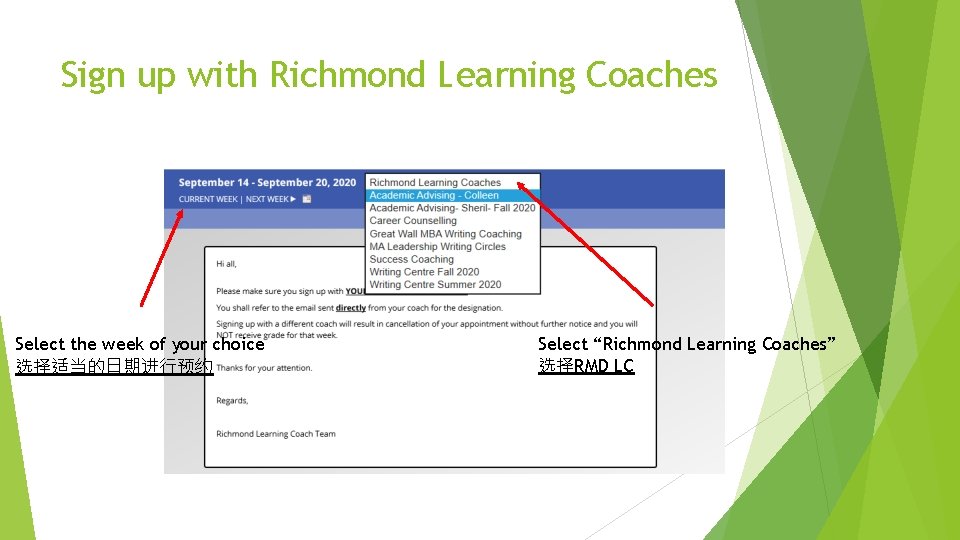
Sign up with Richmond Learning Coaches Select the week of your choice 选择适当的日期进行预约 Select “Richmond Learning Coaches” 选择RMD LC
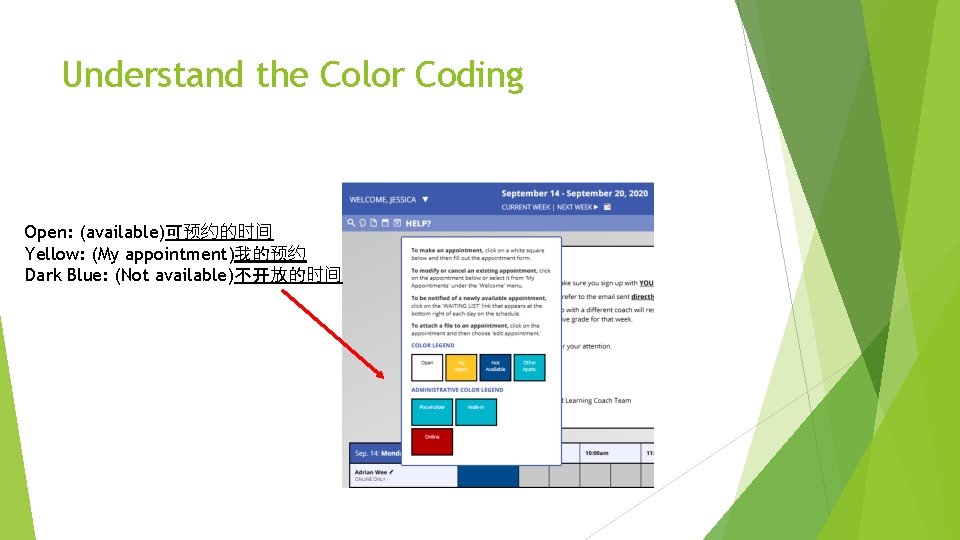
Understand the Color Coding Open: (available)可预约的时间 Yellow: (My appointment)我的预约 Dark Blue: (Not available)不开放的时间
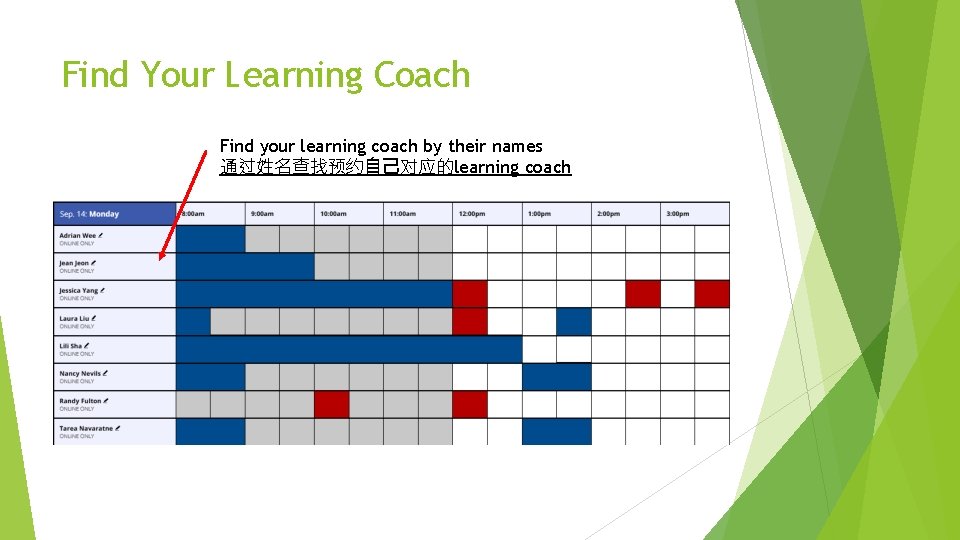
Find Your Learning Coach Find your learning coach by their names 通过姓名查找预约自己对应的learning coach
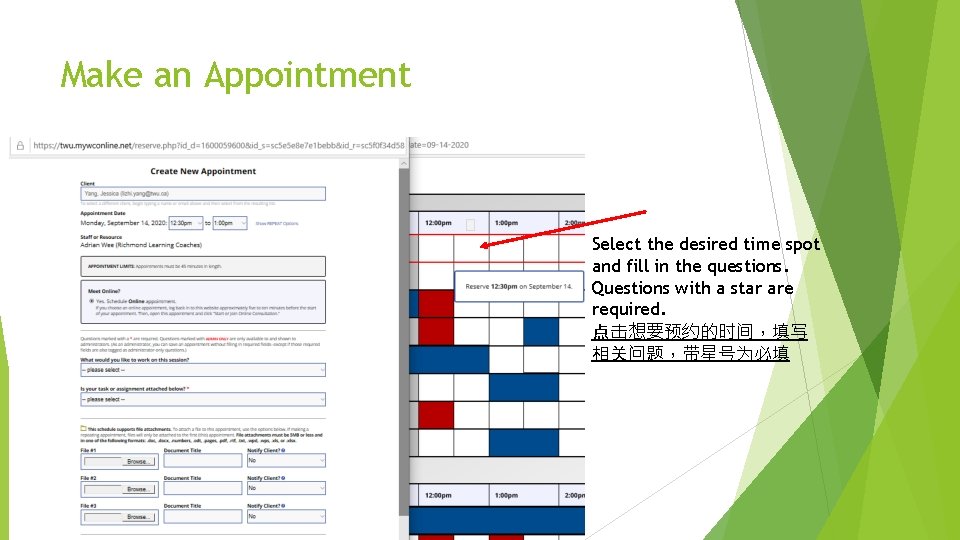
Make an Appointment Select the desired time spot and fill in the questions. Questions with a star are required. 点击想要预约的时间,填写 相关问题,带星号为必填
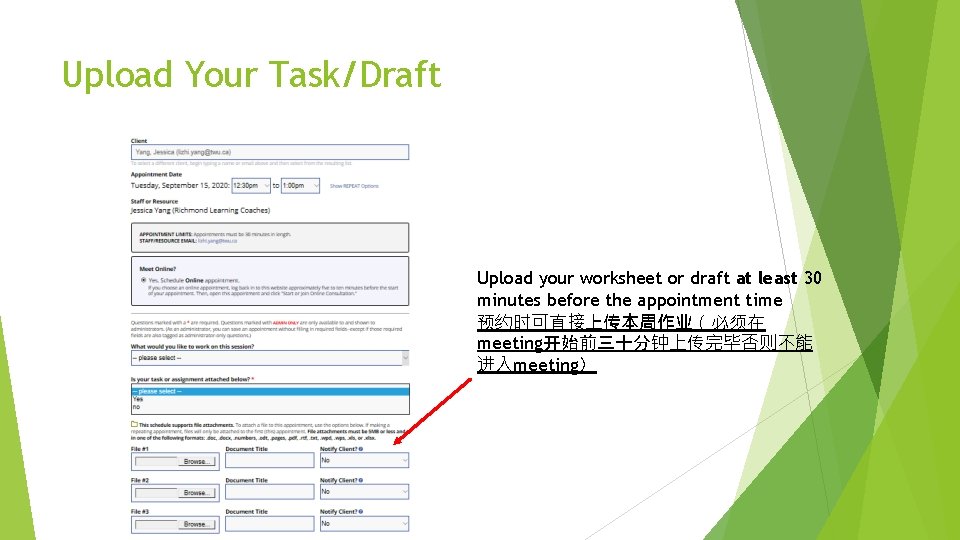
Upload Your Task/Draft Upload your worksheet or draft at least 30 minutes before the appointment time 预约时可直接上传本周作业(必须在 meeting开始前三十分钟上传完毕否则不能 进入meeting)
Editing or Cancelling the Appointment Double click your appointment to edit it 双击自己的预约时间可进入编辑页面
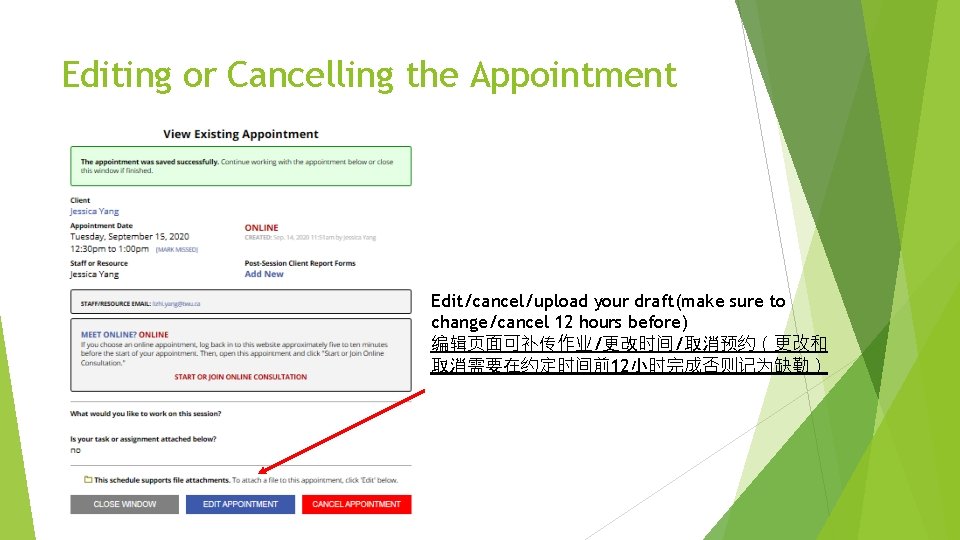
Editing or Cancelling the Appointment Edit/cancel/upload your draft(make sure to change/cancel 12 hours before) 编辑页面可补传作业/更改时间/取消预约(更改和 取消需要在约定时间前12小时完成否则记为缺勤)
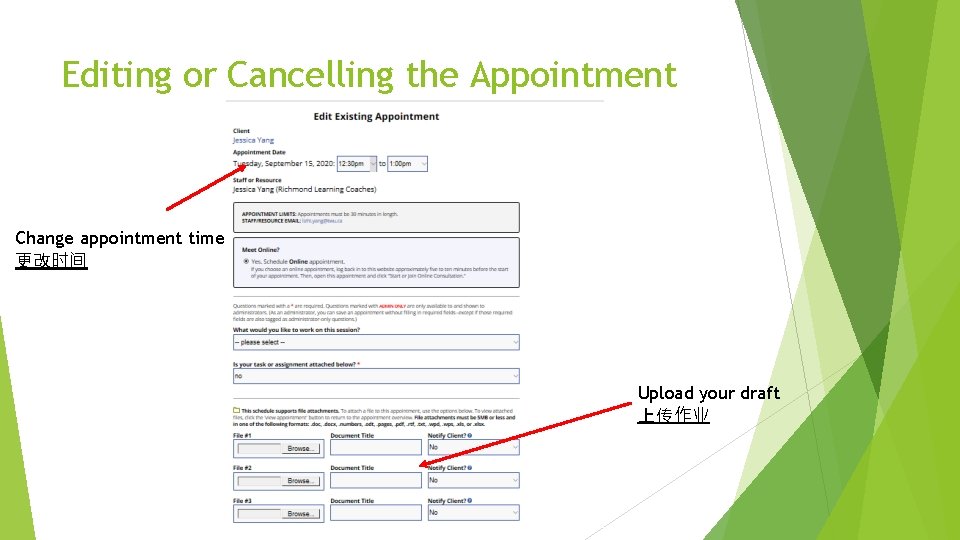
Editing or Cancelling the Appointment Change appointment time 更改时间 Upload your draft 上传作业
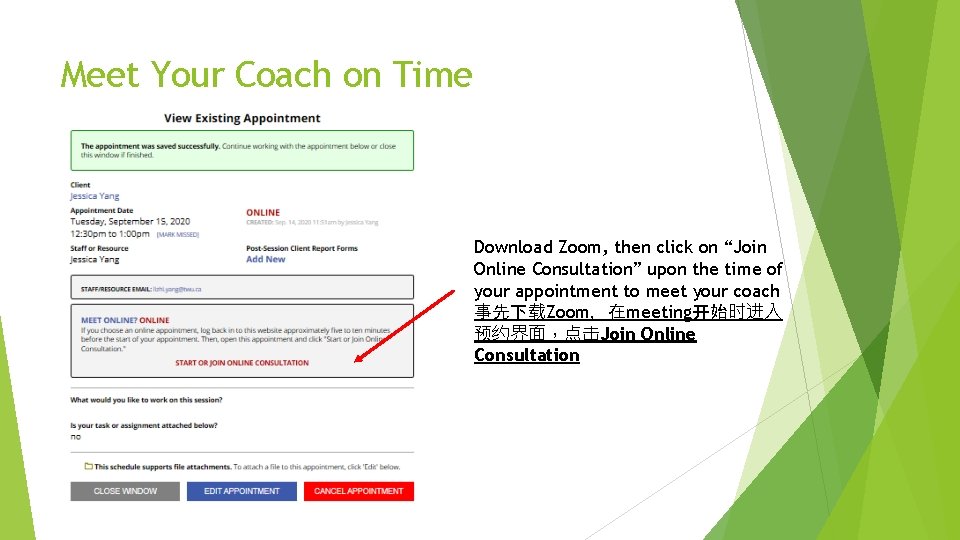
Meet Your Coach on Time Download Zoom, then click on “Join Online Consultation” upon the time of your appointment to meet your coach 事先下载Zoom,在meeting开始时进入 预约界面,点击Join Online Consultation
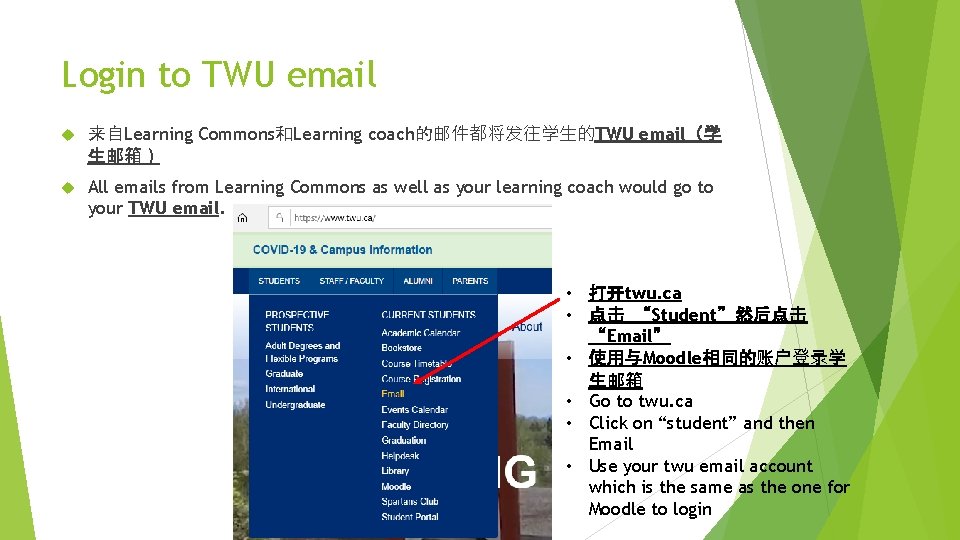
Login to TWU email 来自Learning Commons和Learning coach的邮件都将发往学生的TWU email(学 生邮箱) All emails from Learning Commons as well as your learning coach would go to your TWU email. • 打开twu. ca • 点击 “Student”然后点击 “Email” • 使用与Moodle相同的账户登录学 生邮箱 • Go to twu. ca • Click on “student” and then Email • Use your twu email account which is the same as the one for Moodle to login
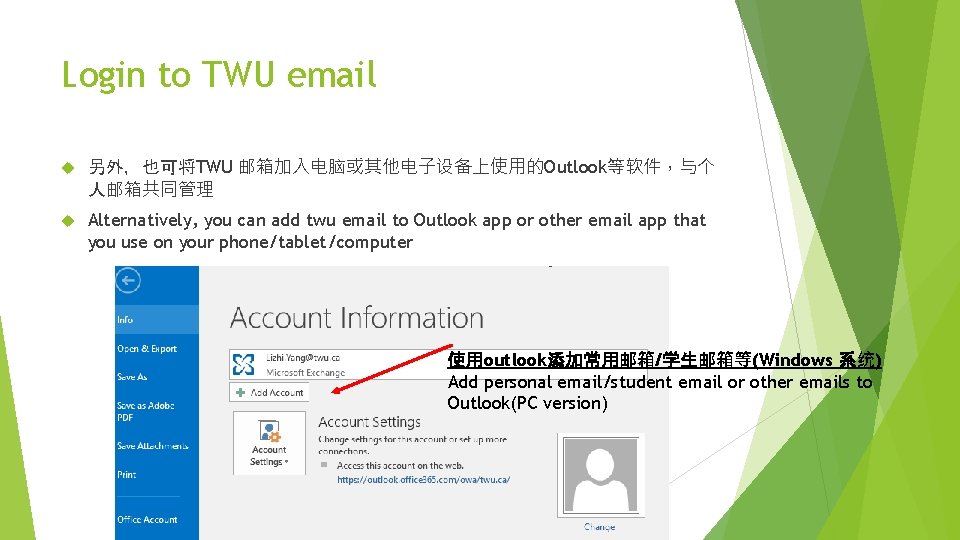
Login to TWU email 另外,也可将TWU 邮箱加入电脑或其他电子设备上使用的Outlook等软件,与个 人邮箱共同管理 Alternatively, you can add twu email to Outlook app or other email app that you use on your phone/tablet/computer 使用outlook添加常用邮箱/学生邮箱等(Windows 系统) Add personal email/student email or other emails to Outlook(PC version)
Any Questions about Your Account? Email Our IT team at Christopher Nash (Christopher. Nash@twu. ca) Fritz Baylen (Fritz. Baylen@twu. ca) Make sure to include your full name and student ID