RFID Tool Tracking Solution Tool left inside during
- Slides: 16
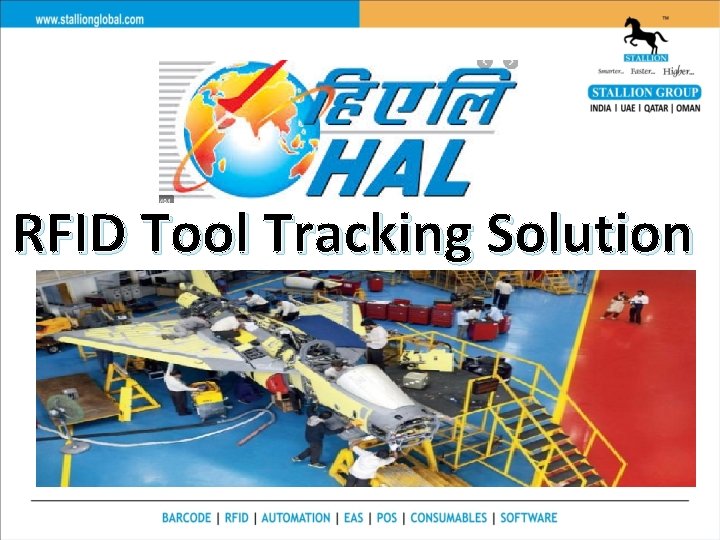
RFID Tool Tracking Solution
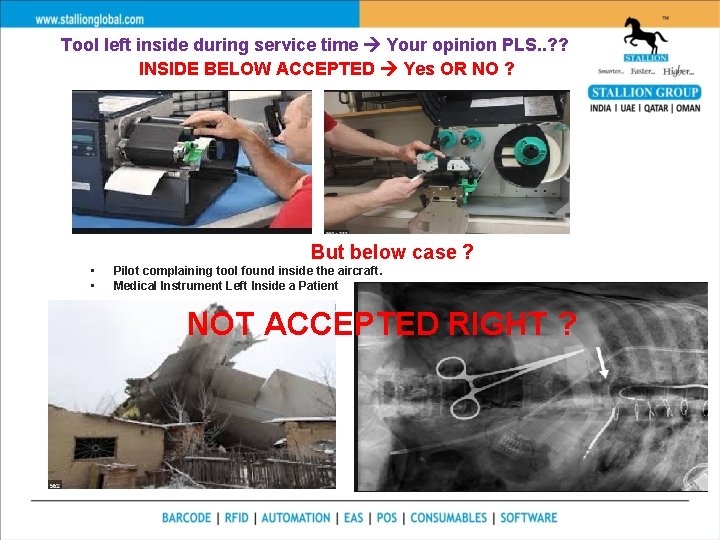
Tool left inside during service time Your opinion PLS. . ? ? INSIDE BELOW ACCEPTED Yes OR NO ? But below case ? • • Pilot complaining tool found inside the aircraft. Medical Instrument Left Inside a Patient NOT ACCEPTED RIGHT ?
Challenges Ø HAL need to invest most of portion on Tool inventory service profit. Ø Due to this kind of behavior possibility of accident’s Ø Delay in service due to short of tool or no inventory accuracy. Ø No proper control on missing tools. Ø Pilot complaining tool found inside the aircraft. Sales@stallionindia. com
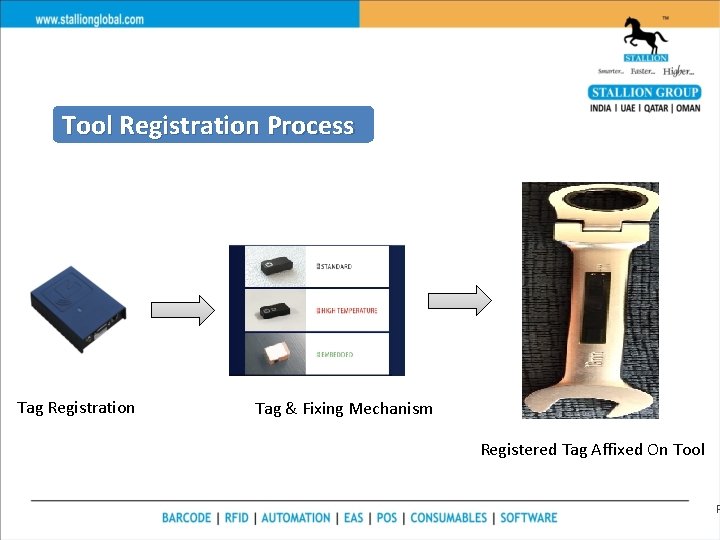
Tool Registration Process Tag Registration Tag & Fixing Mechanism Registered Tag Affixed On Tool P
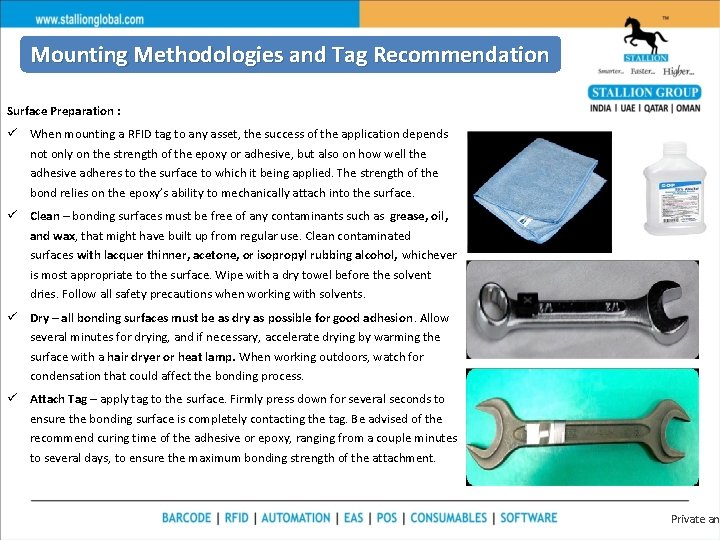
Mounting Methodologies and Tag Recommendation Surface Preparation : ü When mounting a RFID tag to any asset, the success of the application depends not only on the strength of the epoxy or adhesive, but also on how well the adhesive adheres to the surface to which it being applied. The strength of the bond relies on the epoxy’s ability to mechanically attach into the surface. ü Clean – bonding surfaces must be free of any contaminants such as grease, oil, and wax, that might have built up from regular use. Clean contaminated surfaces with lacquer thinner, acetone, or isopropyl rubbing alcohol, whichever is most appropriate to the surface. Wipe with a dry towel before the solvent dries. Follow all safety precautions when working with solvents. ü Dry – all bonding surfaces must be as dry as possible for good adhesion. Allow several minutes for drying, and if necessary, accelerate drying by warming the surface with a hair dryer or heat lamp. When working outdoors, watch for condensation that could affect the bonding process. ü Attach Tag – apply tag to the surface. Firmly press down for several seconds to ensure the bonding surface is completely contacting the tag. Be advised of the recommend curing time of the adhesive or epoxy, ranging from a couple minutes to several days, to ensure the maximum bonding strength of the attachment. Private and
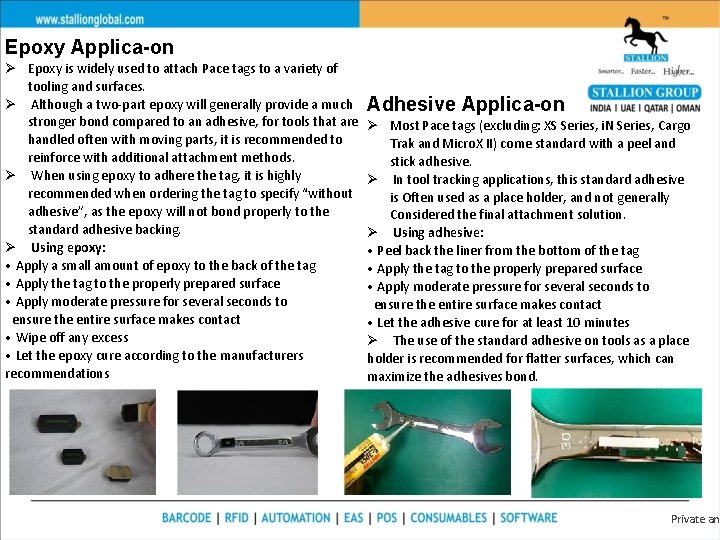
Epoxy Applica-on Ø Epoxy is widely used to attach Pace tags to a variety of tooling and surfaces. Ø Although a two-part epoxy will generally provide a much stronger bond compared to an adhesive, for tools that are handled often with moving parts, it is recommended to reinforce with additional attachment methods. Ø When using epoxy to adhere the tag, it is highly recommended when ordering the tag to specify “without adhesive”, as the epoxy will not bond properly to the standard adhesive backing. Ø Using epoxy: • Apply a small amount of epoxy to the back of the tag • Apply the tag to the properly prepared surface • Apply moderate pressure for several seconds to ensure the entire surface makes contact • Wipe off any excess • Let the epoxy cure according to the manufacturers recommendations Adhesive Applica-on Ø Most Pace tags (excluding: XS Series, i. N Series, Cargo Trak and Micro. X II) come standard with a peel and stick adhesive. Ø In tool tracking applications, this standard adhesive is Often used as a place holder, and not generally Considered the final attachment solution. Ø Using adhesive: • Peel back the liner from the bottom of the tag • Apply the tag to the properly prepared surface • Apply moderate pressure for several seconds to ensure the entire surface makes contact • Let the adhesive cure for at least 10 minutes Ø The use of the standard adhesive on tools as a place holder is recommended for flatter surfaces, which can maximize the adhesives bond. Private and
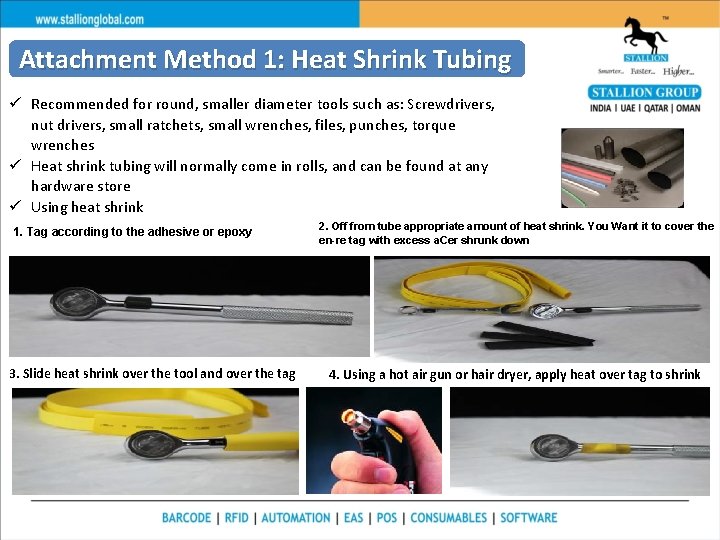
Attachment Method 1: Heat Shrink Tubing ü Recommended for round, smaller diameter tools such as: Screwdrivers, nut drivers, small ratchets, small wrenches, files, punches, torque wrenches ü Heat shrink tubing will normally come in rolls, and can be found at any hardware store ü Using heat shrink 1. Tag according to the adhesive or epoxy 3. Slide heat shrink over the tool and over the tag 2. Off from tube appropriate amount of heat shrink. You Want it to cover the en-re tag with excess a. Cer shrunk down 4. Using a hot air gun or hair dryer, apply heat over tag to shrink
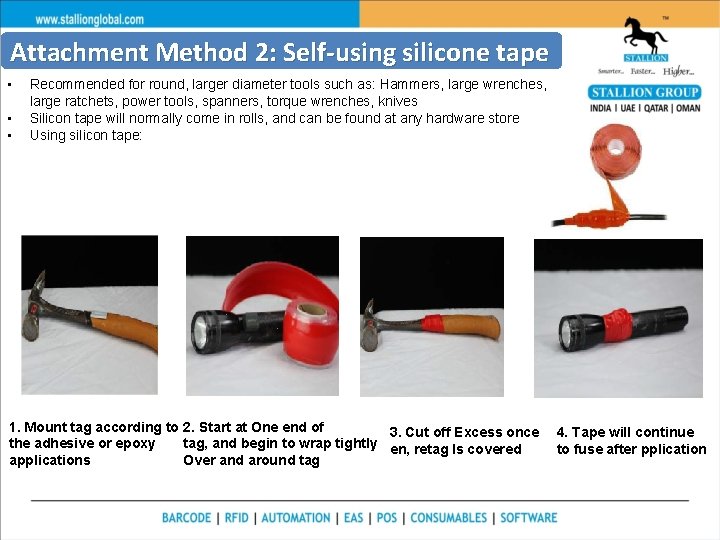
Attachment Method 2: Self-using silicone tape • • • Recommended for round, larger diameter tools such as: Hammers, large wrenches, large ratchets, power tools, spanners, torque wrenches, knives Silicon tape will normally come in rolls, and can be found at any hardware store Using silicon tape: 1. Mount tag according to 2. Start at One end of 3. Cut off Excess once the adhesive or epoxy tag, and begin to wrap tightly en, retag Is covered applications Over and around tag 4. Tape will continue to fuse after pplication
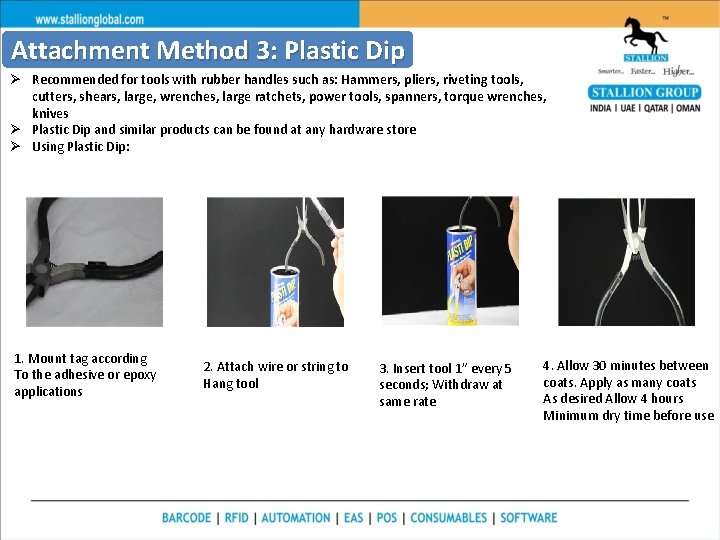
Attachment Method 3: Plastic Dip Ø Recommended for tools with rubber handles such as: Hammers, pliers, riveting tools, cutters, shears, large, wrenches, large ratchets, power tools, spanners, torque wrenches, knives Ø Plastic Dip and similar products can be found at any hardware store Ø Using Plastic Dip: 1. Mount tag according To the adhesive or epoxy applications 2. Attach wire or string to Hang tool 3. Insert tool 1” every 5 seconds; Withdraw at same rate 4. Allow 30 minutes between coats. Apply as many coats As desired Allow 4 hours Minimum dry time before use
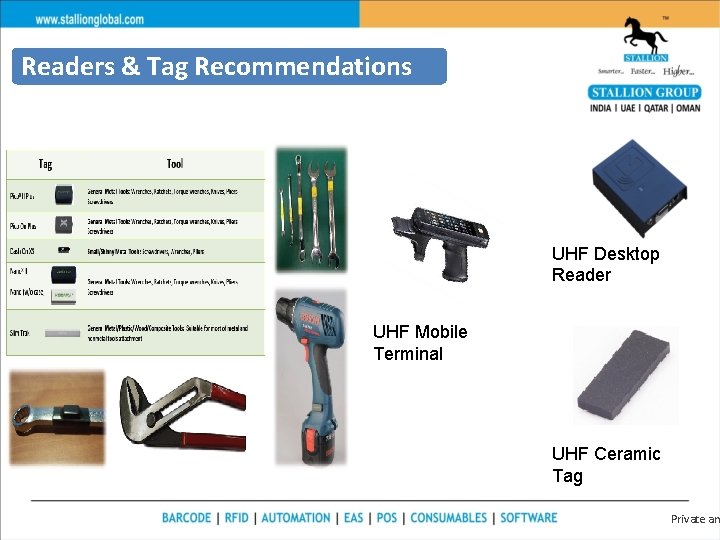
Readers & Tag Recommendations UHF Desktop Reader UHF Mobile Terminal UHF Ceramic Tag Private an
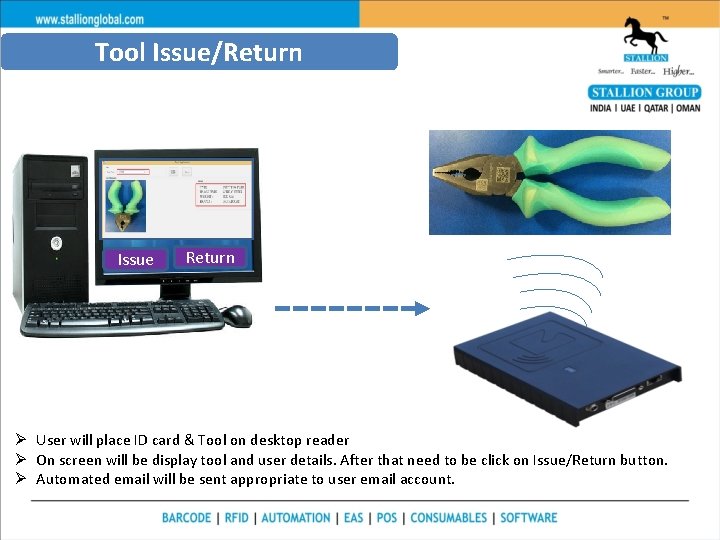
Tool Issue/Return Issue Return Ø User will place ID card & Tool on desktop reader Ø On screen will be display tool and user details. After that need to be click on Issue/Return button. Ø Automated email will be sent appropriate to user email account.
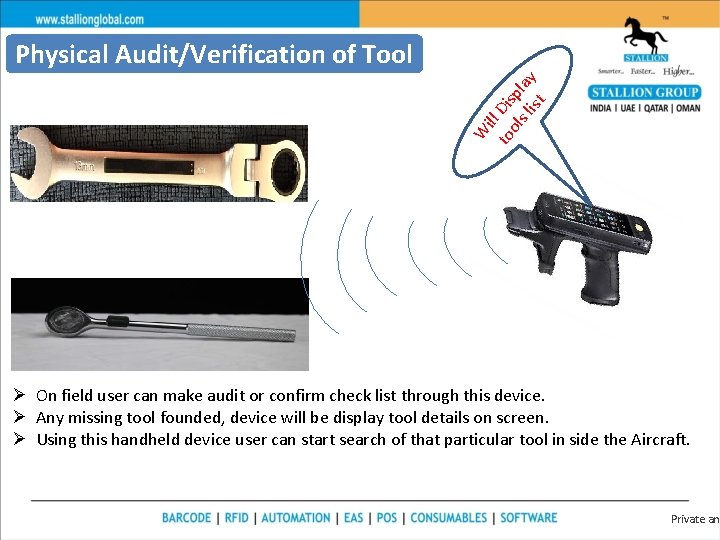
W ill to Dis ols pl lis ay t Physical Audit/Verification of Tool Ø On field user can make audit or confirm check list through this device. Ø Any missing tool founded, device will be display tool details on screen. Ø Using this handheld device user can start search of that particular tool in side the Aircraft. Private and
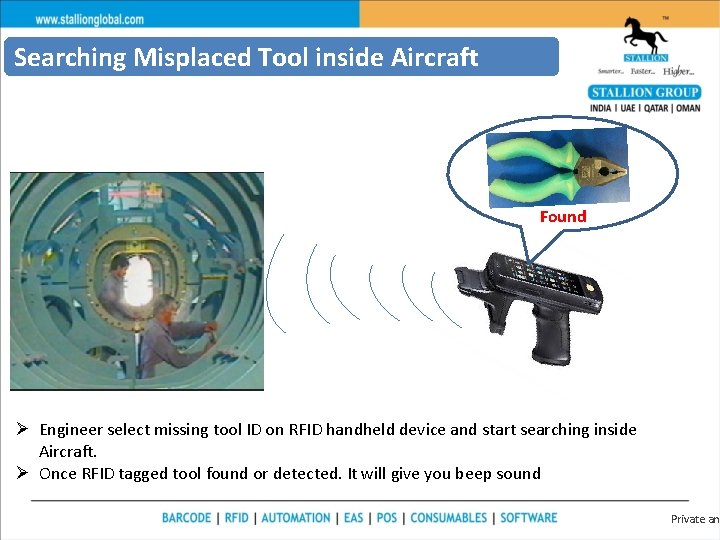
Searching Misplaced Tool inside Aircraft Found Ø Engineer select missing tool ID on RFID handheld device and start searching inside Aircraft. Ø Once RFID tagged tool found or detected. It will give you beep sound Private and
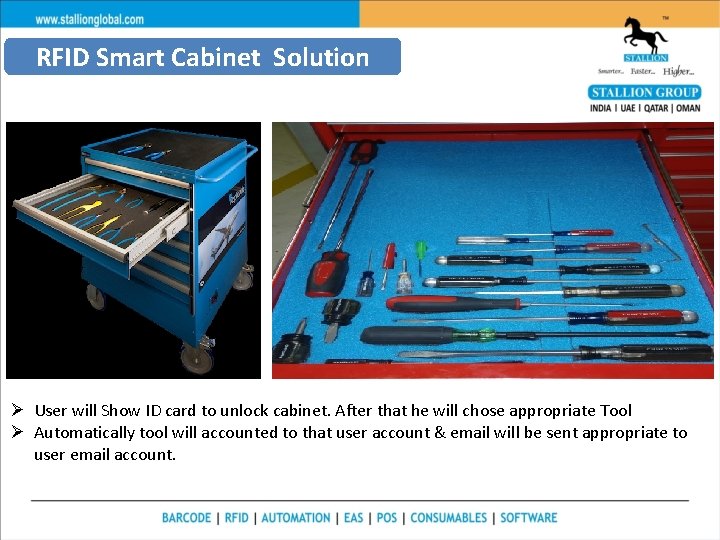
RFID Smart Cabinet Solution Ø User will Show ID card to unlock cabinet. After that he will chose appropriate Tool Ø Automatically tool will accounted to that user account & email will be sent appropriate to user email account.
Key Benefit of Solution Ø Saving a life of pilot Ø Avoid or Save accident’s of Aircraft worth of 400 Cr. Ø Business point of view, it present good reputation of Aircraft Service/manufacturer. Ø Before complaining by customer, manufacture itself can improve. Ø Control on missing tools Ø Tool accountability Private a
Thank You In case of any queries, contact us at Nagendra@stallionindia. com Ph: 7718879343