OPSYS presentation to the Implementing Partners Contractors of
- Slides: 39
OPSYS presentation to the Implementing Partners & Contractors of External Actions Key concepts Laura González Alberti DEVCO. R. 4. – Information Technology & Business Processes 1 October 15 th, 2020
Europe. Aid-PIC-MANAGEMENT@ec. europa. eu 2
I. INTRODUCTION 3
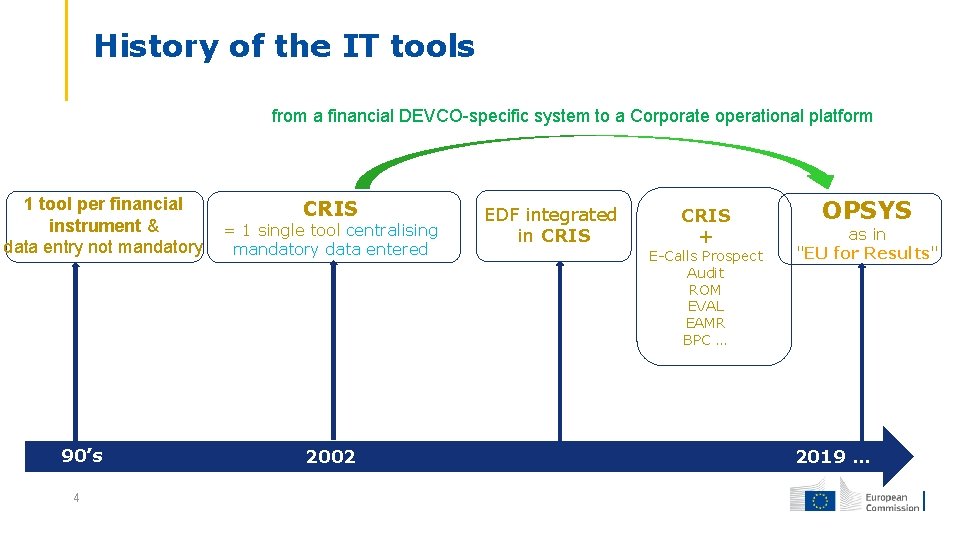
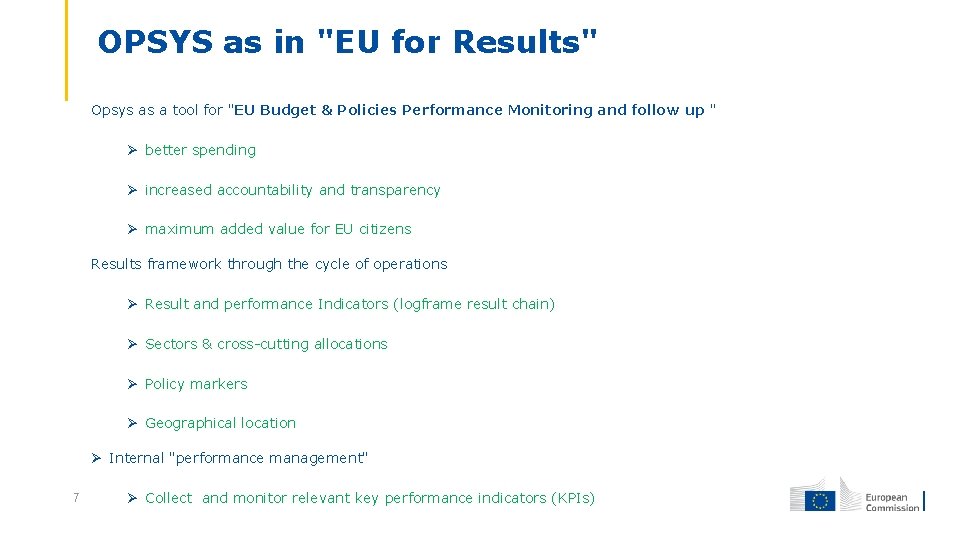
History of the IT tools from a financial DEVCO-specific system to a Corporate operational platform 1 tool per financial instrument & data entry not mandatory 90’s 4 CRIS = 1 single tool centralising mandatory data entered 2002 EDF integrated in CRIS + E-Calls Prospect Audit ROM EVAL EAMR BPC … OPSYS as in "EU for Results" 2019 …
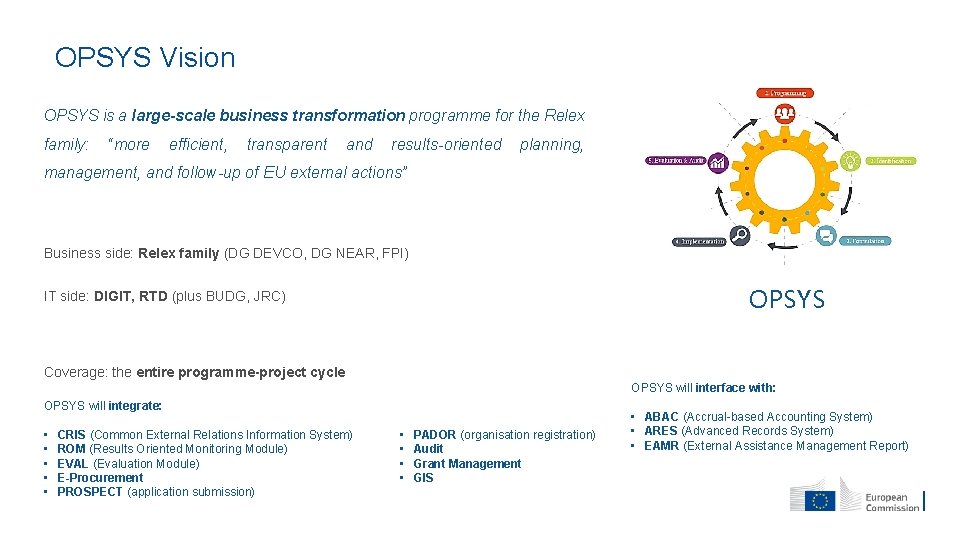
OPSYS Vision • OPSYS is a large-scale business transformation programme for the Relex family: “more efficient, transparent and results-oriented planning, management, and follow-up of EU external actions” Business side: Relex family (DG DEVCO, DG NEAR, FPI) OPSYS IT side: DIGIT, RTD (plus BUDG, JRC) Coverage: the entire programme-project cycle OPSYS will interface with: OPSYS will integrate: • • • CRIS (Common External Relations Information System) ROM (Results Oriented Monitoring Module) EVAL (Evaluation Module) E-Procurement PROSPECT (application submission) • • PADOR (organisation registration) Audit Grant Management GIS • ABAC (Accrual-based Accounting System) • ARES (Advanced Records System) • EAMR (External Assistance Management Report)
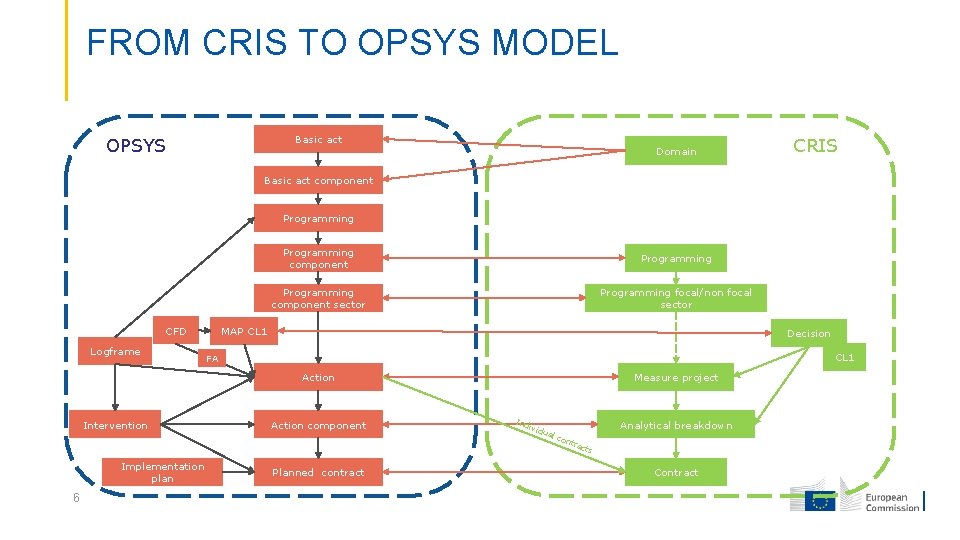
FROM CRIS TO OPSYS MODEL Basic act OPSYS Domain CRIS Basic act component Programming CFD Logframe Programming component sector Programming focal/non focal sector MAP CL 1 Decision CL 1 FA Measure project Action Intervention Implementation plan 6 Action component Planned contract Ind ivid ual Analytical breakdown con tra c ts Contract
OPSYS as in "EU for Results" Opsys as a tool for "EU Budget & Policies Performance Monitoring and follow up " better spending increased accountability and transparency maximum added value for EU citizens Results framework through the cycle of operations Result and performance Indicators (logframe result chain) Sectors & cross-cutting allocations Policy markers Geographical location Internal "performance management" 7 Collect and monitor relevant key performance indicators (KPIs)
II. OPSYS TODAY 8
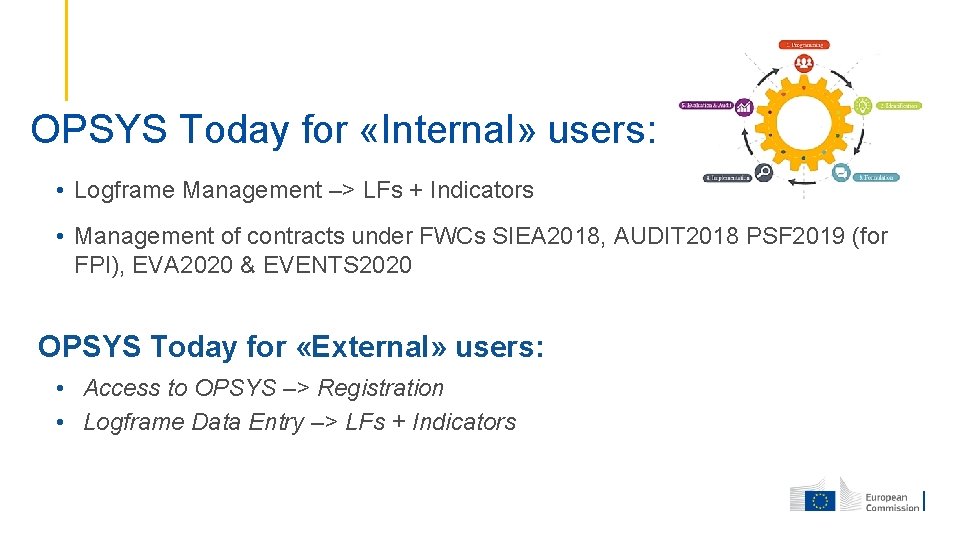
OPSYS Today for «Internal» users: • Logframe Management –> LFs + Indicators • Management of contracts under FWCs SIEA 2018, AUDIT 2018 PSF 2019 (for FPI), EVA 2020 & EVENTS 2020 OPSYS Today for «External» users: • Access to OPSYS –> Registration • Logframe Data Entry –> LFs + Indicators
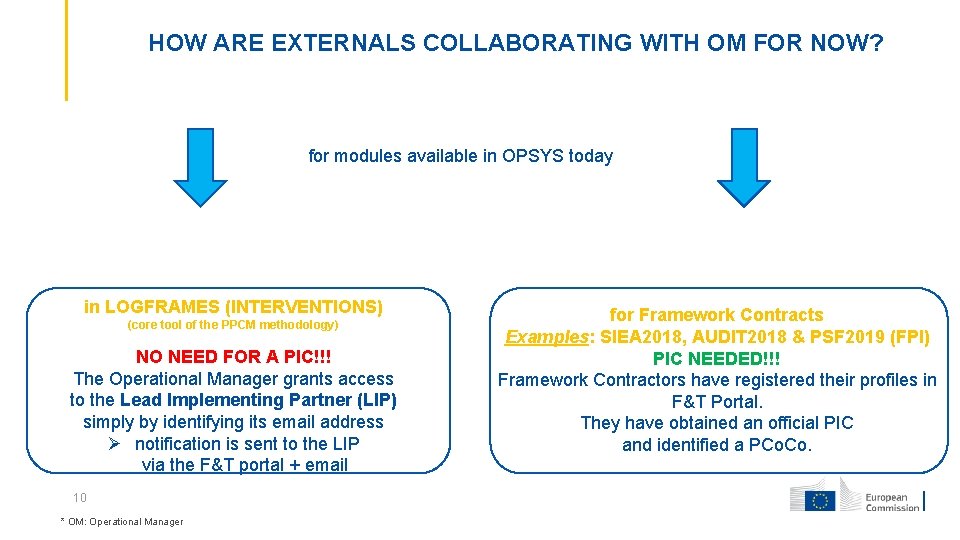
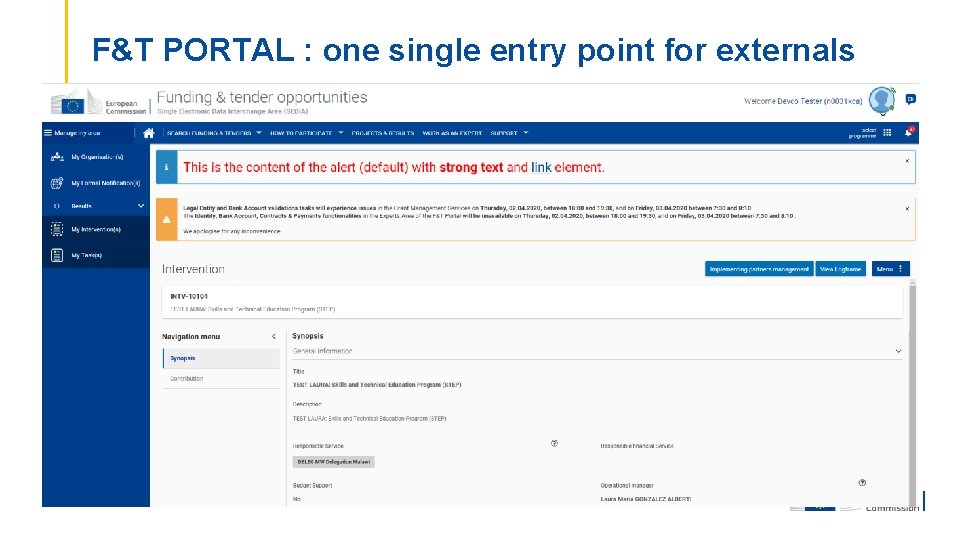
HOW ARE EXTERNALS COLLABORATING WITH OM FOR NOW? for modules available in OPSYS today in LOGFRAMES (INTERVENTIONS) (core tool of the PPCM methodology) NO NEED FOR A PIC!!! The Operational Manager grants access to the Lead Implementing Partner (LIP) simply by identifying its email address notification is sent to the LIP via the F&T portal + email 10 * OM: Operational Manager for Framework Contracts Examples: SIEA 2018, AUDIT 2018 & PSF 2019 (FPI) PIC NEEDED!!! Framework Contractors have registered their profiles in F&T Portal. They have obtained an official PIC and identified a PCo.
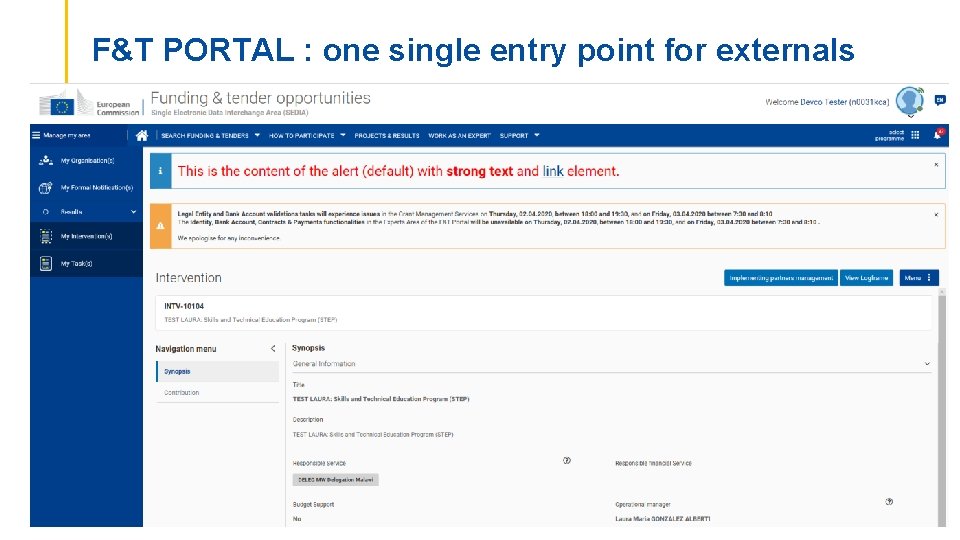
F&T PORTAL : one single entry point for externals
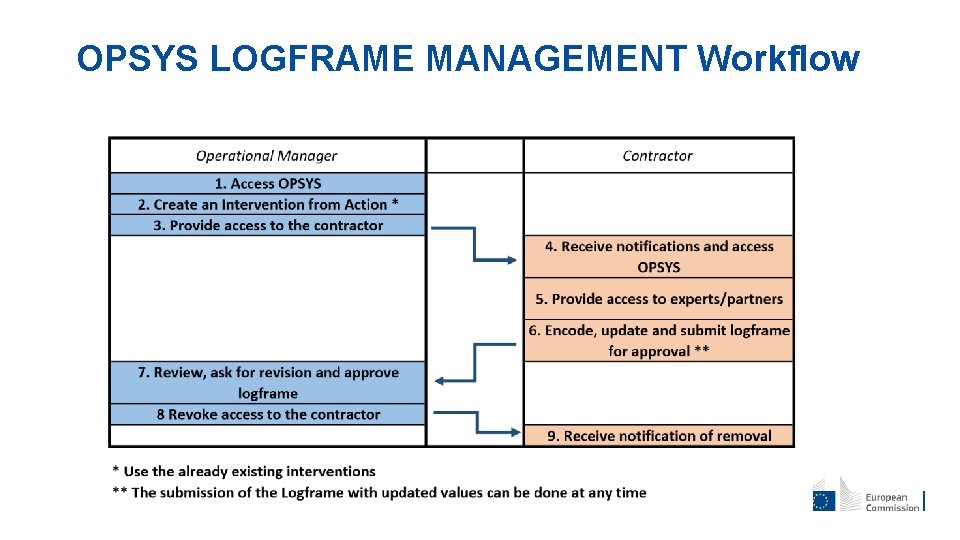
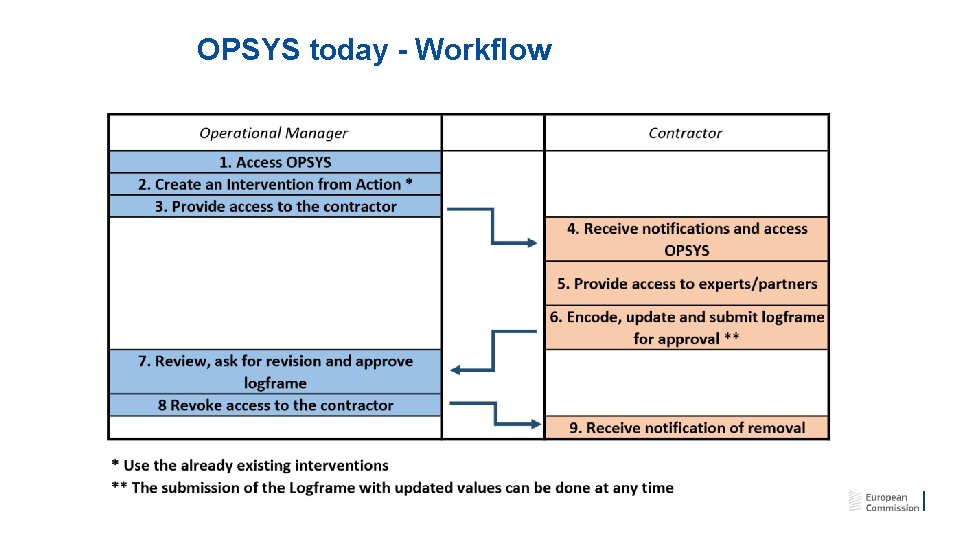
OPSYS LOGFRAME MANAGEMENT Workflow
III. EXTERNAL PARTNER REGISTRATION 13
IV. OPSYS TOMORROW New for Contractors! (not new for Framework Contractors) 19
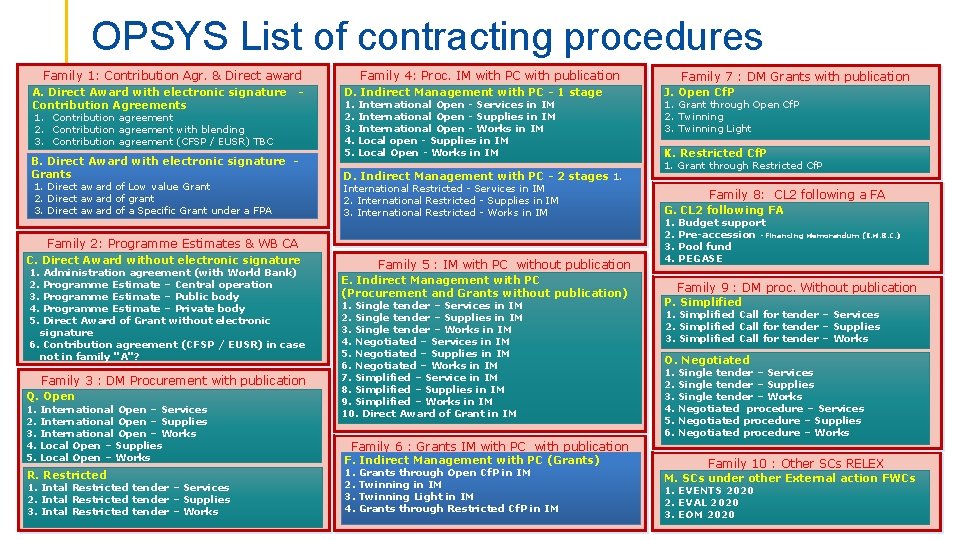
OPSYS List of contracting procedures Family 1: Contribution Agr. & Direct award Grants signature A. Direct Award grant with electronic Contribution Agreements 1. Contribution agreement 2. Contribution agreement with blending 3. Contribution agreement (CFSP / EUSR) TBC Direct Award with electronic signature B. Grants 1. Direct award of Low value Grant 2. Direct award of grant 3. Direct award of a Specific Grant under a FPA Family 4: Proc. IM with PC with publication D. Indirect Management with PC - 1 stage 1. 2. 3. 4. 5. International Open - Services in IM International Open - Supplies in IM International Open - Works in IM Local open - Supplies in IM Local Open - Works in IM D. Indirect Management with PC - 2 stages 1. International Restricted - Services in IM 2. International Restricted - Supplies in IM 3. International Restricted - Works in IM Family 2: Programme Estimates & WB CA C. Direct Award without electronic signature 1. 2. 3. 4. 5. Administration agreement (with World Bank) Programme Estimate – Central operation Programme Estimate – Public body Programme Estimate – Private body Direct Award of Grant without electronic signature 6. Contribution agreement (CFSP / EUSR) in case not in family "A"? Family 3 : DM Procurement with publication Q. Open 1. 2. 3. 4. 5. International Open – Services International Open – Supplies International Open – Works Local Open – Supplies Local Open – Works R. Restricted 1. Intal Restricted tender – Services 2. Intal Restricted tender – Supplies 3. Intal Restricted tender – Works Family 5 : IM with PC without publication E. Indirect Management with PC (Procurement and Grants without publication) 1. Single tender – Services in IM 2. Single tender – Supplies in IM 3. Single tender – Works in IM 4. Negotiated – Services in IM 5. Negotiated – Supplies in IM 6. Negotiated – Works in IM 7. Simplified – Service in IM 8. Simplified – Supplies in IM 9. Simplified – Works in IM 10. Direct Award of Grant in IM Family 7 : DM Grants with publication J. Open Cf. P 1. Grant through Open Cf. P 2. Twinning 3. Twinning Light K. Restricted Cf. P 1. Grant through Restricted Cf. P Family 8: CL 2 following a FA G. CL 2 following FA 1. 2. 3. 4. Budget support Pre-accession - Financing Memorandum (I. M. B. C. ) Pool fund PEGASE Family 9 : DM proc. Without publication P. Simplified 1. Simplified Call for tender – Services 2. Simplified Call for tender – Supplies 3. Simplified Call for tender – Works O. Negotiated 1. 2. 3. 4. 5. 6. Single tender – Services Single tender – Supplies Single tender – Works Negotiated procedure – Services Negotiated procedure – Supplies Negotiated procedure – Works Family 6 : Grants IM with PC with publication F. Indirect Management with PC (Grants) 1. 2. 3. 4. Grants through Open Cf. P in IM Twinning Light in IM Grants through Restricted Cf. P in IM Family 10 : Other SCs RELEX M. SCs under other External action FWCs 1. EVENTS 2020 2. EVAL 2020 3. EOM 2020
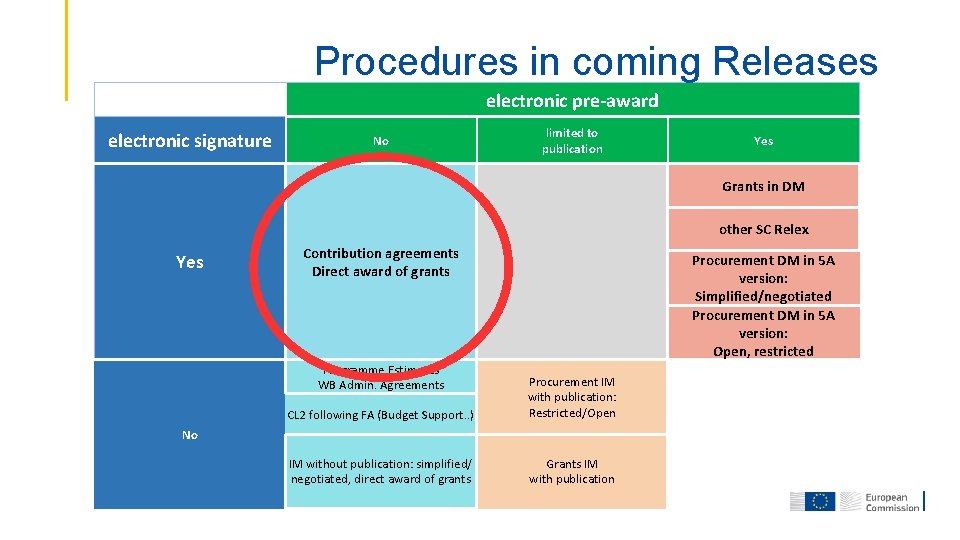
Procedures in coming Releases electronic pre-award electronic signature No limited to publication Yes Grants in DM other SC Relex Yes Contribution agreements Direct award of grants Procurement DM in 5 A version: Simplified/negotiated Procurement DM in 5 A version: Open, restricted CL 2 following FA (Budget Support. . ) Procurement IM with publication: Restricted/Open IM without publication: simplified/ negotiated, direct award of grants Grants IM with publication Programme Estimates WB Admin. Agreements No
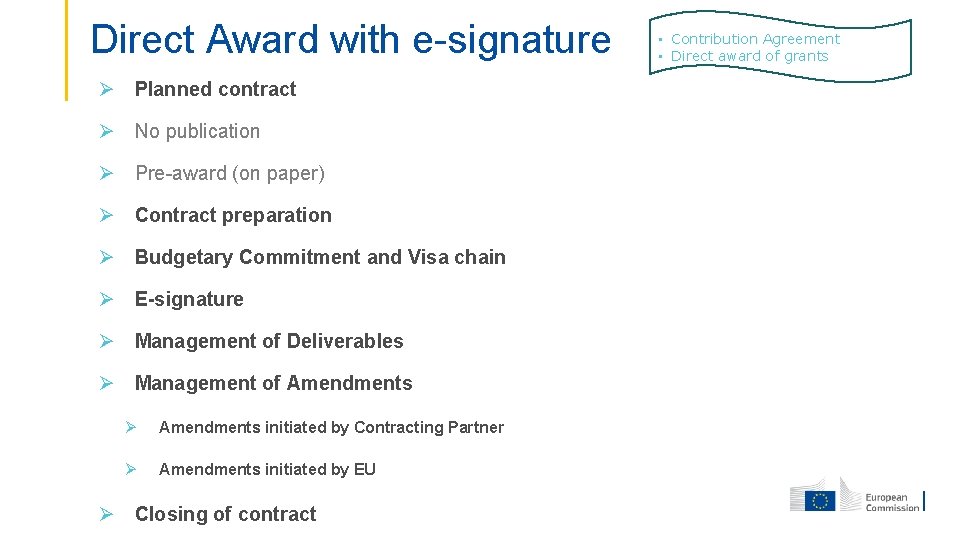
Direct Award with e-signature Planned contract No publication Pre-award (on paper) Contract preparation Budgetary Commitment and Visa chain E-signature Management of Deliverables Management of Amendments initiated by Contracting Partner Amendments initiated by EU Closing of contract • Contribution Agreement • Direct award of grants
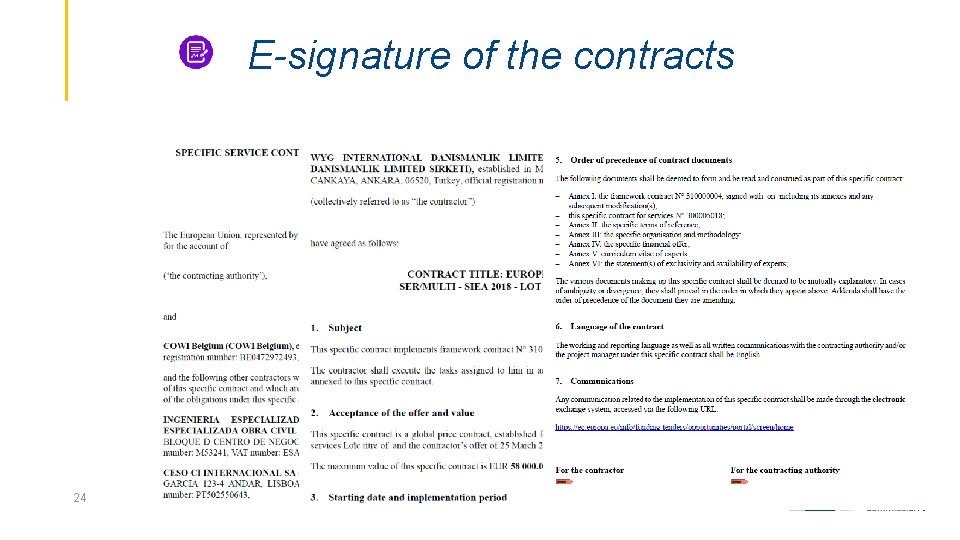
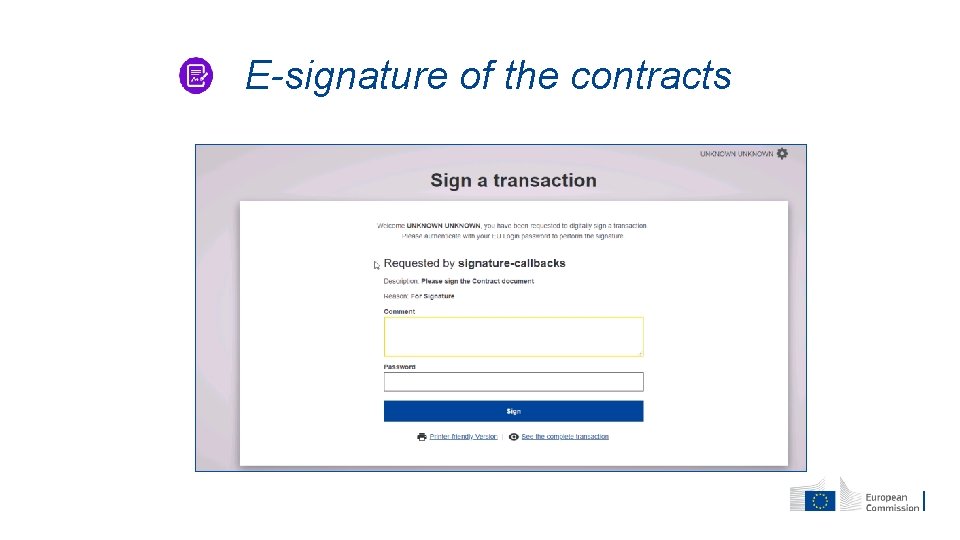
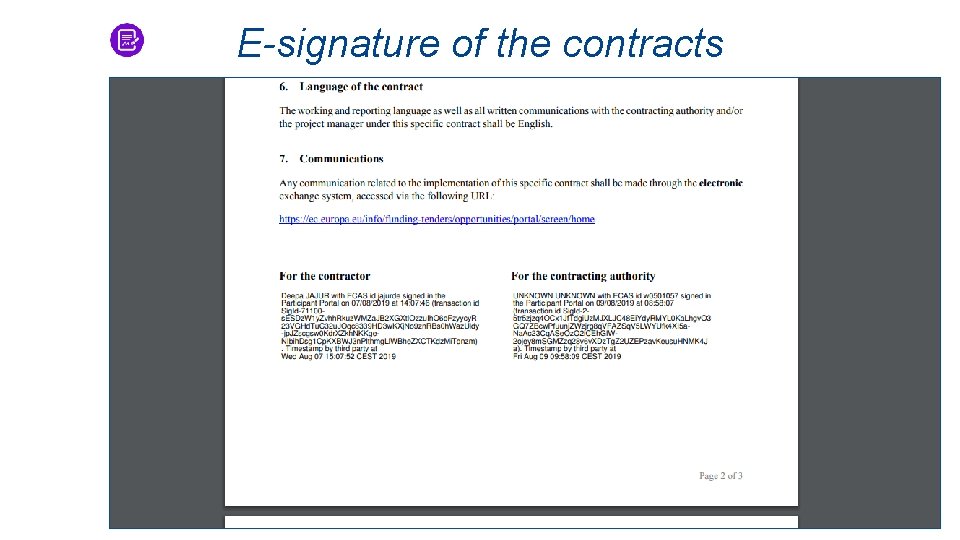
E-signature of the contracts 24
E-signature of the contracts
E-signature of the contracts
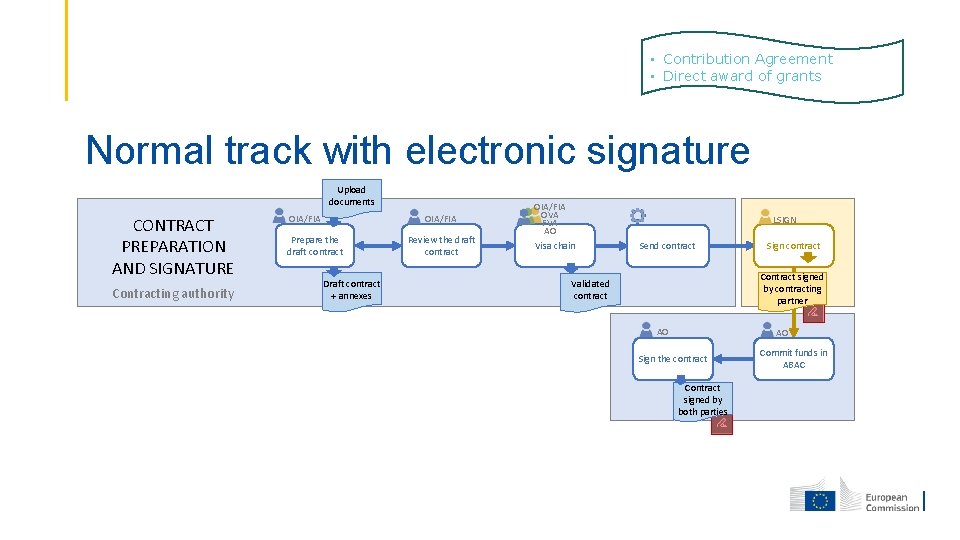
• Contribution Agreement • Direct award of grants Normal track with electronic signature Upload documents CONTRACT PREPARATION AND SIGNATURE Contracting authority OIA/FIA Prepare the draft contract Draft contract + annexes Review the draft contract OIA/FIA OVA FVA AO LSIGN Visa chain Send contract Sign contract Contract signed by contracting partner Validated contract AO AO Sign the contract Contract signed by both parties Commit funds in ABAC
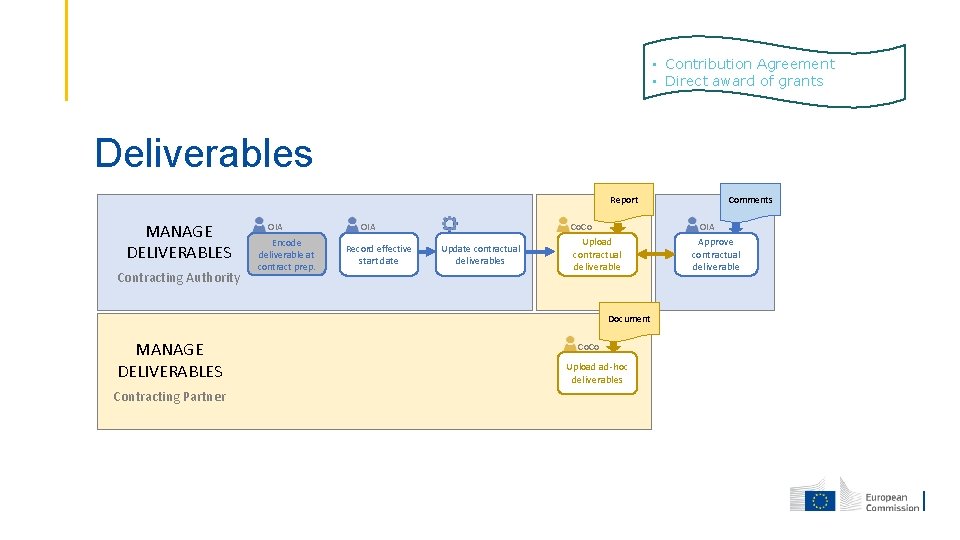
• Contribution Agreement • Direct award of grants Deliverables Report MANAGE DELIVERABLES Contracting Authority OIA Encode deliverable at contract prep. OIA Record effective start date Co. Co Update contractual deliverables OIA Upload contractual deliverable Document MANAGE DELIVERABLES Contracting Partner Comments Co. Co Upload ad-hoc deliverables Approve contractual deliverable
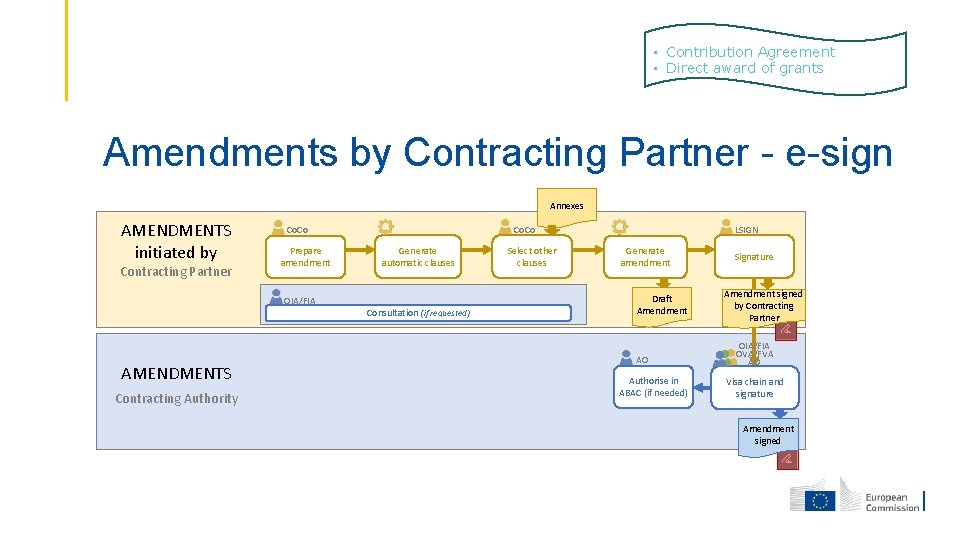
• Contribution Agreement • Direct award of grants Amendments by Contracting Partner - e-sign Annexes AMENDMENTS initiated by Contracting Partner Prepare amendment Generate automatic clauses OIA/FIA Consultation (if requested) AMENDMENTS Contracting Authority LSIGN Co. Co Select other clauses Generate amendment Draft Amendment AO Authorise in ABAC (if needed) Signature Amendment signed by Contracting Partner OIA/FIA OVA/FVA AO Visa chain and signature Amendment signed
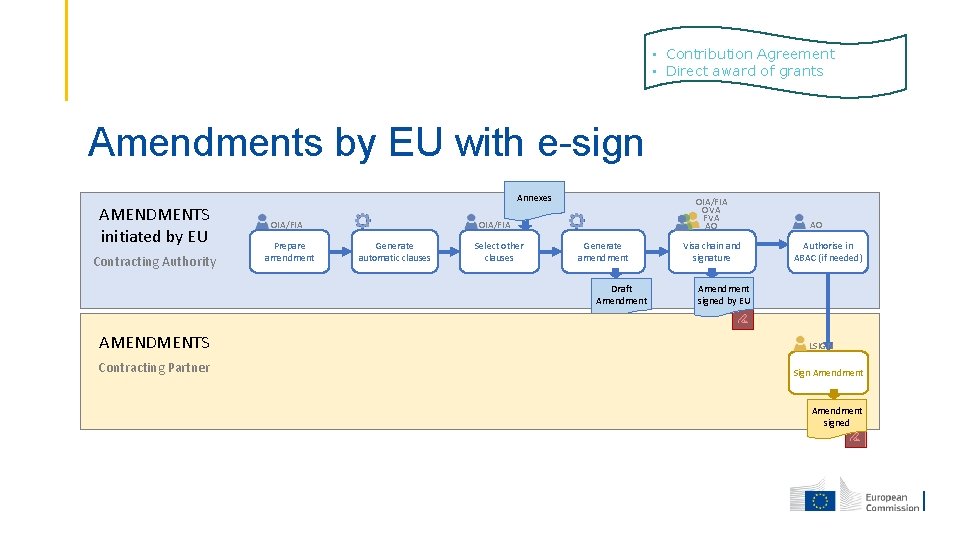
• Contribution Agreement • Direct award of grants Amendments by EU with e-sign AMENDMENTS initiated by EU Contracting Authority Annexes OIA/FIA Prepare amendment OIA/FIA OVA FVA AO OIA/FIA Generate automatic clauses Select other clauses Generate amendment Draft Amendment AMENDMENTS Contracting Partner Visa chain and signature AO Authorise in ABAC (if needed) Amendment signed by EU LSIGN Sign Amendment signed
VI HOW TO CREATE/UPDATE A LOGFRAME 34
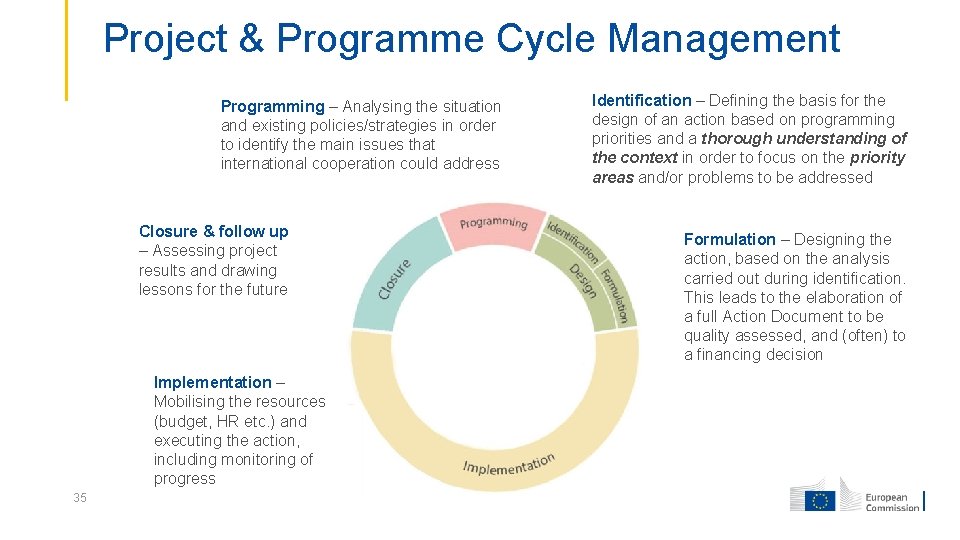
Project & Programme Cycle Management Programming – Analysing the situation and existing policies/strategies in order to identify the main issues that international cooperation could address Closure & follow up – Assessing project results and drawing lessons for the future Implementation – Mobilising the resources (budget, HR etc. ) and executing the action, including monitoring of progress 35 Identification – Defining the basis for the design of an action based on programming priorities and a thorough understanding of the context in order to focus on the priority areas and/or problems to be addressed Formulation – Designing the action, based on the analysis carried out during identification. This leads to the elaboration of a full Action Document to be quality assessed, and (often) to a financing decision
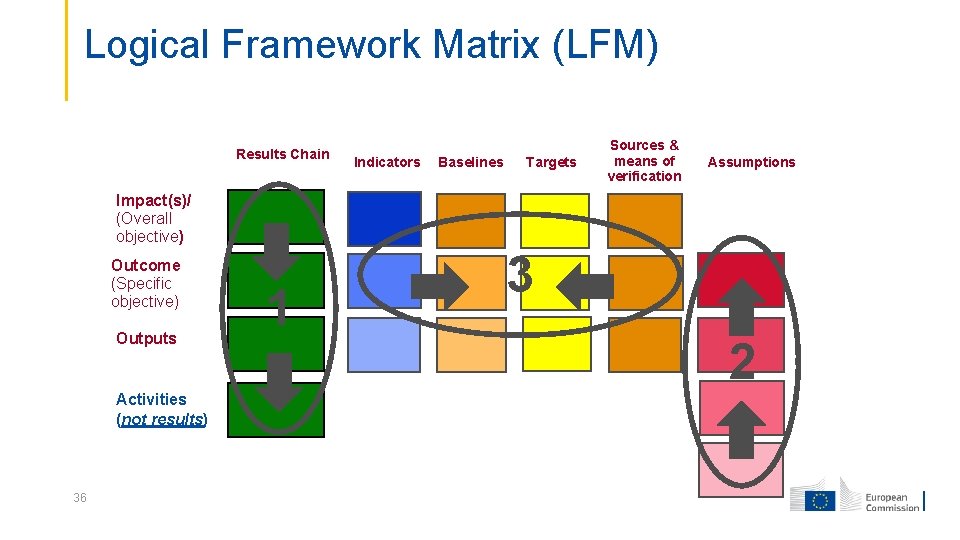
Logical Framework Matrix (LFM) Results Chain Indicators Baselines Targets Sources & means of verification Assumptions Impact(s)/ (Overall objective) Outcome (Specific objective) Outputs Activities (not results) 36 1 3 2
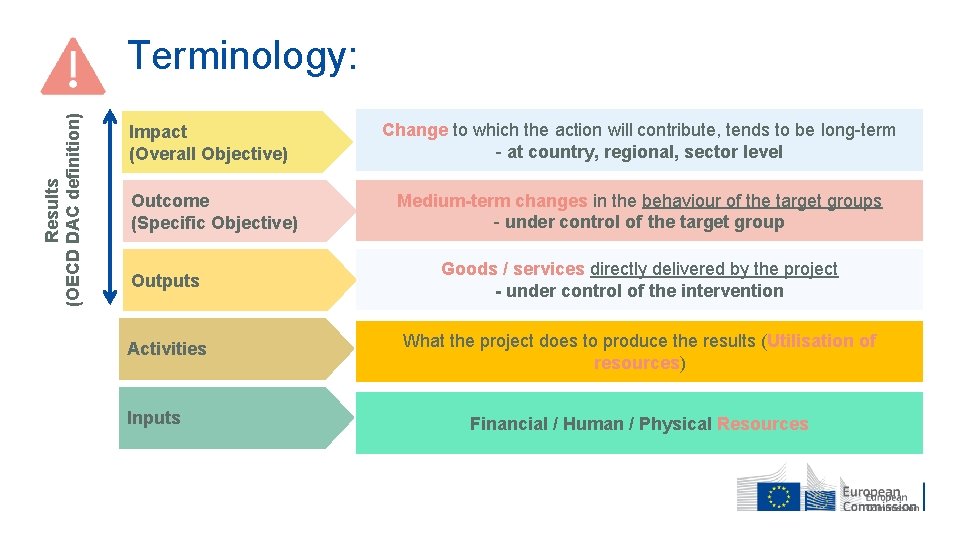
Results (OECD DAC definition) Terminology: Impact (Overall Objective) Change to which the action will contribute, tends to be long-term - at country, regional, sector level Outcome (Specific Objective) Medium-term changes in the behaviour of the target groups - under control of the target group Outputs Goods / services directly delivered by the project - under control of the intervention Activities What the project does to produce the results (Utilisation of resources) Inputs Financial / Human / Physical Resources
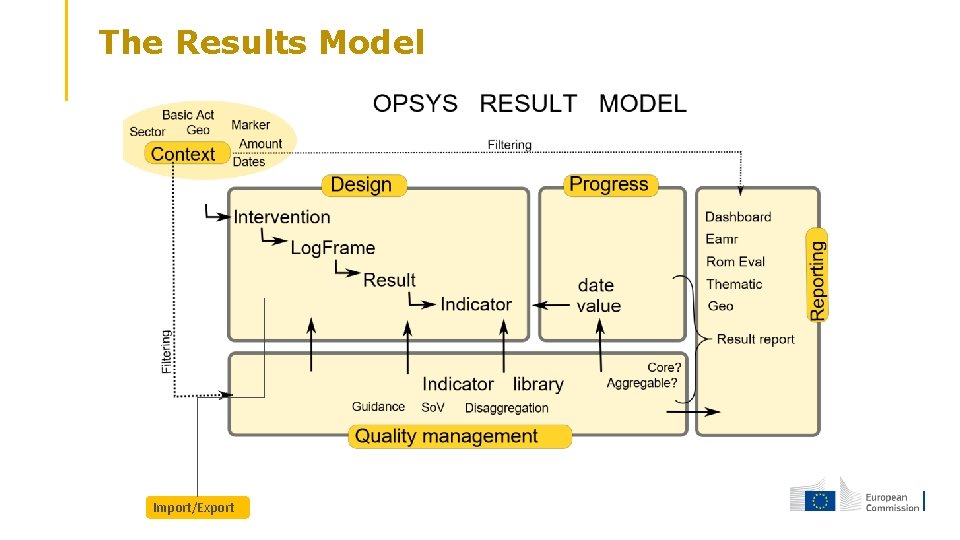
The Results Model Import/Export
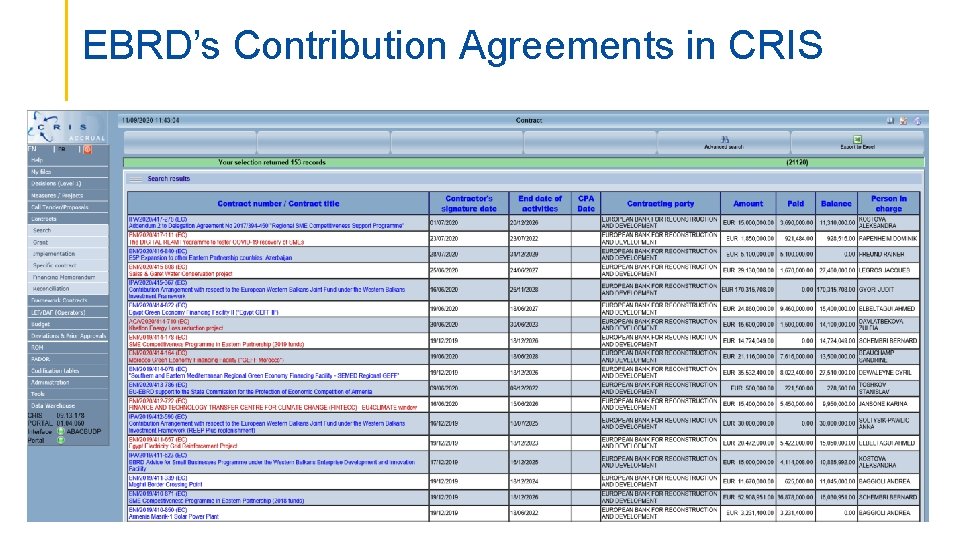
EBRD’s Contribution Agreements in CRIS 39
F&T PORTAL : one single entry point for externals
OPSYS today - Workflow
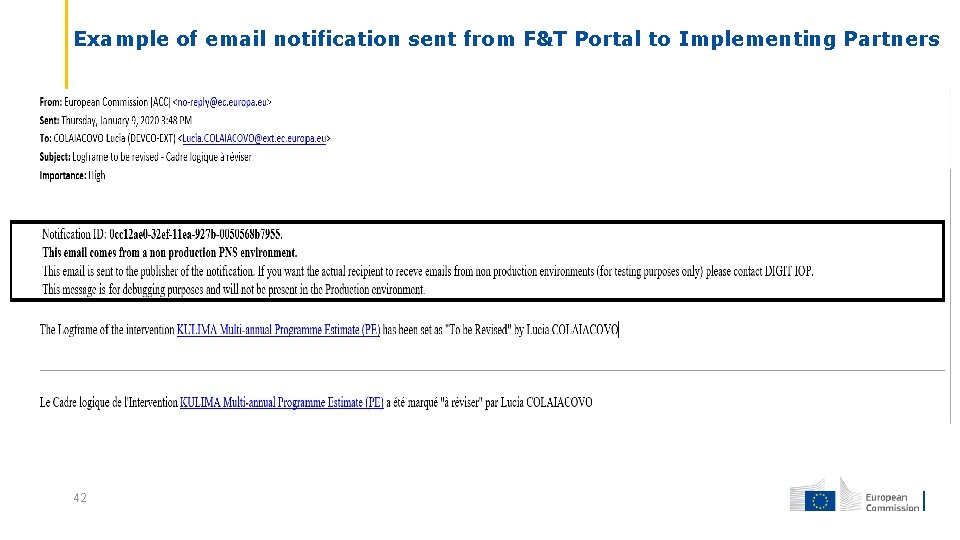
Example of email notification sent from F&T Portal to Implementing Partners 42
Step-by-step data entry scenario 43
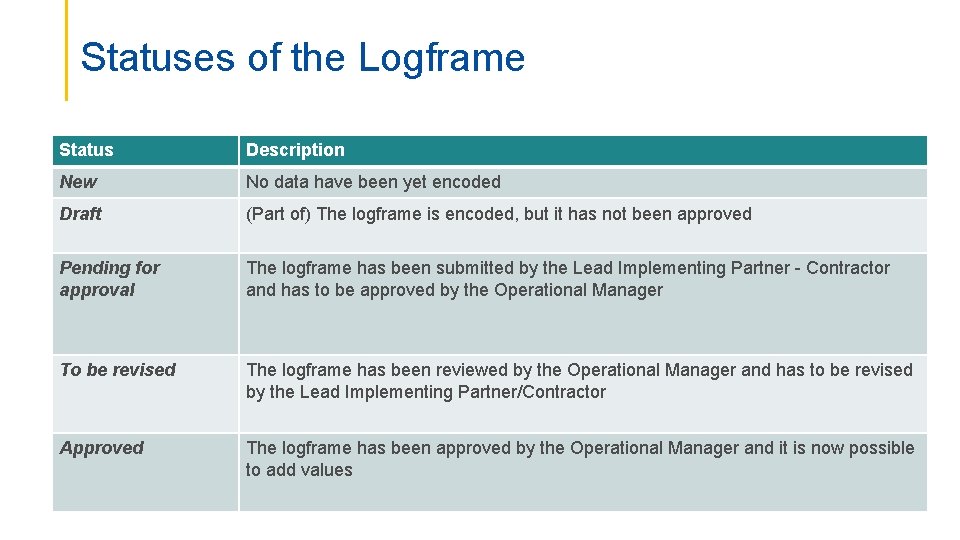
Statuses of the Logframe Status Description New No data have been yet encoded Draft (Part of) The logframe is encoded, but it has not been approved Pending for approval The logframe has been submitted by the Lead Implementing Partner - Contractor and has to be approved by the Operational Manager To be revised The logframe has been reviewed by the Operational Manager and has to be revised by the Lead Implementing Partner/Contractor Approved The logframe has been approved by the Operational Manager and it is now possible to add values 70
VII. Documentation & Support 71
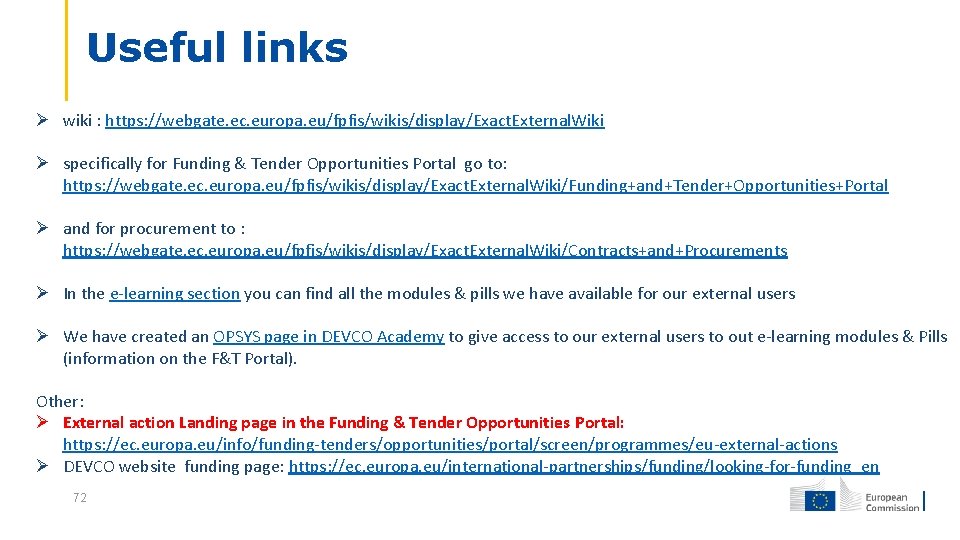
Useful links wiki : https: //webgate. ec. europa. eu/fpfis/wikis/display/Exact. External. Wiki specifically for Funding & Tender Opportunities Portal go to: https: //webgate. ec. europa. eu/fpfis/wikis/display/Exact. External. Wiki/Funding+and+Tender+Opportunities+Portal and for procurement to : https: //webgate. ec. europa. eu/fpfis/wikis/display/Exact. External. Wiki/Contracts+and+Procurements In the e-learning section you can find all the modules & pills we have available for our external users We have created an OPSYS page in DEVCO Academy to give access to our external users to out e-learning modules & Pills (information on the F&T Portal). Other: External action Landing page in the Funding & Tender Opportunities Portal: https: //ec. europa. eu/info/funding-tenders/opportunities/portal/screen/programmes/eu-external-actions DEVCO website funding page: https: //ec. europa. eu/international-partnerships/funding/looking-for-funding_en 72
For IT-related Support on F&TP EC SEDIA SUPPORT (FMB) Email address: ec-sedia-support@ec. europa. eu 73
THANK YOU FOR YOUR ATTENTION 74