Online Pledging Safe and Secure www umn educfd
- Slides: 16
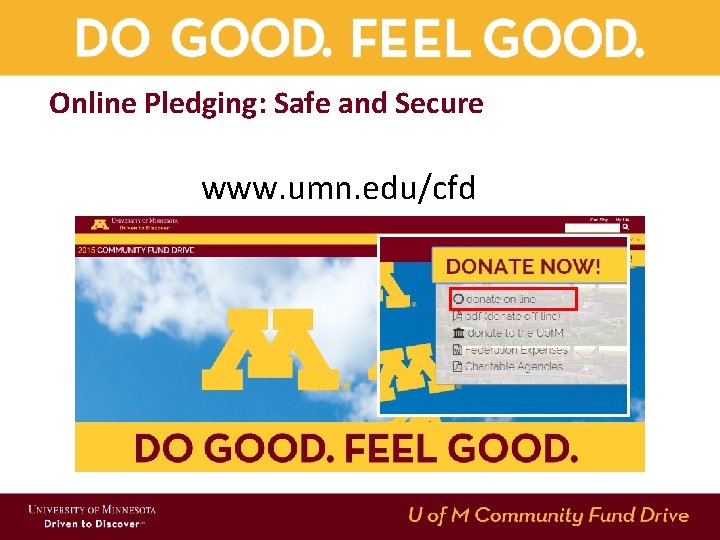
Online Pledging: Safe and Secure www. umn. edu/cfd
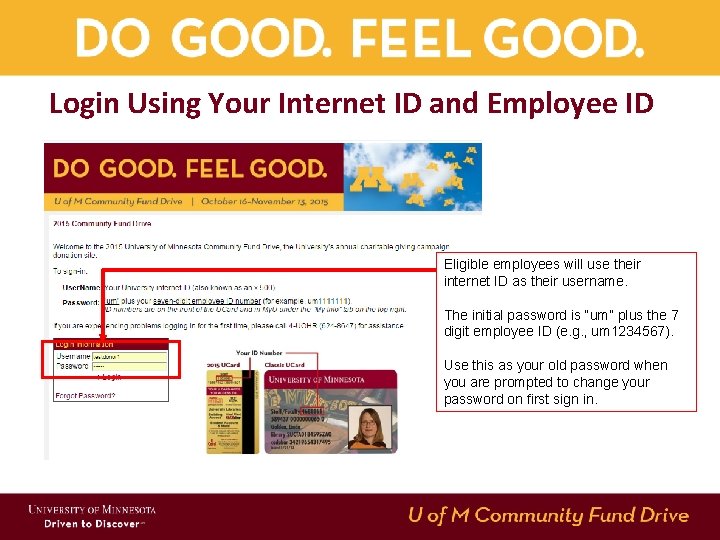
Login Using Your Internet ID and Employee ID Eligible employees will use their internet ID as their username. The initial password is “um” plus the 7 digit employee ID (e. g. , um 1234567). Use this as your old password when you are prompted to change your password on first sign in.
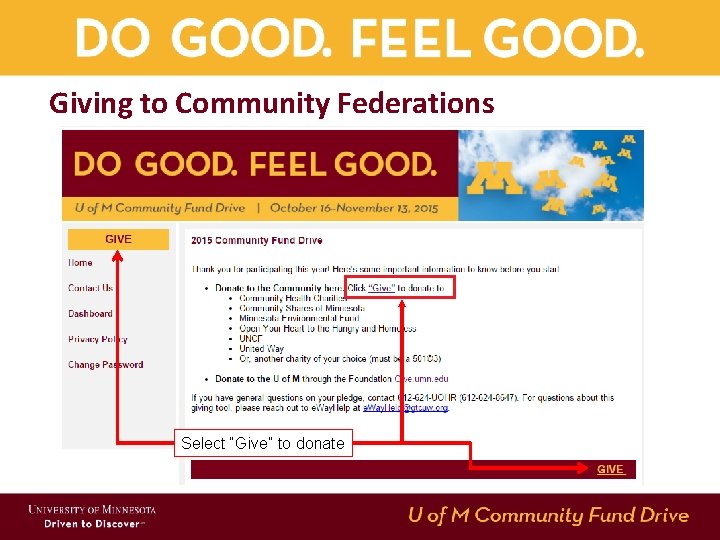
Giving to Community Federations Select “Give” to donate
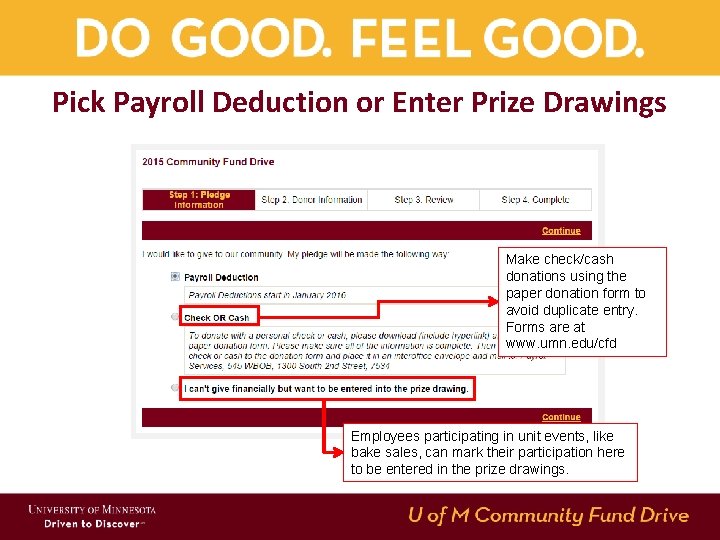
Pick Payroll Deduction or Enter Prize Drawings Make check/cash donations using the paper donation form to avoid duplicate entry. Forms are at www. umn. edu/cfd Employees participating in unit events, like bake sales, can mark their participation here to be entered in the prize drawings.
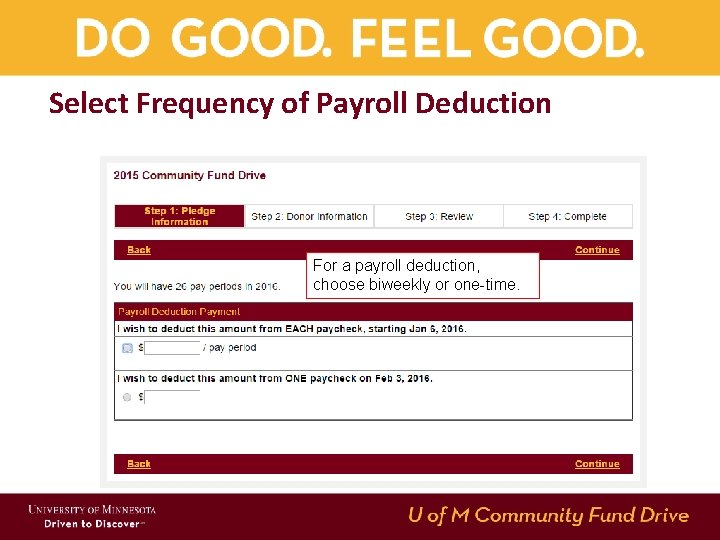
Select Frequency of Payroll Deduction For a payroll deduction, choose biweekly or one-time.
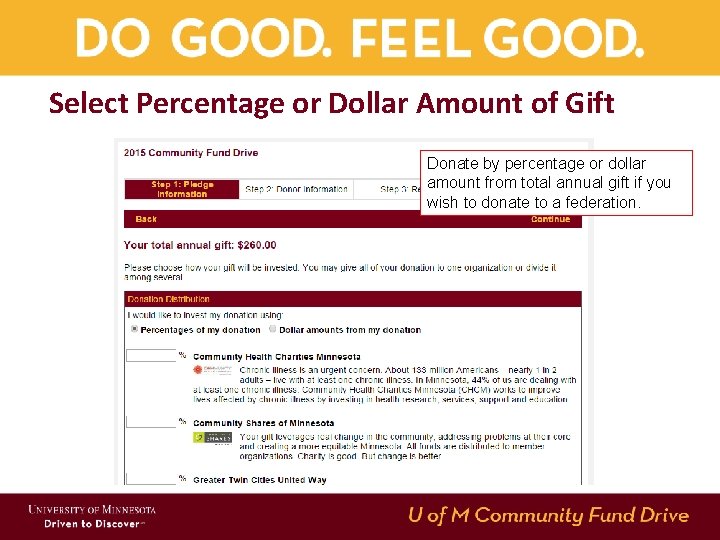
Select Percentage or Dollar Amount of Gift Donate by percentage or dollar amount from total annual gift if you wish to donate to a federation.
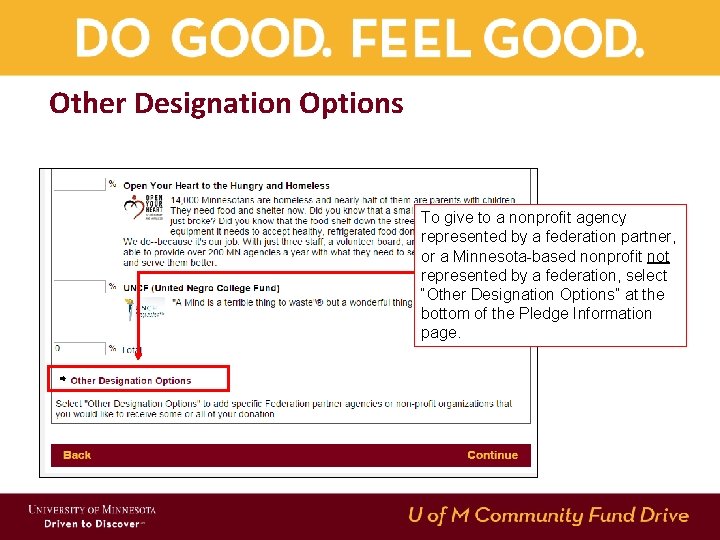
Other Designation Options To give to a nonprofit agency represented by a federation partner, or a Minnesota-based nonprofit not represented by a federation, select “Other Designation Options” at the bottom of the Pledge Information page.
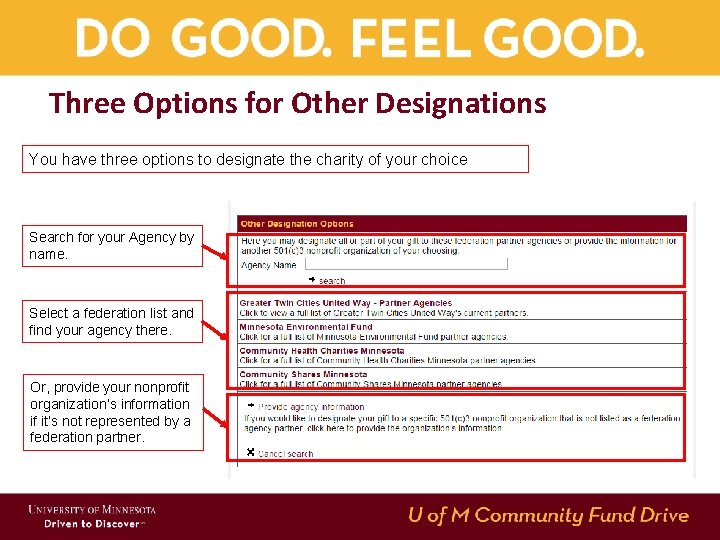
Three Options for Other Designations You have three options to designate the charity of your choice Search for your Agency by name. Select a federation list and find your agency there. Or, provide your nonprofit organization’s information if it’s not represented by a federation partner.
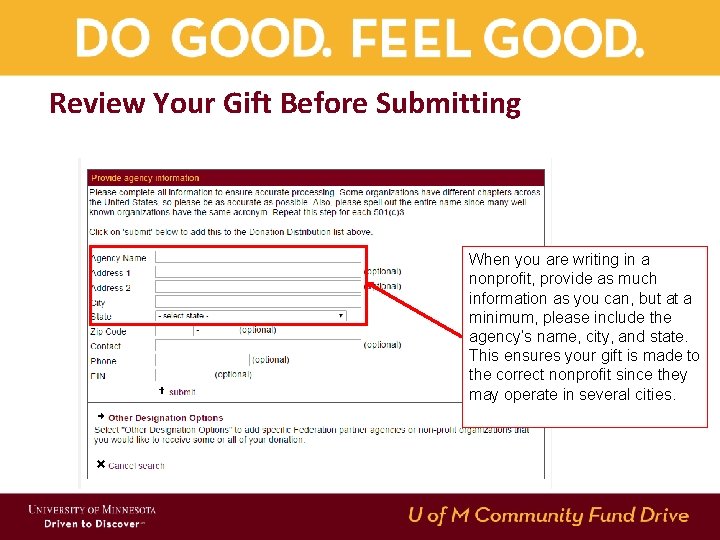
Review Your Gift Before Submitting When you are writing in a nonprofit, provide as much information as you can, but at a minimum, please include the agency’s name, city, and state. This ensures your gift is made to the correct nonprofit since they may operate in several cities.
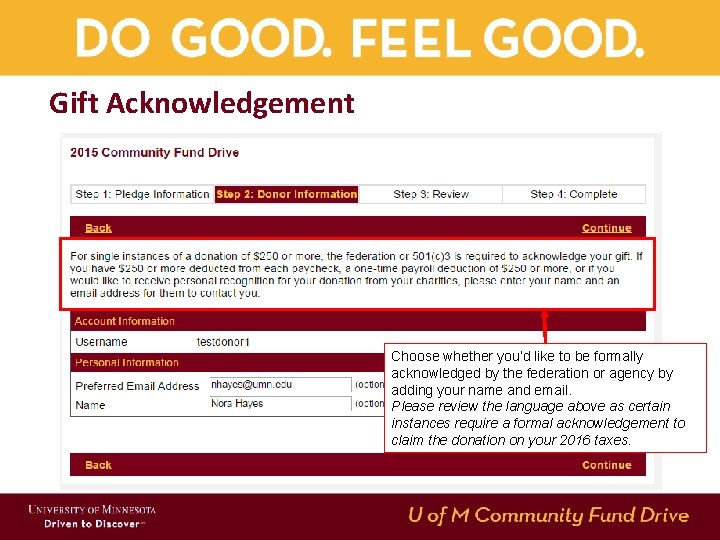
Gift Acknowledgement Choose whether you’d like to be formally acknowledged by the federation or agency by adding your name and email. Please review the language above as certain instances require a formal acknowledgement to claim the donation on your 2016 taxes.
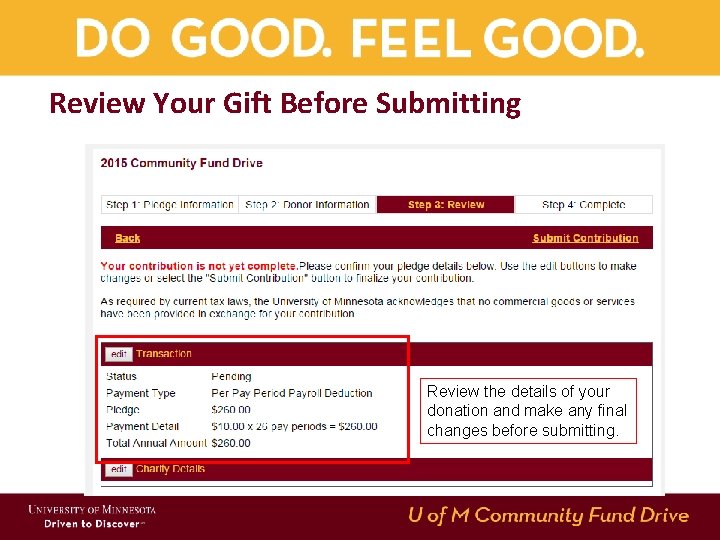
Review Your Gift Before Submitting Review the details of your donation and make any final changes before submitting.
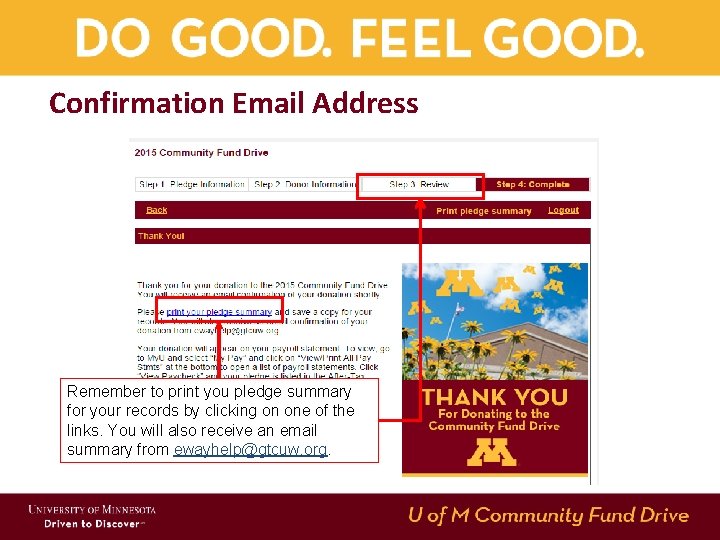
Confirmation Email Address Remember to print you pledge summary for your records by clicking on one of the links. You will also receive an email summary from ewayhelp@gtcuw. org.
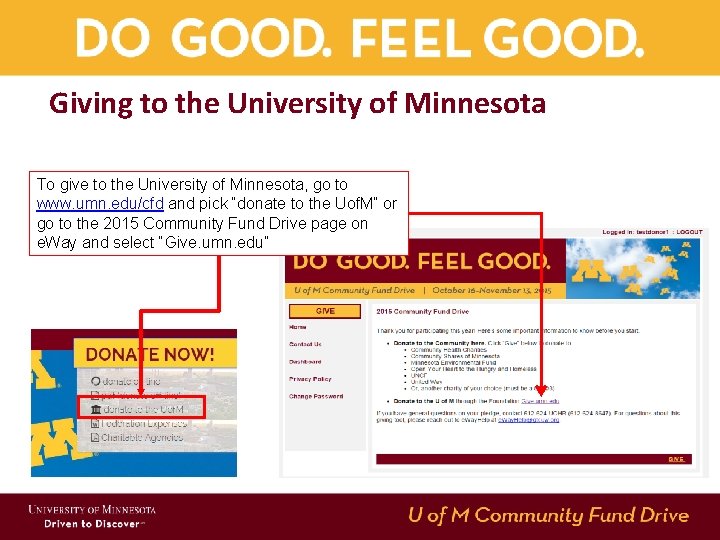
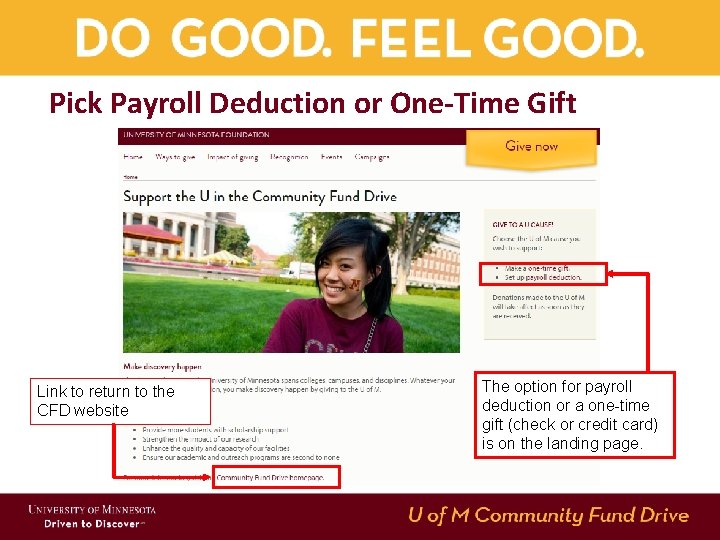
Giving to the University of Minnesota To give to the University of Minnesota, go to www. umn. edu/cfd and pick “donate to the Uof. M” or go to the 2015 Community Fund Drive page on e. Way and select “Give. umn. edu”
Pick Payroll Deduction or One-Time Gift Link to return to the CFD website The option for payroll deduction or a one-time gift (check or credit card) is on the landing page.
Things to Know About Giving to the UM Gifts to the University through the Foundation are different from gifts to community federations: 1. 2. 3. 4. If you choose payroll deduction, it will start before 2016. Payroll deductions can be one-time or ongoing. You can give via a credit card or a checking account. You will receive an acknowledgement directly from the University for your gift.
For help or more information • If you have problems on the e. Way site, you can contact ewayhelp@gtcuw. org. • For generation questions or feedback, call the Office of Human Resources at 4 -UOHR (612 -624 -8647). • Feel free to use the paper form if that’s easier. It’s located under the “Donate Now” button (“Offline Donation Form”).