Department Contact Training 1 UNIVERSITY OF MINNESOTA Updated

- Slides: 28
Department Contact Training 1 UNIVERSITY OF MINNESOTA Updated: July 17, 2020
2 Important Web Links General SRT Information: http: //oms. umn. edu/srt SRT Help & Support: https: //it. umn. edu/help OR call 1 -HELP (1 -4357) e. Xplorance Blue: https: //srt. umn. edu/blue SRT Policy: https: //policy. umn. edu/education/teachingevaluation
3 Department Contact Roles & Responsibilities (p. 1) 1. Distributes the SRT scannable answer sheets, header sheets and instructions to the classes that require paper administration 2. Ensures all SRT answer sheets and corresponding header sheets will be returned to OMS within 10 days of administration 3. For SRT questions that arise: a. First, requests support: https: //it. umn. edu/help or 1 -HELP. The Technology Help Service Desk can resolve most issues b. Second, if needed, contacts OMS: oms@umn. edu or 612626 -0006
4 Department Contact Roles & Responsibilities (p. 2) 3. Serves as the point of contact between OMS and Dept. 4. Works with Dept. Chair/Head to determine which courses in the Dept. will administer the SRT in each mode (online or paper) o Contact is responsible for entering this information into People. Soft which feeds into e. Xplorance o Default is paper administration, except for online courses (units may request online as default) o See slides 7 -15 for instructions on selecting mode 5. Works with the Department’s Class Scheduler to ensure all course/instructor information is correct in People. Soft which feeds information into e. Xplorance
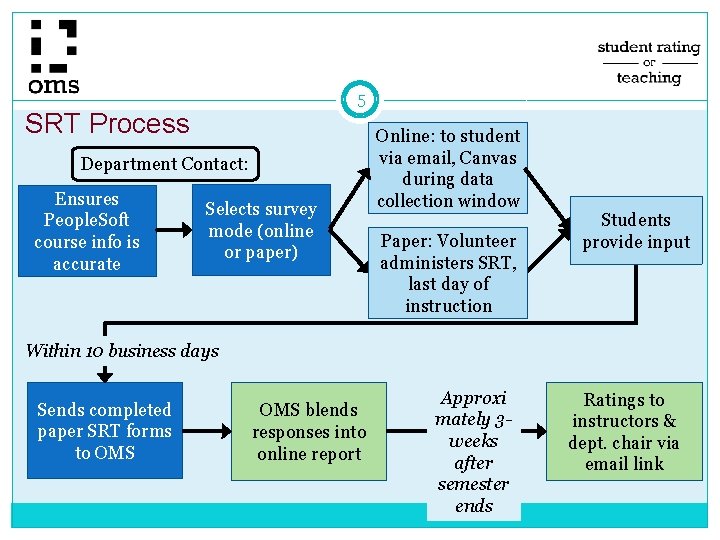
5 SRT Process Department Contact: Ensures People. Soft course info is accurate Selects survey mode (online or paper) Online: to student via email, Canvas during data collection window Paper: Volunteer administers SRT, last day of instruction Students provide input Within 10 business days Sends completed paper SRT forms to OMS blends responses into online report Approxi mately 3 weeks after semester ends Ratings to instructors & dept. chair via email link
6 Things to Note • Data is tied directly to the course database (People. Soft) • Web collected SRT responses must have all instructors linked to the course with an instructor role of PI/SI/TA in the central course management database before data collection starts in order to collect the data • Paper collected SRT responses must have instructors assigned to one of these roles before it can be imported in to the system and reports issued
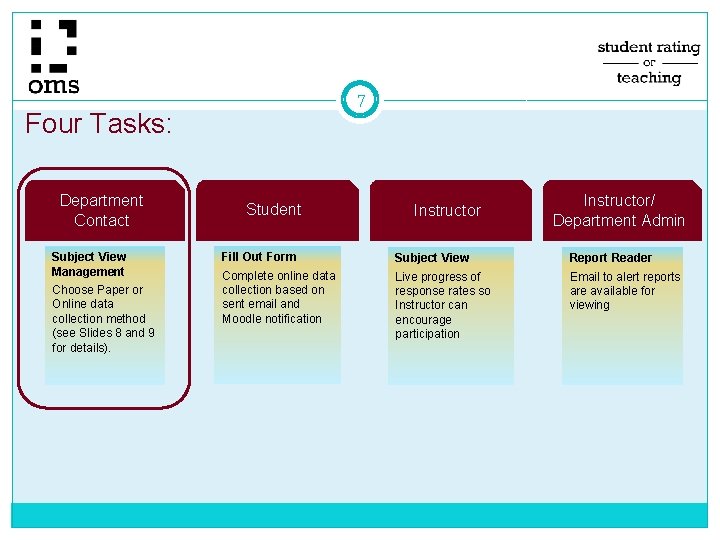
7 Four Tasks: Department Contact Subject View Management Choose Paper or Online data collection method (see Slides 8 and 9 for details). Student Instructor/ Department Admin Fill Out Form Subject View Report Reader Complete online data collection based on sent email and Moodle notification Live progress of response rates so Instructor can encourage participation Email to alert reports are available for viewing
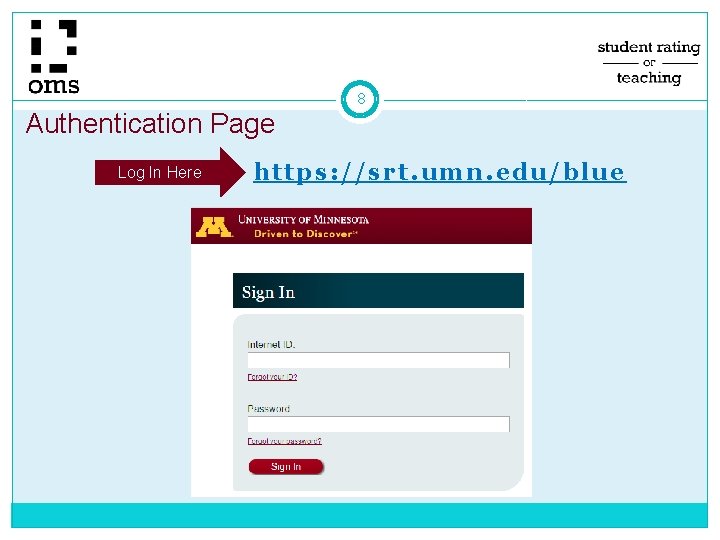
Authentication Page Log In Here 8 https: //srt. umn. edu/blue
9 Blue Subject View Management Review Selecting Paper/Web Data Collection Method �Determine data collection method for each course Process is tied to central database (People. Soft) Therefore, data collection method will apply to all instructors for a given course �Select method after the term start date for the class section and before online data collection begins �Data collection windows shown on next slide
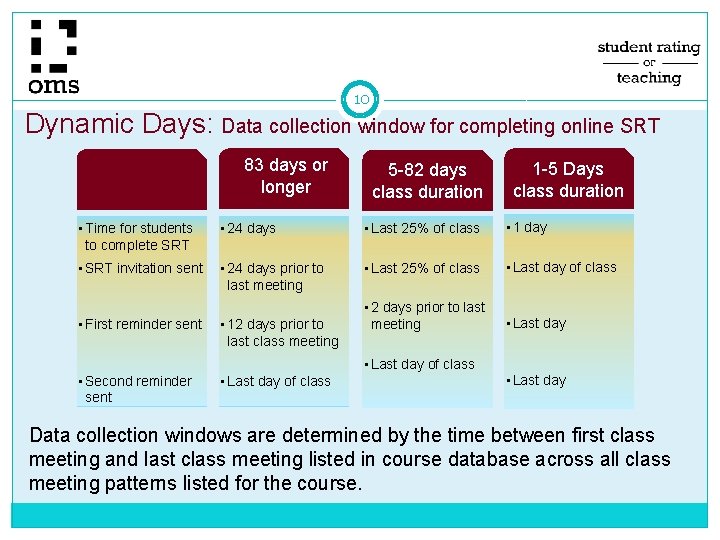
10 Dynamic Days: Data collection window for completing online SRT 83 days or longer 5 -82 days class duration 1 -5 Days class duration • Time for students to complete SRT • 24 days • Last 25% of class • 1 day • SRT invitation sent • 24 days prior to last meeting • Last 25% of class • Last day of class • 2 days prior to last meeting • Last day • First reminder sent • 12 days prior to last class meeting • Last day of class • Second reminder sent • Last day of class • Last day Data collection windows are determined by the time between first class meeting and last class meeting listed in course database across all class meeting patterns listed for the course.
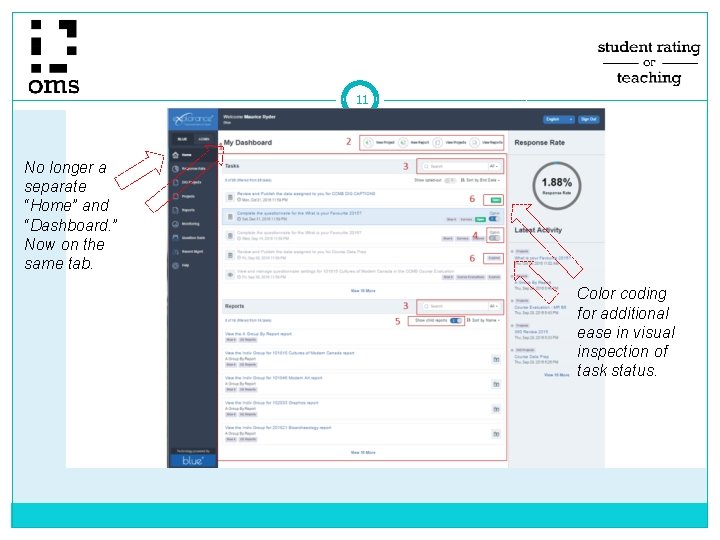
11 No longer a separate “Home” and “Dashboard. ” Now on the same tab. Color coding for additional ease in visual inspection of task status.
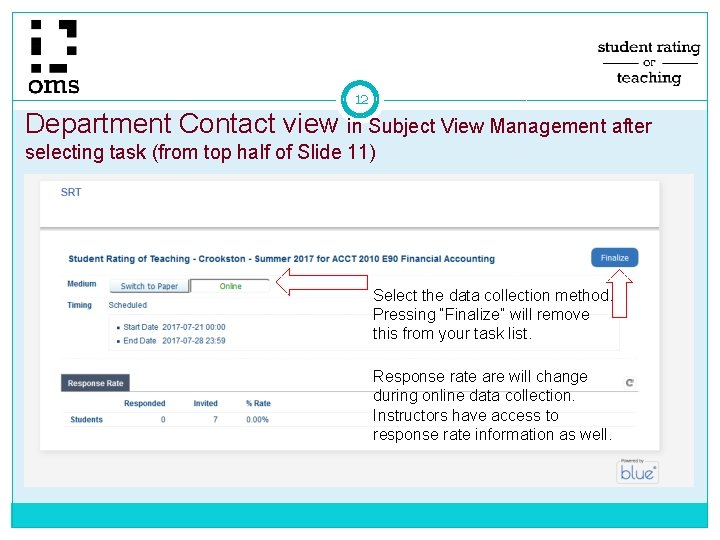
12 Department Contact view in Subject View Management after selecting task (from top half of Slide 11) Select the data collection method. Pressing “Finalize” will remove this from your task list. Response rate are will change during online data collection. Instructors have access to response rate information as well.
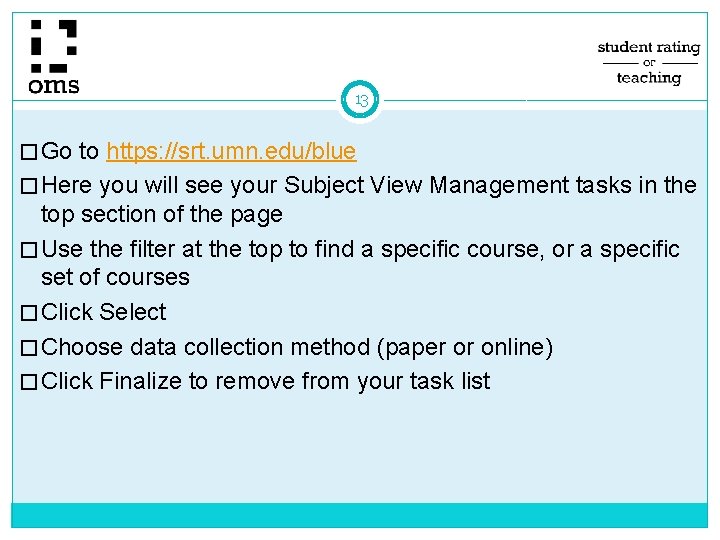
13 � Go to https: //srt. umn. edu/blue � Here you will see your Subject View Management tasks in the top section of the page � Use the filter at the top to find a specific course, or a specific set of courses � Click Select � Choose data collection method (paper or online) � Click Finalize to remove from your task list
14 Things to Note (p. 1) If you have clicked “Finalize” and find you need to make a change, contact the OIT help line: https: //it. umn. edu/help or call 1 -HELP (1 -4357)
15 Things to Note (p. 2) • Courses are “owned” by the DEPTID associated with the course (CLASS_NBR) in the course database • Secondary access can currently be granted at the SUBJECT level • Cross listed courses are available to all units with students in the “classroom” • Default settings exclude SRT administration for dissertation, internships/externships, and many practicum courses These courses can be added on request Contact oms@umn. edu to request such additions
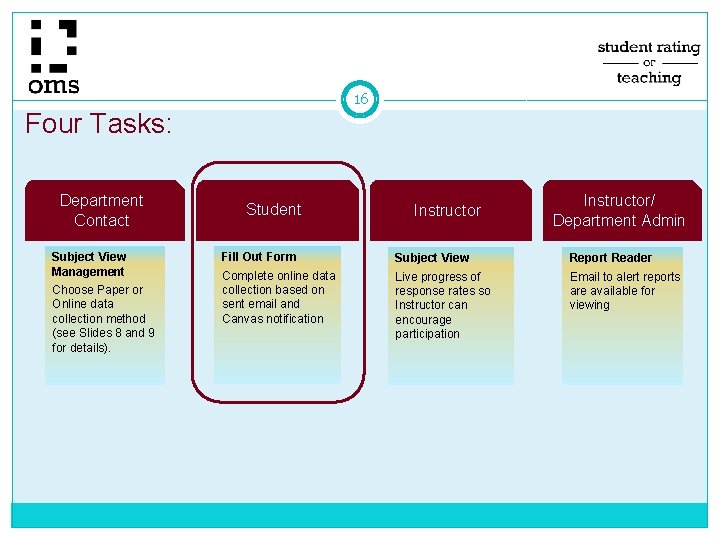
16 Four Tasks: Department Contact Subject View Management Choose Paper or Online data collection method (see Slides 8 and 9 for details). Student Instructor/ Department Admin Fill Out Form Subject View Report Reader Complete online data collection based on sent email and Canvas notification Live progress of response rates so Instructor can encourage participation Email to alert reports are available for viewing
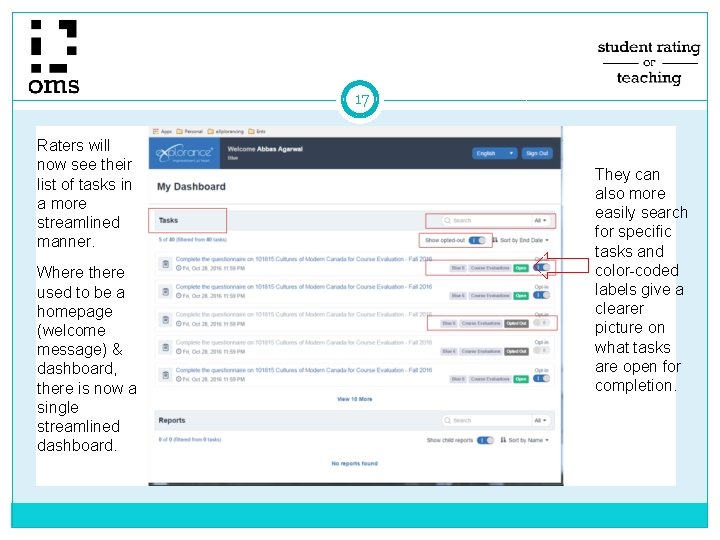
17 Raters will now see their list of tasks in a more streamlined manner. Where there used to be a homepage (welcome message) & dashboard, there is now a single streamlined dashboard. They can also more easily search for specific tasks and color-coded labels give a clearer picture on what tasks are open for completion.
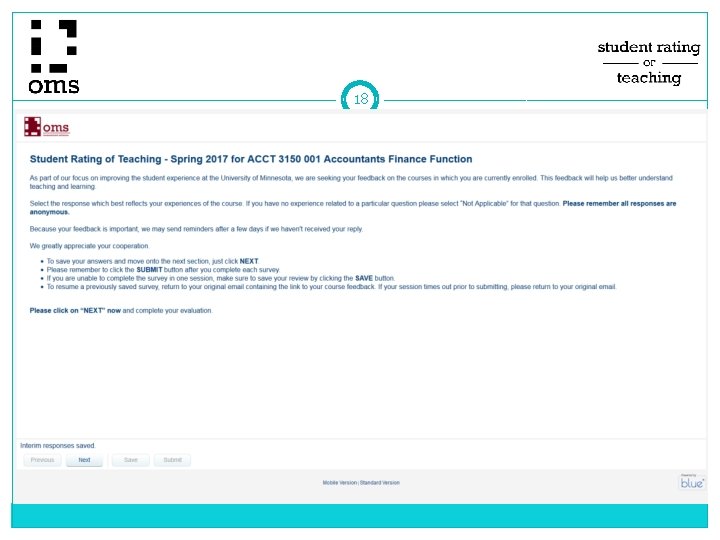
18
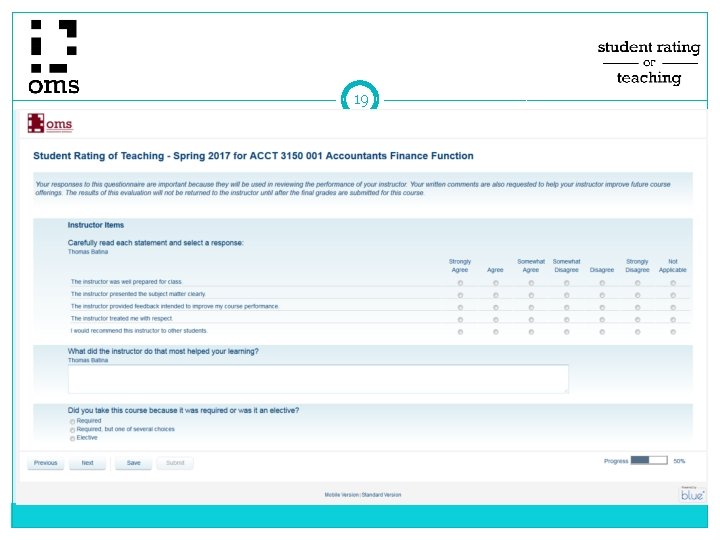
19
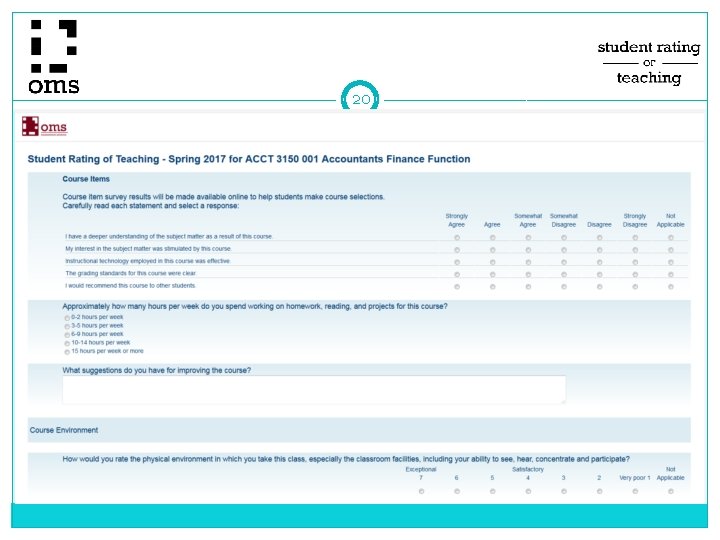
20
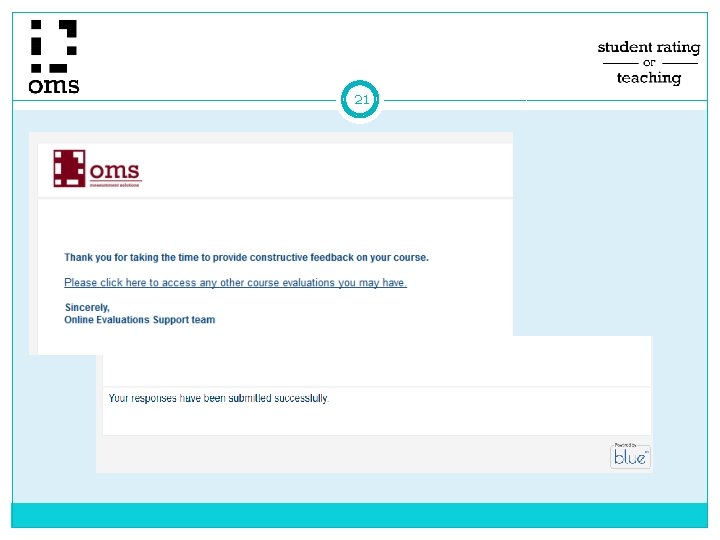
21
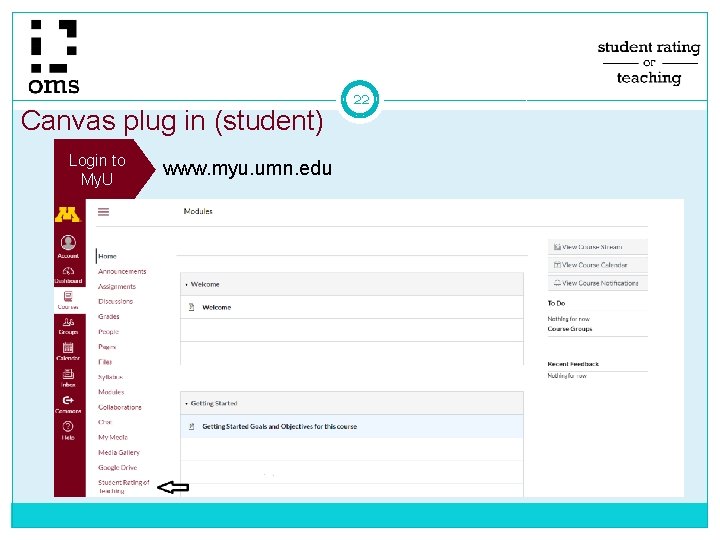
Canvas plug in (student) Login to My. U www. myu. umn. edu 22
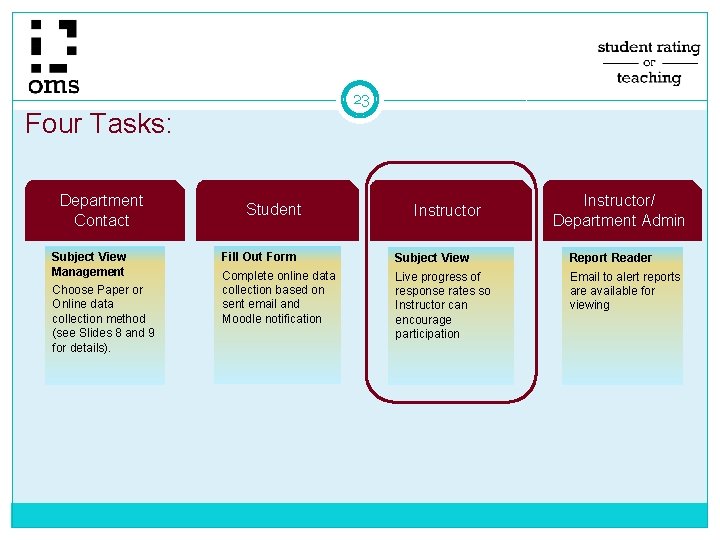
23 Four Tasks: Department Contact Subject View Management Choose Paper or Online data collection method (see Slides 8 and 9 for details). Student Instructor/ Department Admin Fill Out Form Subject View Report Reader Complete online data collection based on sent email and Moodle notification Live progress of response rates so Instructor can encourage participation Email to alert reports are available for viewing
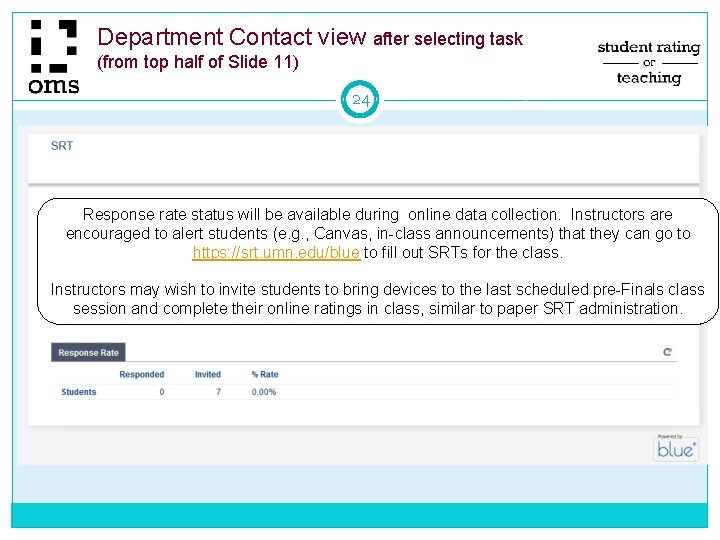
Department Contact view after selecting task (from top half of Slide 11) 24 Response rate status will be available during online data collection. Instructors are encouraged to alert students (e. g. , Canvas, in-class announcements) that they can go to https: //srt. umn. edu/blue to fill out SRTs for the class. Instructors may wish to invite students to bring devices to the last scheduled pre-Finals class session and complete their online ratings in class, similar to paper SRT administration.
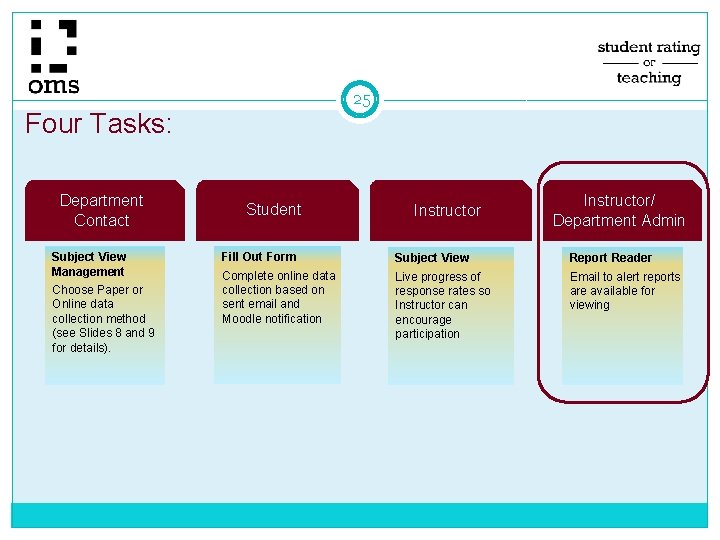
25 Four Tasks: Department Contact Subject View Management Choose Paper or Online data collection method (see Slides 8 and 9 for details). Student Instructor/ Department Admin Fill Out Form Subject View Report Reader Complete online data collection based on sent email and Moodle notification Live progress of response rates so Instructor can encourage participation Email to alert reports are available for viewing
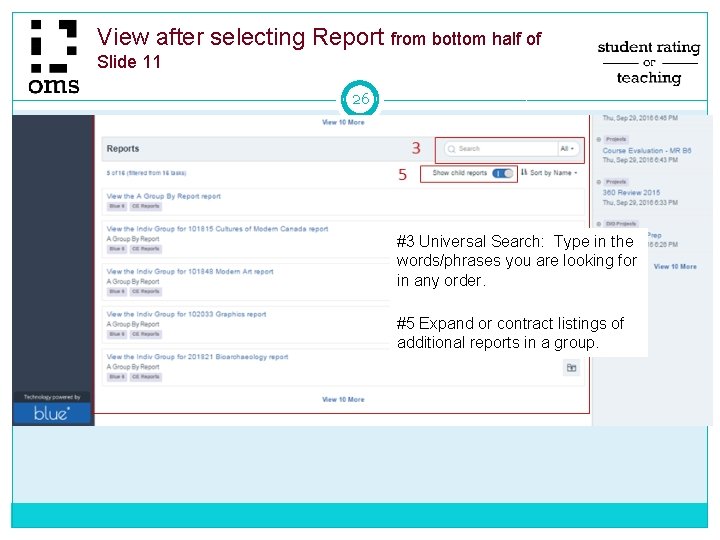
View after selecting Report from bottom half of Slide 11 26 #3 Universal Search: Type in the words/phrases you are looking for in any order. #5 Expand or contract listings of additional reports in a group.
27 Reports: Availability • Online data collection Reports available three weeks after the last class meeting date This is for uniformity across terms, accounting for fall term calendar (study day, finals week, and 2 University holidays after the last class meeting) as well as the standard 3 days to submit final grades • Paper data collection Reports available as quickly as processed Note: ALL paper SRTs must be submitted to OMS within 10 days after data collection to ensure timely processing and reporting
28 Reports: Spring 2014 Changes • Revised form separating instructor items from course items Student ratings of the instructor are separated from ratings related to the course Course-related items are available for review, for example by students when selecting courses during registration • Minimum number of responses Previous University policy prohibited reporting of results with fewer than 5 responses When the SRT form was revised, this prohibition was dropped; all results are reported even if only one response was received